






Kling AI元素

Kling AI Elements 是 2025 年 1 月 23 日发布的Kling AI 1.6中引入的一项新功能。它允许用户通过组合多张参考图像来创建动态 AI 视频。借助Kling AI Elements 的强大功能,您可以创建具有您想要的精确主题、物体和背景的一致 AI 视频。

图生视频
文生视频
图生视频

点击上传图片

主要特点

  • 最多上传四个元素:添加最多四种不同元素的图像以包含在您的 AI 视频中。
  • 插入你的角色:您可以添加希望在 AI 视频输出中看到的特定人物或主题的图像。
  • 添加对象和背景:您还可以为视频添加特定对象的图像甚至背景和设置。
  • 文本提示控件:输入文本提示来告诉 AI 您想要什么类型的视频,并添加可选的负面提示以获得更好的控制。
  • 完全定制:调整视频的长度、宽高比和质量级别。

每个视频最多 4 个元素

Kling AI元素允许您将自己的特定元素添加到您制作的任何 AI 视频中,并且您总共可以上传或选择最多四个不同的元素。这让您可以很好地控制您的视频,因为理论上您可以上传一张背景或场景图像、另一张主要主题图像,然后再上传一两张与主题互动的物体图像。

输入输出视频
男人
咖啡店
咖啡
迅速的:

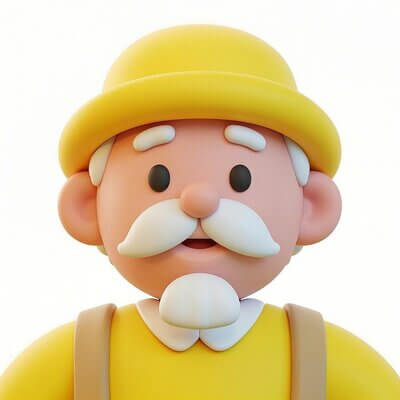
提示:在咖啡馆里,一位卡通风格的老人举起杯子喝咖啡。

插入你的角色

Elements 适用于主题、对象和背景图像。这意味着您可以上传或添加希望在 AI 视频中看到的特定角色的图像,这为各种用户提供了许多可能性。例如,品牌可以添加自己的吉祥物或一致的角色,而其他用户可以在每个视频中插入自己的自定义模型。

添加对象和背景

使用 Elements,您可以向 AI 视频输出添加的不仅仅是角色。您还可以插入特定物体的图像(可能包括从咖啡杯等小物件到大型纪念碑或建筑物等任何物体),以及背景和场景,例如积雪的森林或城市街道,甚至是您自己的家。

文本提示控件

上传或选择了视频中想要包含的所有元素后,Elements 会让您输入自定义提示来创建视频。您可以根据自己的喜好使用基本或详细的提示,甚至可以选择添加负面提示,让您对输出有更多控制和影响。

完全定制

Kling AI 的 Elements 功能还提供了大量自定义工具来控制您制作的视频。您可以选择两种不同的时长(5 秒或 10 秒),以及三种不同的宽高比。如果需要,您还可以启用专业模式,以获得更高分辨率和更详细的视频。

Youtube 评论

X 的其他评论

Liz Cassidy photoRichard Quick photoarmourdude photo4000+ 条评论Trustscore 4.4

被全球超过1000万创作者和营销人员选择

成千上万的满意用户在 Trustpilot 上分享了他们使用Pollo AI 的体验,并给予我们“优秀”的评价。看看他们喜欢我们平台的哪些方面。

Liz Cassidy photoLiz Cassidy
Trustpilot 评论Dec 15, 2025
Easy to use, great results for short videos
I’ve been using Pollo AI mainly for short videos and quick image-to-video tests. The interface is straightforward and it works well even with simple prompts, which is a big plus compared to tools that need long, complicated instructions. The results can be really impressive, and it’s honestly been fun to experiment with. I’d love a bit more consistency on faces when there’s movement, but overall it’s been a solid experience for what I needed.
Richard Quick photoRichard Quick
Trustpilot 评论Oct 15, 2025
Awesome website
Awesome website. loads of options and a great way to learn how to work with 'AI' my reasoning for 5 stars is based upon price, versatility and ease of use. Also I would like to add, Pollo AI runs a lot of promos on different AI products as well. I rate their customer service at 5 stars, when I purchased my first subscription my computer crashed the following weekend and I lost all my data and info passwords you name it I lost it, contacted pollo by email they responded quickly and found my info/username and account, and I was able to restore my account.
armourdude photoarmourdude
Trustpilot 评论Nov 19, 2025
I have been using Pollo AI for short…
I have been using Pollo AI for short videos. It is easy to use and works well with simple prompts. Other generators seem to need long drawn out complicated explanations to get even close to what I want.
Dudu photoDudu
Trustpilot 评论Jan 14, 2026
I'm just amazed by the level of quality…
I'm just amazed by the level of quality output that Pollo AI can produce from a simple image. The motion, the realism, It's too good!!
Ray Warnes photoRay Warnes
Trustpilot 评论Dec 30, 2025
A fabulous journey
I find Pollo easy to use, it gives me great results and I'd recommend it to anyone. It has been a wonderful experience for me.
lawless clan photolawless clan
Trustpilot 评论Nov 22, 2025
i tried 220 online img to vid in 2…
i tried 220 online img to vid in 2 months, and this is the best online video.I will subscribe for a year; there are many reasons. But freedom is the most important.

常见问题解答

Kling AI Elements 有什么用途?

Elements 功能对于个人用户和专业用户都具有许多潜在用途。品牌可以使用它来制作一致的品牌宣传或广告活动,甚至是产品演示,而创意用户可以使用它来制作叙事序列,甚至是长篇 AI 视频。

Kling AI Elements 可以免费使用吗?

是的, Kling AI的免费用户可以完全使用此功能,但每次通过这种方式生成视频时都会消耗积分,如果您只使用免费用户计划,您可能会很快耗尽积分。

您可以使用Kling AI Elements 制作哪些类型的视频?

您可以使用Kling AI Elements 制作几乎任何类型的视频,包括逼真的视频、品牌广告、产品演示,或更加奇幻和魔幻的视频,如超级英雄场景或动漫风格的序列。

使用Kling AI Elements 的一些最佳实践是什么?

为了充分利用Kling AI Elements,最好使用您想要包含的元素的最高质量的图片,并确保每个元素在每张图片中都清晰可见,没有任何扭曲或干扰。

在Pollo AI上免费试用Kling AI

在Pollo AI上亲身免费体验Kling AI 。
