img
ホームページ/テキストから画像へ/Magnific AI 画像ジェネレーター

Magnific AI 画像ジェネレーター

Magnificは、ハイパーリアルな画像生成、クリエイティブなアップスケーリング、ディテール豊かなビジュアル強化に特化しています。画像を動画や公開可能なキャンペーンに活用したいクリエイター向けに、Pollo AIはより幅広いクリエイティブなワークフローを提供します。今すぐPollo AIを無料で試す!

画像
テキスト/画像から画像へ
スタイル
テキストから画像へ
画像から画像へ
画像から画像へ

クリックして画像をアップロード

Key Features of Magnific

Text To Image Creation

When a project starts with only a rough idea, Magnific can turn text prompts into custom images across different visual styles.

This is practical for campaign moodboards, product concept art, editorial visuals, social post concepts, or early-stage brand directions before a team commits to photography or final design.

Image Editing Tools Suite

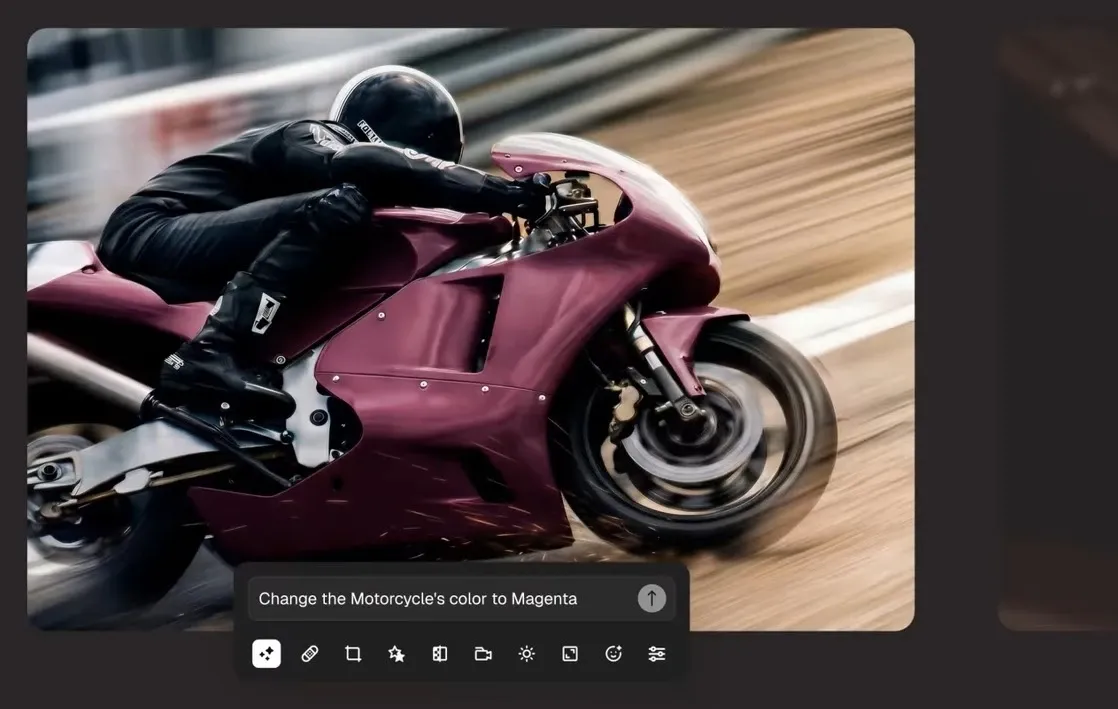
For teams working from existing assets, Magnific provides image editing for retouching, resizing, restyling, and adjusting visuals after generation.

A marketer could adapt a product image for a landing page, refine a campaign graphic, or clean up small visual issues before passing the asset into paid ads or social posts.

ai-photo-editor.webp

When one product photo needs to become a full set of catalog, ad, and social assets, Pollo AI goes further than single-image touchups.

Its AI photo editor supports prompt-based edits, background removal, object erasing, relighting, style changes, and batch editing for dozens of images at once.

That means e-commerce sellers and marketers can keep backgrounds, lighting, and visual style consistent across product pages, ads, and posts.

Automatic Background Removal

A clean cutout is often the first step in commercial design. Magnific can remove the background from images so products, people, or objects are easier to place into new layouts.

This helps e-commerce teams create marketplace photos, ad creatives, catalog images, website banners, and clean presentation assets faster.

Conversational Creative Assistant

Instead of moving through separate controls for every change, Magnific offers an assistant that responds to creative instructions in a conversational flow.

A small brand team could ask for design variations, layout changes, or visual refinements while preparing social graphics, promotional banners, or campaign drafts for review.

When a polished image needs to become a complete video, Pollo Agent gives users a smoother next step. It accepts ideas, images, or links, then builds production-ready videos with a structured, paced, visual, and voice-driven approach.

Users can refine the result through simple chat, clone viral ads from TikTok links, and create post-ready videos without stitching clips together manually.

Image Variation Generation

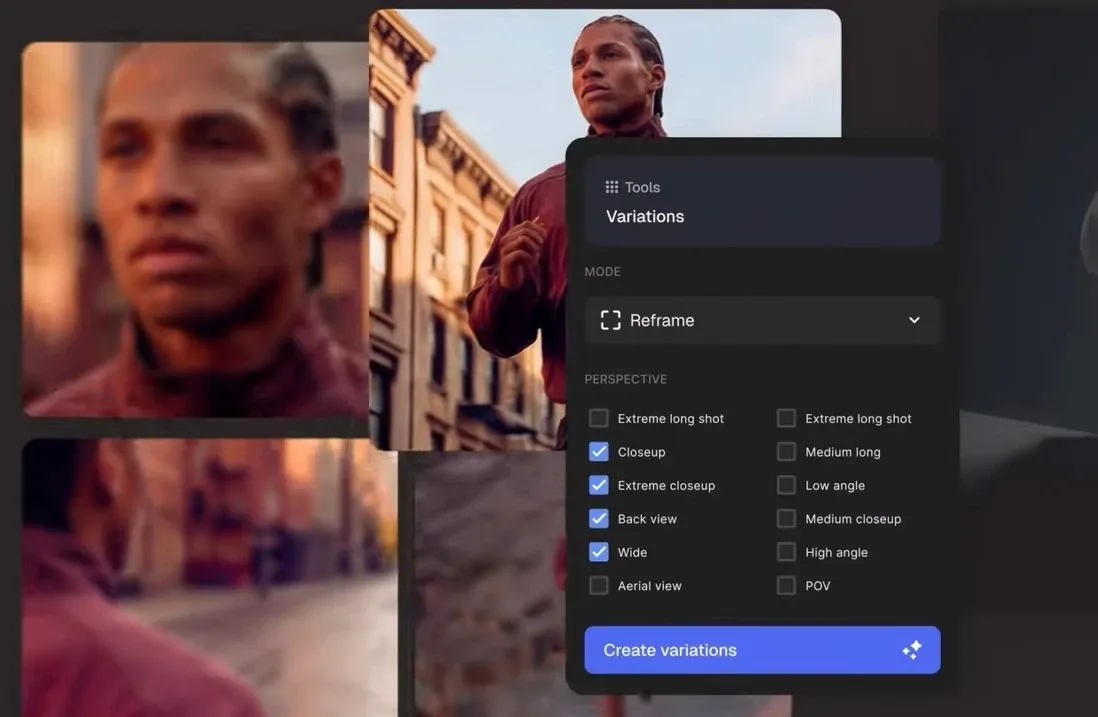
A single approved image can become several creative directions through Magnific variations.

This helps marketers test different styles, compositions, or visual moods for ads, thumbnails, product concepts, and social posts without restarting from a blank prompt each time.

image-variation-generation.webp

Ready-To-Use Creative Templates

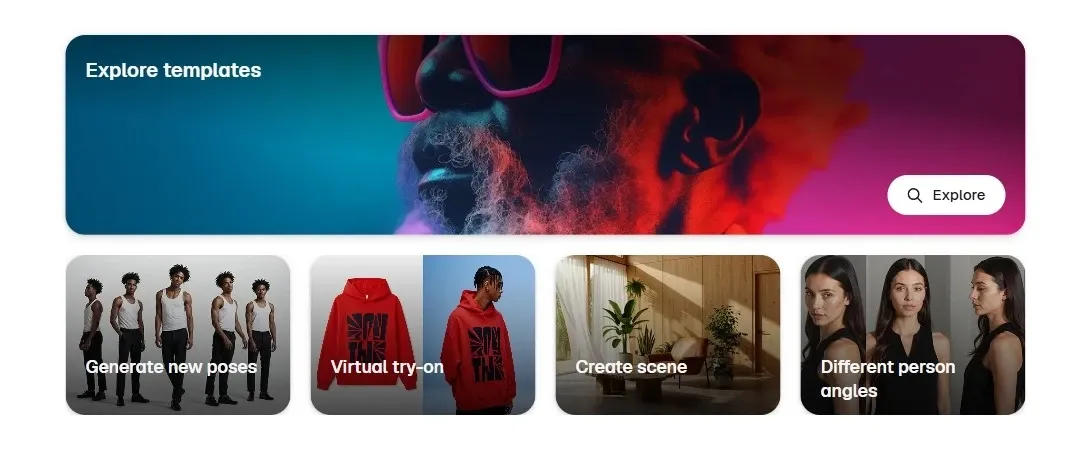
Inside its creation workspace, Magnific includes ready-made templates for tasks such as movie posters, editorial fashion photos, and tech product visuals.

This helps smaller creative teams move faster when building campaign drafts, ad concepts, presentation visuals, or branded social assets without starting every composition from scratch.

ready-to-use-creative-templates.webp

When image templates are not enough, and marketers need video-ready campaign assets, Pollo AI’s scenario-based use cases feel more direct.

Its AI UGC video generator helps brands create product-led ad videos for social platforms, while its AI brand story generator turns ideas into structured brand story videos with scenes, pacing, and visual flow.

For branding teams, that means moving from static concepts to campaign content built for launches, ads, and social posts.

Creative API Access

For product teams building creative tools at scale, Magnific provides API access for image generation, image editing, upscaling, and stock content.

This is practical for SaaS platforms, design apps, marketplace tools, or internal brand systems that need automated visual creation without relying on manual asset production.

Who Uses Magnific Best

Brand Marketers

Magnific can help marketers turn rough campaign ideas into polished visuals, from brand moodboards to product-led ad concepts. A small team could build several visual directions for a seasonal launch before choosing what goes into paid ads or landing pages.

E-Commerce Sellers

Product teams can use Magnific to generate product photos, remove backgrounds, and create cleaner listing visuals. This is useful when one product image needs to work across Amazon, Shopify, social ads, and email banners.

Creative Designers

Designers can use Magnific’s image editing tools, variations, and templates to explore layouts faster. A designer might start with a movie poster, editorial fashion photo, or branded packaging concept, then create multiple versions for client review.

Developers and SaaS Teams

Magnific’s API access makes sense for teams building visual creation into apps or internal workflows. A design platform, marketplace tool, or brand automation system could connect image generation, editing, and stock assets directly into its own product.

Magnific vs OpenArt vs Pollo AI

Feature Magnific OpenArt Pollo AI
AI Image Generation Generates images from text prompts or a reference image Generates images from text or reference images Generates images from text and image prompts
Image Editing Edits and refines existing images Offers image-to-image, restoration, and filters Provides broader image tools and a photo editor for dozens of image adjustments
Templates & Inspiration Visual templates and creation hub Large feature library and creative examples Scenario-based use cases for real content needs
Model Access Offers models for image creation Supports popular image models and style workflows Integrates leading image and video models in one place, like GPT Image 2 and Veo
Agent A conversational creative assistant No agent workflow Pollo Agent creates ready-to-post content automatically without manual editing
Best For Refined images, branding, product shots Image exploration, creative filters, art styles Images, videos, ads, avatars, and marketing campaigns

Magnific stands out for polished image creation, creative editing, and refined visual workflows built around branding and product imagery. OpenArt leans more toward image exploration and style experimentation through its large model and filter ecosystem.

Pollo AI takes a broader approach by combining image generation, practical editing tools, leading models, and Pollo Agent into one workflow, making it easier to move from ideas to ready-to-use creative content with far less manual work.

Is Magnific Always Reliable

User feedback around Magnific feels fairly consistent: the platform is praised for adding realism, texture, and extra detail to CGI or AI-generated images, especially in creative workflows that already involve tools like Photoshop.

At the same time, some users report limitations with very large resolutions and occasional grainy results after upscaling, particularly when pushing images beyond certain sizes.

Where Does Magnific Fit

Magnific sits in the premium image creation and enhancement category.

It is not just a casual prompt to image tool, nor only an old-style upscaler. Its value is in making visuals feel more polished, detailed, and commercially usable, especially for branding, product imagery, and creative production.

Still, Magnific may feel less suitable for creators who want those polished images to move directly into structured marketing videos.

Why Choose Pollo AI Over Magnific

Pollo AI is an all-in-one AI image and video creation platform built for full content production, from first idea to ready-to-publish output.

For users who like Magnific’s image generation and editing, Pollo AI adds stronger production depth: its image tools support text to image, image to image, consistent subjects, and design-ready visuals for ads, product pages, and campaign concepts.

Pollo AI’s AI photo editor also handles prompt-based edits, batch editing, background and object removal, enhancement, and style changes, helping teams turn product shots into catalog-ready assets faster.

When visuals need to become finished content, Pollo Agent can turn text, images, or URLs into structured, post-ready videos with no manual editing. Try Pollo AI for free now!

Pollo AI はどこが優れていますか?

Pollo AI はどこが優れていますか?

01

マルチモデルの柔軟性

Nano Bananaなどの画像モデルや、Happy Horseなどの動画モデルを使用して、さまざまなクリエイティブなニーズに対応できます。

02

シナリオベースのユースケース

クリエイターは、手動でアセットを構築することなく、バイラル動画を複製する、またはAI UGC動画広告を作成できます。

03

AIアバター生成

画像をリップシンクと自然な音声で話すアバターに変え、最長2分間のビデオを作成できます。

FAQs

Magnificとは?

Magnificは、画像、ビデオ、オーディオ生成のためのAIクリエイティブプラットフォームであり、洗練された画像の作成と編集に重点を置いています。その画像機能には、画像生成、AI画像編集、背景除去、画像バリエーション、クリエイティブテンプレート、開発者向けAPIアクセスが含まれます。

Magnific は何に最適ですか?

Magnificは、ブランドコンセプト、商品撮影、キャンペーン画像、エディトリアルスタイルのグラフィック、そしてより洗練された外観が必要なクリエイティブアセットなど、洗練されたビジュアル作業に最適です。そのMystic画像生成機能は、マーケティング、Eコマース、クリエイティブプロジェクト向けに、1K、2K、4Kのフォトリアリスティックな画像を生成できます。

Magnificは画像の背景を削除できますか?

はい。Magnificの背景リムーバーは、画像の背景を削除、置き換え、ぼかし、またはカスタマイズできます。これは、商品写真、プロフィール画像、広告クリエイティブ、被写体を元のシーンから際立たせる必要のあるクリーンなデザインレイアウトに役立ちます。

MagnificはAPIを提供していますか?

はい。Magnificは、画像生成、画像アップスケーリング、ストックコンテンツ、その他のクリエイティブなワークフロー向けにAPIアクセスを提供しています。そのストックコンテンツAPIは、アプリや内部システム向けに画像、テンプレート、アイコン、ビデオ、音楽を検索、取得、ダウンロードできます。

Magnificは、本格的なコンテンツ制作に十分ですか?

Magnific は、特に画質が優先される場合において、静止画の作成と洗練に優れています。しかし、これらのアセットを構造化されたマーケティング動画にしたいユーザーは、より広範なワークフローを必要とするかもしれません。その場合、Pollo AI は、画像の作成、動画生成、シナリオベースのユースケース、そして Pollo Agent を組み合わせて、アイデア、画像、または URL を少ない手作業で投稿可能な動画に変換できるため、自然な次のステップとなります。

Pollo AIでそのまま使えるコンテンツを作成

Pollo AIでそのまま使えるコンテンツを作成

Magnificの画像加工を超えて。ビジュアルを制作、編集し、完全な動画に変換します。