


Runway展開視頻
Runway AI 的「擴展影片」功能可在Gen-3 Alpha Turbo上使用,它允許用戶重新構思和調整任何現有影片的寬高比,無需任何技術專業知識。只需選擇一種新格式,該工具就會調整其大小,從而創建新的AI 視頻,而不會裁剪任何重要細節。立即試用Runway AI !
Kling 4.0
最多可設定 10 個關鍵影格。性能出色。
多種長寬比
Runway AI的擴展影片功能使用戶能夠將影片轉換為多種解析度; 1280x768(橫向)或 768x1280(縱向)。由於該工具超出了現有影片的邊緣,因此視覺品質不會受到負面影響。
| 輸入影片 | 文字提示 | 引導影像 | 輸出影片 |
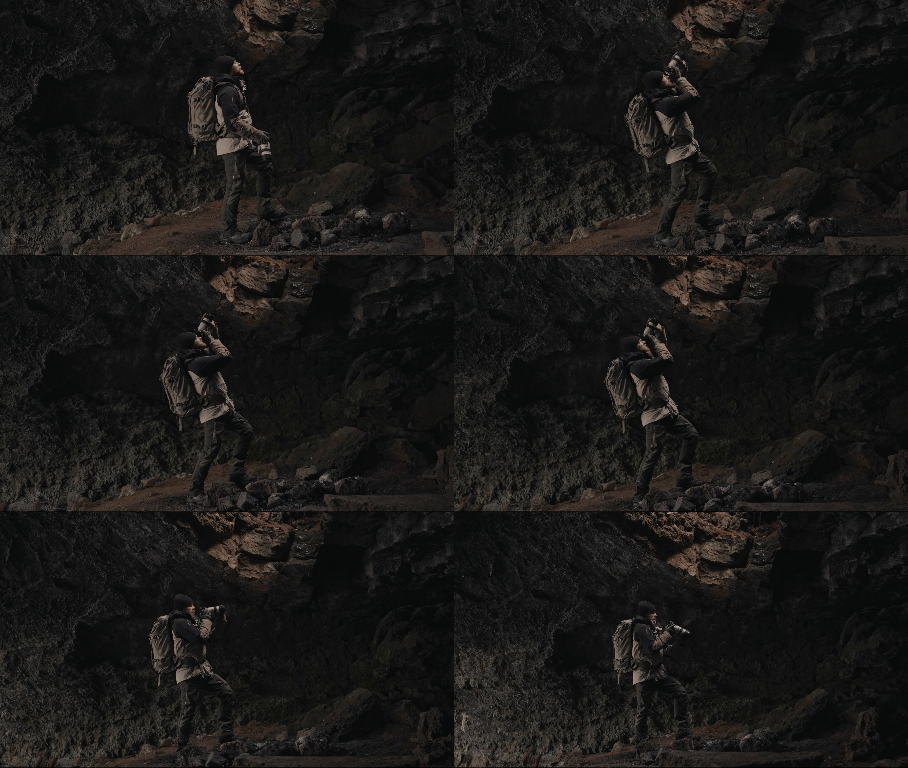 | 沒有任何 | 沒有任何 | 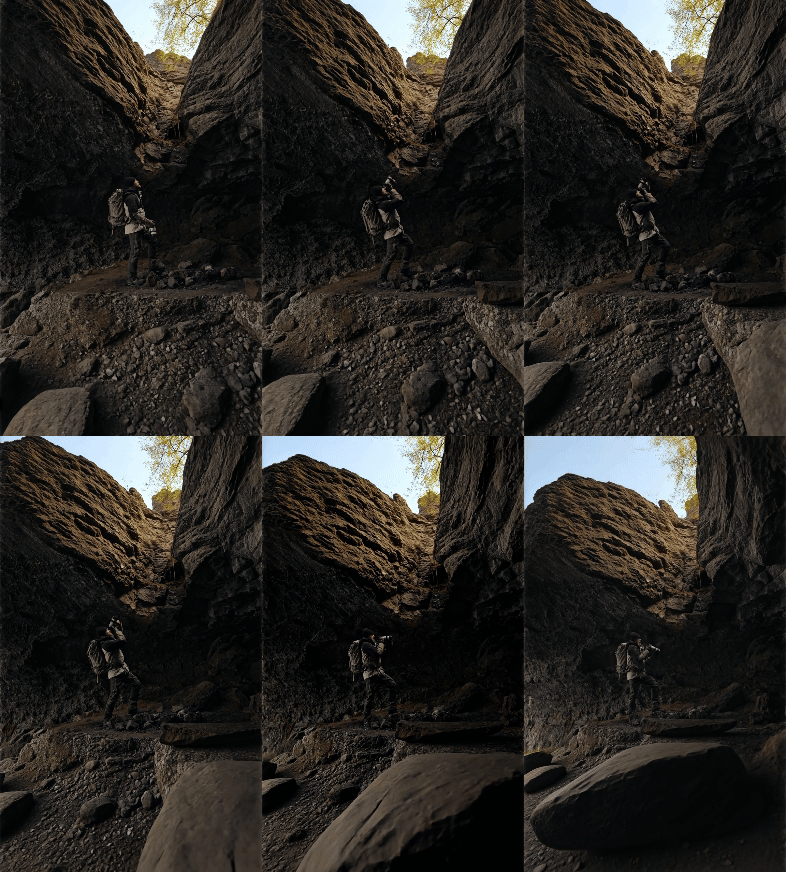 |
| 位於前景為熔岩的洞穴中 | 沒有任何 | 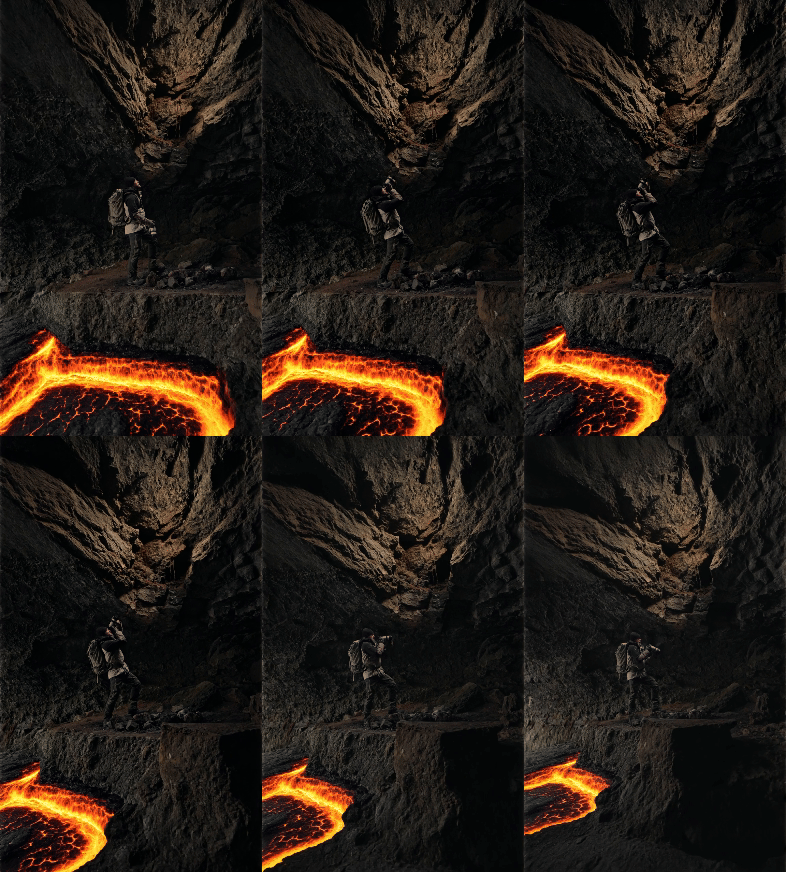 | |
| 沒有任何 | 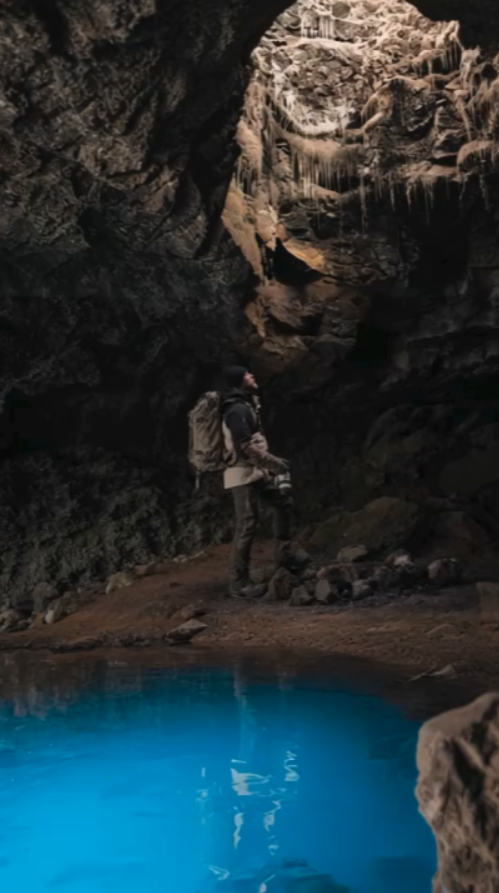 |  |
描述性提示
雖然您可以在沒有提示的情況下使用擴展視頻,但輸入提示可以幫助您更好地控制最終輸出。透過描述您想要在擴充區域中顯示的內容,您可以有效地降低工具產生不可預測結果的風險。
RUNWAY 的新「擴充」 → 太棒了。
— Rory Flynn (@Ror_Fly) 2024 年 11 月 26 日
繪畫效果非常一致。
快速提示:
+ 文字提示仍有很大影響力
+ 你的文字提示會影響“outpainting”
+ 無論你想創造“淨新”
+ 確保它在你的提示中
MJ PROMPT 例如:
廣角紀錄片... pic.twitter.com/6uZqqGLIfo
引導影像
使用擴展視頻,您可以使用現有視頻第一幀的擴展圖像來讓工具精確地了解您想要的輸出類型。有了它,您甚至不需要使用文字提示。只需上傳圖像,擴充功能的輸出就會與其匹配。
使用Runway擴展影片的最佳實踐
如果您打算擴展現有視頻,使用此工具時需要考慮幾個方面,這將有助於您獲得最佳效果。
- 上傳影片時,請確保輸入的寬度和高度至少為 620 像素。 Runway Expand Video 不會接受任何少於要求的擴充內容。
- 如果您打算上傳引導圖像,請務必確保它與影片的第一個畫面匹配/對齊,以防止視覺跳躍。
- 您可以隨意多次擴展視頻,但請務必將滑鼠懸停在“持續時間”圖示上以估算信用成本。
- 如果現有影片包含主題,最好始終確保它靠近畫面的中心,以防止任何潛在的扭曲或細節改變。
影片評論
X 的其他評論
Runway Gen-3 擴充影片是我最喜歡的功能之一,可以填滿現有影片周圍的空間。
— Heather Cooper(@HBCoop_) 2025 年 1 月 4 日
更多範例和工作流程如下: pic.twitter.com/NXRPavygTh
想像一下@runwayml Gen3 的新擴充功能帶來的可能性。這幾乎是不可能的。 🤯(在行動裝置上查看全文) pic.twitter.com/Gf1bIe3c4N
— Blaine Brown (@blizaine) 2024 年 11 月 23 日
就在 2 天前, Runway發布了Gen-3 Alpha的 Expand Video。
— Min Choi (@minchoi) 2024 年 11 月 24 日
人們不斷發揮創造力。
12 個野生範例: pic.twitter.com/pKDkVizCtZ
1. 擴展魔戒場景https://t.co/ri3kFVQOHC
— Min Choi (@minchoi) 2024 年 11 月 24 日

10M+使用者
使用 Pollo AI 進行創作與啟發靈感


深受全球超過1000萬名創作者和行銷人員信賴
- Liz CassidyDec 15, 2025Easy to use, great results for short videosI’ve been using Pollo AI mainly for short videos and quick image-to-video tests. The interface is straightforward and it works well even with simple prompts, which is a big plus compared to tools that need long, complicated instructions. The results can be really impressive, and it’s honestly been fun to experiment with. I’d love a bit more consistency on faces when there’s movement, but overall it’s been a solid experience for what I needed.
- Richard QuickOct 15, 2025Awesome websiteAwesome website. loads of options and a great way to learn how to work with 'AI' my reasoning for 5 stars is based upon price, versatility and ease of use. Also I would like to add, Pollo AI runs a lot of promos on different AI products as well. I rate their customer service at 5 stars, when I purchased my first subscription my computer crashed the following weekend and I lost all my data and info passwords you name it I lost it, contacted pollo by email they responded quickly and found my info/username and account, and I was able to restore my account.
- armourdudeNov 19, 2025I have been using Pollo AI for short…I have been using Pollo AI for short videos. It is easy to use and works well with simple prompts. Other generators seem to need long drawn out complicated explanations to get even close to what I want.
- DuduJan 14, 2026I'm just amazed by the level of quality…I'm just amazed by the level of quality output that Pollo AI can produce from a simple image. The motion, the realism, It's too good!!
- Ray WarnesDec 30, 2025A fabulous journeyI find Pollo easy to use, it gives me great results and I'd recommend it to anyone. It has been a wonderful experience for me.
- lawless clanNov 22, 2025i tried 220 online img to vid in 2…i tried 220 online img to vid in 2 months, and this is the best online video.I will subscribe for a year; there are many reasons. But freedom is the most important.


關於Runway 的有用文章 展開視頻
常見問題解答
Runway AI 的 Expand Video 可以免費使用嗎?
您可以透過 Runway 的「基本」方案免費存取擴充視訊工具。然而,這只能為您提供有限的存取權限。
Runway Expand Video 支援的最大輸入尺寸是多少?
您最多可以上傳 64MB 大小的影片。更具體地說,該工具支援長達 10 秒的影片。這意味著您只能使用「擴展影片」工具來重新建立短影片片段,而不是冗長的視覺序列。
使用Runway Expand Video 需要多少錢?
Runway將把任何現有的 5 秒或更短的影片擴展至 25 個積分。如果上傳的影片長度超過5秒,則需要花費50個點數來擴展。您可以將滑鼠懸停在「持續時間」圖示上,以檢查產生先前的預計成本。
擴展影片時如何保證品質效果?
您可以使用文字提示選項或上傳指導圖像,以幫助最大限度地減少與期望輸出的偏差。如果它不能滿足您的需求,您可以隨時嘗試使用不同的輸入,直到輸出符合您的創意願景。
Runway還支援哪些其他AI影片產生方法?
除了擴展視訊功能外, Runway還支援影像轉視訊等功能。現在,您可以使用Pollo AI圖像轉視頻 AI和Runway同款模型來體驗此功能!