Google Nano Banana 3 AI Image Model
Google’s latest image generation model, Nano Banana 3, is expected to deliver faster image generation with precise visual control, instant style transfer, and clean text rendering. Nano Banana 3 is rolling out on our AI image generator. Start creating with Nano Banana 2 on Pollo AI now while you wait.
Key Features of Nano Banana 3
- Precision Vibe Control: Shift the vibe, focus, and mood of an image with simple prompts.
- Instant Style Transfer: Apply styles from reference images in seconds.
- Smart Multi-Size Adaptation: Resize images for different formats without losing composition.
- Accurate Text in Images: Generate visuals with clean, well-placed text.
- Inspiration Feed & Trend Discovery: Explore real examples to find inspiration for your next creation.
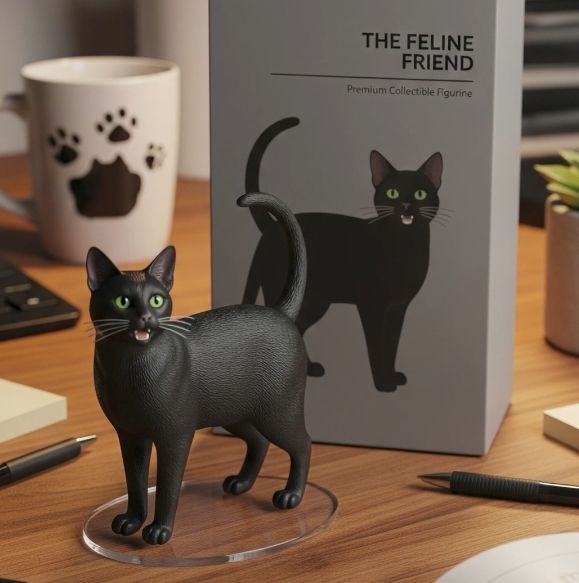
- Photo-to-Figurine Generation: Transform real photos into personalized miniature figure styles.
Precision Vibe Control
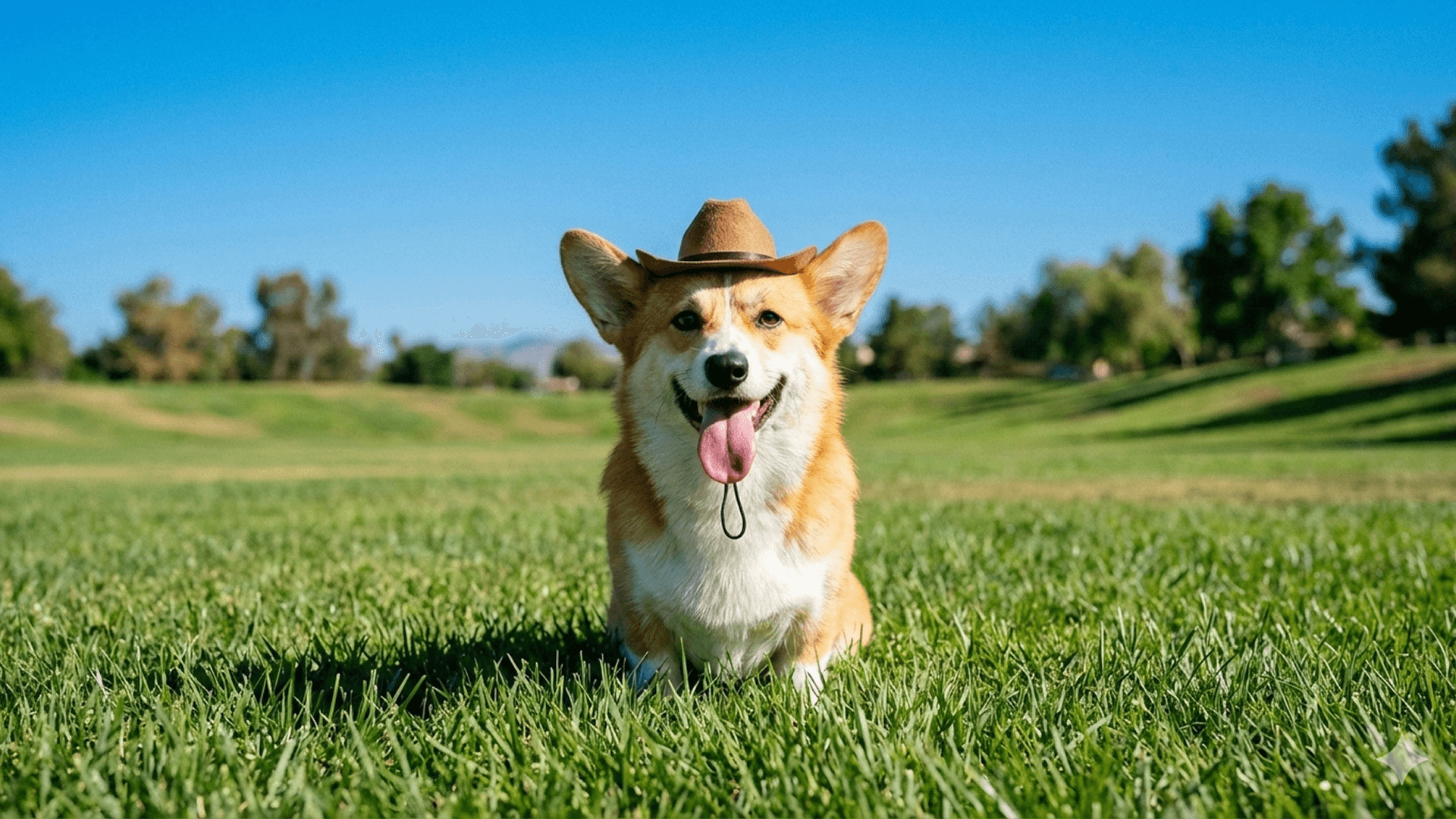
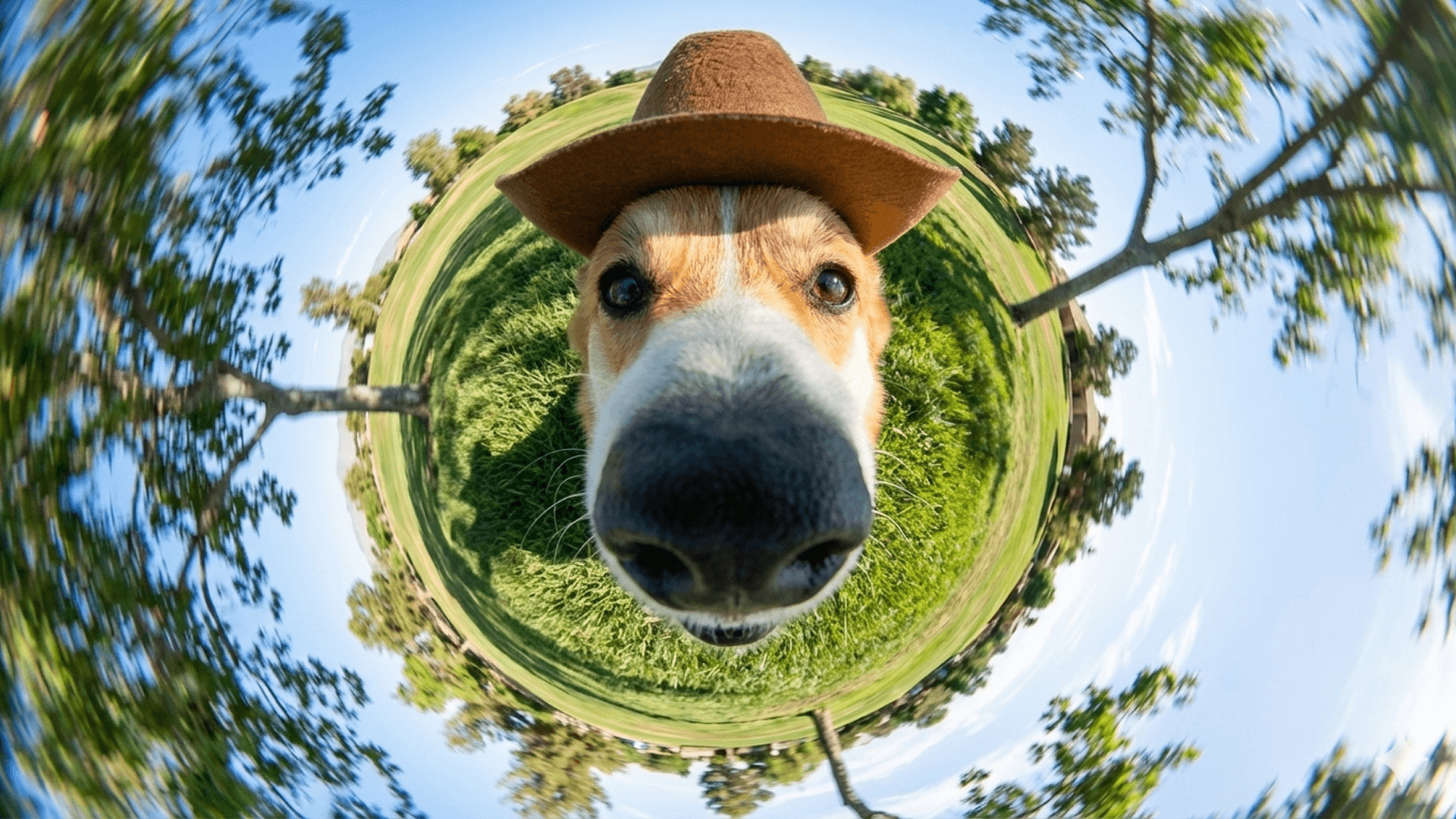
Shift the entire vibe of an image with simple prompts using Nano Banana 3. Turn bright scenes into moody visuals, soften or sharpen the atmosphere, and guide the viewer’s focus to match your creative intent.
Ideal for adapting one image into different styles for campaigns, social posts, or storytelling without reshooting.
| Image Input | Image Output |
 |
 |
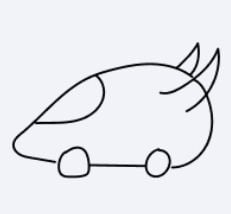
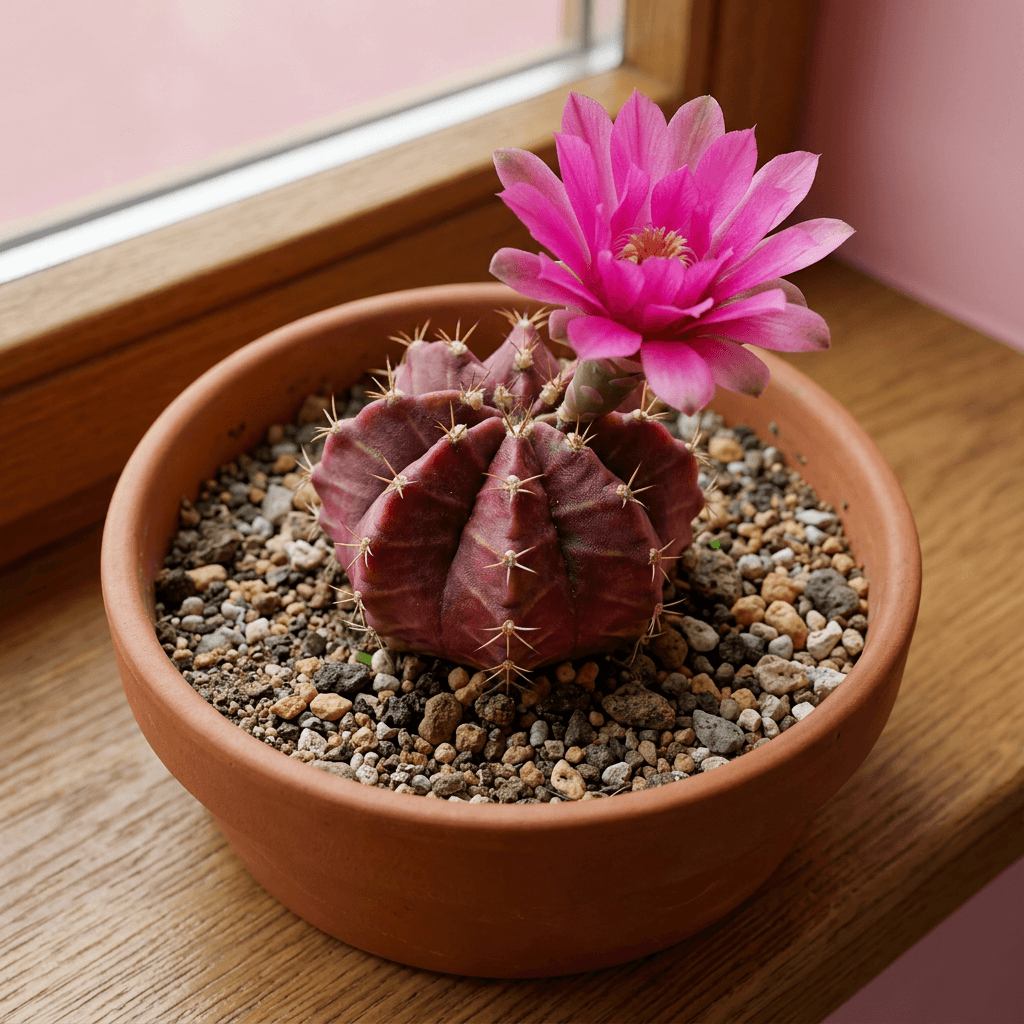
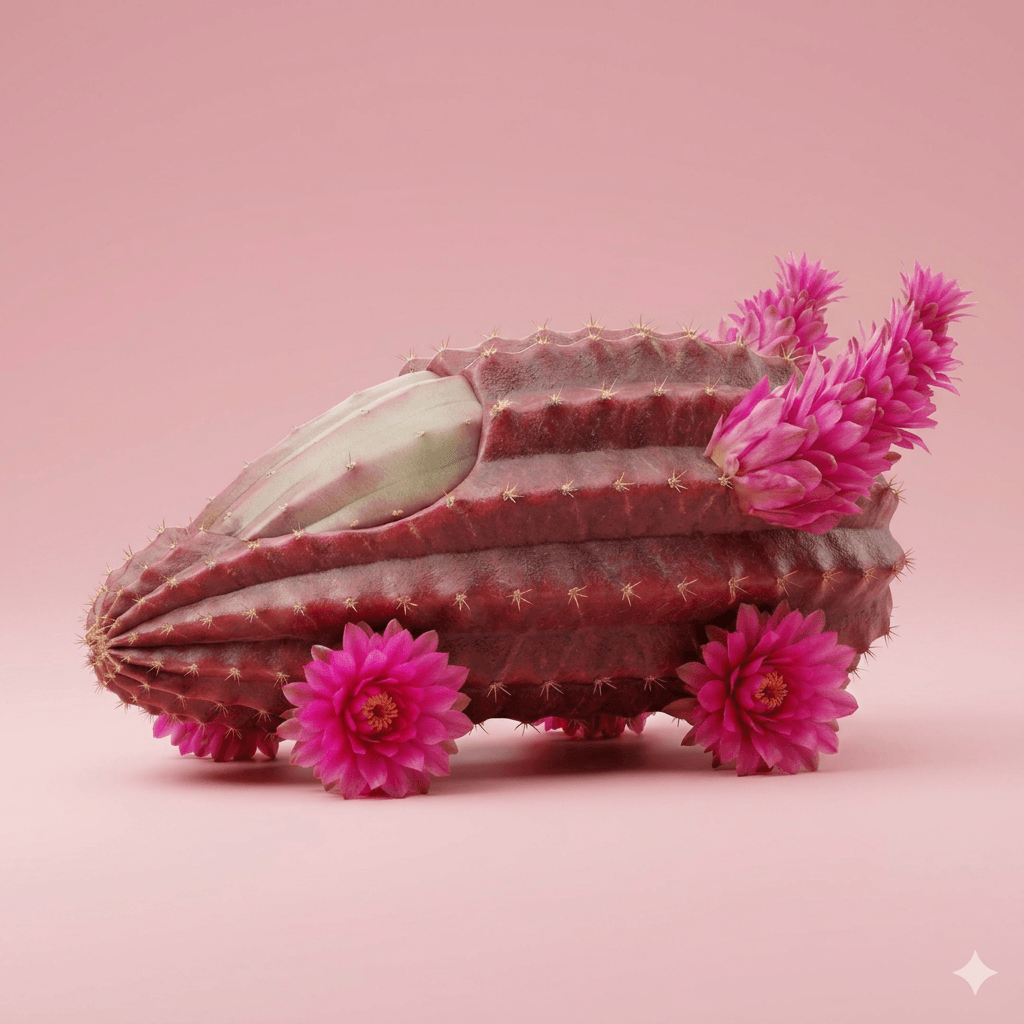
Instant Style Transfer
Ideal for storyboards, brand mascots, or multi-scene campaigns where the same character needs to appear repeatedly with Nano Banana 3.
It helps maintain visual identity across images without constantly re-prompting or fixing inconsistencies.
| Image Input1 | Image Input2 | Image Output |
 |
 |
 |
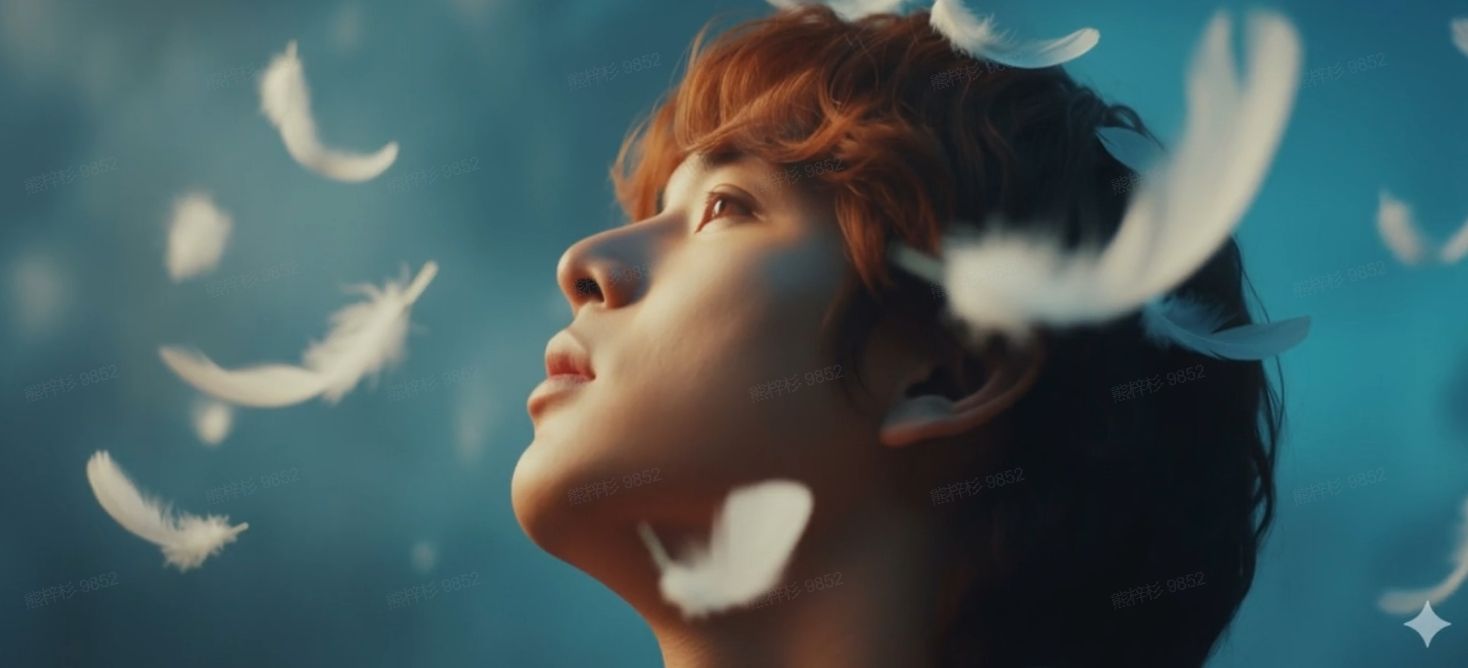
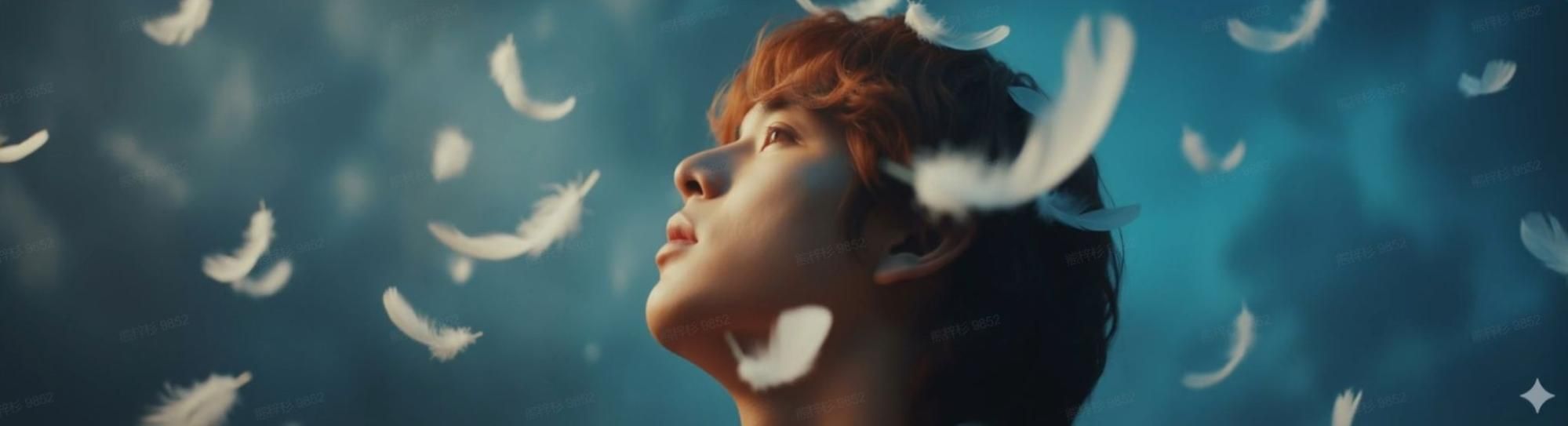
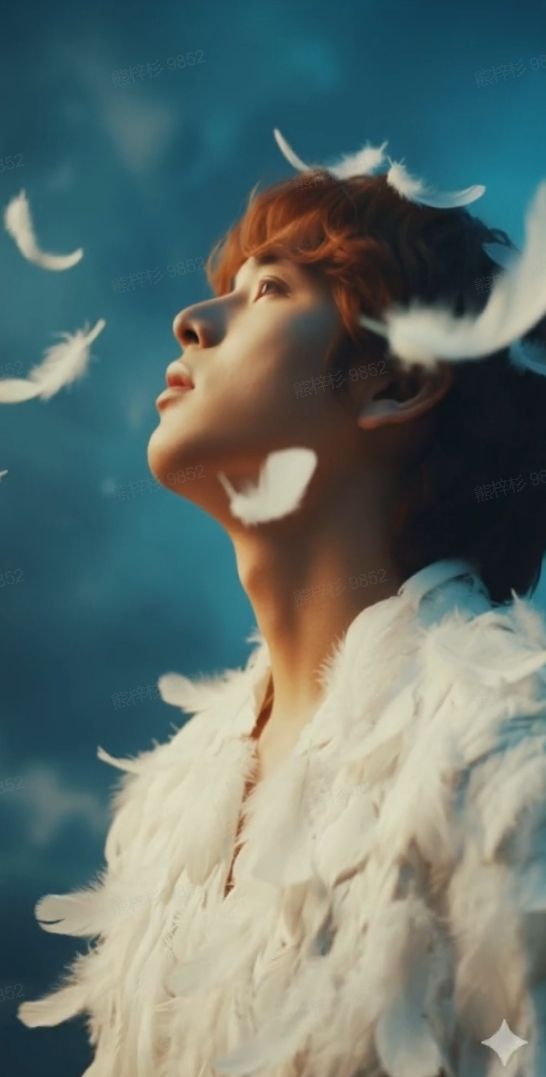
Multi-Size Adaptation
Nano Banana 3 lets you repurpose one visual across platforms like Instagram, ads, banners, or thumbnails. Maintain layout balance and key details while adapting to each format, saving time on manual cropping and ensuring consistent presentation everywhere.
| Image Input | Banner | Poster |
 |
 |
 |
Accurate Text in Images
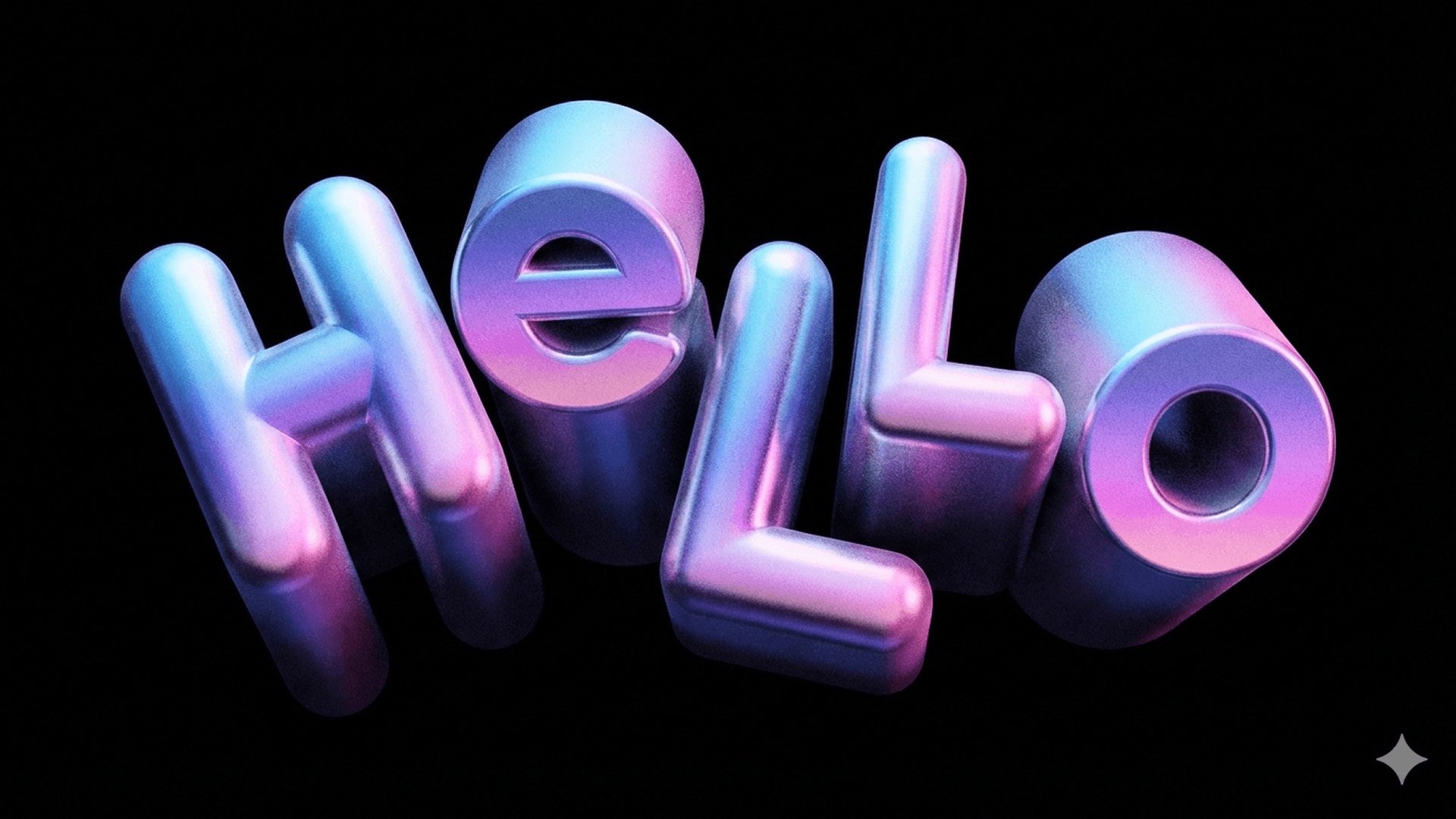
Create posters, invites, logos, or social graphics where text appears naturally within the image using Nano Banana 3.
Reduce the need for external design tools and produce ready-to-use visuals for marketing, branding, and content creation more efficiently.
| Prompt | Image Output |
| Against a black background, an irregular HELLO word is placed above, with a blue-violet gradient color and a vivid three-dimensional form. |
 |
Inspiration Feed & Trend Discovery
See what others are creating with Nano Banana 3, from trending looks to creative photo transformations. Browse real examples to quickly understand what styles, ideas, and formats are popular right now.
Ideal for creators and marketers who want fast inspiration, spot visual trends early, and create content that feels fresh, relevant, and aligned with what people are actually making.
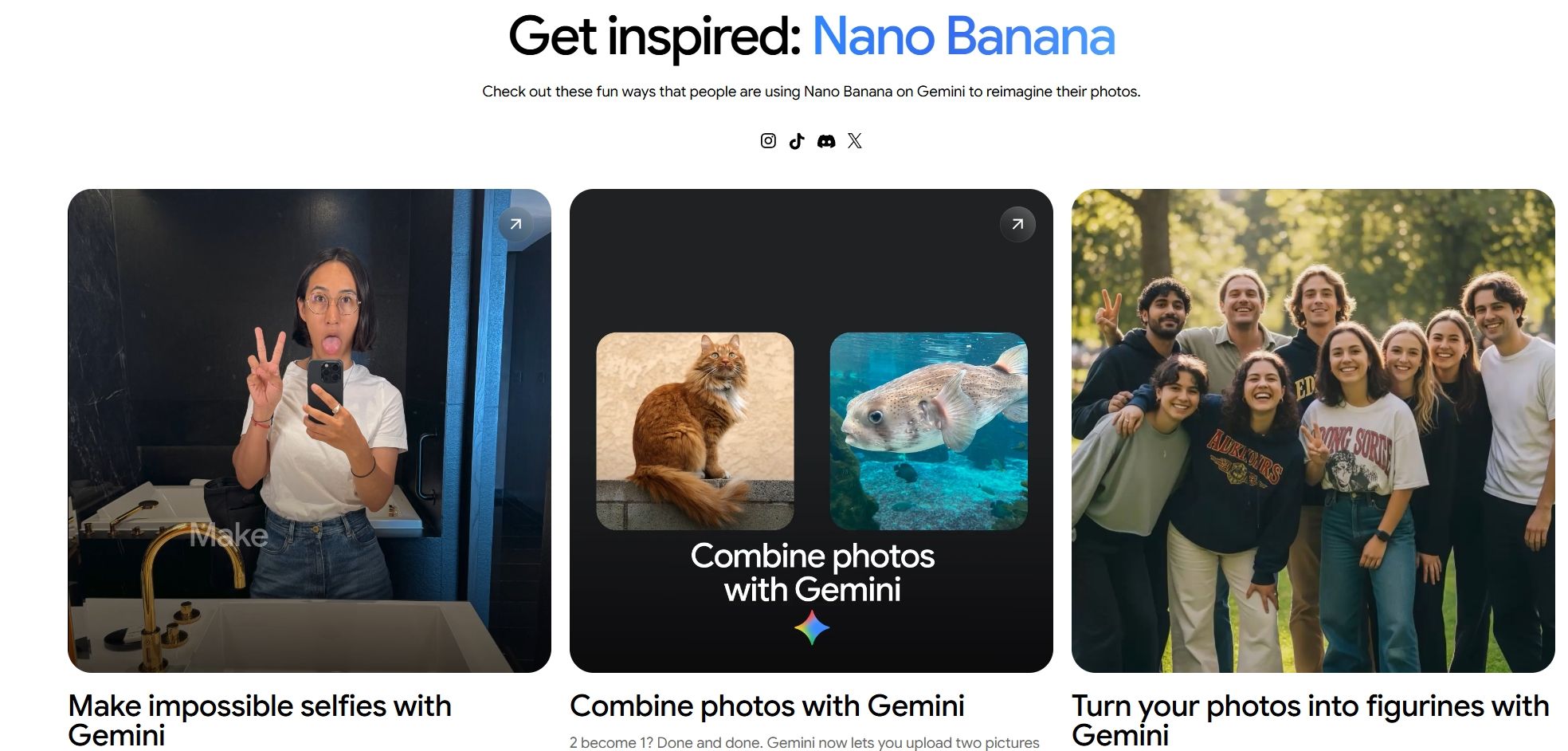
Photo-to-Figurine Generation
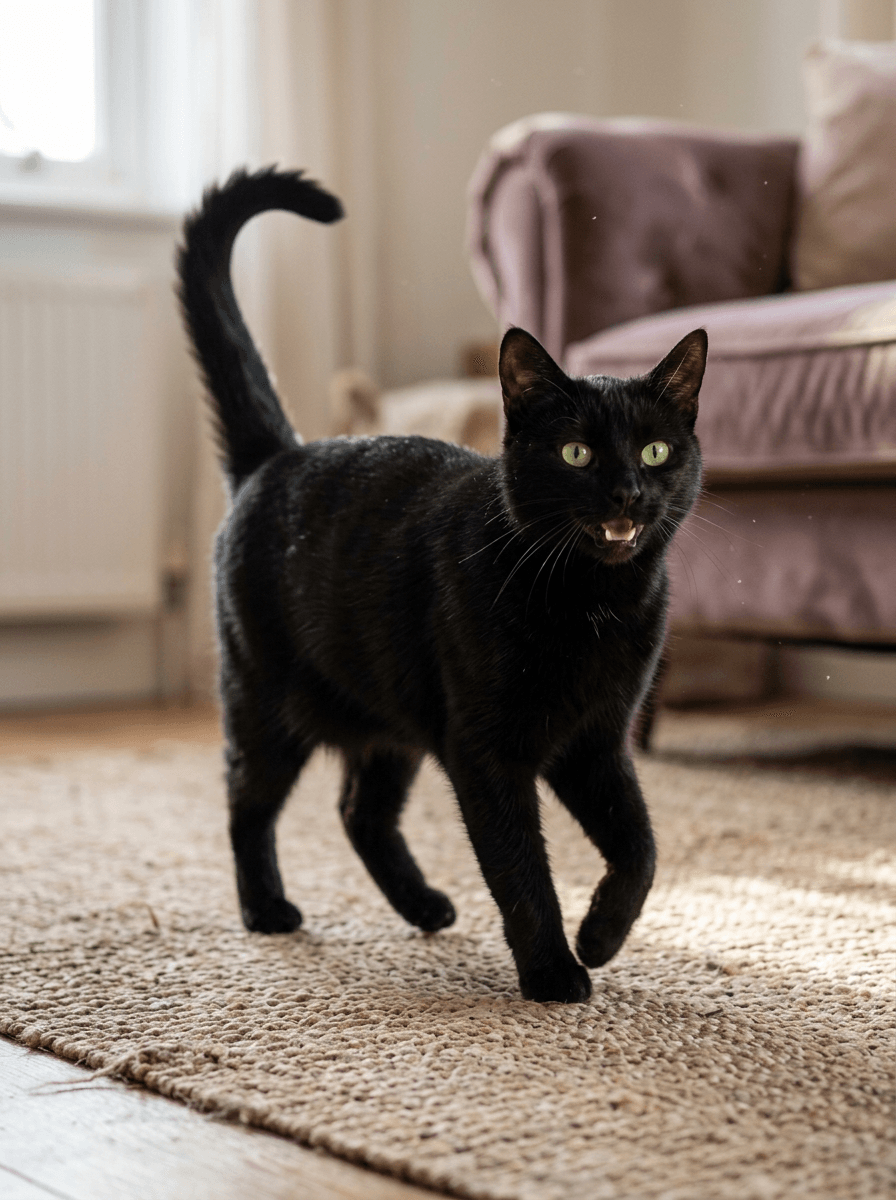
Turn your photos into custom miniature figurines with a simple prompt. Nano Banana 3 helps transform real people into collectible-style visuals with realistic details and consistent identity, all in seconds.
Ideal for creating personalized gifts, social content, or branded visuals that stand out, without needing 3D modeling or complex design tools.
| Input Image | Output Image |
 |
 |
Want to explore more Nano Banana 3 features? Check out this review.
Here’s More to Explore
Creative Image Transformations
Create eye-catching social posts, personalized content, or viral-ready visuals by combining photos, changing looks, or reimagining portraits in seconds.
Use Nano Banana 3 to produce unique profile images, campaign creatives, or fun shareable content faster, without relying on advanced editing tools or design experience.
AI Makeup and Detail Editing
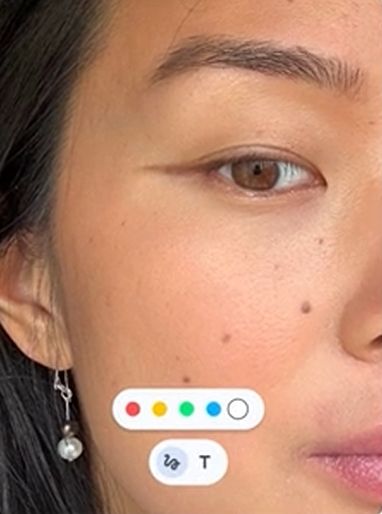
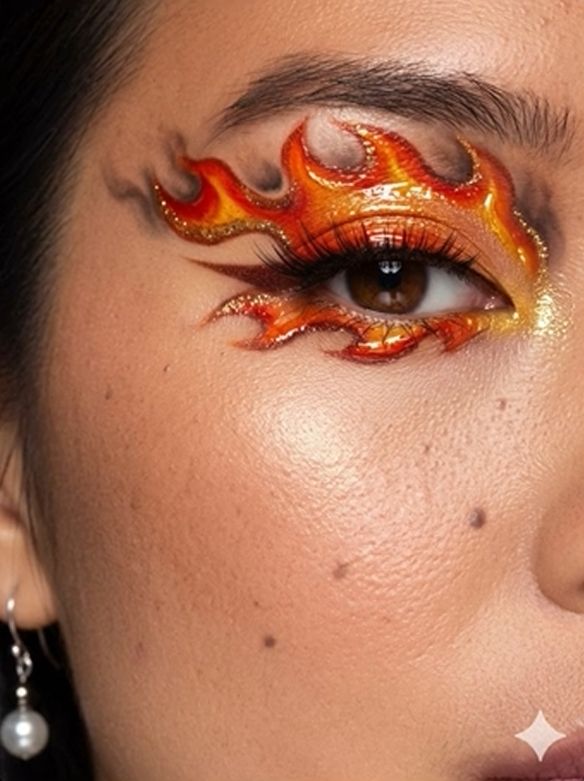
Nano Banana 3 lets you preview different makeup looks on real faces for beauty campaigns, product testing, or client proposals without scheduling photoshoots.
Show multiple styles to clients instantly, reduce revision rounds, and speed up content production for e-commerce listings, ads, or influencer collaborations.
| Image Input | Image Output |
 |
 |
How Is Nano Banana 3 Used Across Industries?
- E-commerce and Product Marketing: Create product visuals, ads, and multi-size assets quickly with consistent styling.
- Social Media and Content Creation: Generate engaging posts and visual variations faster without complex editing.
- Beauty and Fashion Industry: Preview makeup, hairstyles, and looks instantly for campaigns or client use.
- Creative Design and Branding: Design text-ready visuals and maintain consistent styles across formats.
Nano Banana 3 vs Leading AI Image Models
| Feature | Nano Banana 3 | Nano Banana 2 | Midjourney | Imagen 3 |
| Image Editing | Prompt-based editing | Prompt-based editing | Limited native editing | Limited editing |
| Character Consistency | Supported | Supported | Inconsistent in complex scenes | Strong consistency |
| Text Rendering | Accurate text output | Improved text rendering | Often distorted text | Strong text accuracy |
| Style Strength | Balanced output | Practical output | Highly stylized images | Photorealistic images |
| Multi-Image Input | Supports image combination | Supports multi-image input | Limited support | Limited support |
| Workflow Type | Generation + editing | Fast generation | Prompt-based only | API / product integration |
How to Use Nano Banana 3 for Free
Step 1
Open the Pollo AI image generator and select Nano Banana 3 (coming soon).
Step 2
Enter a prompt or upload reference images to guide the result.
Step 3
Adjust image size or output settings, then click Create to generate the image.
Explore Google's AI Image Models
FAQs
What is the Nano Banana 3 image model?
Nano Banana 3 is Google’s latest AI image model designed for fast, controllable image generation and editing. It allows users to create and transform images with precise adjustments to style, composition, and details, while supporting features like multi-image input, text rendering, and flexible visual editing workflows.
Can I use Nano Banana 3 for free?
Yes. You’ll be able to try Nano Banana 3 for free on Pollo AI with daily credits once it becomes available. New users will receive free credits each day, allowing you to generate images without upfront payment. Once your free usage is used, you can continue creating with additional credits or upgrade for higher limits.
Can Nano Banana 3 combine multiple images into one?
Yes. Nano Banana 3 supports combining multiple images into a single output. This is useful for creating composite visuals, merging concepts, or building more complex scenes from different inputs.
Are text elements in Nano Banana 3 images consistent, clear, and readable?
Yes. Nano Banana 3 is designed to generate text that is clear, well-placed, and easy to read within images. This makes it suitable for posters, social media graphics, and other text-heavy visuals where consistency and readability are important.
How can I create better images with Nano Banana 3?
Use clear prompts and combine them with reference images when needed. You can also refine results by adjusting styles, composition, or specific details like text or visual elements to get more accurate outputs.
Is Nano Banana 3 suitable for professional use?
Yes. Its ability to edit images, adjust details, and generate multiple variations makes it useful for marketing, design, content creation, and other professional workflows that require fast and flexible visual production.