



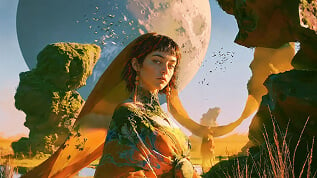
From Hours of Editing… to Seconds with Pollo AI Video Editor
Forget the old, slow ways of video editing. With Pollo AI video editor, transform any video instantly using just simple text prompts. Describe what you want — change backgrounds, erase objects, and more — all in one place without switching tools!

Prompt
Change the daytime in the video to nighttime and have the couple kiss.

Edit Your Videos With One Simple Prompt
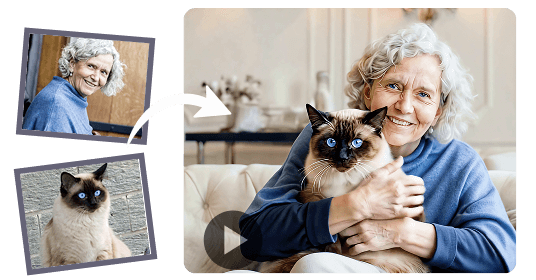
Modify Subject Appearance
Adjust a subject's apparent age, making them look younger or older naturally, or refresh their style and outfits.
 Before
Modify Subject Appearance
Adjust a subject's apparent age, making them look younger or older naturally, or refresh their style and outfits.
BeforeChange Weather & Atmosphere
Instantly transform scenes from sunny to rainy, day to night, or warm to cool tones to suit your content's mood and style.
BeforeChange Weather & Atmosphere
Instantly transform scenes from sunny to rainy, day to night, or warm to cool tones to suit your content's mood and style.
BeforeAdd Visual Effects
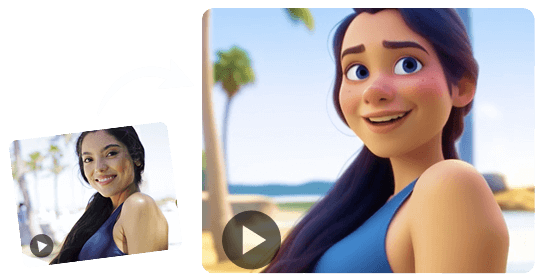
Instantly generate effects like rain and sparks, or apply styles like anime, cyberpunk, and film grain. If you can describe it, you can create it.
BeforeAdd Visual Effects
Instantly generate effects like rain and sparks, or apply styles like anime, cyberpunk, and film grain. If you can describe it, you can create it.
BeforeErase Unwanted Objects
Remove distracting objects, watermarks, or extra elements from any part of the video for a clean visual result.
Erase Unwanted Objects
Remove distracting objects, watermarks, or extra elements from any part of the video for a clean visual result.
Alter Background
Remove complex backgrounds, keep subjects intact, or replace scenes entirely with transparent or custom backdrops.
Alter Background
Remove complex backgrounds, keep subjects intact, or replace scenes entirely with transparent or custom backdrops.
Adjust Camera Angles
Easily switch from standard shots to exciting views — create aerial, orbiting, or wider angles automatically.
Adjust Camera Angles
Easily switch from standard shots to exciting views — create aerial, orbiting, or wider angles automatically.
AI Video Editor Use Cases for Anyone

Cut Editing Time By Up To 60%
Edit short-form videos faster without complex timelines. Remove distractions, adjust backgrounds, and polish clips for YouTube Shorts, and social posts that are ready to publish.

Produce Campaign-Ready Videos 3X Faster
Turn rough campaign footage into cleaner, more persuasive creative assets. Use Pollo AI to refine marketing videos, and multi-channel campaign clips without slowing down production.

Improve Product Video Quality By 70%
Make your product footage look sharper and more conversion-ready. Clean up scenes, remove unwanted elements, and polish product demo videos or launch clips before sharing them on stores, ads, and social media.

Create Professional Videos With 50% Less Manual Editing
Improve tutorials, internal updates, and training content without hiring editors. Use AI editing to refine training videos, video presentations, and onboarding content with less manual work.
How to Use Pollo AI Video Editor
With only three steps, you can easily create videos from images with Pollo AI.
Step 1: Upload Video
Select the clip you want to edit.
Step 2: Enter Prompt
Describe the change or effect in text.
Step 3: Generate & Download
Get your polished video in seconds.
Unlock the Full Potential of Other AI Video Generators
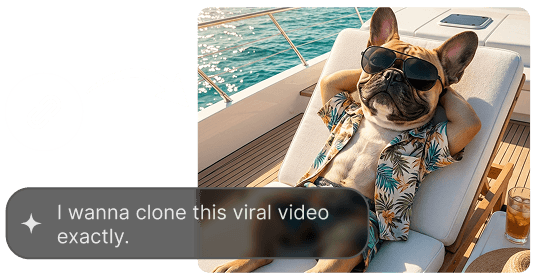
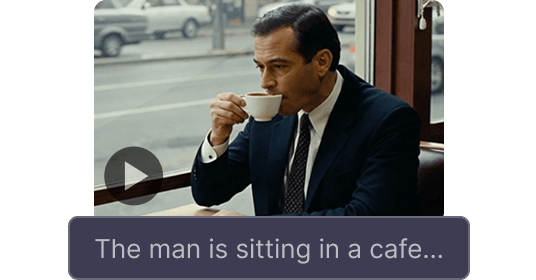
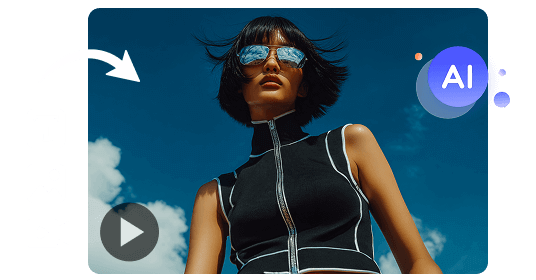










 5000+ reviewsTrustscore 4.4
Trusted by 10M+ Creators and Marketers Worldwide
Thousands of satisfied users have shared their Pollo AI experiences on Trustpilot, rating us as "Excellent." See what they love about our platform.
witt lowry Nov 14, 2025Richard QuickOct 15, 2025armourdudeNov 19, 2025
 DuduJan 14, 2026
 Ray WarnesDec 30, 2025
 lawless clanNov 22, 2025
FAQs
What is an AI video editor?
An AI video editor is a smart tool that uses artificial intelligence to simplify the video editing process. Instead of complex manual adjustments, you can use simple text commands to make significant changes. This powerful video editing AI technology allows anyone to create professional-looking content quickly and easily.
What's the best AI video editor?
The best AI video editor is one that is powerful, fast, and easy to use, and built for the full AI video generator workflow. Pollo AI video editor is a leading choice because it combines all. It allows you to transform your footage with a single text prompt, handling everything from object removal to adding visual effects. Its speed and high-quality results make it a top-tier video AI editor.
Is this AI video editor free?
Yes, Pollo AI video editor is a completely free AI video editor. There are no hidden costs or subscriptions required to use its core features. This makes it an accessible option for everyone, from content creators to business professionals.
Can I use this free AI video editor online?
Absolutely. Pollo AI is designed to be a free AI video editor online, meaning you don't need to download any software. You can upload and edit your videos directly in your web browser, making it a convenient AI video editor online free for users on any device.
What makes this free AI video editor stand out?
Pollo AI is a versatile free AI video editor perfect for a wide range of projects. Use it to edit marketing videos, engaging social media content for TikTok videos and Instagram video, or simply to have fun transforming your personal video clips.
What kinds of projects is this free AI video editor good for?
Pollo AI is a versatile free AI video editor perfect for a wide range of projects. Use it to create polished marketing videos, engaging social media content for TikTok and Instagram, professional presentations, or simply to have fun transforming your personal video clips.
Is AI for video editing difficult to learn?
Not at all. The beauty of using AI for video editing like Pollo AI is its simplicity. If you can describe the change you want in plain text, you already have all the skills you need. The free AI video editor eliminates the steep learning curve associated with traditional video editing software.

Try Pollo AI Video Editor Free Online Today!
Upload your clip, describe your changes, and get pro-level results in seconds.