Wan 3.0 brings coherent motion, realistic physics, native 30-second videos, faster rendering, and multimodal control over keyframes and video continuation. Create unlimited Wan 3.0 videos on Pollo AI now!
Create your own influencer. Then jump into any trend with Recast.
Pollo Recast
Recreate viral videos. Remix new versions.
Pollo MCP
End-to-end content creation. Up to 4 Videos/ 20 Images for FREE.
Kling 4.0
Up to 10 keyframes. Impressive performance.
Pollo Agent x DeepSeek V4.1 FLASH
Faster completion at a much lower cost.
Pollo Agent x Gemini 4 Argon
Smarter reasoning. All through Pollo Agent.
Get Unlimited GPT Image 2.5
Faster. Sharper. Smarter. Go Unlimited with Ultra.
Unlock Endless Creativity with Wan 3.0
Why Create With Wan 3.0 on Pollo AI:
Stronger Temporal Coherence: Keep characters, objects, and visual details stable across longer video sequences.
More Realistic Physics Simulation: Render fluids, fabrics, collisions, and multi-object motion with more believable physics.
Native 30-Second Video Generation: Generate 30-second videos with richer storytelling and greater creative freedom.
Faster Video Generation: Create videos approximately 40% faster on equivalent hardware.
Flexible Multimodal Generation: Generate from text, images, audio, or video with flexible sequence control.
Audio-Driven Motion and Lip Sync: Synchronize character movement and lip motion with a specified audio track.
Stronger Temporal Coherence
Wan 3.0 keeps characters, objects, and visual details more stable across longer sequences, with less distortion, drift, or melting between frames. Build continuous character scenes, moving product shots, and longer camera takes without the subject falling apart midway.
4K surreal cinematic video: a floral-dress woman holds an orange butterfly; a “Wan3.0” coin spins above a flower-covered slot machine dispensing coins. Cut to monochrome medieval jousting, then a black-clad woman dancing in a glass-domed statue garden. End on a rifle-holding boy amid ruins and nature. Photorealistic 3D, ethereal-to-moody lighting.
Create Unlimited Wan 3.0 Videos Now
Bring stories to life with unlimited Wan 3.0 video creation on Pollo AI, complete with coherent motion, realistic physics, and up to 30 seconds of creative freedom.
Wan 3.0 makes fluids flow more naturally, fabrics respond more convincingly, and multiple objects interact with clearer weight and momentum in AI videos. Create action sequences, fashion visuals, splash effects, and complex motion that feel grounded rather than artificially animated.
Video Input
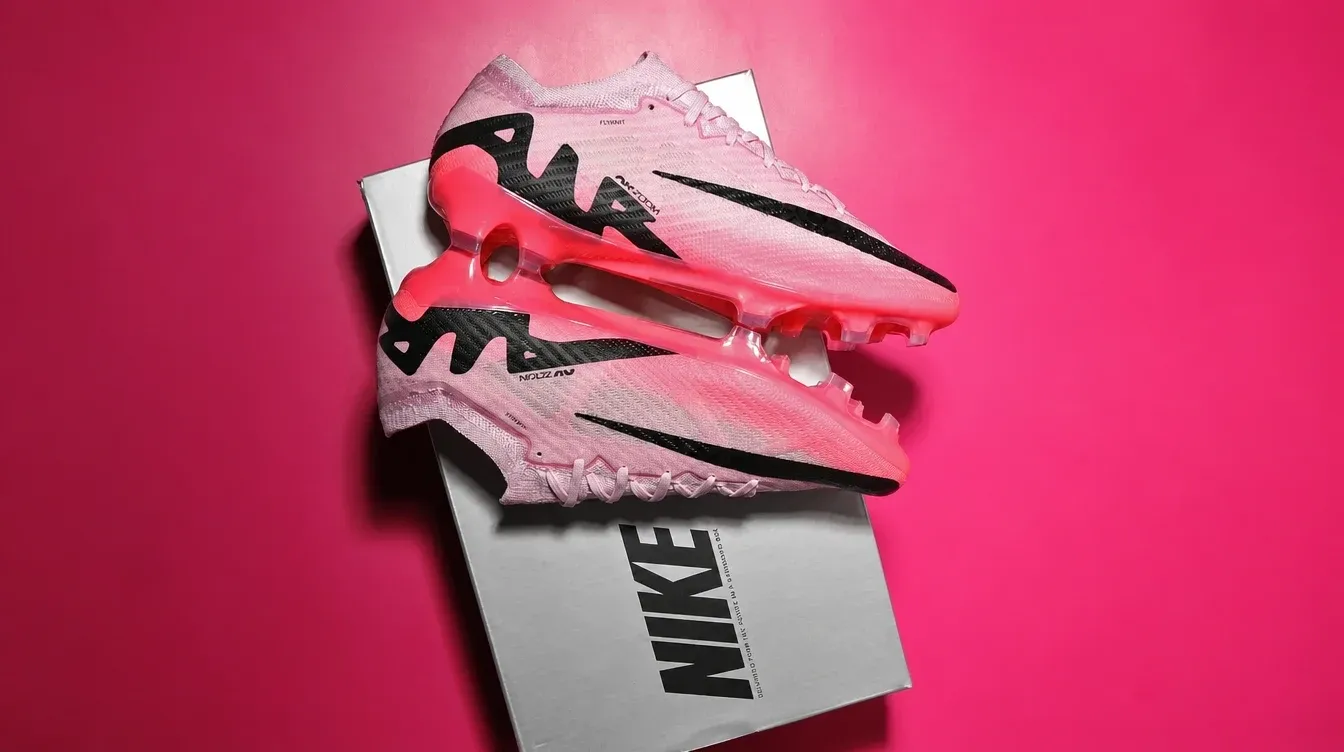
15s, 16:9. A rejected curly-haired boy unboxes pink Nike cleats, then excels in a match. End with Nike Swoosh. VO: “For the one who’s always ready.” Text: “Just do it.”
Video Output
Want to create polished product ads or explore other types of Wan 3.0 videos? Browse our Wan 3.0 prompts to see detailed prompt examples for bringing each idea to life.
Native 30-Second Video Generation
Wan 3.0 natively generates videos up to 30 seconds long, giving each creation more room to carry information, develop complete story beats, and build richer visual narratives. Create short films, product stories, branded content, and cinematic sequences with greater creative freedom and fewer fragmented clips.
4K cinematic fantasy: a serene white-haired elf sleeps in a lush forest as glowing blue butterflies weave through her hair. She awakens and gazes enigmatically into the camera. A hand touches one luminous butterfly, then tracking shots follow her toward a mountain hilltop. Photorealistic 3D, golden light, mystical serenity.
Faster Video Generation
Attention optimizations make Wan 3.0 approximately 40% faster on equivalent hardware, helping users move from prompt to result with less waiting. Test more creative directions, refine scenes faster, and keep high-volume content workflows moving.
Video Input
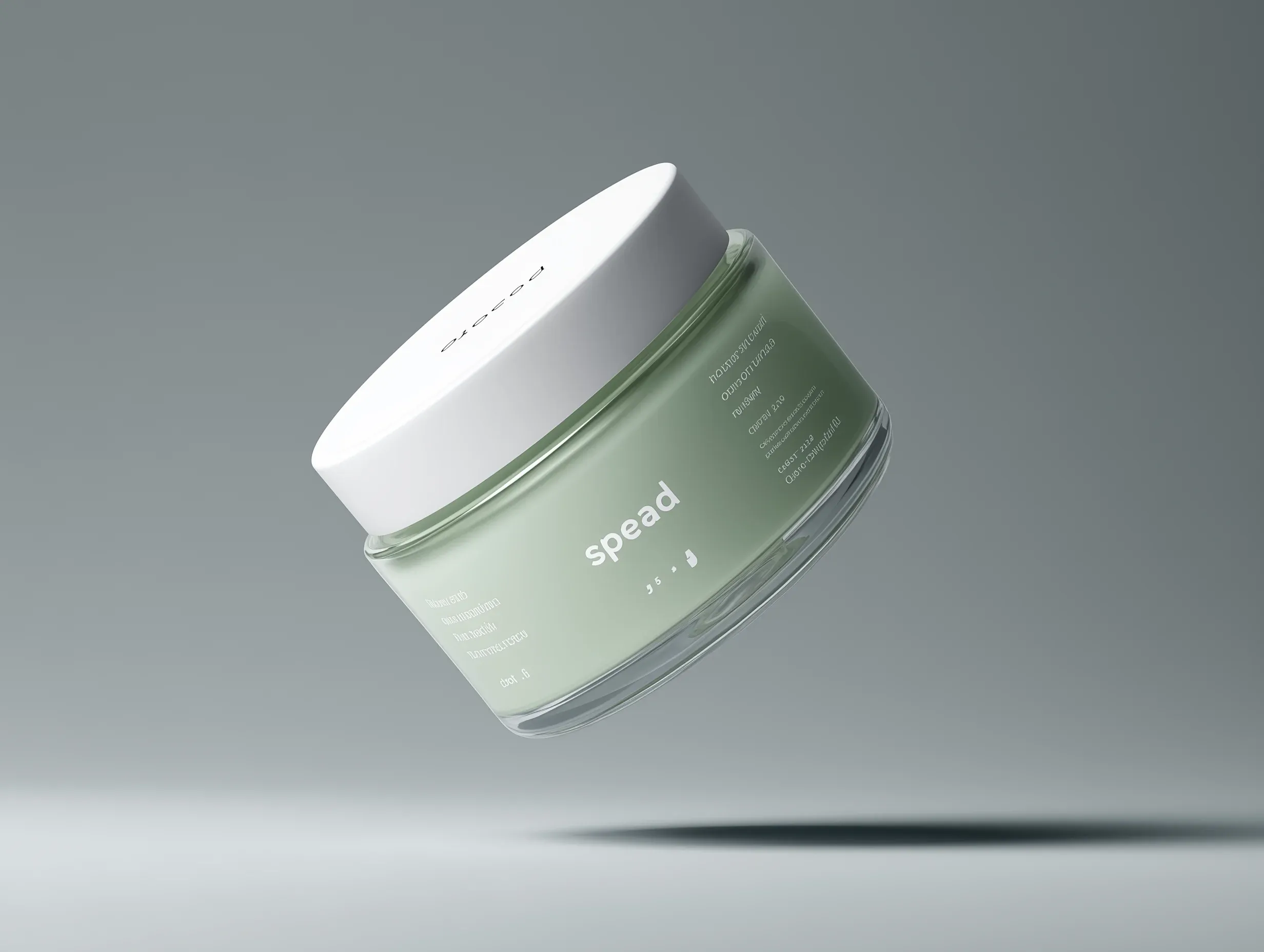
15s skincare UGC video, handheld smartphone look, daylight. Match @image1 exactly. Application close-ups: dull, oily skin to clear, bright, smooth, glassy.
Video Output
Flexible Multimodal Generation
Wan 3.0 supports text, image, audio, and video inputs for first-frame animation, start-and-end frame generation, and video continuation. Turn a still image into motion, guide a transition between two key moments, or extend an existing clip into a fuller sequence. This makes it especially useful for producing music videos and building longer-form projects from connected, visually consistent sequences.
Prompt
Input Images and Video
Output Video
Use only @video1’s color grading and camera rhythm. 9:16, 24fps, 15s. A vintage convertible speeds along the French Riviera as a scarfed woman rides beside a Dior Book Tote. Cut to a seaside villa, iced lemon water, sunset terrace, and centered DIOR logo. Avoid blur, watermarks, and messy text.
Audio-Driven Motion and Lip Sync
Wan 3.0 uses a specified audio track to guide character movement and synchronize lip motion with the sound. Create dialogue clips, music performances, dance videos, and other audio-led scenes with tighter timing.
Video Input
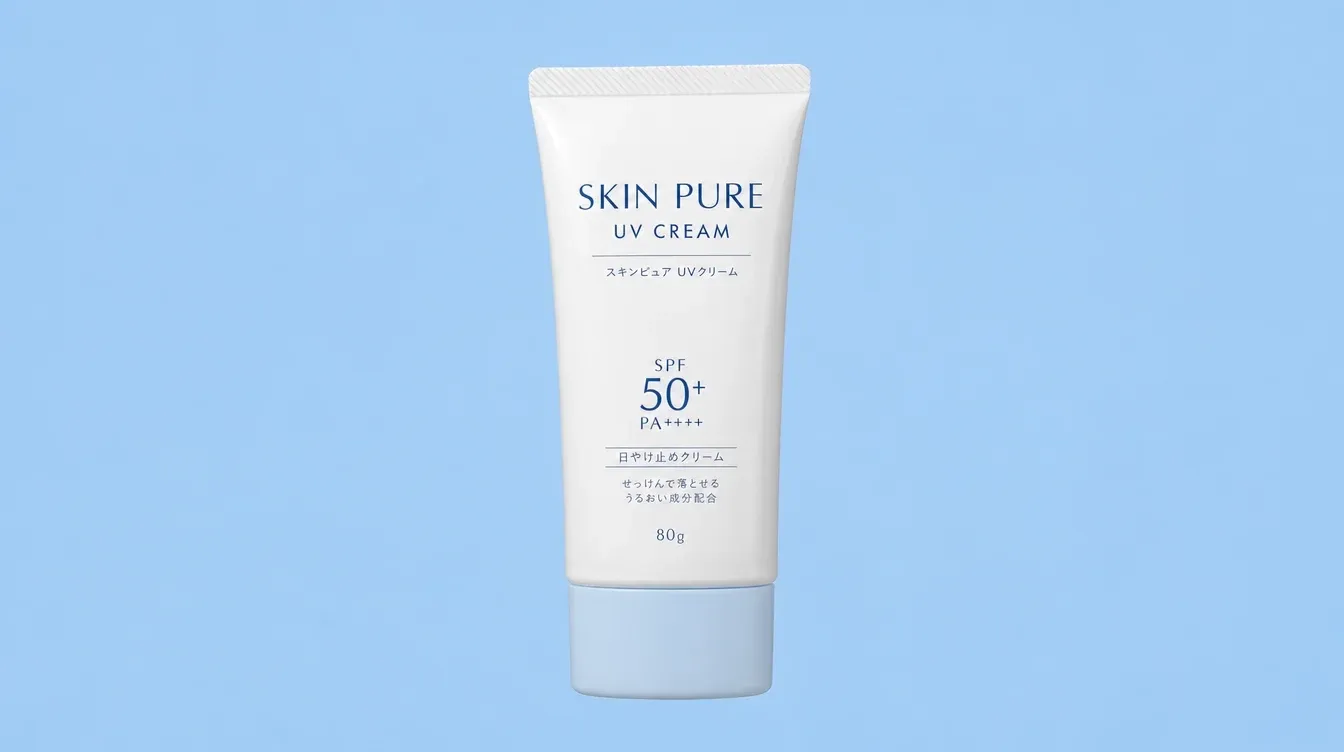
12s bathroom UGC, soft daylight, handheld look. Woman presents and applies sunscreen, praising its lightweight, no-white-cast finish. Sync gestures and lips naturally to the dialogue.
Video Output
Real Use Cases of Wan 3.0
Short Films and Character Stories: Keep the same character recognizable across dialogue scenes, walking shots, and longer narrative sequences without obvious facial or clothing changes.
Fashion and Beverage Campaigns: Create flowing dresses, moving fabrics, pouring drinks, splashes, and product interactions with more convincing motion for ads and social campaigns.
Product Launch Videos: Generate sharp 1080P close-ups, 360° product showcase videos, packaging reveals, and cinematic brand visuals for e-commerce pages, presentations, and launch events.
Social Ad Iteration: Produce and compare multiple hooks, camera movements, and scene variations faster when testing short-form ads for TikTok, Instagram, or YouTube.
Photo Animation and Video Extension: Animate a portrait or product image, connect two planned keyframes, or extend an existing clip for trailers, transitions, and campaign edits.
All four men are armed. Performances are restrained, dry and quietly tense, with subtle micro-expressions.
BEAT 1
Quick individual shots of each man holding his gun and staring at someone just outside frame. Small eye movements, tightened jaws, slow blinks, controlled breathing. Each man is trying to look completely unfazed.
Cut between them, gradually suggesting they are all aiming at one another.
BEAT 2
Cut wide to reveal all four men several metres apart in a loose circle, each pointing his gun at another man in a four-way standoff. Hold the wide shot. Wind lightly moves their suits. Nobody lowers their weapon.
The man in the cream suit glances around the circle. CREAM SUIT, completely calm in a British accent:
“Anyone care to explain how we got here?”
A brief silence. The older man in pink barely shifts his expression. OLDER MAN IN PINK, dry in an American accent:
“Bad manners, mostly.”
BEAT 3
Hold on the group. A tiny smirk. A raised eyebrow. Eyes flick between faces and guns. One man subtly adjusts his grip.
Slow, almost imperceptible push toward the group as the silence becomes uncomfortable. Nobody fires. Cut just as it feels like someone is about to.
Create a 30-second ultra-realistic multi-shot candid observational video of a young Korean woman relaxing naturally in her bedroom. Use multiple distinct shots and camera angles, not a single continuous take. The footage should feel like an accidentally captured real-life moment.
STYLE:
Handheld documentary realism, imperfect framing, subtle camera shake, gentle exposure breathing, autofocus settling slightly late, realistic skin texture, soft natural indoor light and shallow depth of field. Natural blinking, breathing, body movement and restrained authentic expressions. No posing, glossy commercial look or cinematic perfection.
SUBJECT:
A naturally beautiful young Korean woman in her early 20s with long dark hair. She wears a matching cotton pajama set: scoop-neck sleeveless top and loose shorts. Barefoot, minimal makeup, realistic skin texture.
SETTING:
A lived-in, slightly messy bedroom with an unmade bed, soft bedding and everyday personal belongings. She relaxes on her stomach across the bed while browsing a shopping page on a black smartphone. A house cat interacts naturally with her.
SHOT 1 — 0–4s:
She lies on her stomach, casually scrolling through a shopping page. She frowns slightly, then mutters in Korean: "아, 뭐 살랬더라..." ("Ah... what was I going to buy again?"). Natural Korean lip sync. Her bare feet gently sway behind her. A low handheld camera glides beside the mattress.
SHOT 2 — 4–8s:
A house cat jumps onto the bed, compressing the blanket and walking toward her arm. It gives one natural meow. The camera reacts with a tiny jolt, then reframes toward her face, hands and cat.
SHOT 3 — 8–12s:
She turns toward the cat and gently strokes it from forehead to shoulders. She affectionately says: "우리 애기 왔어?" ("Did my baby come?"). Accurate lip sync. The camera pushes closer through the cat's softly blurred foreground.
SHOT 4 — 12–16s:
Her friend's ringtone sounds. She looks down, checks the caller, swipes to answer and brings the phone to her ear. The camera makes a loose semicircular movement from a slightly tilted overhead angle.
SHOT 5 — 16–21s:
Her friend talks. She listens with a confused expression, then reacts: "어, 왜? 진짜 거짓말!" ("Huh? Why? No way, you're kidding."). She immediately bursts into genuine laughter. The cat kneads the blanket beside her. A close handheld side angle captures her profile and phone.
SHOT 6 — 21–25s:
A clear doorbell interrupts her laughter. She and the cat turn toward the bedroom door. She pauses, realizing her food has arrived, braces one hand on the mattress and begins getting up. The camera reacts slightly late before correcting back to her movement.
SHOT 7 — 25–30s:
Still holding the phone, she says in Korean: "어, 나 밥 왔다. 끊어." ("Oh, my food's here. I'll hang up."). She ends the call, gets off the bed and walks toward the door. The cat follows across the blankets. The camera tilts upward as she stands, ending with a natural handheld follow toward the doorway.
AUDIO:
No music. Raw realistic production sound: quiet breathing, bedding rustling, finger taps, cat movement, meow, faint purring, ringtone, call connection tone, muffled friend voice, accurate Korean dialogue and lip sync, genuine laughter, doorbell and call-ending tap.
IMPORTANT:
No subtitles, captions, logos, watermark or on-screen text. No duplicated subjects, slow motion, exaggerated acting or perfect stabilization. Keep movements spontaneous and observational. Maintain the same woman, outfit, hairstyle, bedroom and cat throughout.
DURATION: 30 SECONDS
ASPECT RATIO: 16:9
TOTAL SHOTS: 7
【Style】Authentic Cycling Vlog, action cam + phone front camera + tracking shots, 4K Photorealistic, overcast soft light, sweaty skin with real pores, no beauty filters, vertical 9:16.
【Duration】30 seconds
【Scene】Winding mountain road after rain, wet asphalt with a shiny sheen, metal guardrails on the side, moving clouds and mist over distant mountains, water droplets on roadside plants.
【Character】Female cyclist, white road helmet, blue mirrored cycling glasses, dark grey short-sleeve cycling jersey (cityscape print on chest, full zipper, black action cam remote clipped below collar), burgundy cycling shorts (two white stitches on side seams), pink sports watch, black carbon fiber road bike, black deep-rim wheels.
【Glasses Rule】Glasses are worn only during full-speed riding shots (Shot 2, Shot 5, Shot 6); for parking and selfie shots (Shot 1, Shot 3, Shot 4, Shot 7, Shot 8), glasses must be perched on the helmet forehead, leaving the face and eyes fully exposed.
【Global Constraints】Same cycling kit and helmet throughout, no outfit changes; sweat volume increases over time, no regression; hands must always be on the handlebars or phone while moving, no 'third hand'; no other cyclists in the frame.
[00:00-00:04] Shot 1: Ground-level Low Angle Start
Extremely low angle near the ground, wet asphalt at the bottom edge. She is stopped by the roadside with one foot down, glasses on her helmet, face fully visible, looking down at the camera with a smile.
Action: She raises both hands to pull the glasses down over her eyes, then hands return to the bars, foot clips into the pedal with a 'click', crank turns, chain engages, front wheel rolls through a small puddle, splashing water to the sides. The camera follows the wheel slightly.
SFX: Pedal clipping, chain engaging, tire splashing.
[00:04-00:08] Shot 2: Car-to-car Side Tracking
Side tracking shot moving at the same speed, full body in frame. She lowers her torso, hands on the drops, back flat, knees pumping, blue mirrored glasses on. Background guardrails and misty mountains blur past.
Detail: First layer of sweat on temples, a small dark sweat patch appearing on the back seam of the jersey.
[00:08-00:12] Shot 3: Roadside Selfie (Front Camera Selfie POV)
Phone front camera perspective, slight wide-angle distortion. She is stopped, one foot down, pushes glasses back to the helmet first, then holds the phone.
Action: She grins at the camera, panting, says something, shoulders rising with breath. She turns the phone to show the curve and misty mountains, then back to her face.
Detail: Sweat sheen on forehead and nose, eyes clearly visible, hair stuck to face by sweat. Realistic handheld shake and wind noise.
[00:12-00:16] Shot 4: 360 Action Cam / Invisible Selfie Stick
360 action cam effect, slight fisheye, selfie stick invisible. She is still stopped, glasses on helmet. Camera orbits her and the bike 360 degrees.
Visuals: Face/helmet top -> wet road/guardrail -> bike rear -> misty valley -> back to face.
Action: She looks at the camera and makes a 'let's go' gesture.
Detail: Fine sweat beads on arms, sweat stain inside the watch strap.
[00:16-00:20] Shot 5: Uphill Breathing Close-up (Handheld Close-up / Uphill)
Side close-up of face and shoulders. Steep incline, glasses back on, pedaling slow and heavy.
Action: She stands up to climb (dancing on pedals), gripping bars tight, torso swaying, mouth open for air, neck veins visible. A drop of sweat slides from temple to jaw and is blown away.
Detail: Jersey front and back soaked dark, helmet straps wet, slight fogging on the lower edge of the glasses.
[00:20-00:23] Shot 6: Downhill POV (Handlebar POV / First-person)
Handlebar-mounted camera. Shows black bars, tape, computer screen, and her hands.
Action: Descending fast into a curve, leaning left, guardrails and trees flying by, splashing through a puddle. Fingers pull the brake levers, then release.
SFX: Loud wind noise, high-speed vibration.
[00:23-00:27] Shot 7: Wiping Sweat at Finish (Static Medium Shot)
Static medium shot. She leans the bike on the guardrail, dismounts, takes off the helmet (glasses attached), and wipes her sweaty bangs back.
Action: She drinks deeply from a water bottle, water spills from the corner of her mouth, she wipes her chin with the back of her hand and exhales deeply.
Detail: Helmet hair, flushed face, pressure marks from glasses around eyes, sweat lines on neck and collarbone.
[00:27-00:30] Shot 8: Ending Peace Sign (Low Angle Pull-back)
Low angle looking up, helmet back on, glasses on forehead. She stands by the bike, one hand on the saddle, the other giving a peace sign, smiling while still panting. Misty valley behind her.
Action: Camera slowly pulls back and down, she and the bike shrink into the lower third of the frame as mist rises behind her.
SFX: Chain sounds, heavy breathing, wind noise, no music, ending with just wind and breath.
Ultra-realistic amateur forest creature sighting footage. Cheap handheld camera effect, low-quality visuals, unstable zoom, autofocus failure, heavy digital noise, compression artifacts, shaky framing, heavy breathing captured by the microphone, accidental overexposure between trees, raw mockumentary style. No polished cinematic quality. Only one invisible cameraman, a terrified hiker breathing heavily behind the lens. A massive Bigfoot-style woodland creature: tall and burly, covered in dark hair, human-like posture, heavy natural movements, never cartoonish. Dense forest daytime scene, uneven ground, wet fallen leaves, tree trunks, misty depth, broken branches, natural deep shadows. Authentic low-end camera texture, believable forest sound effects, realistic creature anatomy, limited but clear exposure, unstable autofocus, strong viral effect, natural motion, horror realism, no comedy, no digital polish. 0-5s: Shaky handheld POV - camera moves through the forest, loud breathing, branches hitting the lens. The cameraman whispers in French: "Attends… attends… c'est quoi ça là-bas?" The image struggles to focus between trees. 5-10s: Chaotic zoom - through the trees, a massive hairy creature looms in the distance, half-hidden behind a trunk. The cameraman mutters: "Non… non… c'est pas possible…" The creature slowly steps into a small patch of light. 10-15s: Unstable advance and panicked reframing - the Bigfoot creature turns toward the camera. Only one second of clear footage: massive shoulders, long arms, wet dark fur, heavy breathing. The cameraman gasps: "Oh mon Dieu…" 15-20s: Violent shaking, partial frame loss - the creature suddenly lets out a deep roar and takes two quick steps toward the camera. The cameraman panics, stumbles backward, and the camera falls toward the ground. The final frame captures the creature rushing through the woods before cutting to black.
Use the uploaded reference image as the exact character reference. Preserve her facial identity, hairstyle, eye color, makeup, skin tone, body proportions, white sleeveless fitted top, light blue wide-leg jeans, pearl choker, rings, and bracelets consistently throughout the video. Use the uploaded sunglasses, retail box, and leather carrying case as locked product references. Maintain perfect product consistency, including the frame shape, lenses, hinges, colors, materials, and proportions.
Create an ultra-realistic UGC luxury creator review filmed inside a modern luxury bedroom with warm golden-hour sunlight, soft natural shadows, and a premium lifestyle aesthetic. The camera feels like a handheld smartphone with subtle natural movement while maintaining cinematic commercial quality.
The video begins with the woman sitting on the bed beside the retail box and leather case. Smiling at the camera, she says, "I genuinely wasn't expecting to love these this much." She picks up the box, opens it naturally, reveals the leather case, then slowly removes the sunglasses while continuing, "The packaging already feels incredibly premium."
She rotates the sunglasses slowly in front of the camera, showing the frame, hinges, and lenses as natural reflections glide across the surface. She smiles and says, "The finish feels amazing, and they're incredibly lightweight."
She puts on the sunglasses, stands up, and walks toward a large full-length mirror. Looking at her reflection, she adjusts the frame naturally and says, "Honestly... they look so good, and they're really comfortable on the eyes, even in bright sunlight."
She turns slightly left and right so the sunglasses catch the sunlight from different angles before removing them with a smile. Walking back to the bed, she places the sunglasses beside the leather case and retail box, then picks them up one last time and holds them beside her face.
Looking directly into the camera, she smiles warmly and says, "Definitely one of my favorite accessories this year." The camera slowly pushes in on the sunglasses before fading out.
Ultra-realistic UGC fashion content, authentic creator review, cinematic handheld smartphone movement, luxury bedroom, macro product cinematography, realistic reflections, detailed frame textures, expressive facial animation, perfect lip sync, shallow depth of field, premium color grading, 4K HDR, 16:9, no subtitles, no logos, no watermarks, no on-screen text on it
I’ve been using Pollo AI mainly for short videos and quick image-to-video tests. The interface is straightforward and it works well even with simple prompts, which is a big plus compared to tools that need long, complicated instructions. The results can be really impressive, and it’s honestly been fun to experiment with. I’d love a bit more consistency on faces when there’s movement, but overall it’s been a solid experience for what I needed.
Awesome website. loads of options and a great way to learn how to work with 'AI' my reasoning for 5 stars is based upon price, versatility and ease of use. Also I would like to add, Pollo AI runs a lot of promos on different AI products as well. I rate their customer service at 5 stars, when I purchased my first subscription my computer crashed the following weekend and I lost all my data and info passwords you name it I lost it, contacted pollo by email they responded quickly and found my info/username and account, and I was able to restore my account.
I have been using Pollo AI for short videos. It is easy to use and works well with simple prompts. Other generators seem to need long drawn out complicated explanations to get even close to what I want.
i tried 220 online img to vid in 2 months, and this is the best online video.I will subscribe for a year; there are many reasons. But freedom is the most important.
FAQs
What is Wan 3.0?
Wan 3.0 is a multimodal AI video model that generates videos from text, images, audio, or existing footage. It focuses on stronger temporal coherence, realistic physics, native 1080P output, and more flexible video control.
What types of videos can Wan 3.0 create?
Wan 3.0 can create character stories, product videos, fashion campaigns, action scenes, talking videos, and cinematic social content. Its multimodal inputs also make it suitable for both new generations and existing asset workflows.
Can Wan 3.0 keep characters consistent in longer videos?
Wan 3.0 is designed to preserve character and object identity more reliably across longer sequences. This helps reduce facial drift, changing clothing details, and subjects deforming midway through a shot.
How can I improve character consistency in Wan 3.0 videos?
Use a clear reference image, avoid changing the character description between prompts, and keep clothing, hairstyle, and camera direction consistent. Simpler scene transitions also reduce identity drift.
Can Wan 3.0 extend an existing video?
Yes. Its video continuation capability can extend existing footage while maintaining the original subject, setting, and motion direction, making it useful for longer edits, transitions, and campaign variations.
Can I use Wan 3.0 for free on Pollo AI?
Yes. You can start with free credits on Pollo AI to try Wan 3.0 AI video genenrator. Higher-volume use, faster processing, or watermark-free results may require a paid plan.
Start Creating With Wan 3.0 Today
Create 30-second videos with realistic physics, multimodal inputs, and audio-synced motion with Wan 3.0.