



Nano Banana 3 Review: I Tested Google Nano Banana 3 — Here’s Why It’s the Most Precise AI Image Model Yet
Google has been moving quickly in AI image generation, and Nano Banana reflects that shift. Built on Gemini, it goes beyond basic creation toward a more controllable system.
According to Google, its image models combine world knowledge, reasoning, and visual generation to produce more accurate and usable results.
With Nano Banana 3, this direction becomes even clearer. Instead of just improving output quality, it builds on previous versions with stronger control, better consistency, and a more complete creation experience.
From my perspective, what makes it interesting is how it fits into Google’s ecosystem. Within platforms like Flow, image generation becomes part of a broader creative workflow, not the final step.
Curious how this actually performs in real use, I decided to test it myself.
After testing Google Nano Banana 3, what stood out was how much control it gives you. You can shape the vibe, apply styles, and generate clean, readable text with ease. It feels more like a creative tool than a typical model.
However, it is not always consistent. With more complex prompts or multi-step edits, results can drift, making it less reliable for demanding workflows.
Let’s take a closer look at how Nano Banana 3 performs in real use.
What’s Upgraded in Nano Banana 3?
- Precision Vibe Control: Easily adjust the look and feel of an image to match different moods, styles, or brand directions with simple prompts.
- Reference-Based Style Transfer: Apply styles from reference images while keeping the subject consistent across outputs.
- Clear Text Generation: Generate images with sharp, readable text, suitable for posters, ads, and social content.
- Flexible Multi-Format Output: Create and adapt images into different sizes and layouts for various platforms.
- Consistent Subject Preservation: Keep characters and objects consistent across multiple variations.
- Fast Iteration & Control: Quickly generate and refine outputs with stable and predictable results.
What Makes Nano Banana 3 Impressive
Precision Vibe Control
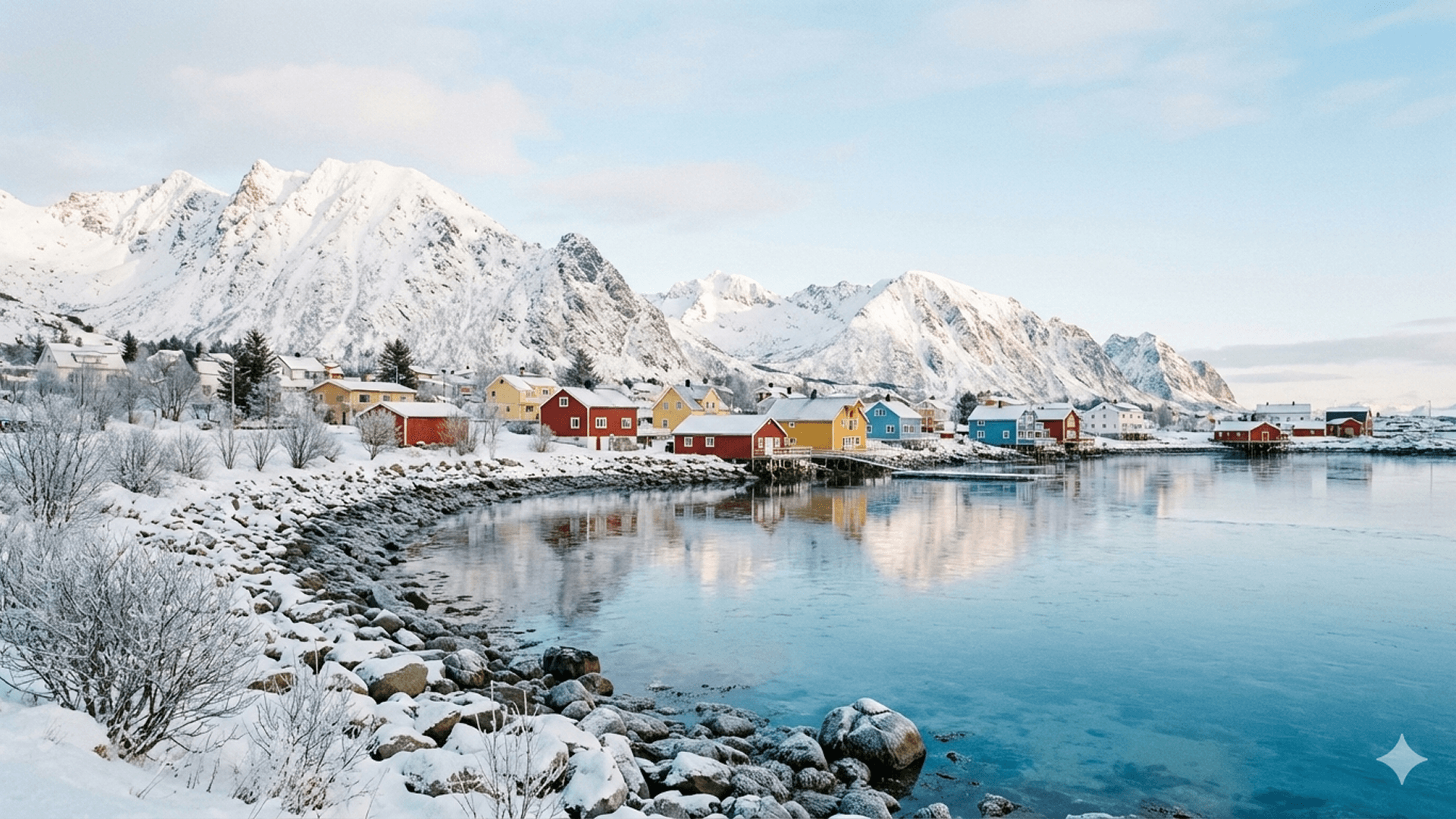
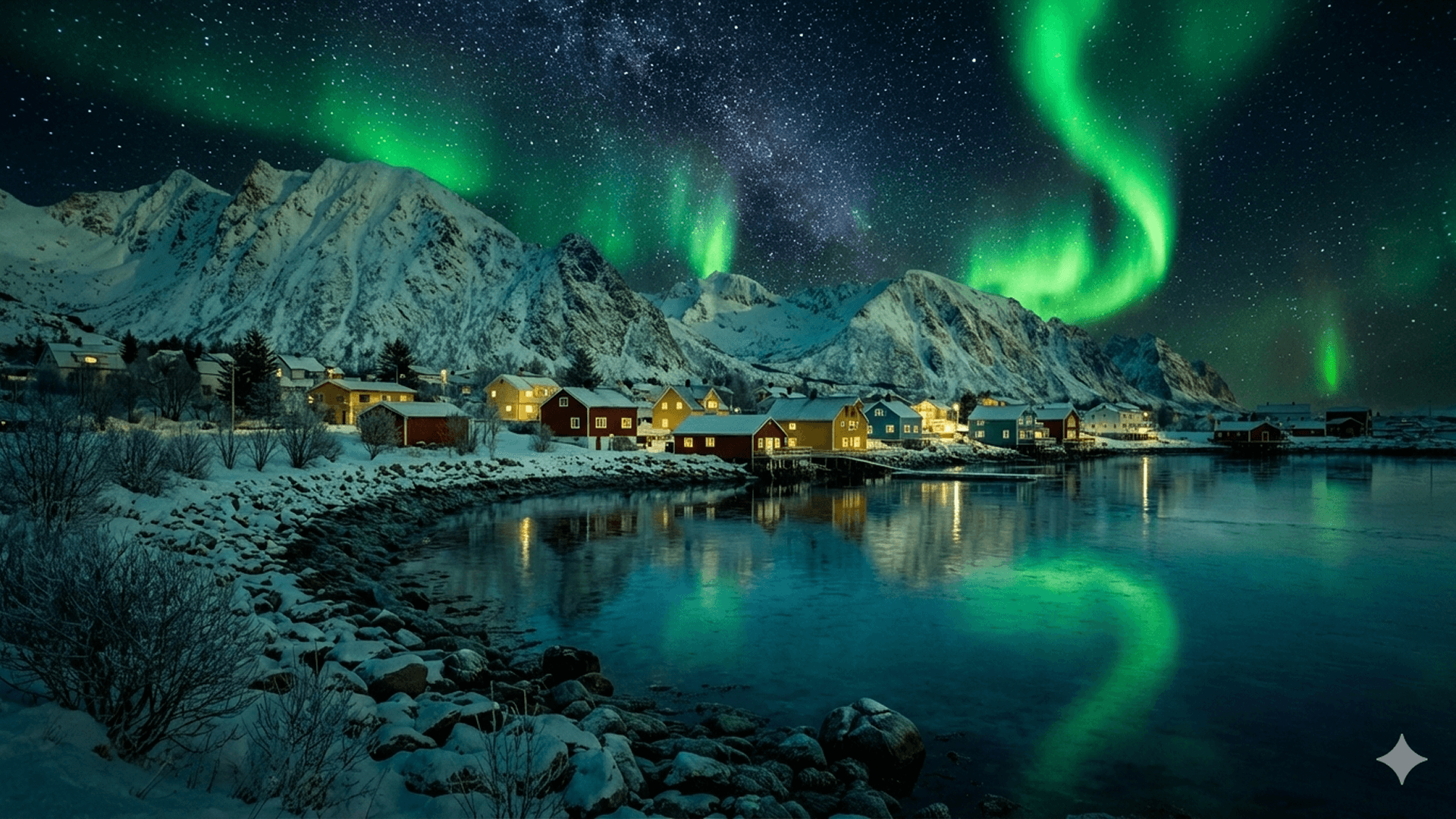
One of the first things I picked up on is how direct the control feels. Instead of tweaking prompts over and over, I could adjust the mood and tone of an image in a much more intentional way.
In most tools, getting the right vibe takes a few random tries. Here, it felt more predictable, which made the whole process smoother, especially when aiming for a specific look.
To test this, I tried shifting the same image from a bright daytime feel to a darker, cinematic style. The transition was clean, and the overall mood changed without breaking the image.
| Input Image | Output Image |
 |
 |
Reference-Based Style Transfer
What I found interesting here is how naturally it handles references. Instead of describing everything in words, I could just feed in a simple sketch and a style reference image as inspiration.
In most tools, this kind of mix either breaks the structure or ignores the reference. Here, it actually merged both inputs into a clean result.
I tested this by combining a rough car sketch with a jellyfish image. The output turned into a translucent, jelly-like vehicle with consistent shape and texture, which felt surprisingly intentional rather than random.
| Input Image | Output Image |
  |
 |
Clear Text Generation
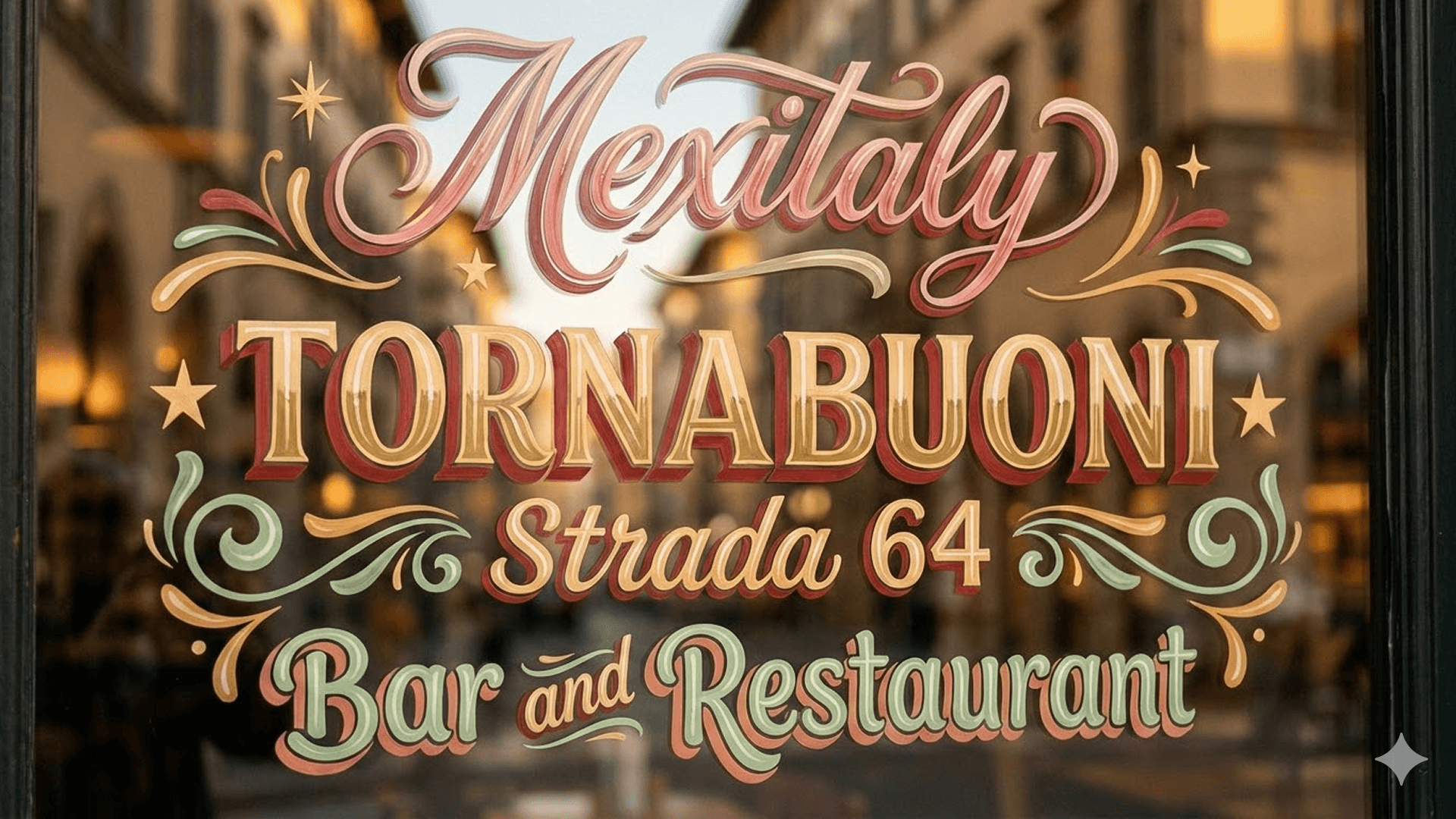
Text is usually where things fall apart, so I wanted to see how far it could go. Surprisingly, it handled decorative text much better than I expected.
In most cases, I would expect broken letters or messy spacing. Here, the typography was not only readable but also stylistically consistent with the image.
I tested this by generating a storefront-style visual with layered text like “Menially Tornabuoni Strada 64.” The result looked polished enough to feel like a real sign rather than AI-generated text.
Flexible Multi-Format Output
Another thing I noticed is how well the same visual holds up across different formats. I didn’t need to reframe or regenerate just to fit a new layout.
Normally, resizing images can cut off key details or mess up composition. Here, the subject stayed centered and intact across formats.
I tested this by taking a single portrait-style image and adapting it into a wide banner. The composition still worked, and nothing important was lost in the process.
| Input Image | Output Image |
 |
 |
Consistent Subject Preservation
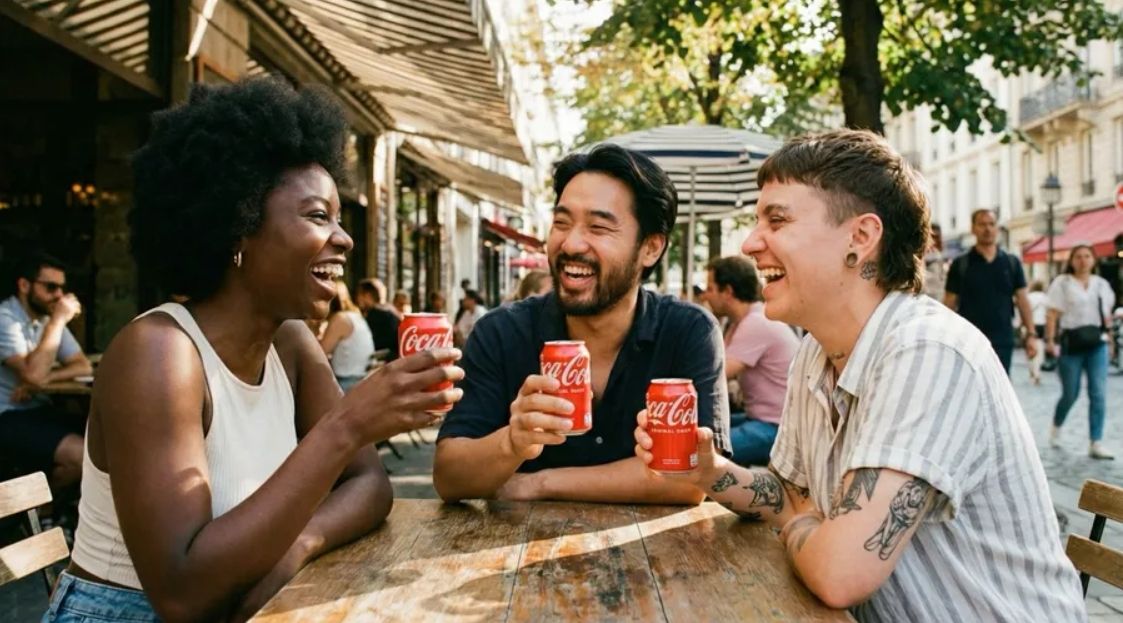
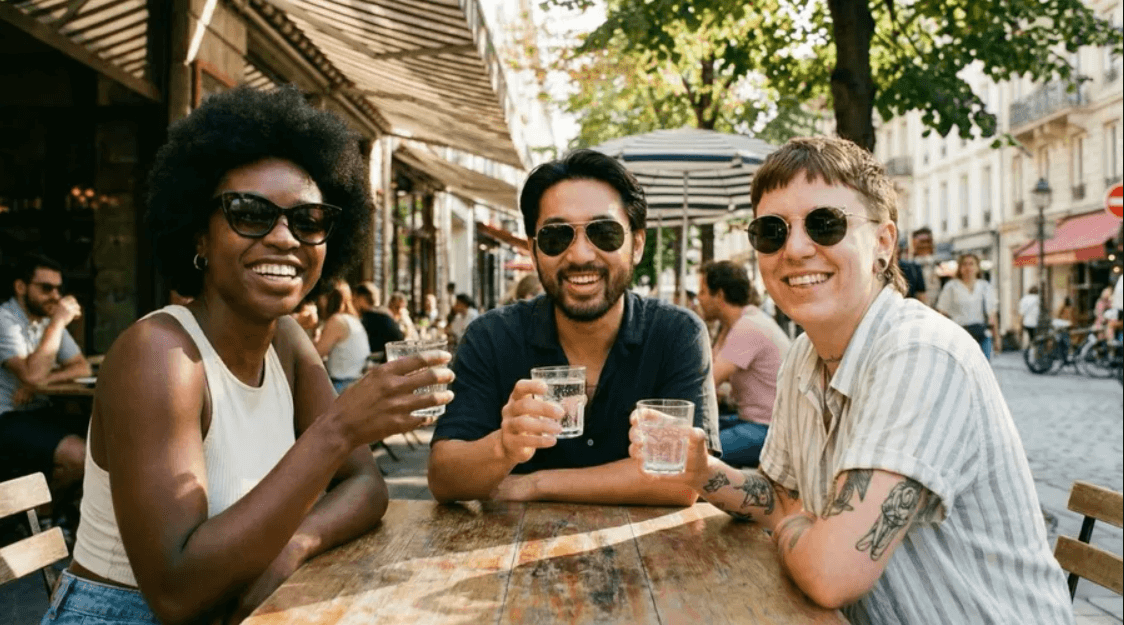
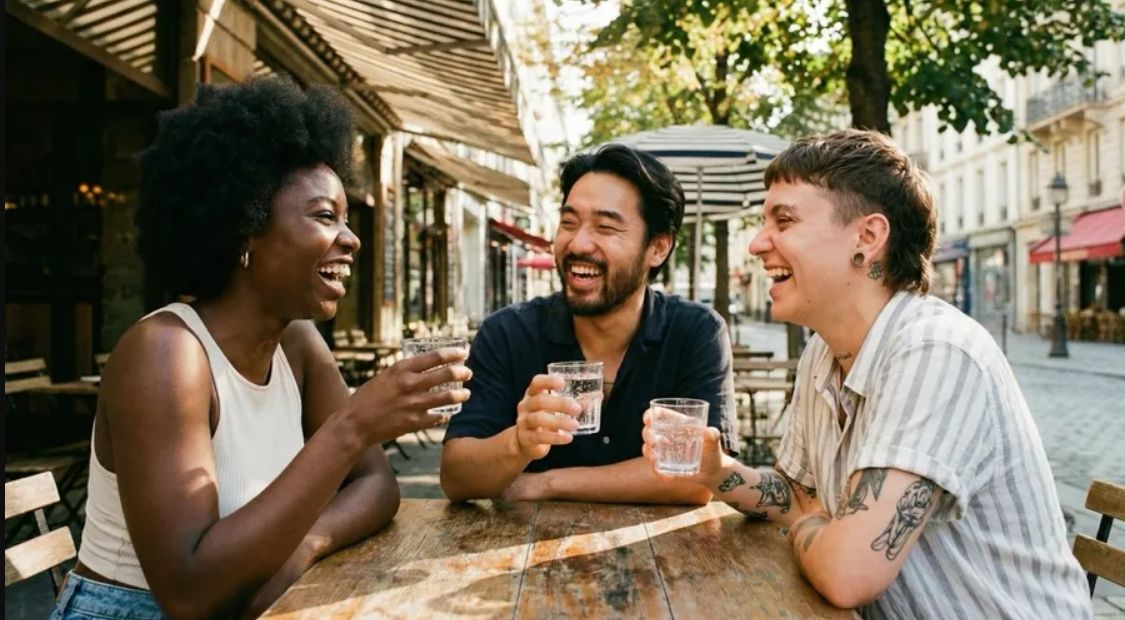
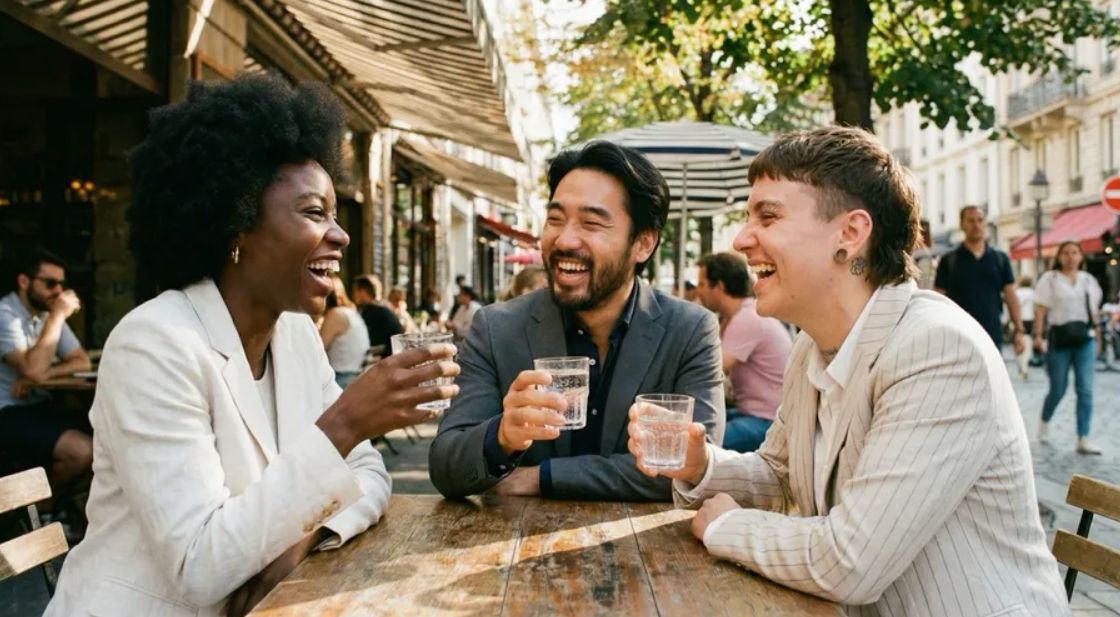
Consistency is usually where things start to fall apart, especially across multiple generations. But here, the subject stayed fairly stable even after several edits.
That made it much easier to build variations without losing the original identity, which is important for storytelling or branded visuals.
I tested this by generating multiple variations of the same character. While not perfect, the core features stayed recognizable across outputs.
| Input Image | Output Image |
 |
   |
Where Nano Banana 3 Could Improve
Fast Iteration & Control
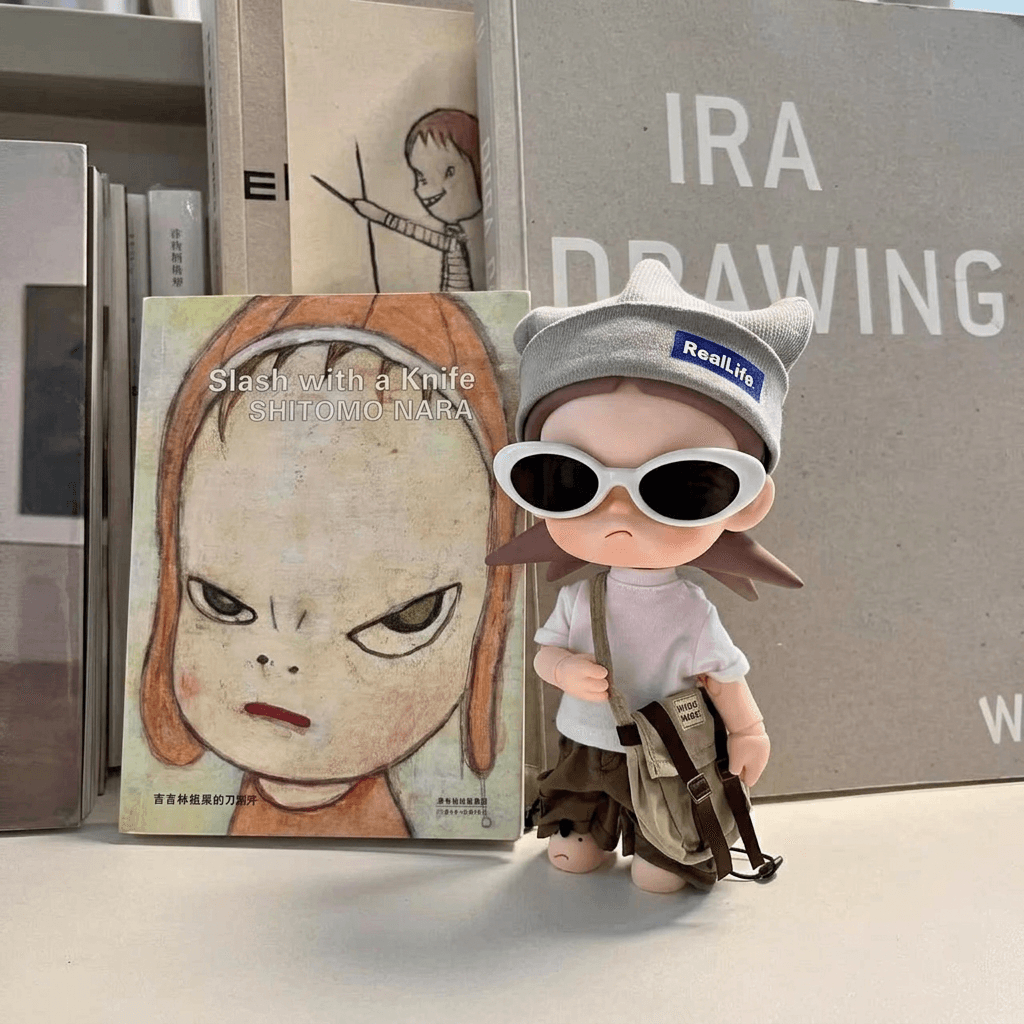
This is one area where I felt slightly off compared to my expectations. While Nano Banana 3 is fast, the control can feel a bit over-responsive when making small adjustments.
The subject stays consistent, but fine-tuning isn’t always subtle. Minor changes like adjusting lighting or expression can sometimes go further than expected.
For example, I tried enhancing the lighting step by step, but some outputs shifted too much in mood, making it harder to dial in the exact look I wanted.
When I tried the same setup with Seedream 5.0 Lite, the lighting felt much more balanced and natural. It handled subtle adjustments better, without pushing the mood too far.
| Input Image | Output Image |
 |
Nano Banana 3: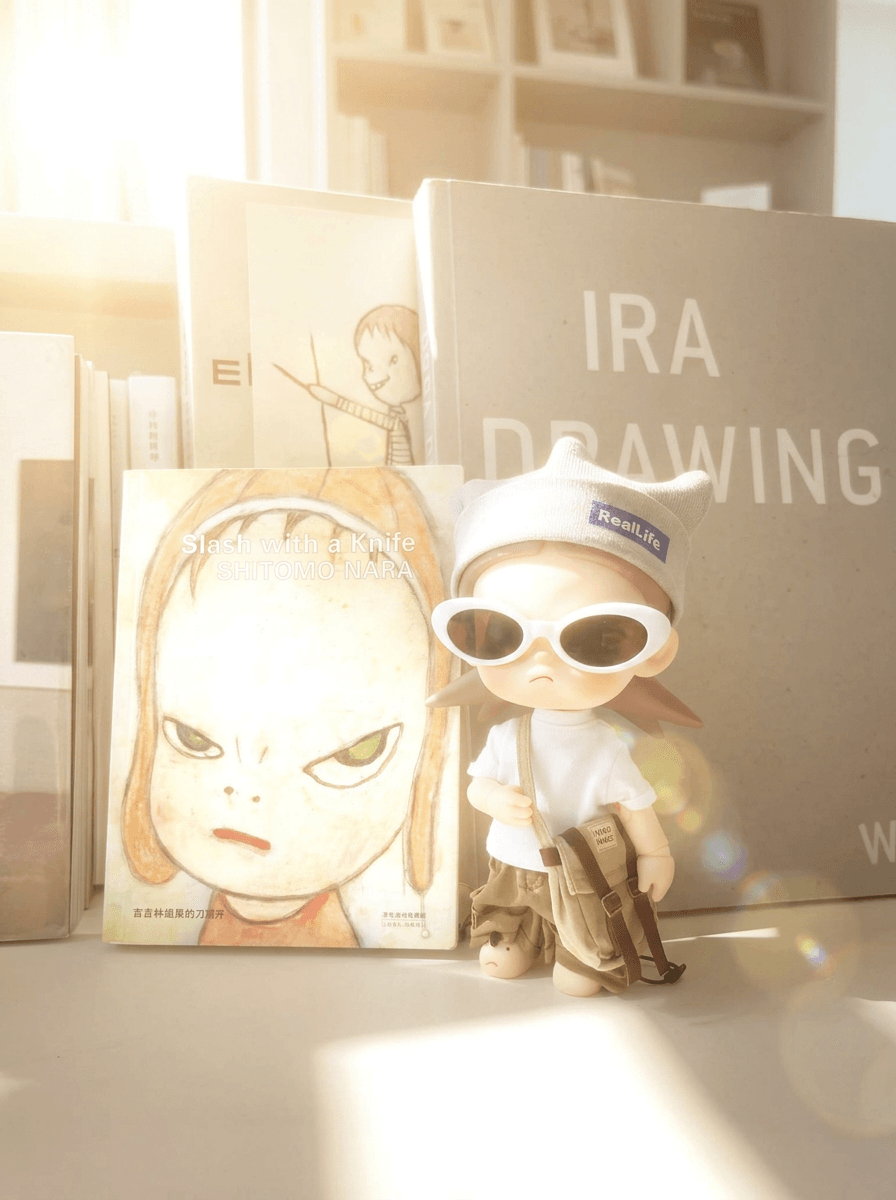
Seedream 5.0 Lite: 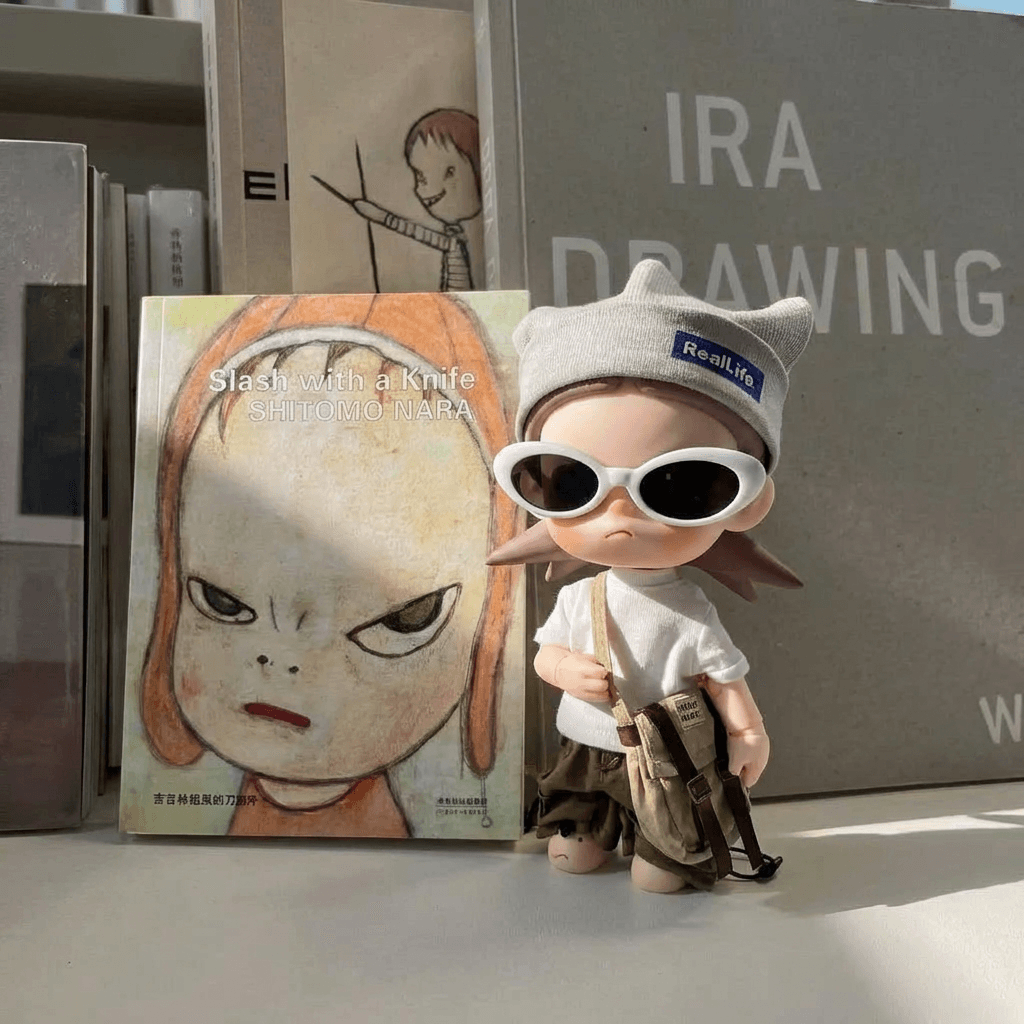 |
How Pollo AI Solves Nano Banana 3’s Limitations
After spending some time with Nano Banana 3, I started to feel where it works well and where it still has limits, especially when it comes to fine control. That’s also what pushed me to try it within Pollo AI rather than using it in isolation.
What I liked about using Nano Banana 3 on Pollo AI is the flexibility. You’re not limited to one model. I could switch between Nano Banana 3, Kling 3.0, and GPT-4o depending on the task, which made the workflow much more adaptable.
More importantly, Pollo AI gives you extra control beyond prompting. Tools like Pollo Angles and Pollo Relight let me adjust perspective and lighting directly.
In my testing, instead of regenerating images, I could fix lighting with Pollo relight much more precisely, which made the whole process faster and more controlled.
Final Thoughts
Nano Banana 3 isn’t trying to be everything, but it gets a lot right when it comes to overall output quality and usability. From shaping image vibe to applying styles and generating clean visuals, it feels like a practical tool you can actually rely on for real creative work.
That said, it’s not without its limits. Fine control can sometimes feel a bit over-responsive, especially when making small adjustments, which makes precise refinement less predictable in more complex workflows.
My take? Use Nano Banana 3 to quickly lock in the overall look, composition, and style, then refine the details if needed.
And if you’re using it on Pollo AI, you also have the flexibility to switch between models, which makes it easier to fill in the gaps when higher precision is required.