



Google Flow AI Video Generator
Google Flow focuses on cinematic, multi-scene video creation, while Pollo AI goes further with Pollo Agent, frontier models, and Marketing Studio for publish-ready videos and ads built to perform. Try Pollo AI video generator for free!
What Features Does Flow AI Video Generator Offer
- Industry-Leading Google Video Models: Create cinematic videos with advanced motion, native audio, and multimodal creative control.
- AI-Assisted Video Planning: Develop rough ideas into structured storyboards, stronger prompts, and varied video directions.
- Controlled Frame-to-Frame Video Generation: Guide each shot between defined frames for smoother, more intentional visual transitions.
- Conversational Video Refinement: Refine selected video moments through conversational prompts that retain earlier editing context.
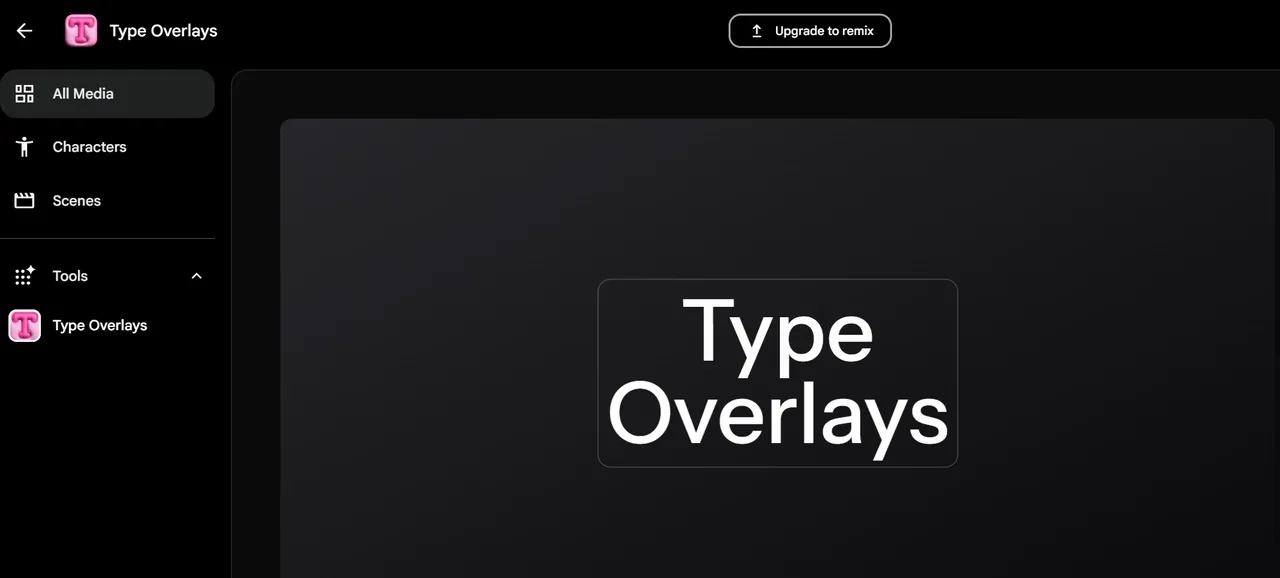
- Animated Text With Type Overlays: Animate titles, messages, and calls to action directly within your video scenes.
- Video Resizing for Any Format: Reframe one video for horizontal, vertical, square, and any other required format.
Industry-Leading Google Video Models
Google Flow uses Veo 3.1 to produce realistic motion, native audio, and prompt-aligned scenes, while Gemini Omni creates and edits videos using text, images, audio, and existing footage as references.
It fits a filmmaker producing a dialogue-led short with believable action and ambient sound, or an ad team grounding a product film in brand images, voice tracks, and rough footage.
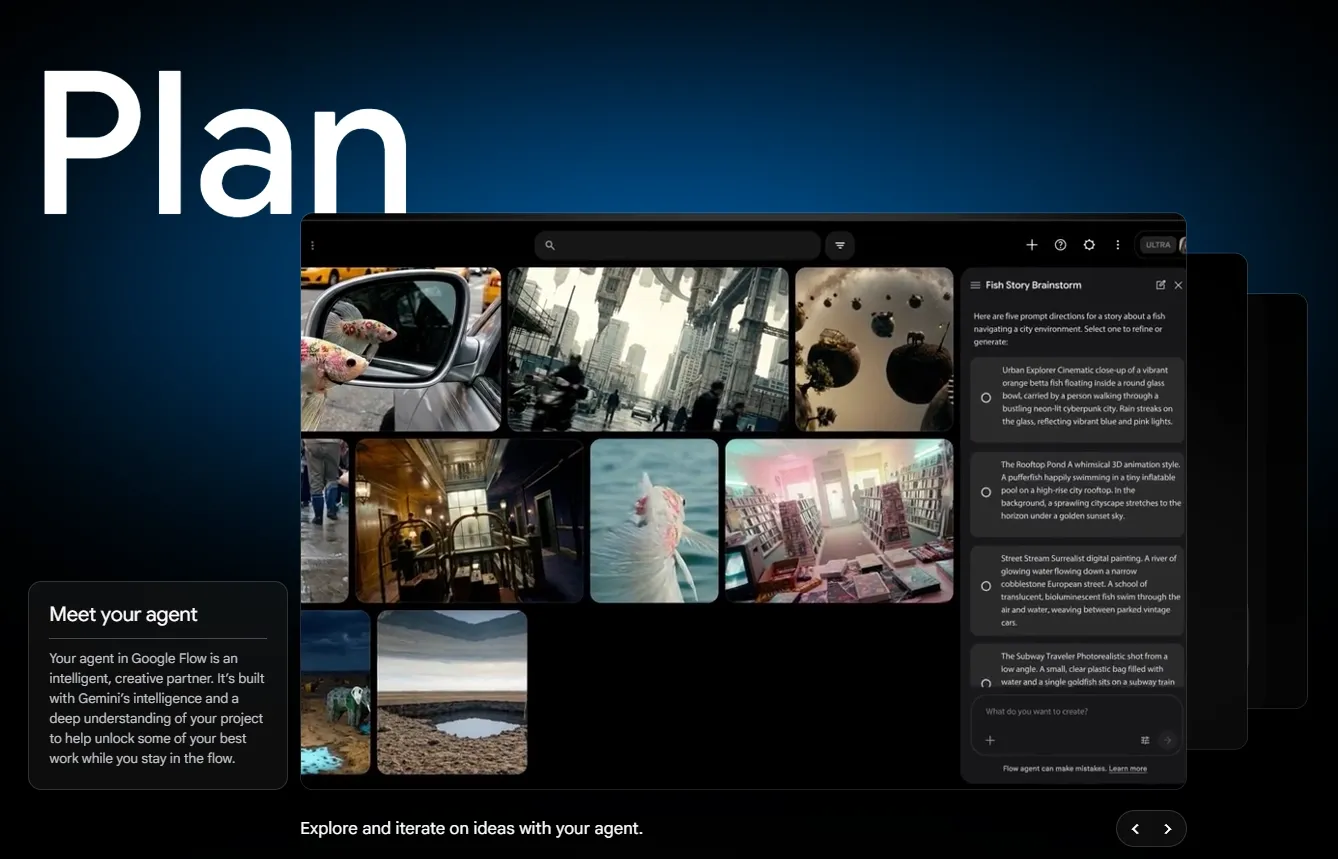
AI-Assisted Video Planning
Google Flow Agent helps develop the storyline, plan individual shots, incorporate project references, choose a suitable model, and generate multiple video options within the same project.
It is useful for mapping a 30-second product ads before production or testing different hooks, settings, and endings before committing to a final story direction.
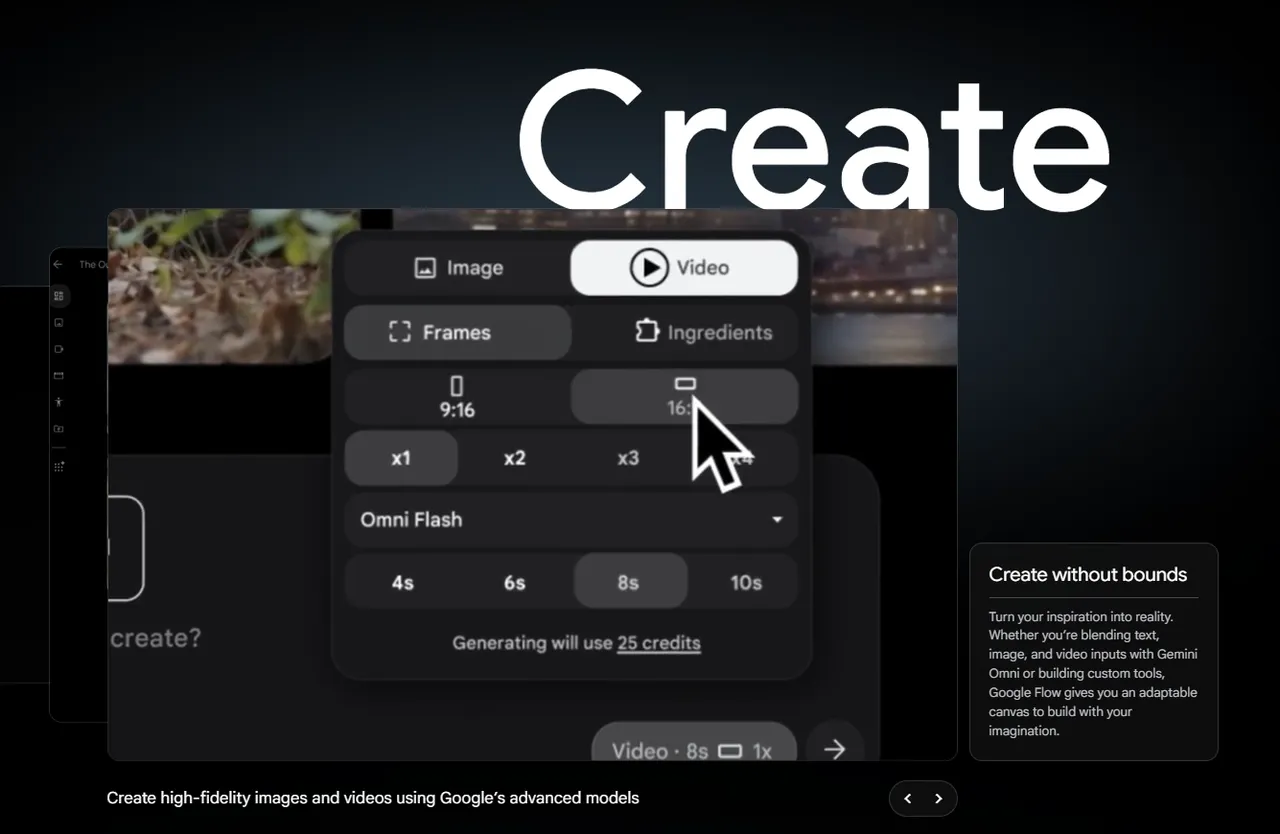
Controlled Frame-to-Frame Video Generation
Google Flow AI video generator uses a start frame, an end frame, or both to guide the composition and movement of an AI- generated video, giving the shot a clearly planned beginning and destination.
It suits product transformations, before-and-after comparisons, match cuts, outfit changes, portal transitions, and scenes that must finish on an exact hero shot.
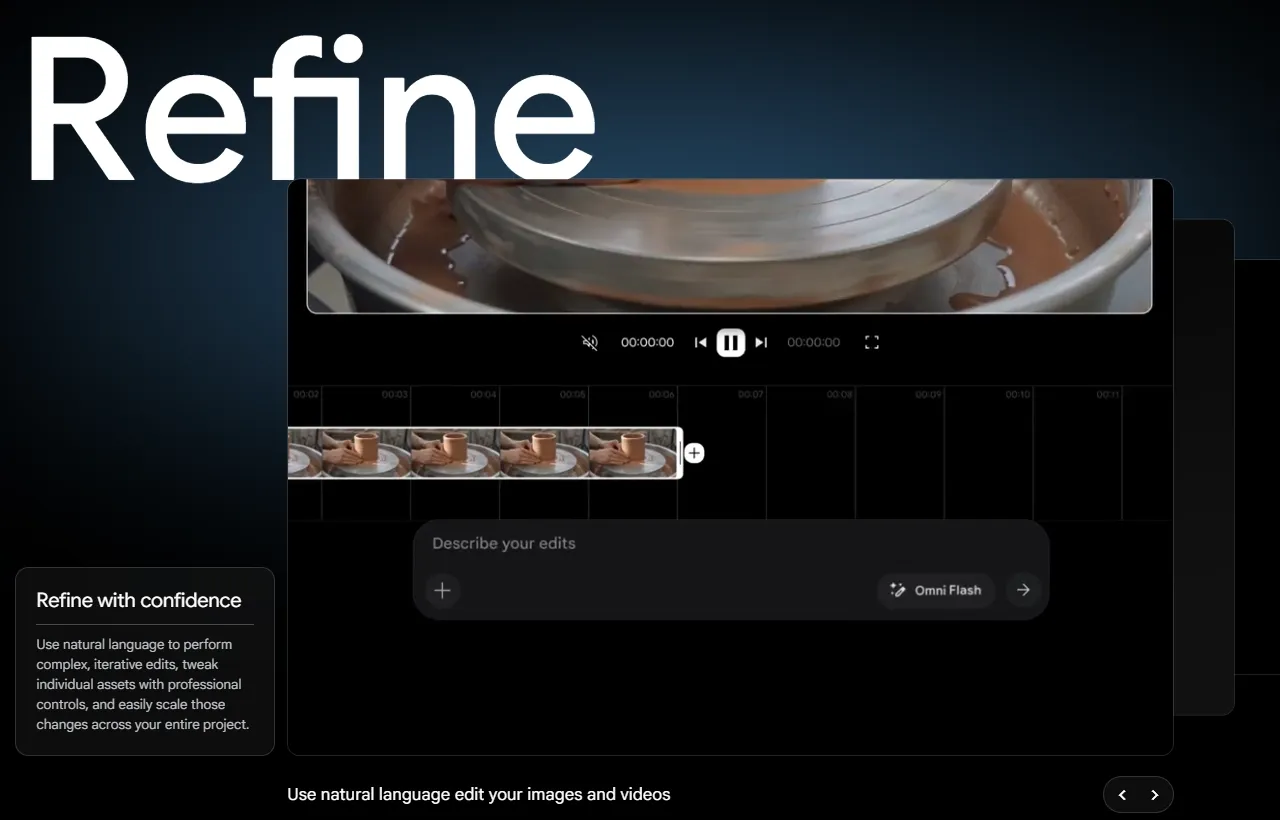
Conversational Video Refinement
Google Flow lets users select part of an uploaded or generated clip and describe the required changes conversationally. They can adjust lighting, backgrounds, objects, text, or the wider visual treatment over several editing turns.
It works when a strong shot needs precise editing, such as changing daylight to sunset, replacing a distracting background, or adding a launch title before delivery.
Animated Text With Type Overlays
Google Flow’s Type Overlays tool places animated text directly into a video, giving important on-screen copy more movement and presence than a static text layer.
It fits a trailer revealing its release date, a product teaser introducing a new model, or a short ad that needs its offer and CTA to command attention.
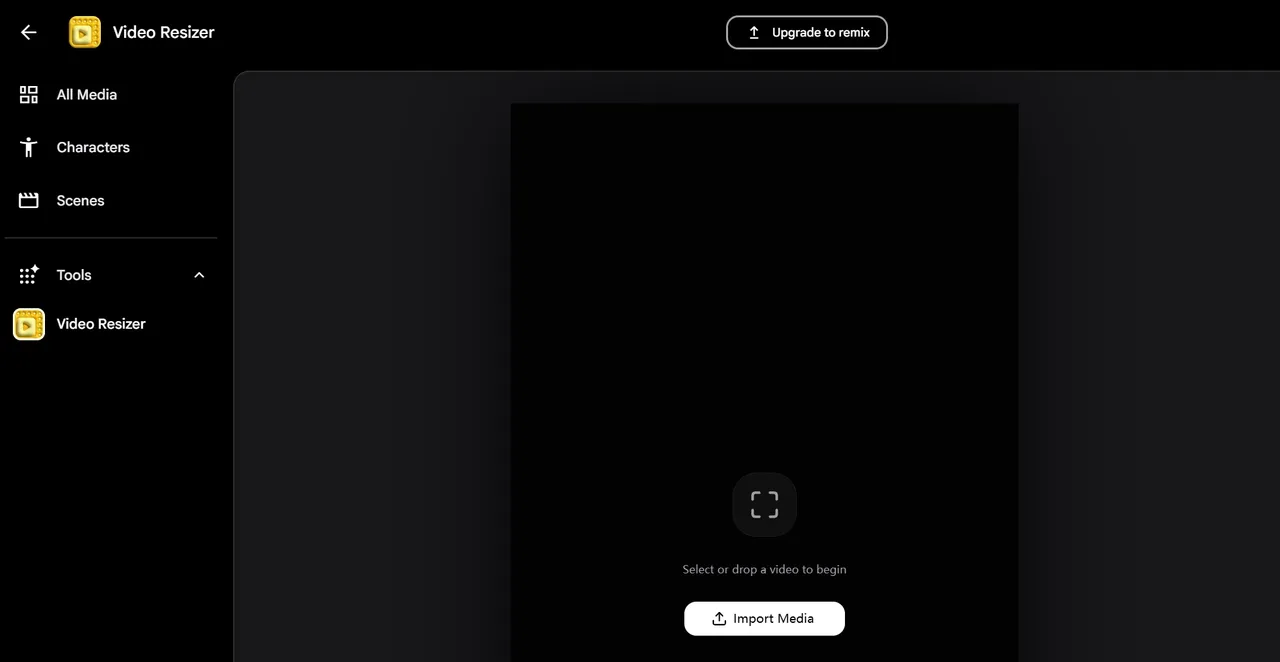
Video Resizing for Any Format
Google Flow AI Video Resizer reformats existing footage for horizontal, vertical, square, or other aspect ratios, making the same video easier to distribute across different screens.
It suits a campaign team turning one 16:9 launch film into a vertical IG story ad, a square feed post, and a widescreen presentation for different audience touchpoints.
Flow AI Use Cases
Independent Filmmakers & Creators
Produce cinematic scenes, storyboards, and concept videos without large crews or expensive equipment, making visual storytelling more accessible.
Social Media Creators & Influencers
Quickly generate trend-driven videos, promotional clips, or narrative content designed to capture attention and boost engagement.
Educators & Online Course Creators
Turn complex topics into visual explanations, helping create more engaging lessons, tutorial videos, and educational content.
Marketing & Advertising Professionals
Create multiple ad variations, campaign visuals, and branded video content faster, enabling quicker testing and iteration.
What Powers Flow AI Video Generation
Flow AI is built on a stack of generative models that coordinate video creation from concept to final output.
Veo for Motion & Video Synthesis
Veo powers the generation of dynamic video sequences, handling movement, scene progression, and visual refinement to deliver more cohesive and production-ready clips.
Imagen for Scene & Asset Generation
Imagen is used to construct the visual components within each scene, including environments and characters, providing the visual groundwork before animation.
Gemini for Intent Interpretation & Scene Coherence
Gemini translates prompts into structured creative direction, aligning tone, context, and transitions to ensure the overall narrative flows naturally.
Flow AI vs Higgsfield vs Pollo AI
| Feature | Flow AI | Higgsfield | Pollo AI |
| Video Models | Veo 3.1 and Gemini Omni | Veo, Kling, Sora, and more | Leading models including Veo, Sora, Kling, Seedance, and Wan AI |
| AI Agent | Storyboards, prompts, and variations | Model selection and task execution | Pollo Agent that creates full videos with scenes, voice, and music |
| Camera Control | Frame guidance and prompt-based control | Lens, movement, and motion controls | Frames, references, and motion mimic |
| Video Editing | Conversational edits, text, and resizing | Specialized editing apps and effects | Editing, lip sync, removal, and upscaling |
| Marketing | Cinematic stories and visual narratives | Ads, product videos, and viral formats | UGC ads, TVC ads, and campaigns at scale |
What Are Flow AI Video Generator’s Pros and Cons
Pros
- Strong Cinematic Output: Produces realistic motion, convincing physics, native audio, and polished visual storytelling.
- Cohesive Creative Environment: Keeps ideas, assets, scenes, and revisions organized within the same project.
- Built for Creative Exploration: Works well for filmmakers and artists developing films, music videos, and visual concepts.
Cons
- Limited Model Choice: Users are restricted to Google models and cannot compare outputs across other leading models.
- Credits Constrain Experimentation: Repeated generations and higher-end models can consume the available credit allowance quickly.
- Less Suited to Marketing Scale: Flow prioritizes cinematic creation over bulk ads, campaign variations, and high-volume production.
Why Pollo AI Is Stronger Than Flow
Industry-Leading Video Models
Access to advanced video models like Seedance and Happy Horse, helping you create smoother, sharper videos for different creative needs.
Turns ideas, links, images, scripts, or assets into production-ready videos with scenes, pacing, captions, voice, and music handled for you.
AI Avatar
Turns one photo into a lifelike talking avatar video up to 2 minutes long, ideal for UGC video ads, social clips, and brand presentations.










 5000+ reviewsTrustscore 4.4
Chosen by 10M+ Creators and Marketers Worldwide
Thousands of satisfied users have shared their Pollo AI experiences on Trustpilot, rating us as "Excellent." See what they love about our platform.
Liz Cassidy Dec 15, 2025Richard QuickOct 15, 2025armourdudeNov 19, 2025
 DuduJan 14, 2026
 Ray WarnesDec 30, 2025
 lawless clanNov 22, 2025
Discover Other Powerful AI Video Generators on Pollo AI
FAQs
What is the Flow AI video generator?
Flow AI is a cinematic video generation tool powered by models like Veo. It enables users to create structured video sequences with consistent visuals, scene transitions, and storytelling workflows.
What is the difference between Flow AI and Veo?
Veo is Google’s video generation model, while Flow AI is the creative studio built around it. Flow helps users organize Veo-generated clips and develop them into larger visual projects.
Does Flow AI support consistent characters and scenes?
Flow AI video generator is designed to maintain visual consistency across shots by controlling assets, frames, and scene structure throughout the generation process.
Can Flow AI create a complete film from one prompt?
Not typically. Flow AI helps users develop cinematic clips, scenes, and connected stories, but longer films generally require multiple generations, reviews, revisions, and scene assembly.
Who is Flow AI video generator best suited for?
Flow AI is best suited to filmmakers, visual artists, and storytellers developing cinematic concepts, music videos, short films, or experimental art. Its project-based approach is less focused on rapid, high-volume content production.
Is Pollo AI a stronger alternative to Flow AI?
Yes. Pollo AI is the stronger choice for creators and marketers who want multiple leading video models, complete multi-scene creation, and campaign-focused production in one platform. Pollo Agent creates publish-ready videos from ideas, assets, or links, while Marketing Studio produces UGC ads, TVCs, product videos, and design assets at scale.

Create Polished Videos with Pollo AI Now
Generate cinematic, social, and marketing videos with advanced AI models.