



Gemini Omni AI Video Generator
Gemini Omni is Google’s next-gen multimodal video family for creation, editing, and remixing. Try Gemini Omni Flash (first in the series) free on Pollo AI now!
Discover Gemini Omni's Endless Possibilities
Expected Features of Gemini Omni
Native Multimodal Video Generation : Create videos with prompts, images, clips, audio, or templates in one unified creative workflow.Natural Language Video Editing : Refine scenes, motion, style, and details through simple text instructions.Video Remixing : Rework existing videos into fresh versions without starting from scratch.Targeted Scene Editing : Fix specific parts of a video while preserving the original shot, motion, and style.Consistent Visual Narratives : Keep characters, environments, styles, and written details consistent across longer video sequences.Knowledge-Based Scene Creation : Understand context, subject matter, and meaning, creating scenes with stronger internal logic.Precise Audio Control : Generate intentional, scene-specific audio that perfectly matches your video's mood and tone.Diverse Camera Angles : Capture dynamic, cinematic shots from multiple perspectives for a more immersive experience.Tailored Avatar Generation : Craft expressive avatars that bring your digital self to life.
Native Multimodal Video Generation
Gemini Omni is not limited to one input type. It understands different references as one connected creative instruction, shifting AI video creation away from narrow formats like text-to-video or image-to-video.
You no longer need to separate ideas by format. Use text to explain the concept, images to define the visual style, clips to suggest motion, and audio to guide tone.
Gemini Omni brings these signals together, helping you create videos that feel more accurate, expressive, and aligned with your vision.
Prompt
A natural UGC skincare ad featuring a young woman with long reddish-brown hair, visible freckles, and fresh minimal makeup. She holds a green face cream jar close to the camera and applies the cream to her face.
Natural Language Video Editing
Gemini Omni turns editing into a conversation. You no longer need to adjust timelines, cut scenes manually, or rebuild clips from scratch.
You can just type a change and let the model revise the video. With this feature, Gemini Omni feels like Nano Banana, but as an AI video generator.
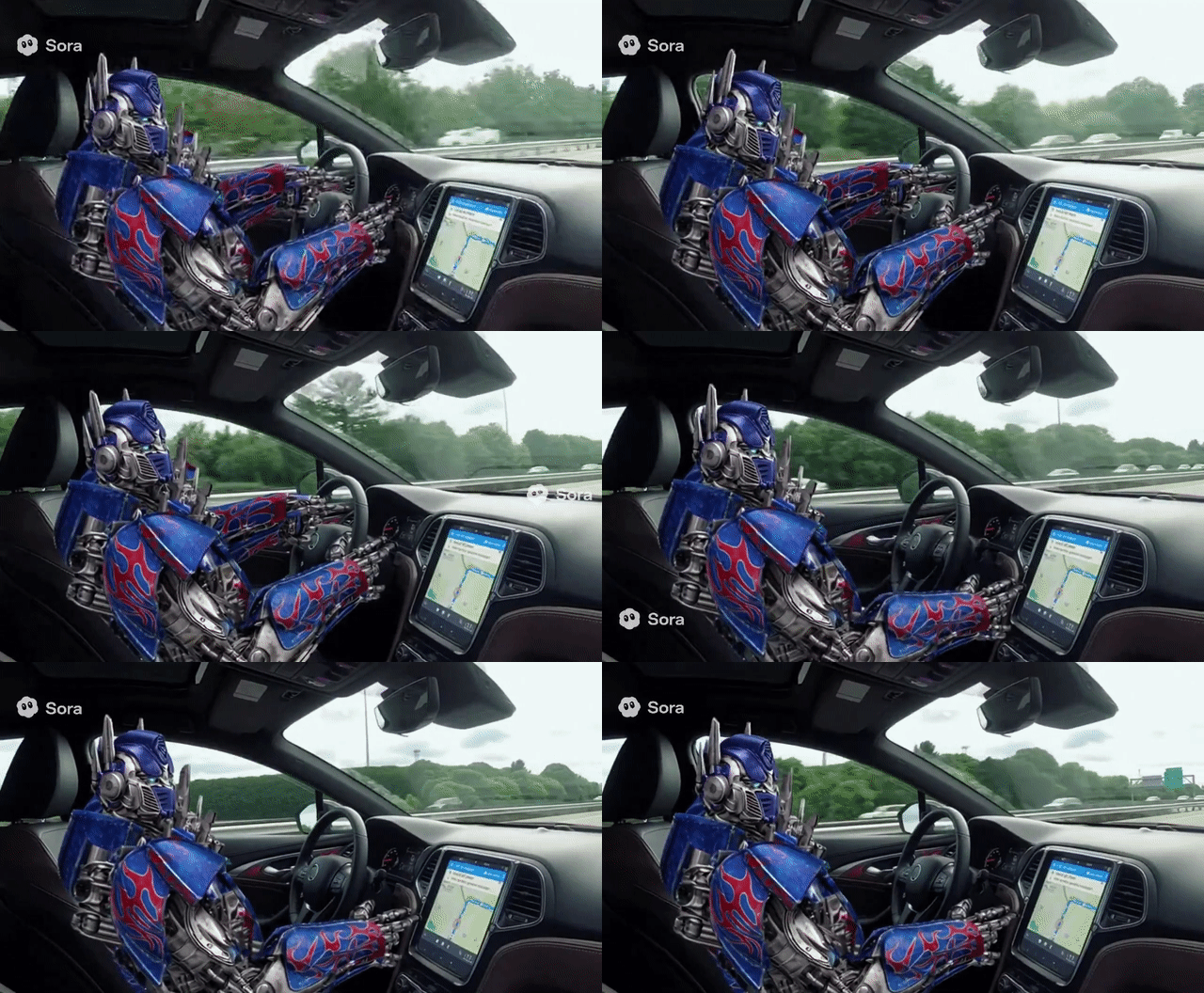
Prompt
Remove the logo of Sora2 in this video clip.
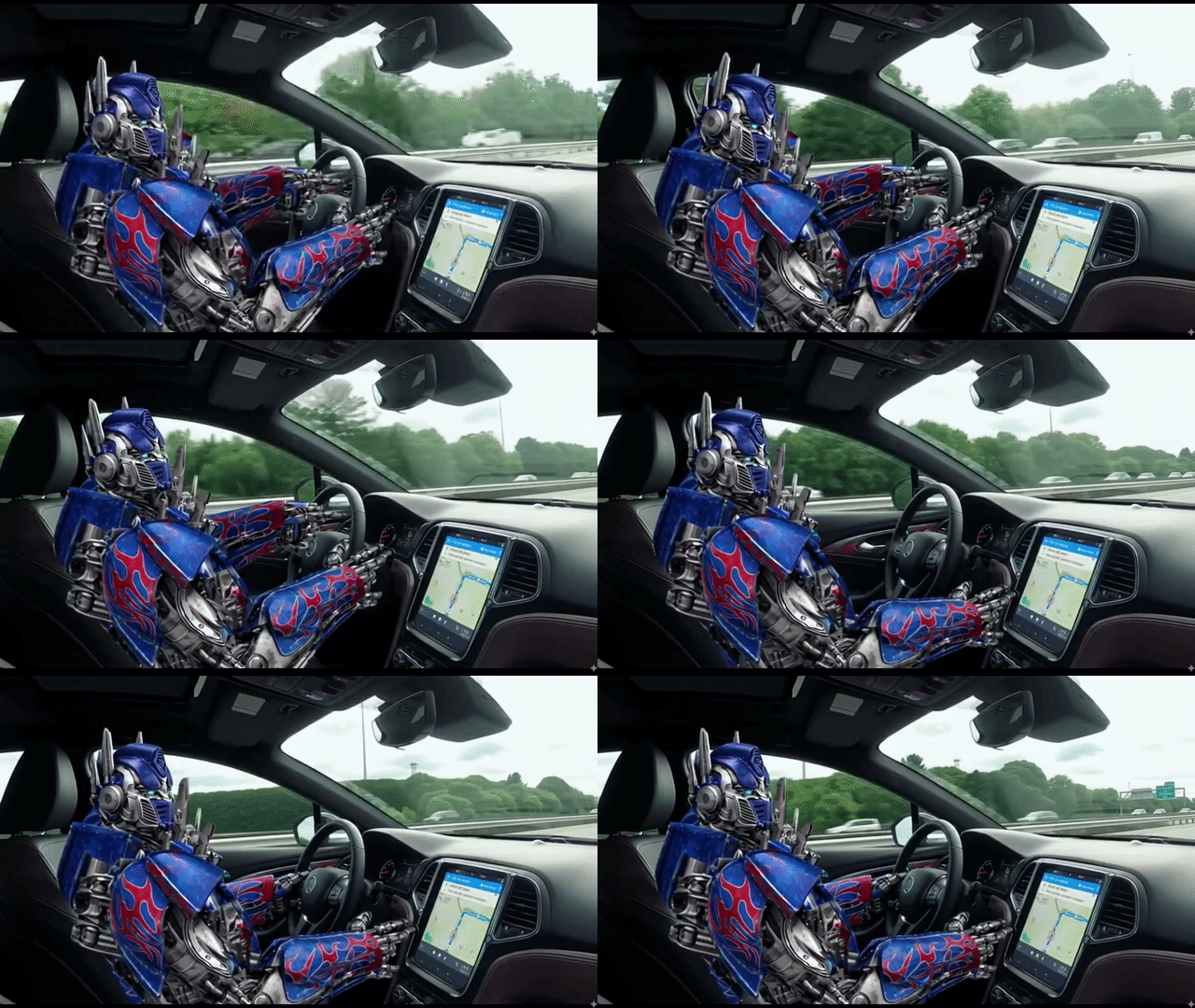
Video Remixing
With Gemini Omni, you can build from videos you already have. No need to restart every time.
Your clip can become a new version while keeping its structure or creative direction. That makes iteration faster and more practical.
| Prompt | Input Video | Output Video |
| Combine the “girl walking by the sea” clip with the product clip to create a cinematic TVC-style advertisement, blending lifestyle beauty shots with polished product visuals to deliver a premium, elegant skincare commercial. |
Targeted Scene Editing
Gemini Omni supports precise edits inside an existing video. Instead of regenerating the whole scene, you can focus on the exact object or detail that needs improvement.
With this practical video refinement, you can correct a small issue while maintaining the original composition, motion, and style.
Prompt
Replace the spaghetti in both people’s plates with creamy pumpkin soup. Keep everything else the same.
Consistent Visual Narratives
Gemini Omni helps solve one of AI video’s hardest problems: keeping every scene consistent and meaningful. It can track character identity, scene details, visual style, and environmental elements, helping each shot feel connected instead of randomly generated.
Its stronger text and formula coherence also opens the door to more knowledge-heavy videos. In examples like a professor writing formulas on a chalkboard, Gemini Omni does a good job of preserving readable text, logical symbols, and natural motion at the same time.
By improving text and formula coherence, Gemini Omni becomes more useful for lessons, explainers, tutorials, product demos, animated content, and brand storytelling.
| Prompt | Output Video |
| A professor writes out a mathematical proof for trigonometric identities on a traditional chalkboard, explaining the step he is currently on in the equation. |
| Prompt | Image Input | Video Output |
| Use my uploaded image as the primary visual reference and keep the scene highly consistent throughout the video. Preserve the same anime-style countryside sunset scene. Maintain the exact same composition, character design, environment layout, lighting direction, color palette, and overall mood across the entire clip. Only add subtle natural motion: gentle breeze moving the dress, hair, and sunflowers, drifting glowing particles in the air, and slow cloud movement. Keep the camera stable with a very slight cinematic push-in. No scene changes, no character redesign, no object changes, no extra people, no layout changes. Prioritize strong scene consistency, visual continuity, and fidelity to the uploaded image. |  | |
| Use my uploaded image as reference and create a highly consistent café video. Preserve the same people, table, coffee cups, window view, lighting, and composition. Add only subtle conversational motion like blinking, slight head movement, breathing, and minor background motion outside the window. Keep the camera stable and avoid any redesign, layout changes, or style drift. | 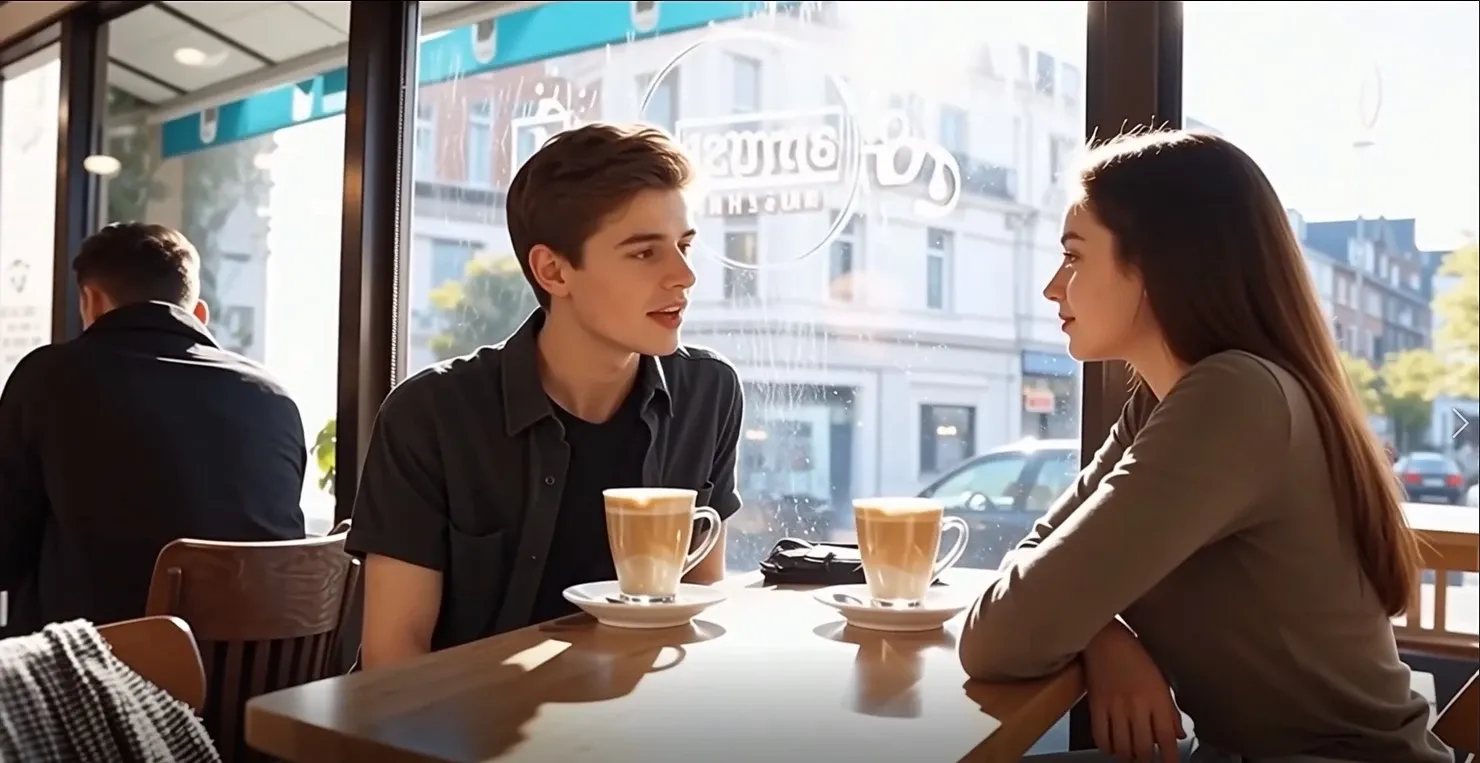 |
Knowledge-Based Scene Creation
Gemini Omni brings Google’s broader AI knowledge into video generation. It can create scenes that feel more informed, structured, and meaningful.
If you want to create historical scenes, educational explainers, or product demos, Gemini Omni can provide accurate, logical, and clear visuals.
| Prompt | Output Video |
| Create a video about Steve Jobs’ life story. |
Precise Audio Control
Gemini Omni redefines visual storytelling by enabling seamless transitions between diverse camera angles.
Whether you need a dramatic overhead shot or a ground-level perspective, Gemini Omni delivers the cinematic flexibility that professional filmmakers rely on—putting powerful, multi-angle video production directly in the hands of every creator.
For instructional designers, you can also use Gemini Omni to create clearer training materials, such as videos with changing angles that show specific techniques in detail.
| Prompt | Video Output |
| A realistic cinematic shot of a Black man beside an old sea chart. He points at the chart, then raises his head and says: “According to this old sea chart, the lost island isn't a myth. We must prepare an expedition immediately.” Intentional audio with precise lip sync, clear voice, subtle room ambience, and light paper rustling. Dramatic adventure mood. |
Diverse Camera Angles
Gemini Omni redefines visual storytelling by enabling seamless transitions between diverse camera angles.
Whether you need a dramatic overhead shot or a ground-level perspective, Gemini Omni delivers the cinematic flexibility that professional filmmakers rely on—putting powerful, multi-angle video production directly in the hands of every creator.
For instructional designers, you can also use Gemini Omni to create clearer training materials, such as videos with changing angles that show specific techniques in detail.
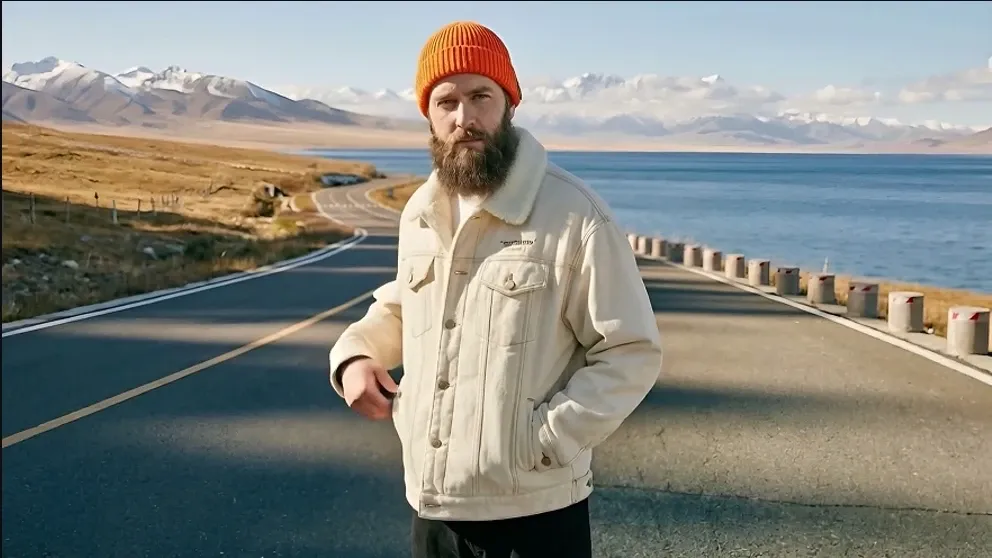
Prompt
A realistic cinematic video of a man with a thick beard, wearing an orange knit cap and a white jacket, standing on a coastal road. On his left side is a wide-open sea stretching into the distance. The camera changes to show his right-side profile, keeping the same environment and character appearance consistent.
Tailored Avatar Generatio
Your digital presence is entirely your own. Gemini Omni offers deep customization options, empowering you to design expressive, lifelike avatars that capture your personality and style.
Whether you are a storyteller, educator or VTuber, if you want to engage your online audience while maintaining your real-world anonymity, Gemini Omni’s personalized avatar is a great solution.
| Prompt: Create a realistic video using my uploaded image. Keep my face, hairstyle, and overall identity consistent with the reference image. I speak directly to the camera and say: “I’m in the stands feeling the energy. Did you catch that screamer?” Match natural lip sync to the spoken line, with realistic facial expressions and subtle head movement. | |
| Image Input | Video Output |
 | |
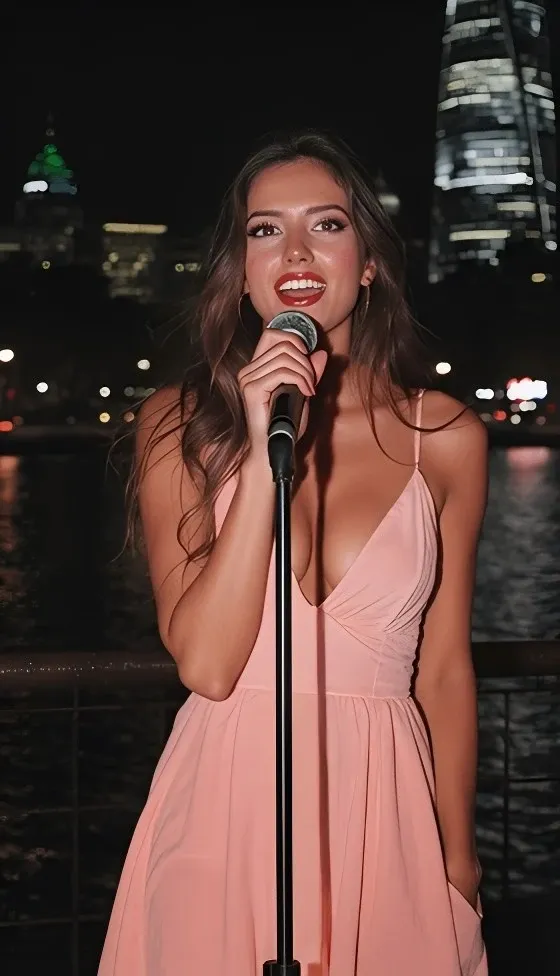
| Prompt: Generate a cinematic personalized avatar singing video using my uploaded image as the identity reference. Keep my appearance consistent and realistic. Realistic singing lip sync, emotional facial expressions, subtle body movement, and confident performance energy. Focus on beauty, realism, and identity consistency. | |
| Image Input | Video Output |
 | |
Whatever Your Vision, Gemini Omni Delivers
As an advanced video generation model, Gemini Omni attracts more users across various fields. With powerful features, Gemini Omni is tailored to different needs, helping boost sales and social engagement.
- Filmmakers and Ad Agencies: Produce prototyping, pre-visualization, professional-grade TVC ads, and movie trailers.
- Content Creators: Generate high-quality, engaging videos (Reels, Shorts, TikToks) with consistent characters and expressive audio.
- Marketers: Streamline promotional videos and product visualizations, and create branded content.
- Educators: Produce engaging explainers, training videos, and educational content that transforms complex concepts into visual narratives.
- Agencies and Studios: Use professional workflows to achieve broadcast-quality output, consistent rendering, and precise creative control.
Gemini Omni: A Leap Forward from Veo 3
Gemini Omni shows how far Google’s AI video technology has advanced since Veo 3. With a stronger overall experience and more polished output, it helps creators move beyond simple experimentation toward more serious and creative video production.
| Feature | Veo 3 | Gemini Omni |
| Input | Text and image prompt | Prompts, references, clips, and templates |
| Video Length | Short clips, typically around 8 seconds | Longer clips, expected around 15–30 seconds, with smoother pacing and natural transitions |
| Scene Consistency | Limited consistency across frames | Stronger temporal consistency across full scenes, improved object permanence, and more stable multi-character interactions |
| Camera Control | Basic prompt-based camera movement | More precise control over lenses, movement, framing, and pacing |
| Multi-Angle Scenes | Not supported | Support for multiple camera angles per scene from a single prompt |
| Personalized Avatars | Not available | Personalized avatars with voice synchronization, accurate facial expressions, and synchronized lip movements |
| Editing Workflow | Regenerate entire clip for changes | Interactive editing during generation, allowing adjustments mid-process |
| Primary Use Case | Generates short experimental videos | Production-ready video creation workflows |
| Resolution | Up to 1080p output | Up to 4K output |
| Audio | Silent videos or basic audio (timing reference) | Higher-quality, intentional audio with more expressive speech, better rhythm, richer ambience, and coherent sound design |
| Multilingual Accuracy | Basic | More accurate on-screen text, signage, UI rendering, and cleaner lip-sync across different languages |
For full insights, check our Gemini Omni review.
How to Use Gemini Omni on Pollo AI
Choose Gemini Omni Model
Open the image to video page and select the Gemini Omni model (coming soon).
Enter Your Prompt
Upload your image and if needed, enter a prompt, then adjust the video settings.
Download the Result
Click “Create” to generate your video, then download it.
Explore Other Gemini Omni Models










 5000+ reviewsTrustscore 4.4
Used by 10M+ Creators and Marketers
Thousands of satisfied users have shared their Pollo AI experiences on Trustpilot, rating us as "Excellent." See what they love about our platform.
Liz Cassidy Dec 15, 2025Richard QuickOct 15, 2025armourdudeNov 19, 2025
 DuduJan 14, 2026
 Ray WarnesDec 30, 2025
 lawless clanNov 22, 2025
FAQs
What is Gemini Omni?
Gemini Omni is Google’s native multimodal AI video model for creating and editing videos. It is designed to make video generation more conversational. Gemini Omni is a major leap in AI video creation with its advanced features like video remixing, consistent visual narratives and world knowledge-aware creation.
How does Gemini Omni differ from its predecessor Veo 3?
Gemini Omni significantly improves upon Veo 3 with higher resolution (up to 4K), longer video durations, and faster generation speeds. It offers enhanced consistency for characters and objects, more precise cinematic controls, and advanced integrated audio capabilities, including better lip-sync and multilingual accuracy.
Is Gemini Omni free to use on Pollo AI?
Yes! You can try Gemini Omni for free on Pollo AI when it's available on our website. Pollo AI offers a trial so you can explore its powerful video generation features.
Is Gemini Omni suitable for beginners?
Yes! Gemini Omni is beginner-friendly. Its simple interface requires no filming equipment or editing skills. Just type a description and it generates videos instantly. While mastering advanced features takes practice, getting started is straightforward, making it accessible to everyone, regardless of experience level.
How does the intentional audio feature work in Gemini Omni?
Gemini Omni's intentional audio creates contextually aware sound, including expressive dialogue with lip-sync, physics-based Foley effects, immersive ambient soundscapes, and original musical scores. All audio is spatially positioned and coherently flows across cuts, eliminating extensive post-production.

Try Gemini Omni on Pollo AI Now!
Use Gemini Omni to create, edit, and remix detailed videos with visual assets, or plain-language instructions.