



Gemini Omni Review: I Tested Gemini Omni, and It Won Me Over
After exploring numerous AI video tools, few have impressed me as much as Gemini Omni, also known as Veo 4. This isn’t just a minor update; it’s a leap toward production-ready video with 4K resolution, intentional audio, and remarkable scene consistency.
From longer clips to multi-angle control, Gemini Omni offers the professional features creators need. Read on for my full hands-on review of these groundbreaking upgrades and learn how you can experience Gemini Omni yourself through Pollo AI.
My First Impressions of Gemini Omni (Veo 4)
I have looked at a lot of AI video tools over the past year, and honestly, it takes quite a bit to make me pause. Gemini Omni (Veo 4) is one of the few that does.
From everything I have seen so far, Gemini Omni feels less like a small upgrade and more like a serious step toward native multimodal AI video. What stands out to me is not just better visuals, but how it brings generation, chat-based editing, remixing, and contextual understanding into one workflow.
That is what makes it valuable for creators. Gemini Omni focuses less on one-time output and more on the revisions that make a video usable: giving references, asking for changes, keeping what works, and refining the result through conversation. For marketers, filmmakers, and content creators, that could make AI video feel closer to real production.
It sounds like Google is trying to move AI video beyond short experimental clips and into something far more usable for real projects.
Of course, expectations are high, and not every promise will matter equally in practice. AI video tools often look exciting on paper but feel less impressive once you start creating. Still, Gemini Omni has enough ambitious upgrades to deserve attention. In this review, I will take a closer look at what makes it promising and where it may still need to prove itself.
To save your time, I would like to give an overview to show you the differences between Veo 3 and Gemini Omni (Veo 4).
| Feature | Veo 3 | Gemini Omni (Veo 4) |
| Video Length | Short clips, typically around 8 seconds | Longer clips, expected around 15–30 seconds, with smoother pacing and natural transitions |
| Scene Consistency | Limited consistency across frames | Stronger temporal consistency across full scenes, improved object permanence, and more stable multi-character interactions |
| Camera Control | Basic prompt-based camera movement | More precise control over lenses, movement, framing, and pacing |
| Prompt Understanding | Good for simple prompts | Advanced interpretation of nuanced cinematic instructions, with more reliable instruction following |
| Multi-Angle Scenes | Not supported | Support for multiple camera angles per scene from a single prompt |
| Personalized Avatars | Not available | Personalized avatars with voice synchronization, accurate facial expressions, and synchronized lip movements |
| Editing Workflow | Regenerate entire clip for changes | Interactive editing during generation, allowing adjustments mid-process |
| Primary Use Case | Generates short experimental videos | Production-ready video creation workflows |
| Resolution | Up to 1080p output | Up to 4K output |
| Audio | Silent videos or basic audio (timing reference) | Higher-quality, intentional audio with more expressive speech, better rhythm, richer ambience, and coherent sound design |
| Multilingual Accuracy | Basic | More accurate on-screen text, signage, UI rendering, and cleaner lip-sync across different languages |
What Makes Gemini Omni Stand Out
- Context-Aware Chat Editing: Gemini Omni feels like a Nano Banana moment for AI video. It lets users revise clips through conversation, while understanding what should change, what should stay, and how the scene should continue.
- Native Multimodal Video Workflow: Gemini Omni brings video generation, editing, remixing, and reference-based creation into one Gemini-native workflow. Instead of treating text, images, clips, templates, and edits as separate modes, it uses them as a connected context for shaping the final video.
- Sharper Text and Formula Control: Gemini Omni can keep written details, formulas, motion, and meaning more coherent within the video. This makes it useful for tutorials, explainers, educational content, and other knowledge-heavy scenes.
- Generation and Editing Become One: Gemini Omni suggests that future AI video will not be divided neatly into text/image/reference to video, and video editing. Once a model can understand references and revise results through prompts, creation and editing start to become the same workflow.
My Experience with Gemini Omni
Native Multimodal Video Generation
Gemini Omni is built for a more flexible way to start a video. A user can bring in a prompt, image, clip, audio cue, or template, and the model can treat those materials as one connected creative brief.
This is why the old split between text to video and image to video feels less important here. Gemini Omni works more like a reference-driven video model, where different inputs help define the same final direction.
| Prompt | Video Input | Video Output |
| A natural UGC skincare ad featuring a young woman with long reddish-brown hair, visible freckles, and fresh minimal makeup. She holds a green face cream jar close to the camera, applies the cream to her face, and shows a clear before-and-after skin change, from bare textured skin to a smoother, softer, glowing finish. |
Fantastic! This skincare video keeps the character realistic and the product visually consistent throughout, making the overall result feel far more polished and immersive.
Chat-Based Video Editing
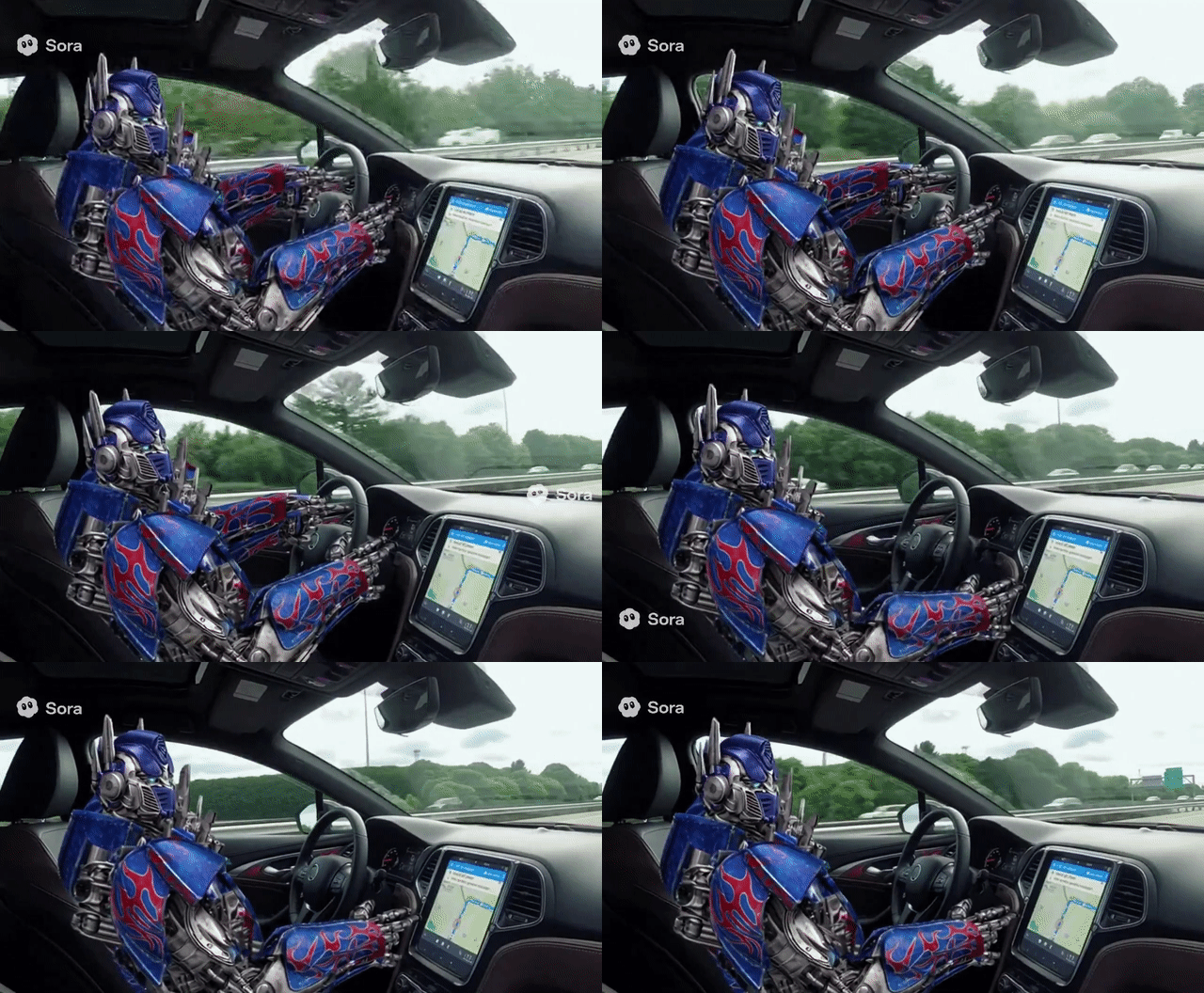
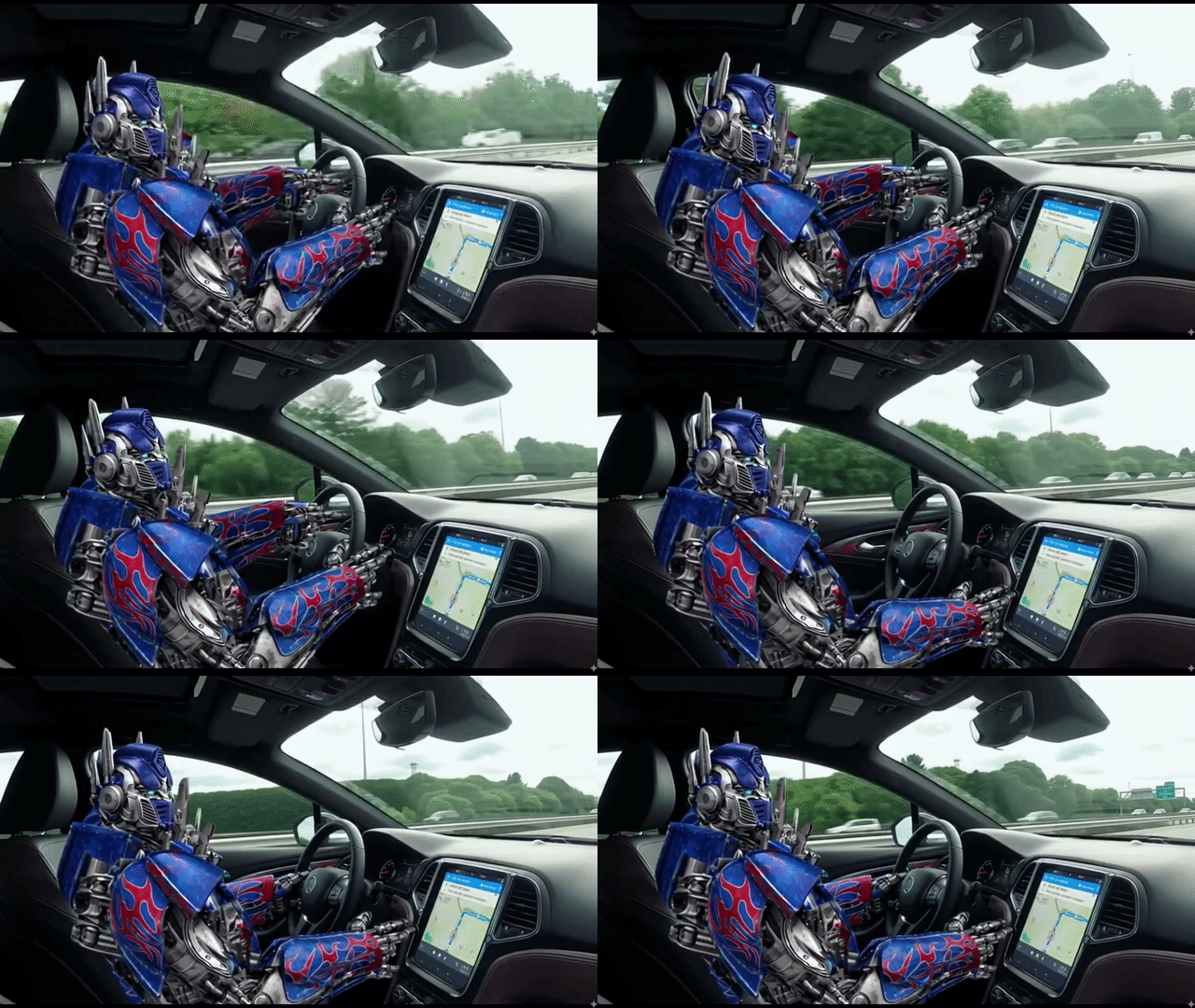
Conversational editing is where Gemini Omni starts to feel truly practical. Users do not need to rebuild a clip or work through a timeline; they can simply tell the model what needs to change.
It turns video editing into a prompt-based exchange. In that sense, Gemini Omni brings the Nano Banana-style editing experience to moving images.
| Prompt | Video Input | Video Output |
| Remove the logo of Sora2 in this video clip. |
 |
 |
Stronger Text and Formula Coherence
Gemini Omni stands out in scenes where written information has to stay readable and meaningful. That is a difficult test for AI video, because text must remain stable while the scene continues to move.
For tutorials, explainers, lessons, and other knowledge-led videos, this matters a lot. The model needs to handle not only the look of writing, but also its timing, structure, and meaning inside the scene.
| Prompt | Video Output |
| A professor writes out a mathematical proof for trigonometric identities on a traditional chalkboard, explaining the step he is currently on in the equation. |
I’m genuinely stunned by this Gemini Omni video. Beyond keeping the on-screen text accurate, it also preserves the correctness of complex mathematical formulas throughout the scene, making the entire result feel far more believable and technically impressive.
Object and Scene-Level Editing
Gemini Omni is useful when a video only needs a targeted change. Instead of producing a new clip from the beginning, users can adjust a specific object, detail, or part of the scene.
This matters in real production because small fixes often decide whether a video is usable. Keeping the original shot intact while changing only what needs to change makes the editing process much more practical.
| Prompt | Video Input | Video Output |
|
|
Gemini Omni really surprised me here. It replaces only the food so naturally, while keeping the dish realistic and leaving the person’s movements and the whole scene intact.
Video Remixing
Remixing makes Gemini Omni useful after the first draft.
Instead of starting from zero, users can take an existing clip and turn it into a new version while keeping the structure, movement, or creative direction. That is closer to how real creators work.
| Video Input | Prompt | Video Output |
|
|
Combine the “girl walking by the sea” clip with the product clip to create a cinematic TVC-style advertisement, blending lifestyle beauty shots with polished product visuals to deliver a premium, elegant skincare commercial. |
World Knowledge-Aware Creation
Gemini Omni’s value also comes from its ability to understand the context behind a scene. It is not only trying to make a video look polished; it also needs to know what the scene is about.
That kind of understanding is especially useful for historical topics, educational content, product explanations, and story-driven videos, where the details need to make sense as well as look good.
| Prompt | Video Output |
|
|
Try Gemini Omni on Pollo AI
Pollo AI combines top AI video generation tools in one place, giving you a creative hub where flexibility and performance come together.
With Gemini Omni integrated, Pollo AI becomes even more capable. Explore Gemini Omni’s powerful capabilities there and compare the results yourself.
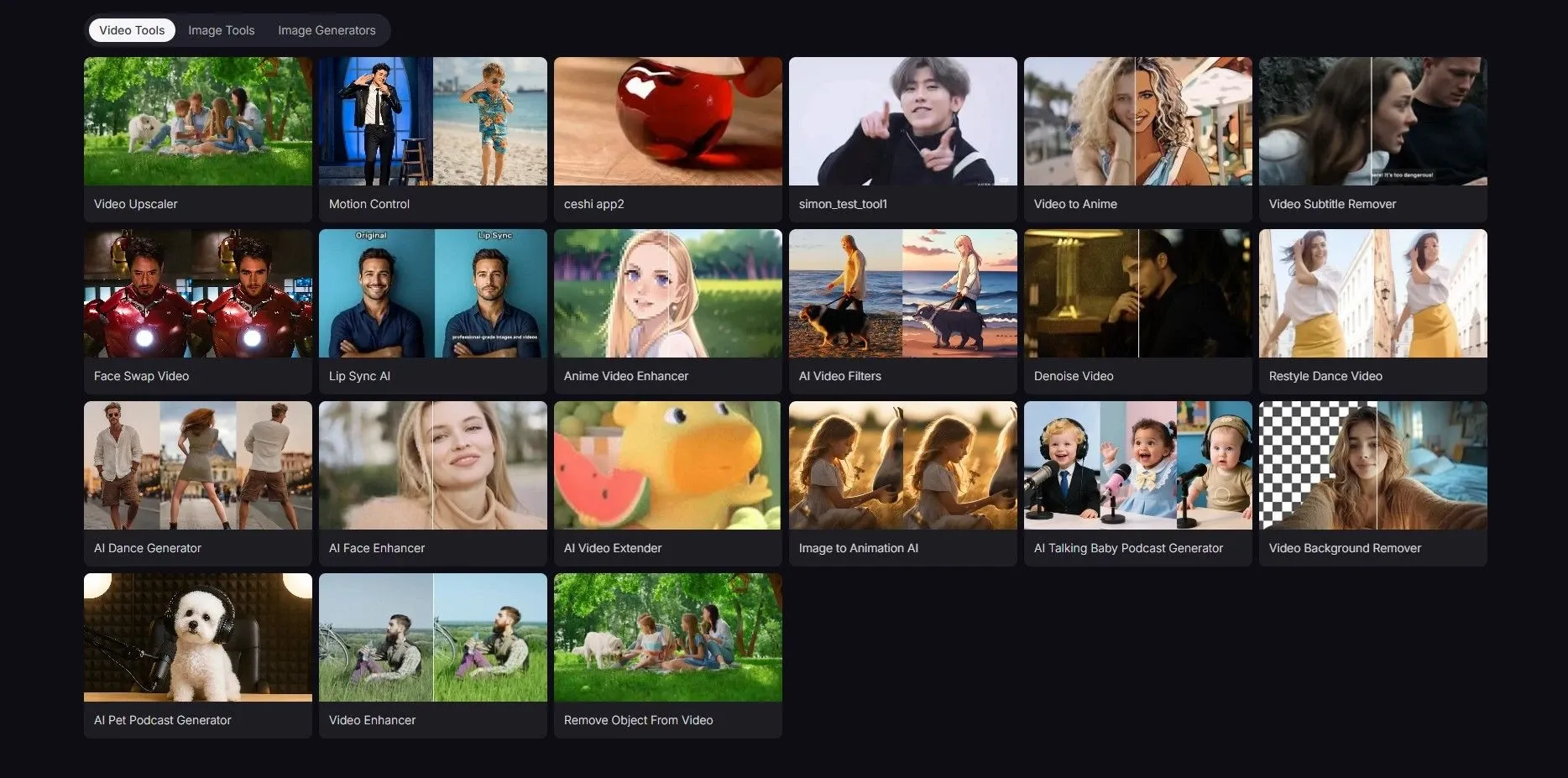
Apart from various models, Pollo AI also offers you a wide range of AI tools. These tools can reduce repetitive work, spark new ideas when you feel stuck, and make advanced creation more accessible even if you are not an expert.
- AI Motion Control: Animate any still character image with lifelike motion from a real video.
- AI Video Filters: Transform your footage with creative visual styles.
- AI Video Extender: Lengthen your videos smoothly with consistent motion and style.
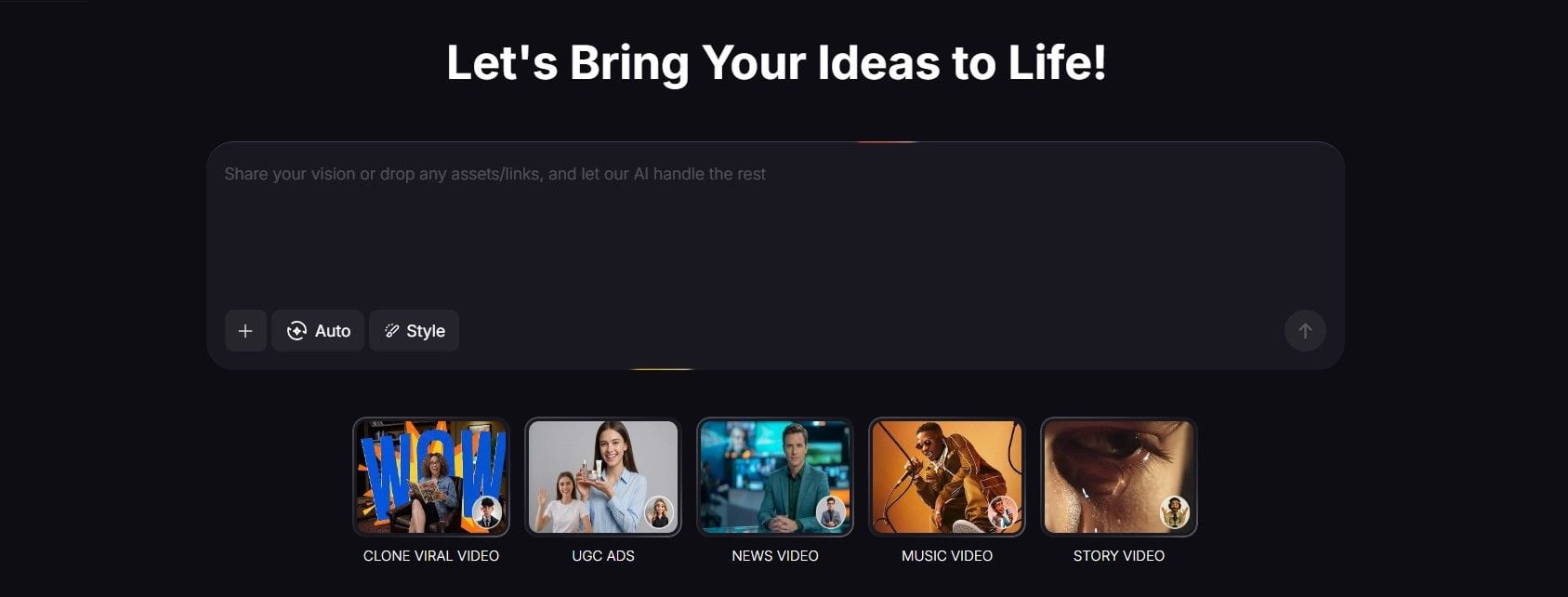
Pollo Agent is another reason why I recommend you use this platform. As an AI creation assistant, it can understand your goals and guide your workflow. So your creating process is streamlined without juggling prompts and settings.
You can save more time and reduce trial and error whether you’re creating UGC videos or music videos.
Final Thought
After testing Gemini Omni (Veo 4), I can say it feels like a clear step up from Veo 3.
What stood out to me most is its stronger contextual understanding, chat-based editing, video remixing, and ability to keep complex details coherent, especially in scenes that involve text, formulas, or specific user instructions. It does not just make a clip look better; it makes the video feel easier to direct and refine.
If you want a model that can understand your intent, respond to changes, and keep shaping the result through conversation, Gemini Omni is the more interesting direction to watch.