



Google Veo 3.1 Review: I Have Tested Google Veo 3.1 and Found It Impressive, Yet Imperfect
Google has just unveiled its latest video generation model, Veo 3.1, which was built on the original Veo 3.
Veo 3.1 not only delivers improved prompt adherence, ensuring your vision comes to life with greater accuracy, but also offers richer native audio output, bringing sound and motion together more naturally than before.
It has also introduced three new key features, including:
- Ingredients to Video: Generate a full video from reference images, locking in character and scene style.
- Frames to Video: Create smooth, natural transitions by providing the first and last frames of a shot.
- Extend Video: Turn short clips into longer videos by extending the action for a minute or more.
A one-click removal tool is also on the way, which will erase unwanted objects and reconstruct the background for a clean finish.
Google’s Veo 3.1 is now live on Pollo AI video generator, offering creators access to enhanced video generation capabilities.
I ran a series of tests focusing on four key upgrades: improved native audio output, Ingredients to Video, and Frames to Video. Here's what I found—spoiler: Veo 3.1 is a game-changer.
Putting Veo 3.1 to the Test
Native Audio Generation
| Prompt | Output Video |
| A close-up of a sizzling cast-iron skillet in a bustling restaurant kitchen. A chef flips a steak, and you can hear the chatter of other cooks and the clatter of pots and pans in the background. |
Result: The output was impressive. The primary sound—the sharp, crackling sizzle of the steak—was crisp and front-and-center. However, despite being explicitly requested in the prompt, the distinct "chatter of other cooks" was absent. This left the background feeling less "bustling" than anticipated, missing a key human element that would have made the audio truly rich and layered.
Frames to Video
| Start and End Frame Image | Prompt | Output Video |
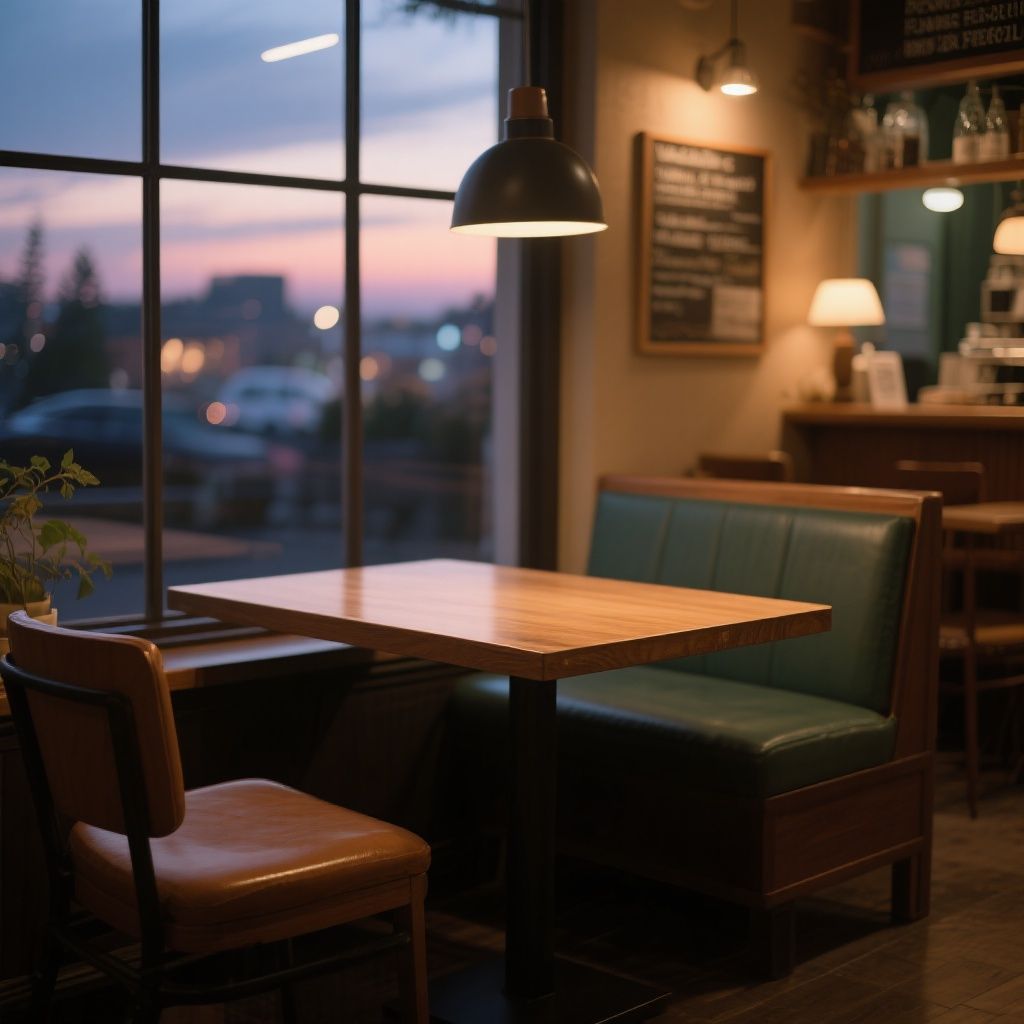 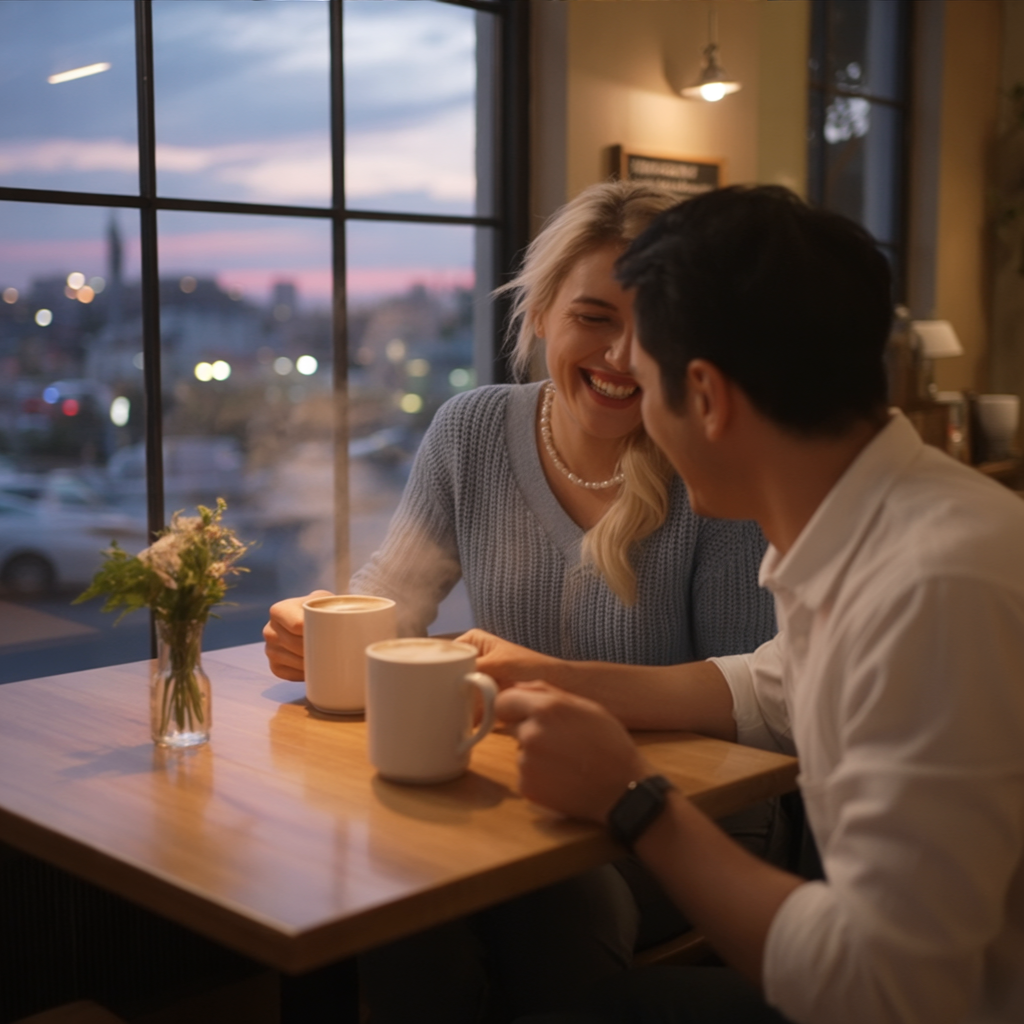 |
Using the first and last frames as bookends, create a 10-second smooth transition video where a couple enters the café, sits down, orders coffee, and starts chatting animatedly as night falls. |
Result: While characters and scene remained visually consistent, and the start/end frames were used as bookends, the video failed to create a smooth transition. Actions like ordering were abrupt (e.g., coffee mugs appeared suddenly), and there was a significant lack of continuity into the final frame.
Ingredients to Video
| Reference Images | Prompt | Output Video |
  |
A bearded wizard in purple robes in a candlelit stone library is reading an ancient tome, suddenly looking up surprised, then casting a spell that makes books float around him. |
Result: While the overall setting and mood were excellently maintained — with a richly detailed candlelit stone library and atmospheric lighting — the wizard’s appearance did not fully match the reference image.
His facial features and beard style differed noticeably, suggesting limited fidelity in character transfer.
Despite the initial mismatch, the model demonstrates excellent temporal coherence and scene adherence, delivering a cinematic and immersive sequence that aligns well with the described action.
Final Verdict
Veo 3.1 demonstrates strong capabilities in rendering consistent characters and scenes, successfully maintaining visual integrity across frames and specified bookends.
It performs well with primary actions and objects, and can generate clear primary audio effects. However, the model exhibits significant weaknesses in generating dynamic and nuanced video content. It struggles with:
- Smooth Transitions & Continuity: Complex, multi-step actions often appear abrupt (e.g., objects suddenly appearing), and transitions lack continuity, leading to disjointed sequences, particularly into end frames.
- Emotional Nuance: Character expressions and tone can be inconsistent or lack the specified emotional depth (e.g., a "surprised" look appearing mild, or a "laughing" couple lacking animation).
- Complex Object Animation: Interactions involving multiple objects (like floating books) can appear stiff, mechanical, or have objects "pop" into existence rather than move organically.
- Layered Audio: While primary sounds are good, generating distinct secondary or background audio elements, even when explicitly prompted, remains a challenge, impacting the richness of the soundscape.
Why Use Veo 3.1 on Pollo AI?
Pollo AI brings together the best in AI video generation — all under one roof. Think of it as your creative control center, where power meets flexibility.
You’re not stuck with just one mode like Veo 3.1. On Pollo AI, you can switch between top-tier engines like Sora 2, Veo 3, Kling 2.5 Turbo, Wan 2.5, and others — anytime.
That means if you love Veo 3.1’s realism and storytelling depth (which, by the way, is amazing), you can use it exactly when it fits — then swap to another model for speed, style, or detail. No limits. No compromises.
In addition, it has all the key AI video generation features:
- Bring photos to life with our image to video AI.
- Spin scripts into stunning visuals with text to video AI.
- Craft compelling clips wth AI avatar video generator.
- Create soothing, animal, or anime-style clips with AI short video generator.
- Mimic any motion of the reference video with Pollo Mimic.
Experience Pollo AI today, and unlock the full potential of AI-driven video creation.