



Google Veo 3.1 AI Video Generator
Veo 3.1 combines multiple elements, extends clips, and creates transitions between start and end images while maintaining high audiovisual quality. Try Veo 3.1 free on Pollo AI!
Key Features of SuperCool AI Video Generator
Viral Shorts Generator : Creates short-form social videos from narrative templates with voiceovers, visual styles, and viral pacing.Marketing Studio : Creates lifelike UGC ads and product demos from e-commerce templates—without actors or a studio.Viral Templates : Turns one photo into a dynamic, trend-ready video with one tap, using 40+ effects and camera presets.Advanced Movie Maker : Combines generated clips with transitions to build cinematic stories and short films.Creator Studio : Offers a multi-model sandbox for generating high-resolution images and video assets from prompts for B-roll and concept work.AI Influencer : Creates consistent virtual personas across videos for faceless brand accounts and YouTube automation channels.AI Agents : Automates the content pipeline from script drafting to social posting with programmable AI agents.Music Studio : Generates original, copyright-free tracks from text prompts or hummed melodies for generated videos.
Frame to Video (First & Last Frame Control)
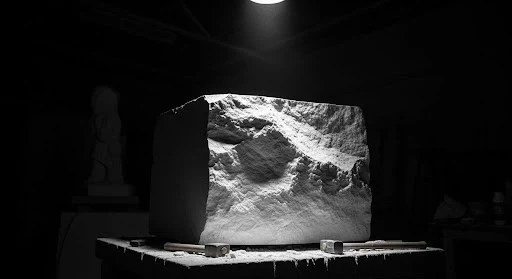
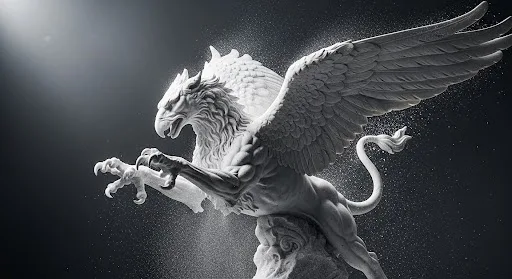
Veo 3.1 enables the creation of smooth, natural transitional scenes between two different images by allowing users to provide a starting and ending image, generating the in-between sequence along with accompanying audio.
| Input | Output video |
  |
Ingredients to Video
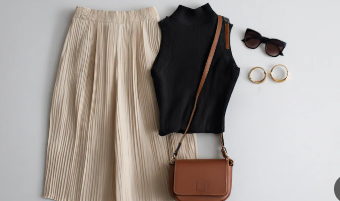
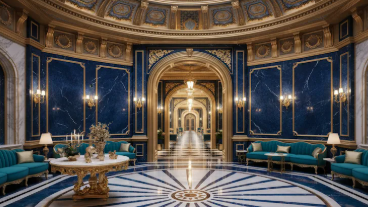
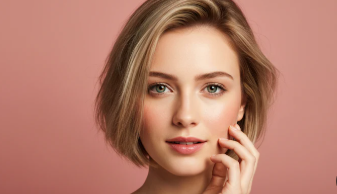
With the new ‘Ingredients to video’ feature, you can shape the look and feel of your video by providing up to three reference images of a character, object, or scene. This capability is particularly useful for maintaining consistent appearances across multiple shots or for enforcing a specific visual style throughout your project, making your creative process more controlled and cohesive.
Input Images | Output Video |
 | |
 | |
 |
Upgraded Audio Integration
Veo 3.1 maintains the exceptional native audio generation that made Veo 3 revolutionary. The model doesn't just create visuals – it produces synchronized, contextually appropriate soundscapes that bring your videos to life with realistic ambient sounds, effects, and atmospheres.
| Prompt | Output video |
| A keyboard whose keys are made of different types of candy. Typing makes sweet, crunchy sounds. Audio: Crunchy, sugary typing sounds, delighted giggles. | |
| A snow-covered plain of iridescent moon-dust under twilight skies. Thirty-foot crystalline flowers bloom, refracting light into slow-moving rainbows. A fur-cloaked figure walks between these colossal blossoms, leaving the only footprints in untouched dust. |
Character Consistency Excellence
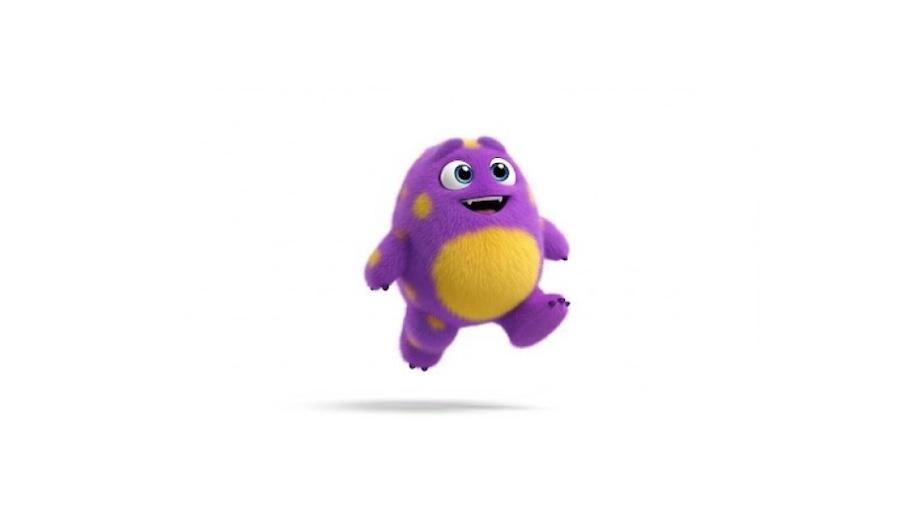
One of the most requested features in AI video generation is here. Veo 3.1 excels at maintaining consistent character appearances throughout your videos. Whether you're creating a short story video or a series of clips, your characters remain recognizable and stable across every frame.
| Input | Output video |
 |
Precision Prompt Understanding
The model demonstrates remarkable comprehension of complex, nuanced prompts. Describe intricate scenes, specific camera movements, or detailed artistic styles – Veo 3.1 translates your words into stunning visuals with impressive accuracy. The system understands context, emotion, and subtle creative directions that previous models often missed.
| Prompt | Output video |
| A paper boat sets sail in a rain-filled gutter. It navigates the current with unexpected grace. It voyages into a storm drain, continuing its journey to unknown waters. | |
| A fast-tracking shot through a futuristic city with buildings made from reflective organic chrome. It is daytime, rainbows fill the sky, and an alien planet looms above. The camera zooms in on a robotic bee working inside a reflective organic chrome structure. |
Powerful Scene Extension
Your story is no longer limited by the initial output thanks to the 'Scene extension' feature, which allows you to create longer videos that can last for a minute or more. Google Veo 3.1 works by generating new clips that intelligently connect to your previous video, using the final second of the preceding clip as the foundation for the next one.
Input Video | Extended Video |
Prompt 1: Graceful dancer is slowly dancing to classical music. Prompt 2: A male dancer comes in, gracefully dancing with the woman as classical music plays. Prompt 3: More dancers show up on the stage. Prompt 4: The classical music continues, and the dancers continue to dance. |
What You Can Create With Veo 3.1
- Cinematic Product Videos: Turn product shots into polished launch clips, unboxing videos, and lifestyle visuals with realistic camera movement.
- Character-Based Short Scenes: Use reference images to keep the same character, outfit, or visual identity across different shots.
- Brand Campaign Concepts: Create premium campaign visuals, ad drafts, mood films, and story-driven brand videos before a full production shoot.
- Film and Storyboard Previews: Test camera direction, pacing, atmosphere, and key story moments before production.
- Explainer and Demo Videos: Show how a product, service, or concept works with realistic motion, clear visual flow, and matching audio.
- Music and Mood Videos: Create atmospheric visuals for music, movie trailers, event promos, or visual poems with sound and motion working together.
Veo 3.1 vs Sora 2 vs Kling 3.0
| Feature | Veo 3.1 | Sora 2 | Kling 3.0 |
| Best For | Cinematic realism, product videos, controlled scenes | Story ideas, creative clips, realistic prompt videos | Character motion, action shots, creator videos |
| Audio | Native audio with dialogue, ambience, music, effects | Synced audio generation | Audio and lip-sync workflows |
| Reference Control | Strong for characters, objects, scenes, and style | Good for asset-based creation and remixing | Strong for characters and repeated subjects |
| Scene Control | First/last frames and clip extension | Storyboard, remix, and extend tools | Motion control and multi-shot workflows |
| Input Options | Text, image, reference images, first/last frames | Text, images, video assets | Text, image, reference-based workflows |
| Best Choice When | You need polished, directed, production-ready visuals | You want broad creative exploration | You need strong character/action performance |
What Creators Notice After Testing Veo 3.1
Reference images make it feel more usable
Users often point to Ingredients to Video as a major upgrade because it gives them more control than text-only prompting.
First/last frame control is a practical win
Creators like being able to define where a shot starts and ends, especially for transitions, reveals, and product-style videos.
Audio makes the output feel closer to a finished video
Reviews frequently mention that native audio helps Veo 3.1 feel more complete than silent AI clips.
Prompting still matters
Feedback suggests Veo 3.1 performs best when users provide clear prompts, strong references, and specific camera or scene direction.
How To Use Google Veo 3.1 AI Video Model on Pollo AI
Select the Veo 3.1 model
Go to the ‘Image to Video AI’ page and choose ‘Google Veo 3.1’ model in the dropdown menu.
Input Your Detailed Prompt
Input what kind of video you want to generate and select other video configurations.
Download and Share
Click on ‘Create’ and you can download or share the generated video as you like.
Explore Other Veo AI Models










 5000+ reviewsTrustscore 4.4
Trusted by 10M+ Creators and Marketers Worldwide
Thousands of satisfied users have shared their Pollo AI experiences on Trustpilot, rating us as "Excellent." See what they love about our platform.
Liz Cassidy Dec 15, 2025Richard QuickOct 15, 2025armourdudeNov 19, 2025
 DuduJan 14, 2026
 Ray WarnesDec 30, 2025
 lawless clanNov 22, 2025
FAQs
What is Google Veo 3.1?
Google Veo 3.1 is the upgraded version of the Veo 3 AI video model. It adds first-and-last-frame video control, image reference style matching, and sharper prompt understanding while maintaining exceptional audio integration and character consistency.
How is Veo 3.1 different from Veo 3?
Compared to Veo 3, Veo 3.1 provides greater creative control. You can set specific start and end frames, use a reference image to guide its visual style, and enjoy improved accuracy in responding to complex prompts. Audio generation and consistent characters remain top-tier.
Can I use Veo 3.1 for free on Pollo AI?
Yes. Pollo AI offers access to Veo 3.1 for free directly in the AI video generator. You can try text-to-video or image-to-video creation without cost.
Does Veo 3.1 support audio generation?
Absolutely. Veo 3.1 produces synchronized native audio, from dialogue to ambient effects, creating a more immersive video experience.
What is the frames to video feature in Veo 3.1?
This lets you upload a starting image and an ending image. Veo 3.1 generates the in-between motion, perfect for smooth transitions, morphing visuals, and storytelling arcs.
How does the Ingredients to Video feature work in Veo 3.1?
It allows you to assemble a video by combining multiple creative inputs (“ingredients”) into one cohesive output using Veo 3.1’s advanced understanding and generation capabilities.
Is Veo 3.1 suitable for professional video creation?
Yes. With precise motion control, style matching, and strong character consistency, Veo 3.1 is ideal for filmmakers, marketers, and creators seeking polished, professional-quality AI videos.

Try Google Veo 3.1 for Free on Pollo AI Today!
Use Veo 3.1 to create high-quality videos with synchronized audio, consistent characters, and precise visual control.