



Veo AI Video Generator
Developed by Google DeepMind, Veo interprets multimodal inputs with cinematic precision, delivering lifelike motion and high-resolution footage. Try Veo on Pollo AI for free!
Key Features of Veo
High-Quality Video Generation : Create crisp, polished videos with professional visual quality.Smarter Prompt Understanding : Turn detailed text prompts into videos with accurate scenes, motion, and cinematic style.Image to Video Generation : Animate uploaded images into dynamic videos that keep the original look and details.Native Audio Generation : Generate videos with synchronized dialogue, ambience, music, and sound effects.Reference Image Control : Use reference images to guide characters, products, objects, scenes, and brand visuals.Flexible Veo Model Choices : Choose higher-quality Veo models for cinematic results or faster versions for quick drafts.
High-Quality Video Generation
Veo AI excels in generating crisp and visually appealing videos, leveraging advanced algorithms and deep learning techniques. It is capable of producing professional-quality content that meets or exceeds industry standards for video production.
| Prompt | Output Video |
| A keyboard whose keys are made of different types of candy. Typing makes sweet, crunchy sounds. Audio: Crunchy, sugary typing sounds, delighted giggles. |
Enhanced Text Prompt Understanding
The model has an enhanced understanding of natural language and visual semantics, allowing it to capture the nuances of user prompts. This includes recognizing and implementing cinematic terms such as timelapse and aerial shots, which adds visual appeals to the outputs.
| Prompt | Output Video |
| The camera zooms in, and two people wearing US space suits lie head to head in a grassy area surrounded by flowers. | |
| The camera pans slowly, and two men wearing US space suits lie head to head in a grassy field surrounded by flowers. |
Image to Video Generation
Veo AI's image to video feature allows users to generate videos based on existing images. By uploading the image, the model can create dynamic video content that reflects the style and details of the provided images while incorporating custom elements specified in text prompts.
| Input Image | Output Video |
 |
Generate Video With Native Audio
Newer Veo models can create synchronized audio, including dialogue, ambient sound, music, and sound effects, so the result feels more complete.
| Prompt | Output Video |
| A snow-covered plain of iridescent moon-dust under twilight skies. Thirty-foot crystalline flowers bloom, refracting light into slow-moving rainbows. A fur-cloaked figure walks between these colossal blossoms, leaving the only footprints in untouched dust. |
Reference Image Control
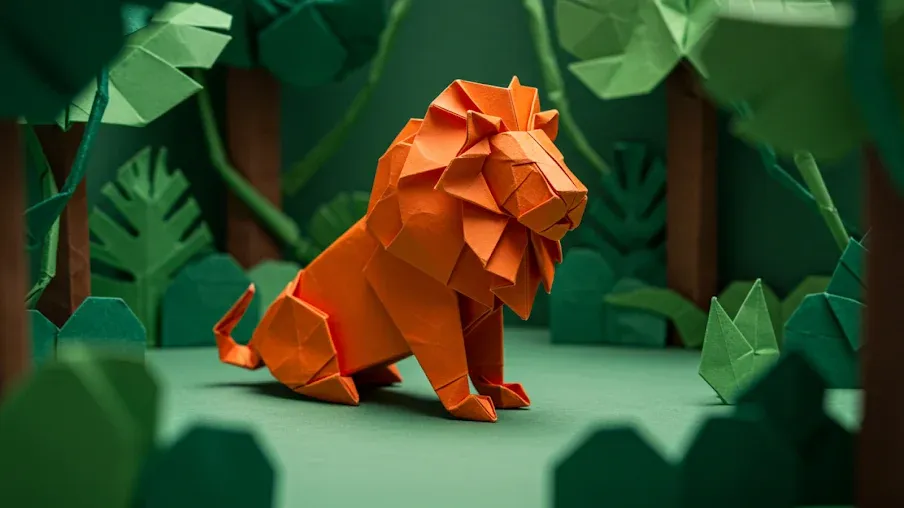
With Veo AI, you can use reference images to guide the appearance of a character, product, object, or scene. This is especially useful when your video needs to follow an existing brand look, product design, or visual direction.
| Input Image | Output Video |
 |
Choose the Right Veo Version for Your Workflow
Use higher-quality Veo models for cinematic output, or faster versions when you need quick drafts, testing, and creative iteration.
Use Cases for Veo
- Film Previsualization: Create mood scenes, movie trailers, short cinematic shots, and visual references before production.
- Product Videos: Turn product photos into dynamic showcase clips, lifestyle scenes, launch videos, and commercial visuals.
- Brand Campaigns: Generate polished brand videos, ad concepts, hero visuals, and campaign variations without arranging a full shoot.
- Explainer Videos: Visualize abstract ideas, processes, product functions, or educational concepts with realistic motion.
- Creative Pitching: Build quick visual treatments for clients, scripts, storyboards, and presentation decks.
- Game and Worldbuilding Concepts: Explore environments, character combat moments, action beats, and atmospheric scenes for creative development.
Comparison Table: Veo vs Sora AI vs Kling AI
| Feature | Veo | Sora AI | Kling AI |
| Best For | Cinematic scenes, product videos, brand films | Creative storytelling, realistic prompt videos | Character motion, action shots, stylized videos |
| Input Options | Text, image, reference images, first/last frames | Text, images, video assets, storyboard-style creation | Text, image, reference-based video workflows |
| Audio | Supports native audio in Veo 3 and newer | Sora 2 supports synced audio | Kling 3.0 supports audio and lip-sync workflows |
| Visual Consistency | Strong for products, characters, and scenes with references | Good for coherent scenes and asset-based edits | Strong for character movement and repeated subjects |
| Motion Quality | Realistic physics, camera movement, and natural scene flow | Strong realism and creative scene simulation | Strong dynamic motion and action performance |
| Best Choice When | You need polished, cinematic, production-ready output | You want creative exploration and story-based generation | You need expressive movement or character-focused clips |
Veo AI’s Pros and Cons
Pros
- Cinematic video quality: Veo AI is strong at realistic motion, natural lighting, detailed scenes, and film-style camera movement.
- Flexible creative control: You can create videos from text, images, reference images, and first/last frames depending on the selected Veo version.
- More complete video output: Newer Veo models support native audio, helping you generate videos with dialogue, ambient sound, music, and effects.
Cons
- May need clear prompting: To get the best results, users may need to describe the scene, camera movement, subject, and style in enough detail.
- Advanced options can feel complex at first: Features like reference images and suitable versions may take a little practice for new users.
Users’ Reviews of Veo AI
Practical for real video workflows
Many users see Veo AI as more than a demo tool because it offers stronger control through reference images, first/last frames, and scene extension.
Impressive realism and cinematic detail
Hands-on reviewers often highlight Veo’s realistic lighting, textures, camera feel, and natural motion, especially in cinematic scenes, product visuals, and imaginative shots.
Native audio is a major time saver
Users like that newer Veo models can generate dialogue, ambient sound, music, and sound effects together with the video, reducing the need for separate audio editing.
Best results need clear direction
Community feedback suggests Veo works best when users provide detailed prompts and visual references. Simple text prompts may need more testing to get the exact result.
How to Use Veo AI on Pollo AI
Choose the Veo Model
Go to the Pollo AI image to video generator and choose the Veo model.
Input Image and Prompt
Upload your image, enter text prompt and choose other video creation options.
Video Generation
Click Create and get the final video output.
Explore Veo AI's Different Versions










 5000+ reviewsTrustscore 4.4
Chosen by 10M+ Creators and Marketers Worldwide
Thousands of satisfied users have shared their Pollo AI experiences on Trustpilot, rating us as "Excellent." See what they love about our platform.
Liz Cassidy Dec 15, 2025Richard QuickOct 15, 2025armourdudeNov 19, 2025
 DuduJan 14, 2026
 Ray WarnesDec 30, 2025
 lawless clanNov 22, 2025
Discover Other AI Video Generators
Helpful Articles About Veo AI
Read our insightful articles about Veo AI and learn more about its features, benefits, use cases, and more!
FAQs
When was Veo AI launched?
Veo AI was officially announced at Google I/O 2024, in May, 2024.
Where can I access Veo AI?
Google offers access to Veo on its VideoFX platform. So to use it, you should visit Google Labs and go to the VideoFX section.
Is Veo AI free?
Yes, you can try Veo AI for free. But it's in the early access stage, and you need to join the waitlist before Google grants you access to this AI video generation model.
What is the maximum length of videos that Veo AI can generate?
Veo can generate videos that exceed one minute in length, allowing for more complex narratives and detailed storytelling.
What makes Veo different from other video generation models?
Veo stands out due to its high-quality output, natural language understanding, realistic motion representation, and editing capabilities that allow for consistent visual storytelling across frames.
Is there any age restriction for using Veo AI?
Yes, Google has clearly stated that you must be at least 18 years old to access Veo.
Does Pollo AI support Veo’s text to video feature?
Yes, apart from the image to video AI, you can also use the Google Veo model in the text to video AI of Pollo AI.

Try Veo AI on Pollo AI for Free!
Use Veo AI to create high-definition, customizable videos from text prompts or image references.