



What Is Gemini Omni? Complete Guide to Google’s Native Multimodal Video Model
AI video is no longer only about making clips look real. The bigger question is whether a model can understand what the video is meant to show.
That is why Gemini Omni feels important. It brings stunning video generation, chat-based editing, and remixing into one native multimodal workflow inside Gemini, almost like a “Nano Banana” moment for AI video.
The clearest example is the professor writing formulas on a chalkboard. The model has to keep text, symbols, handwriting, timing, motion, and meaning coherent at once.
Gemini Omni points to video creation built around contextual understanding, not just visual realism, and may hint at Google’s direction for Veo 4.
Quick Verdict (TL;DR)
Google Gemini Omni brings stunning video generation, chat-based editing, remixing, and contextual understanding into one native multimodal workflow. Its appeal is not just visual quality, but the way it understands what a video should become, like Nano Banana for AI video.
From coherent chalkboard formulas to polished scene edits and stylized action, Gemini Omni points to a more powerful way to create, refine, and keep shaping video through conversation.
What Is Gemini Omni?
Gemini Omni is Google’s native multimodal video model inside the Gemini ecosystem, and it may also hint at the direction Google takes for Veo 4. It brings video generation, editing, remixing, and multimodal understanding into one workflow.
Instead of working like a traditional video generator, Gemini Omni treats text, images, clips, templates, and edits as different kinds of creative context. You are not just asking for a video. You are telling the model what the video should become, then continuing from there.
That is why the “Omni” idea matters. Gemini Omni is less mode-based and more intent-based.
Start Creating with Gemini Omni
Create videos with Gemini Omni and other leading video models on Pollo AI.
Try Gemini Omni on Pollo AI for Free
Why Gemini Omni Feels Different
Gemini Omni feels different because it is not built around a single-shot prompt.
Most AI video tools still follow a rigid loop: write a prompt, wait, judge the result, and start again if something is wrong. Gemini Omni creates a more natural loop: generate, review, ask for a change, keep the useful parts, and reshape the video.
That makes the video feel less like a fixed output and more like something you can keep directing.
Key Features of Gemini Omni
Native Multimodal Video Generation
Gemini Omni moves beyond one fixed input type. A prompt, image, video clip, audio reference, or template can all help guide the result.
The bigger point is that text-to-video and image-to-video start to feel like old labels. If the model understands references, then every input becomes part of the same video instruction.
| Prompt | Video Clip | Output |
| A natural UGC skincare ad featuring a young woman with long reddish-brown hair, visible freckles, and fresh minimal makeup. She holds a green face cream jar close to the camera, applies the cream to her face, and shows a clear before-and-after skin change, from bare textured skin to a smoother, softer, glowing finish. |
Chat-Based Video Editing
The most practical feature is conversational editing. Instead of using a timeline or rebuilding a clip, the user simply describes the change.
This is the “use your words to edit video” moment. It makes Gemini Omni feel closer to Nano Banana, but for moving images.
| Prompt | Input Video | Output Video |
| Remove the logo of Sora2 in this video clip. | 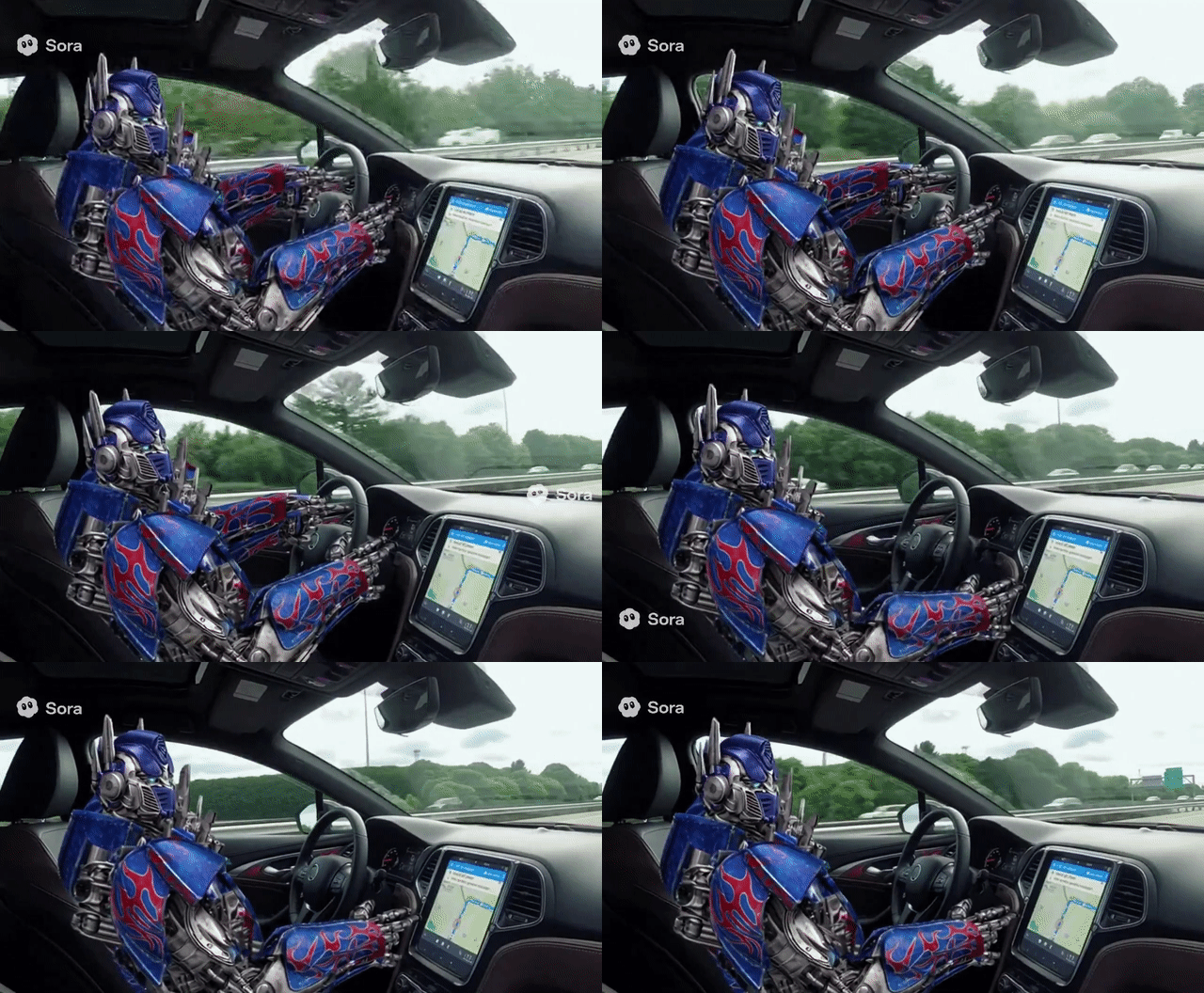 | 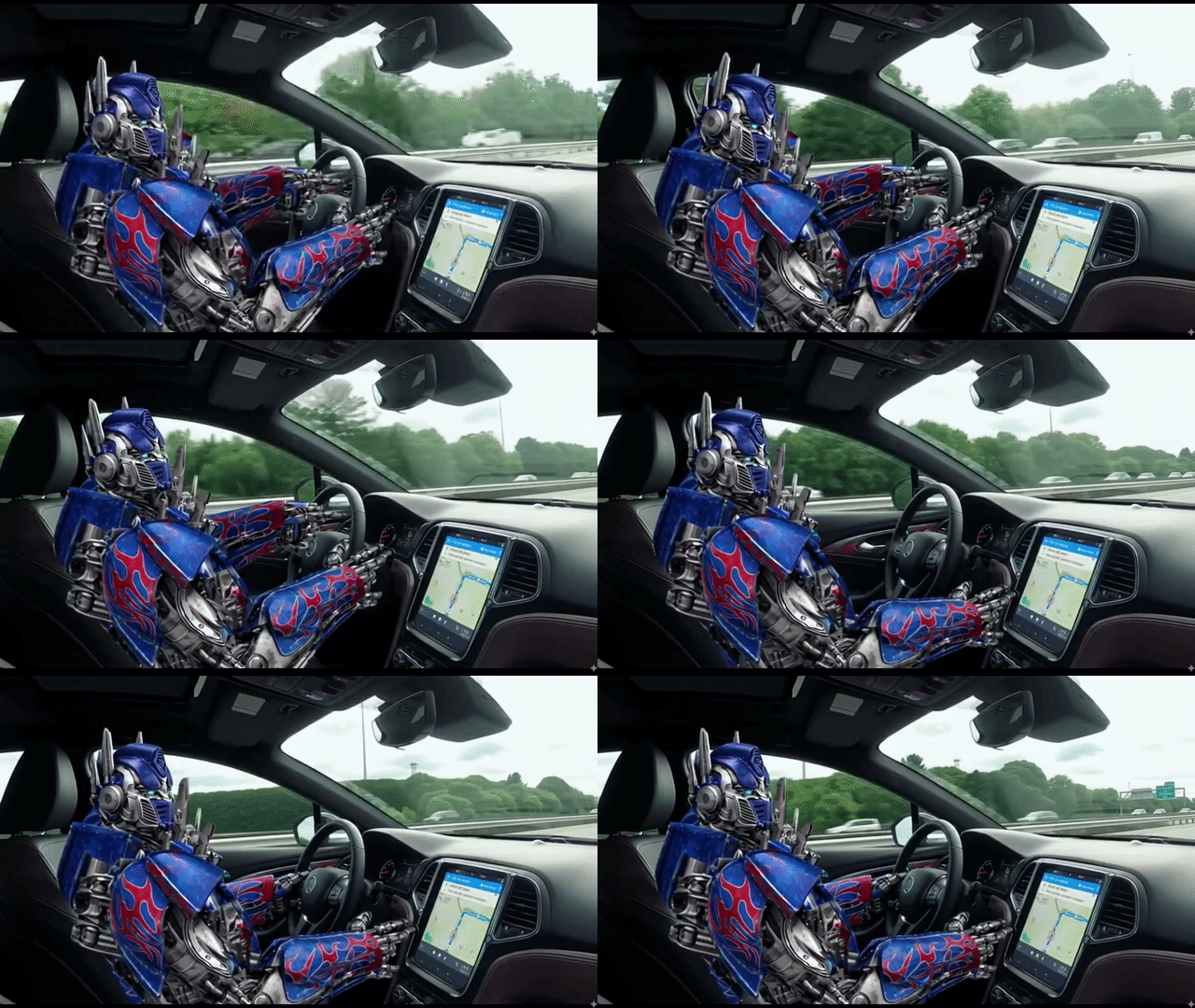 |
Stronger Text and Formula Coherence
The chalkboard formula demo matters because readable text is still one of AI video’s hardest problems.
A professor writing trigonometric formulas is not just a classroom scene. It tests handwriting, symbols, timing, and meaning all at once. This makes Gemini Omni especially useful for education, tutorials, explainers, and knowledge-heavy videos.
| Prompt | Output Video |
| A professor writes out a mathematical proof for trigonometric identities on a traditional chalkboard, explaining the step he is currently on in the equation. |
Object and Scene-Level Editing
Gemini Omni supports smaller, more controlled edits inside a video scene.
That matters because creators often do not need a whole new video. They need one object changed, one detail fixed, or one scene adjusted without destroying the rest of the shot.
| Prompt | Input Video | Output Video |
| Replace the spaghetti in both people’s plates with creamy pumpkin soup. Keep everything else the same. |
Video Remixing
Remixing makes Gemini Omni useful after the first draft.
Instead of starting from zero, users can take an existing clip and turn it into a new version while keeping the structure, movement, or creative direction. That is closer to how real creators work.
| Prompt | Input Video | Output Video |
| Combine the “girl walking by the sea” clip with the product clip to create a cinematic TVC-style advertisement, blending lifestyle beauty shots with polished product visuals to deliver a premium, elegant skincare commercial. |
World Knowledge-Aware Creation
Gemini Omni carries a Gemini-like understanding into video, so its value comes from knowing what a scene means, not only what it looks like.
That helps with historical scenes, educational explanations, product demos, and any video where the content needs to make sense, not just look polished.
| Prompt | Output Video |
| Create a video about Steve Jobs’ life story. |
Gemini Omni vs Sora 2 vs Veo 3
| Feature | Gemini Omni | Sora 2 | Veo 3 |
| Core direction | Conversation-led video creation | Cinematic video generation | Polished Google video generation |
| Best strength | Editing and remixing through chat | Realism, motion, and audio | Native audio and creative control |
| Workflow | Generate, revise, and reshape | Generate finished clips | Generate with production controls |
| Inputs | Prompts, references, clips, templates | Text and image prompts | Text and image prompts |
| Text handling | Strong focus on writing and formulas | Still a harder area | Not the main public focus |
| Creator fit | Iterative edits and remixing | Cinematic social videos | Ads, clips, and Google workflows |
What stands out to me is that Gemini Omni is less about the first clip and more about what happens next.
Sora 2 and Veo 3 can make impressive videos, but Gemini Omni feels closer to how creators actually work: you make something, notice what is off, ask for a change, keep the good parts, and push the video closer to what you had in mind.
That is the part I find most exciting. It makes AI video feel less like a lucky generation and more like a creative back-and-forth.
What Gemini Omni Could Mean for Creators
For creators, Gemini Omni’s biggest promise is not just speed. It is reducing the pain of revision.
- For marketers: Product scenes, ad concepts, and campaign variations become easier to test without rebuilding every clip.
- For social creators: Existing clips can be remixed into new styles, formats, or ideas through simple instructions.
- For educators: Blackboard-style videos, formulas, diagrams, and lesson clips become more practical because text stays readable.
- For product teams: Demo videos and concept mockups can be adjusted faster when a product, background, or use case changes.
- For animation creators: Stylized motion, anime-like action, and character-driven shots become easier to direct through prompts and follow-up edits.
- For agencies: Client revisions feel less like a full restart and more like a guided creative conversation.
Possible Limitations and Open Questions
Gemini Omni still leaves a few product-level questions.
The exact workflow can feel new for users who are used to separate tools for generation, editing, and remixing. Template design, editing history, version control, and project organization also matter if creators use it for serious production.
There are also practical questions around how users will choose the right input mix. A simple prompt may be enough for some videos, while more controlled results will likely need stronger references, clearer style direction, or follow-up instructions.
These are not deal-breaking issues. They are the natural questions around a model that changes how video creation is organized.
Create Complete Content with Pollo Agent
Gemini Omni points to a more conversational future for AI video. But marketers often need more than a strong model. They need a complete video with scenes, pacing, structure, and a clear message. That is where Pollo Agent fits in.
With Pollo Agent, marketers, brand teams, and social creators can turn an idea, prompt, image, URL, or product material into a ready-to-publish video in one flow.
Its scenario-based use cases make this practical: the AI UGC video generator creates testimonial-style product ads, AI video explainer clarifies features or complex ideas, and the story video maker turns scripts or brand narratives into structured story videos.
Instead of working from loose clips, Pollo Agent helps turn ideas into finished content built for real marketing goals.
Final Verdict
Gemini Omni matters because it points to a more natural way of making video.
Not choosing between text-to-video, image-to-video, remixing, or editing. Not starting over every time something needs to change. Just giving the model context, describing what should happen next, and letting the video evolve.
That is the bigger shift behind Gemini Omni: AI video is moving from one-time generation to conversation-led creation. Pollo AI offers a video agent workflow for creators who want to take that idea through to complete content production, guiding them from initial concept to a structured, publish-ready video.