



Kling O1 Review: I Tested Kling O1 AI Video Model, And It Might Be the Future of AI Video
Kling O1 is the next-gen suite of AI models developed by Kling AI, which includes both an image and a video model.
Today, we’ll focus on the Kling O1 video model.
What makes it special is that it doesn’t care whether you start from words, images, existing clips, or a specific character reference.
It just treats everything as part of one unified, multi‑modal workflow and keeps your story and style consistent across shots.
To me, that feels like the future of AI-driven video creation. You can produce a complete video without switching among multiple tools, compromising visual consistency, or repeatedly starting from scratch.
However, it currently lacks built-in audio capabilities, which are already standard in many competing video models. Adding robust audio generation would make Kling O1 a truly end‑to‑end solution.
You can try Kling O1 video model for free in Pollo AI video generator, which is honestly the easiest way to get a feel for what it can do.
What makes Kling O1 video model different?
Kling O1 is the world's first unified multi‑modal video model.
It understands:
- text prompts (your script or description)
- images (style frames, concept art, storyboards)
- videos (rough edits, drafts, raw footage)
- subject references (specific characters, products, or faces)
It uses all of those together to:
- generate new video
- edit existing video
- extend scenes
- change styles
- keep characters and visual logic consistent from shot to shot
You don’t feel like you’re jumping between five different tools. You’re just…making a video.
Key Highlights from my testing:
- Unified multi-modal input (text, images, video, subject references) for flexible workflows
- Strong frame-to-frame consistency with stable character and object identity
- Multi-step prompting for combining layered editing instructions
- Free-form scene timing control (3–10 seconds per sequence)
- Advanced editing via text prompts—add, remove, or restyle without complex manual steps
- High-quality motion and camera control producing cinematic results
Here are some really cool video generation examples by Kling O1
Combining Multiple References in One Generation
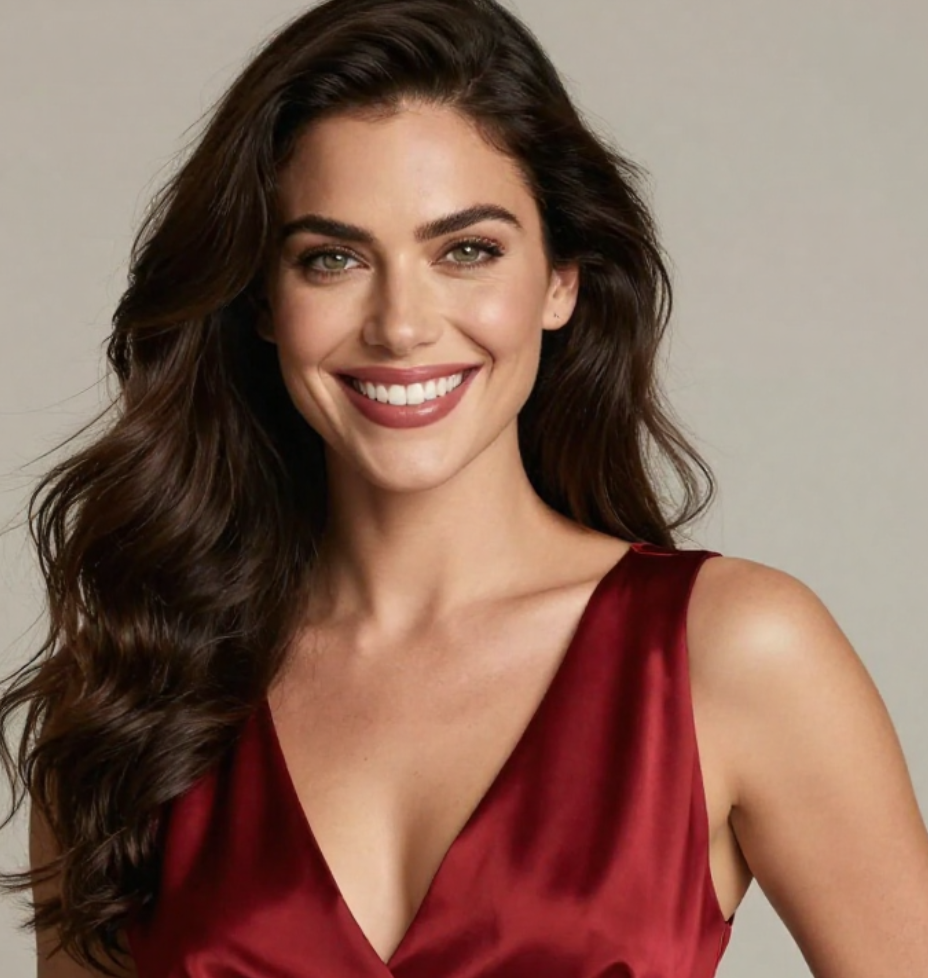
First, I wanted to test how well Kling O1 handles multiple inputs simultaneously. I uploaded a reference image of a character, added a background scene from another image, and wrote a text prompt describing the action I wanted.
| Character Subject | Target Background Scene |
 |
 |
Prompt: The character from the reference walks through the forest scene, turns to face the camera, and smiles. Cinematic lighting, slow motion.
The result blew me away. The character maintained perfect consistency with the reference image — same facial features, same clothing details — while naturally interacting with the background environment. The lighting matched across both sources seamlessly.
With other models, I'd need to run multiple generations, manually composite elements, and pray for consistency. Here, it just worked on the first try.
Video Editing with Natural Language
What really impressed me was the editing capability. I uploaded an existing video clip and simply told the AI what I wanted to change.
| Input | Prompt | Output |
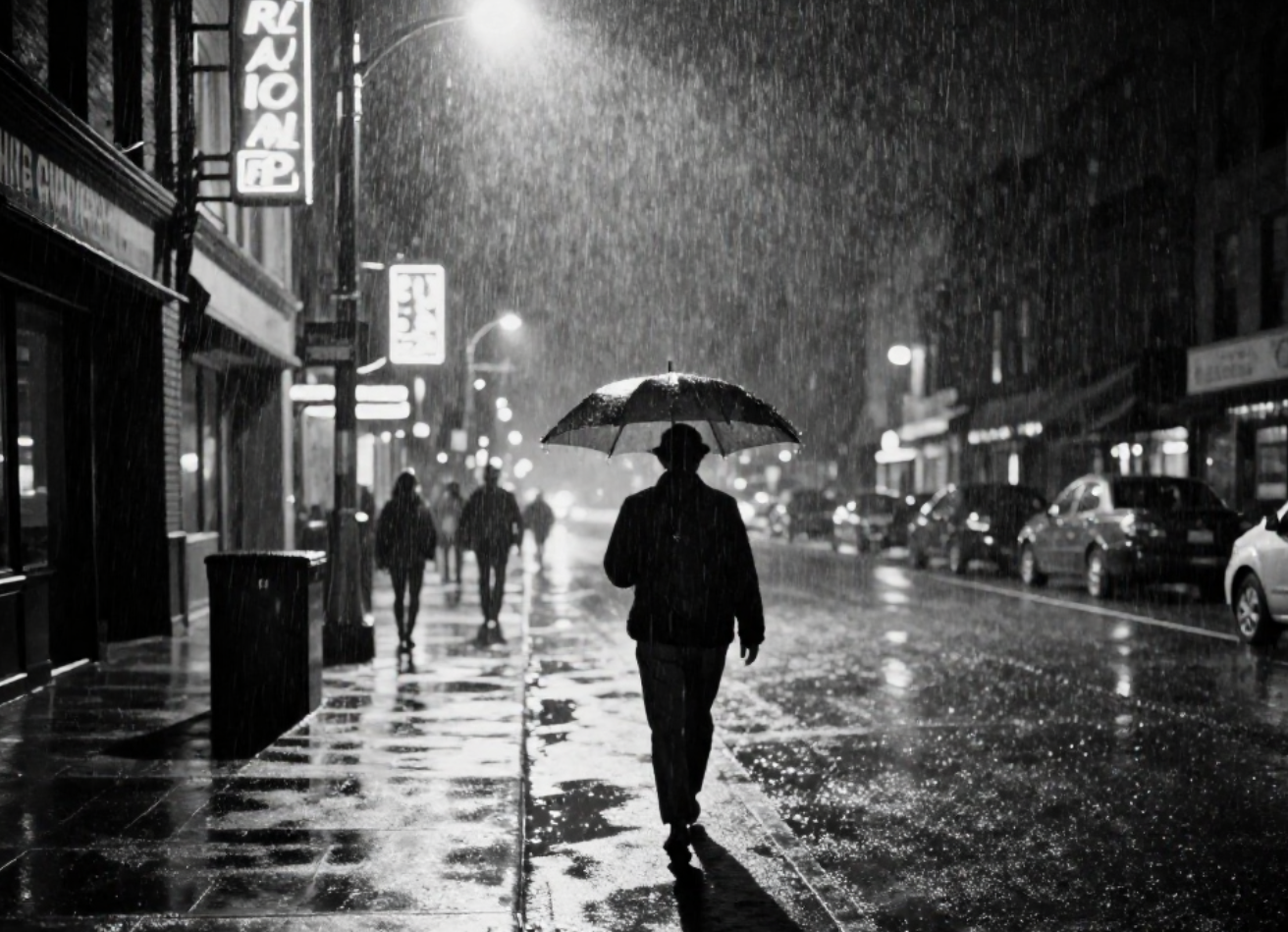 |
Change the time to daytime. |
The transformation was stunning. The AI seamlessly relit the scene, shifting the moody, neon‑lit palette of night to a warm, sunlit daytime look.
The subject’s clothing and movement felt natural in the new light, and the model preserved the original camera angle, motion blur, and key framing so the edit looked like it had always been filmed in daylight.
That said, not everything was identical to the source. Some secondary elements — like the street vehicles and a few background props — were rendered slightly differently.
It's a minor inconsistency, but worth noting if you're working on a project where every detail matters.
This is where Kling O1 really shines. Traditional video editing would require hours of work with multiple software tools. Here, I got professional-looking results in under a minute.
Character Consistency Across Multiple Shots
One of the biggest pain points with AI video has always been maintaining character consistency. Generate a person in one shot, and they look completely different in the next.
I tested this by creating a short sequence with the same character in different scenes:
Shot 1: A woman in a red dress sitting at a café, sipping coffee.
Shot 2: The same woman walking down a cobblestone street.
Using Kling O1's subject reference feature, I locked in the character's appearance. The results? Identical facial features, same dress, consistent hair — across all three shots. This is something that would have required extensive post-production work just months ago.
Extending and Refining Existing Videos
Another standout feature is video extension. I took a 5-second clip and asked the AI to continue the scene naturally.
| Input | Prompt | Output |
| Continue the scene. The bird flies across a lake and lands on a boat. |
The extended footage matched the original perfectly in terms of lighting, color grading, and motion style. The transition was so smooth I couldn't tell where the original ended and the AI generation began.
Why should you use Kling AI O1 video model on Pollo AI?
While Kling O1 is a powerful model on its own, using it through a platform like Pollo AI offers a significant advantage: choice and comparison.
Pollo AI isn't just a gateway to one model; it is an aggregator that hosts the most extensive collection of top-tier AI video generators available today.
On Pollo AI, you can access the industry's best video models all in one place: Veo 3.1, Sora 2, Vidu AI, Pixverse AI, and image models including Kling o1 image model.
This allows you to:
- Find the best tool for the job: One model might excel at realistic human characters (like Kling AI), while another might be better for abstract animations or fast-paced action. Pollo AI lets you experiment and see which model best fits your specific creative vision.
- Stay on the cutting edge: The AI video landscape is evolving at a breakneck pace. Pollo AI keeps its library updated with the latest and greatest models, so you're always working with state-of-the-art technology without having to sign up for a dozen different services.
- Streamline your workflow: Instead of jumping between different websites and interfaces, you have a single, unified platform to manage all your AI video projects.
Final Thoughts
I've been testing Kling O1 for several hours now, and I keep finding new things to be impressed by. The feeling reminds me of when I first tried GPT-4 for text — that sense of "okay, this is actually different."
Is it perfect? No. Complex physics simulations can still trip it up, and highly specific artistic styles sometimes need a few attempts to nail. But compared to the fragmented, multi-tool workflow I've been using, this feels like a genuine leap forward.
The unified approach is the real breakthrough here. Not having to switch between different models for generation, editing, and refinement changes how you think about video creation. It becomes more intuitive, more experimental, more creative.
For content creators, marketers, filmmakers, and anyone who works with video regularly — this is worth checking out. Kling AI offers a free tier, so you can test it yourself without any commitment.
I'm going back to generate more videos now. This character I created might need a whole short film at this rate.