




Flux AI Image Generator
Flux AI follows prompts closely across diverse styles, detailed compositions, and complex tasks—with stable, high-fidelity output. Try Flux AI on Pollo AI for free!
Key Features:
Revolutionary text to image : Generate highly detailed images with a diverse range of artistic styles, adhering closely to prompts.Multiple variants : Flux.1 is available in three versions - Pro, Dev, and Schnell, catering to different user needs.Versatile styles : Offers a wide range of artistic styles and visual effects.High-resolution output : Supports image generation up to 2.0 megapixels with various aspect ratios.Customization : Adjust output quality (0-100) and modify denoising steps (1-4) for better control.
Revolutionary Text to Image Model
Flux.1 is a state-of-the-art tool for creating high-quality, visually stunning images from text prompts. It uses a combination of multimodal and parallel diffusion transformer blocks, powered by 12 billion parameters, to deliver exceptional results.
This advanced architecture ensures superior performance, offering:
- Exceptional detail in image generation
- Precise prompt adherence, even for complex instructions
- A wide variety of diverse artistic styles
| Text Prompts | Generated Image |
| A photorealistic portrait of Lingviana, a 36-year-old Spanish woman in a cozy university office, surrounded by warm wooden bookshelves. Soft, diffused lighting accentuates her expressive blue eyes and wavy dark brown hair, dressed in a light blouse and dark pants. She holds a leather notebook and fountain pen, exuding warmth in a rich, earthy-toned setting. |  |
| Pareidolic anamorphosis of a hole in a brick wall morphed into a hublot of a sail boat, a window to the sea. |  |
| A cat sit near the bech with sun glass, photo. | 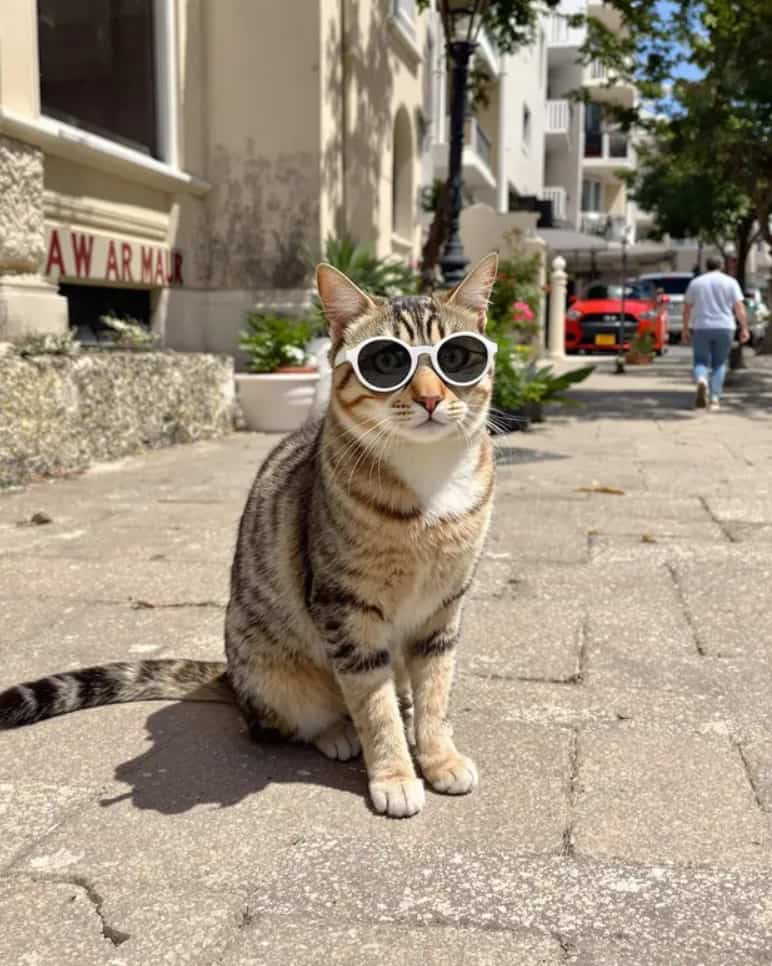 |
Multiple Flux.1 Model Variants
| Version | Key Features | Use Cases |
| Flux.1 Pro | Top-tier performance with precise prompt understanding, high-quality visuals, rich details, and diverse outputs. | Commercial projects, professional design, high-end visual content. |
| Flux.1 Dev | Open-weight model based on Flux.1 Pro, optimized for efficiency (non-commercial use only). | Academic research, personal development, open-source collaboration. |
| Flux.1 Schnell | Fastest version, lightweight, Apache 2.0 licensed for local/personal projects. | Rapid prototyping, education, low-resource environments. |
| FLUX.1 Kontext | [Pro]: Optimized for efficient iteration, precise prompt understanding, and multi-step refinement—ideal for fast-paced workflows. [Max]: Delivers top-tier performance with unmatched detail and image quality for complex, high-end creative tasks. | [Pro]: Commercial design, concept art, and rapid prototyping. [Max]: Cinematic visuals, premium illustrations, and detail-intensive projects. |
Versatile Styles
| Text Prompts | Generated Image |
| Beautiful anime artwork, a cute anime catgirl that looks depressed holding a piece of paper with a smile drawn on it over her mouth, she is about to cry. | 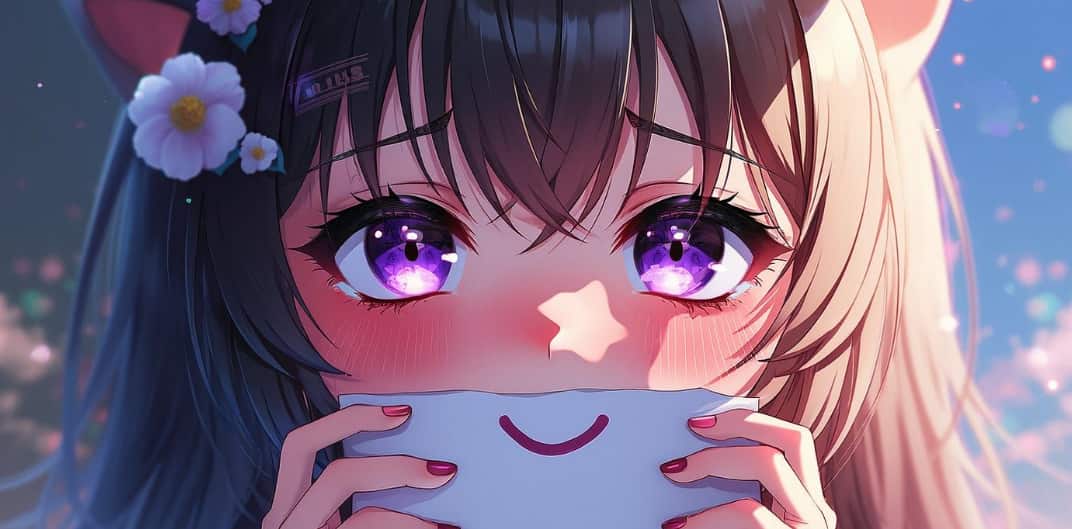 |
High-resolution Output
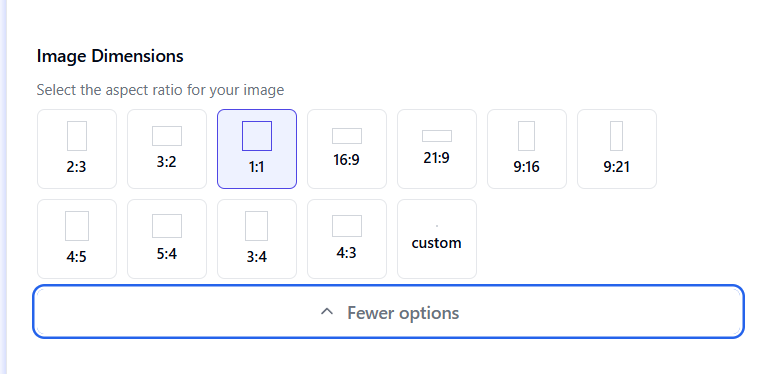
Flux.1 supports image generation at a maximum resolution of 1.0 megapixels. It accommodates various image dimensions, including popular aspect ratios such as 2:3, 1:1, 16:9, 9:16, 3:4, and 5:4, as well as custom dimensions to meet your specific needs. You can create images suitable for a wide range of applications, from web use to print media.
Many Customization Options
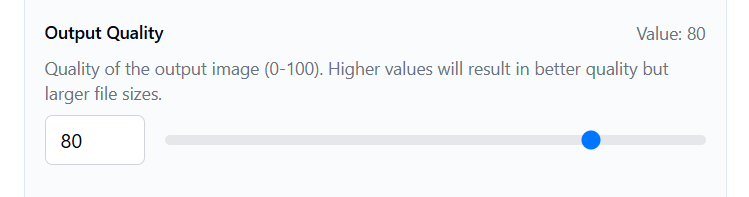
Users can customize the output quality by adjusting it within a range of 0-100 values, providing greater control over the final result.
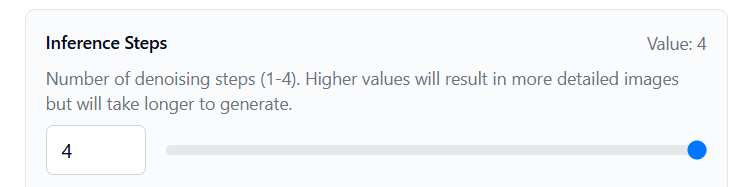
In addition, Flux.1 allows users to customize the number of denoising steps during image generation, with a value range of 1-4. Higher values result in more detailed images but take longer to generate. The default value is 4, which balances detail and speed effectively.
How to Use Flux AI on Pollo AI
Select the Flux AI Model
Navigate to the AI image generator and pick the Flux AI model from the options.
Add Your Image and Prompt
Upload your chosen image, type in your prompt, and tweak the settings to your liking.
Create Your Images
Launch the generation process and wait briefly for your new images to appear.
Explore Flux AI's Models










 5000+ reviewsTrustscore 4.4
Used by 10M+ Creators and Marketers
Thousands of satisfied users have shared their Pollo AI experiences on Trustpilot, rating us as "Excellent." See what they love about our platform.
Liz Cassidy Dec 15, 2025Richard QuickOct 15, 2025armourdudeNov 19, 2025
 DuduJan 14, 2026
 Ray WarnesDec 30, 2025
 lawless clanNov 22, 2025
Discover Other AI Image Generators
FAQs
What is Flux AI?
Flux AI is an advanced text-to-image generation model developed by Black Forest Labs in 2024. It uses a 12-billion parameter architecture to create high-quality, photorealistic images from text descriptions.
How to use Flux AI?
Users can access Flux AI through various platforms including API and Pollo AI. To generate an image, input a text description, customize parameters, and receive the generated image within seconds.
Can Flux AI generate images?
Yes, Flux.1 specializes in generating high-quality images from text prompts, supporting resolutions up to 2.0 megapixels with various aspect ratios.
Is Flux AI free to use?
Flux AI offers a free tier with limited features and credits. Paid plans start at $9.9 per month for more credits and access to premium models.
Can Flux AI generate NSFW?
No. Flux AI enforces strict content policies that prohibit the generation of NSFW (not safe for work), violent, or harmful material. The platform is designed for ethical and professional use, with safeguards to filter inappropriate requests.
