Pika AI Video Generator (Pika Labs)
Pika AI was co-founded by two Ph.D students. By June 2024, they had raised $135 million in funding. This AI video generator turns text or images into videos. It also offers Pikaffects and Pikaformances. Pollo AI has integrated Pika AI. Besides, you can also switch to other 70+ leading AI video models in Pollo AI. Try out Pika AI video generator in Pollo AI for free!
Text to Video and Image to Video Capabilities
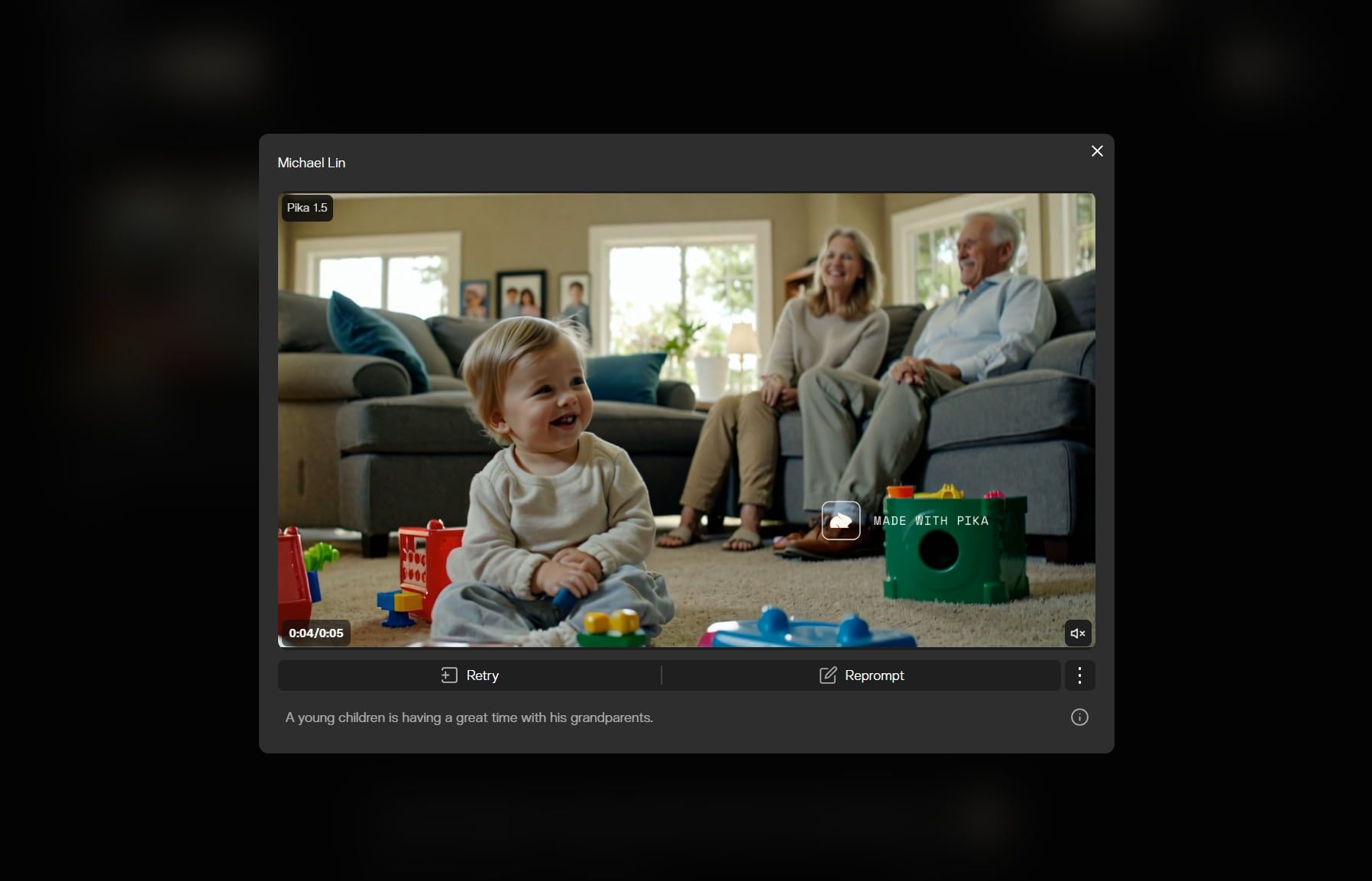
Pika AI excels in converting text or images into videos, making it highly versatile for different types of content creation. Users can input descriptive text or upload images to generate videos in various styles, such as cinematic, animated, or cartoonish.
Pika Effects (Pikaffects)
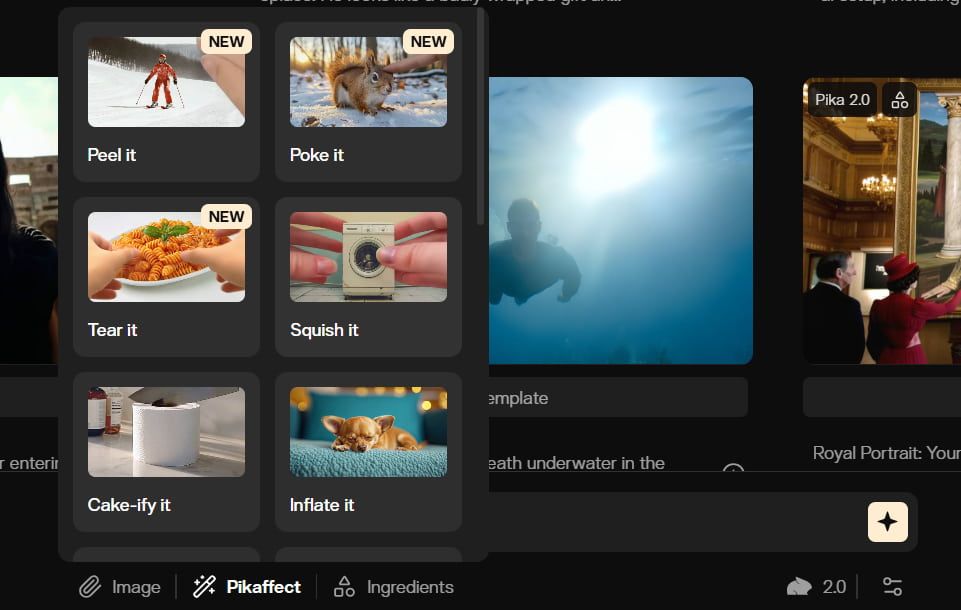
One of the most innovative aspects of Pika AI is its ability to manipulate video objects using various effects. Users can apply effects such as Inflate, Melt, Explode, Squash, Crush, and even Cake-ify objects in their videos.
User-Friendly Interface
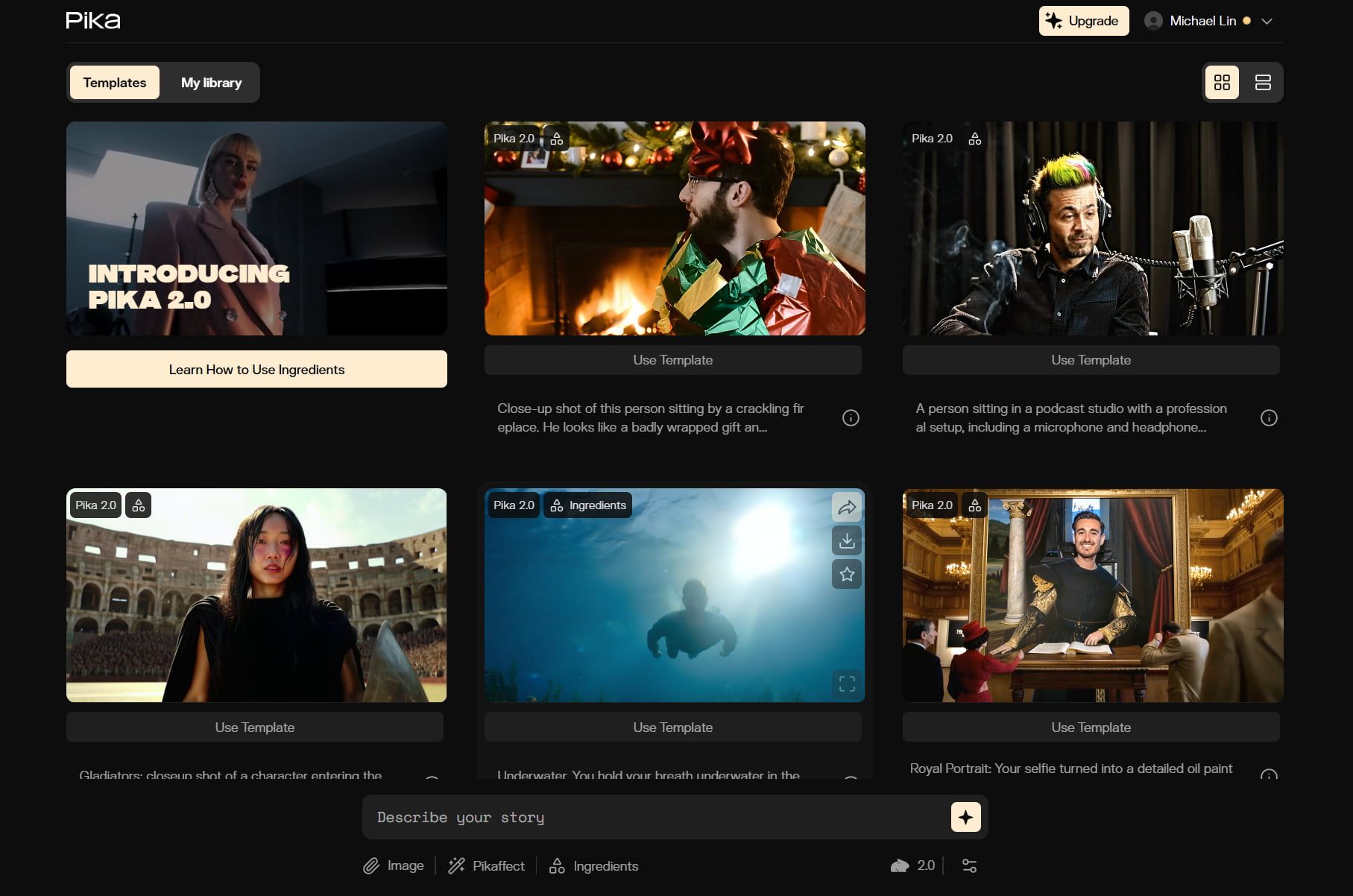
Pika AI is designed with accessibility in mind, featuring an intuitive interface that simplifies the video creation process. Even those new to AI video generation can easily navigate the Pika Art tool.
Real Use Cases of Pika AI
- Social Creators: Generate viral-style clips that boost engagement and keep feeds fresh.
- Marketers: Create product teasers that attract attention and improve campaign speed.
- Artists: Turn visual ideas into animated scenes for richer creative expression.
- Filmmakers: Build concept shots that speed up pitching, planning, and pre-production.
- Educators: Animate ideas into short explainers that make lessons easier to understand.
- Music Creators: Create stylized music visuals that strengthen mood, rhythm, and storytelling.
Pika AI's Market Positioning
Pika AI, with its official slogan "Reality is optional", positions itself as an innovative AI platform for generating short videos from text, images, or existing video inputs.
The platform emphasizes creativity, speed, and expressive “Pikaformances”, particularly highlighting its ability to create hyper-real expressions synced to various sounds, enabling images to sing, speak, or rap.
This focus suggests a target audience of individual creators, artists, and social media managers seeking to rapidly produce eye-catching content without extensive technical video editing skills.
However, user reviews and expert analyses reveal a nuanced market reality. While Pika AI is lauded for its user-friendly interface and its utility as a "creative sandbox" for visual brainstorming, it faces significant criticism on the consistency and quality of its output.
Many users report "glitchy, unusable" results and a lack of temporal consistency and visual fidelity, making it unreliable for professional or business-critical applications.
Consequently, Pika AI appears to be shifting its de facto market positioning from a tool for professional filmmakers towards a "fun API integration for social media" and a creative play tool.
This places it in a competitive landscape with alternatives like Runway AI, which is perceived as more professional, and other tools such as Kling AI and Synthesia AI, which cater to various aspects of AI video generation and business marketing.
Pika AI offers free, Standard ($10/month), Pro ($35/month), and Fancy ($95/month) tiers, aiming to accommodate different levels of usage. But the underlying quality tempers its appeal for serious commercial endeavors.
Feature Comparison: Pika AI vs. Runway AI vs. Luma AI
| Aspect | Pika AI | Runway AI | Luma AI |
| Core positioning | Short-form AI video creation with playful effects and agents. | Professional AI filmmaking platform with stronger scene control. | Cinematic AI video platform focused on motion, realism, and story. |
| Creative control | Easy for effects, swaps, additions, and trend-based short videos. | Stronger reference-based consistency across characters, objects, and locations. | Stronger motion realism, draft iteration, and Hi-Fi finishing workflow. |
| Output quality | Strong for shareable clips, but user complaints mention failed generations. | Strong prompt adherence, but motion and continuity can still break. | Ray3.14 adds native 1080p, stronger stability, and better prompt adherence. |
| Best fit | Creators wanting fast, playful, social-ready AI clips. | Filmmakers and brands needing stronger scene consistency. | Creators needing cinematic realism and motion-led storytelling. |

How to Use Pika AI on Pollo AI
Select the Pika AI Model
Go to the Pollo AI image to video generator and choose the Pika AI model.
Input Your Image and Prompt
Upload your image, enter your text prompt, and customize other video options.
Start Video Generation
Click Create and let Pika Art start the video generation process.
YouTube Videos About Pika AI
What People Are Talking About Pika AI on Reddit
What People Are Talking About Pika AI on X
Pika AI test with cool tunnel footage.#Midjourney and #pikaddition#AIart #cyberpunk #digitalart pic.twitter.com/aAHbeKGNH6
— picturepulses (@picturepulses) March 23, 2025
This is wild.
— Min Choi (@minchoi) February 20, 2025
Pika just dropped Pikaswaps!
Anyone can now replace anyone or anything in the video with AI 🤯
10 wild examples: pic.twitter.com/XBtHER16wU
Pika 2.1 just dropped.
— Min Choi (@minchoi) January 27, 2025
The realism is insane.
100% AI.
10 wild examples:
1. Selfie at the beach pic.twitter.com/UKRFIOYPmt
the future of VFX is here..
— el.cine (@EHuanglu) February 8, 2025
Pika AI just dropped Pikaddition, now you can add any character into your own video in seconds and...
it can even match the colour and lighting automatically.
8 examples: pic.twitter.com/7dsBgnw96Y
AI is revolutionising VFX..
— el.cine (@EHuanglu) February 20, 2025
Pika AI just dropped Pikaswaps, you can swap character from any video in seconds and.. just need an image
free to try now
10 examples: pic.twitter.com/23IPdSJfdz
Real-time edits to video
— Linus Ekenstam – eu/acc (@LinusEkenstam) December 5, 2023
This is one of the latest features in Pika, you can simply use your own video and start editing regions of it using the power of AI
Link below
pic.twitter.com/h6y2ecL5ML
This is wild.
— Min Choi (@minchoi) December 20, 2024
Pika 2.0 with Scene Ingredients feature is insane! You can combine and add images to your videos. And it's FREE for 5 days, Unlimited videos.
Anyone can now create AI video magic in seconds!
10 wild examples:
1. Watching movie with the Girl with Pearl Earring pic.twitter.com/FvaIGCiRrA
Pika 1.5 is pretty wild. When I said generative AI would let us edit reality, this is not what I had in mind... lol pic.twitter.com/xeRILX1byh
— Bilawal Sidhu (@bilawalsidhu) October 1, 2024
AI is getting out of hand!
— Angry Tom (@AngryTomtweets) February 28, 2025
Pika just dropped Pika 2.2 and people are going crazy over it.
10s generations, 1080p resolution, key frame transitions and Pikaframes…
10 wild examples:pic.twitter.com/IfQ2JzZKPl
We have entered a new world. I have combined my own character designs using Pika AI with a mad wonderland generated by lumalabs #Ray2 #ai #pikaddition #dreammachine #AIart #cartoon #art #digitalart #game #nftarti̇st pic.twitter.com/CKGVJ90Mc2
— picturepulses (@picturepulses) March 25, 2025
Playing around with an imaginary Ai tactical Amazonian security guard… who likes to read during her lunch.
— Jon Finger (@mrjonfinger) February 9, 2025
This is really just more exploring Pika Additions capabilities. pic.twitter.com/ZufF8saTvF
AI is leveling up..
— el.cine (@EHuanglu) February 6, 2025
Pika now can even add things into videos from your camera, this is incredible for VFX
pic.twitter.com/tD1LEdq8vZ
AI has entered us into a new world. Our reality will change.
— picturepulses (@picturepulses) March 26, 2025
I have combined my own film using Pika AI with a cyberpunk hybrid generated by #Midjourney #ai #pikaddition #pika #AIart #cartoon #art #digitalart #game #nftarti̇st pic.twitter.com/6V9aIMIWnG
Pika released Pika 1.5 with 'Pikaffects' just a few days ago
— Gina Acosta (@ginacostag_) October 4, 2024
And people are going crazy over the physics-defying AI special effects
Here are 10 wild examples: pic.twitter.com/CF4sYKeJo9
more magic tricks coming to @pika_labs 🪄🧙♀️ pic.twitter.com/e6cJ1elOfX
— Farfetch'd (@farfetched_ai) March 21, 2025
FAQs
What is Pika AI?
Pika Art AI Video Generator is a free AI video generator developed by Pika Labs that transforms text or image prompts into short, engaging videos. It simplifies the content creation process, allowing users to generate visually appealing videos quickly and easily.
What types of videos can I create with Pika AI?
Pika Art AI Video Generator allows you to create a variety of video styles, including cinematic, animated, and cartoonish formats. You can generate videos based on text prompts or images, making it suitable for storytelling, marketing, educational content, and more.
What are Pikaffects, and how do they work with Pika Art?
Pikaffects are special effects that allow you to manipulate objects within your videos creatively. You can apply effects like Inflate, Melt, Explode, and more to enhance the visual storytelling of your video. These Pika Art effects add a unique touch and make your content more engaging.
If you're looking for more entertaining and extensive video effects to create fun AI videos, take a look at Pollo AI's video effect library. It also contains AI inflation, squish-it, explosion, and other interactive effects like AI kissing, AI hug, and more!
Is Pika AI free?
It's not totally free. You can try this tool for free, but for more generation credits and advanced features, you'll need to subscribe to their paid plans.
What is the top alternative to Pika Art?
While Pika Art is a solid option for AI video generation, it does have some limitations. Whether you are a professional videographer or a novice, finding the right tools can significantly impact your work. Check out our detailed list of 10 Pika alternatives to discover more powerful video generators that cater to a variety of needs and preferences.

Get Started with Pika AI Today!
Experience its video generation quality and powerful features on Pollo AI.