
Pixverse V5.5
Launched by Pixverse AI, the Pixverse V5.5 video model delivers multi-shot cinematic storytelling with hyperrealistic visuals and seamless audio-visual integration. Generate complete video sequences with superior clarity, advanced physics simulation, and intelligent scene transitions. Try it for free on our AI video generator now!
Key Features of Pixverse V5.5 Video Model
- Multi-Shot Generation: Create complete sequences with multiple camera angles
- Hyperrealistic Visuals: Produce cinematic-quality footage with depth of field
- Integrated Audio & SFX: Automatically align dialogue, sound effects, and music
- Pixel-Level Control: Adjust detailing, composition, and visual elements with precision
- Lightning-Fast Processing: Generate 10-clip sequences within seconds with optimized rendering speed
- Multi-Style Support: Support for diverse visual aesthetics—from photorealistic to stylized cinematic looks
Multi-Shot Generation
Pixverse V5.5 AI video model eliminates the complexity of stitching together multiple scenes. Generate complete multi-shot sequences with dynamic camera work, seamless transitions, and consistent visual logic—all in a single generation.
Perfect for over-the-shoulder shots, close-up details, wide establishing shots, and action sequences, Pixverse 5.5 handles complex shot compositions without visual artifacts or continuity breaks.
| Prompt | Output video |
| A small flower vase on a windowsill, camera drifting around the flowers. Petals sway gently in the breeze, sunlight streams through the window. Smooth pans and zooms capture the vase and surrounding details. |
Hyperrealistic Visuals
Pixverse V5.5 generates videos with exceptional fidelity, featuring cinematic depth of field, realistic lighting, and advanced physics simulation. Characters move naturally, objects respond realistically to forces, and environments feel lived-in and authentic.
Whether you're creating dramatic cinematics or subtle character moments, the model delivers visuals that rival professional production quality.
| Prompt | Output video |
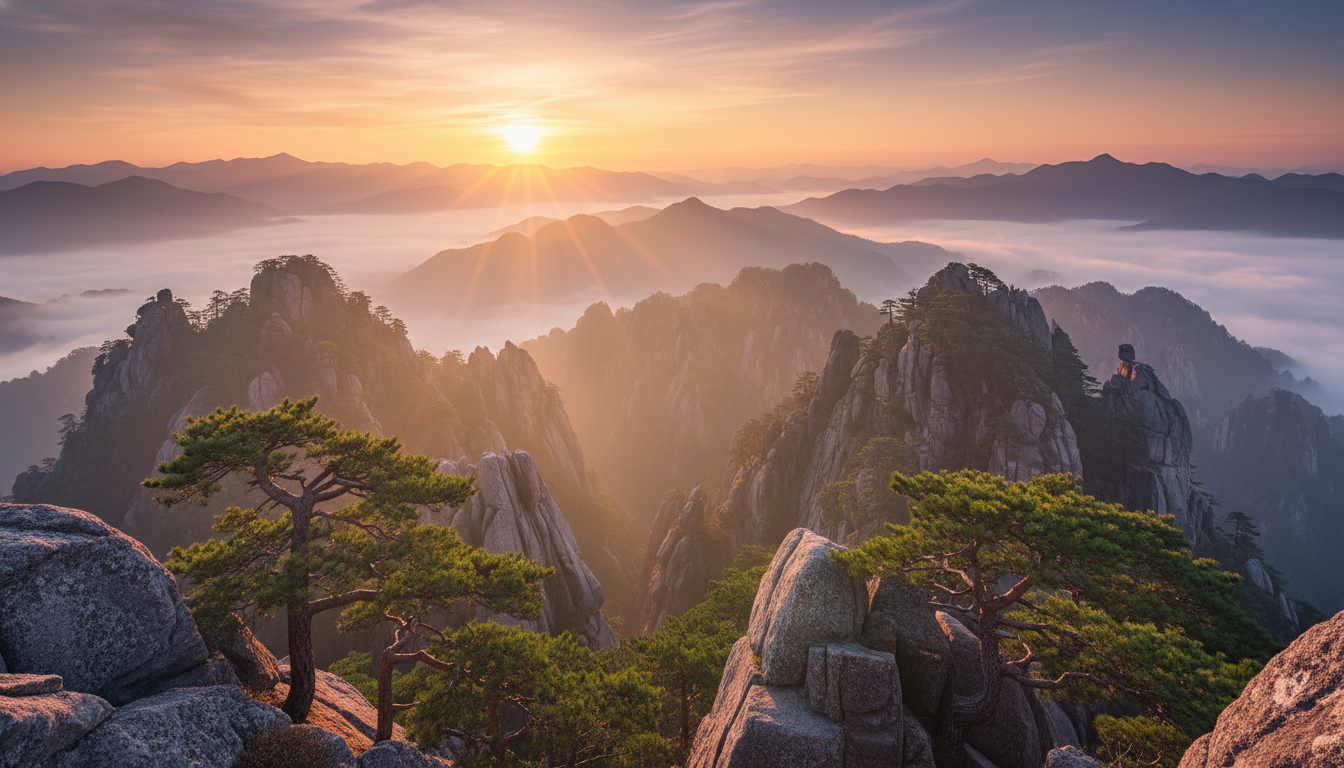 Animate the image with a slow horizontal pan across the mountain valley. Sunlight glances off rocky peaks, morning fog flows subtly, trees and foliage gently sway. Add ambient sounds: soft wind, distant water stream, occasional bird song. Maintain cinematic composition and natural depth of field for a tranquil, immersive experience. |
Integrated Audio & SFX
Pixverse V5.5 synchronizes dialogue, ambient sound, and sound effects with visual action effortlessly. The model understands spatial audio—footsteps echo as characters move, impacts land with precise timing, and background noise contextually matches the scene.
Leverage infinite voice options and tonal variations to match character personalities and emotional beats, creating fully immersive audio-visual narratives.
| Prompt | Output video |
| A small mountain village under a soft snowfall. Footsteps crunch in the snow as people walk along narrow streets, bells ring from distant houses, wind brushes over rooftops. The camera moves along the street, showing the cozy snow-covered cottages in the cold morning light. |
Pixel-Level Control
The Pixverse 5.5 video model grants unprecedented control over every visual element. Refine character positioning, adjust lighting nuance, sharpen specific details, and perfect composition with granular precision.
This level of control means you're never forced to accept AI-generated compromises—you can iterate until the video matches your exact creative vision, down to the finest details.
| Prompt | Output video |
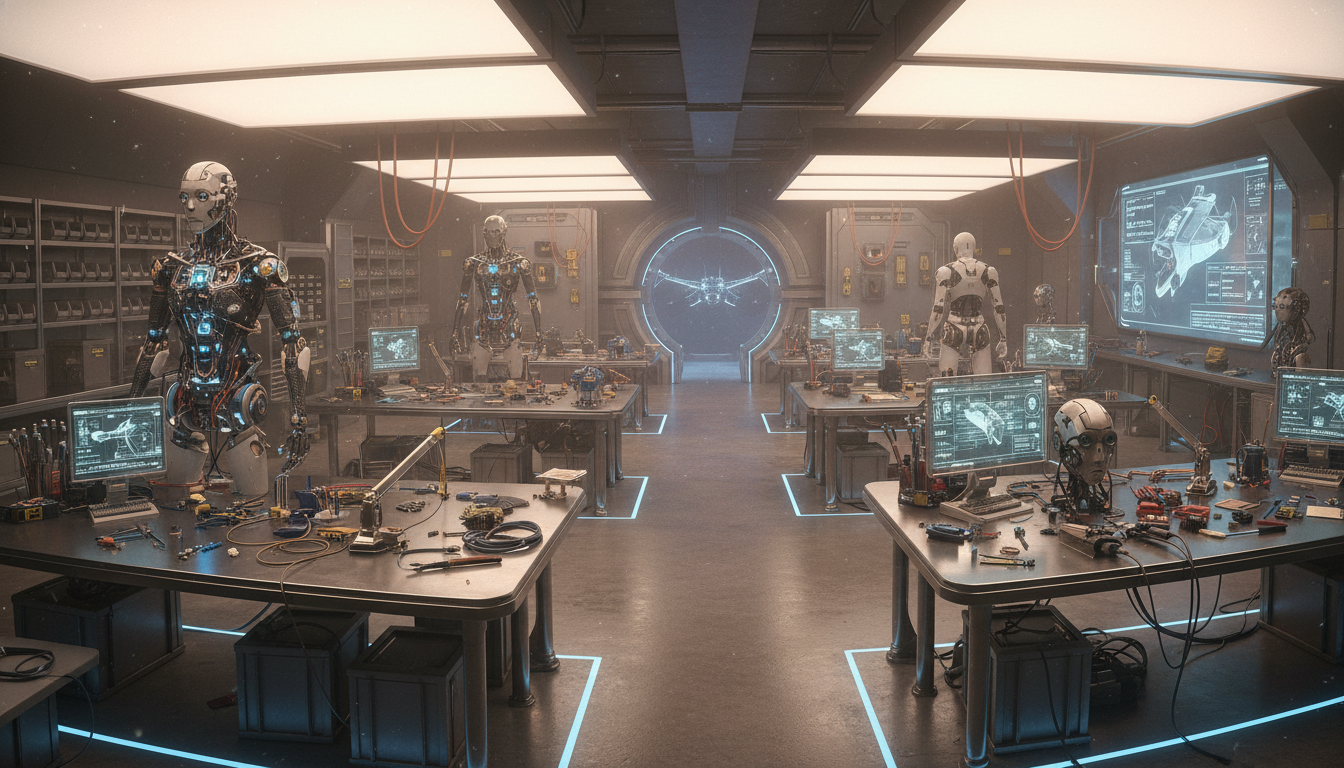 Animate the robot workshop image into a cinematic video. The camera slowly glides through the workshop, focusing on workbenches with mechanical parts and half-assembled robots. Sparks occasionally fly from welding tools, soft overhead lights cast shadows on metallic surfaces, and wires and circuits glint subtly. Gentle zooms and pans reveal the intricate details and craftsmanship, maintaining depth and cinematic perspective. |
Lightning-Fast Processing
Traditional video generation can take hours or days. Pixverse 5.5 breaks that barrier with one-hit generation technology, producing complete 10-clip sequences in seconds.
This speed doesn't compromise quality—you still get hyperrealistic visuals and complex multi-shot narratives, but now you can iterate quickly and explore multiple creative directions without waiting.
Multi-Style Support
Pixverse 5.5 supports diverse visual aesthetics within the same model. Generate photorealistic footage, cinematic fantasy visuals, stylized animation, or period-specific looks—all with consistent quality and coherent storytelling.
Switch between styles seamlessly or blend aesthetics within a single sequence for truly distinctive creative expression.
| Prompt | Output video |
| A mystical anime forest with glowing plants and small magical creatures, camera drifting through the trees and sparkling streams. Soft ambient chimes and bird calls, gentle motion of leaves and magical lights. Smooth cinematic pans and zooms capture the enchanting, vibrant colors and whimsical atmosphere. |

How To Use Pixverse 5.5 AI Video Model for Free
Choose Pixverse V5.5 video model
Go to our image to video generator and select Pixverse 5.5 from the model menu.
Input Your Creative Direction
Describe the video you want to create. Optionally upload reference images for consistent visual rendering.
Generate Your Video
Configure your video settings and preferences, click 'Create' to generate your multi-shot videos.
X Reviews About Pixverse V5.5 AI Video Model
AI video just made another jump.
— Csaba Kissi (@csaba_kissi) December 2, 2025
I’ve been testing PixVerse V5.5, and it’s the first time an AI tool actually feels like a real video director:
- Cinematic camera work
- Multi-shot storytelling
- Audio that finally sounds human pic.twitter.com/wlDqtdDtDU
You've built two games.
— Tanjina Islam (@Tanju_mim) December 2, 2025
A cozy cooking sim. A tactical shooter.
You need trailers to pitch publishers.
Traditional route: Hire editor. Wait 2 weeks. Pay $3K per trailer.
I generated BOTH in PixVerse V5.5.
Same prompt. 2 minutes. pic.twitter.com/l2WpCIU8p2
RIP manual editing?
— Nelly; (@nrqa__) December 2, 2025
you can now prompt a story and get voices, ambience, and shot changes baked in@PixVerse_ v5.5 is scary good at syncing motion, sound, and pacing automatically
here’s how: pic.twitter.com/CVWbqQj5Gq
🎅✨ The new PixVerse V5.5 update is HERE — and it’s an absolute game-changer.
— Sripathi Teja (@sripathiteja4) December 2, 2025
For the first time, Audio generation + Multi-shot storytelling come together in one model.
AI video is no longer “moving images”… it’s full narrative filmmaking in a single prompt. pic.twitter.com/yQ1gMlBpZJ
🚨 PixVerse V5.5 is officially LIVE — and it’s a full upgrade to AI video.
— Shraddha Bharuka (@BharukaShraddha) December 2, 2025
One prompt now unlocks:
🎧 Dynamic, vivid audio
🎥 Multi-shot storytelling
⚡ 10s cinematic sequences
It feels like AI video just got a director + sound team.
Here’s what’s new 👇🔥 pic.twitter.com/U0UvBapso4
I've played hundreds of horror games.
— Mr. Jack (@MrJack6590) December 2, 2025
Building dread is HARD. It's not jump scares. It's atmosphere.
I fed PixVerse V5.5 a horror escape prompt.
The result gave me actual chills.
Flickering lights. Distant footsteps. That crawling sense something's wrong pic.twitter.com/BwCvmk41s8
🚨 PixVerse V5.5 just changed AI video forever.
— Subhan Qureshi (@LearnWithSubhan) December 2, 2025
One prompt now gives you multi-shot sequences + full cinematic audio — dialogue, spatial sound, camera cuts, everything.
This is not another update.
It’s a breakthrough.
🎬 Fast, cinematic camera work
🎧 Realistic… pic.twitter.com/I52GIaj3kW
🎅 $50K Problem Solved
— Aakash Verma (@VermaAakash3) December 2, 2025
We needed 50 clips of our mascot Santa. Animation studio delivered 12 all different.
Enter PixVerse V5.5 → one afternoon, perfectly consistent Santa. pic.twitter.com/YVReDcr195
I've filmed real cheetahs.
— Sharon Riley (@Just_sharon7) December 2, 2025
Their sprint isn't just "fast running." It's biomechanics.
Spine flexion. Stride extension. Weight transfer.
PixVerse V5.5 generated a cheetah-gazelle chase.
The muscle dynamics are correct.
This is the first AI that understands animal motion. 🐆 pic.twitter.com/QXSd52MYBE
Explore Other Pixverse Models
FAQs
What is the Pixverse V5.5 AI video model?
Developed by Pixverse AI, Pixverse 5.5 is an advanced multi-shot video model that generates complete cinematic sequences with hyperrealistic visuals, integrated audio, and seamless transitions. It combines superior visual fidelity with intelligent scene composition for professional-quality storytelling.
Why choose the Pixverse 5.5 video model?
Pixverse 5.5 excels at generating complex, multi-shot narratives with cinematic quality and physics-accurate motion. Its pixel-level control, rapid processing speed, and automatic audio-visual synchronization make it ideal for creators who demand both speed and polish without sacrificing creative control.
Can I access the Pixverse 5.5 video model for free?
Yes. Pollo AI provides a free trial plan with limited credits for first-time users to generate videos with the Pixverse 5.5 model. Sign up to get started, and subscribe to a paid plan for unlimited access.
What types of videos can I generate with Pixverse V5.5?
Pixverse 5.5 caters to cinematic storytelling across all genres—action sequences, dramatic narratives, commercials, character animations, fantasy cinematics, sci-fi visuals, documentaries, and stylized content. The multi-style support means you can create nearly any visual aesthetic you envision.
How does Pixverse V5.5 handle multi-shot sequences?
The model intelligently manages camera transitions, maintains visual consistency across shots, and synchronizes audio cues with scene changes. You describe the sequence you want, and Pixverse 5.5 automatically composes it with proper shot angles, transitions, and pacing.
Can I control the visual style and cinematography?
Absolutely. You can specify camera movements, lighting aesthetics, depth of field effects, color grading, and visual style within your prompt. The pixel-level control allows you to refine and adjust these elements precisely.
Does Pixverse V5.5 support custom audio and voiceovers?
Yes. Pixverse 5.5 integrates dialogue, sound effects, and ambient audio automatically. You can specify voice characteristics, emotional tone, and sound design preferences, and the model synchronizes them perfectly with on-screen action.
How fast does Pixverse V5.5 generate videos?
Pixverse 5.5 can generate a complete 10-clip sequence in seconds, making it one of the fastest AI video models available. This speed enables rapid iteration and experimentation without extended waiting times.