

Vivid Day-to-Evening Scenic Shift in Pollo AI
Pollo AI reimagines your photo as a time-lapse video, capturing a seamless day-to-evening transition with swift clouds, shifting sunlight, and evolving shadows in a hyper-realistic scene.
Dynamic Time-Lapse Light Transition
Pollo AI animates a smooth shift from bright daylight to twilight, with the sun tracing the sky and clouds gliding gracefully, rendered in vibrant detail.
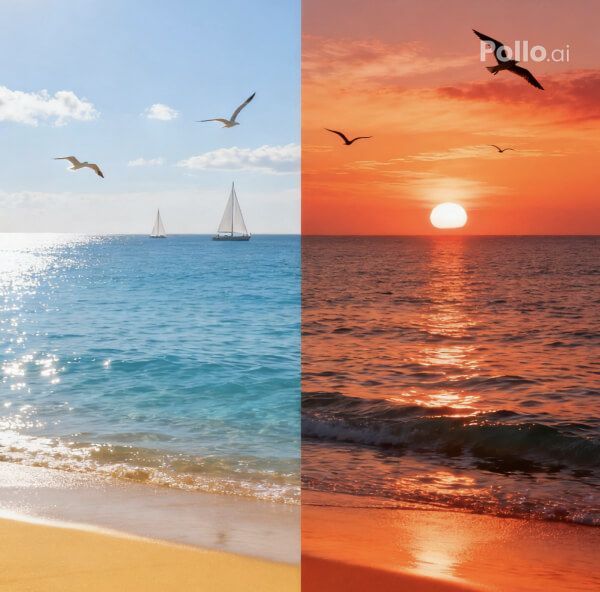
Hyper-Realistic Scenic Motion
Your scene’s details—landscapes, subjects, or objects—shine with evolving shadows and reflections, as Pollo AI crafts a lifelike, high-quality time-lapse video. Elevate the visual clarity with Pollo AI’s Video Enhancer to make every shifting hue and shadow pop vividly.
How to Create Your Landscape Timelapse Video with Pollo AI
With only three steps, you can easily create videos from images with Pollo AI.
Step 1
Select a clear landscape or subject photo and upload.
Step 2
Let Pollo AI animate the time transition.
Step 3
Download or share your cinematic masterpiece.
Discover Other Popular Video Effects from Pollo AI
FAQs
What is Pollo AI’s Landscape Timelapse Effect?
Pollo AI’s Landscape Timelapse Effect transforms your photo into a video, showcasing a vivid day-to-evening shift with moving clouds and dynamic light.
How does Pollo AI animate cloud movement?
Pollo AI renders swift, graceful cloud motion across the sky, enhancing the time-lapse effect with hyper-realistic flow in a high-quality video.
Why does Pollo AI emphasize light shifts?
Pollo AI’s evolving sunlight, from golden hues to twilight glow, adds dramatic realism, highlighting your scene’s beauty in a stunning time-lapse video.
Can Pollo AI’s Timelapse include subjects?
Yes, Pollo AI’s Landscape Timelapse Effect supports any subjects or landscapes, preserving details while animating time’s passage in a vibrant video.