



Tripo AI Review: A Practical AI 3D Model Generator for Image to 3D and Text to 3D Workflows

3D content is becoming part of everyday creative work, not just large studio production. Brands want product views that show more than a flat photo. Game teams need props and characters faster. Video creators want reusable 3D elements for scenes. E-commerce teams need better visuals without waiting through a long modeling cycle.
Tripo AI is built for that gap between a 2D idea and a usable 3D asset. It lets users turn images or text prompts into 3D models, then continue working on the result through Tripo Studio instead of stopping at the first preview. That is the main reason the product feels more convincing than a simple one-click AI demo.
As an AI 3D model generator, Tripo is strongest when speed needs to connect with control. It can help a creator move from a concept image to a model, help a game team test more asset ideas, and help a product team turn visuals into 3D content for review, presentation, or downstream use.
This review looks at where Tripo works best, why its Studio workflow matters, and how newer features such as 8K Texture, Segmentation v2, Quick Cap, Team Plan, and API support make it more practical for serious 3D creation.
What Is Tripo AI?
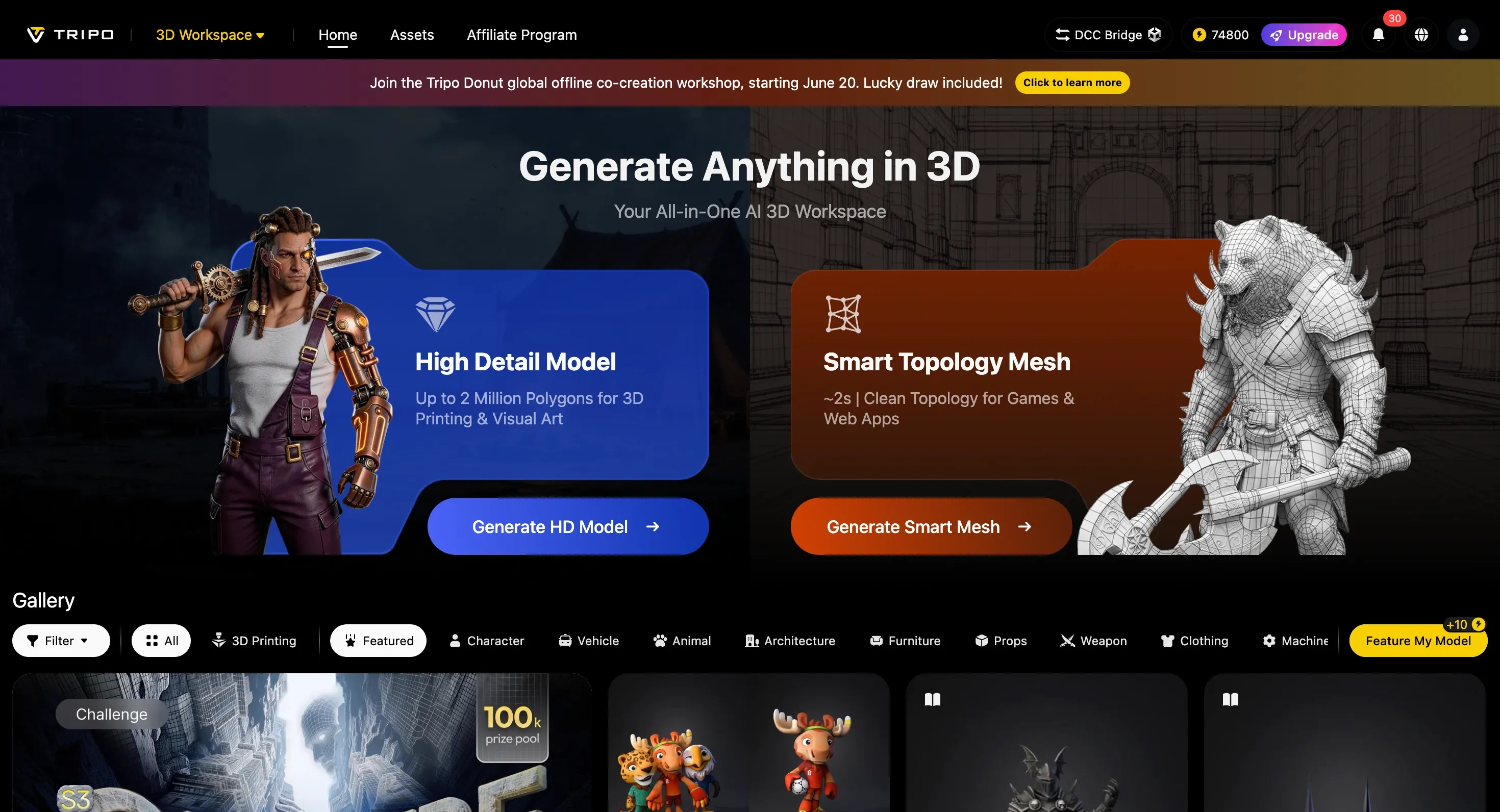
Tripo AI is a 3D model generation platform for image-to-3D, text-to-3D, and multiview creation. Users can upload a single image, provide multiple reference views, or type a prompt. Tripo then creates a 3D model that can be viewed, refined, shared, or exported.
The important part is what happens after generation. Tripo Studio gives users a workspace for mesh quality, topology, segmentation, texture generation, PBR materials, auto rigging, animation preview, lighting checks, and export settings. In practice, that means users are not left with a model preview and no clear next step. They can keep pushing the asset closer to something usable.
That workflow is useful for both beginners and more experienced teams. Beginners get a faster way into 3D creation without opening a complex modeling tool first. Skilled users get a faster starting point before moving into deeper editing, sculpting, game engine testing, or 3D printing preparation.
Why Tripo AI Stands Out
Many AI 3D tools can create a first draft. The harder problem is turning that first draft into an asset that can survive a real workflow. The mesh may need to be lighter. The texture may need more detail. A character may need rigging before anyone can judge how it moves. A product model may need better materials before it looks credible in a close-up render.
This is where Tripo makes a stronger case. It does not treat generation as the end of the process. It connects generation with cleanup, texture work, segmentation, topology control, rigging, preview, sharing, and export. That full chain is what makes Tripo feel closer to a practical 3D workstation than a quick AI toy.
The strongest buying reason is simple: Tripo compresses a long 3D workflow. Instead of starting with a blank mesh, switching tools for texture work, sending files back and forth, and only then checking whether an idea works, users can reach a testable 3D result much earlier. For creators and teams under time pressure, that speed can change how many ideas they are willing to try.
From Image or Prompt to 3D Faster
For users who already have a visual reference, the image to 3D model workflow is the most direct way to see Tripo's value. A product photo, character sketch, mascot design, toy concept, game prop, or AI-generated image can become a 3D starting point that users can rotate, inspect, texture, and export.
This fits the way many creators already work. They often begin with a strong image, not a technical 3D brief. Tripo lets them turn that image into something with volume, angles, and reuse potential. For AI creators, it creates a bridge from 2D concept art to 3D assets. For ecommerce and marketing teams, it can turn product visuals into 3D content for presentations, campaigns, or interactive product views.
Text-to-3D is better when the idea comes first and the reference image does not exist yet. A short prompt can become a stylized character, fantasy creature, product concept, small game prop, or simple object for a scene. The first result may not be the final asset, but it gives users something to judge and improve instead of staying at the idea stage.
This is especially useful for early exploration. A game team can test several prop directions before choosing one to refine. A designer can compare different shapes for the same concept. A creator can build rough 3D elements for a pitch, video, or campaign without beginning from a full manual modeling workflow.
Speed, Smart Mesh, and More Practical Asset Testing
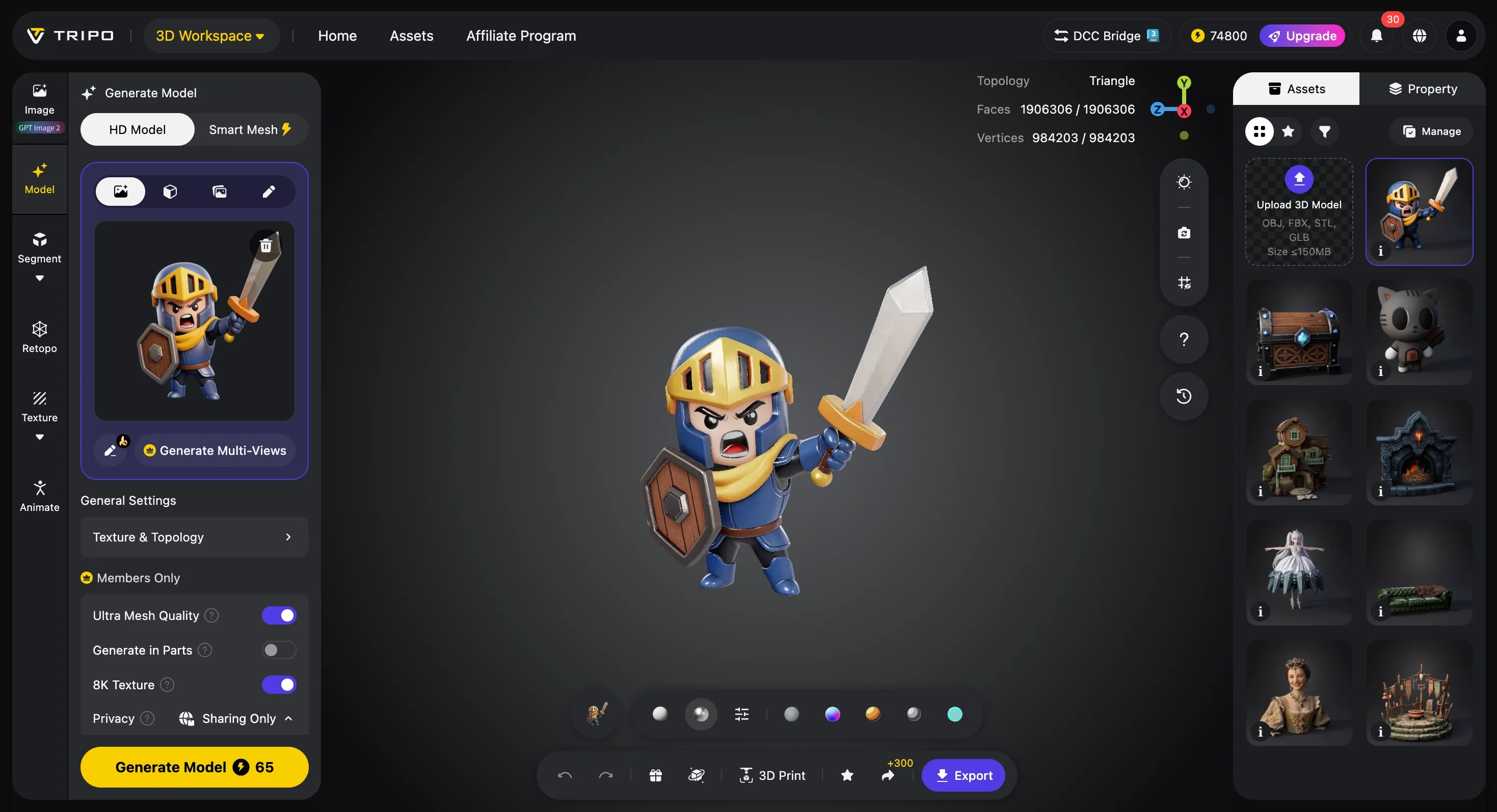
Speed is one of Tripo's clearest advantages, but the real impact is not just that a model appears quickly. It is that users can make decisions faster. According to Tripo's product material, the system is built on a model with more than 20 billion parameters, and Smart Mesh can create a standard white model in about 2 to 5 seconds.
That speed is powerful in creative work. A game team can test more props before spending time on final art. A brand team can turn a product idea into a 3D draft for review. A creator can quickly see whether a 2D concept deserves to become a larger 3D asset.
Smart Mesh is also valuable because many real-time workflows need lighter models, not just detailed ones. Web 3D, mobile projects, AR scenes, and game prototypes can all suffer when assets are too heavy. Tripo's low-poly and topology controls help users think about performance earlier, instead of discovering later that a visually good model is difficult to use.
More Control After Generation
A generated 3D model becomes much more useful when users can control what happens next. Tripo gives users options for mesh resolution, topology type, polygon count, segmentation, and part completion. These features are not just technical extras. They solve the common problem of AI models looking good in preview but needing cleanup before real use.
Topology control is especially important for game and real-time work. Triangle topology is often a practical choice for compatibility, while quad face topology can be better for DCC editing and animation workflows. Polygon controls let users choose between automatic decisions and a target count that fits a project limit.
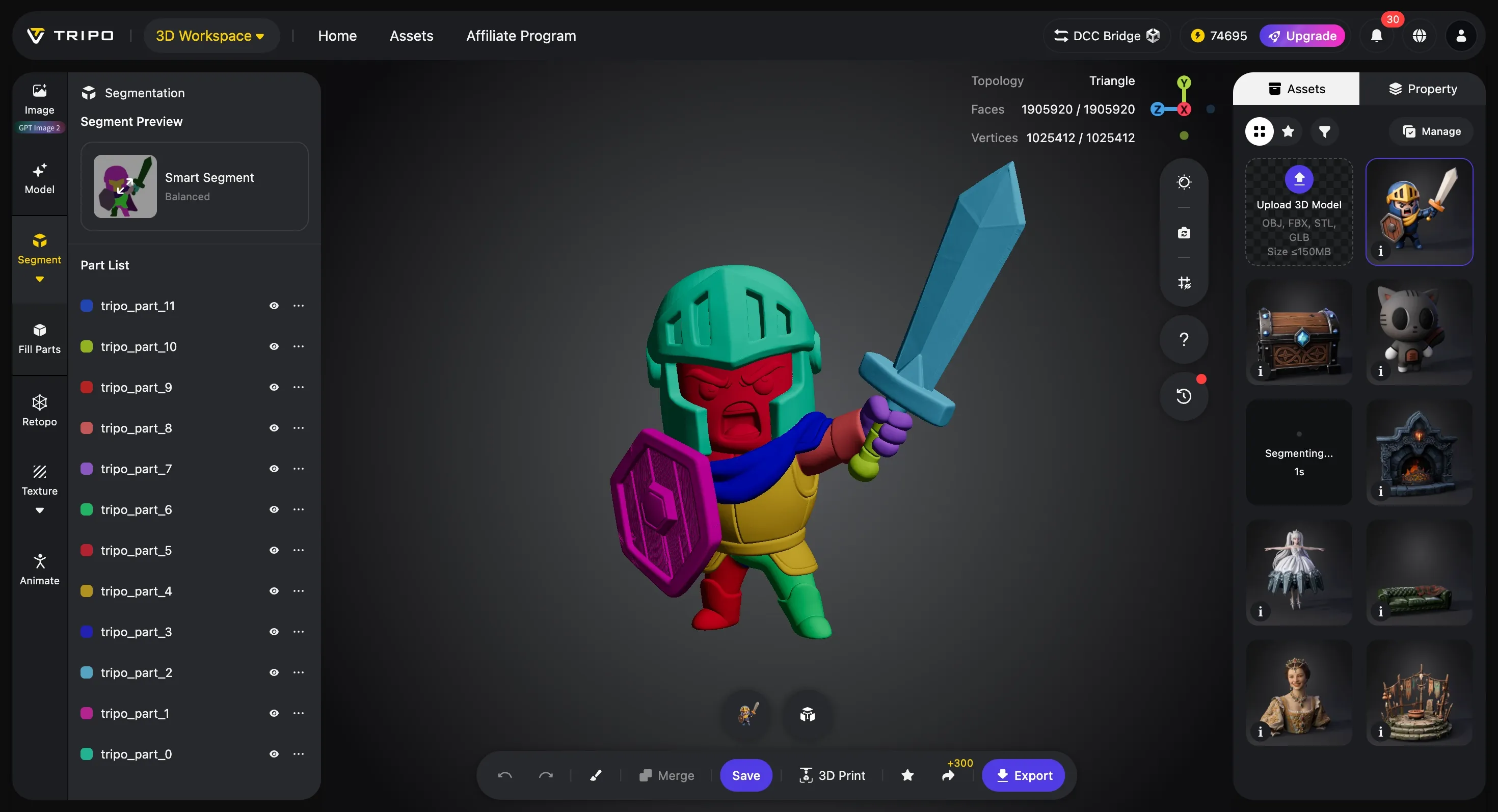
Segmentation makes complex models easier to work with. Characters may have clothing, hair, gear, or props. Robots may have plates and mechanical parts. Product models may need separate pieces for 3D printing, materials, or client review. Tripo's Segmentation v2 adds Simple, Balanced, and Detailed precision levels, so users can choose broad separation or finer part control depending on the job.
Quick Cap adds another practical layer by sealing open edges after segmentation. That sounds small, but it reduces the kind of manual cleanup that often slows down production after a model has been split into parts. Together, segmentation and part completion make Tripo more useful for users who need editable assets, not just attractive previews.
Better Visual Quality with AI Texturing, 8K Texture, and PBR Materials
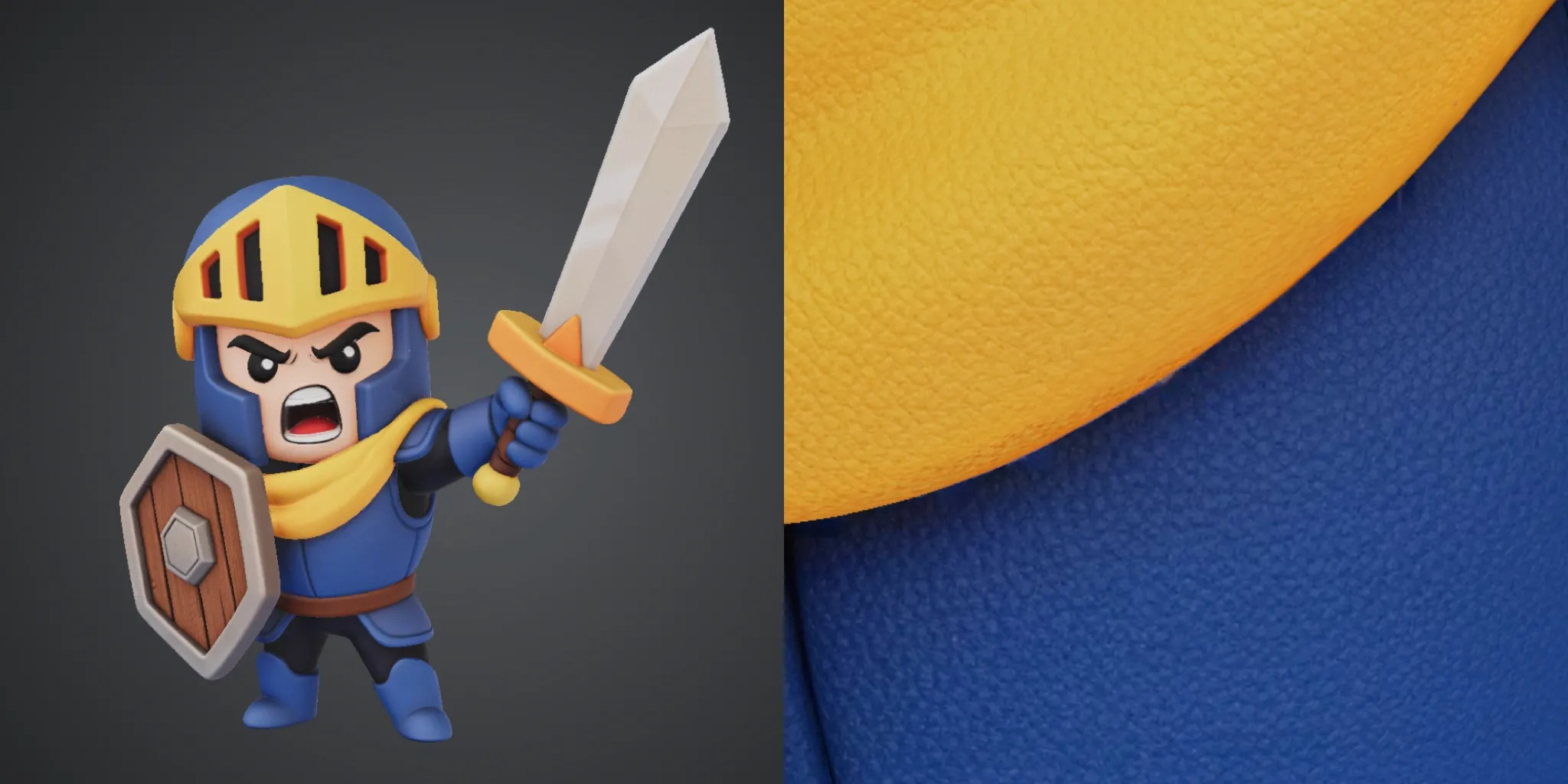
Texture quality is often where AI-generated 3D assets start to look unfinished. A model can have a strong shape, but blurry or flat surface detail makes it feel less credible in product shots, game scenes, close-up renders, or marketing visuals.
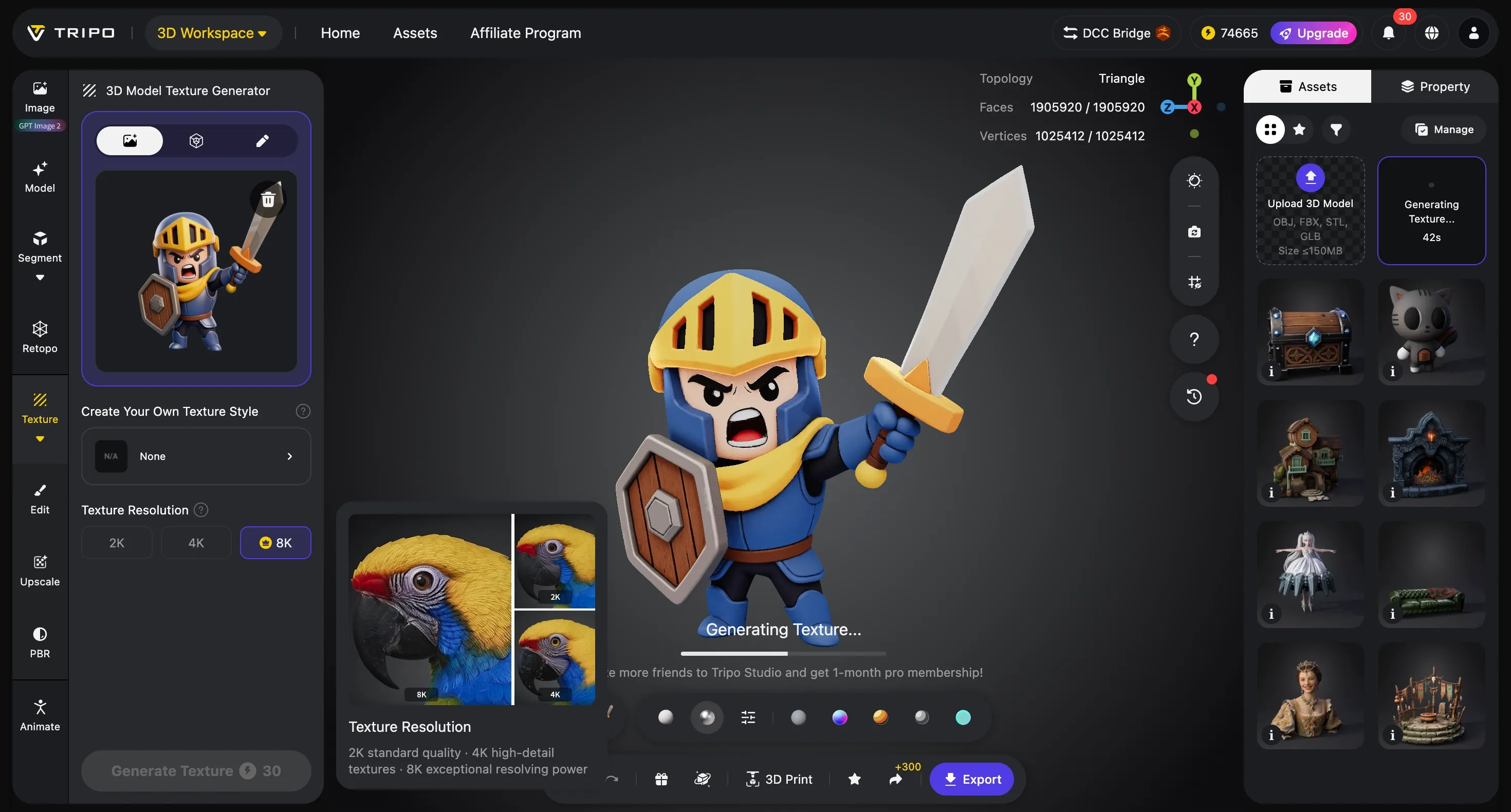
Tripo's AI texturing tools give users more ways to improve that surface quality. Users can generate textures from reference images, apply a style reference when they need a specific look, and use Magic Brush for local texture changes. That means a user can fix or enhance one part of a model without rebuilding the entire asset.
The newer 8K Texture feature strengthens this part of the workflow. Tripo says it can upscale textures to true 8K resolution in under two minutes, and it can work on models generated in Tripo or imported from other tools. For artists, this means cleaner textures before deeper editing. For product teams, it helps surface detail look sharper in presentations. For game developers, it can improve a hero asset without forcing a full rebuild.
PBR material support is another important piece. Materials that respond more naturally to light are more useful for Unity, Unreal Engine, product rendering, and visual review. This makes Tripo more appealing to users who care about how the model will look after it leaves the generator.
Rigging, Animation, Preview, and Export Make the Model More Usable
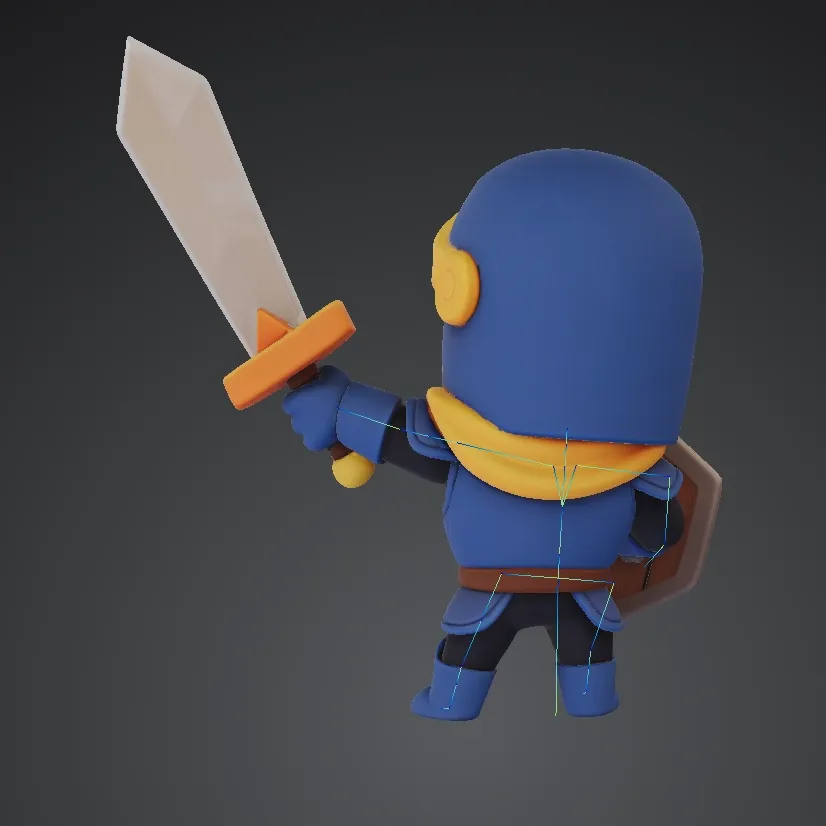
A static model can look promising, but motion often reveals problems that a still preview cannot show. For game developers and character creators, this is why auto-rigging matters. Tripo lets users add skeletons and apply preset animations, including support mentioned in product material for biped and quadruped models with actions such as standing, walking, jumping, and attacking.
This does not replace every professional animation pass. It does something more practical for early production: it lets users test motion sooner. A character concept can be checked before it moves into a heavier animation pipeline. A creature model can be reviewed in action before a team spends more time polishing it.
The built-in viewer also supports faster review. Users can inspect shape, mesh, texture, and material under different lighting settings. Wireframe view helps check mesh structure. Solid view makes the base form easier to read. Lighting and environment controls help users judge whether textures and materials hold up from more than one angle.
Export settings are another area where Tripo feels more production-aware. Users can choose file settings, export skeleton data when rigging is present, select animation output, and set the pivot to the bottom center. That pivot option is small but useful for game engines because it helps assets sit correctly on the ground after export.
Better Support for Teams, Developers, and Professional Pipelines
Tripo is also becoming more useful beyond individual creators. For solo users, the main attraction is speed and easier editing. For studios, agencies, developers, and product teams, the bigger need is repeatable production: shared access, consistent workflows, asset review, and the ability to connect AI 3D generation with existing tools.
This is where Team Plan, API support, and DCC workflows strengthen the product story. Team Plan makes more sense for groups that need shared credits, seat management, account control, and higher-volume output. The developer API gives teams a route to bring Tripo generation and model-processing workflows into their own apps, platforms, or internal pipelines.
DCC and engine connections also matter. The ZBrush Bridge is useful for artists who want to generate with Tripo and continue sculpting in a professional tool. Unreal Engine Bridge improvements help teams move assets into engine workflows with less friction. These details make Tripo more credible for real production use because they support the way artists, developers, and studios already work.
Together, these features make Tripo more than a tool for one-off experiments. They make it a stronger option for teams that need repeatable 3D content production at scale, whether the goal is game prototyping, product visualization, ecommerce assets, custom 3D content, or AI-powered creation inside a larger platform.
Who Should Try Tripo AI?
Tripo is a strong fit for creators who already have 2D ideas and want to turn them into 3D assets faster. AI artists can take character images, objects, or concept visuals and turn them into models that can be inspected, textured, animated, or exported.
Game developers can use Tripo for early props, characters, creatures, environment objects, low-poly tests, and motion previews. Product and ecommerce teams can use it to move from product images to 3D visuals for internal review, marketing, and interactive presentation. Agencies can use it to build faster asset workflows for client campaigns.
It is also useful for beginners because it lowers the starting barrier. Instead of learning every step of traditional modeling before creating anything, users can start with a prompt or image, see a result, and then learn refinement through the Studio workflow.
Limits to Keep in Mind
Like most AI 3D tools, Tripo still benefits from clear inputs and final review. A clean subject, simple background, and visible structure usually produce better results than a crowded image or an object with hidden parts. Some assets may still need manual polish in the final software where they will be used. But that does not weaken Tripo's value. The point is that Tripo helps users reach a usable starting point much faster, with more built-in tools to improve the asset before it enters a heavier production pipeline.
Final Verdict: Tripo AI Is a Strong Starting Point for Real 3D Workflows
Tripo AI is worth trying because it solves a clear problem: 2D content is easy to create, but 3D content still takes time, tools, and technical skill. Tripo shortens that path by turning images and text prompts into 3D models, then giving users Studio tools to improve the asset after generation.
Its strongest advantage is the full workflow. Image-to-3D and text-to-3D generation create the starting point. Smart Mesh and topology controls help with speed and usability. AI texturing, 8K Texture, and PBR materials improve visual quality. Segmentation, Quick Cap, rigging, animation preview, export settings, Team Plan, API support, and DCC bridges make the product more practical for users who need assets they can actually move forward.
Tripo is not just for quick experiments. It is useful for creators who want to turn visual ideas into 3D, game teams testing assets, product teams building better visuals, artists preparing models for deeper editing, and developers who want AI 3D generation inside a larger workflow.
Whether you are turning product images into 3D visuals, testing game assets, or building a faster AI-assisted 3D workflow, Tripo AI is a strong tool to start with.