



Nano Banana Pro Review: Does This AI Image Generator Live Up to the Hype?
Just when we thought Google couldn’t top their Nano Banana (Gemini 2.5) image model, they’ve taken it one step further with their latest release, Nano Banana Pro (Gemini 3 Pro).
And I must say they’ve leveled up! This launch brings new improvements, specifically with its superior text rendering capabilities, multi-image referencing, and creative design controls.
But that’s not all. To give you a full view of what Nano Banana Pro is all about, I’m here to give you a quick but detailed lowdown on what it can do. Matter of fact, let’s jump straight into it!
What Does Nano Banana Pro Have To Offer?
Building upon their first iteration, Google placed a lot of the focus on making the new Pro version better at information visualization and offering users more control over images.
Here’s a breakdown of the key changes they’ve introduced:
#1. Superior Text Rendering
Text rendering has always been a notorious problem for many AI image models. In most cases, you will get mangled and nonsensical words that expose the output as AI-generated.
However, Google has worked to remedy this with the most dramatic change, with Nano Banana Pro being its ability to generate legible text in images in various styles, fonts, and languages.
This makes it possible to visualize information across rendered posters, ads, logos, etc. In fact, they’ve improved this area so much that Nano Banana 2 can help with creating infographics.
What’s more? They’ve combined image generation with Gemini 3’s advanced reasoning and search capabilities, making it easier to pull data and visualize information like charts in real-time.
#2. Advanced Reasoning Generation
Based on Gemini 3’s powerful reasoning, Nano Banana Pro has a far deeper understanding of complex world knowledge and physical sense to better interpret user intention.
To be precise, it can interpret complex and technical prompts more accurately while taking into consideration real-world aspects like physical reflection, logic of light and shadow, etc.
It also understands multi-level modification instructions better. For example, it can process, "Move the person on the left to the right and change the daytime to a cyberpunk night scene"
#3. Studio-Quality Creative Control
Nano Banana Pro offers greater creative control by enabling users to freely adjust complex aspects, such as depth of field, focus, lighting, and colour grading via natural language prompts.
From a professional standpoint, this opens up more editing possibilities that make sophisticated image refinement and transformation a far easier, faster, and effective experience.
Moreover, Nano Banana Pro conveniently supports native 1K/2K/4K resolution generation. It even maintains realistic details and textures like clothing or skin pores through magnification.
This particularly addresses a major limitation that its predecessor had. And since it supports multiple aspect ratios, this makes it easier to export images for use across any platform.
#4. Improved Character & Style Consistency
Another big change with Nano Banana Pro is the ability to blend more elements in one image than before. With this image model, you can use multiple reference images (up to 14).
This lets users generate consistent visuals with a more unified style, while also maintaining the resemblance of up to 5 people for a series of storyboards, picture books, ad campaigns, etc.
Because of this, you don’t have to worry about character appearances changing across different backgrounds, angles, scenes, etc, promoting seamless visual branding across creative projects.
#5. UI/UX Design Productivity (Generative UI)
Compared to other image models, Nano Banana takes visual design up a notch by going beyond illustrations. It can also help with designing UI interfaces and web prototypes.
As a web or app designer, you can use it as a prototype assistant that makes it easier to render visually appealing interfaces directly from hand-drawn sketches.
In fact, the Nano Banana Pro model is even capable of reverse-engineering design drawings based on your own code logic!
As a result, the potential implications of this for how programming and UI design workflows can be streamlined are mind-blowing.
How was My Personal Experience with Nano Banana Pro?
As you can imagine, I was very eager to see just what this new image model from Google could really do, so I took some time to put it to the extreme test.
I used vague and abstract prompts, simple prompts containing text, complex prompts containing text rendering, and instructions with reference images to see how it would perform.
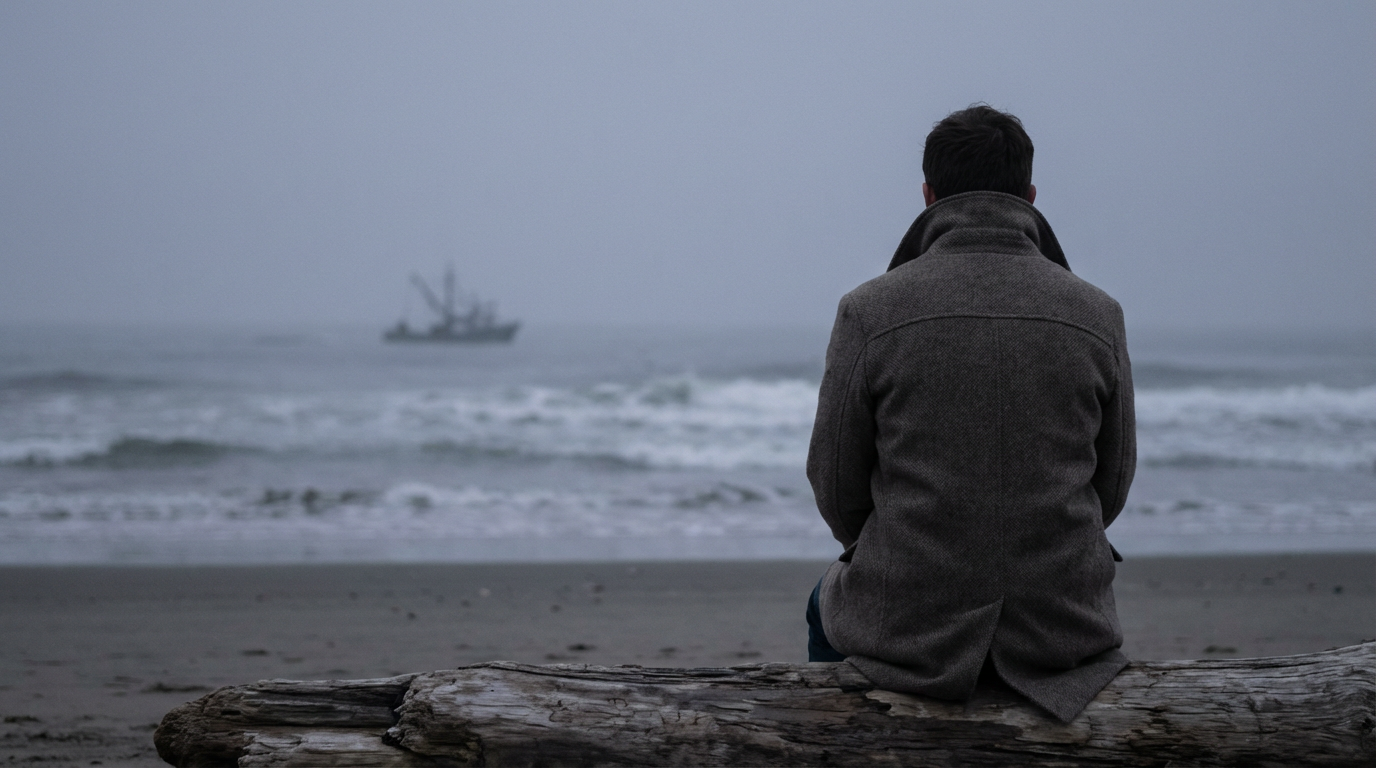
For the first test, I kept things simple.
| Prompt | Output |
| Generate a person on the beach, the atmosphere is calm sadness and a faint sense of loss. |
 |
For the second one, I was particularly invested in seeing how it could handle rendering clear and legible text in generated pictures.
For this, I used a prompt to make it generate an official announcement of Kanye West and Kim Kardashian's reunion on IG.
| Prompt | Output |
| Generate a realistic screenshot of an Instagram post from Kanye West's account. The post is an official announcement that he and Kim Kardashian are back together. |
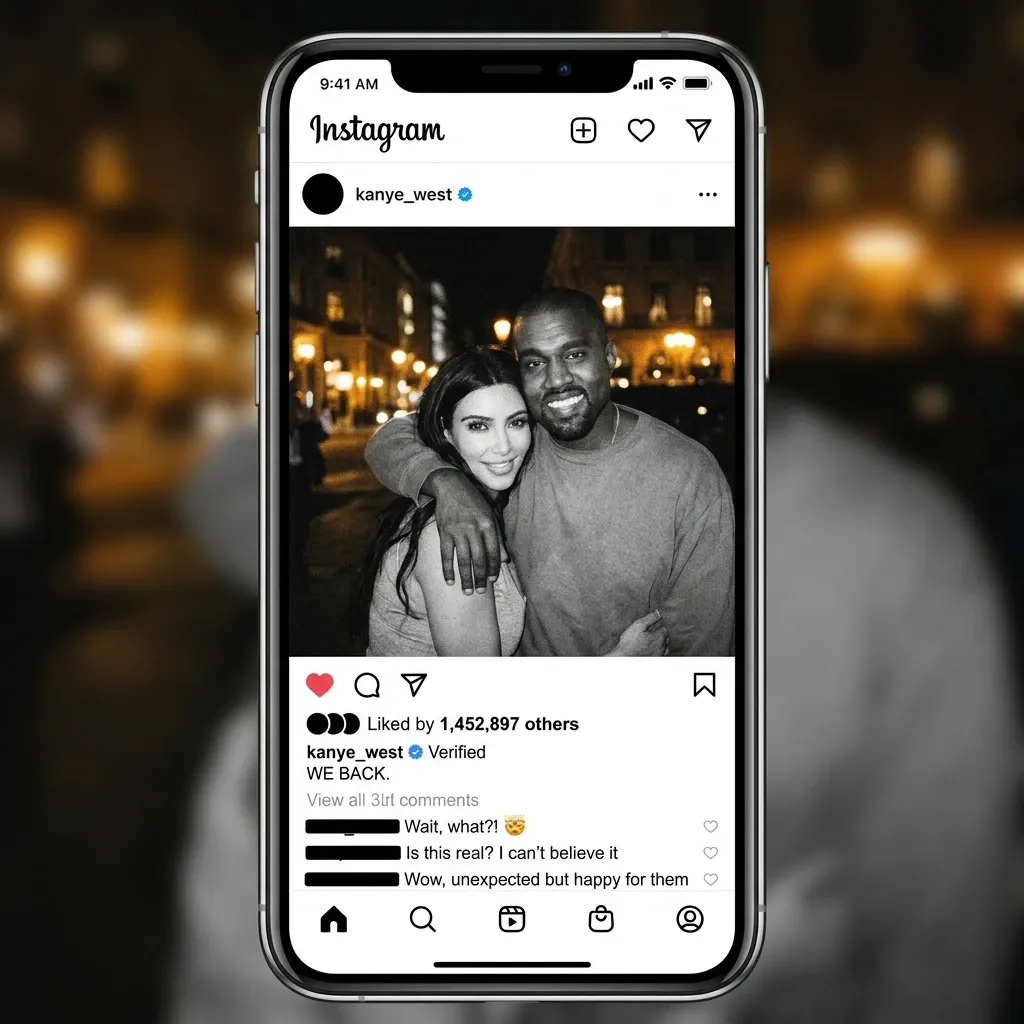 |
To my surprise, the screenshots it created look surprisingly real and quite vivid.
I didn’t even give precise instructions on what texts to render yet Nano Banana Pro logically understood what I was going for.
I did notice that there were still some small flaws in the text in the comments section. But despite that, it’s not a bad attempt at all.
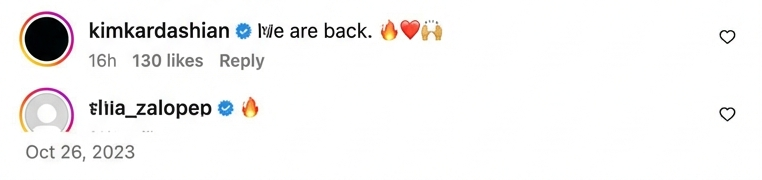
For the third test, I wanted to see how it performs with more demanding text-based imagery. In particular, can it handle different languages without any grammatical or linguistic errors?
Prompt: A realistic, documentary-style promotional poster for an authentic Cantonese restaurant located on a bustling New York street (like Mott Street in Chinatown). There is a huge logo of the restaurant in the middle of the poster.
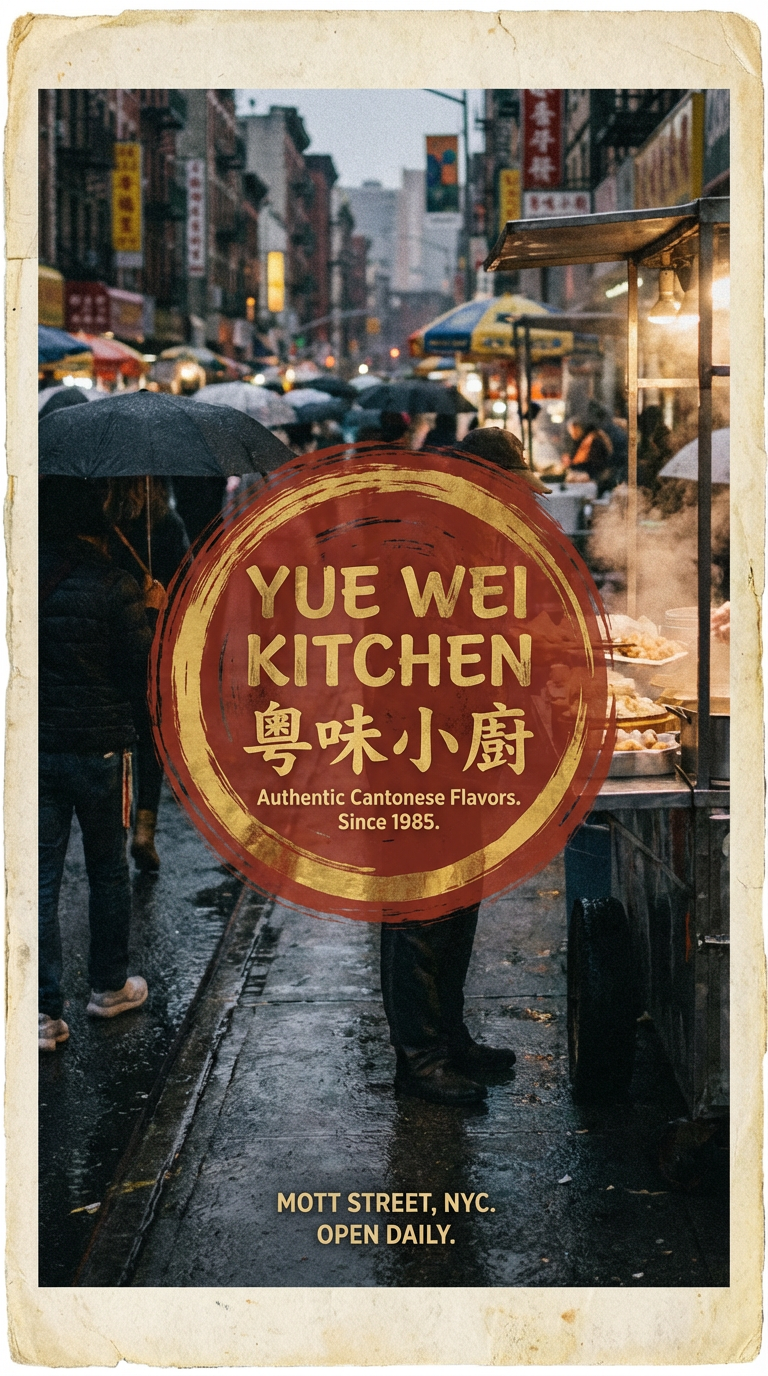
As you can see, it managed to deliver a stunning poster design. This time, there were flaws in the typography, and it even rendered the Chinese pinyin characters with accurate spelling.
For the final test, I checked to see how it handles using reference imagery to create an entirely new image design. So this was what I asked it to do:
Prompt: [Use the texture of the ice cream in the picture to generate an ice cream mountain range]
| Ice Cream Texture Source | Generated Mountain Range |
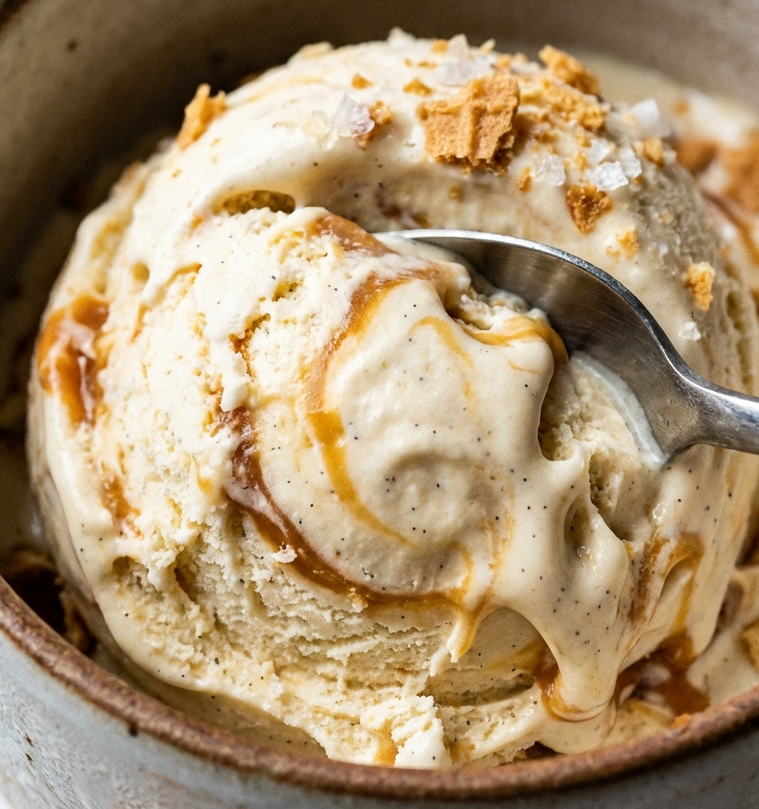 |
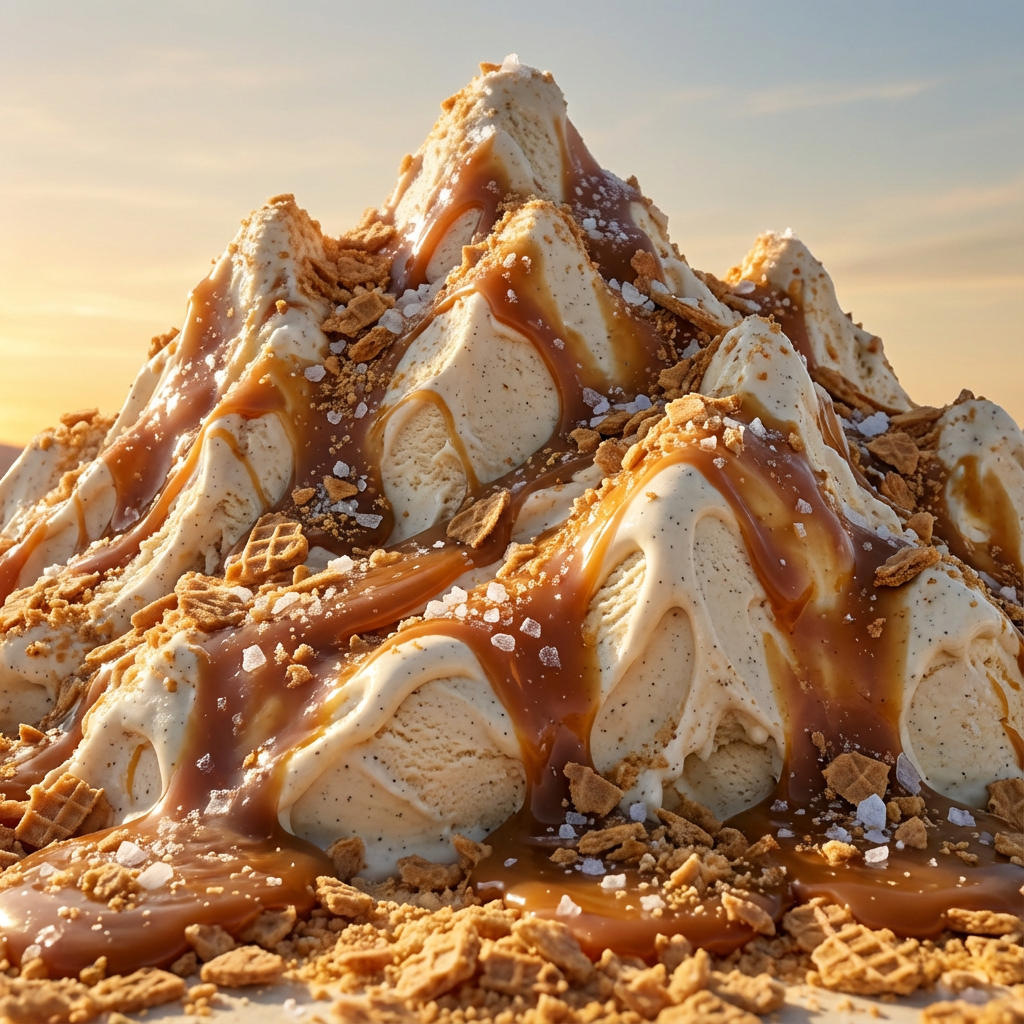 |
As you can see, it managed to create a perfectly texture-rich image that matched my instructions. The level of style consistency and detail is spectacularly well-maintained. Very nice.
Conclusion
While the first Nano Banana iteration was for the everyday user, I think it’s clear that this new Pro model hits the mark for those dealing with more complex design compositions.
And given how the sophisticated improvements introduced have turned it into an incredibly versatile solution, I think you should be running to try out Nano Banana Pro today!