



Worlds Video Breakdown (Prompts Included)
This fast-cut fashion concept follows one Y2K-styled model through six radically different locations while preserving her face, outfit, walking direction, and runway attitude. The workflow uses one character reference, six location references, and separate four-second MiniMax H3 generations before the clips are assembled in post.
Step 1: Prepare the Character and Location References
Start with the supplied character image as the single source of truth for the model's identity and styling. Keep her messy dark-brown hair, cartoon-print bandana, freckles, hoop earrings, layered heart necklaces, orange I [heart] CATS top, washed baggy jeans, colorful accessories, lower-abdomen star tattoos, and orange cartoon-tiger platform shoes consistent in every clip.
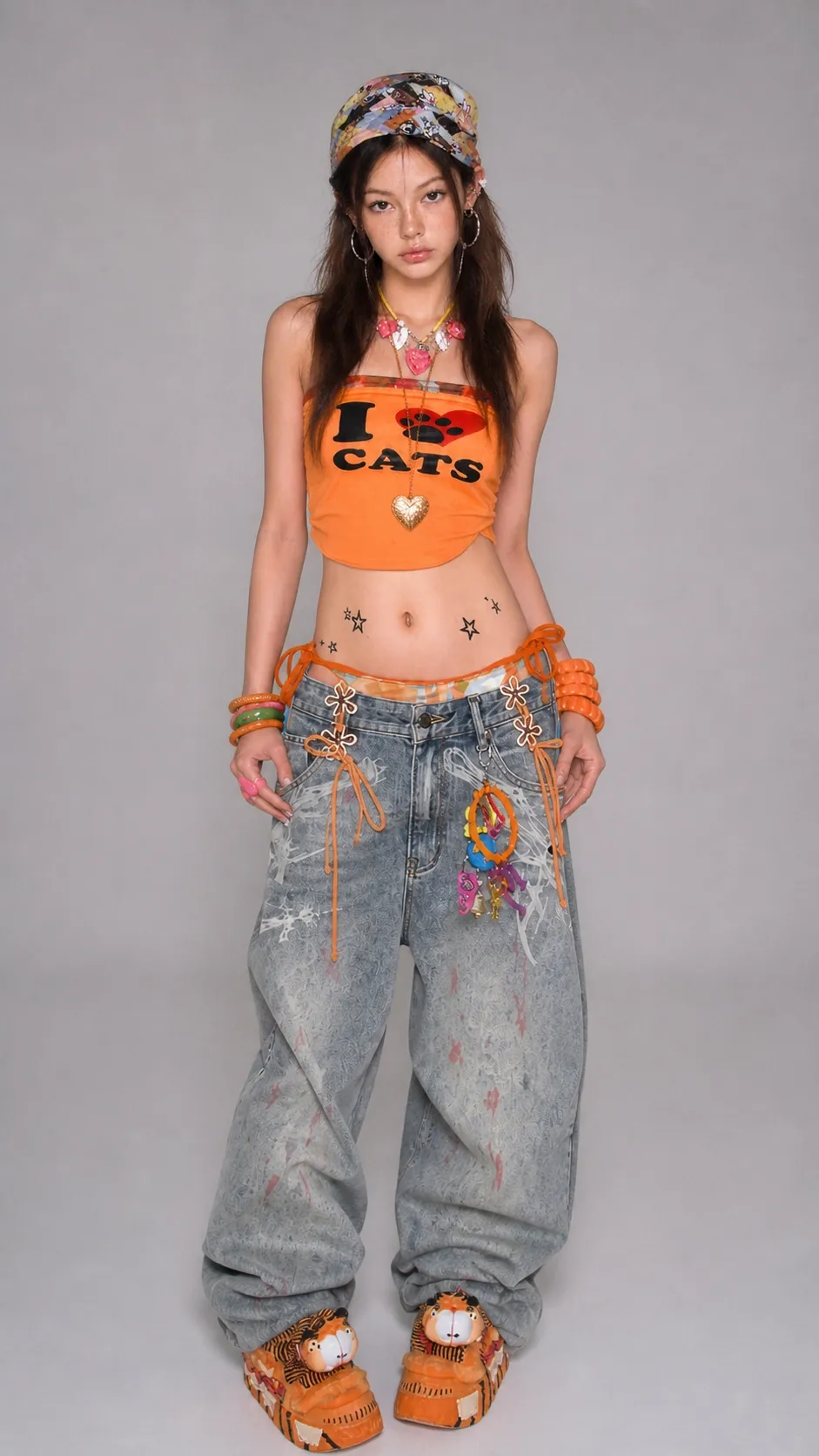
Image 2 Character face and complete outfit reference
Use the six supplied location images only as environmental references. Preserve each background's composition, perspective, daylight, and dominant palette, then place the same model into a side-view tracking shot that matches the scene.
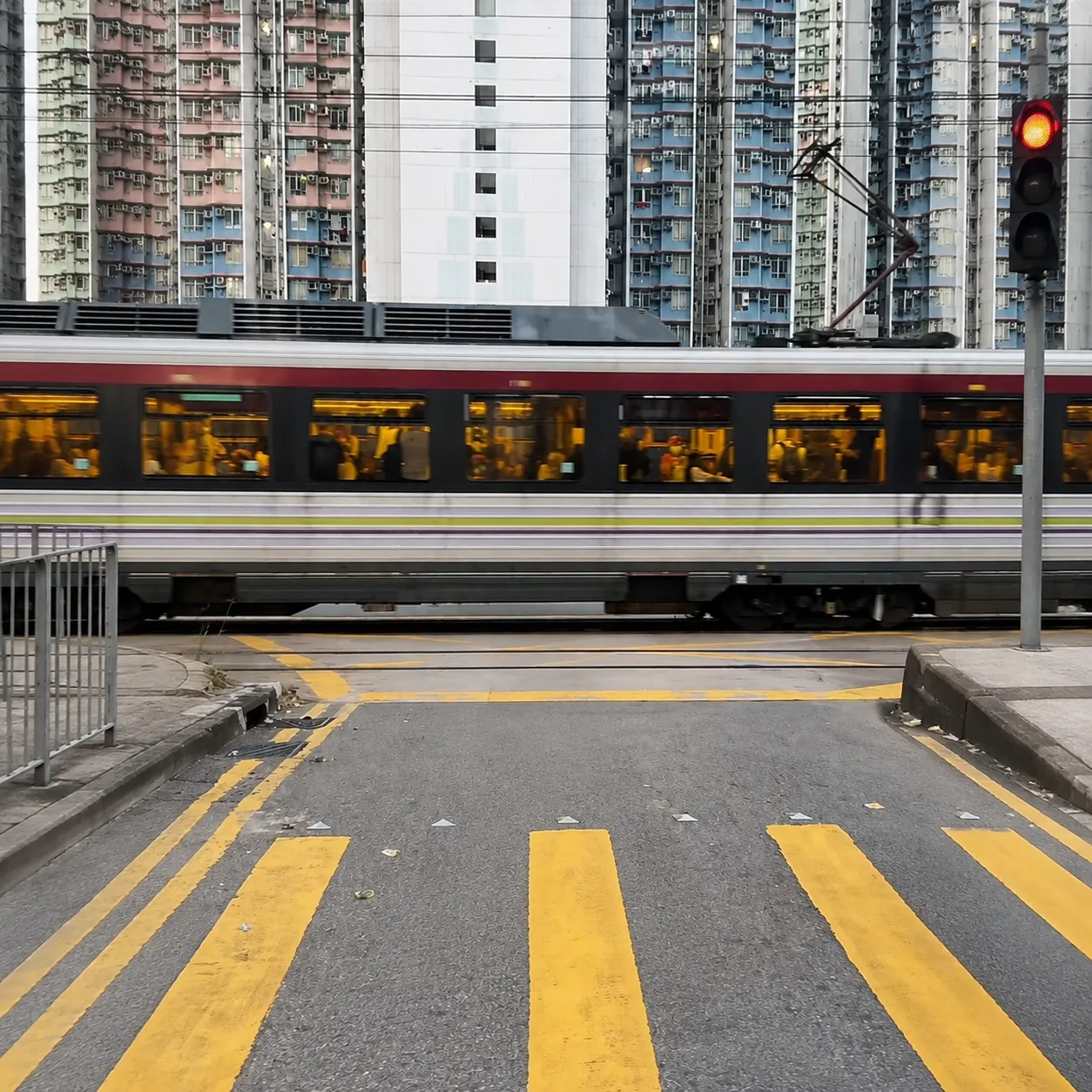
Image 3 Urban rail crossing
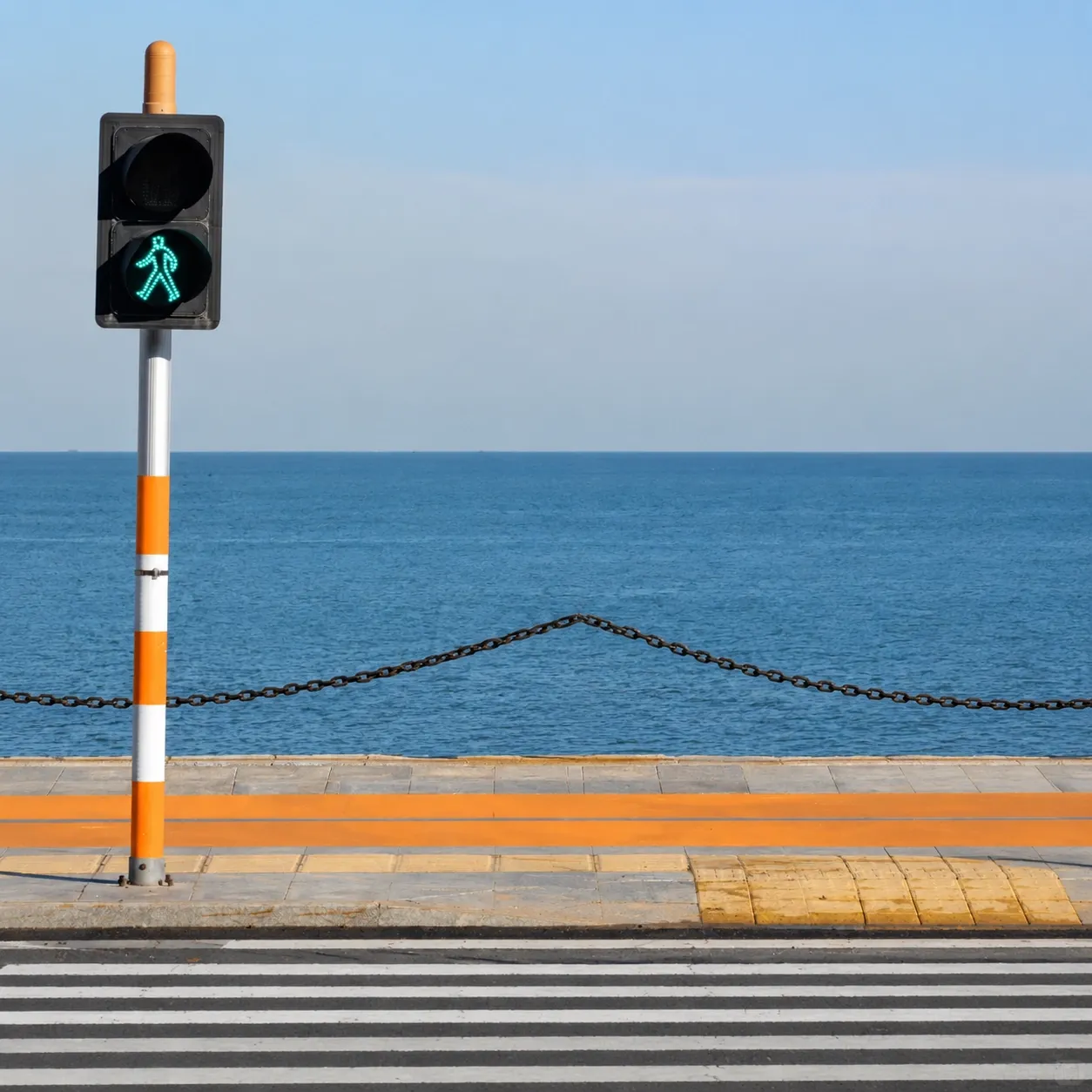
Image 4 Seaside pedestrian crossing
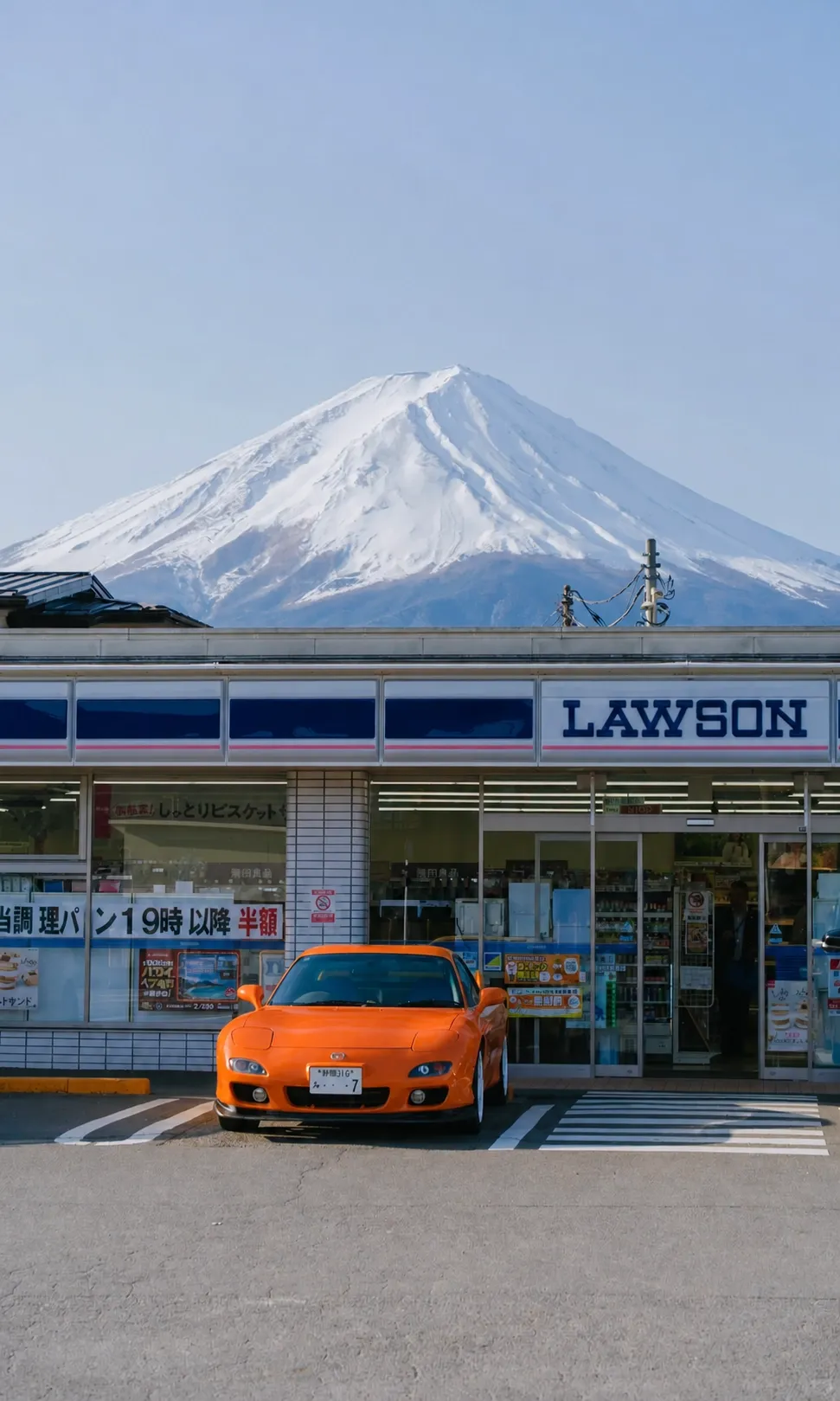
Image 5 Mount Fuji convenience store
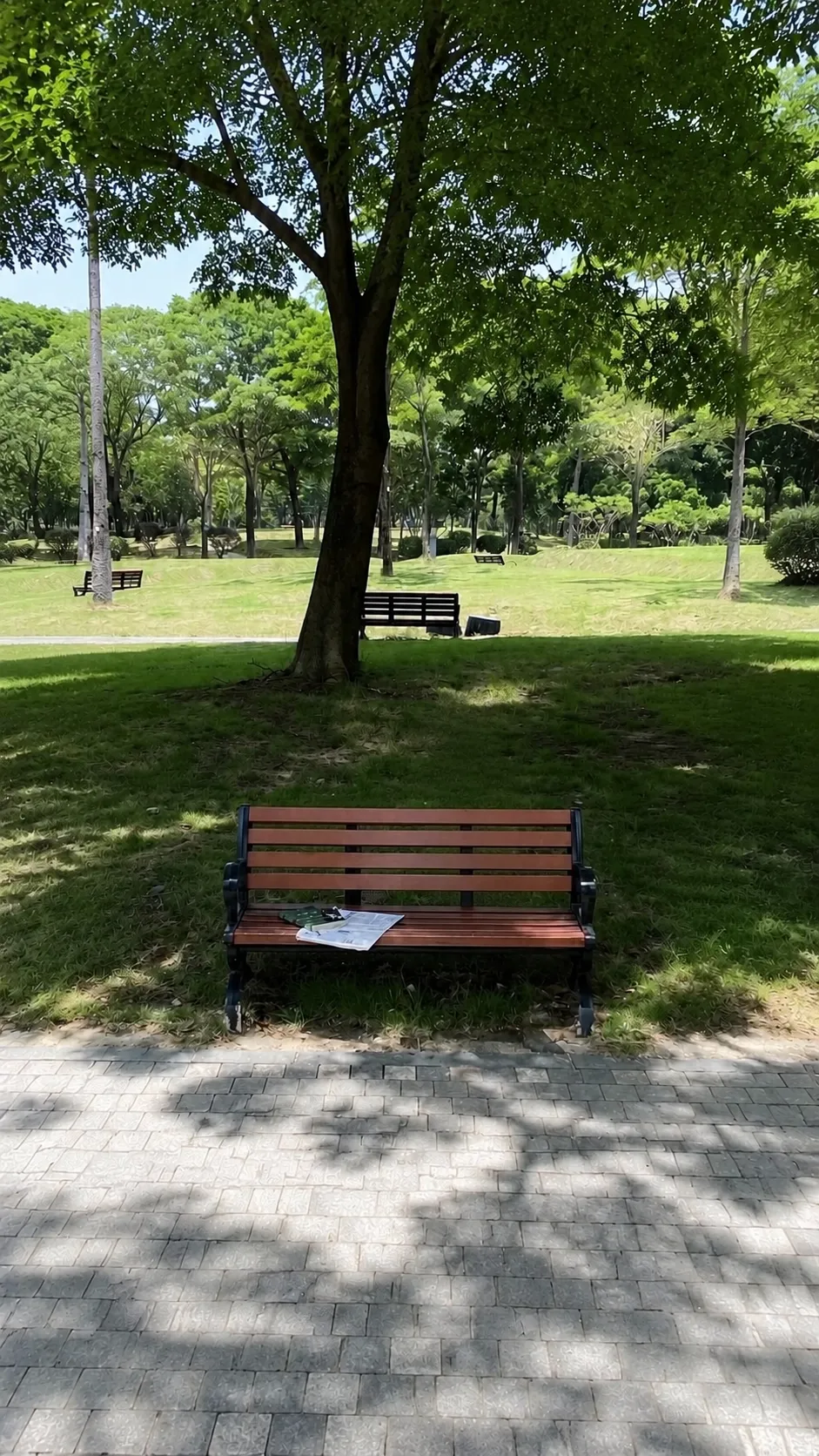
Image 6 Shaded city park
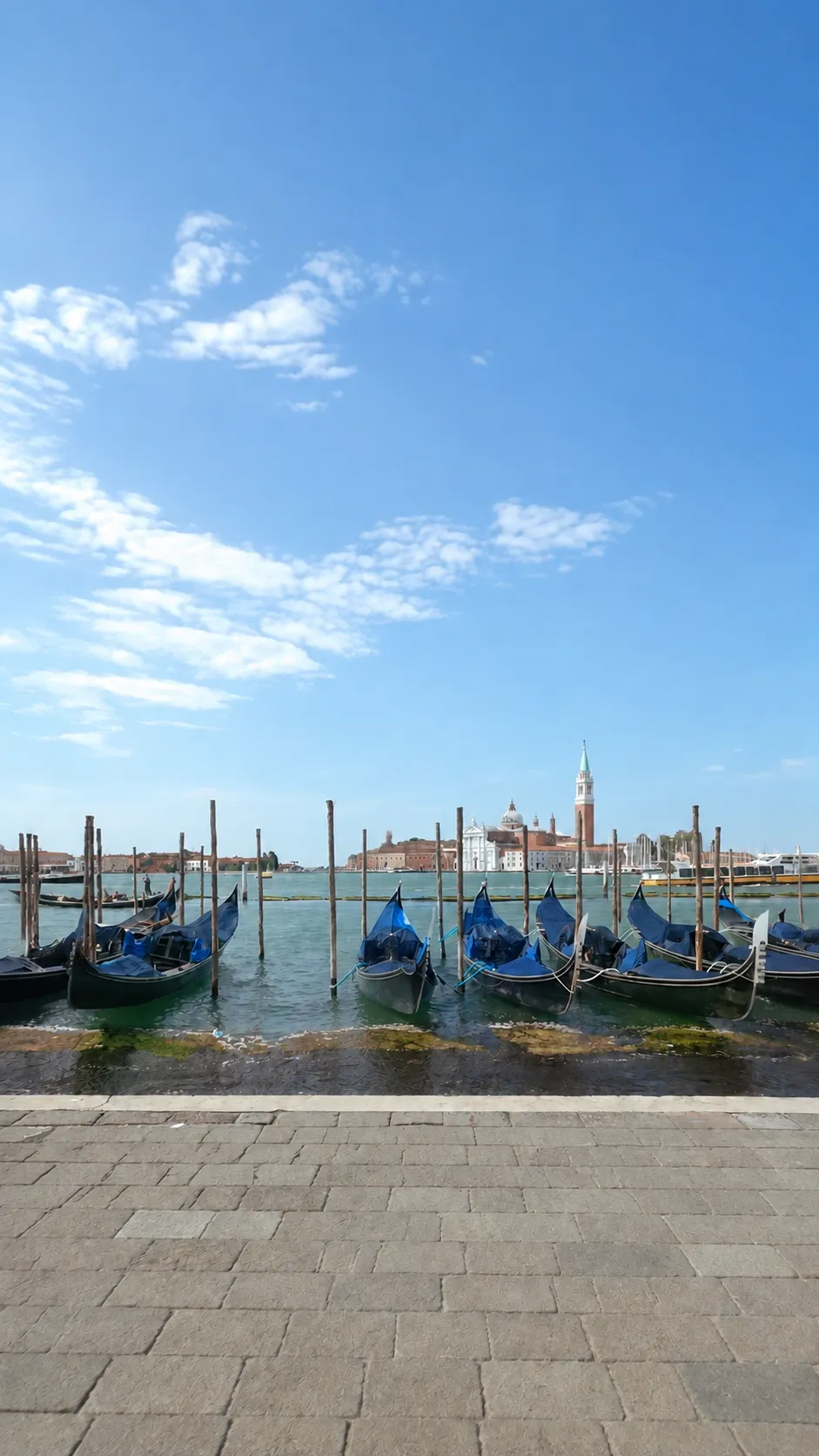
Image 7 Venice waterfront
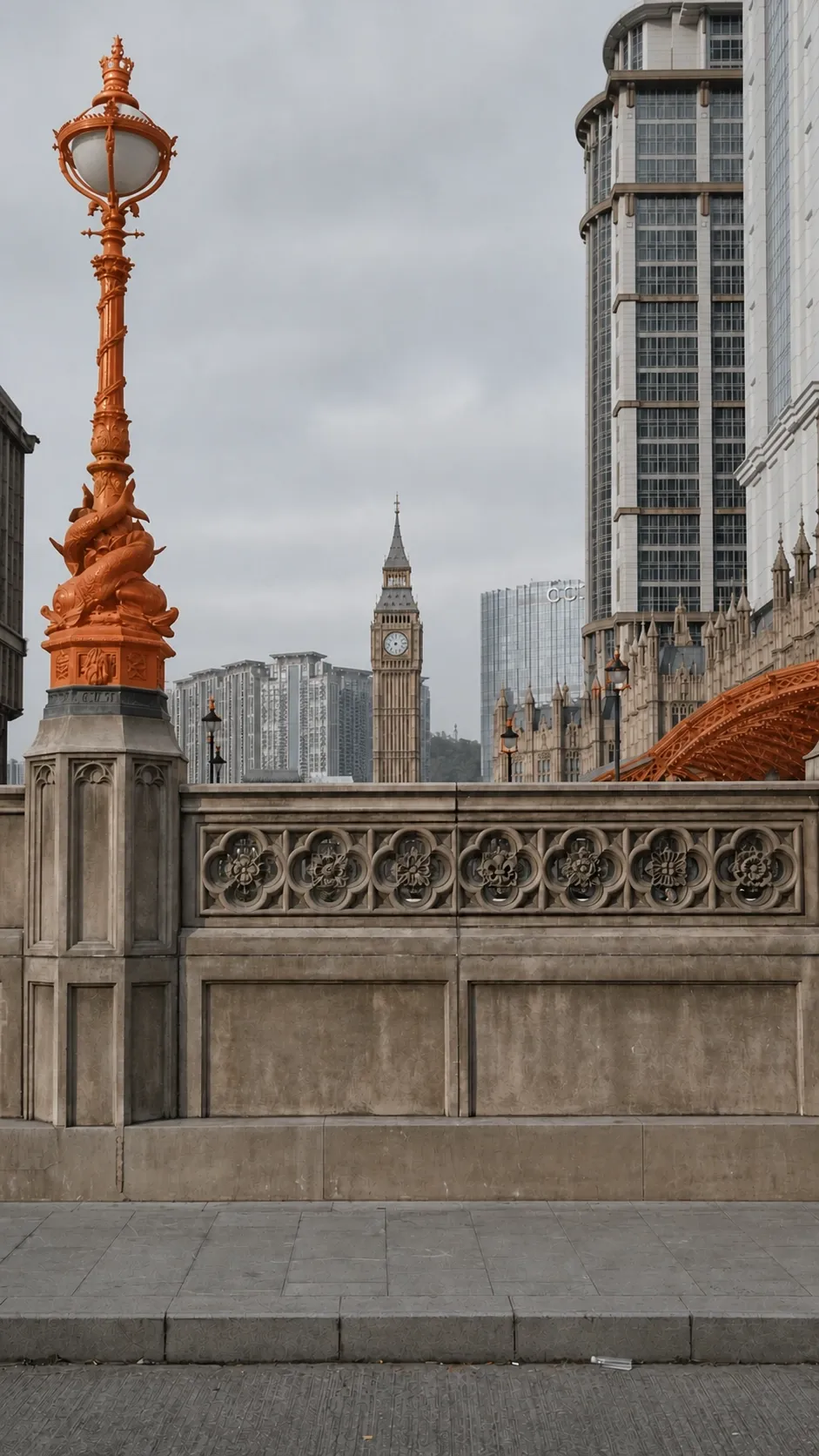
Image 8 London inspired city bridge
Save the reference images and the finished video clips to your desktop before copying them into the CMS. This keeps uploads organized and makes it easier to replace any clip that drifts from the character or camera rules.
Step 2 Generate Six Tracking Shots with MiniMax H3
Generate each location as a separate four-second, 9:16 clip. Upload Image 2 with one location image at a time, keep the model in a medium side view, and hold the same walking direction across all six outputs. Use the MiniMax H3 model on Pollo AI for its image-reference and camera-control workflow:
Stop Switching Tools. Start Creating.
Create the six runway clips with your character and location references on MiniMax H3
Start Creating Free
Example Prompt Image to Video
Output Specifications:
9:16 vertical aspect ratio, 1080p resolution, four-second duration, one continuous take, and no native audio.Live-action cinematic photorealism with natural daylight, sharp facial detail, realistic skin texture, and clean high-definition output. Do not bake film grain into the generated frames; any subtle grain should be added during the final color grade.Color palette: Make high-saturation warm orange the main visual anchor, balanced by washed light-blue denim and small vibrant accessories. In sunny scenes, create a strong cool-warm contrast against cobalt-blue skies. In overcast urban scenes, keep the background cool gray and restrained so the model stands out. In the park scene, use vivid natural greens while preserving realistic daylight.Do not render text, logos, captions, watermarks, or special-effect overlays into the generated frames. All typography and graphic layers will be added in post-production.
Reference Material Usage:
@Image 2 is the only character and outfit reference. Preserve the same young Eurasian woman's facial identity, messy long dark-brown hair, collage-style cartoon-print bandana, freckles across the nose and cheeks, glossy lips, neutral cool expression, natural skin pores, large silver hoop earrings, layered heart-charm necklaces, bright orange cropped tube top printed with I [heart] CATS lettering and a red cat-paw graphic, low-rise baggy washed-blue jeans with subtle paisley texture and paint-splatter distressing, orange lace trim at the waistband, lower-abdomen star tattoos, stacked colorful plastic bangles, multicolored belt-loop charms, and orange cartoon-tiger platform shoes. Do not change, simplify, recolor, or replace any outfit detail.Use @Image 3 through @Image 8 as six separate environmental references. Generate one independent clip per location. Keep the character's facial identity, outfit, body proportions, walking direction, side-view pose, medium framing, and overall color treatment consistent from clip to clip. The character strides forward with a confident supermodel runway gait and never turns her head toward the camera.
Scene Prompts:
Scene 1 with @Image 3: Preserve the urban rail crossing, yellow road markings, passing train, dense apartment facades, and cool overcast city palette. Place the model in a medium side shot, striding forward with a controlled runway gait while the camera tracks beside her. She must not look toward the camera.Scene 2 with @Image 4: Preserve the seaside pedestrian signal, orange-and-white pole, striped crosswalk, chain barrier, calm blue water, open horizon, and bright cobalt sky. Match the same side-view tracking angle, walking direction, pace, facial identity, outfit, pose, framing, and color logic established in Scene 1.Scene 3 with @Image 5: Preserve Mount Fuji, the Lawson storefront, parked orange sports car, vertical framing, and crisp sunny daylight. Keep the model's identity and styling unchanged. Track her from the side as she strides forward without turning toward the camera.Scene 4 with @Image 6: Preserve the shaded park path, foreground bench, large central tree, vivid grass, deep leaf shadows, and bright green landscape. Maintain the same side-view tracking shot, walking direction, confident runway gait, character identity, outfit, and medium framing.Scene 5 with @Image 7: Preserve the Venice waterfront, gondolas, wooden mooring poles, distant church tower, paved foreground, high blue sky, and bright daylight. The model continues in the same direction with the same pace, side profile, expression, facial features, outfit, and runway performance.Scene 6 with @Image 8: Preserve the London-inspired bridge, orange ornamental lamp, stone balustrade, clock tower, layered urban skyline, and soft overcast sky. Keep the same character, outfit, direction, side-view tracking composition, and unbroken supermodel gait. She never looks at the camera.
Global Continuity and Camera Rules:
Use a smooth lateral tracking shot that moves with the subject. Keep her dynamic walking posture, scale, screen position, medium side framing, and left-to-right walking direction identical across all six clips. Do not reverse, mirror, or change her direction. Preserve facial identity and every outfit detail without drift.No dialogue, lip movement, or generated native audio. Leave sufficient clean negative space in the upper frame, lower frame, and left side for post-production typography. Do not render any of the planned text inside the generated video.
Prohibited Checklist:
Do not alter the model's face, hair, bandana, body proportions, tattoos, clothing, jewelry, bangles, belt-loop charms, or shoes.
Do not render text, logos, captions, watermarks, or graphic overlays.
Do not generate special-effect visuals.
Do not let the character look toward the camera.
Do not change or mirror the walking direction.
Do not generate native audio.
Step 3: Assemble the Final Edit and Add Overlays
Choose the strongest take from each location, arrange the six clips into a fast travel montage, and trim the transitions so the model's stride appears continuous across every cut. Match exposure and skin tone before applying a restrained final grade, then add the music and typography as post-production layers only.
Post Production Overlay Guide:
Upper frame behind the character: curved white text 365 DAYS and curved orange text UNLIMITED. Keep both lines visible throughout the finished edit.Lower frame in front of the character: white text MINIMAX H3 x POLLO. Animate the line in a continuous circular orbit around the character throughout the finished edit.Left side: white text ONE IDEA. ENDLESS WORLDS. Keep it visible throughout the finished edit.Audio: Add a stylish Western-inspired fashion track in post-production. The generated clips themselves remain silent and contain no native audio.
Final Summary
The finished video works when three elements stay locked: one consistent Y2K character, one unchanging side-view walking direction, and six clearly recognizable location backgrounds. Generate each four-second shot separately with MiniMax H3, reject any take with identity or outfit drift, then add the curved headlines, orbiting model credit, subtitle, subtle grain, and Western-inspired music during the final edit.
Ready to turn one character into a world-spanning runway sequence? Start Creating Free