



Adobe Firefly Review: I Tested Adobe Firefly & I Have Some Insightful News About It To Share
You’re not alone in being surprised by Adobe Firefly—like me, many assumed Adobe was mainly about image editing.
Discovering their serious move into generative AI made me excited to test its image and video creation capabilities.
From my initial experience, Firefly’s access to Adobe’s extensive content library gives it versatility in generating images across many styles.
I appreciate its simple, user-friendly interface with robust customization options, making it easy to navigate without a steep learning curve.
However, the image quality didn’t fully meet my expectations compared to other AI tools. Some outputs had visual glitches and sometimes didn’t follow prompts accurately enough.
On the video front, Firefly stands out with its unique training on artist-consented content from Adobe Stock and openly licensed materials.
This ensures high-quality, commercially safe videos without copyright concerns. I liked that I don’t have to juggle different AI models for images and videos, which simplifies content creation for commercial projects perfectly.
An Introduction To Adobe Firefly
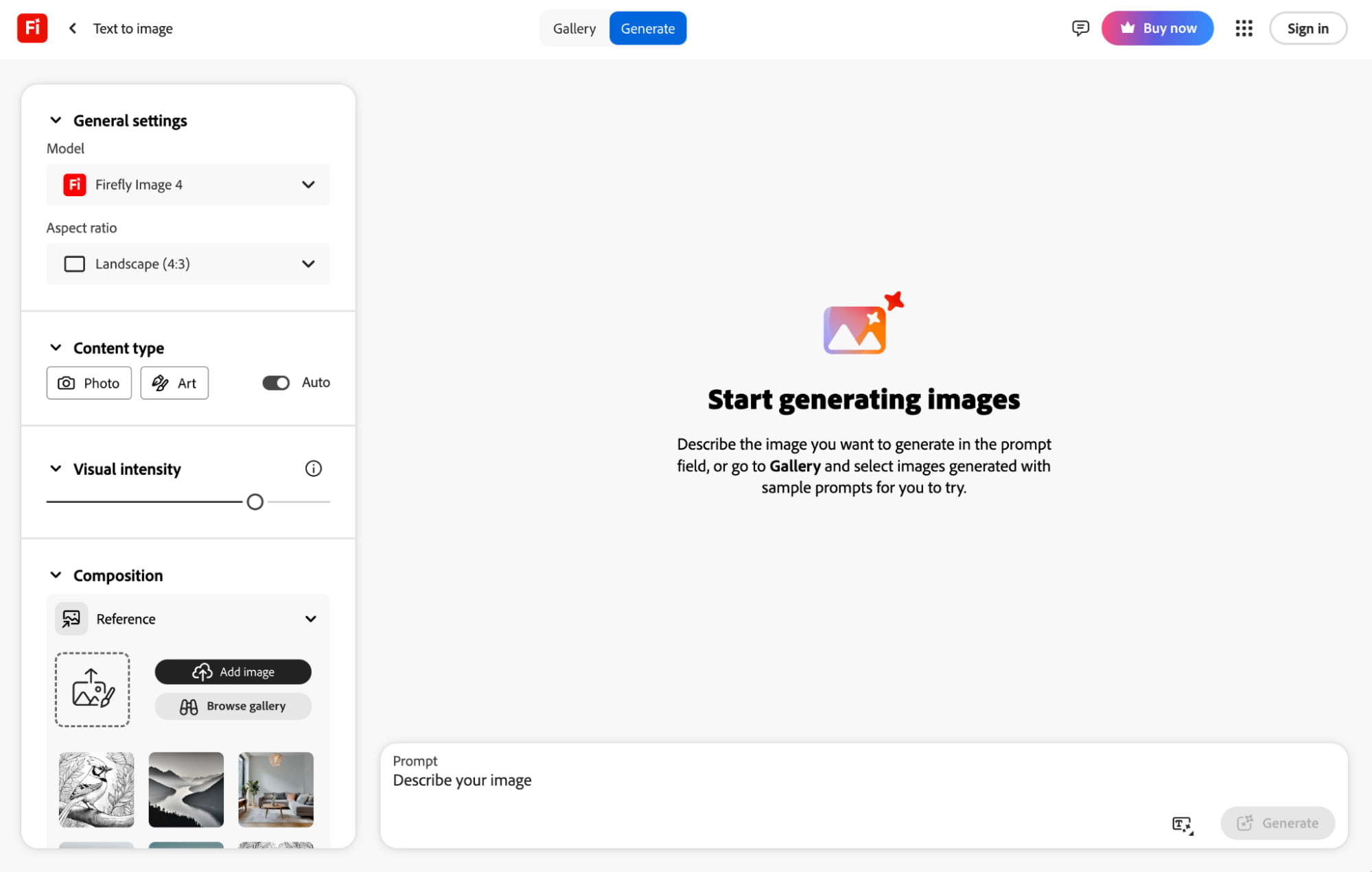
Adobe Firefly's advanced text-to-image AI generator lets you create images across diverse photo and art styles using simple prompts.
The tool uses proprietary AI image models like Firefly Image 3 (abstract generations), Firefly Image 3 (balanced performance), and Firefly Image 4 Ultra (superior quality).
However, I noticed that Adobe Firefly lets users switch between non-Adobe AI models, as well. Some of these include Imagen 3, Imagen 4, and GPT Image.
I do like the fact that Firefly is part of Adobe Creative Cloud. Because of this, it comes uniquely integrated into other powerful apps like Photoshop, Illustrator and Lightroom.
This makes it easy for me to not only generate images but also edit, expand, and even paint in them to get customized outputs via Adobe’s unique Generative Fill feature.
Something else I found to be pretty cool was that I could easily add reference photos for both image composition and style.
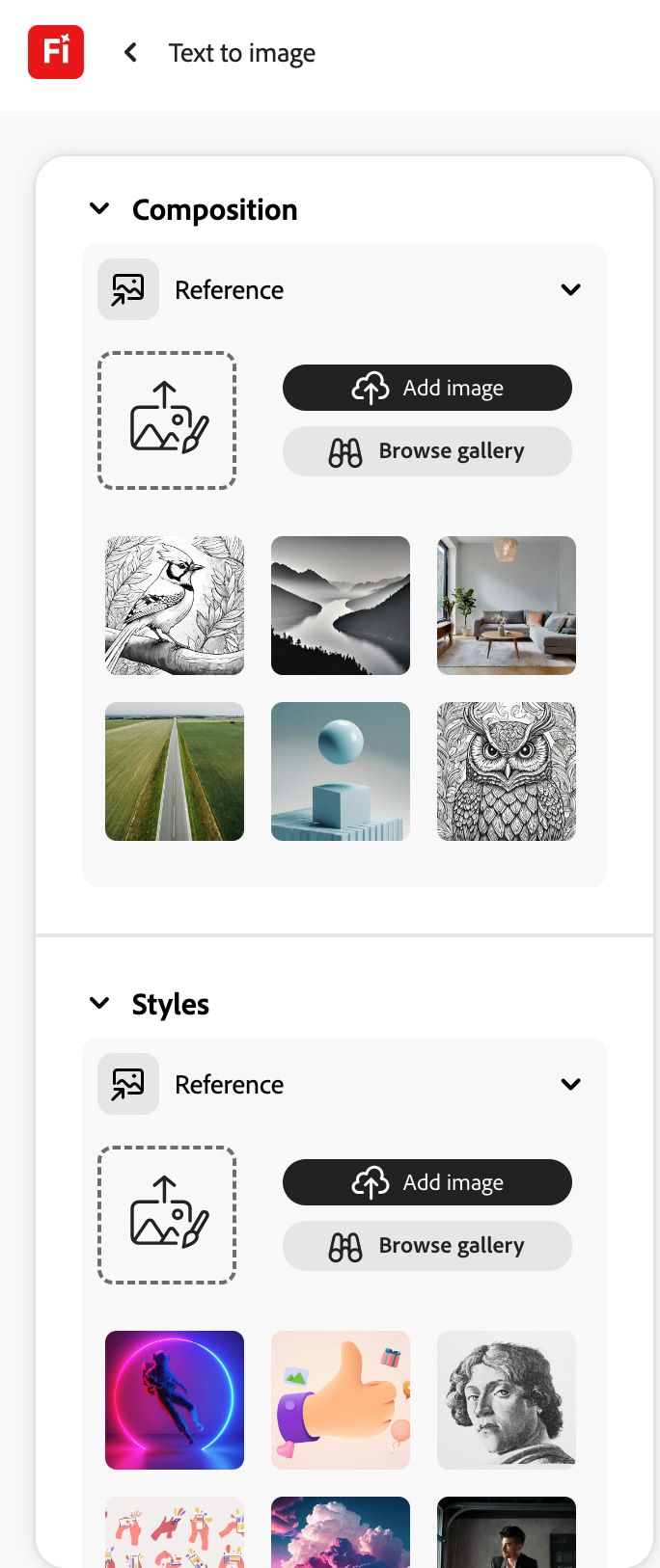
With these options, I could better guide the AI to produce the type of images I was looking to create rather than simply rely on my AI prompt.
Adobe Firefly also lets me use any generated images as references, which can help with creating any future iterations for more tailored outputs.
As I mentioned before, the AI image generator also offers dozens of art styles to choose from. Some of these include anime, futuristic, pop art, synthwave, etc.
Adobe Firefly even lets me go on to adjust various image aspects like Color and Tone, Lighting, as well as Camera Angle for even more precise image creations.
Another thing I appreciated about the tool is that it has a prompt suggestion option to help with effective prompt engineering.
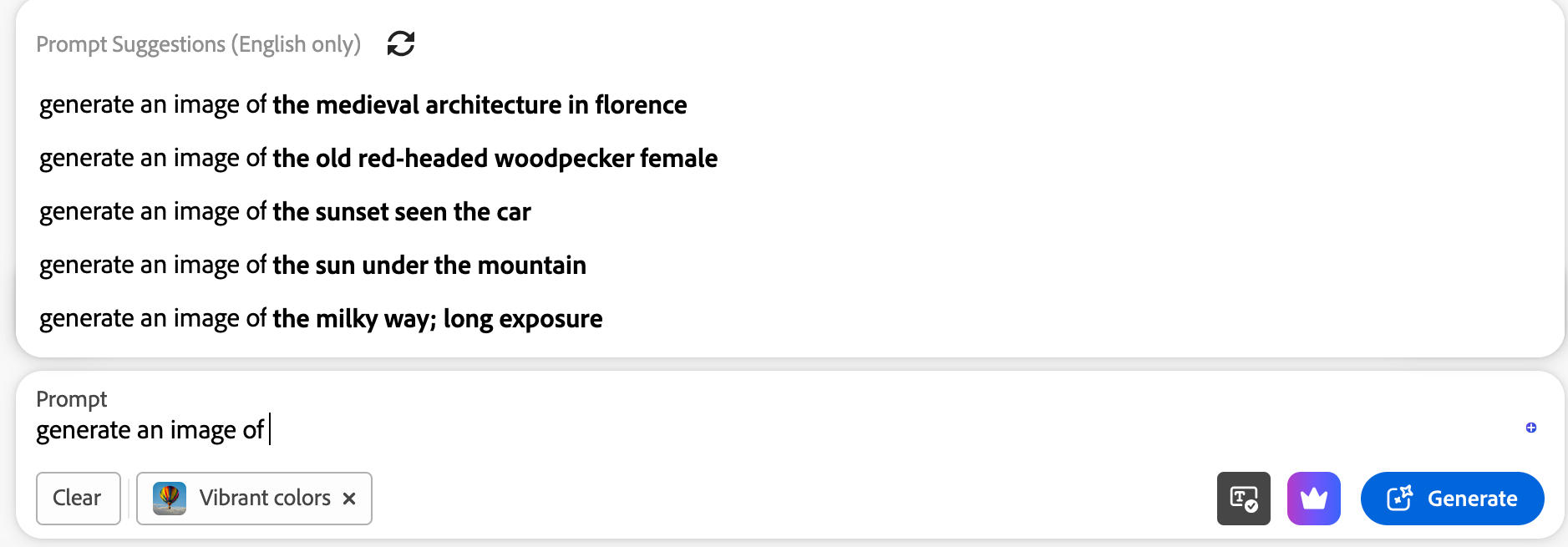
On the flip side, Adobe Firefly lacks an option for omitting image elements. So, I couldn’t tell the tool what to avoid including, which can sometimes be an inconvenience.
Adobe Firefly’s text-to-video generator is currently quite basic. It primarily offers a single default AI video model, with limited customization options compared to other tools.
How Was My Personal Experience with Adobe Firefly's Text to Image Generator?
I was eager to see what this AI image generator was capable of, but I also wanted to give the tool a fair shake. So, I decided to carry out 10 different tests to assess it properly.
For the first sample test, I wanted to see how Adobe Firefly performs with realistic imagery, so this was the prompt I submitted:
[generate an image of a samurai from Japan's Edo period on a horse overlooking a great valley with a small village in the distance]
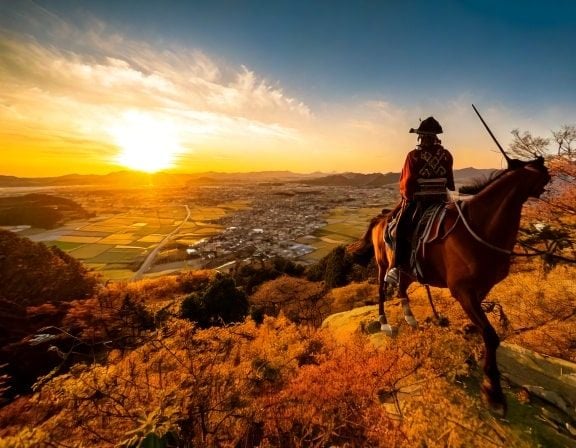
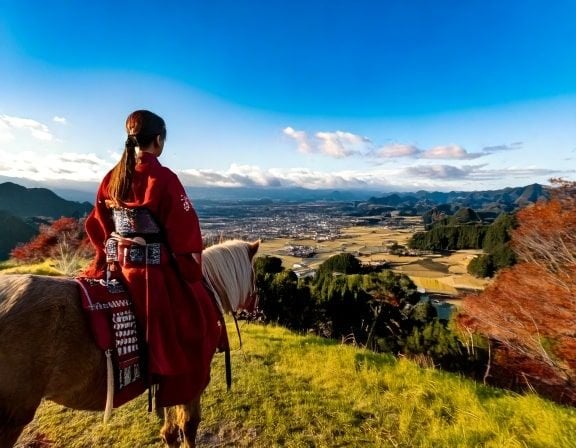
As you can see, Adobe Firefly managed to render a relatively realistic scene, but with several inaccuracies and errors that made for a rather disappointing first test.
Moving on to the second test, I was looking to see how it performs with animation-style renders. So, this was the image design I requested:
[generate an image of a 3D Pixar-style mother duck in a pond with a bunch of ducklings following her]
These are the final images it created:


This time, Adobe Firefly managed to deliver. The outputs abided by the prompt with great accuracy, and the style composition was on point. I also liked the vibrant colors and rich detail.
In my third test, I tried to see how it would perform with multiple subject images. So, this was what I requested it to generate:
[generate an image of a crowded market street in Morocco on a hot sunny day]
Here are the two generated images:

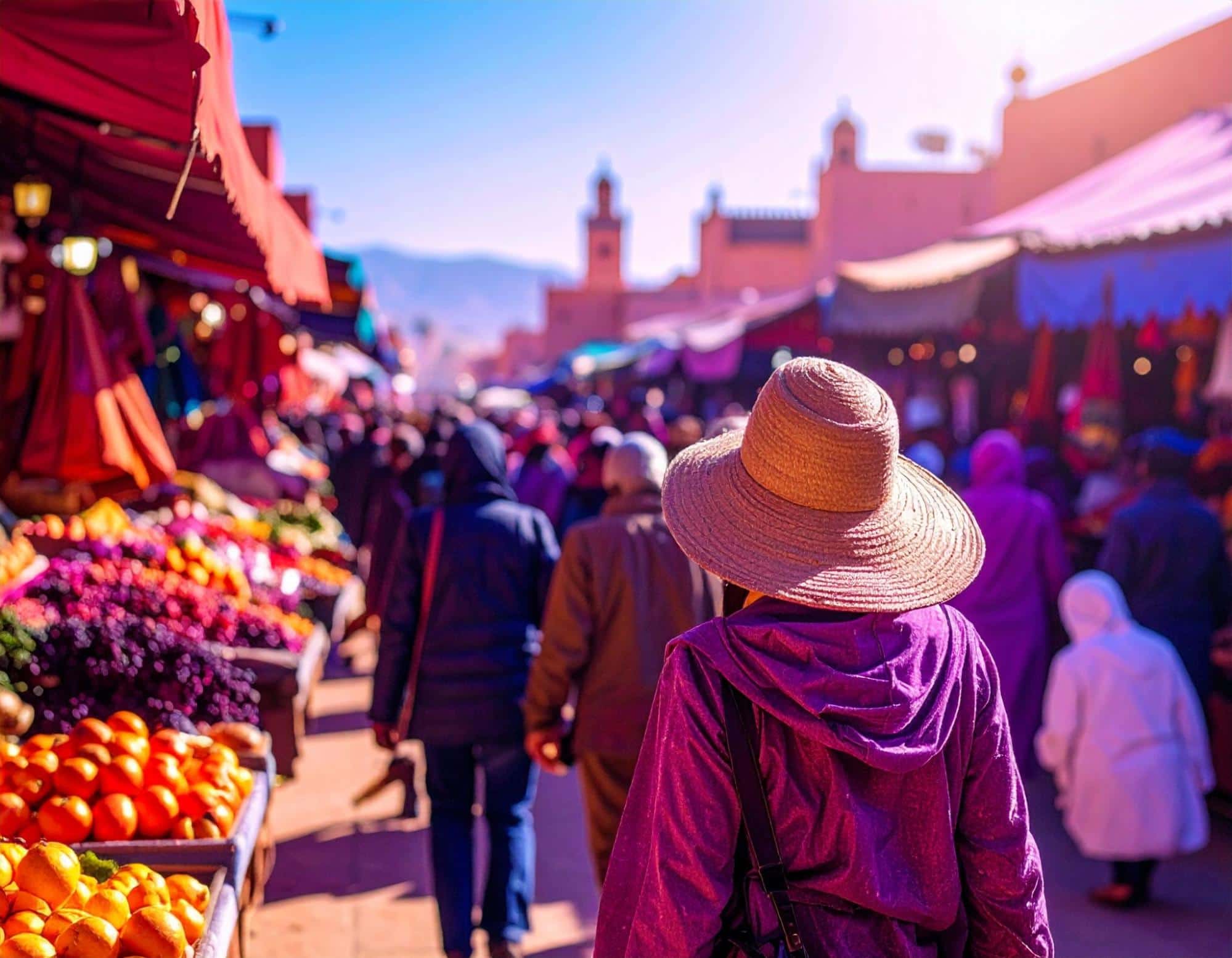
In this case, Adobe Firefly came up short.
It barely presents the characters in the scenes by only showing them from behind. The lack of any facial views just screams lazy AI image rendering. So, it’s a poor result.
For the fourth test run, I was eager to see how it processes multiple requests in one scene, so this was the prompt I entered:
[generate an image of a fashion model walking the runway with a cat in one hand and a luxury bag in the other]
Here are the results below:
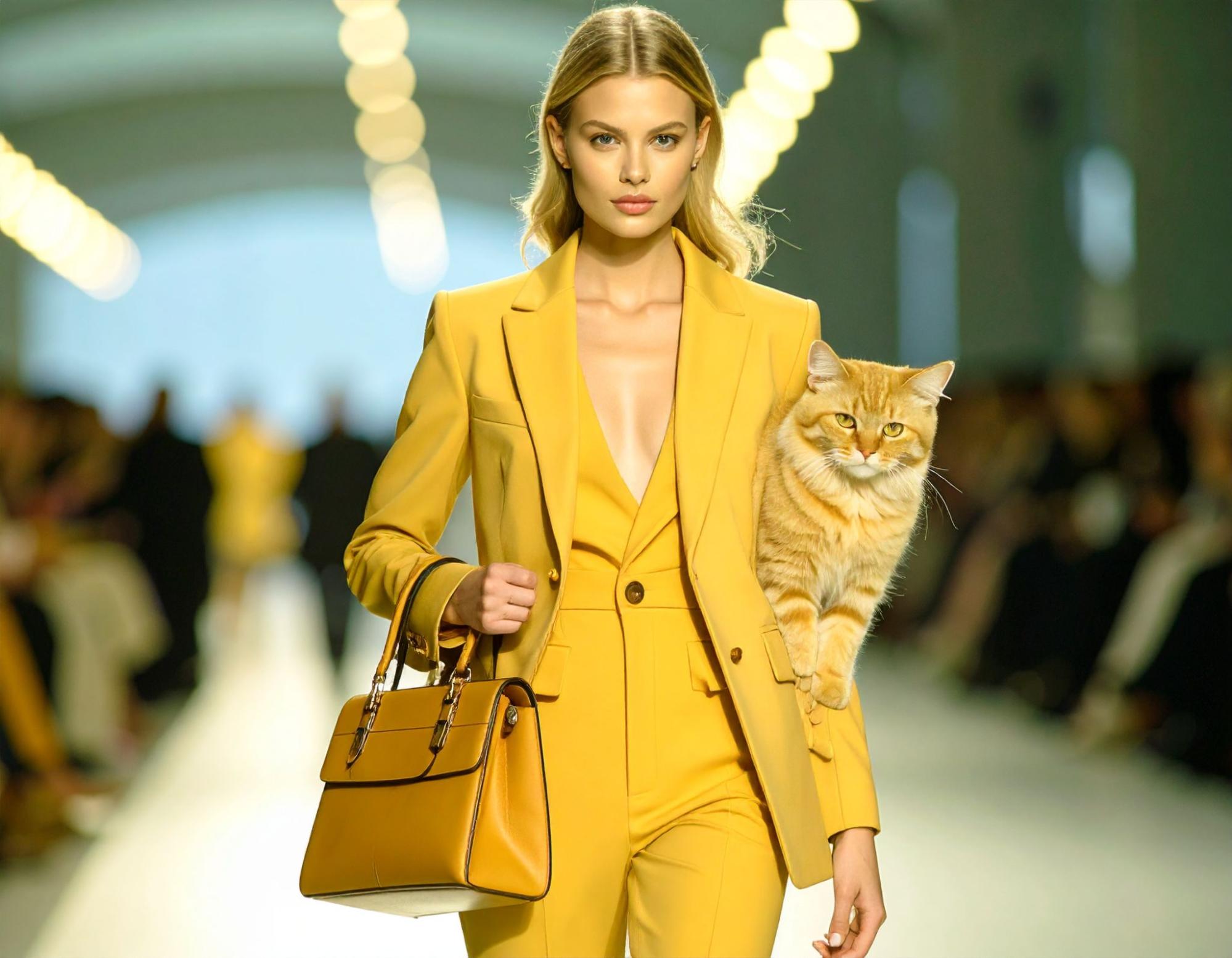
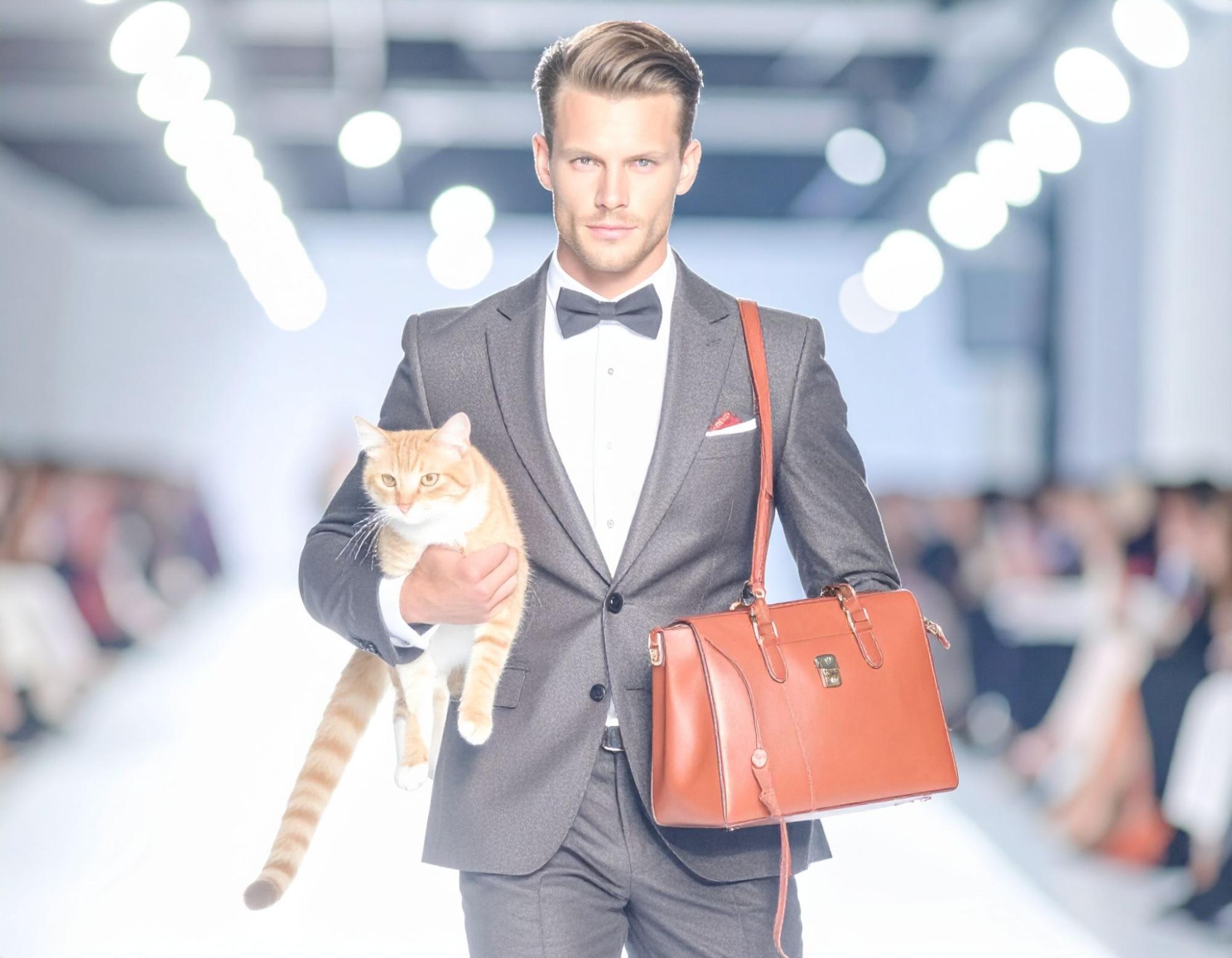
Honestly, this test was probably the worst one yet. There are notable anomalies in the images, and while I did like the lifelike character renders, that’s the only kudos I can give here.
In my fifth test, I explored Adobe Firefly’s capacity to accommodate a fantasy theme. So, I entered the prompt instructions below.
[generate an image of a bedroom in a vampire's castle in Romania with a window view of a vast forest]
This was what the AI image generator produced:
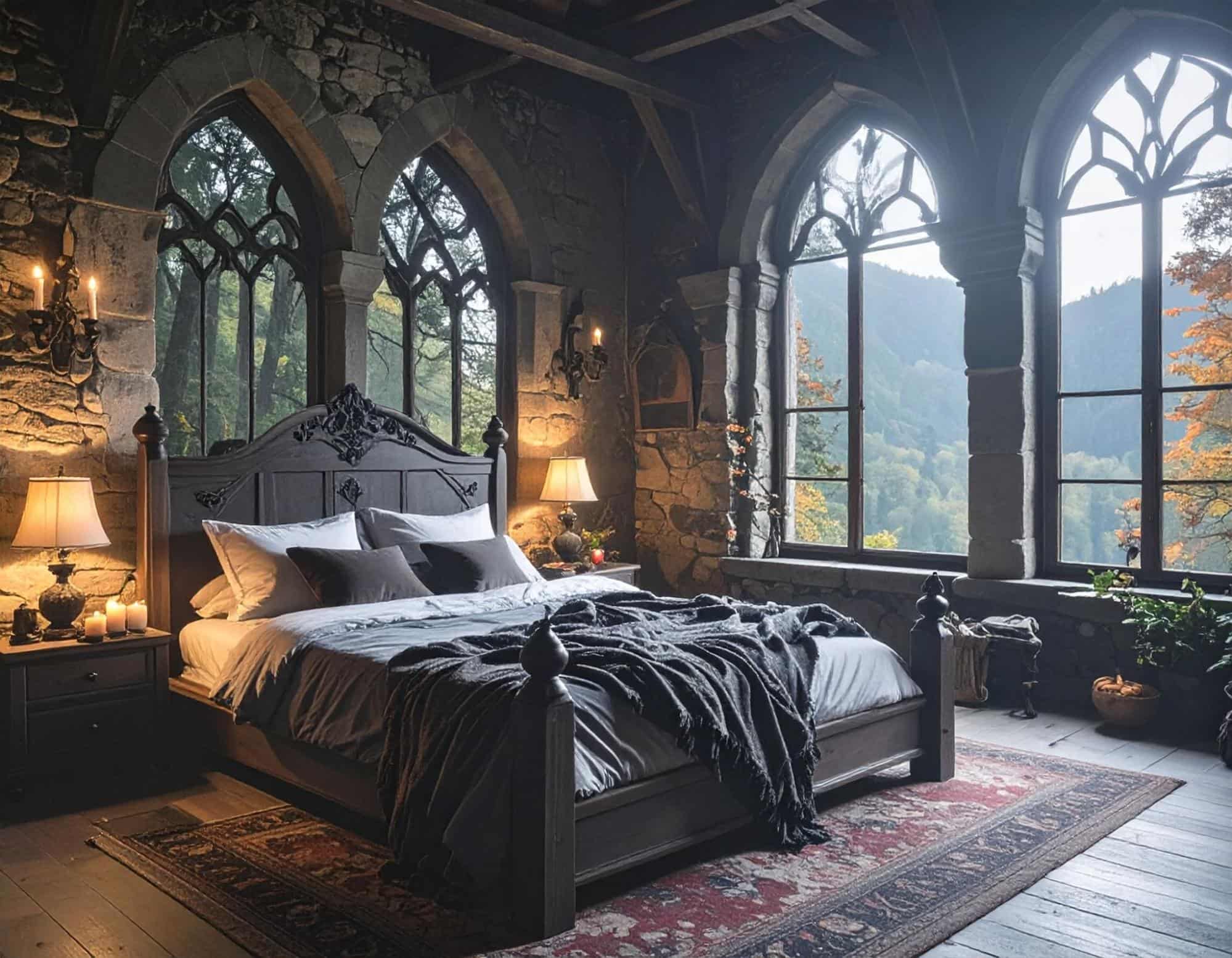
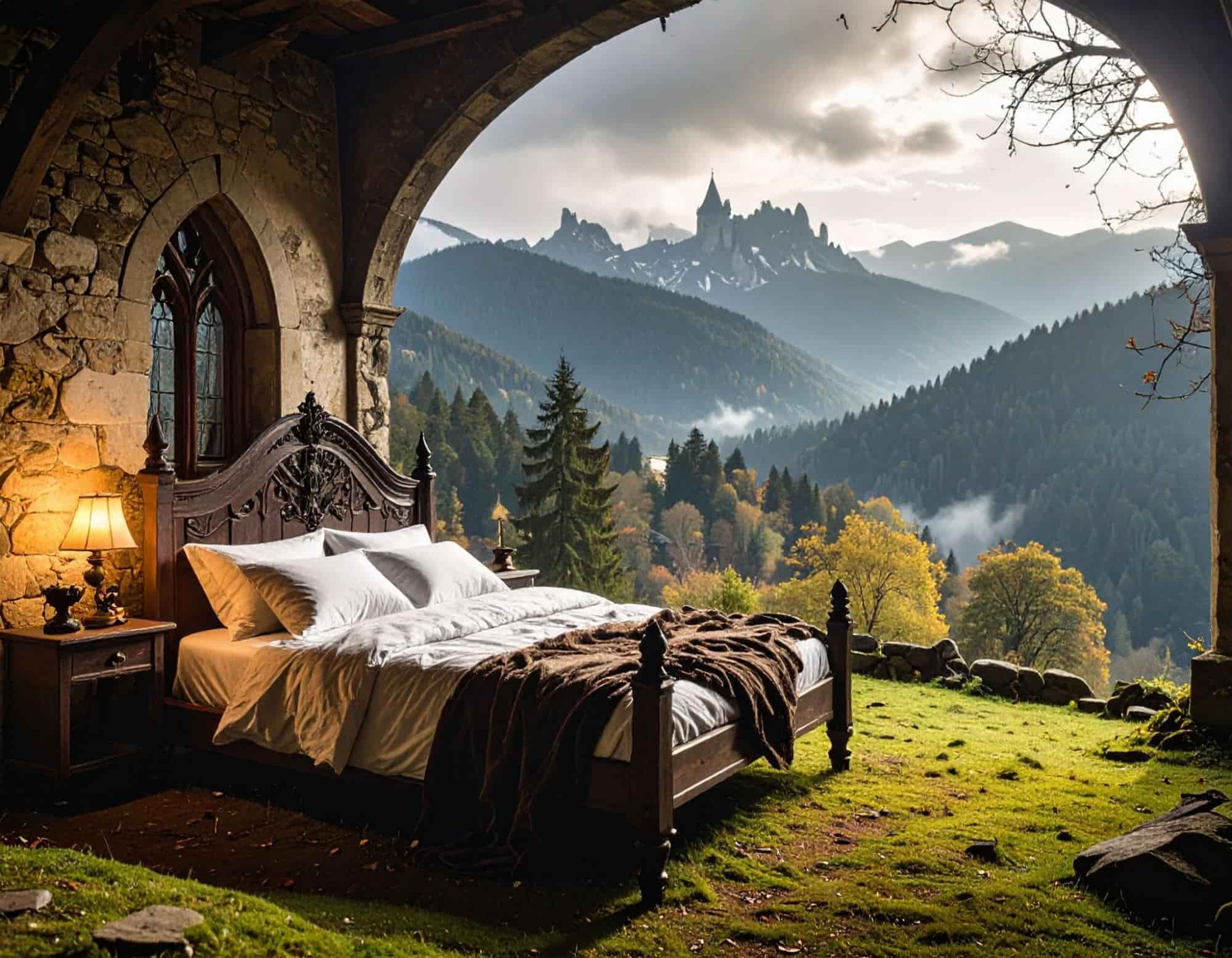
The first image looks great. The interior detail gives off an accurate castle-like vibe, but the second image went completely off track. There’s no window, and the view looks cartoon-ish.
For my sixth test, I wanted to see how Adobe deals with simple, photorealistic landscape images. So, this is the prompt I used below:
[generate an image of a beautiful lake with mountains covered with snow in the distance]
You can check out the output it generated below:
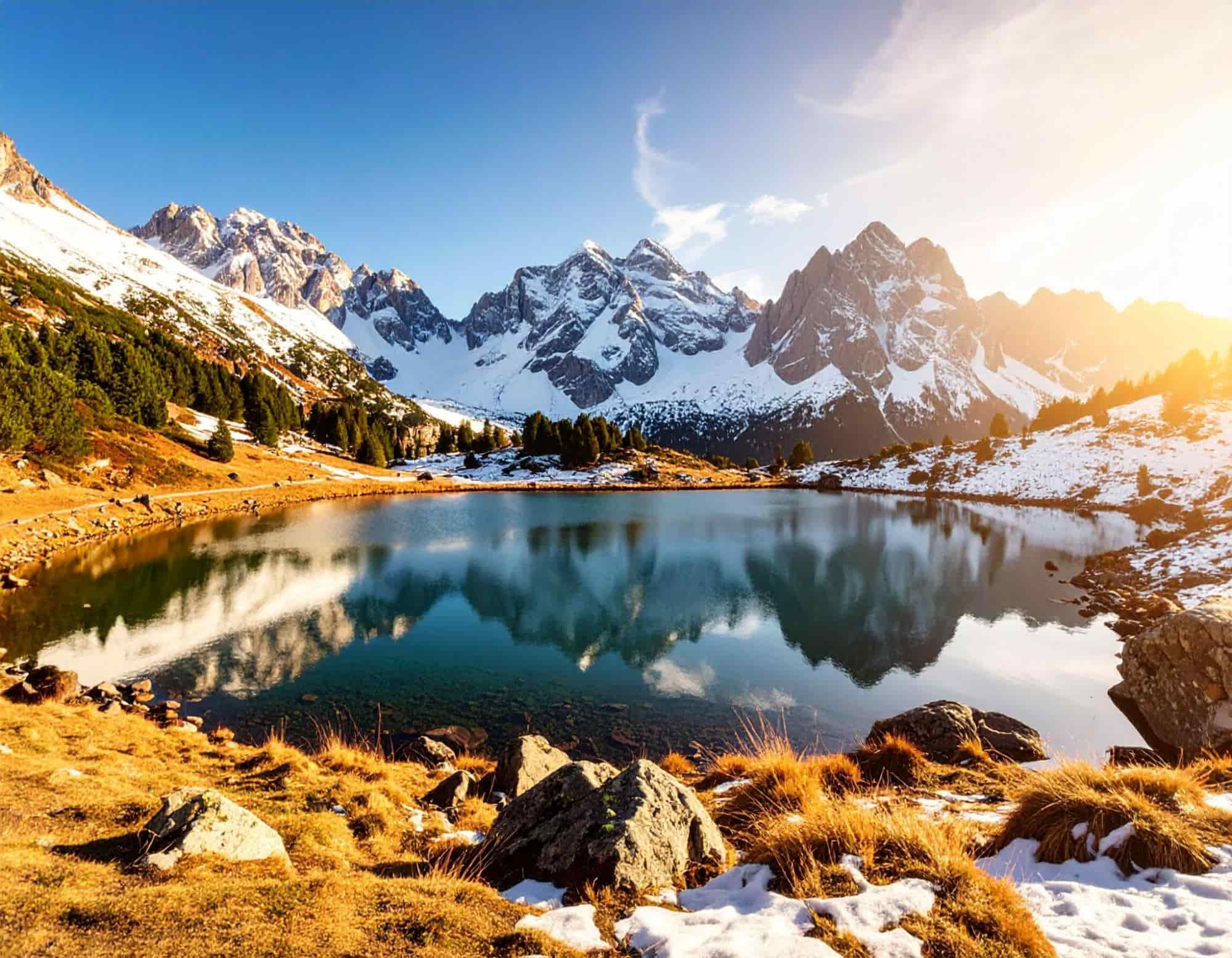
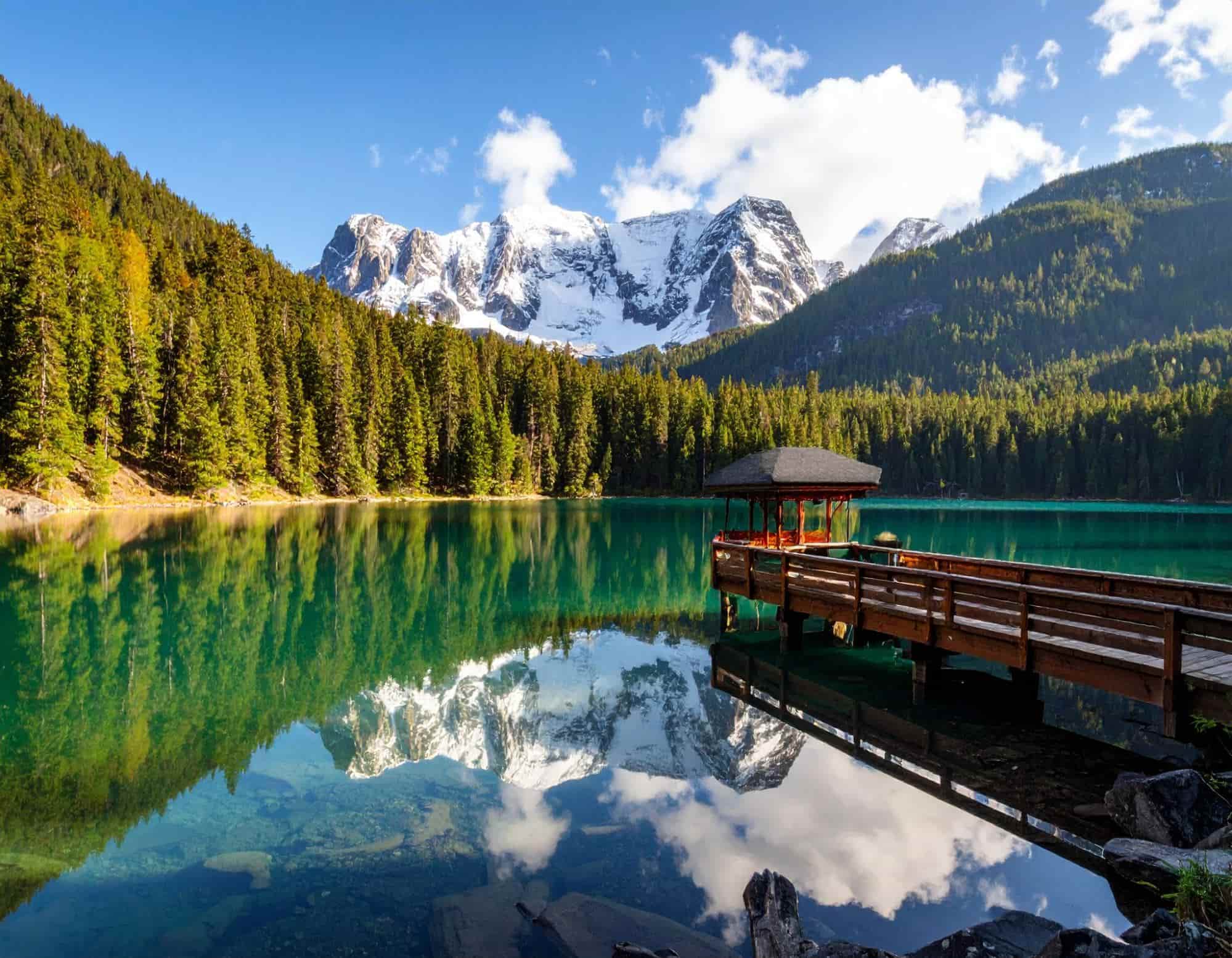
I can’t deny the photo detail, lighting, and even the added reflection made the images look believable. I also commend the AI model for following my prompt accurately with no anomalies.
For my seventh test, I decided to explore Adobe Firefly’s ability to render cinematic film scenes. This is what I requested the tool to create below:
[generate an image of a woman in a sleek, futuristic outfit standing on a rooftop, overlooking a bustling metropolis. It's night time and flying cars zoom between towering skyscrapers, with vibrant neon lights reflecting off the glass buildings, bathing the city in vibrant colors]
Here are the results of the image generation:
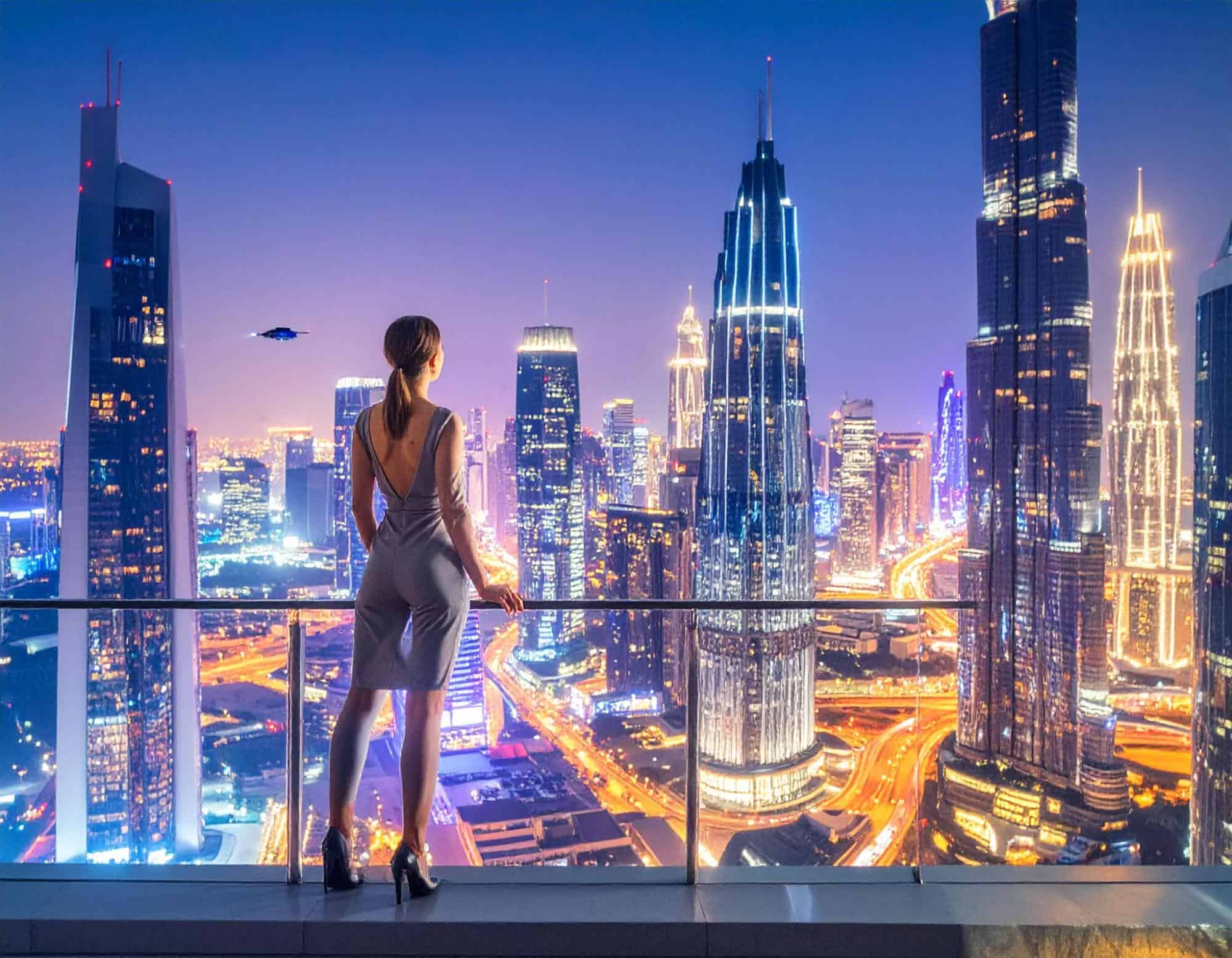
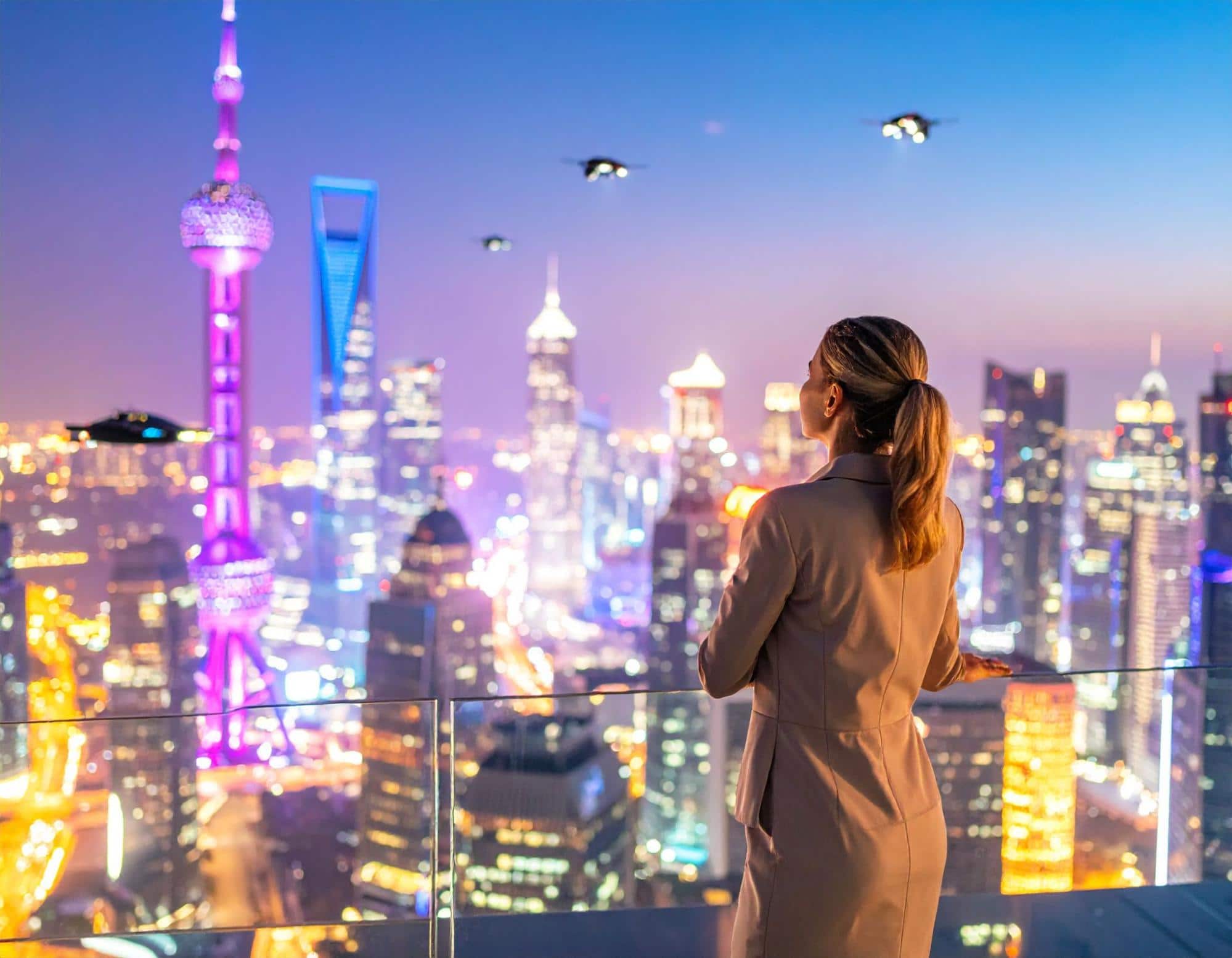
Frankly, the images just seem like normal snapshots of modern-day cityscapes with a few blurry additions of flying machines. I expected a little more creativity, but the AI model just improvised.
For my eighth test, I wanted to see how it performs in the world of cinematic film. So, I came up with this prompt below as a challenge:
[generate a cinematic image of a sharply dressed mobster, resembling Al Capone, standing outside on a 1930s New York street in the night under the shadow of a brownstone, holding a lit cigar. He wears a fedora, a tailored suit with a pocket watch, and a confident expression on his face.]
Here are the image renders it generated:
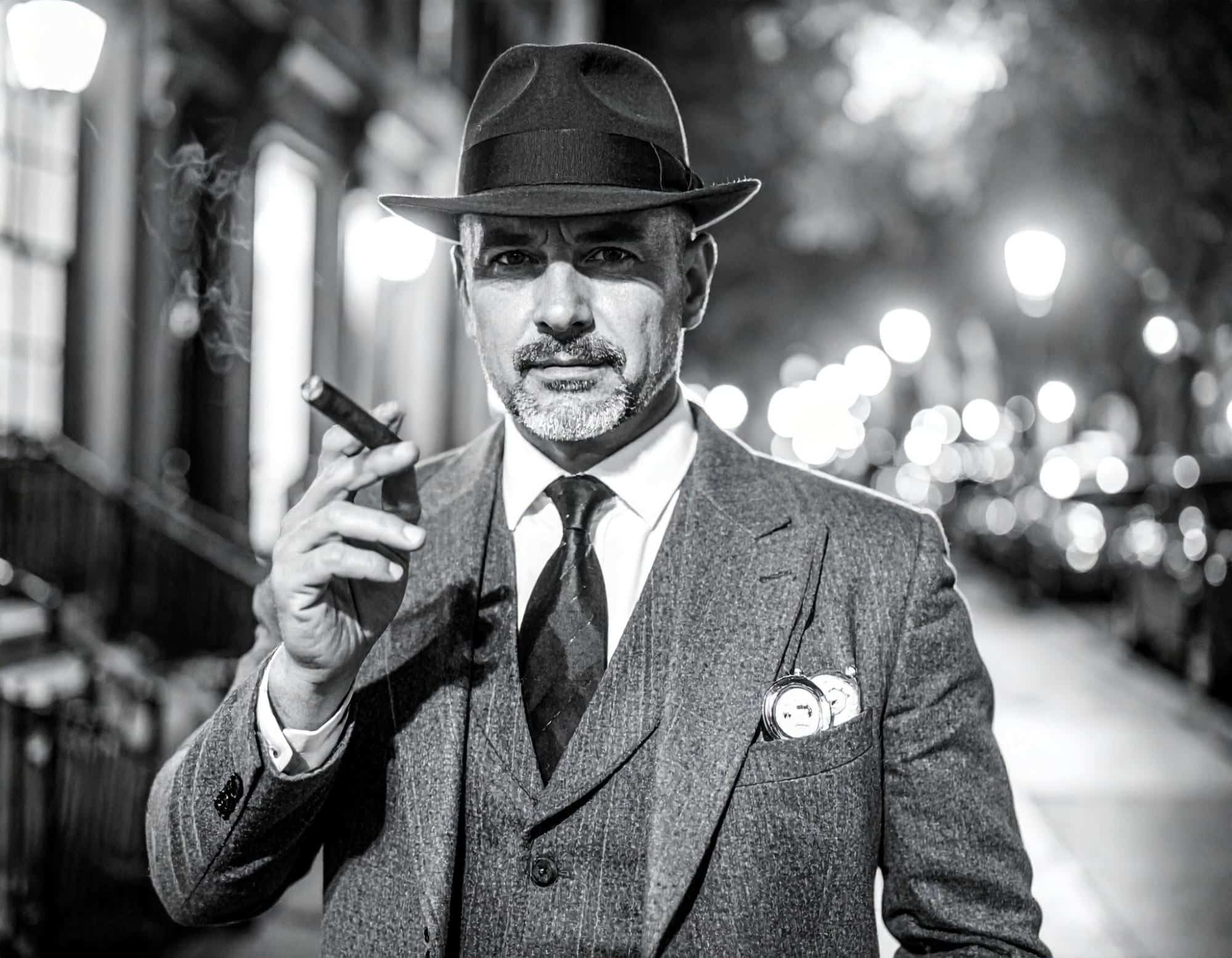
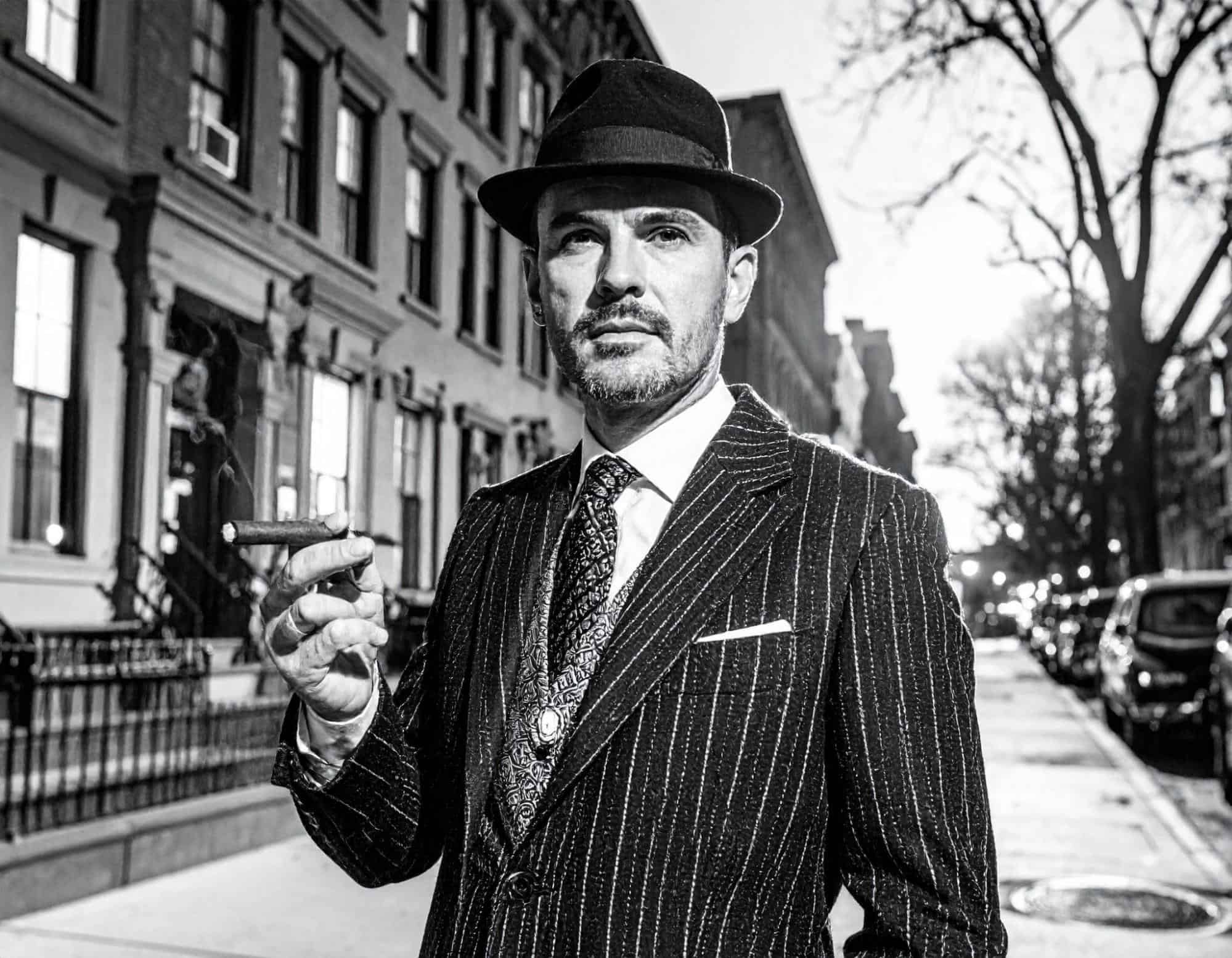
In this test, I appreciated the lifelike character design with the lit cigar, the outfit, and even the subject’s air of confidence being rendered well. But there were still some strange anomalies.
For my ninth attempt, I wanted to see its performance with complex gaming scenes. So, this is the unique prompt I entered:
[generate a gaming scene image of a sleek, futuristic car, black and armored, being chased by police drones and rival gang vehicles, their lights flashing red and blue, weaving between traffic and blasting neon trails. Sparks fly, glass shatters, and debris fly, as the chase erupts into an epic street showdown]
Check out what Adobe Firefly came up with below:
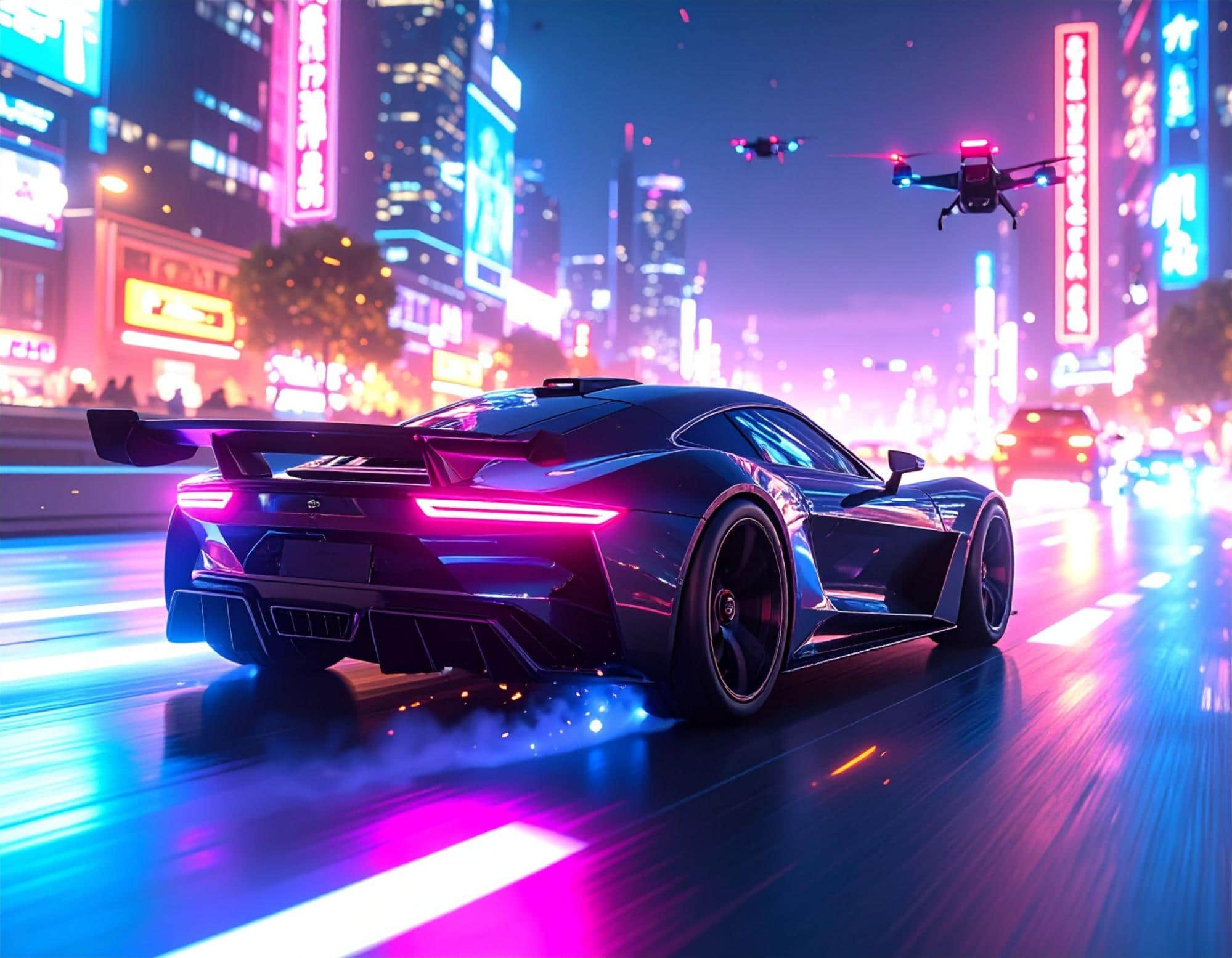
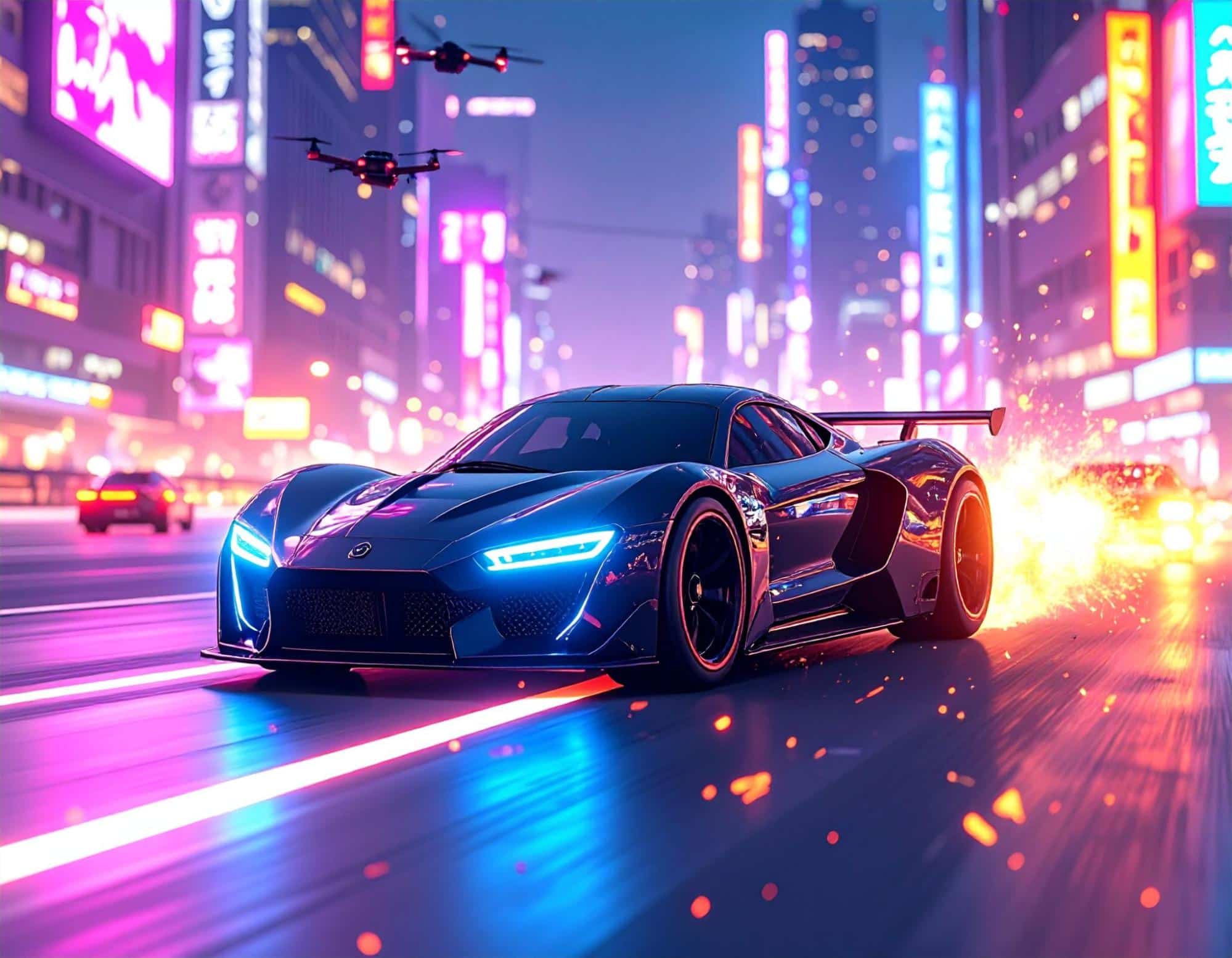
This time, the scene composition relatively matched my instructions. I particularly like the car and drone designs, the neon lighting, and even the color vibrancy, they were all great.
For my final test, I wanted to give Adobe Firefly its biggest challenge yet. A more complex prompt request to see if it can process intricate scene details.
This is what I requested:
[generate a Tolkien-inspired image of a crystalline elven city built into the side of a colossal mountain that glows of magical energy. Waterfalls cascade down its sides, feeding into a vast, enchanted forest that shimmers with bioluminescent flora and roaming ethereal creatures. Dragons glide through the air around it and on the horizon, twin moons can be seen rising in an alien-like sky. Capture the scene in a high-resolution, painterly art style.]
You can check out the image designs below.
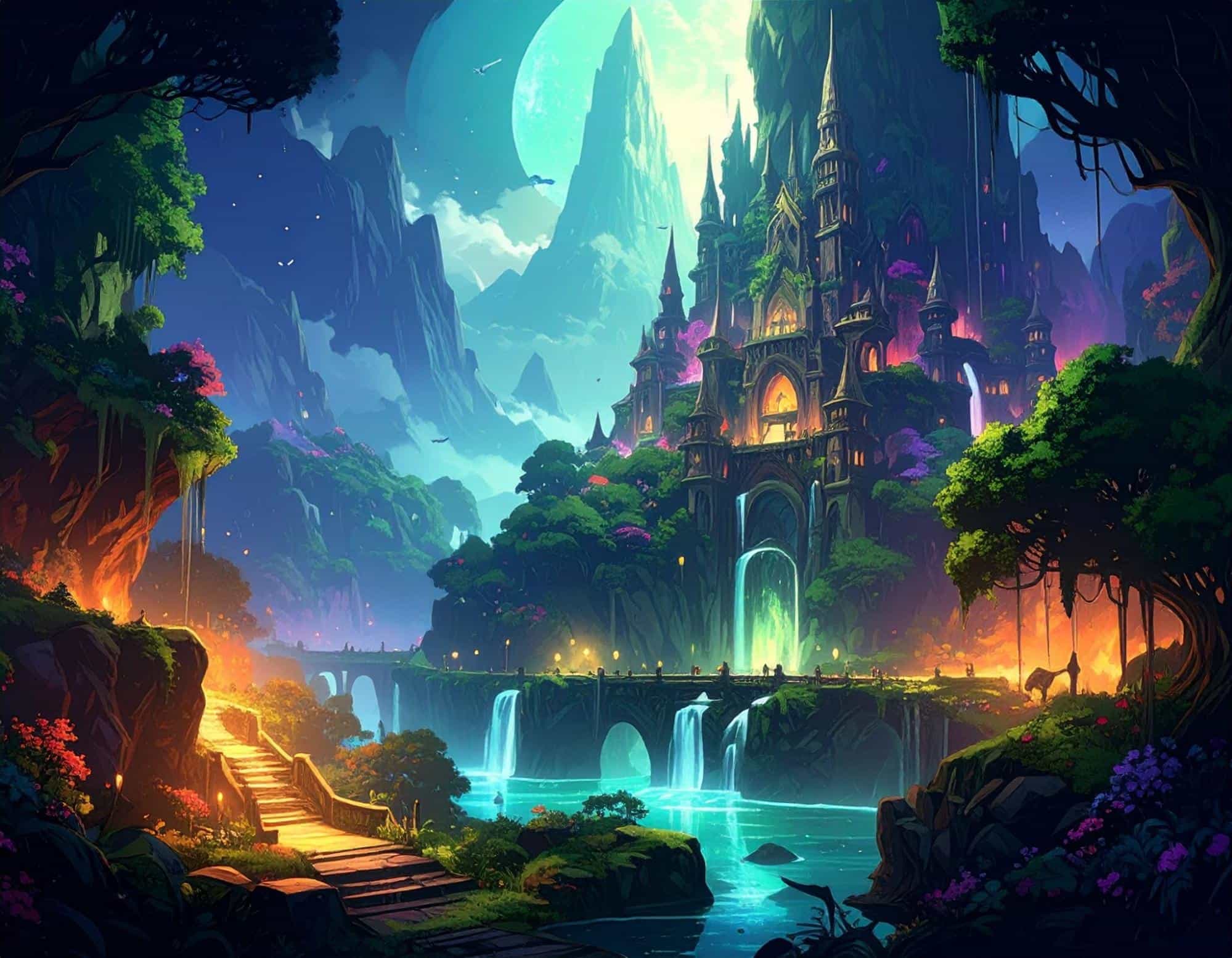
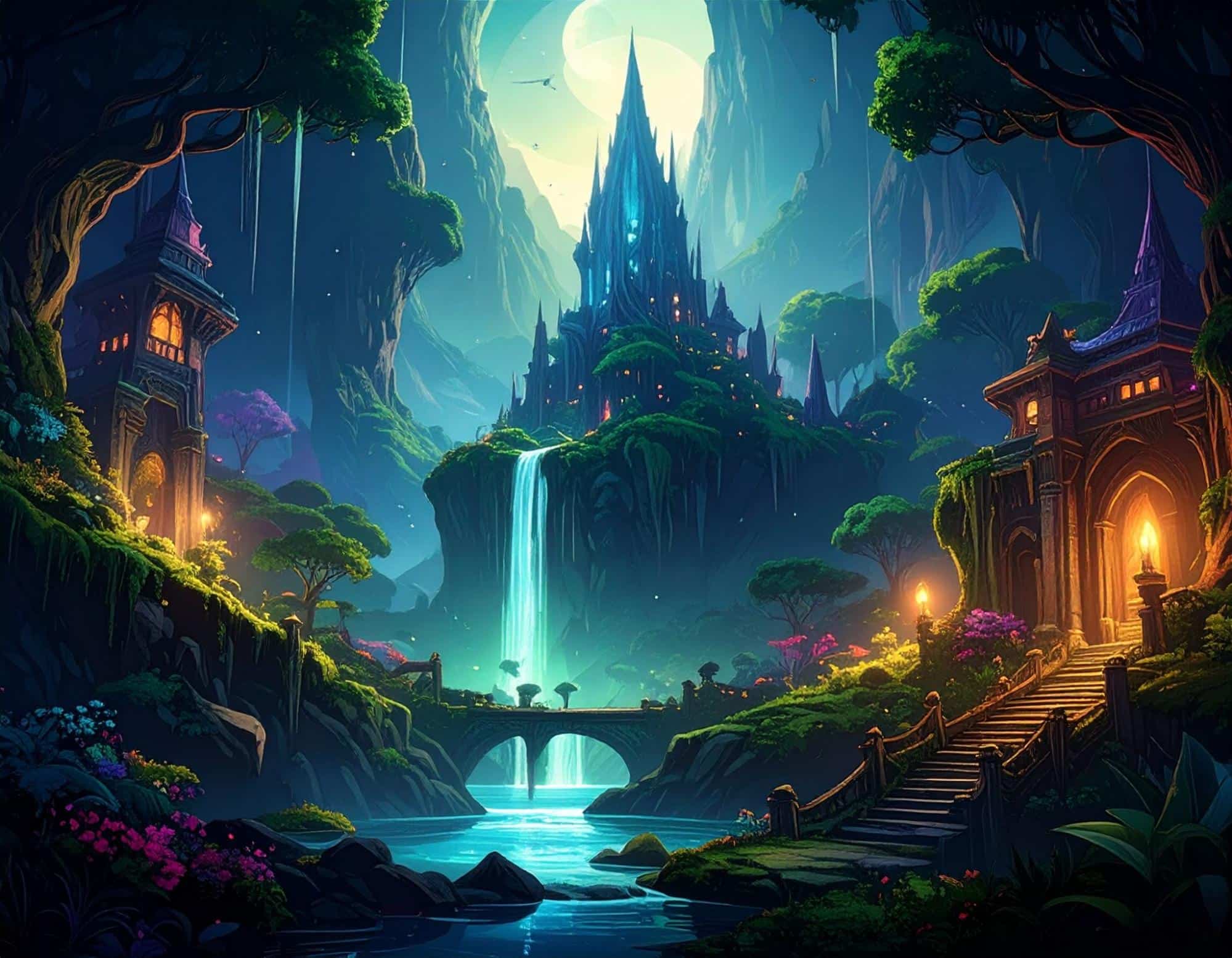
The AI model rendered a captivating fantasy art scene that draws you in with its little intricacies. Some elements from my prompt are missing, but nevertheless, it’s a stunning image.
How Was My Personal Experience with Adobe Firefly's Text to Video Generator?
After using Firefly to generate videos, it didn’t disappoint me. I was amazed at how quickly it could generate high-quality video content from simple prompts.
For instance, I tested it with a prompt - an ocean wave moving dramatically and a boat moving on the wave.
Within seconds, Firefly produced a video that captured the essence of my description. The animation lacked detail, and elements like the sea water and the hues of the sky were disappointing and unimpressive.
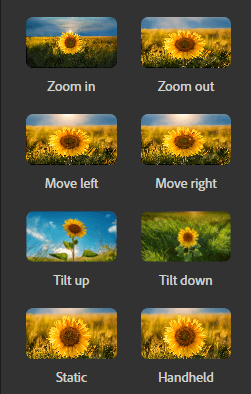
Then I changed the movement of the ocean wave. Besides, there are various other motions I can try, such as zoom in, zoom out, move left, move right, tilt up, tilt down, etc. Additionally, the camera can also remain fixed in one position without any movement.
Next, I entered a more challenging prompt: Macro shot of a tiny baby dragon made out of lava scuttling around inside a volcano. This time, I wanted to see how Firefly can deal with animal motions.
Again, I want to say Firefly delivered a visually stunning video. The grey dragon is like a real one. I was surprised by the texture on its back, the vivid background, and the dragon’s motions.
It managed to demonstrate the dynamic energy of the scene. Based on the video, I also used its editing tools to customize the video. It's easy to adjust elements like color palettes, lighting, camera angles, and even the pacing of the video.
To add dynamism and enhance the storytelling, I adjusted the camera’s movement within the video with the Camera Motion Control feature on the left panel.
Again, I used the zoom-in feature. The camera lens moves closer to the dragon, making it appear larger as the video progresses. I used this feature to highlight specific moments and details of the dragon’s movements.
The 5-second video is realistic but a little bit simple, so I took some time to enhance my prompt, hoping to add more details and effects to the video output. I described more about what the character is doing in the scene and where the character is.
Meanwhile, I took advantage of the camera angle control and the camera motion control features. Accordingly, I was able to meticulously adjust the camera angles to capture the baby dragon from various perspectives.
Here was the verified version of the prompt:
Imagine a scene where the camera starts with a top-down shot of the baby dragon scuttling around inside the volcano. As the dragon moves closer to the camera, the angle shifts to a low-angle shot, emphasizing its movements and the lava texture of its body. The camera then Zooms In to capture the dragon’s expressive eyes and scales. As the dragon scuttles away, the camera Zooms Out to reveal the vast, fiery landscape of the volcano. Finally, the camera Moves Right to follow the dragon as it explores its surroundings, creating a sense of adventure and discovery.
No more than 5 seconds, Adobe Firefly changed the background color to a brighter one. A more detailed description enables the video model to have a clear understanding of what I want.
The background involves more volcanic elements, such as rocks and erupting magma. A deep red background creates a dramatic and intense atmosphere, which complements the fiery theme of the scene. The tiny baby dragon is running from left to right and showing a little bit smiling face in the end frame.
Afterwards, I tested a group of prompts on generating human-related content. While Firefly is still refining its capabilities with human-centric content, it offers more remarkable capabilities with landscapes, animal motion, and atmospheric elements.
In a nutshell, Firefly AI video generator has proven to be an invaluable asset in my creative toolkit. If you were a YouTuber, vlogger, and social media influencer who needs to create high-quality short-form videos, you could use Firefly AI video generator to generate videos from simple words in seconds.
Want an Alternative Generative AI Image Tool? Try Pollo AI!
As I’ve said, Adobe Firefly can make for a good starting point in creating images across a wide range of styles. It can handle the basics relatively well.
But if unique, imaginative, and professional-grade image designs are what you seek, then I think Pollo AI would be better suited for you. And here’s why!
I discovered Pollo AI, which is a state-of-the-art, all-in-one AI image and video generation tool.
It comes integrated with various top-class AI generation models such as GPT-4o and Stable Diffusion, just to name a few.
And that isn’t even the best part? I have always struggled to find a way to edit and refine existing images without needing advanced editing skills.
But with Pollo AI, I can handle all that in just a few clicks! I can use creative AI apps like music video and UGC video Ads to quickly turn simple ideas into engaging video content.
I suggest you go see what Pollo AI can do for yourself. And since it has a free trial plan, you won’t even need to pay anything to get started!
Conclusion
Having seen what Adobe Firefly can do, I think it’s good for exploring new ideas and producing basic image mockups. The simplicity of its interface, fast generative speed, and editing options form a great package, especially for beginners. But if you want to produce next-level imagery that can get the nod of approval from professionals, then choosing Pollo AI is a no-brainer!