



Flova AI Review: I Tested Flova AI Video Generator For Weeks, And Here’s What I Found
Flova AI is worth trying if you want an AI video generator for cinematic storytelling, consistent characters, camera movement, and guided scene production.
I like Flova AI most when it acts like an AI film assistant. It helps you think through character views, scene mood, camera movement, model choice, sound, and visual flow in a way that feels more guided than a plain text-to-video box. But it is not perfect. Flova AI can feel slower when you need fast, post-ready marketing videos, and the output still needs careful review before you use it in a real project.
Flova AI Review: TL;DR
Flova AI is a strong AI video generator for creators who want cinematic control, consistent characters, and a more guided production workflow. Its best idea is 360-degree character consistency. You can build a character from front and back views, then rotate the camera around that subject while keeping the face, outfit, and emotional style visually stable.
The catch is that Flova AI still feels more like a creative production workspace than a fast publishing machine. You may get impressive scenes, but you still need to review the output before using it in a real project.
| Review Criteria | Verdict |
| Character Consistency | Strongest area, especially for controlled 360-degree character shots |
| Cinematic Control | Good fit for camera movement, lighting direction, and story scenes |
| Ease Of Use | More approachable than raw prompt engineering, but still needs review |
| Marketing Workflow | Useful for concept videos, less direct for high-volume ads |
| Best Fit | AI filmmakers, music video creators, story-based creators, and visual experimenters |
What Is Flova AI?
Flova AI is an AI video generator built for cinematic video creation, character-based storytelling, and multi-step production.
Instead of only giving you a prompt box, Flova AI tries to act more like a scriptwriter, editor, and sound engineer inside one conversational workspace. You describe your idea, shape the scene, and guide the video through a more production-like process.
That makes it different from basic AI video tools. Flova AI is not only asking, "What clip do you want?" It is asking something closer to, "What scene are we building?" That is why it feels more attractive to filmmakers and creators than to pure performance marketers.
What Are Flova AI's Key Features?
Flova AI's key features are character consistency, cinematic camera control, conversational production, and multi-model creative flexibility.
1. 360-Degree Character Consistency
Flova AI's most interesting feature is 360-degree character consistency. Flova AI can use a confirmed character reference as the visual anchor. From there, it can support camera rotations and changing views while trying to keep the same character identity intact.
That solves a real AI video problem. Many tools can create a beautiful person for three seconds. Fewer tools can keep that person looking like the same person when the camera moves.
My read is this: Flova AI is strongest when the shot is controlled. A 360-degree character turn is exactly the kind of problem it seems built for.
2. Cinematic Camera Movement
Flova AI is also strong when you want the video to feel planned instead of random. A lot of AI video generators still produce clips that look good but feel directionless. The camera floats, the subject moves, and something visually interesting happens, but it does not always feel intentional.
Flova AI pushes more toward direction. You can think in terms of camera angles, lighting, motion, and scene flow. That makes it useful for music videos, short film tests, travel-style reels, and visual storytelling.
3. Conversational Video Production
Flova AI's conversational workflow is one of its better ideas. Instead of wrestling with a long technical prompt, you can describe what you want more naturally. That lowers the barrier for creators who think visually but do not want to write prompt formulas all day.
This is where Flova AI feels like a creative partner. You can ask for a scene, adjust the mood, refine the camera angle, and keep shaping the direction. I like this because it matches how many creators actually think. Most people start with a feeling or scene, not a perfect technical prompt.
4. Multi-Model Creative Workspace
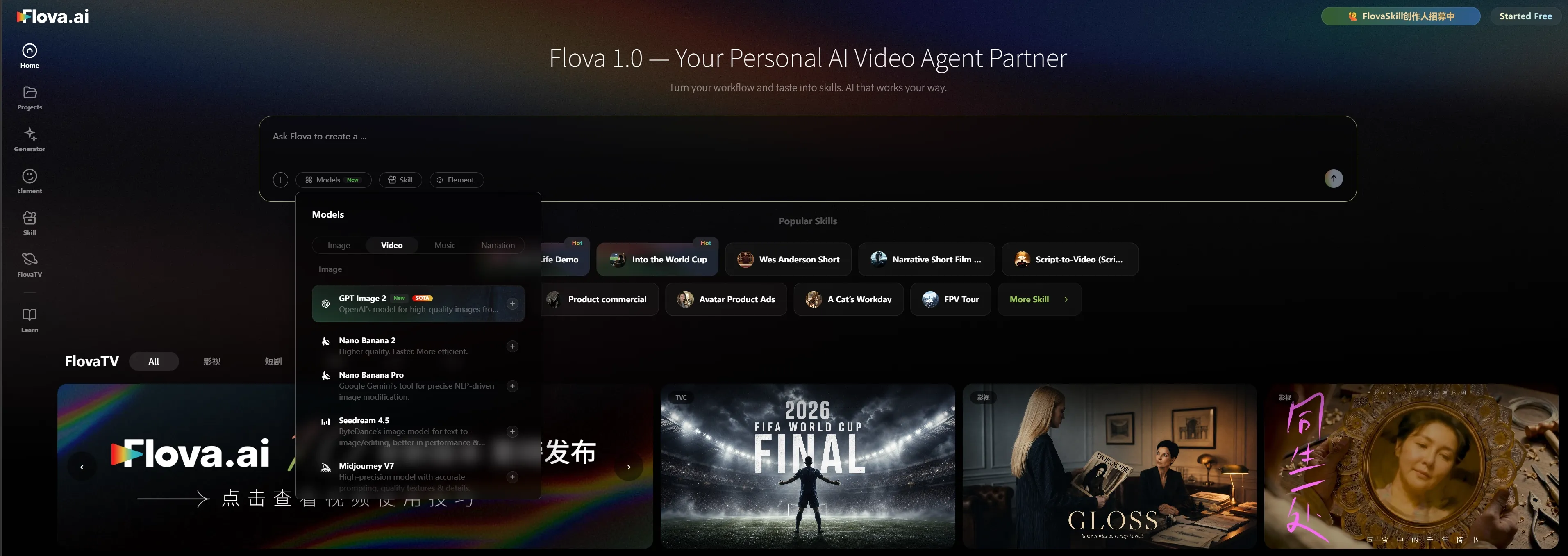
Flova AI also works as a multi-model video workspace. That matters because one AI model rarely handles every creative task well. One model may be better at faces. Another may be better at motion. Another may handle stylized scenes more cleanly.
A multi-model setup gives creators more room to experiment. The tradeoff is that beginners may need time to understand which model fits which job.
What Are Flova AI's Pros And Cons?
Flova AI has a clear creative angle, but it is not perfect.
Pros:
- Strong for 360-degree character consistency
- Good fit for cinematic scenes and story videos
- Conversational workflow feels easier than technical prompting
- Useful for music videos, short films, and character tests
- Multi-model workspace gives more creative flexibility
Cons:
- Still needs output review before publishing
- Not the fastest option for ad workflows
- Fine control can still be limited
- Longer projects may still face consistency drift
- Beginners may need time to learn the workflow
Where Does Flova AI Fall Short?
Flova AI falls short when you need predictable, ready-to-use output with minimal review.
The Workflow Is Creative, But Not Always Fast
Flova AI feels built for creators who enjoy shaping scenes. That is great if you are developing a short film or music video. It is less ideal if your main goal is to make several product ads by Friday.
The more cinematic the workflow becomes, the more decisions you need to make. Camera movement, scene order, mood, sound, and visual continuity all take attention. Some creators will love that. Marketers may find it slower than they need.
Fine Control Can Still Be Frustrating
Flova AI gives you a guided production flow, but AI video still has limits. If you need one exact hand movement, one exact product angle, or one exact brand detail, you may still need several attempts. The system can understand the direction but miss the tiny thing that matters.
This is not unique to Flova AI. It is a broader AI video issue. Still, it matters for review. A beautiful clip is not enough if the product label is wrong or the character changes halfway through the scene.
How I Reviewed Flova AI
I reviewed Flova AI by focusing on real creator problems, not just feature names. I looked at six parts of the experience:
- Character consistency across camera angles.
- Cinematic control over motion, lighting, and scene flow.
- Prompting and conversational direction.
- Multi-model flexibility for different video styles.
- Output reliability for longer or brand-sensitive projects.
- Practical value for creators, marketers, and small teams.
I also looked at whether the output feels ready to use. That matters because a tool can be visually impressive and still create more cleanup work than a creator expects.
My conclusion is split. Flova AI is more convincing as an AI filmmaking workspace than as a fast marketing production tool.
Is Flova AI Right For You?
Flova AI is right for you if you care more about cinematic quality and character stability than instant publishing.
Use Flova AI if you create short films, music videos, AI story scenes, stylized visual sequences, or character-based experiments. It is strongest when the video depends on a recognizable subject and planned camera movement.
Skip Flova AI if you need quick product ads, strict brand control, or social videos with very little manual checking. It is better for creative experimentation than high-volume marketing output.
That is the clearest split. Flova AI is more AI film studio. Pollo AI is more AI content production suite.
How Does Flova AI Perform Across Real Use Cases?
Flova AI performs best in creative video use cases where character identity, camera movement, and visual mood matter more than publishing speed.
| Use Case | My Take |
| Character-Led Short Films | Strong fit. Flova AI is built around characters, scene direction, and cinematic movement. |
| Music Videos | Strong fit. It works well when mood, motion, and recurring subjects matter. |
| Stylized Social Clips | Good fit. It can create eye-catching scenes, but each output still needs review. |
| Product Ads | Weaker fit. It can help with concepts, but it is not the most direct path to product-led content. |
| Marketing Campaigns | Mixed fit. Useful for brand films or teasers, slower for high-volume ad production. |
| Storyboarding | Good fit. It can help creators test scene ideas before moving into a larger production flow. |
That is why I would separate "creative testing" from "campaign production." Flova AI is better for the first job. Pollo Agent is better when the input is a product photo, URL, script, or campaign idea and the output needs to feel closer to finished.
Why Is Pollo AI A Better Flova AI Alternative?
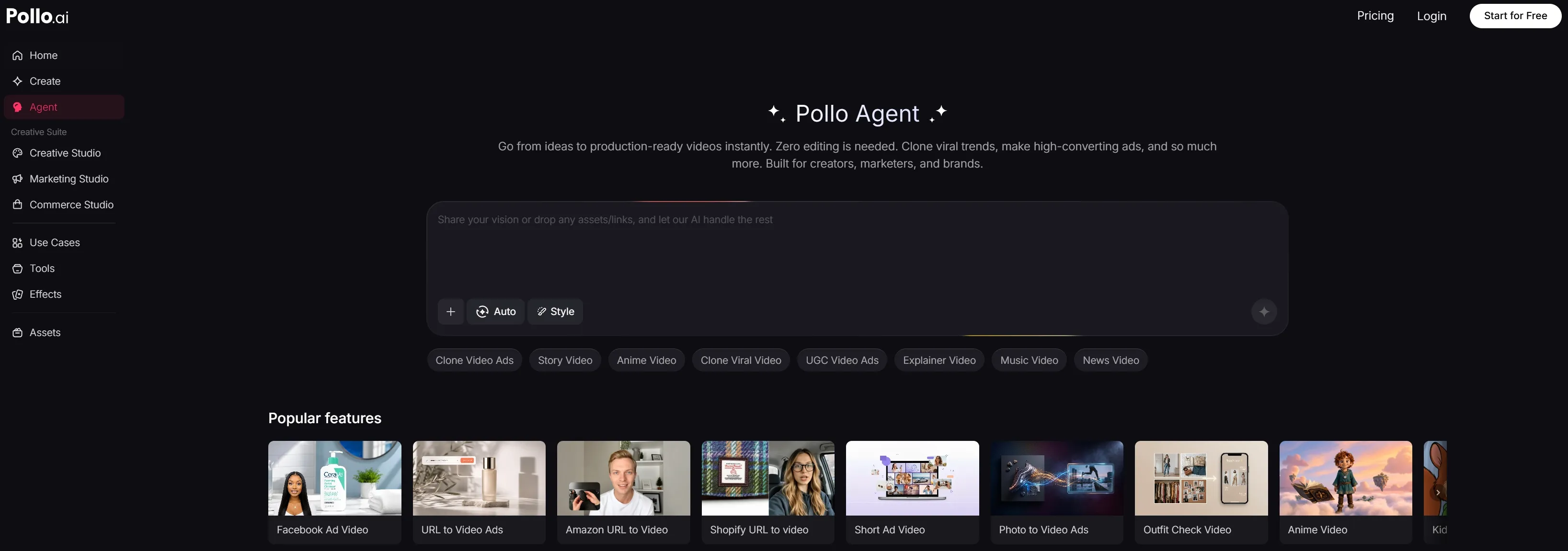
Pollo AI is a better Flova AI alternative if you need a complete content production system, not only a cinematic character-video workspace. The big difference is product structure. Flova AI feels strongest when you are shaping a scene. Pollo AI is organized around three practical production paths: Marketing Studio, Commerce Studio, and Creative Studio.
Build More Than Character Videos with Pollo AI
Create marketing clips, product videos, and social posts in one complete AI production workspace built for real publishing needs.
Try Pollo AI Free!
From Idea To Finished Video
Pollo Agent is the bridge between a raw idea and a usable video. This is the first place where Pollo AI feels different from Flova AI. Flova AI helps you shape a cinematic clip. Pollo Agent helps you build a more complete video without manually stitching raw outputs together.
For a marketer or seller, that is not a small difference. The real bottleneck is rarely generation. It is turning generated pieces into something you can post, test, or send to a team.
Marketing Studio For Ready-To-Use Ads
Marketing Studio by Pollo AI is the part I would point marketers to first.
It is built for ready-to-use ads, not abstract video experiments. The workflow maps to real inputs like viral references, product photos, and campaign messages through tools such as clone video ads, and UGC video ads.
Commerce Studio For Product Visuals
Commerce Studio is the more practical path when the job starts with a product, not a story scene.
This is where Pollo AI becomes useful for sellers and brands. Commerce Studio is designed for commercial-grade product visuals, while tools like AI product video generator help turn product assets into cleaner visuals for ads, listings, and social content.
That is a different problem from Flova AI's cinematic character work. If you sell apparel, cosmetics, home goods, or gadgets, you usually need product clarity before cinematic mood.
Creative Studio For Multi-Format Creation
Creative Studio is the closer match if you like Flova AI's creative freedom but want more formats in one place.
Inside Creative Studio, Pollo AI brings together video, image, avatar, audio, tools, and effects. For example, you can move from AI video generation into mimic motion or the AI video editor without rebuilding your workflow from scratch.
That broader setup is why I see Pollo AI as the stronger everyday platform. Flova AI may win on a specific cinematic character shot. Pollo AI wins when the project needs several assets, several formats, and fewer tool changes.
My Personal Take On Flova AI
I like Flova AI because it is solving a real AI video problem. Character drift is one of the most annoying issues in AI video. When a tool focuses on consistent character angles, it is not chasing a gimmick. It is attacking a production blocker.
But I would not use Flova AI for every video job. If I were making an AI short film, I would test it. If I were making a music video with a recurring character, I would test it.
If I were producing product ads for a campaign, I would start with Pollo AI. The workflow is closer to the output I need. That is my honest split: Flova AI is more exciting; Pollo AI is more practical.
Final Verdict: Is Flova AI Worth Using?
Flova AI is worth using if you want consistent AI characters, cinematic camera movement, and a more guided video creation process.
It is not the best first choice if you need fast, post-ready videos. You will still need to review the output carefully, especially for longer projects or brand-sensitive content. My recommendation is simple. Try Flova AI for character-driven creative work. Use Pollo AI when you need finished videos for social, ads, products, or campaigns.