



Dreamina AI Honest Review: It's Not as Powerful as It Describes
I came across Dreamina a while ago while using CapCut, but I didn’t think much of it until a friend recently recommended it. His positive feedback sparked my curiosity.
I looked it up and found that Dreamina offers AI tools for images, videos, and avatars—and it's more popular than I expected.
I gave it a try. It offers AI image and video generation from text prompts or images, and an AI avatar generator that features text-to-speech and uploads audio.
I found it is a nice choice for auto-image and video generation, but to be honest, not as exaggerated as described on its official website.
After several rounds of tests, I have gained an objective understanding of Dreamina’s AI tools. If you are also planning to give this platform a try, you should first learn about my real usage experience and my objective opinions.
My First Glance at Dreamina's AI Tools
To be honest, I didn’t expect much at first, as there are countless AI content creation toolkits on the market, and all of them boast they are the best.
However, after I signed in to Dreamina using my Google account and accessed this platform, my first impression of the interface attracted me. I see a clean and simple interface with entrances for all AI tools and a showcase listing the trends. No ads, no fancy stuff.
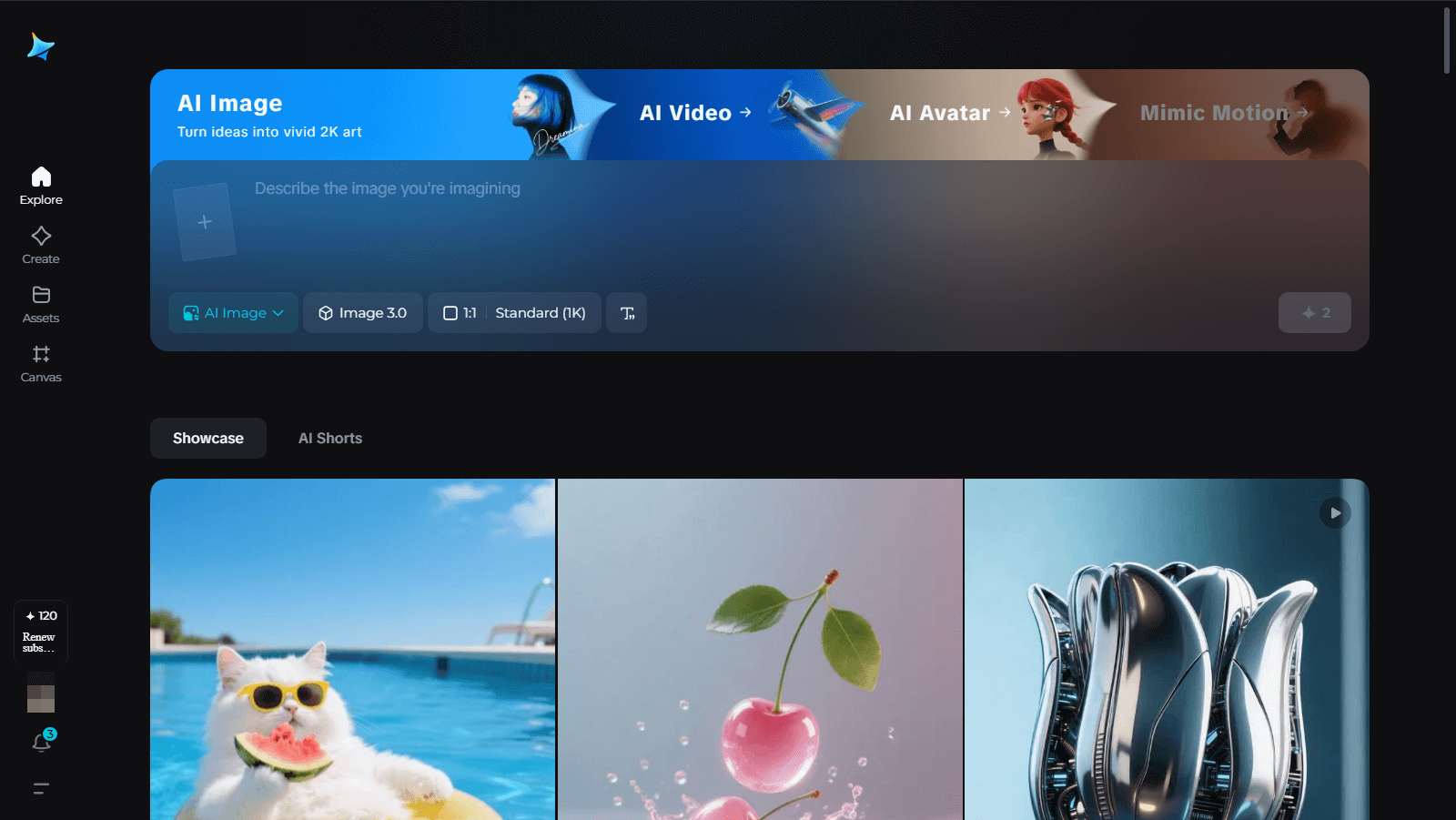
Each tool and its features have on-screen instructions, making the job simpler.
The image generator allows me to upload the image or describe what I want to create, switch between different models (each model has an introduction), choose dimensions and resolution, and edit the size.
The video generator allows me to add an image or give a description for video generation in diverse models, and for 5 or 10 seconds.
The avatar generator lets me import a character image and do the lip sync by inputting text or uploading audio.
Such a friendly and suitable AI content generation tool for beginners who are not very familiar with or proficient in online image and video production.
My Tests on Access to Dreamina's AI Video Generator
To verify whether Dreamina is a powerful tool, I decided to test it. And I started with its AI video generation capabilities.
The toolbar of the AI video generator of Dreamina is simple and clear. I find there are two video models - Video 3.0 and Video S2.0 Pro.
The Video 3.0 model aims at dealing with complex prompts and creating multi-lens video in one go. The Video S2.0 Pro focuses on realistic motion and natural camera movement.
Test 1: Image-to-Video Generation
First, I tried the image-to-video generation functionality.
I add an image of a rabbit eating noodles as the first frame, choose Video 3.0 mode.
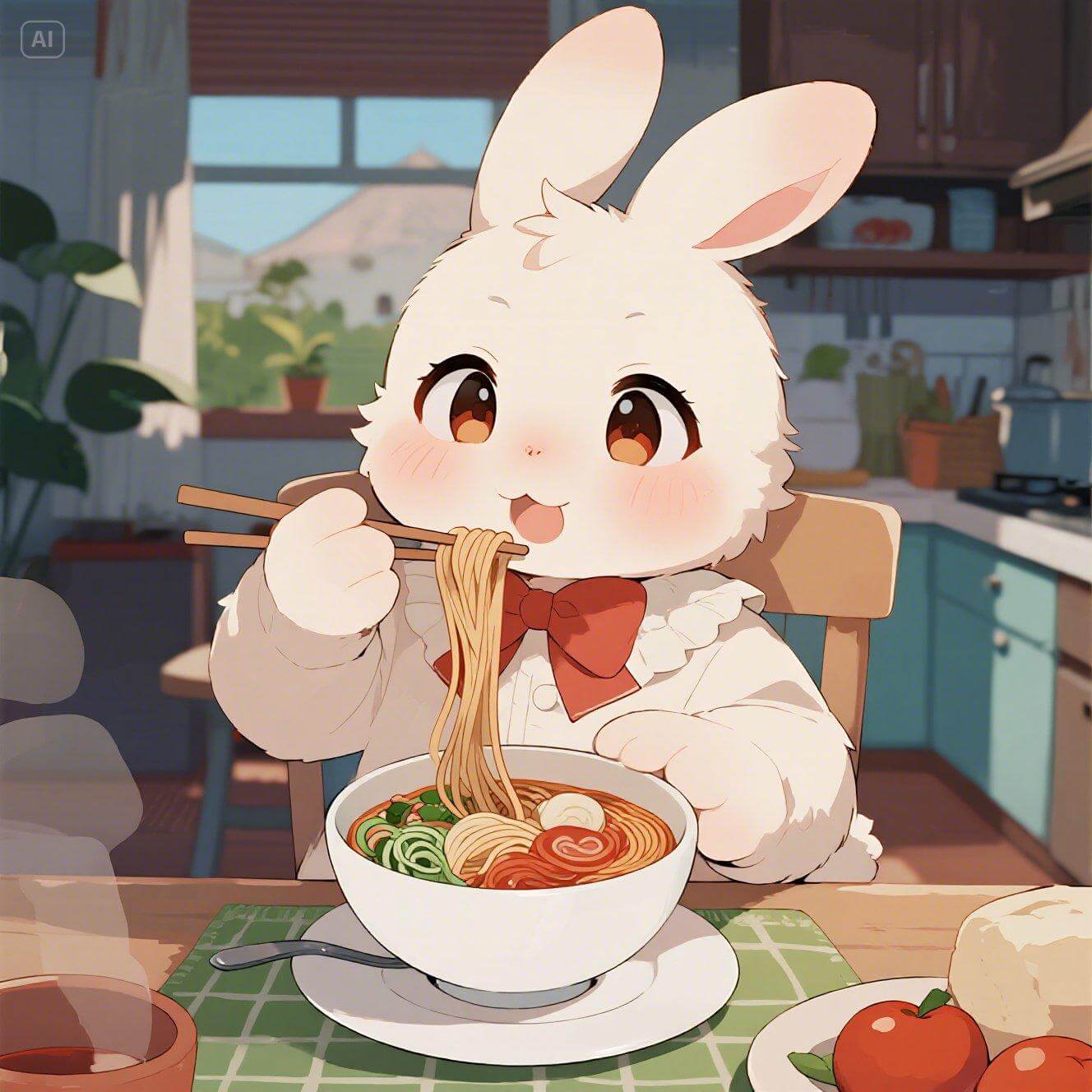
Then, I entered some prompts for this uploaded image - the rabbit eats all the noodles and leaves the bowl empty, to get a video with richer content, and then let it create a 5s video.
Even though the video was short, it took several minutes to give me the result.
This makes me think that Dreamina’s video production speed and efficiency are a little low. It can’t handle the combination of images and prompts well.
Test 2: Text to Video Creation
As it failed to output what I wanted after I added some text prompts to the image, I switched to using the text-only prompts to create the video.
I typed “The rabbit sat at the dining table and ate a bowl of noodles. Eventually, it finished the noodles and left an empty bowl.” Also, I chose the 5s duration.
This time, the creation speed becomes faster. Ironically, I finally got a video that didn’t match my description - the rabbit in the video takes the bowl away and leaves an empty plate.
The video production program seems unable to understand what I want correctly.
My Tests on Dreamina's AI Image Generator
Next, I put the AI image generator to the test.
Test 1: Anime Image Creation
I started with a lighthearted one - an anime image. I entered this text prompt: "A happy bunny is eating noodles in a cozy house, anime-style" into the dialogue box, and chose Image 3.0 as the model.
After a moment, Dreamina's AI Image Generator generated four variations.
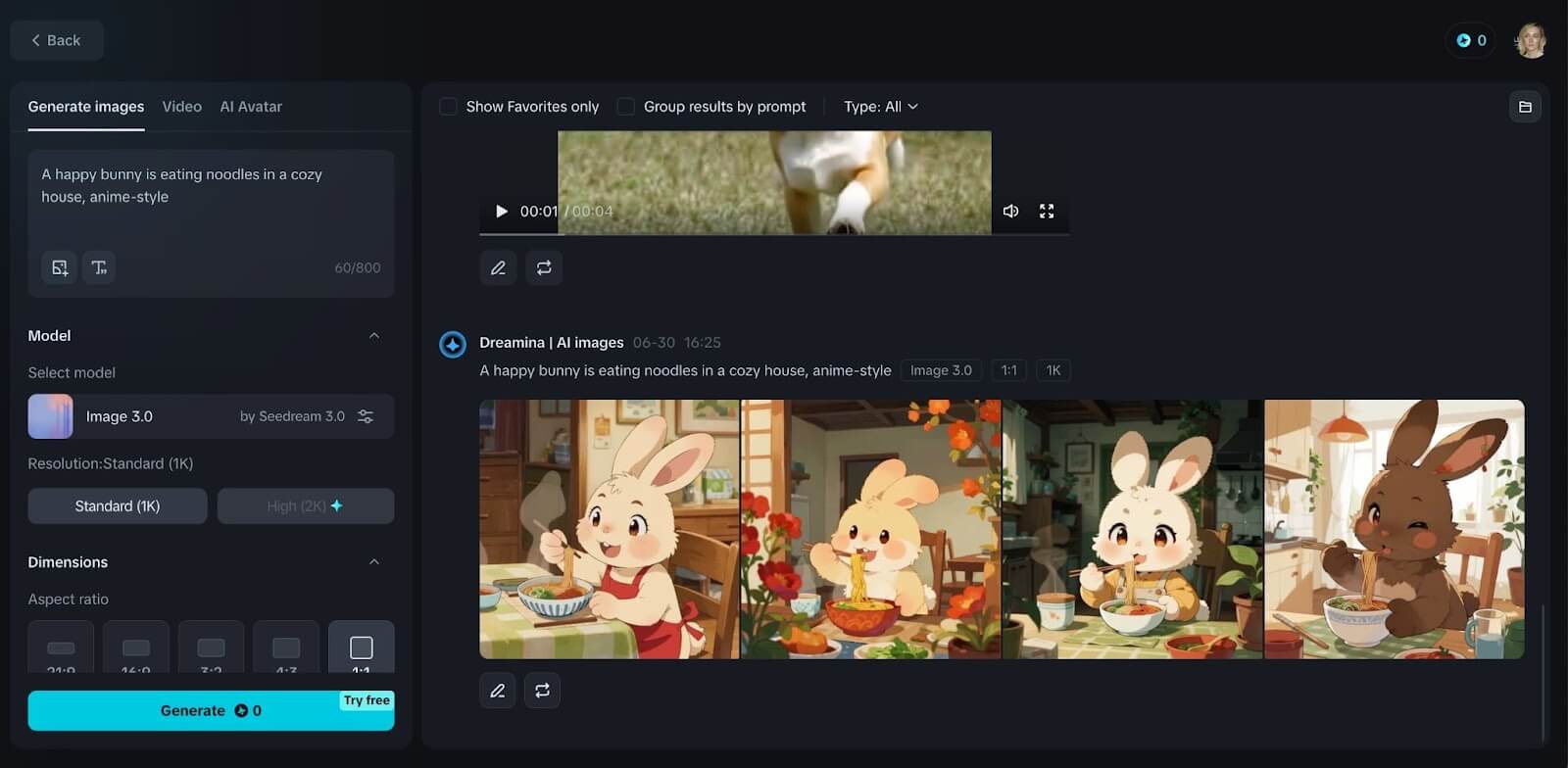
The expressions of the rabbits in each picture are slightly different, and the background decorations of each image are also different. Generally speaking, the tones of the four images are warm, with a Japanese touch, full of dreamy and gentle feelings.
However, the backgrounds of the three images give me a dim feeling. I think the pictures it outputs should be bright because I gave the modifier "happy". This should not only refer to the expression of the rabbit but also apply to the entire scene. Right?
Test 2: Landscape Image Generation
Next, I continued to test the creation effects of another style of image, a landscape image.
My text description is “The scenery of an Italian town, with sunshine and natural tones.” This time, I chose Image 2.0 Pro as the model.
Similarly, four different pictures were given. All the images reflected the "sunlight" I described, but the overall light effect was rather dim. Only one picture still met my expectations.
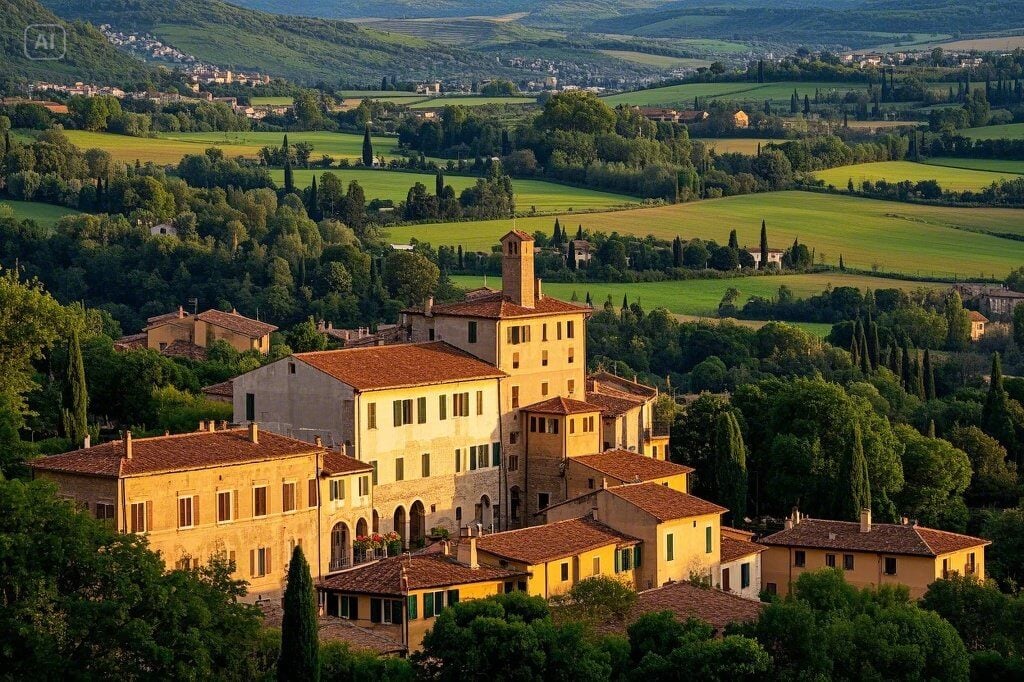
I wanted to withdraw my initial praise for it. I was wondering if my choice of the model would cause the picture effect to fail to meet expectations. So, I tried to switch back to the Image 3.0 model. But it's getting worse.
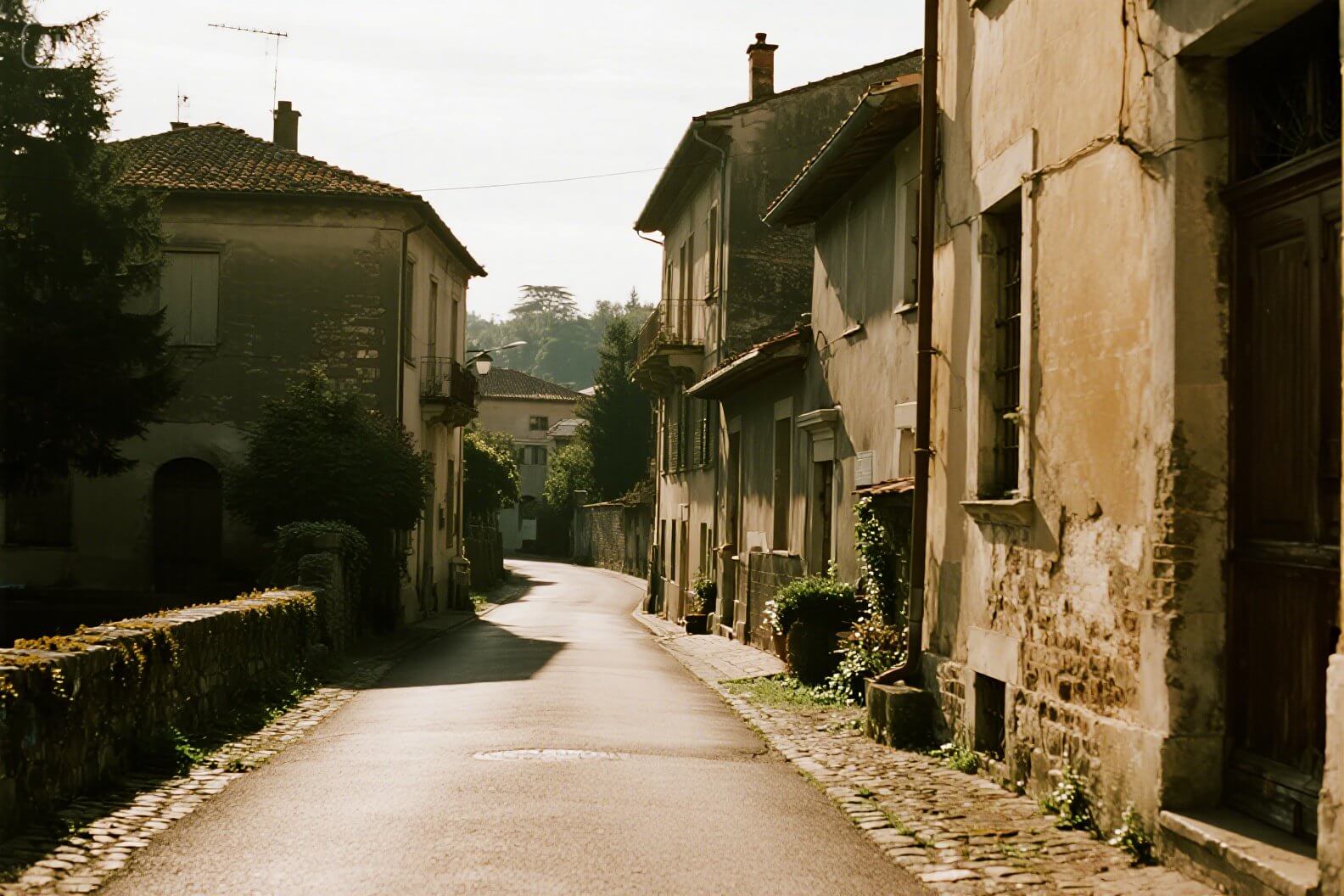
This indicates that the model I originally chose was correct. As it explains, the Image 2.1 model will bring the AI-generated images realistic composition and cinematography effects.
Testing Dreamina's AI Avatar Generator
Lastly, I tested Dreamina's AI avatar generation.
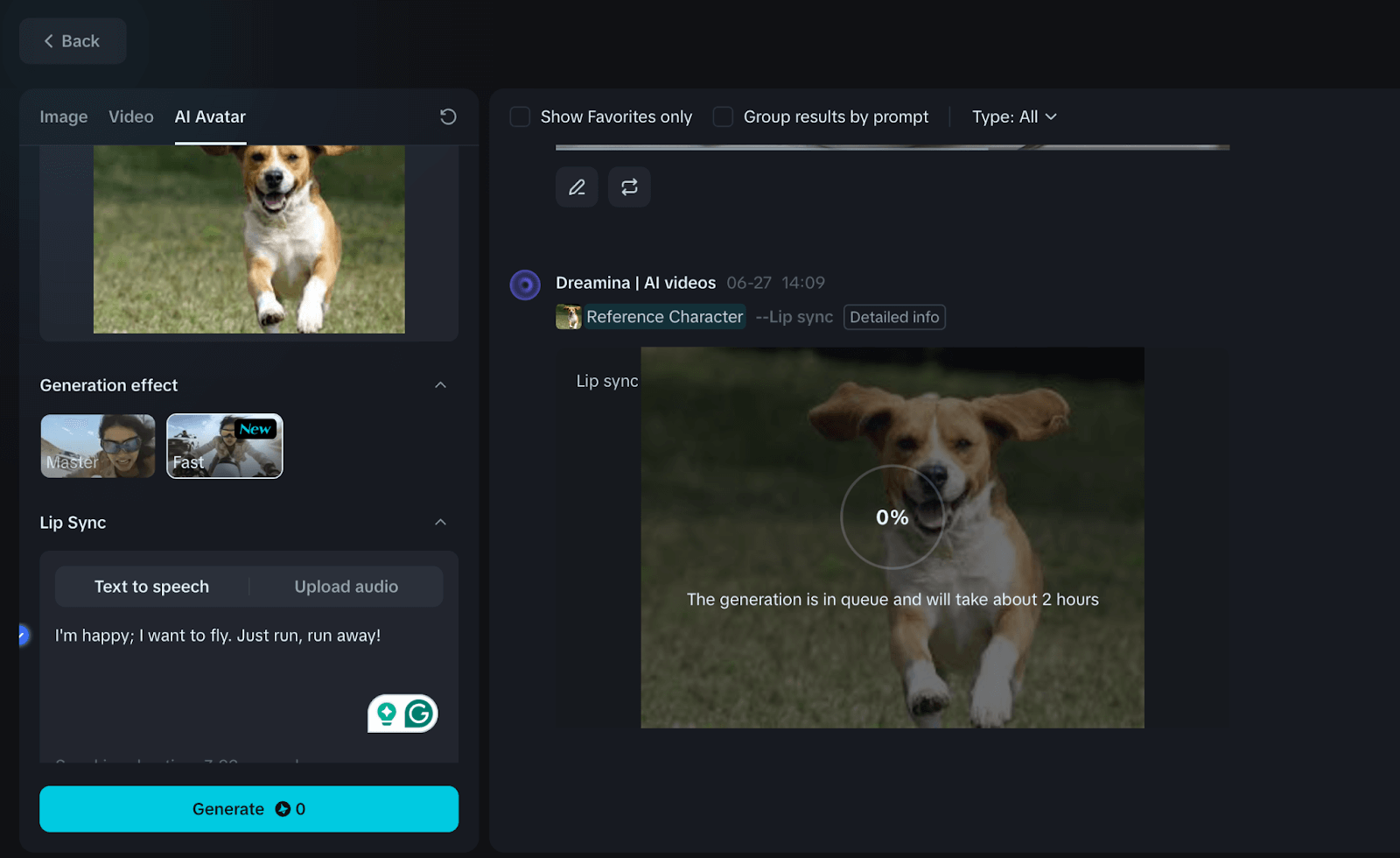
I imported a dog’s photo as the character and chose the fast effect. In the Lip Sync section, I entered a few simple sentences, “I'm happy; I want to fly. Just run, run away!” into the text-to-speech dialogue box.
Unexpectedly, it told me to wait for about 2 hours. I couldn’t understand why such a short video with lip sync could cost so much time.
If I were a creative content creator, I wouldn't choose this tool. It's really too low-yielding.
My Overall Usage Experience on Dreamina's AI Tools
After several rounds of tests on Dreamina’s AI image, video, and avatar generator, I want to share my real review.
In general, Dreamina is a nice AI content creation platform, but not particularly stunning.
For the AI video generation, it is quite ordinary. The video generator has a poor understanding of the text prompts. It just catches part of what I mean, or just remains at a relatively shallow level.
For AI image generation, it is outstanding in fantasy and animation, but in terms of the natural landscape and image-to-image, there is still room for improvement.
Also, the images generated by this tool indicate an overall impression of being rather dim. This might be because it wants the images to appear to have traces of photographic techniques, but the algorithm goes a bit too far in actually adjusting the light sensitivity.
In terms of the avatar generator, it requires a long wait for the results. The efficiency is so slow.
Any Alternative to Dreamina?
Dreamina didn’t bring me too many surprises, but its shortcomings drove me to explore better tools.
If that's also what you are looking for, then I suggest you try Pollo AI. It's an AI image and video creation platform with all the best AI video and image tools available, and more reliable performance.
More than just one family of models, you can try all the best AI video and image models on Pollo AI. For video generation, you can use Google Veo 3, Kling 2.1, Hailuo 02, Seedance, and PixVerse V4.5. And for image generation, you have GPT Image 1.5, FLUX.2 Max, Imagen 4, Recraft and Dall-E 3.
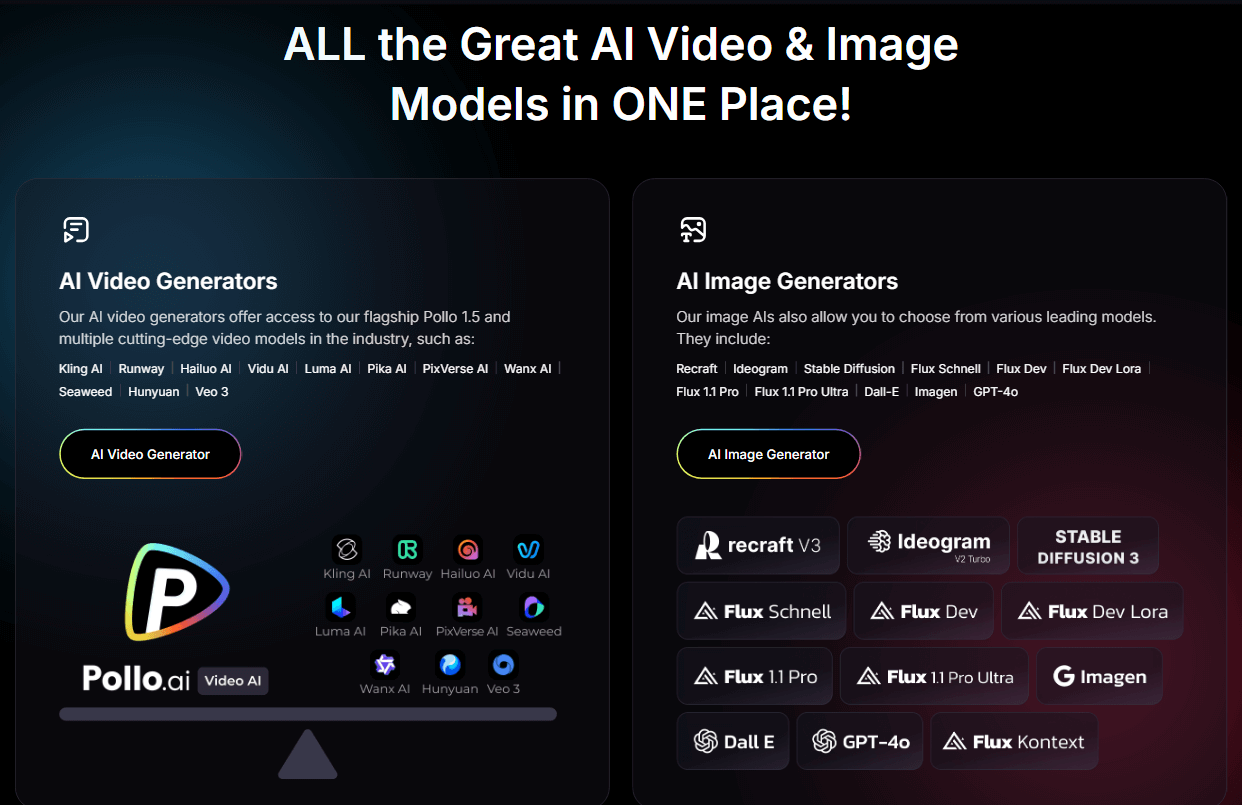
As an AI video generator, Pollo AI encompasses a comprehensive and rich set of video generation functions. It supports image to video AI, text to video AI, and popular apps like viral video and AI ASMR glass fruit cutting. It can bring you a unique and easy-to-operate video production experience.
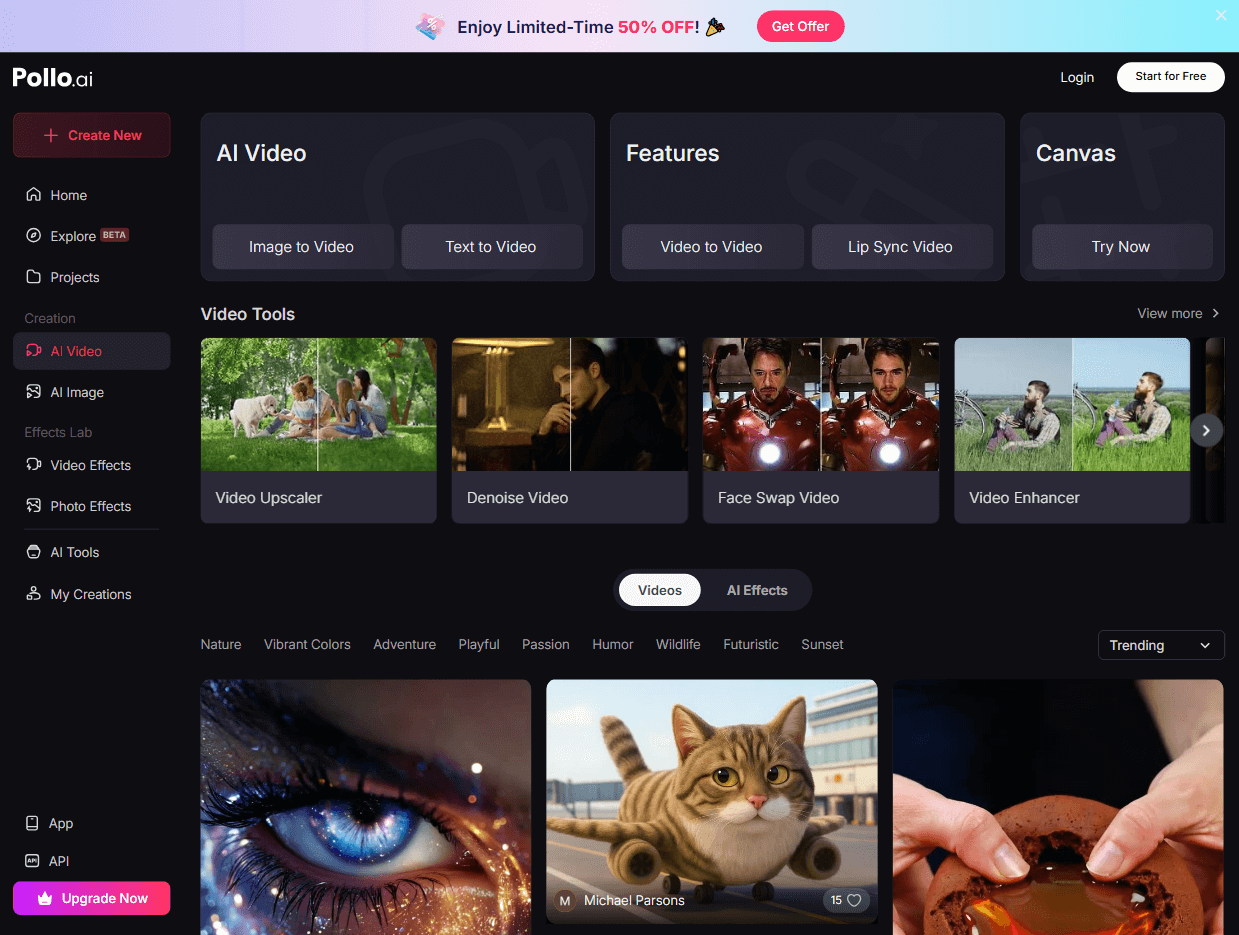
And the Pollo AI image platform supports text-to-image creation and image-to-image generation. They come with 2,000+ LoRAs for you to choose from, ready to help you create images in a specific style or theme.
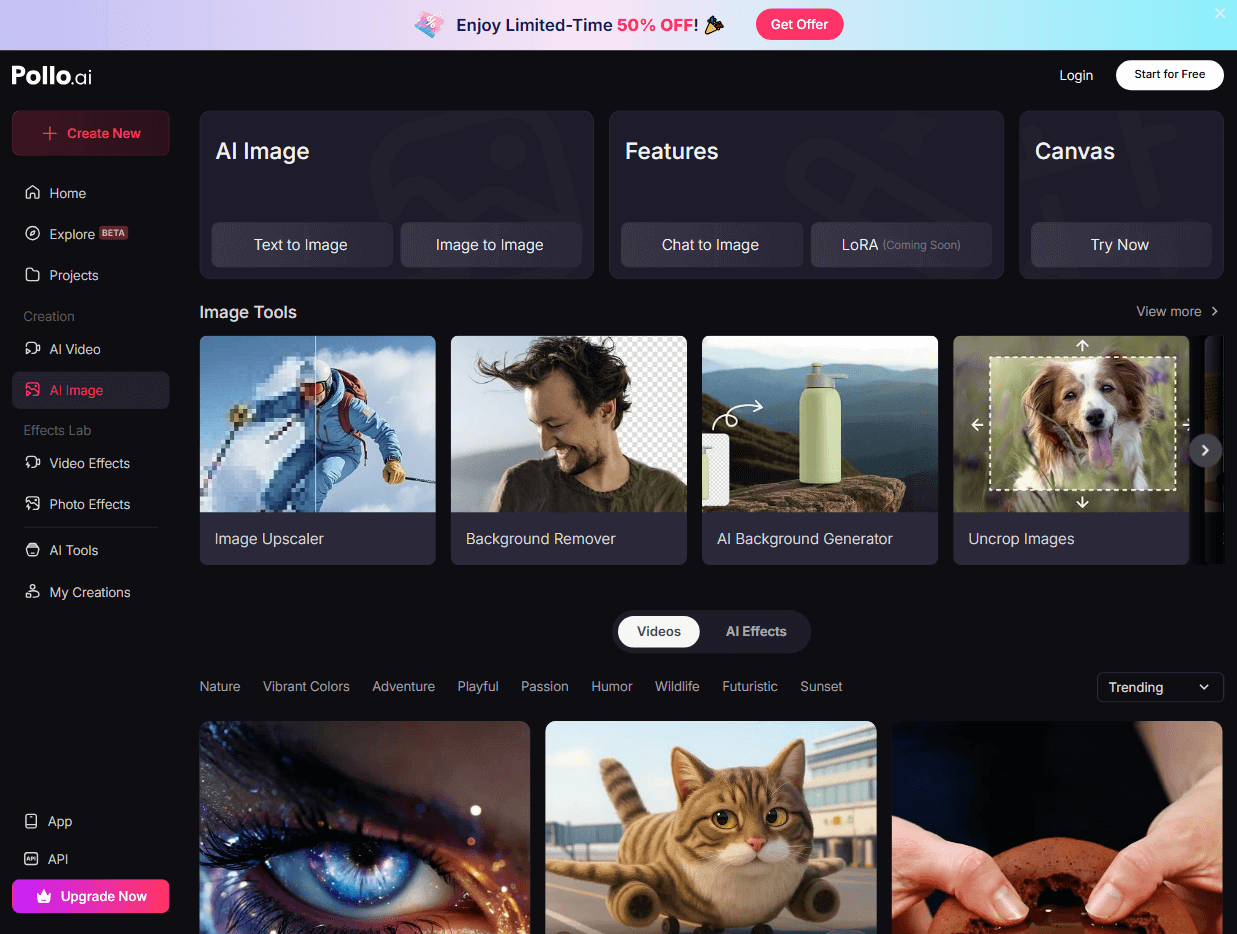
Moreover, Pollo AI has AI avatar generator and AI product avatar tool! You can easily turn your photo into a video avatar, with lip-synced speech, realistic and natural movements and expressions. You'll get unique avatar videos that look professional and engaging.
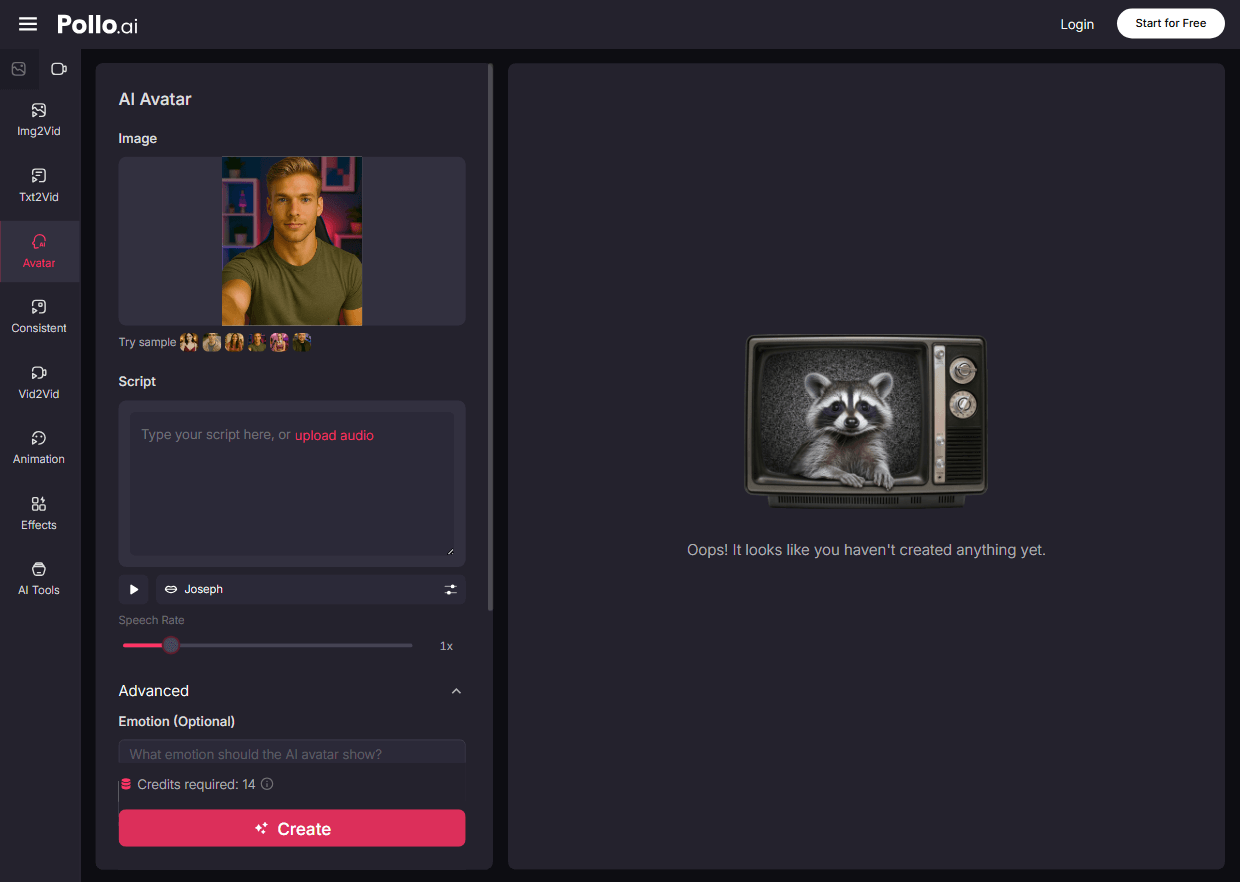
And the best part is you can get started with all these features for free! So if you're ready to unleash your creativity with AI, give Pollo AI a try now!