



How to Maintain a Consistent Brand Identity in AI Videos: A Detailed Guide
Balancing brand consistency and AI video creation can be such a pain, let’s be honest. It’s necessary, but many of us find it so difficult because these tools are prone to ‘style drifting’.
Without a clear branding structure in place, AI tools will often go off-plan and produce outputs that mismatch visuals, character design, colour, etc.
The goal is to nail consistency each time, but how do you pull this off? We’ve put together a detailed guide that answers that and, conveniently enough, how you can use Pollo AI to do it.
TL;DR
A simple way to maintain visual consistency across videos is by using Pollo AI’s reference-to-video tool.
You can also use its talking avatar to create one or two lifelike talking hosts for your UGC-style content. It also helps to include a set of hex values and luminance ranges in your prompts to maintain a consistent colour scheme.
AI Video Creation vs. Brand Identity: Why the Conflict?
We can all agree that brand consistency is critical. Whether you represent a product brand, a corporate company, or you’re an online creator, the rule applies all the same.
Think about the last time you scrolled on YouTube, for example. Nine times out of ten, your eyes will first gravitate to the brand or creator that you recognize on your feed, right?
Well, that’s the same line of thinking the vast majority of people follow. Frankly, we can't help but lean towards content that is already familiar to us.
To capitalize on that, especially if you use AI content, you need to keep the character designs, visual style, typography, etc, consistent across multiple videos. That creates trust because people know what to expect. But the instant you repeatedly deviate, be it design, visuals, or even tone, then it confuses audiences.
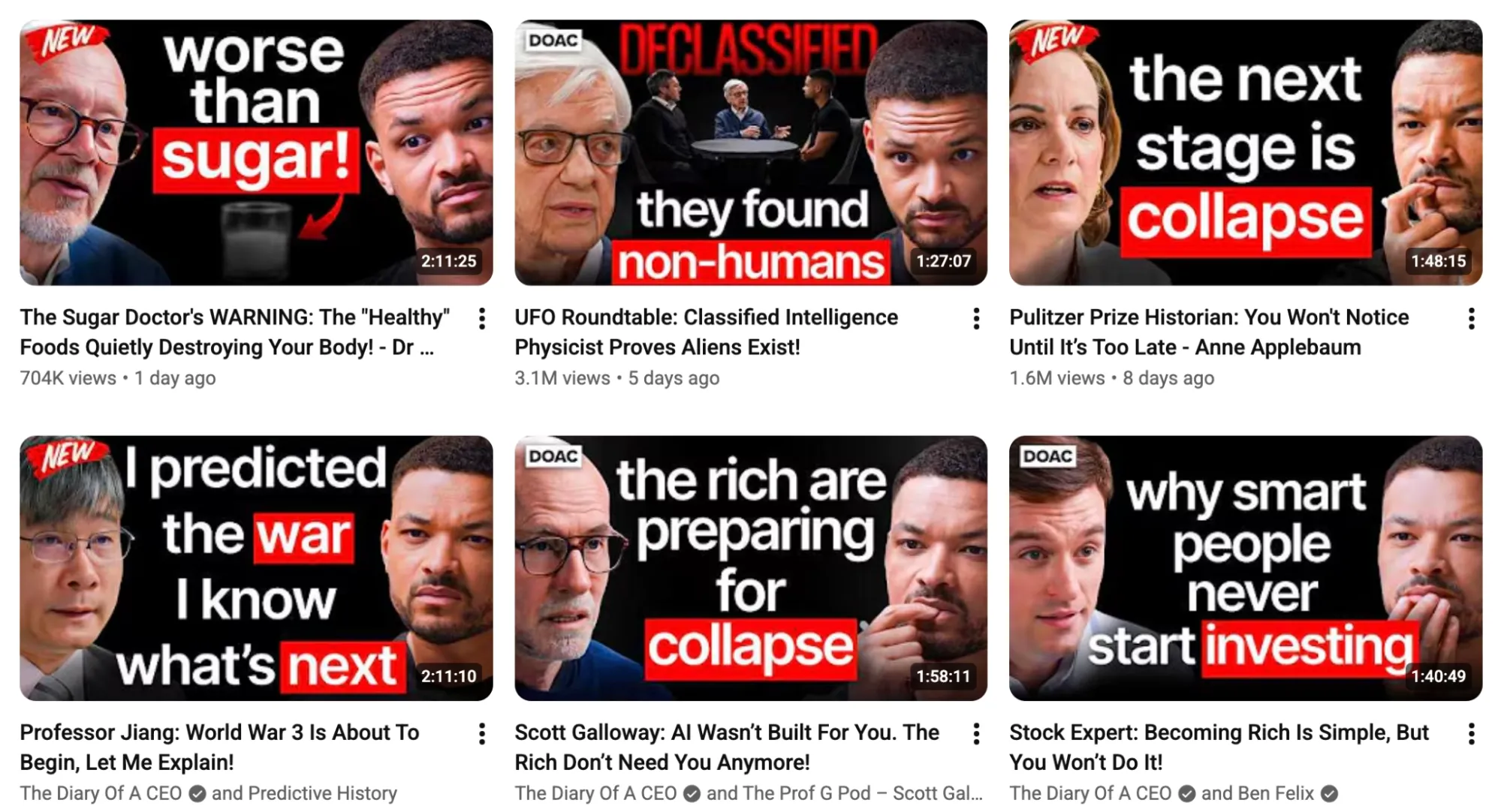
Look at @TheDiaryOfACEO, who uses a consistent scene, color codes, typography, and framing to help audiences identify his brand on their feeds. Hard to ignore, right?
Now, here’s the biggest issue: How do you make AI videos align with an existing brand identity? After all, these tools are built to generate fresh content, so they are always starting from scratch.
Because of this, the outputs are rarely identical. For instance, the main character may have a pointy nose in one video and a wider one in the next one. What’s worse? Every time you make an adjustment to fix one error, another one tends to appear, and the cycle of inconsistency continues.
And if you try to publish AI videos with those inconsistencies, it disrupts audience immersion because they can’t help but notice and fixate on these flaws. The result? You fail to convey your intended message; before you know it, fewer people view and engage with your content because it starts to feel less professional.
Instead, what you need are the right tools and workflows that lock in your branding across multiple video projects. Luckily, Pollo AI is the perfect place to start.
Create AI Videos with a Consistent Brand Identity
Produce polished AI videos that match your brand identity across every campaign, product launch, and social post.
Start Creating with Pollo AI
How Can Pollo AI Help You Maintain Brand Identity In Videos?
Most AI video tools out there deliver fragmented, unusable clips that barely feel connected. In most cases, this happens because each video is being treated as a standalone task.
But with Pollo AI, you get access to built-in content production workflows that offer a seamless experience from a raw idea to a publish-ready final cut. In other words, no manual editing!
As a marketer, Pollo AI’s Marketing Studio can help you create ready-to-use ads that scale like product comparison videos, launch videos, tutorials, and more in minutes, all while maintaining brand consistency.
Here, you can create branded content via URL to video, photo to video, and script to video tools, as well as produce promotional UGC video ads or simply clone viral video ads.
For e-commerce, there’s also Commerce Studio that lets you produce commercial visuals like product showcases and so much more.
Having said that, there are a few common problems that you’ll face when trying to maintain brand consistency across videos. Here’s how Pollo AI can help you avoid them:
Consistent Visual Style
This is the most frustrating aspect because it’s the most obvious and difficult to fix. With every new video generation, you are bound to face some sort of anomaly. It could be a change in the character, the location, certain objects, etc. In other words, each time you try to make a prompt adjustment, you likely end up with something totally different.
Instead, what you need is Pollo AI’s reference to video generator, which allows you to upload subject, object, or scene images that you want to remain unchanged across multiple scenarios.
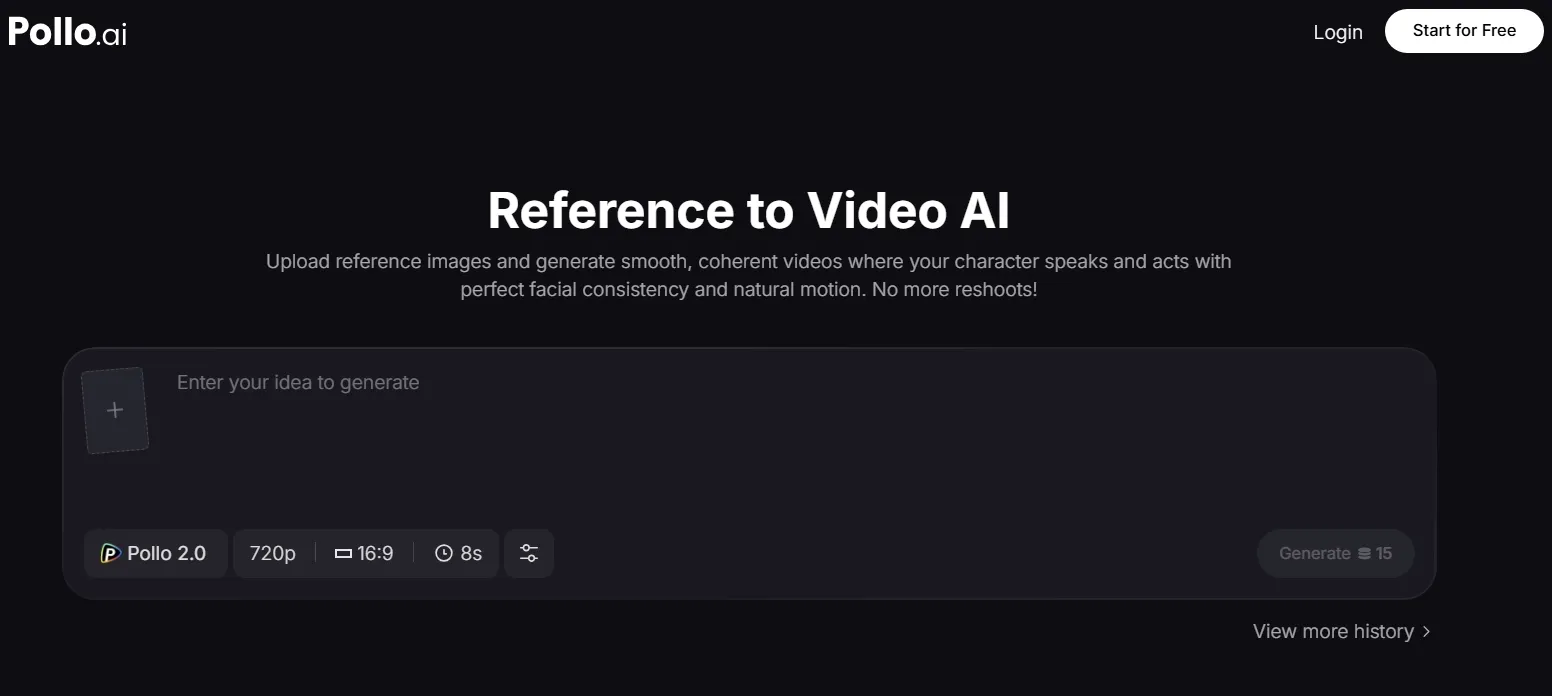
Want to use the same character multiple times? Is there a specific product you want to showcase differently? Need to add a brand logo to your video?
Pollo AI will analyze every element in your uploaded reference images to make a dynamic video with natural movements and smooth transitions. For example, you can showcase multiple products in various settings and scale effortlessly. But that’s not all.
Want to make viral-worthy clips to share across your socials? Use Pollo Agent. What makes this feature stand out is that it doesn’t use the traditional "generate-download-edit" workflow that often leads to inconsistent visual outputs.
It offers you an iterative, agent-driven workflow that tracks your visual direction, the content references you upload, and any edits you want to make, even after the initial video generation. This lets you define and reuse key elements like characters, camera rules, overlays, captions, etc. Best part? No complex prompt engineering is needed since everything is handled via chat.
Unified Voice and Tone
This is another aspect that creates a lot of frustration because aspects like the tone and emphasis used by AI voiceovers will impact how your message is received.
Most tools offer mechanical-sounding narrations that make it difficult for audiences to emotionally resonate with what’s being said.
Let’s say you run a YouTube channel that frequently uses witty and conversational storytelling. In such a case, you need a narrator who sounds less formal and more relaxed. The easiest way around this is to record the audio yourself.
You can also use a powerful tool like AI avatar for this. This lets you create talking-head videos and upload audio recordings that will be lip-synced by your character accurately.
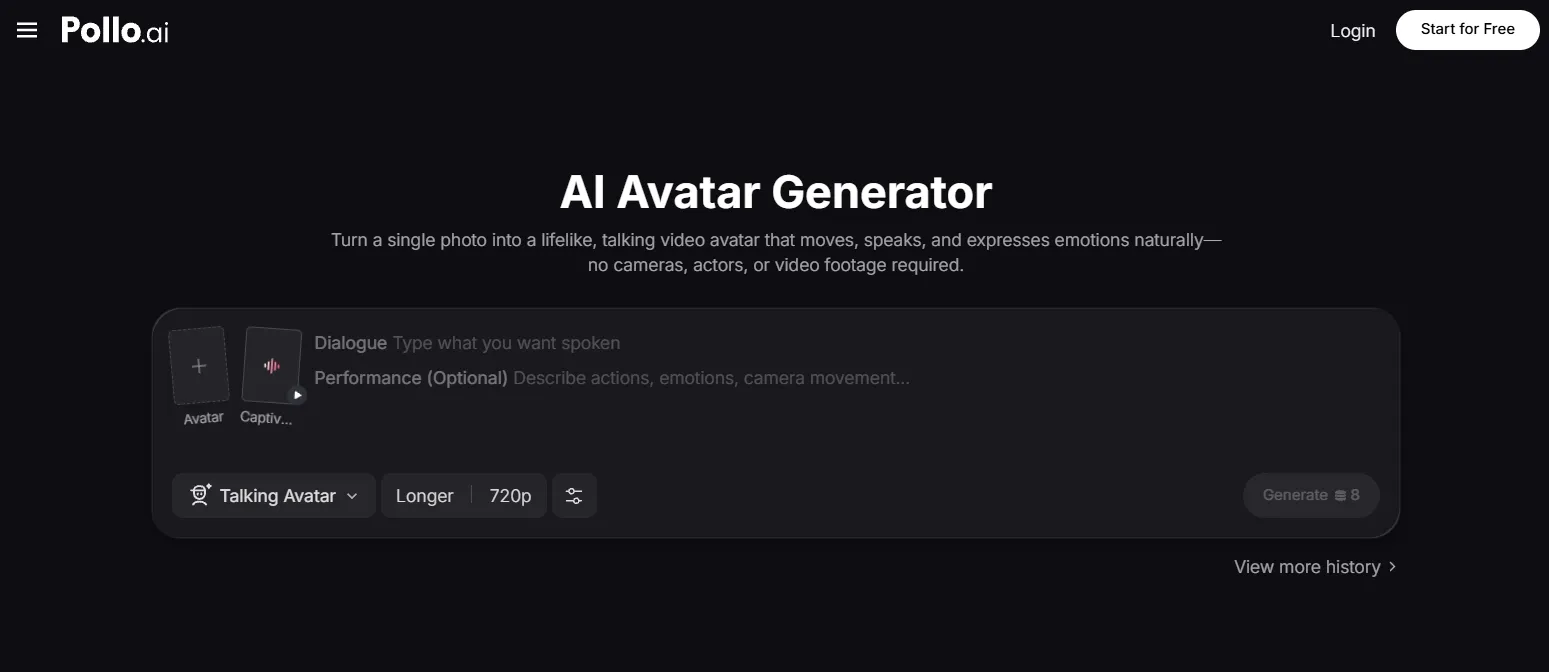
Alternatively, you can explore Pollo AI’s wide library of natural-sounding AI voiceovers across different genders, languages, ages, and accents to find one that fits your desired brand voice.
Other Practical Ways to Maintain Brand Consistency In Videos
Aside from having the right tools, there are a few other simple but practical ways to maintain your brand identity across multiple AI videos.
To nail consistent color branding, always add a prescribed set of hex values and luminance ranges to your prompts per generation request. You must try to be specific. For example, you can say: subject wears clothing that has soft white gradients, subtle navy contrast #172B4D, and cobalt blue accents #0052CC.
You also need to be specific about the character design. Even with a reference image of the subject, it helps to specify and reiterate details like their height, age, weight, expressions, etc.
Another aspect to consider is typography. Always define the font type, color, and sizing for captions or text within scenes such as signs, posters, billboards, etc.
With these fixed rules in every prompt, this minimizes the risk of the AI video generator heading in a different direction than what your unique branding requires.
Conclusion
Can AI tools streamline video production? Yes, absolutely. But they can also complicate the process for users looking to keep their branding and aesthetic unaffected.
Luckily, Pollo AI has all the tools you need to ensure uniformity of characters, objects, and scenes across multiple videos with no manual editing required.
Just have your brand references ready, be it character images, color palettes, logos, typography, etc. This lets you better direct Pollo AI on what the final visuals need to look like.