



Kaiber Review: I Tested Kaiber for 14 Days, Here’s What I Found
I wanted to review Kaiber because it feels different from many AI video tools. Instead of only giving users a simple prompt box, it leans into a more creative workflow built around motion, music, restyling, and video editing.
After testing it for 14 days, I found Kaiber useful for stylized clips and music-driven experiments. But once I looked at it as a tool for finished video production, the limits became much easier to see.
Kaiber Review: TL;DR
Kaiber is a decent tool if you want to explore stylized AI clips, music visuals, restyled footage, and short creative concepts. I liked it most when I treated it as a visual sketchpad rather than a complete video production system.
The bigger problem is finishing. Kaiber can help you make interesting video fragments, but it often leaves too much structure, cleanup, pacing, and publishing work to the user.
Review Point | My Take |
|---|---|
| Best for | Music visuals, stylized clips, and concept videos |
| Not useful for | Ads, explainers, product videos, and brand campaigns |
| Strongest feature | Beat sync and restyle video workflows |
| Biggest limitation | Too many clips still feel unfinished |
| Learning curve | Easy to start, slower to finish |
| My verdict | Useful for exploration, weak for production |
What Is Kaiber
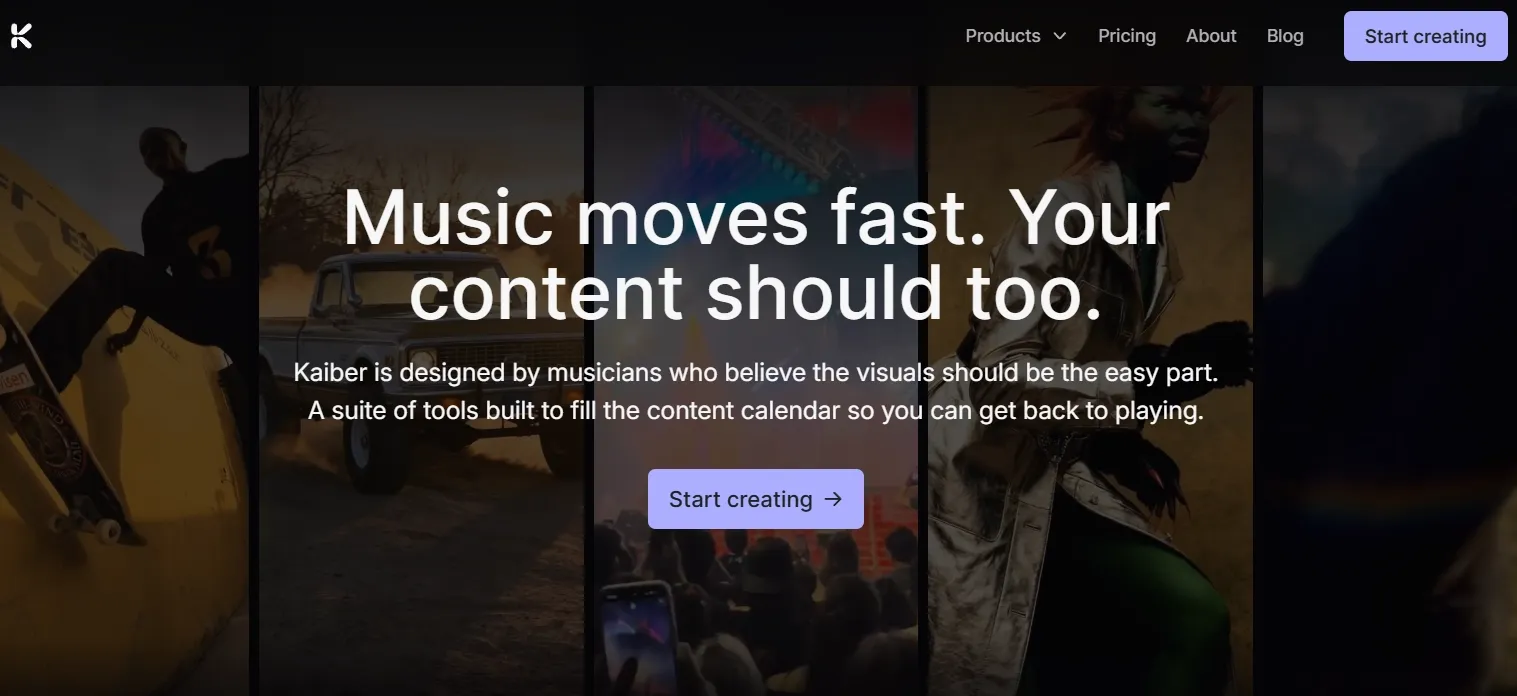
Kaiber is an AI video generator built around Superstudio, a creative canvas for generating, editing, restyling, extending, and syncing videos with audio.
Its main appeal is flexibility. Kaiber is not only about generating a video from a prompt; it also gives creators ways to reshape footage, extend short clips, sync motion with music, and experiment with stylized visual direction.
Key Features of Kaiber I Reviewed
Superstudio Canvas Workflow
Kaiber’s biggest difference is its Superstudio canvas workflow. Instead of treating AI video creation as one prompt and one result, it gives you a more open space to build, adjust, and shape video ideas.
I found this useful when planning a story video, because the canvas approach makes it easier to think in scenes rather than isolated clips. It also fits the creation of a short explainer video, where the user needs to test flow, visual order, and message clarity before committing to a final version.
For me, this was Kaiber’s most interesting workflow idea. It gives the product a more creative feel than many basic AI video generators.
Extend Video
Kaiber’s extend video feature helps continue a short clip, which is useful because AI-generated videos often end before the idea feels complete.
I found this helpful for a short product video, especially when the first clip had a decent opening motion but needed more time to feel usable. It can also support YouTube video intros when a clip needs a slightly longer opening sequence.
The downside is that the extension does not always feel fully connected to the original clip.
Motion can drift, scene details can shift, and the added seconds sometimes feel like extra length rather than real continuation. This was one of the areas where Kaiber felt noticeably weaker for polished production.
Restyle Video
Restyle video is one of Kaiber’s more creative features. It lets users take existing footage and push it into a different visual style, which is useful for creators who want a stronger aesthetic direction without rebuilding a clip from scratch.
I found it especially relevant for an anime video, because restyling works best when the goal is expressive transformation rather than strict realism. This is where Kaiber feels more distinctive. It is not only trying to generate video; it is also trying to help creators reinterpret video.
Lip Sync
Kaiber’s lip sync feature is designed for videos where mouth movement needs to match audio. This can be useful for character-led clips, singing videos, social edits, and short talking-style content.
I found it relevant for AI UGC video ads, especially when the goal is to make a person-led clip feel more expressive without filming everything manually.
But this feature also exposed one of Kaiber’s more obvious weaknesses. Lip sync needs to feel natural, and when it is even slightly off, the whole video becomes distracting. In my review, this felt more forgiving for stylized music or character clips, but less reliable for professional talking-head content, ads, or brand messages.
Prompt-Based Video Editing
Kaiber also offers prompt-based editing, which makes the workflow more approachable for users who do not want to adjust every detail manually.
I found this useful when creating a tutorial video, where small changes to pacing, sequence, or visual explanation can make a clip easier to follow. It also works for quick social media video edits when the goal is to adjust style or mood without rebuilding the clip from the beginning.
This feature makes Kaiber easier to use for fast creative adjustments. It gives creators a more direct way to revise a clip without needing advanced editing skills.
Beat Sync Video Creation
Beat sync is one of Kaiber’s strongest identity features. It helps align visuals with music, which makes the platform a natural fit for audio-led video creation.
I found this most useful for a music video, where the rhythm of the visuals matters as much as the visuals themselves. It also fits short lyric video concepts when the goal is to make motion and music feel connected.
The problem is that beat sync can make a clip feel energetic without making it feel complete. Some results still feel like animated fragments rather than a full music video with structure, progression, and a clear ending. The rhythm can work, but the video still needs more direction.
Real Use Cases of Kaiber
Use Case | How Kaiber Fits |
|---|---|
| Music visuals | Good for beat-synced loops, visualizers, and short audio-led clips. |
| Social clips | Useful for stylized posts, intros, and fast creative tests. |
| Character-led clips | Helpful for short lip sync scenes and expressive edits. |
| B-roll clips | Useful for stylized B-roll videos with mood-driven motion. |
| Trailer-style teasers | Fits short trailer videos built around rhythm and atmosphere. |
Kaiber Pros and Cons
What I Liked:
- Creative workflow: More flexible than a plain prompt box.
- Beat sync: Useful for music-led creator videos.
- Restyle video: Good for quick visual direction tests.
- Canvas setup: Helpful for exploring scene ideas.
- Easy start: Beginners can test concepts quickly.
What Held It Back:
- Clip quality: Many outputs still feel unfinished.
- Scene continuity: Details can drift between extended clips.
- Lip sync: Small mismatches become very distracting.
- Publishing readiness: The final videos need too much cleanup.
- Business fit: Weak for ads and structured campaigns.
Where Kaiber Falls Short
Kaiber works well when the goal is exploration. If I want a stylized clip, a music-synced visual, or a restyled piece of footage, it gives me tools that feel creative and approachable.
The problem starts when the goal shifts from “make something interesting” to “make something finished.” A complete video needs a hook, clear structure, usable pacing, scene continuity, audio polish, captions, and a final format that is ready to publish. Kaiber does not handle that full chain as strongly as I would want.
That is where Pollo AI feels more practical to me. It gives me more room to build a full video workflow instead of treating each result like a loose creative fragment.
Full Video Creation Starts Here
Join 10M+ creators using Pollo AI to generate videos with every top model.
Try Pollo AI for Free
The audio side matters here, too. For fuller videos, AI voice cloning helps keep narration or character speech consistent across scenes, so a video feels less like separate clips stitched together. The AI sound effect generator adds atmosphere, actions, transitions, and scene cues that make the final video feel more complete.
And when I want the workflow to handle more structure automatically, Pollo Agent is the stronger fit because it is built around post-ready videos with structure, pacing, captions, hooks, music, and scene flow handled more directly.
Kaiber vs. Pollo AI: My Comparison
Dimension | Kaiber | Pollo AI |
|---|---|---|
| Main workflow | Creative canvas for stylized video experiments | Broader AI video workflow for generation, editing, and publishing |
| Best fit | Music visuals, restyled clips, concept videos | Social videos, ads, explainers, product videos, and structured content |
| Creation depth | Good for short clips and visual fragments | Better for building a more complete video workflow |
| Audio and voice workflow | Stronger around beat sync and music-driven visuals | Text to speech and AI voice generator for fuller audio production |
| Publishing readiness | Often needs extra assembly and cleanup | More focused on post-ready output, especially with Pollo Agent |
| Business video fit | Better for early creative concepts | More suitable for ads and campaign workflows through Marketing Studio |
Why I’d Choose Pollo AI Over Kaiber
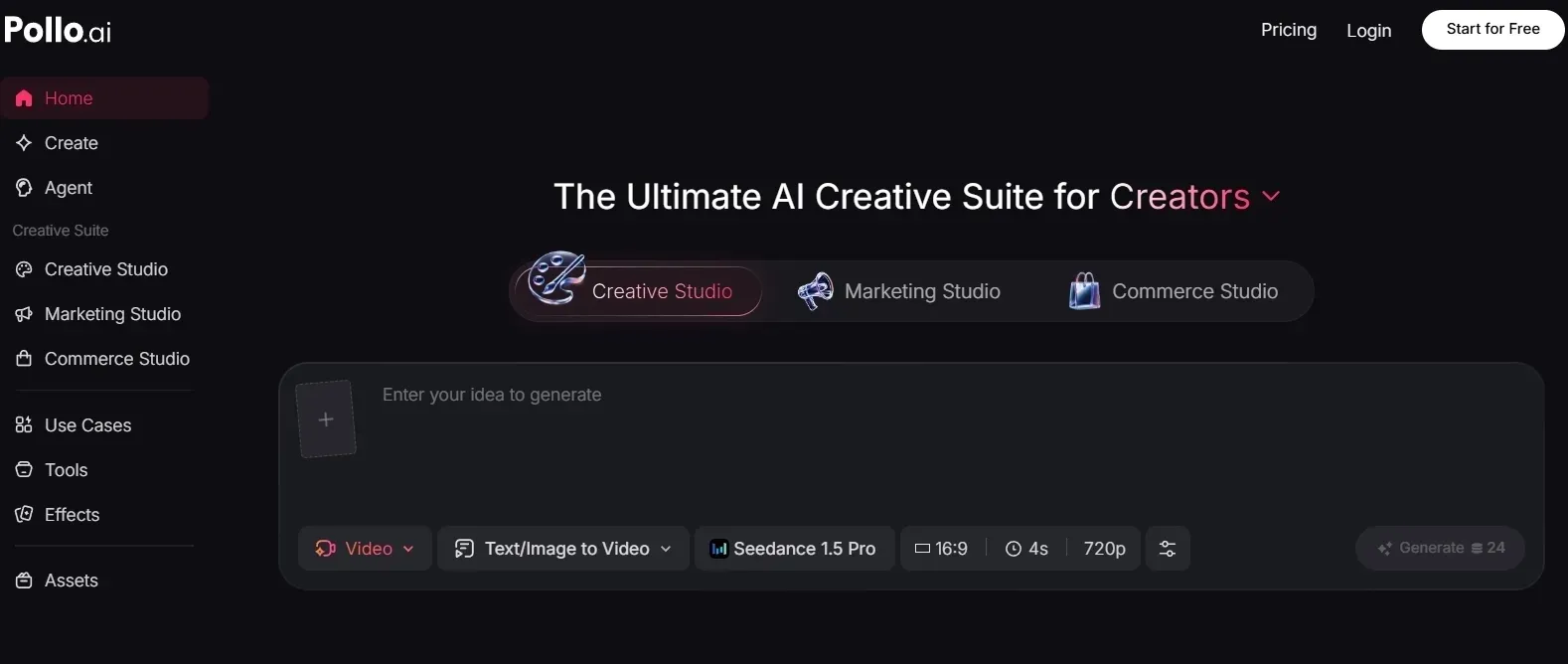
More Flexible AI Video Generation
Pollo AI gives me more practical ways to start a video depending on what I already have.
With text to video, I can turn a written idea, product angle, story concept, or ad message into a clearer video direction. With image to video, I can take a product photo, character image, brand visual, or scene reference and add motion without starting from a blank prompt.
Pollo AI’s video generator also supports multiple leading video models, including Seedance 2.0 and Kling 3.0. The main benefit is choice: I can test different generation paths when I need stronger realism, smoother motion, or better prompt following.
Voice Tools for Narration and Character Speech
Pollo AI’s voice tools help when a video needs spoken audio, not just background music. For a talking-style video, AI voice generator can create narration from a script without recording from scratch.
For recurring characters, creator-led clips, or brand story videos, voice cloning is more useful. It helps keep the same voice across multiple scenes, so a longer video or a series of videos feels more consistent.
Sound Design Tools for Scene Atmosphere
A full video also needs sound cues that support the visuals. For action scenes, transitions, product moments, or quick social edits, AI sound effect generator can add impact sounds, ambience, movement, and small scene details.
For simpler voiceover workflows, text to speech gives creators a direct way to turn written scripts into spoken audio. I would use it for tutorials, product explainers, and short informational videos where clear narration matters more than recording a custom voice.
Better Post-Generation Refinement
Pollo AI’s AI video editor is useful because it gives creators a way to keep improving a video after the first generation.
Its core advantage is control after output. If a generated clip is close but not finished, I can use the editor to adjust the video with prompts instead of starting over. That makes it more practical for enhancing video quality, changing details, or shaping a clip closer to the final version.
For me, this matters because AI video work rarely ends at the first result. The stronger workflow is the one that lets me revise the video without breaking the whole process.
Clearer Marketing Video Workflow
For ads and campaign content, Marketing Studio by Pollo AI is more useful because it can turn URLs, product photos, and creative ad ideas into multiple ready-to-post ad video variations.
That includes formats like TVC ads, comparison UGC ads, tutorial ads, and other campaign-ready videos. For marketers, this gives a more direct path from raw marketing materials to usable video assets.
This is where the workflow becomes more practical for business use. A brand video cannot only look interesting for a few seconds; it needs a message, a format, product clarity, and variations that can actually be tested or published.
How I Reviewed Kaiber
I reviewed Kaiber from the perspective of a creator who needs usable AI videos, not just interesting short outputs.
I focused on:
- Output quality
- Beat sync and audio-video alignment
- Restyle video results
- Lip sync quality
- Prompt-based editing
- How much extra work does it take to finish a video
Final Verdict
Kaiber is a decent AI video tool for stylized clips, music visuals, restyled footage, and early creative exploration.
But it feels limited when the goal is a finished video with structure, pacing, consistent audio, captions, and publish-ready polish.
I would choose Pollo AI for a fuller workflow: video generation with leading models, voice and sound tools for stronger audio, and Pollo Agent for turning ideas, briefs, links, or source materials into more post-ready videos without editing.
Try Pollo AI for full content video creation and publishing!