Kaiber Superstudio combines animation, video restyling, and lip sync in a unified creative canvas. Yet Pollo AI goes further with 70+ advanced models and Pollo Agent for post-ready videos. Try Pollo AI for free!
One upload in. Your viral video out. Unlimited rewards await.
Pollo Agent x DeepSeek V4.1 FLASH
Faster completion at a much lower cost.
Pollo Agent x Gemini 4 Argon
Smarter reasoning. All through Pollo Agent.
WIN iPHONE DUO
Capture a city in one minute. Join the challenge now.
Pollo MCP
End-to-end content creation. Up to 4 Videos/ 20 Images for FREE.
Key Features
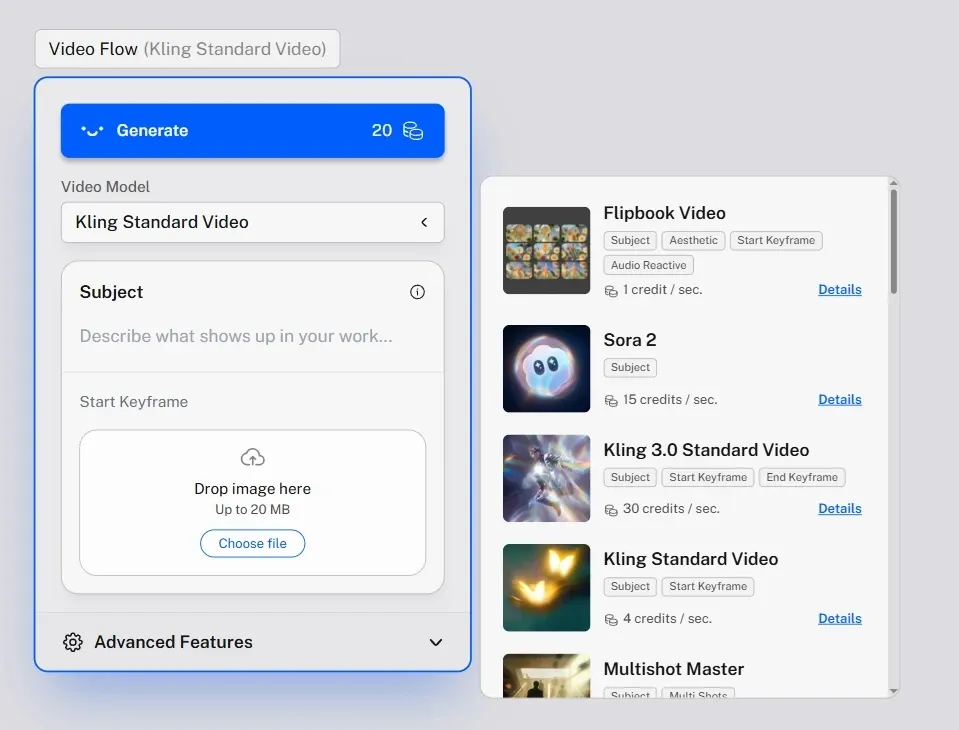
Animate Image from Static Visuals: Turn still images into motion-driven video clips with prompts.
Extend Video for Continuous Motion: Generate additional scenes that continue an existing video.
Restyle Video with New Visual Aesthetics: Transform existing footage into entirely new styles.
Lip Sync with Audio Inputs: Match character lip movements to speech or music.
Prompt-Based Video Editing: Edit video content using prompts instead of manual timelines.
Create from Keyframes: Build motion sequences from selected images or moments.
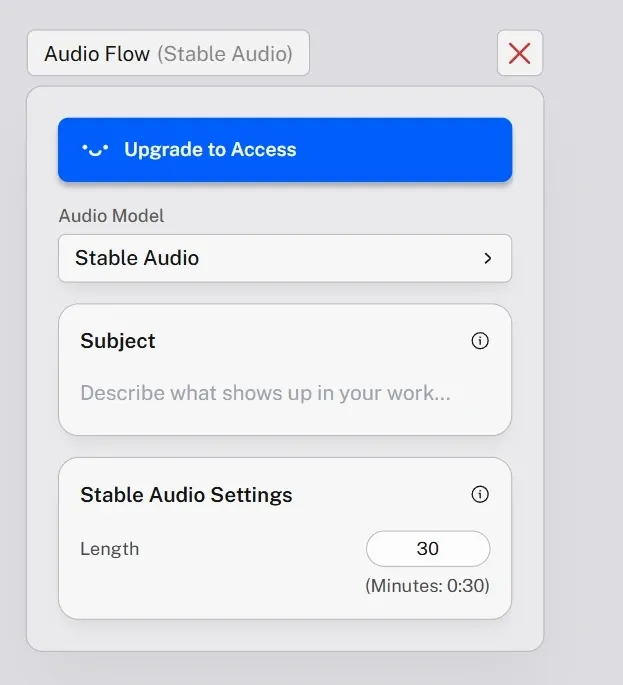
Prompt to Sound Generation: Create custom audio by describing mood, genre, or scene.
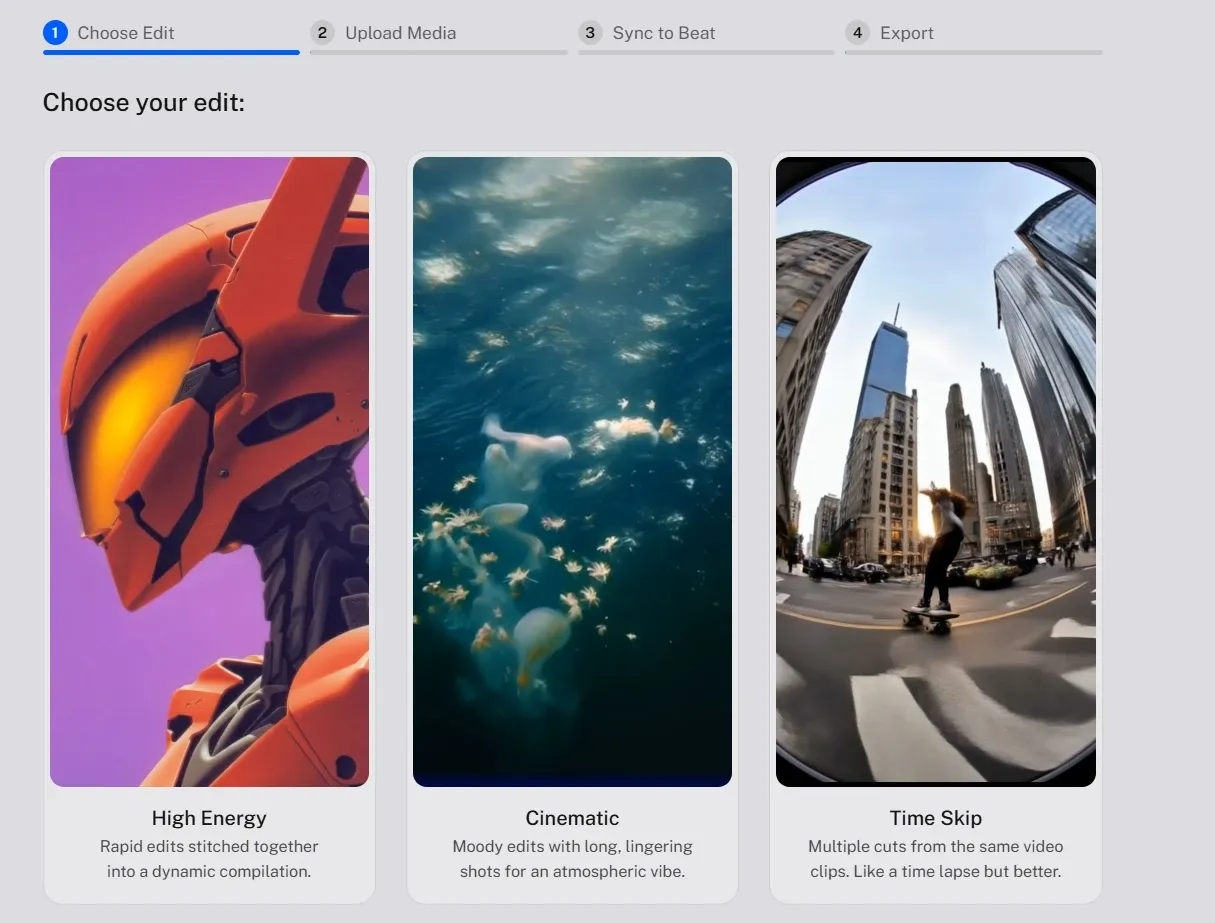
Beat Sync Video Creation: Automatically align visuals and motion to audio beats.
Animate Image from Static Visuals
The animate image feature of Kaiber brings static visuals to life by adding motion, transitions, and visual dynamics based on prompt input. It’s especially useful for transforming artwork, photos, or concept visuals into short animated clips.
For instance, a digital artist can take a single character illustration and animate subtle movements for social media posts, turning static art into engaging short-form video content.
Extend Video for Continuous Motion
Kaiber enables users to expand clips by generating new segments that follow the original visual style and motion direction. This helps build longer sequences without starting from scratch.
For example, a creator working on a short animation can extend a 5-second clip into a longer sequence for a TikTok video, maintaining visual continuity across segments.
In contrast, Pollo AI takes this further with its AI video extender, which not only expands clips but preserves subject consistency and visual coherence across longer sequences.
It keeps the story and motion aligned, making the extended video feel more complete and usable rather than just longer.
Restyle Video with New Visual Aesthetics
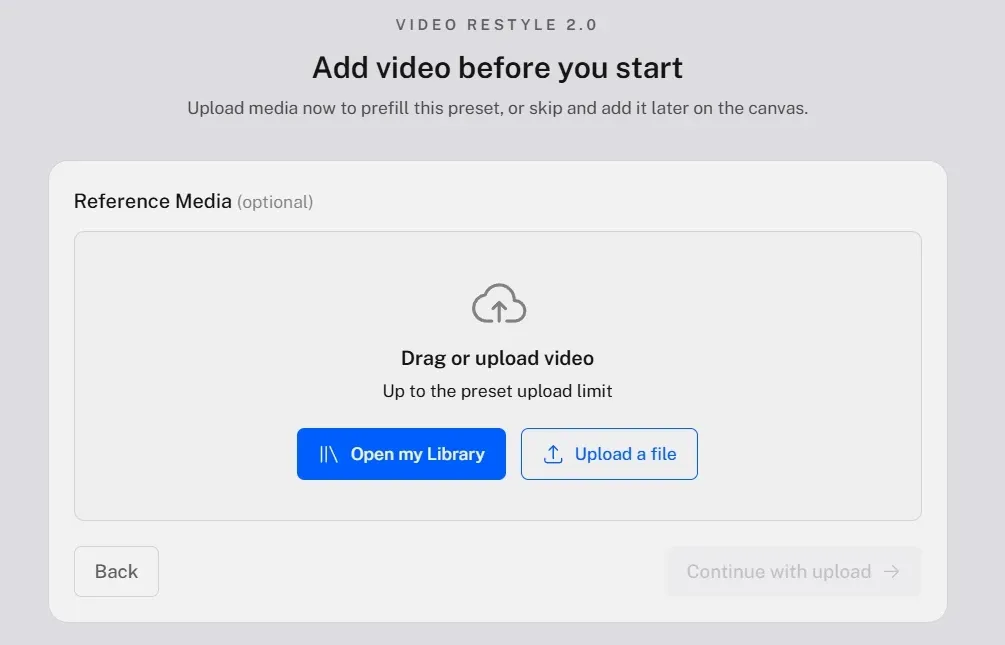
Kaiber’s restyle video applies different visual styles to existing clips, allowing users to reimagine footage in new artistic directions without re-shooting or rebuilding content.
A fashion creator can take a standard shoot and convert it into an oil painting or a Y2K style, making the same footage suitable for different campaign themes.
Lip Sync with Audio Inputs
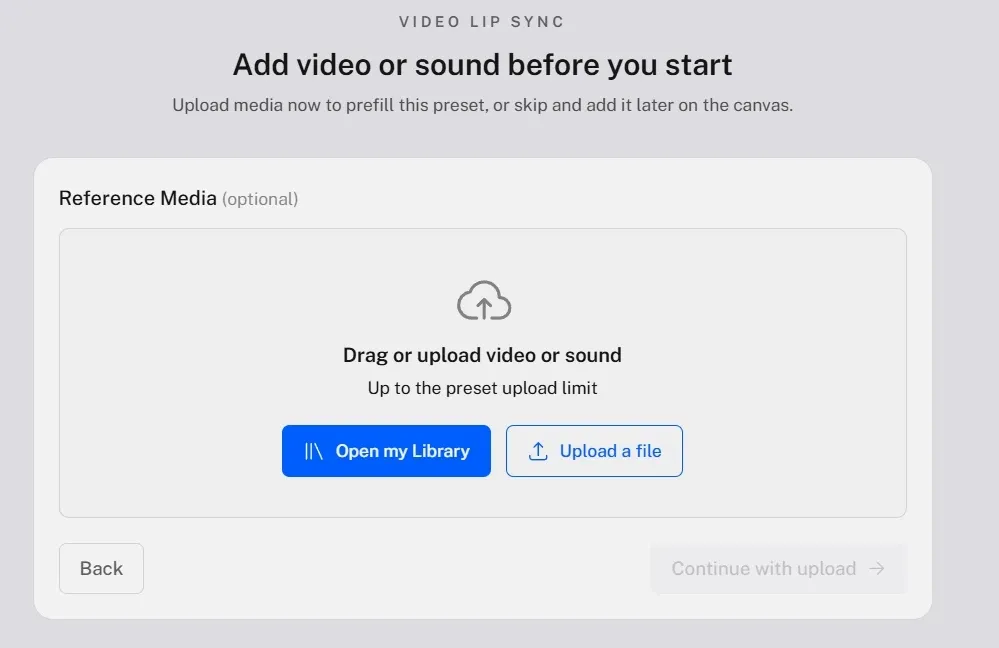
Kaiber supports lip sync functionality that aligns visual mouth movements with audio inputs, enabling more expressive character-based content. This is especially useful for music-driven or narrative videos.
For instance, a musician can sync animated characters to their own song, creating engaging music video content without filming real performers.
By comparison, Pollo AI goes further with its lip sync capabilities, supporting more natural speech matching, multilingual voice syncing, and smoother facial consistency across scenes.
Instead of working as a standalone effect, it fits into a broader workflow where synced dialogue becomes part of a complete, ready-to-use video.
Prompt-Based Video Editing
Instead of relying solely on traditional editing tools, Kaiber allows users to modify videos through prompts, making adjustments more intuitive for non-editors.
For example, a creator can update visual elements or adjust motion style in a clip by describing the change, rather than manually editing frame by frame.
In contrast, Pollo AI focuses on full-scope editing in one place. Its AI video editor supports changing backgrounds, removing objects, and restyling scenes directly from prompts, without switching tools.
Instead of just modifying parts of a clip, it allows you to reshape the entire video more directly, making edits feel less fragmented and more complete.
Create from Keyframes
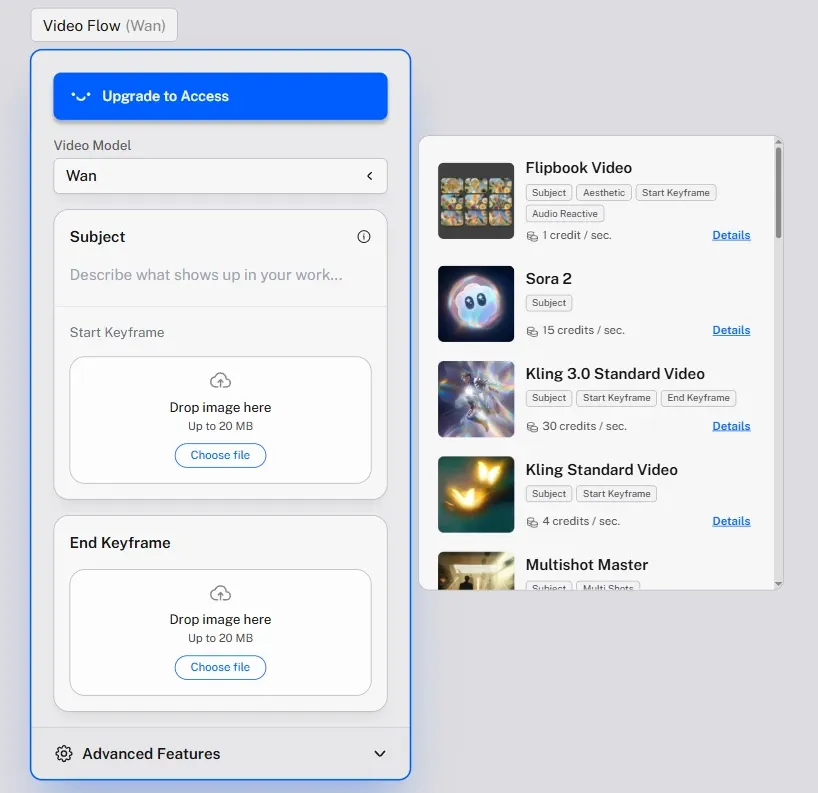
Kaiber lets users define keyframes using images, then generate motion between them, giving more control over how scenes evolve visually.
A storyboard artist can upload multiple scene images and turn them into a flowing animated sequence, useful for pitching ideas or pre-visualizing video concepts.
In comparison, Pollo AI takes a more outcome-driven approach with its reference to video workflow.
It turns reference images into a coherent video with consistent subjects and smoother scene flow, making the result feel more complete rather than pieced together.
Prompt to Sound Generation
Kaiber allows users to generate sound directly from prompts, turning descriptive inputs into ambient audio, soundscapes, or stylistic music elements. This expands creation beyond visuals, making audio part of the same generative workflow.
For example, a creator producing a cinematic intro can describe “ambient urban night with distant traffic and echoing footsteps” and generate a matching sound layer, avoiding the need to search for stock audio separately.
Beat Sync Video Creation
Kaiber's beat sync feature synchronizes video motion with the audio rhythm, ensuring that transitions, cuts, and movements match the soundtrack's timing. This helps create more cohesive and engaging audiovisual outputs without manual editing.
A music creator can upload a track and generate a video where scene changes and motion naturally follow the beat, making it ready for platforms like TikTok or YouTube without adjusting timing frame by frame.
Pollo AI takes this further with AI music video generator. It not only follows the beat, but also builds full scenes, structure, and pacing around the audio, turning a track into a complete video rather than just a synced sequence.
Who Is Kaiber AI Really For?
1. Music Artists & Producers
Create audio-reactive music videos without filming. Upload a track, use beat sync and animate image to generate visuals that follow rhythm, then publish short clips for TikTok or full edits for YouTube.
2. Digital Artists & Illustrators
Turn static artwork into animated content. Use animate image or create from keyframes to add motion to character designs, making portfolio pieces more engaging on platforms like Instagram or Behance.
3. Content Creators & YouTubers
Produce stylized intros and short-form visuals quickly. Generate clips from prompts or restyle video to match a channel aesthetic, then use them as intros, transitions, or Shorts content.
4. Fashion & Visual Designers
Reimagine campaign visuals with different styles. Take a photoshoot video and use restyle video to create multiple aesthetic versions for different drops or social campaigns without reshooting.
5. Creative Agencies & Video Teams
Prototype visual concepts before full production. Use extend video to quickly mock up scenes or storyboards, helping teams pitch ideas to clients before committing to expensive shoots.
Pollo Agent (ready-to-post video creation without editing)
Multi-Model Access
Yes (creative-focused)
Yes
Yes (both image and video models)
Output Readiness
Creative clips
Short clips (5–15s typical)
Ready-to-publish videos
Kaiber AI focuses on creative, canvas-style video creation with flexible tools, while DeeVid leans toward fast clip generation.
Both are strong for visuals, but less built for complete videos. Pollo AI goes further by turning inputs into structured, ready-to-publish videos with an agent-driven workflow.
Is Kaiber AI Built for Creativity Over Completion?
Kaiber AI sits in a distinct position among AI video tools, leaning toward creative exploration rather than production efficiency. Kaiber presents itself more as a digital studio, where visuals, motion, and sound are shaped within a flexible canvas.
Its focus is on style, experimentation, and artistic control, rather than fully structured outputs.
This places Kaiber closer to creative software than typical video generators. It appeals to users who value visual expression and iterative workflows, especially in music-driven or stylized content.
As more tools move toward complete, usable videos, Kaiber stands out by expanding creative possibilities rather than simplifying production.
How Do Real Users Think of Kaiber
Some users appreciate Kaiber AI for its ability to generate visually striking content, especially in image to video workflows. The interface is often described as clean and easy to use, helping simplify what can otherwise feel like a complex creative process.
At the same time, others point out that performance and consistency can vary. While results can look interesting, the outputs may not always feel stable or production-ready, with some users describing it as more of an experimental tool than something they would rely on regularly.
Overall, Kaiber AI delivers strong visual creativity but can feel inconsistent for regular use. It’s better suited for experimentation than reliable, production-ready video workflows.
Why Consider Pollo AI for More Complete Video Creation
If Kaiber AI feels creative but not always consistent, it may be worth exploring Pollo AI.
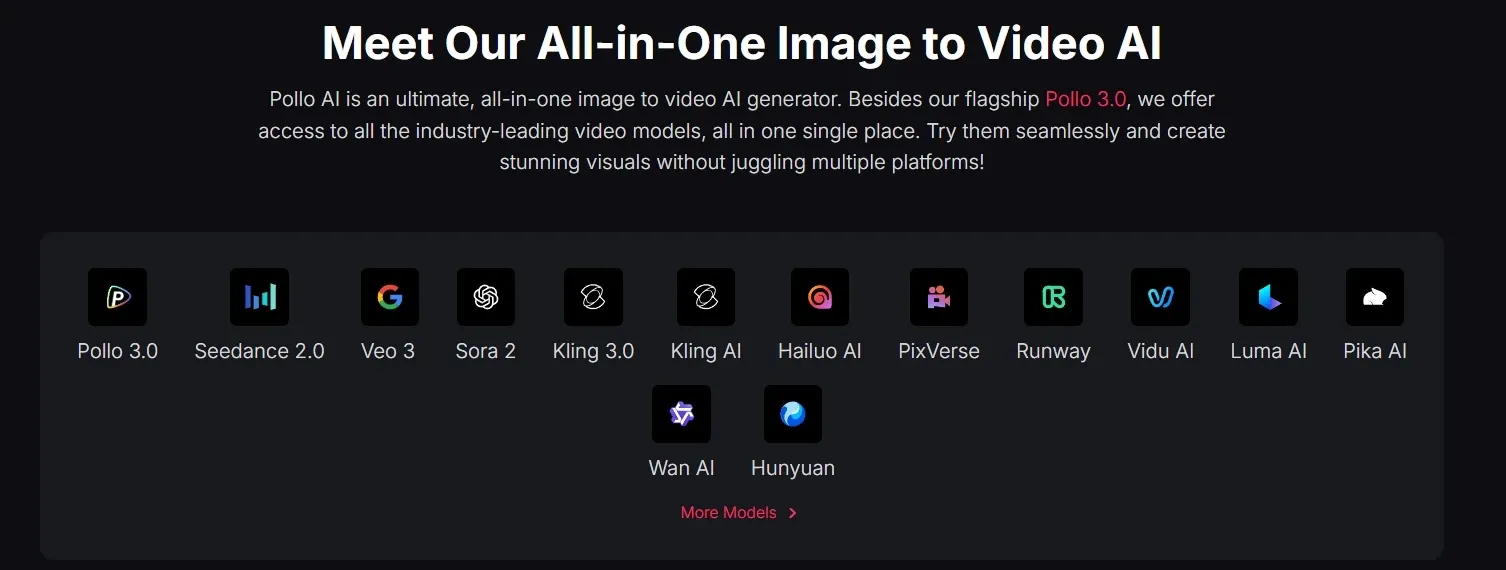
Pollo AI takes a broader approach by bringing together multiple advanced models, including Seedance and Veo, into one unified platform for both image and video creation.
Instead of focusing only on visual experimentation, Pollo AI is designed to turn ideas into structured outputs that are easier to use in real scenarios.
More importantly, its workflows are structured differently. The AI music video generator is powered by Pollo Agent, which analyzes your audio and automatically builds a full storyboard, scenes, and pacing, turning a simple input into a complete video without editing.
Alongside that, Pollo AI also offers a wide range of focused use cases, such as dance music video and movie trailer maker. These are designed for specific outputs, giving you faster ways to create polished content without starting from scratch.
If you are looking for something beyond creative experimentation, this shift toward structured generation makes the process more reliable, more efficient, and far easier to use in real scenarios.
Why Pollo AI Stands Out
Step 1
Access to the Most Advanced Video Models
Work with a wide range of leading video models, such as Seedance 2.5 and MiniMax H3 in one place, including the latest options, making it easier to choose the right model for different types of content.
Turn simple ideas into fully structured videos with scenes, pacing, and flow handled automatically, so outputs are complete and usable without extra editing.
I’ve been using Pollo AI mainly for short videos and quick image-to-video tests. The interface is straightforward and it works well even with simple prompts, which is a big plus compared to tools that need long, complicated instructions. The results can be really impressive, and it’s honestly been fun to experiment with. I’d love a bit more consistency on faces when there’s movement, but overall it’s been a solid experience for what I needed.
Awesome website. loads of options and a great way to learn how to work with 'AI' my reasoning for 5 stars is based upon price, versatility and ease of use. Also I would like to add, Pollo AI runs a lot of promos on different AI products as well. I rate their customer service at 5 stars, when I purchased my first subscription my computer crashed the following weekend and I lost all my data and info passwords you name it I lost it, contacted pollo by email they responded quickly and found my info/username and account, and I was able to restore my account.
I have been using Pollo AI for short videos. It is easy to use and works well with simple prompts. Other generators seem to need long drawn out complicated explanations to get even close to what I want.
i tried 220 online img to vid in 2 months, and this is the best online video.I will subscribe for a year; there are many reasons. But freedom is the most important.
Kaiber AI is a creative AI video platform built around a canvas-style workspace called Superstudio. It combines image, video, and audio tools in one place, allowing users to generate and refine visuals with features like animate image, restyle video, beat sync, and lip sync. Its main strength lies in stylized video creation, music-driven visuals, and flexible, modular workflows designed for creative exploration.
What can you create with Kaiber AI?
Kaiber is best suited for creating stylized videos such as music videos, animated visuals, artistic clips, and experimental content. It works well for short-form content, visual storytelling, and projects where style and mood matter more than structured narratives.
How does Kaiber AI differ from other video generators?
Unlike many tools that focus on generating complete videos in one step, Kaiber uses a modular workflow. You can animate images, extend videos, restyle visuals, or sync audio separately. This gives more creative control, but often requires multiple steps to build a full video.
Can Kaiber AI generate full videos automatically?
Kaiber can generate clips and extend them, but it is not primarily designed to produce fully structured, ready-to-publish videos in one go. Users usually combine multiple tools and steps to achieve a complete result. For those looking for a more direct workflow, Pollo AI offers an alternative approach, where videos are generated with built-in structure, pacing, and flow through its agent-driven system, reducing the need for manual assembly.
Does Kaiber AI support audio-driven video creation?
Yes, Kaiber includes features like beat sync and audio-reactive visuals, allowing videos to respond to music rhythm and sound. This makes it especially useful for music creators and projects where audio plays a central role.
Who is Kaiber AI best for?
Kaiber is ideal for creators, artists, musicians, and designers who want to experiment with visuals, styles, and motion. It’s less focused on business workflows and more suited for creative exploration and artistic projects.
What are the limitations of Kaiber AI?
While Kaiber is strong in visual creativity, outputs can vary and often need extra refinement. It is also less suited for structured storytelling or ready-to-use videos without editing. This is where tools like Pollo Agent come in, focusing more on consistency and generating complete videos that can be used directly.
Make Better Videos with Pollo AI
Skip piecing together clips on Kaiber. Pollo AI helps you build complete videos, no editing required.








 Liz Cassidy


