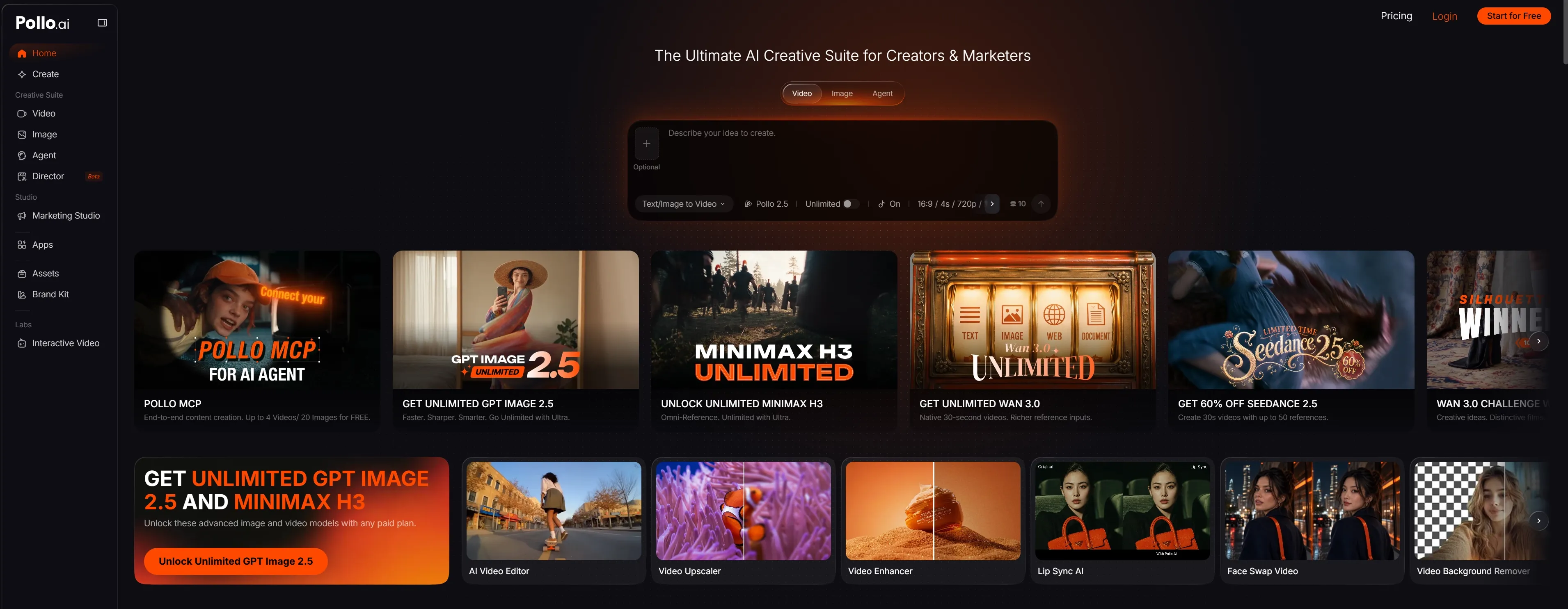
Animaker AI combines 2D animation, custom characters, and templates, ideal for explainers and training clips. But if you want finished videos without manual scene assembly, Pollo AI offers a faster agent-led workflow. Try Pollo AI for free!
Up to 10 keyframes. Unlimited for 10 days with Ultra.
Pollo Recast
Recreate viral videos. Remix new versions.
Pollo Recast Challenge
One upload in. Your viral video out. Unlimited rewards await.
Pollo Agent x DeepSeek V4.1 FLASH
Faster completion at a much lower cost.
Pollo Agent x Gemini 4 Argon
Smarter reasoning. All through Pollo Agent.
WIN iPHONE DUO
Capture a city in one minute. Join the challenge now.
Pollo MCP
End-to-end content creation. Up to 4 Videos/ 20 Images for FREE.
Key Features of Animaker AI
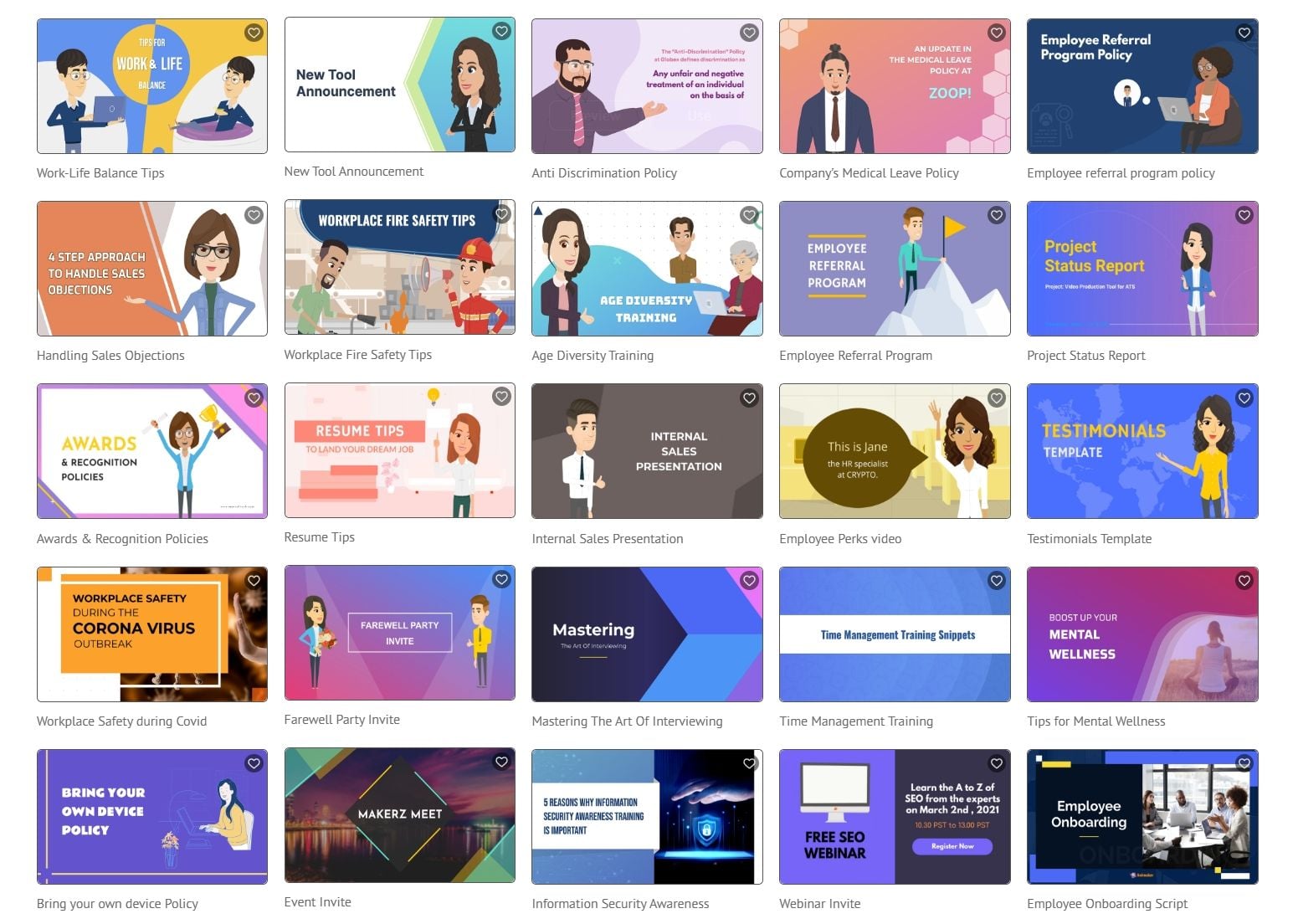
AI Animation Generator: Turn a prompt into an animated video draft with scenes and narration.
Hybrid Animation and Video Editor: Combine animated elements, live-action footage, text, effects, and music in one project.
Avatar-Powered Decks: Turn static slides into engaging animated presentations with your own AI avatar.
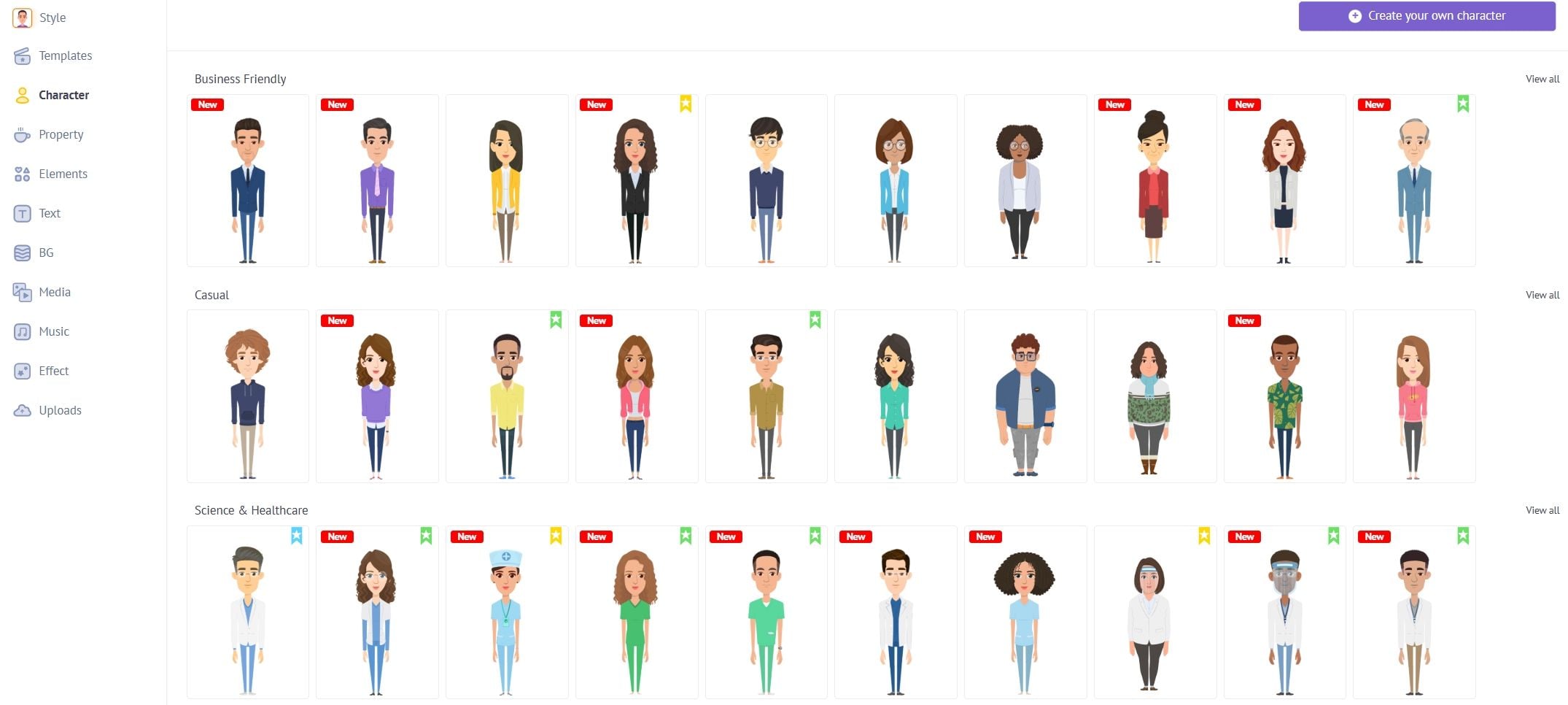
Custom Character Builder: Create reusable characters with adjustable facial features, outfits, poses, and accessories.
AI Auto Lip-Sync: Instantly match voiceovers to your character's mouth movements for realistic AI videos.
100M+ Stock Assets: Access the world's largest library of royalty-free images, videos, and music tracks.
AI Script-to-Video: Turn a simple prompt into a complete animated video draft with scenes and narration.
AI Animation Generator
Animaker AI’s animation generator turns a text prompt into a structured video concept. Instead of starting with a blank timeline, users can describe an educational topic, product idea, workplace scenario, or social media concept and receive a draft with scenes, visual elements, and narration. Users can continue adjusting scenes, characters, text, timing, and media inside Animaker’s editor.
Go From Prompt to Finished Animation
Turn an idea or script into a complete animated video with structured scenes, expressive characters, narration, and audio already coordinated.
Animaker is best known for combining animated content with traditional video editing. Users can place animated characters, text, icons, transitions, and effects over live-action footage, screen recordings, or uploaded media.Compared with a pure prompt-to-video tool, Animaker gives users more control after generation. The tradeoff is that finishing a complex project may require more manual editing. Animaker AI is the first DIY AI video generator that lets you work on live-action and animations simultaneously. You can overlay text, add effects, and export in 4K resolution, ensuring your social media intros or corporate ads look crisp on any screen. It’s built for both pros and beginners who want to edit raw footage into publish-ready clips in a single click.
Avatar-Powered Presentations
Say goodbye to "death by PowerPoint." With the Animaker Deck, you get a world-first avatar-powered presentation tool. It uses digital avatars, wacky GIFs, and one-click animations to make your slides "wow-worthy." Whether it’s for employee onboarding or a TED talk, these AI-driven features ensure your audience stays glued to the screen from start to finish.
Custom Character Builder
Animaker’s Character Builder is one of its most recognizable features. Users can create original animated characters and adjust details such as facial features, hairstyles, clothing, skin tone, expressions, and accessories. Character Builder is more useful for visual consistency than generic text-to-video output because the user defines the character before building the scenes. Why settle for generic presets? The Animaker AI character builder lets you build an animated version of anyone you can imagine. With 15+ facial features and endless accessory slots, you can create a unique brand ambassador. This level of customization has helped marketers 2X their sales conversions by making their educational animations feel personal.
AI Auto Lip-Sync & TTS
Syncing audio is usually a nightmare, but Animaker AI makes it a dream. Using the AI-based Neural TTS Engine, you can convert text into ultra-realistic voiceovers. The Auto Lip-Sync then matches your character's mouth movements to the audio automatically. It’s the ultimate DIY animation tool for creating expressive, talking heads without manual frame editing.
Massive 100M+ Asset Library
You’ll never run out of inspiration with access to over 100 million royalty-free stock assets. This includes everything from Getty Images to niche icons and background music. Whether you're making a social media GIF or a full-length explainer video, this library ensures you have the visual fuel to turn any dream into a high-quality reality.
Animaker AI's Product Positioning and Background
Animaker AI positions itself as the "Swiss Army Knife of Creativity". As an AI-powered animation platform, it was designed to help anyone produce studio-quality animated videos without prior design expertise.
Animaker’s market position is best described as animation-first and template-assisted, with AI generation added to speed up ideation and production. It is not limited to realistic text-to-video generation. Its main strength is helping users create structured animated content with more control over characters and scenes.
Who Uses Animaker AI Video Generator?
Educators and trainers: Create animated lessons, whiteboard explainers, onboarding modules, quizzes, and scenario-based training.
Marketing and sales teams: Produce product explainers, promotional videos, social content, animated ads, and sales presentations.
Corporate communication teams: Turn internal announcements, policy updates, and workplace messages into more engaging visual content.
SaaS and technology companies: Combine screen recordings, animated characters, callouts, and narration to explain complex products.
YouTube and social creators: Build recurring characters, animated series, storytelling videos, intros, and short-form content.
Small businesses and freelancers: Create professional-looking videos without hiring a dedicated animation team or learning advanced software.
Animaker AI Review: What Users Actually Say
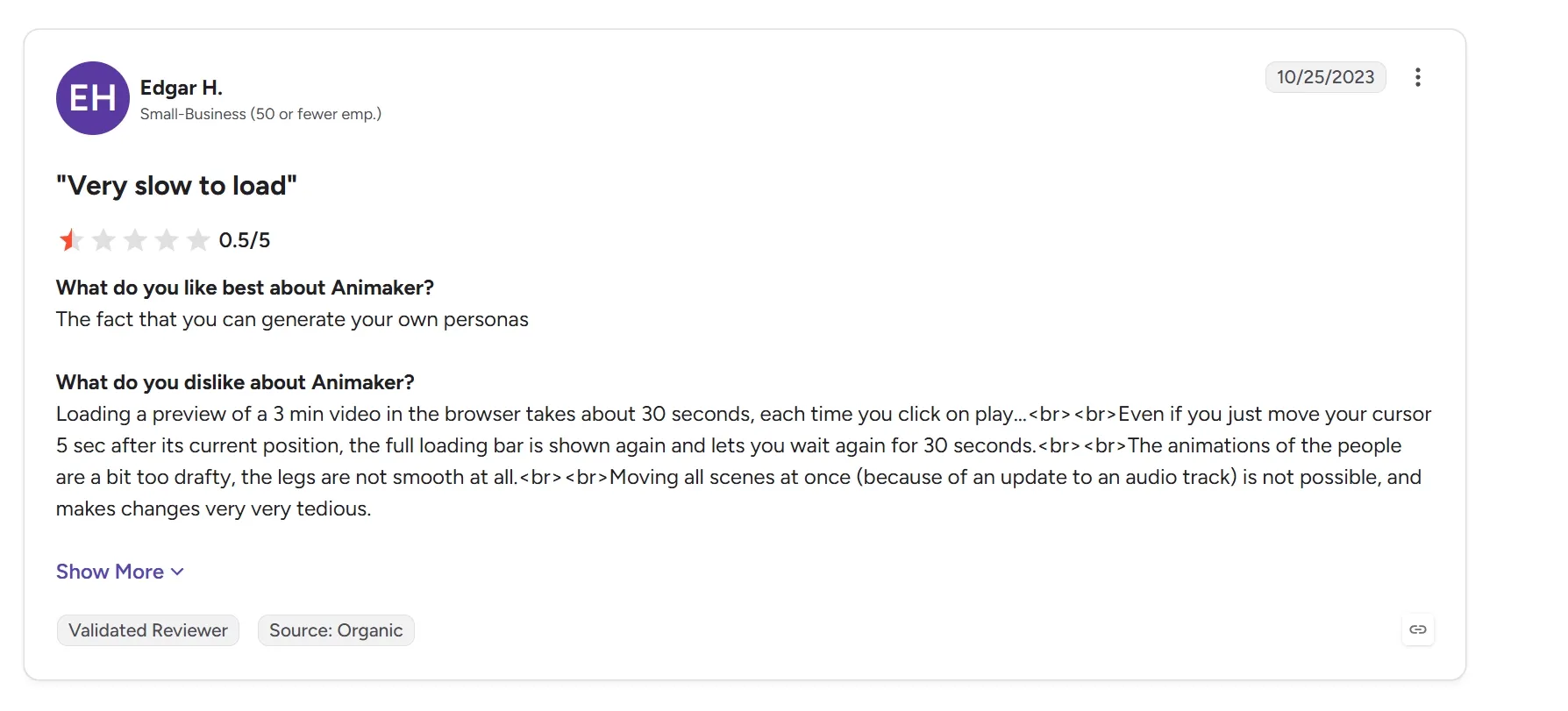
On G2, users commonly praise Animaker’s intuitive interface, drag-and-drop workflow, templates, character options, and suitability for beginners. The negative feedback focuses on limited assets, subscription expectations, refund concerns, and difficulty completing certain projects. Some G2 reviewers mention browser slowdown when working with complex projects, confusing layer selection, export limitations, and restrictions on free plans.
The overall pattern is clear: Animaker is approachable and versatile, but users may encounter friction when projects become large or when they need unlimited exports and premium assets.
How Pollo AI Addresses Animaker’s Workflow Gaps
While Animaker offers a beginner-friendly timeline, users frequently encounter browser slowdowns and confusing layer management when projects grow complex. Instead of manually dragging and dropping hundreds of individual assets, creators can leverage the advanced Pollo Agent. The system automatically structures, generates, and assembles full-length, post-ready videos from a single prompt or idea.This agent-driven workflow handles the heavy computing in the cloud, preventing browser crashes while delivering publication-ready narratives. By integrating high-fidelity visuals, AI voiceovers, and cinematic pacing in one transparent platform, Pollo AI ensures creators can scale their production without technical bottlenecks.
Feature Comparison: Animaker AI vs Pollo AI vs Powtoon
I’ve been using Pollo AI mainly for short videos and quick image-to-video tests. The interface is straightforward and it works well even with simple prompts, which is a big plus compared to tools that need long, complicated instructions. The results can be really impressive, and it’s honestly been fun to experiment with. I’d love a bit more consistency on faces when there’s movement, but overall it’s been a solid experience for what I needed.
Awesome website. loads of options and a great way to learn how to work with 'AI' my reasoning for 5 stars is based upon price, versatility and ease of use. Also I would like to add, Pollo AI runs a lot of promos on different AI products as well. I rate their customer service at 5 stars, when I purchased my first subscription my computer crashed the following weekend and I lost all my data and info passwords you name it I lost it, contacted pollo by email they responded quickly and found my info/username and account, and I was able to restore my account.
I have been using Pollo AI for short videos. It is easy to use and works well with simple prompts. Other generators seem to need long drawn out complicated explanations to get even close to what I want.
i tried 220 online img to vid in 2 months, and this is the best online video.I will subscribe for a year; there are many reasons. But freedom is the most important.
Discover Other Powerful AI Video Generators on Pollo AI
Animaker AI is an AI-powered animation and video creation platform for making explainers, training videos, presentations, product demos, and social content with customizable characters, templates, voiceovers, and timeline editing.
Can Animaker AI create videos from text?
Yes. Users can choose a category, enter a prompt or script, and generate an animated video draft. The result can then be reviewed and edited inside Animaker.
What makes Animaker’s Character Builder useful?
Character Builder lets users create reusable animated characters with custom facial features, clothing, accessories, and expressions. It is useful for branded storytelling, training presenters, mascots, and recurring video series.
Does Animaker support AI voiceover and lip sync?
Yes. Animaker offers AI voice generation and automatic lip sync, allowing users to create narrated videos and synchronize character mouth movements with dialogue.
Can Animaker AI create training and presentation videos?
Yes. Animaker is widely used for onboarding, education, internal communications, sales enablement, presentations, and other information-heavy video formats.
Who is Animaker designed for?
Animaker AI is a world-class tool for everyone! L&D teams use it to simplify complex training, while HR teams create engaging onboarding videos. Marketing & sales pros use it to drive conversions, and internal communications use it to boost company culture. It's even great for individuals making personal resumes!
Create Complete Videos Beyond the Timeline
Stop turning every AI output into another editing project. Let Pollo Agent build a full, publication-ready video from one idea.








 Liz Cassidy


