




Civitai AI Image Generator
Civitai is a community-driven AI hub for discovering models, LoRAs, and remixable workflows to test highly specific visual aesthetics. For use-case-based image creation and practical editing tools for finished visuals, Pollo AI is the ideal alternative. Try Pollo AI for free now!
Key Features of Civitai:
Community Model Library : Civitai has community-created image models, LoRAs, checkpoints, and style resources for users exploring different visual aesthetics.AI Creation Gallery : Civitai has a community gallery where users can review shared AI images, prompts, model choices, and generation settings.Remixable Image Workflows : Civitai supports remixing existing community images by reusing prompts, models, and settings as a starting point.Image Generation Workflows : Civitai supports text-to-image, image-to-image, and remix-based generation for model-driven image experiments.Character Image Generation : Civitai supports character-focused image generation through community models and refinement options for portraits, anime-inspired characters, and stylized human subjects.Anime and Character Model Discovery : Civitai has community-trained anime and manga models for character and illustration workflows.
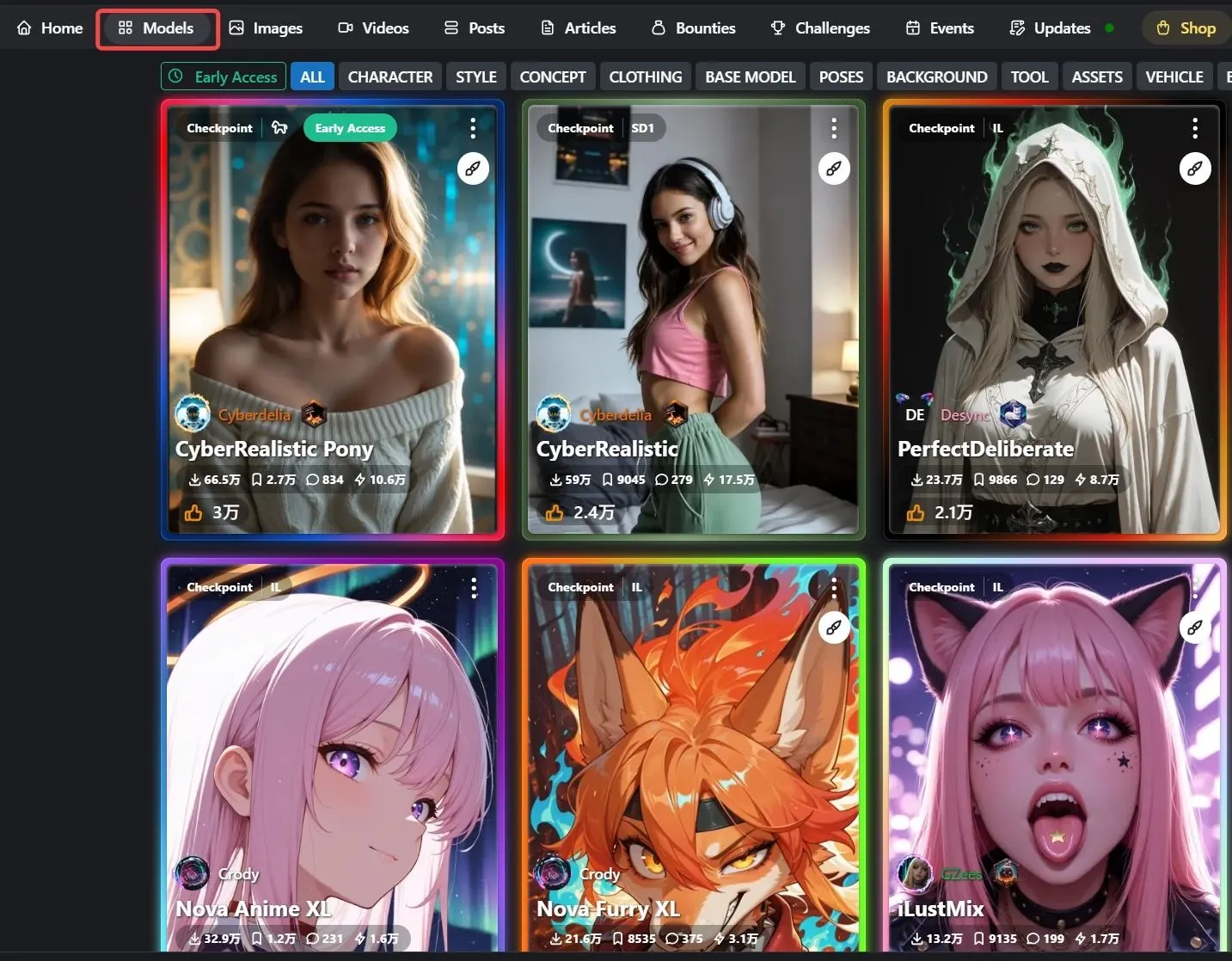
Community Model Library
Civitai hosts community-created diffusion models, LoRAs, checkpoints, and style resources across many visual themes. This makes it useful for users who want to compare model behavior and explore specific aesthetics.
AI Creation Gallery
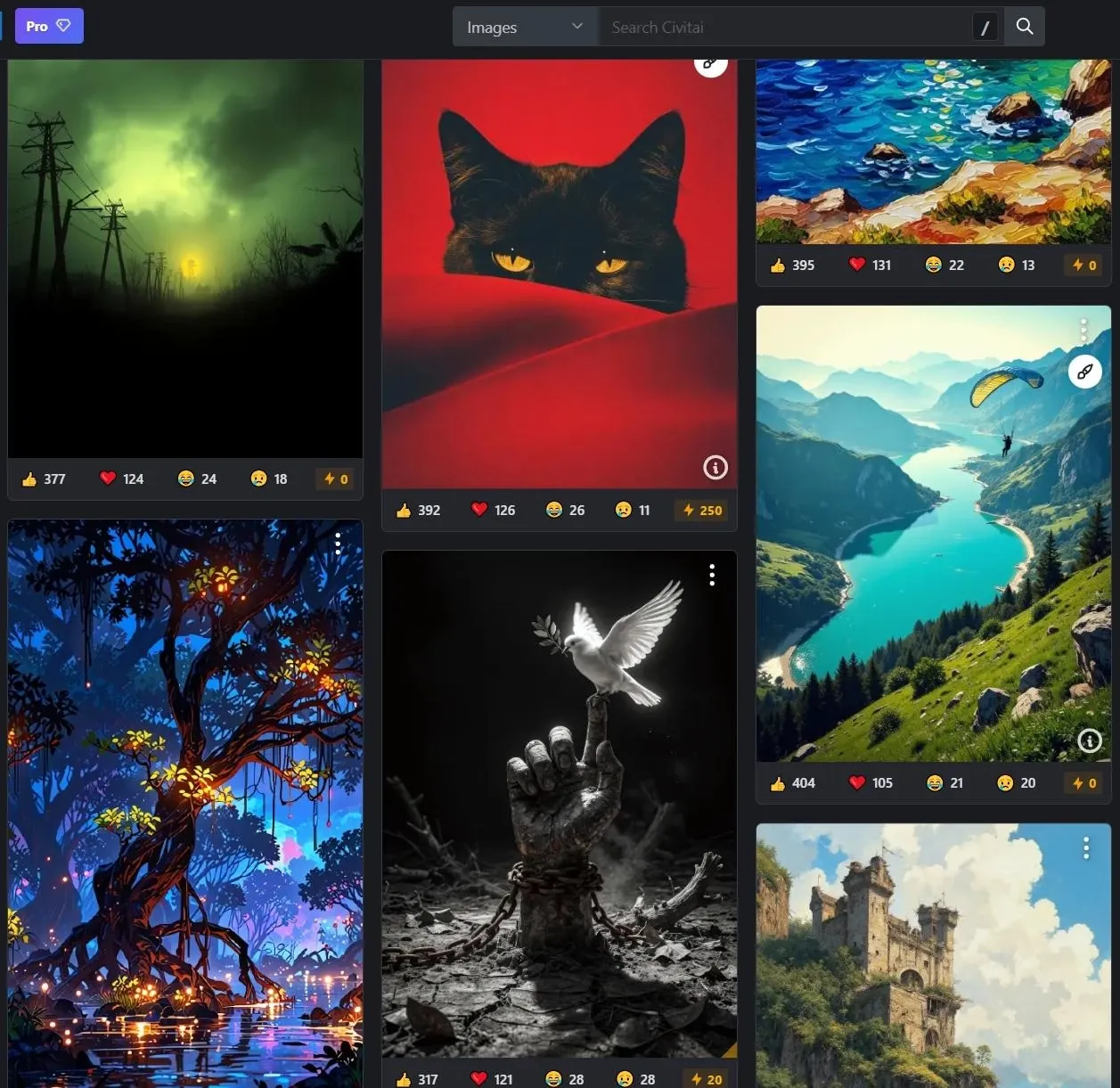
Civitai's gallery shows AI images shared by the community, often with prompts, model references, and generation settings. These examples help users study how different resources shape image outputs.
Remixable Image Workflows
Civitai supports remix workflows that let users start from existing community images and reuse visible prompts or settings. This helps users create variations without building every setup from scratch.
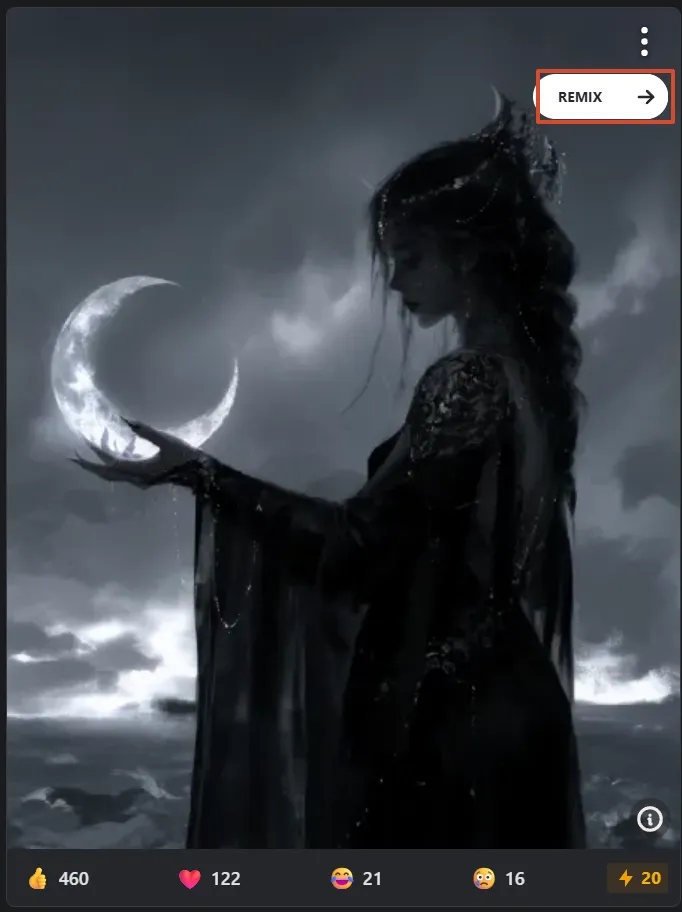
Image Generation Workflows
Civitai supports text-to-image, image-to-image, and remix-based generation. These workflows are most relevant for users testing community models and comparing visual results.
Character Image Generation
Civitai supports character-focused image generation through community models and refinement options such as Face Fix. These tools are relevant for portraits, anime-inspired characters, and stylized human subjects.
Hi-res Fix and Hi-res Face Fix can improve resolution and facial detail in generated images. This is useful for character art, fantasy portraits, and image outputs where face clarity matters.
Anime and Character Model Discovery
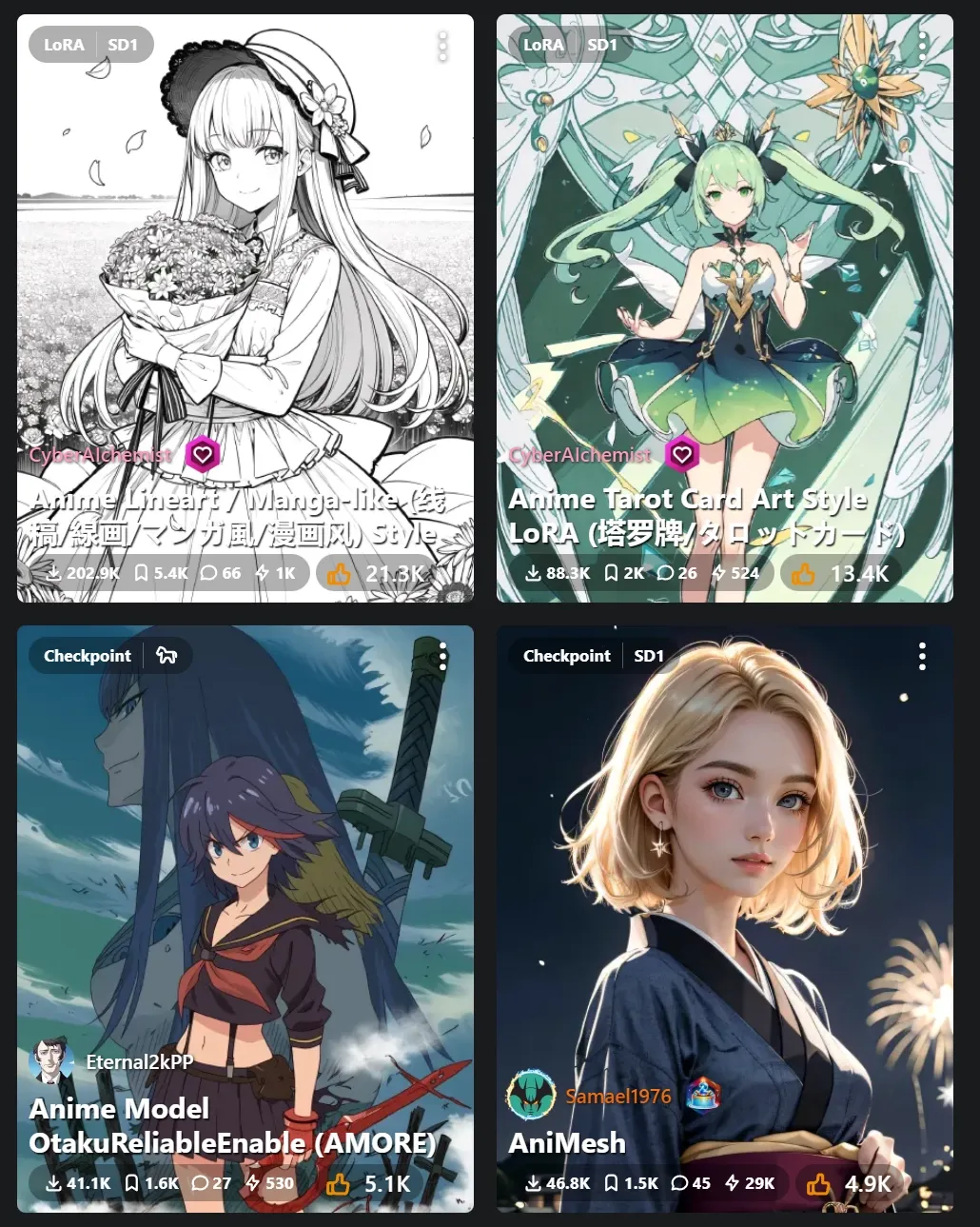
Civitai has many community-trained anime and manga models for character and illustration workflows. Users can compare styles, prompts, and resources before creating related image outputs.
These models support character images, avatar images, and stylized illustration ideas, especially for users who want model-level control over anime-inspired image results.
How People Use Civitai
- For artists & visual creators: Browse and apply community-built models to generate highly specific styles, from realistic portraits to niche aesthetics, and iterate on others’ creations.
- For content creators: Quickly recreate trending visual styles or adapt existing images into new variations for posts, thumbnails, or digital content.
- For learners & AI enthusiasts: Study how prompts, models, and outputs interact by exploring real examples shared by the community and testing them hands-on.
- For character and style-focused creators: Generate detailed human portraits or stylized characters, including anime-inspired visuals, for storytelling, avatars, or creative projects.
How Civitai Works as a Community AI Model Platform
Civitai is more than an AI image generator. It works as a community platform for discovering, sharing, and testing AI image models, including Stable Diffusion checkpoints, LoRAs, embeddings, and other creator-made resources. This makes it especially useful for users who want to study how different models, prompts, and generation settings affect image results.
Its market position is closer to a model community and generative AI marketplace than a simple prompt-to-image tool. Users can browse shared image examples, review prompts and resources used in generations, remix existing creations, and learn from other creators’ workflows. This community-driven structure is one reason Civitai appeals to technical creators, Stable Diffusion users, and people who want deeper model-level experimentation.
Civitai also has a platform currency called Buzz, which connects image generation with creator rewards and community activity. Buzz can be used for creator tips, bounties, LoRA training, and access to advanced generator plugins, giving Civitai a marketplace-like business model around AI model sharing and image creation.
Civitai Pros & Cons
| Pros | Cons |
| Large community model and LoRA library | Steeper learning curve for beginners |
| Strong prompt and model transparency | Quality can vary across community models |
| Useful remix workflows for style exploration | Advanced settings may feel complex for casual users |
Civitai vs Leonardo AI vs Pollo AI
| Feature | Civitai | Leonardo AI | Pollo AI |
| Best For | Model discovery, LoRA testing, and community image remixing | Game assets, concept art, and design visuals | Finished images, edits, product visuals, and creative cleanup |
| Image Generation | Community models, LoRAs, checkpoints, and prompt-based generation | Polished image generation for art, design, and concept work | Broad image styles from prompts, references, and image models |
| Image Editing | Remix, prompt reuse, model/LoRA swapping, and generation-parameter adjustment | Canvas editing, inpainting, and image refinement tools | Background remover, object remover, enhancer, extender, inpaint, and more |
| Style Control | Strong model and LoRA control for technical users | Guided style and asset controls for creators | Fast style exploration through image models and inpaint tools |
| Community / Templates | Strong model community with shared images, prompts, and resources | Creative asset workflows and model/tool presets | Ready-made image tools and photo effects for faster creation |
| Workflow Speed | Detailed model testing can take more setup time | Guided creative tools for polished asset creation | Faster path from prompt or reference image to finished visual |
Civitai is strongest for creators who want to explore community models, LoRAs, prompts, and remixable image examples. Leonardo AI is more focused on polished design and concept assets, with guided tools for creative production.
Pollo AI is a better fit when users want to skip model files and complex setup, then move from a prompt or reference image to a finished visual with image generation, photo editing, cleanup, enhancement, and image extension tools.
When Should You Look for a Civitai Alternative?
Civitai is especially valuable for users who enjoy testing models, studying prompts, comparing generation settings, and learning from community-created AI images.
But not every creator wants to manage model files, compare checkpoints, adjust LoRAs, or handle technical setup before making an image. Some users simply want to move from a prompt or reference image to a polished visual faster.
That is where Pollo AI becomes a practical alternative. If you want to start from a text prompt, Pollo AI's AI image generator helps you create new visuals without model setup. If you already have a reference image, its AI photo editor can turn it into a new direction and refine the result in the same workflow.
This makes Pollo AI more useful for creators who need finished images for social posts, product visuals, marketing assets, and creative projects, rather than a deep model-research workflow.
Why Is Pollo AI a Strong Civitai Alternative?
Leading Image Model Access
Use top image models like GPT Image 2, Nano Banana, and Seedream, in one workspace, without managing model files.
Creative Studio Workflow
Create images, avatars, product visuals, posters, and style-based assets from prompts or references with Pollo AI’s Creative Studio workflow.
AI Image Editing
Edit, enhance, restyle, remove objects, swap backgrounds, extend the canvas, or inpaint details with Pollo AI’s image tools.










 5000+ reviewsTrustscore 4.4
Chosen by 10M+ Creators and Marketers Worldwide
Thousands of satisfied users have shared their Pollo AI experiences on Trustpilot, rating us as "Excellent." See what they love about our platform.
Liz Cassidy Dec 15, 2025Richard QuickOct 15, 2025armourdudeNov 19, 2025
 DuduJan 14, 2026
 Ray WarnesDec 30, 2025
 lawless clanNov 22, 2025
Explore Other AI Image Generators Besides Civitai
FAQs
What is the Civitai image generator?
The Civitai image generator is an AI tool that creates images using a wide range of community-trained diffusion models. Unlike many image generators, it lets users explore shared models, view prompts behind popular images, and remix existing creations to generate new variations.
Is the Civitai image generator free to use?
Civitai offers free access to many community resources, including model browsing, image examples, and shared prompts. Image generation and some platform activities may use Civitai’s Buzz system or paid membership options, depending on the feature, model, and usage level.
What makes Civitai different from other AI image generators?
Civitai focuses on a community-driven model ecosystem. Instead of relying on a single AI model, users can explore thousands of community-trained models that generate images in different styles, from realistic portraits to anime and fantasy art.
Can I remix images shared by the Civitai community?
Yes. Civitai allows users to remix existing images by reusing the prompts and settings behind community creations. This makes it easy to generate new variations based on images you like.
Do I need to install Stable Diffusion to use Civitai?
No. Civitai offers online image generation, so users can create images without installing Stable Diffusion locally. However, users who want deeper model control may still download models, LoRAs, or checkpoints and use them in their own Stable Diffusion workflow.

Create Images with Pollo AI for Free
Generate, edit, enhance, and transform AI images with Pollo AI, from prompt-based creation to polished visuals for social, product, and marketing use.