Adobe Firefly is an AI image generator built for professional design and commercial use. It excels in advanced style matching and generative editing. For creators who need a broader image generation toolkit — spanning multiple top-tier models, specialized style generators, and built-in AI editing — Pollo AI delivers a more versatile, all-in-one solution. Try Pollo AI Image Generator For Free Now!
Text to Image
Image to Image
Kling 4.0
Up to 10 keyframes. Unlimited for 10 days with Ultra.
Pollo Recast
Recreate viral videos. Remix new versions.
Pollo Recast Challenge
One upload in. Your viral video out. Unlimited rewards await.
Pollo Agent x DeepSeek V4.1 FLASH
Faster completion at a much lower cost.
Pollo Agent x Gemini 4 Argon
Smarter reasoning. All through Pollo Agent.
WIN iPHONE DUO
Capture a city in one minute. Join the challenge now.
Pollo MCP
End-to-end content creation. Up to 4 Videos/ 20 Images for FREE.
Key Features of Adobe Firefly
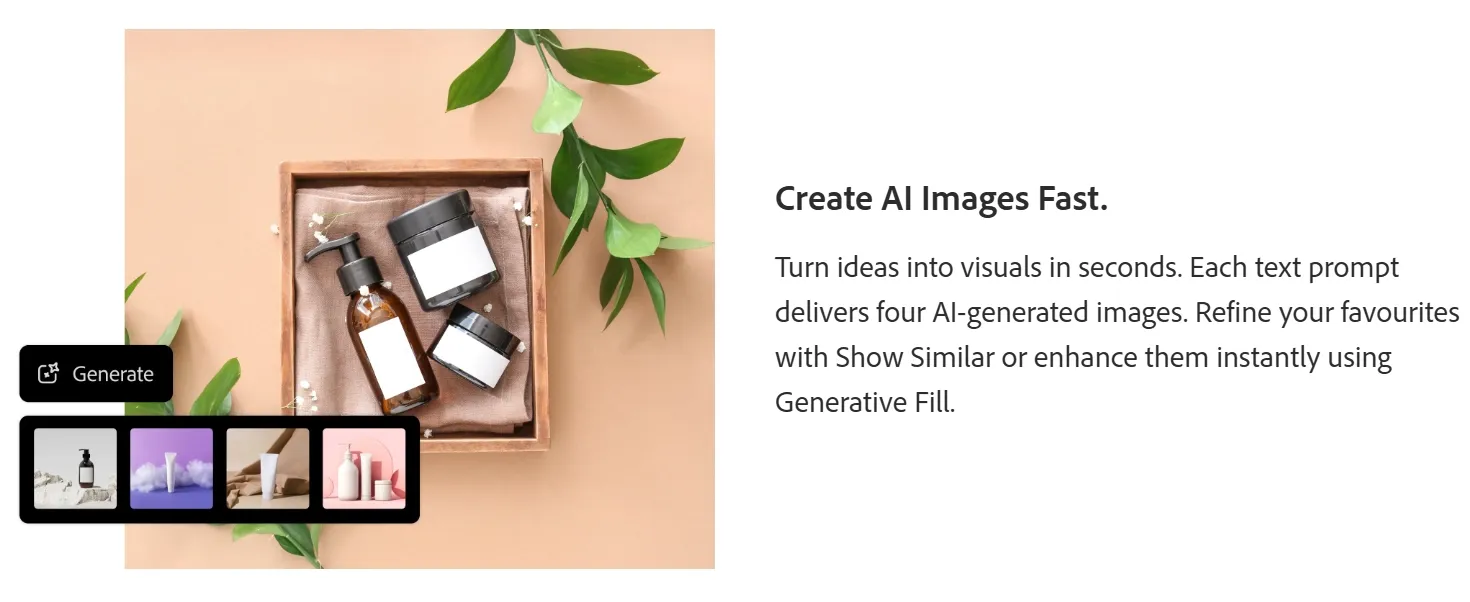
Generative Fill Editing: Brush to remove, replace, or add elements inside an image with the AI.
Show Similar Generation: Click Show Similar to create images with similar styles or compositions.
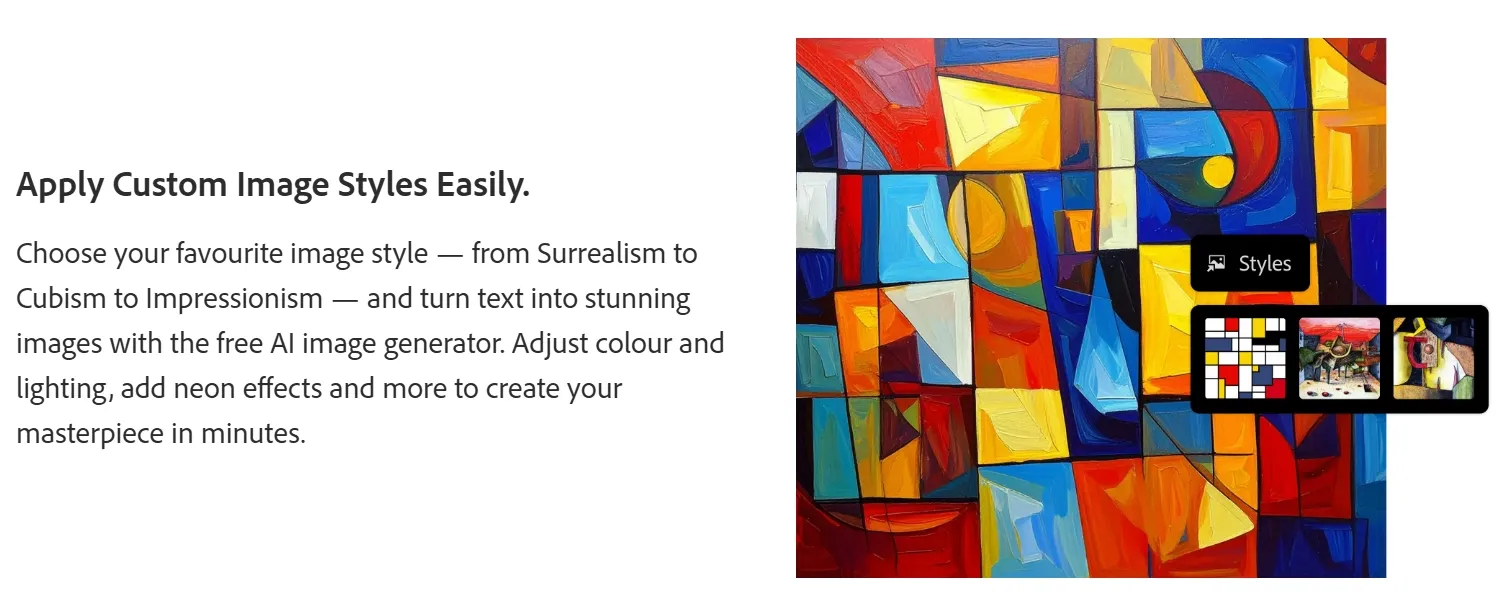
Smart Color Styling: Instantly generate new color palettes for vector graphics and illustrations.
3D-Style Image Generation: Create 3D visuals like glass objects and transparent materials from text prompts.
Generative Fill Editing
Adobe Firefly’s Generative Fill allows users to edit images by selecting areas with a brush. It can be used to remove objects, replace elements, or add new details within an image. The tool applies AI-generated changes that are designed to match the surrounding visual context.
Show Similar Generation
The Show Similar feature lets users generate additional images based on an existing result. It can help explore related styles, layouts, or compositions without changing the original prompt.
Smart Color Styling
Smart Color Styling supports color variation generation for vector graphics and illustrations. It keeps the original layout while offering different palette options, which can be useful for testing branding directions or visual styles.
3D-Style Image Generation
Firefly can generate images with a 3D-rendered appearance, including objects with depth, lighting, and material effects such as glass or transparency. This feature may be used for product visuals, concept images, or marketing-related graphics.
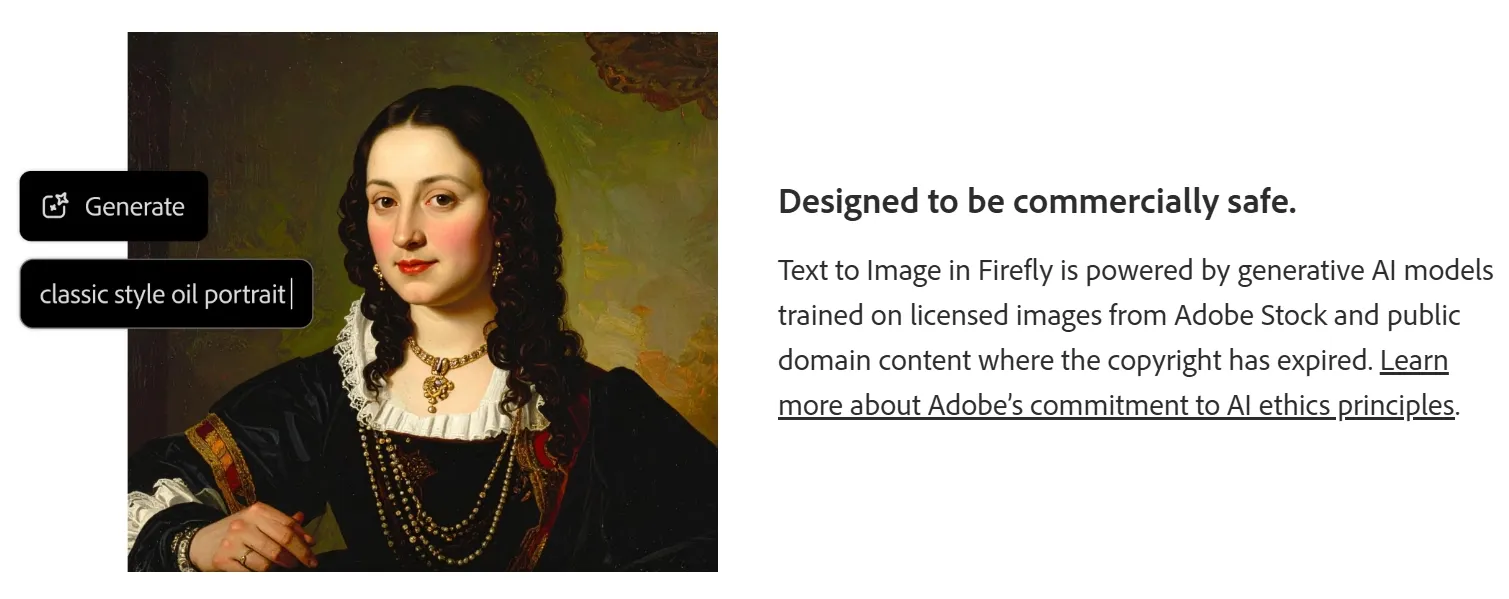
Adobe Firefly's Commercial Use Considerations
Adobe positions Firefly as a tool designed for commercial use. According to Adobe, its models are trained on licensed Adobe Stock content, public-domain materials, and other permission-based datasets, rather than broadly scraped internet images.
This approach helps reduce copyright risks, making Firefly a safer choice for creating marketing visuals, brand assets, and professional design content.
Adobe Firefly’s Pros & Cons
Pros
Cons
Preset styles & effects
Occasional distorted outputs
Reference style matching
5-second video limit
Multiple aspect ratios
Limited prompt controls for excluding elements
User content not used for training Adobe’s AI
Watermark on free outputs
Use Cases & Target Audience of Adobe Firefly
Graphic Designers: Generate scalable vector assets such as icons, logos, and brand patterns directly from text prompts.
Marketing Teams: Produce campaign visuals and product photos that meet commercial licensing standards without legal risk.
Fashion & Apparel Brands: Visualize garment graphics and style variations before committing to production.
Social Media Managers: Generate platform-ready avatars and branded visual content at scale for consistent campaigns.
What Do Real Users Say About Adobe Firefly's Image Generation?
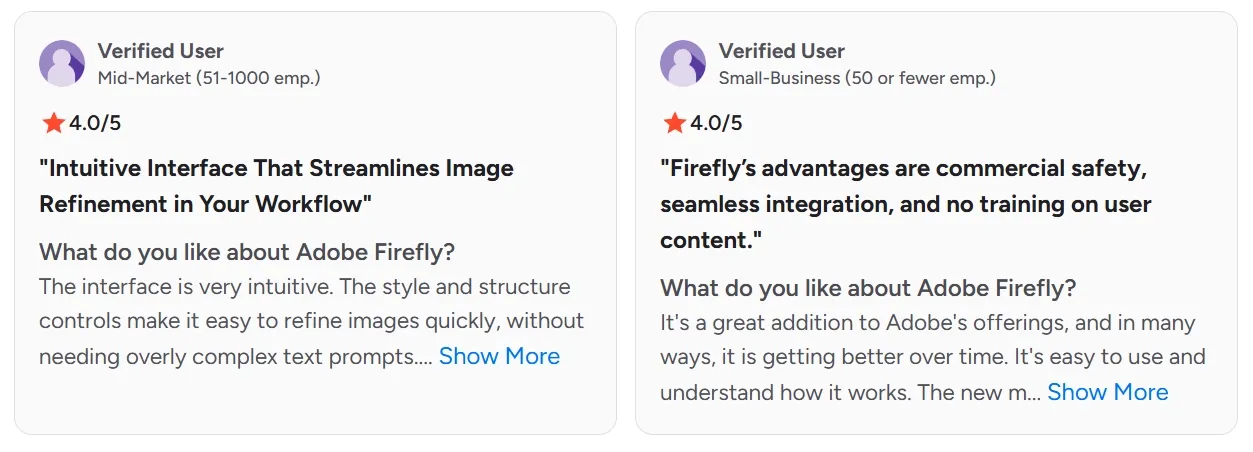
On G2, Adobe Firefly holds a 4.5/5 rating across more than 2,100 verified reviews. Reviewers consistently praise its seamless integration with Photoshop and Illustrator, its intuitive Generative Fill tool, and the commercial safety of its training data. One G2 reviewer noted: "Firefly's advantages are commercial safety, seamless integration, and no training on user content".
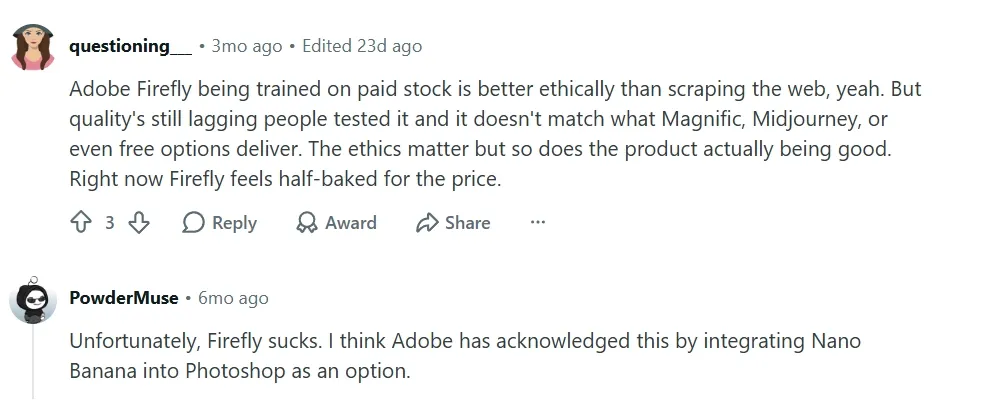
However, recurring pain points surface across Reddit and review platforms. Users report that image quality lags behind competitors like Midjourney, particularly for photorealistic outputs. The free tier is heavily limited by a watermark on all outputs, and the credit system frustrates users who need high-volume generation. Slow generation speeds under standard subscription plans — including throttled parallel generation — are also frequently cited.
Pollo AI directly resolves the core frustrations Firefly users face. Rather than locking into a single model, Pollo AI aggregates top-tier image models, including GPT Image 2, Nano Banana 2, and Seedream 5.0. allowing creators to seamlessly switch models to match their exact quality or speed requirements..
This multi-model power fuels exceptionally precise capabilities of text to image and image to image, designed for immediate commercial deployment. Backed by 100+ specialized style generators, Pollo AI guarantees unmatched visual fidelity and absolute subject consistency.
Furthermore, to elevate your content further, Pollo AI provides a comprehensive suite of diverse effects and enhancement tools, including angle changing, background removing, and viral trends like the AI baby filter—efficiently taking your project from a raw idea straight to a design-ready final piece.
Multi-model aggregation with specialized generators
AI upscaling and detail enhancement-first platform
Image Models Available
Firefly only
GPT Image 2, Nano Banana 2, Seedream 5.0, and more
Mystic v2.5 and select generation models
Specialized Style Generators
Not available
100+ generators (anime, fashion, headshots, posters, memes, and more)
Not available
Image Editing
Generative Fill, Smart Color Styling
AI Photo Editor: style transfer, object removal, background swap via text prompt
Refinement and imperfection correction only
Commercial Safety
Strong (licensed stock training)
Strong (commercial-grade outputs)
Not specified
Output Quality (Photorealism)
Moderate
High (model-switchable for best fit)
High (via upscaling and detail hallucination)
Subject Consistency
Limited
Supported across images and scenes
Limited
Free Tier
Watermarked outputs, limited credits
Available with no watermark on standard outputs
Limited free access
Why Does Pollo AI Win Over Adobe Firefly?
Adobe Firefly is a capable tool for designers who need commercially safe image outputs within the Adobe ecosystem. Its vector support and Generative Fill are genuine strengths. Yet its ceiling is defined by a single model and image quality that trails the broader field.
Pollo AI takes a fundamentally different approach. Rather than asking creators to work within one model's limitations, it provides access to multiple leading image models — GPT Image 2, Nano Banana 2, Seedream 5.0, and others — so the right tool is always available for the right task.
Its dozens of specialized generators cover everything from cartoon characters and art to product photos and marketing posters, meaning users never start from a blank canvas. The built-in AI photo editor is also a powerful tool that helps users handle any edit via plain-language prompts — no separate software required.
For marketing teams, brand designers, and content creators who need reliable, design-ready visuals at scale, Pollo AI is the more complete and dependable choice.
Why Is Pollo AI the Stronger Image Generation Platform?
I’ve been using Pollo AI mainly for short videos and quick image-to-video tests. The interface is straightforward and it works well even with simple prompts, which is a big plus compared to tools that need long, complicated instructions. The results can be really impressive, and it’s honestly been fun to experiment with. I’d love a bit more consistency on faces when there’s movement, but overall it’s been a solid experience for what I needed.
Awesome website. loads of options and a great way to learn how to work with 'AI' my reasoning for 5 stars is based upon price, versatility and ease of use. Also I would like to add, Pollo AI runs a lot of promos on different AI products as well. I rate their customer service at 5 stars, when I purchased my first subscription my computer crashed the following weekend and I lost all my data and info passwords you name it I lost it, contacted pollo by email they responded quickly and found my info/username and account, and I was able to restore my account.
I have been using Pollo AI for short videos. It is easy to use and works well with simple prompts. Other generators seem to need long drawn out complicated explanations to get even close to what I want.
i tried 220 online img to vid in 2 months, and this is the best online video.I will subscribe for a year; there are many reasons. But freedom is the most important.
Discover Other Powerful AI Image Generators on Pollo AI
Adobe Firefly is an AI image generator that creates images from text prompts. It allows users to generate visuals, edit images with tools like Generative Fill, and explore different styles for design and creative projects.
What makes Adobe Firefly different from other AI image generators?
Adobe Firefly focuses on professional design workflows and commercial safety. Its models are trained on licensed and public-domain content, making generated images safer for marketing and business use.
Can I edit images generated by Adobe Firefly?
Yes. Adobe Firefly includes editing tools such as Generative Fill and Smart Color Styling. These tools allow you to remove objects, add new elements, or adjust colors directly within an image.
Who is Adobe Firefly AI image generator best for?
Adobe Firefly is suitable for designers, marketers, content creators, and digital artists who want to generate or edit images quickly. It’s especially useful for creating marketing visuals, design concepts, social media graphics, and creative artwork with AI tools.
What is the best alternative to the Adobe Firefly AI image generator?
Pollo AI is among the strongest alternatives. Unlike Adobe Firefly's single-model approach, Pollo AI lets creators switch models to match any visual style or quality requirement. It aggregates multiple top-tier image models (GPT Image 2, Flux AI, and Nano Banana 2), and offers many specialized generators.
Stop Settling for One Model's Ceiling — Generate Smarter with Pollo AI
Switch to Pollo AI that matches every image style, every time, with zero creative compromise!








 Liz Cassidy


