Pixlr is an AI image generator built for helping creators produce quick visual assets and edits without heavy software. However, if you want to avoid template-based and seek an experience that produces design-ready images without heavy software editing, switch to Pollo AI. It provides dozens of specialized image generators and a powerful AI photo editor for easier edits via simple prompts. Try Pollo AI Image Generator For Free Now!
Text to Image
Image to Image
WIN iPHONE DUO
Capture a city in one minute. Join the challenge now.
Pollo MCP
End-to-end content creation. Up to 4 Videos/ 20 Images for FREE.
Get Unlimited GPT Image 2.5
Faster. Sharper. Smarter. Go Unlimited with Ultra.
Unlock Unlimited MiniMax H3
Omni-Reference. Unlimited with Ultra.
Get Unlimited Wan 3.0
Native 30-second videos. Richer reference inputs.
Get 60% OFF Seedance 2.5
Create 30s videos with up to 50 references.
Wan 3.0 Challenge Winners
Creative ideas. Distinctive films. Meet the creators behind them.
Flux 3 - 50% OFF Now
Up to 20 seconds in native 1080p.
Key Features of Pixlr
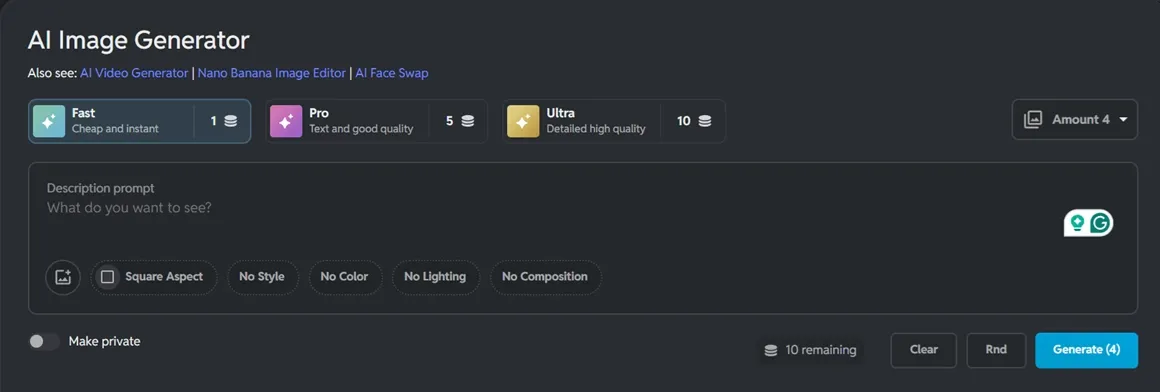
Triple-Tier Generation Modes: Choose between Fast, Pro, or Ultra AI modes to balance speed and cinematic detail.
Generative Fill & Expand: Seamlessly add, remove, or extend parts of your image using simple AI instructions.
16+ Diverse Artistic Styles: Instantly transform prompts into specific aesthetics like Neon Punk, Anime, or Digital Art.
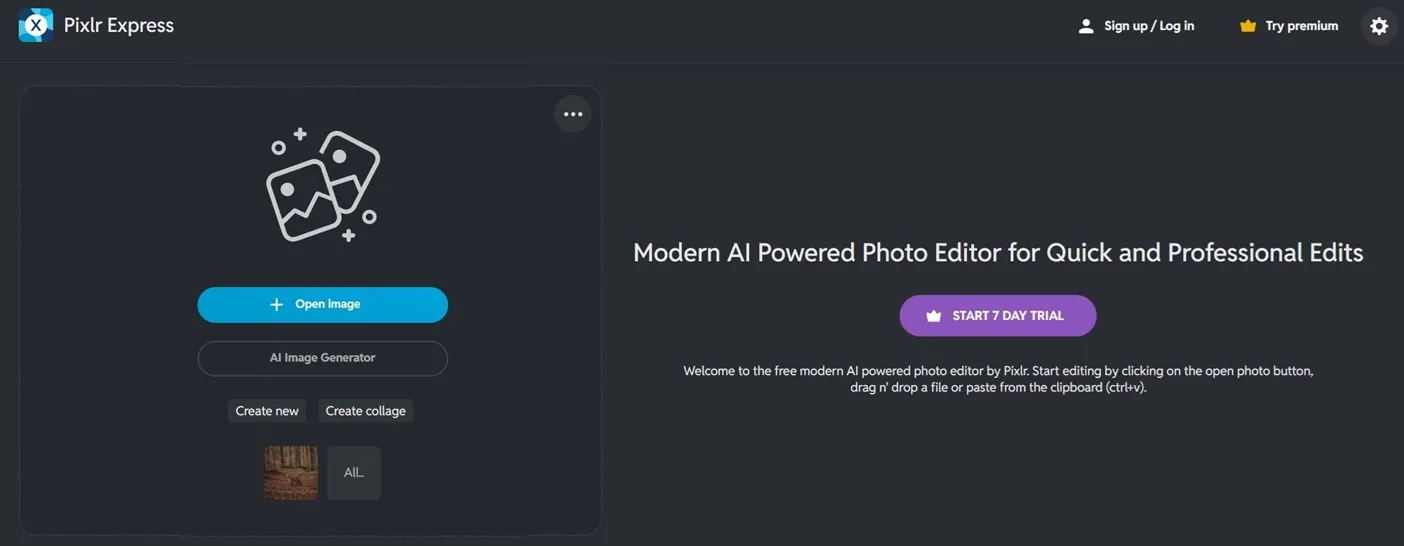
Integrated Pro Editing Suite: Move your AI-generated art directly into Pixlr Express for advanced retouching and filters.
Triple-Tier Generation (Fast, Pro, Ultra)
One feature of Pixlr is that it offers three different modes. Fast Mode is designed for quick social media drafts or brainstorming. Pro Mode provides more refined textures and depth for daily content. Ultra Mode produces highly detailed, cinematic visuals.
Generative Fill & Expand
Pixlr's generative expand function extends the canvas by generating content beyond its original borders. It can also fill in empty areas without cropping.
The Generative Fill feature allows users to replace elements—for example, changing a plain t-shirt into a leather jacket—by brushing over the target area and typing a text prompt.
Diverse Artistic Styles
Pixlr offers diverse styles for image generation. Examples include Neon Punk with edgy, vibrant colors, Digital Art with clean lines, and Watercolor with a soft feel. The AI adjusts the composition according to the selected style.
Integrated Pro Editing Suite
The AI image generator is integrated with the rest of the Pixlr ecosystem. After the AI generates an image, users can open it in Pixlr Express or Editor to apply HDR filters, bokeh blurs, or use the AI face swap tool.
This allows a single text prompt to serve as the starting point for a design workflow that leads to a finished image in minutes.
E-commerce Merchants: Generate clean product backgrounds and polished mockups directly in the browser, eliminating the need for professional studio setups.
Social Media Managers: Apply style presets and generative expand tools to produce eye-catching promotional posts and banners at speed.
Graphic Designers: Use the integrated editing suite to move seamlessly from AI-generated concepts into detailed retouching and layout refinement.
Content Creators & Bloggers: Quickly produce diverse illustrations and header visuals across 16+ artistic styles to match any editorial tone.
Marketing Teams: Leverage the triple-tier generation modes to iterate on campaign visuals rapidly, from quick drafts to high-detail hero images.
What Do User Reviews Reveal About Pixlr AI?
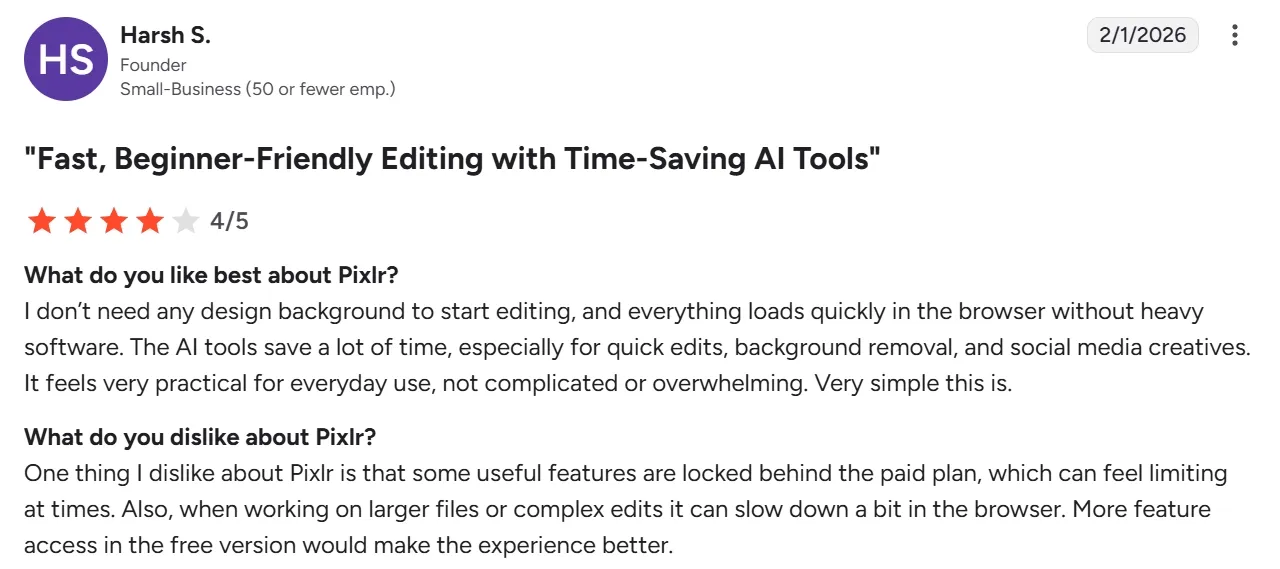
On G2, Pixlr holds a strong 4.4/5 rating across 747 reviews, with users consistently praising its clean interface, instant browser access, and time-saving AI tools.
One verified reviewer noted: "I don't need any design background to start editing, and everything loads quickly in the browser without heavy software." The platform is widely recognized as an accessible entry point for everyday visual creation.
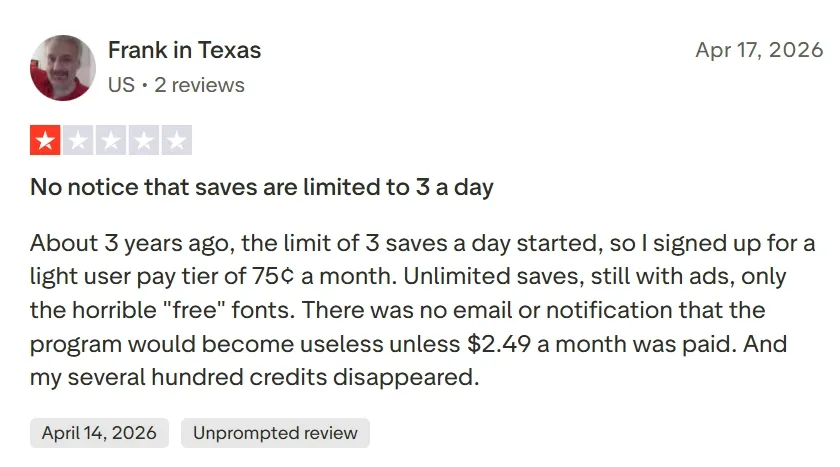
However, Trustpilot tells a different story, with Pixlr scoring just 1.7/5 across 142 reviews. Recurring complaints include aggressive free-tier restrictions (only 3 saves per day), unexpected subscription charges, and sudden credit expirations.
Several users also report that the AI struggles with complex, multi-element compositions and lacks meaningful video capabilities — a significant gap for creators who need dynamic content.
Pollo AI directly addresses these pain points by offering a more stable, transparent, and comprehensive creative ecosystem. Rather than locking core features behind hard paywalls, Pollo AI provides access to 200+ top-tier image and video models in a single dashboard.
For static visuals, Pollo AI delivers exceptional features of text to image and image to image that ensures flawless subject consistency. Its commercial-grade image suite and advanced AI photo editor allow creators to swap backgrounds or change styles with a single sentence.
Beyond creating design-ready graphics, this robust ecosystem seamlessly connects image generation with dynamic video production pipelines. Instead of forcing users to manually stitch fragmented assets together, the platform introduces automated, end-to-end workflows.
Leading this automated workflow is the Pollo Agent, which goes further still by transforming these static assets into complete, publication-ready videos from start to finish—eliminating the need for manual clipping, stitching, or constant re-editing.
I’ve been using Pollo AI mainly for short videos and quick image-to-video tests. The interface is straightforward and it works well even with simple prompts, which is a big plus compared to tools that need long, complicated instructions. The results can be really impressive, and it’s honestly been fun to experiment with. I’d love a bit more consistency on faces when there’s movement, but overall it’s been a solid experience for what I needed.
Awesome website. loads of options and a great way to learn how to work with 'AI' my reasoning for 5 stars is based upon price, versatility and ease of use. Also I would like to add, Pollo AI runs a lot of promos on different AI products as well. I rate their customer service at 5 stars, when I purchased my first subscription my computer crashed the following weekend and I lost all my data and info passwords you name it I lost it, contacted pollo by email they responded quickly and found my info/username and account, and I was able to restore my account.
I have been using Pollo AI for short videos. It is easy to use and works well with simple prompts. Other generators seem to need long drawn out complicated explanations to get even close to what I want.
i tried 220 online img to vid in 2 months, and this is the best online video.I will subscribe for a year; there are many reasons. But freedom is the most important.
Discover Other Powerful AI Image Generators on Pollo AI
Pixlr blends classic editing with powerful AI in your browser. Featuring AI image generation and Generative Fill, it’s a pro toolkit with no downloads. Pixlr AI makes it easy for anyone to create, expand, or retouch visuals for social media and blogs in seconds.
What is the difference between Fast, Pro, and Ultra modes?
It’s all about the level of detail and processing power. Fast Mode is optimized for speed—great for quick ideas. Pro Mode offers a balanced, polished look for standard designs. Ultra Mode is the powerhouse, delivering the highest resolution, best lighting, and most intricate textures for high-end professional projects.
How do I get the most realistic results with Pixlr?
The key is to use specific keywords in your prompt. Instead of just saying ‘a cat,’ try ‘a fluffy ginger cat sitting on a velvet sofa, cinematic lighting, 8k resolution, photorealistic.’ You should also select the Photographic or Cinematic style from the menu to guide the AI's aesthetic.
Can I edit the images after the AI generates them?
Absolutely! This is where Pixlr really shines. You can open any AI-generated image in Pixlr Express or Editor to apply filters, crop, add text, or use other AI tools like Generative Fill to perfect every single pixel.
Is Pixlr better than Photoshop for AI generation?
While Photoshop is powerful, Pixlr is much more accessible. It runs entirely in your browser, so there’s nothing to install. For most creators, Pixlr offers a much faster and more intuitive way to use AI tools like generative expand and background removal without the steep learning curve of Adobe software.
Create Your Pro-Grade AI Art with Pollo AI Today
Ditch limited browser tools and generate design-ready commercial images with Pollo AI now!