Gencraft is an AI image generator that specializes in turning text prompts into imaginative, polished digital artwork across multiple styles, ranging from photorealism to abstract art. Built for speed and creativity, artists, hobbyists, and professionals can effortlessly experiment and iterate on fantastical ideas to bring unique compositions to life for any project. For users who want broader image generation, editing, and commercial-ready style control in one workflow, Pollo AI offers a cleaner creative path. Try Pollo AI for free now!
Text to Image
Image to Image
POLLO AI INFLUENCER
Create your own influencer. Then jump into any trend with Recast.
Kling 4.0
Up to 10 keyframes. Unlimited for 10 days with Ultra.
Pollo Recast Challenge
One upload in. Your viral video out. Unlimited rewards await.
Pollo Agent x DeepSeek V4.1 FLASH
Faster completion at a much lower cost.
Pollo Agent x Gemini 4 Argon
Smarter reasoning. All through Pollo Agent.
Pollo MCP
End-to-end content creation. Up to 4 Videos/ 20 Images for FREE.
Key Features of Gencraft
Custom AI Image Models: Access tailored AI image models built for specific themes and aesthetics.
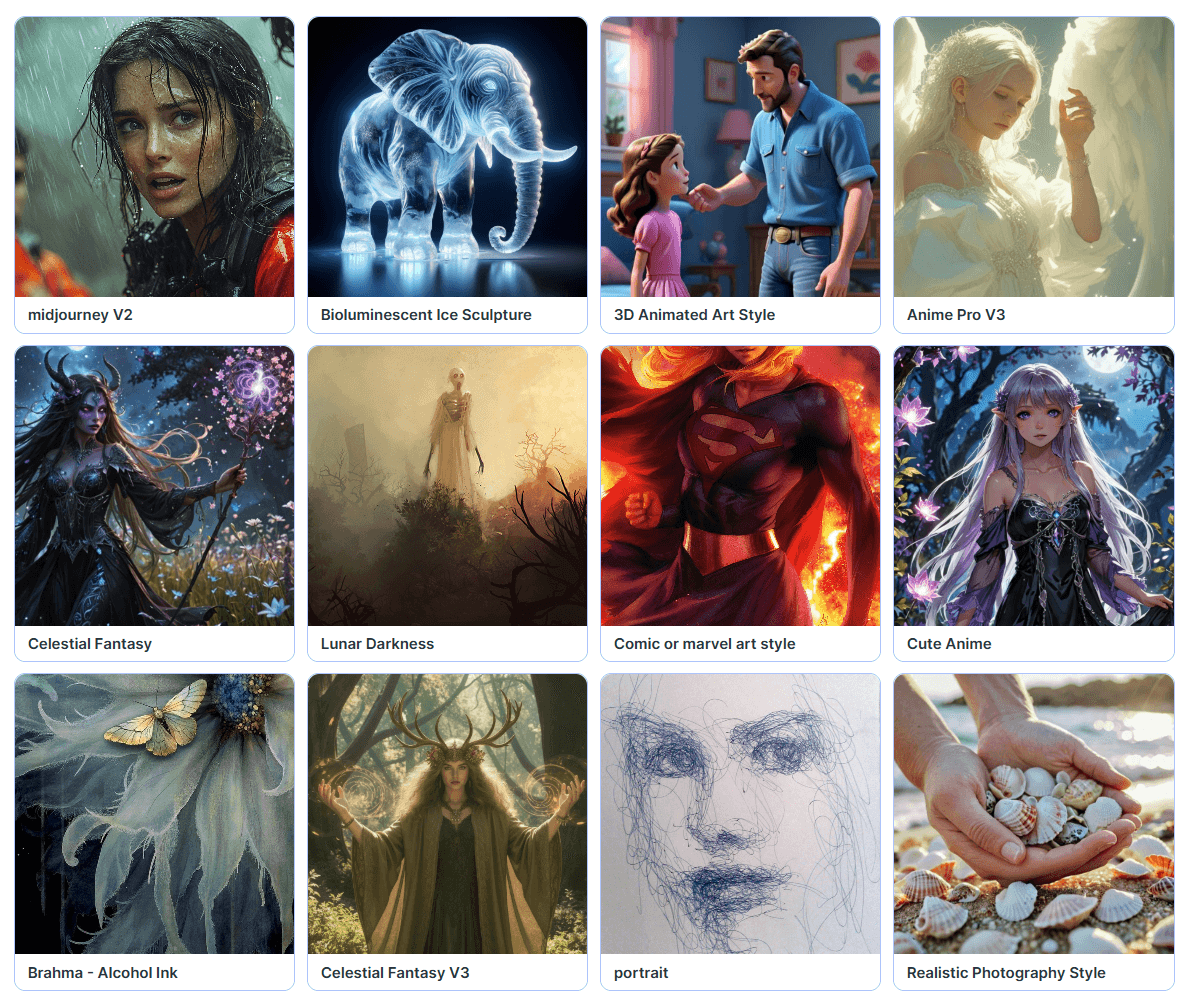
Diverse Art Style Selection: Generate imagery across multiple styles like 3D, anime, cyberpunk, etc.
AI Character Guide: Create consistent characters across different settings.
AI Photo Booth: Reimagine existing subject photos in different styles and settings.
AI Sketch Guide: Instantly convert rough sketch art into polished AI images with one click.
Instant AI Face Swap: Create entertaining character images by swapping faces between images.
AI Magic Editor: Refine existing images by adding, removing, or modifying certain elements.
Custom AI Image Models
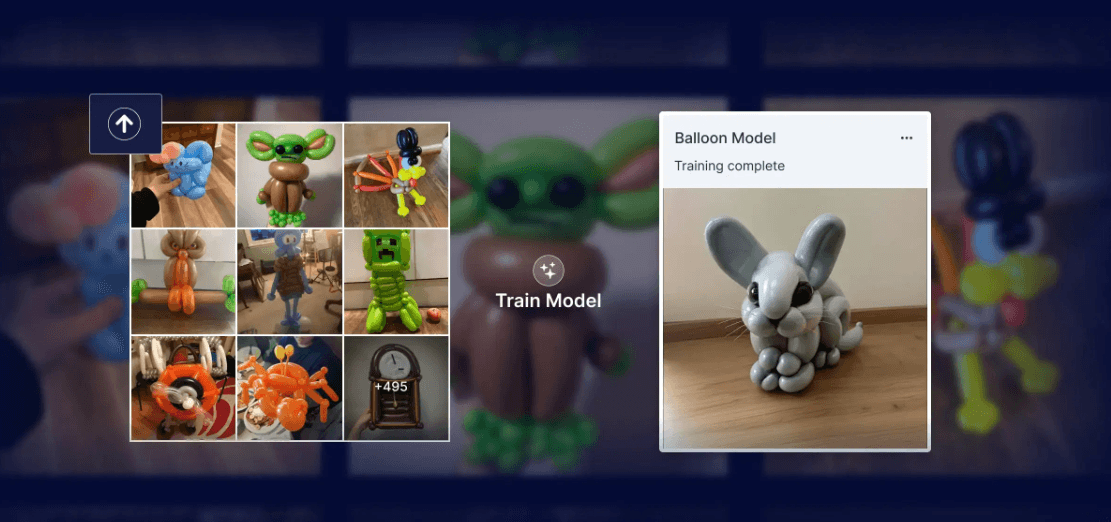
Besides its proprietary AI models, Gencraft also enables users to train and share their own custom models tailored to generate images based on specific camera formats, themes, styles, etc. This allows others within the community to explore new concepts and generate their own unique imagery with just a few clicks.
Diverse Art Style Selection
With Gencraft, users can access different style presets that range from realistic, cartoon, cyberpunk, 3D, synthwave, oil painting, and steampunk, among others. This opens up opportunities to experiment and produce new compositions, be it through generated imagery or by restyling existing ones.
AI Character Guide
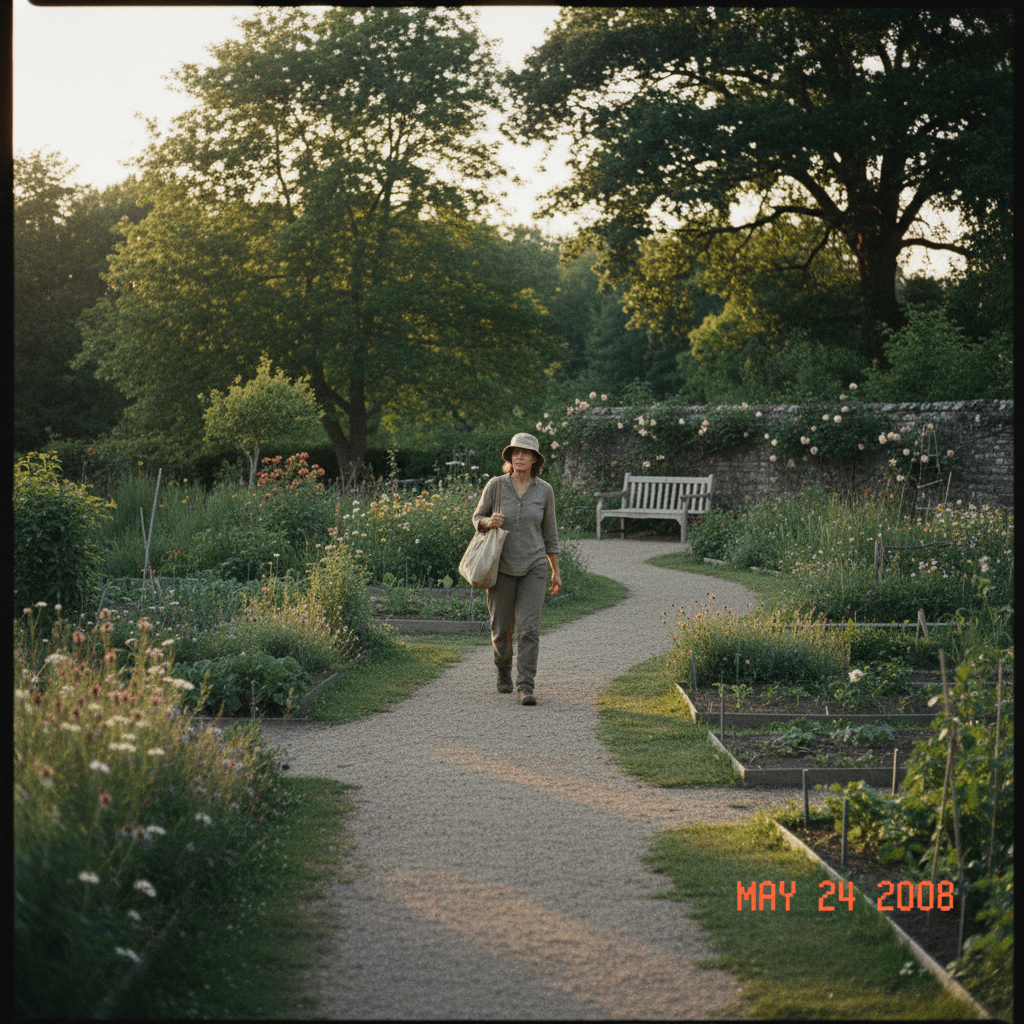
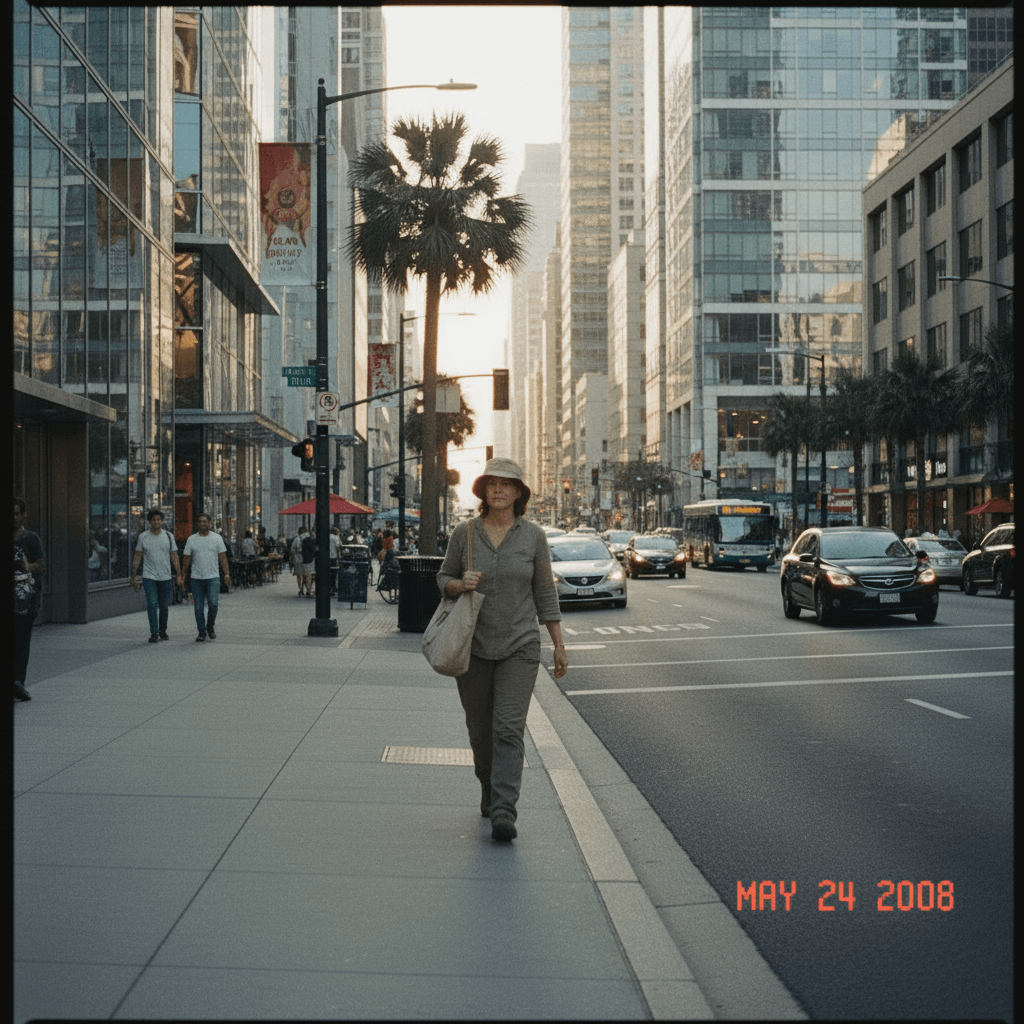
Gencraft's AI character guide lets users take subjects in images and place them in different settings, ensuring perfect consistency is still maintained. This lets you instantly create multiple versions of your chosen character in different looks, environments, or styles, making it ideal for use in e-commerce, marketing, ads, etc.
Reference Image
Prompt
Output Image
Keep the character's appearance unchanged and change the scene to a modern city street.
AI Photo Booth
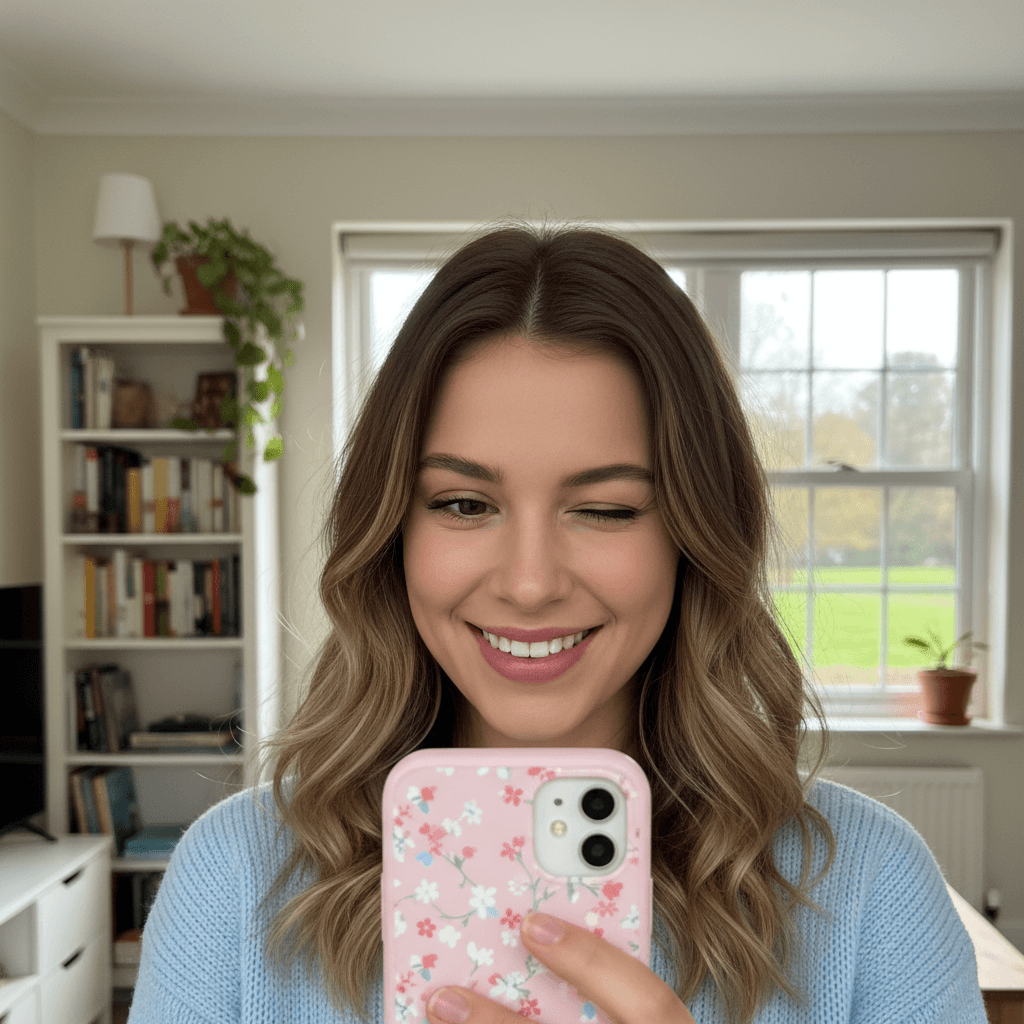
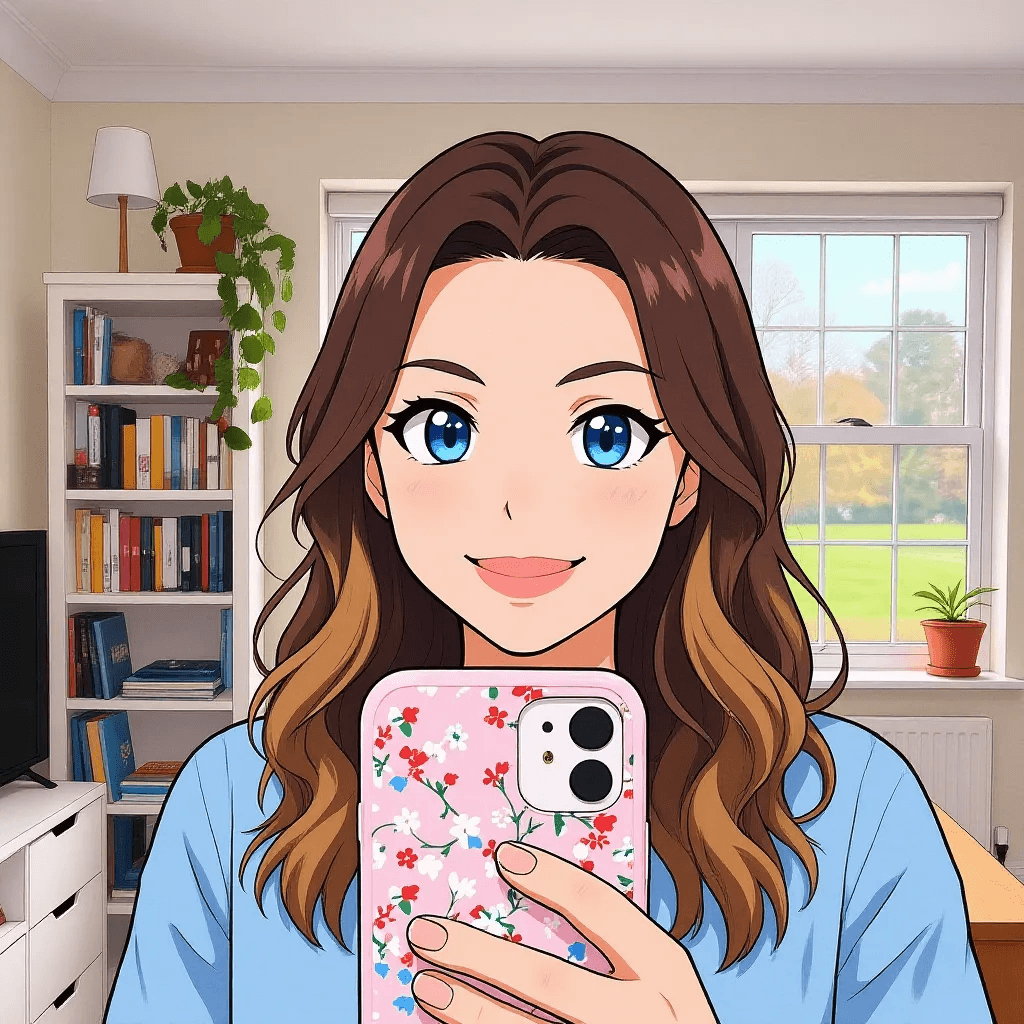
Gencraft lets you reimagine existing selfies or portraits of yourself or others in different styles, places, outfits, etc, all while ensuring subject consistency is maintained. Simply describe the desired scene via text prompt, and the AI will allow you to transform the individual however you want within seconds.
Reference Image
Prompt
Output Image
Keep the character and action unchanged, and change the style to a fresh anime style.
AI Sketch Guide
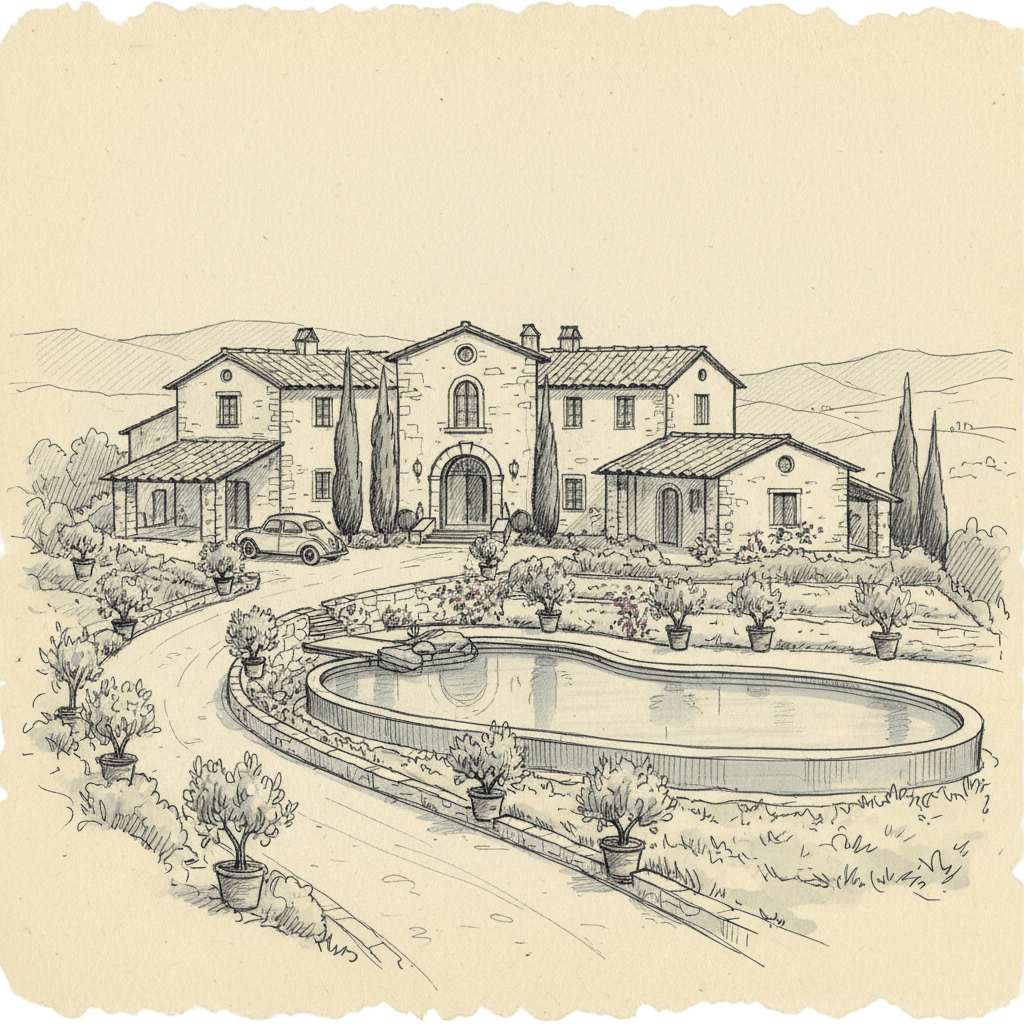
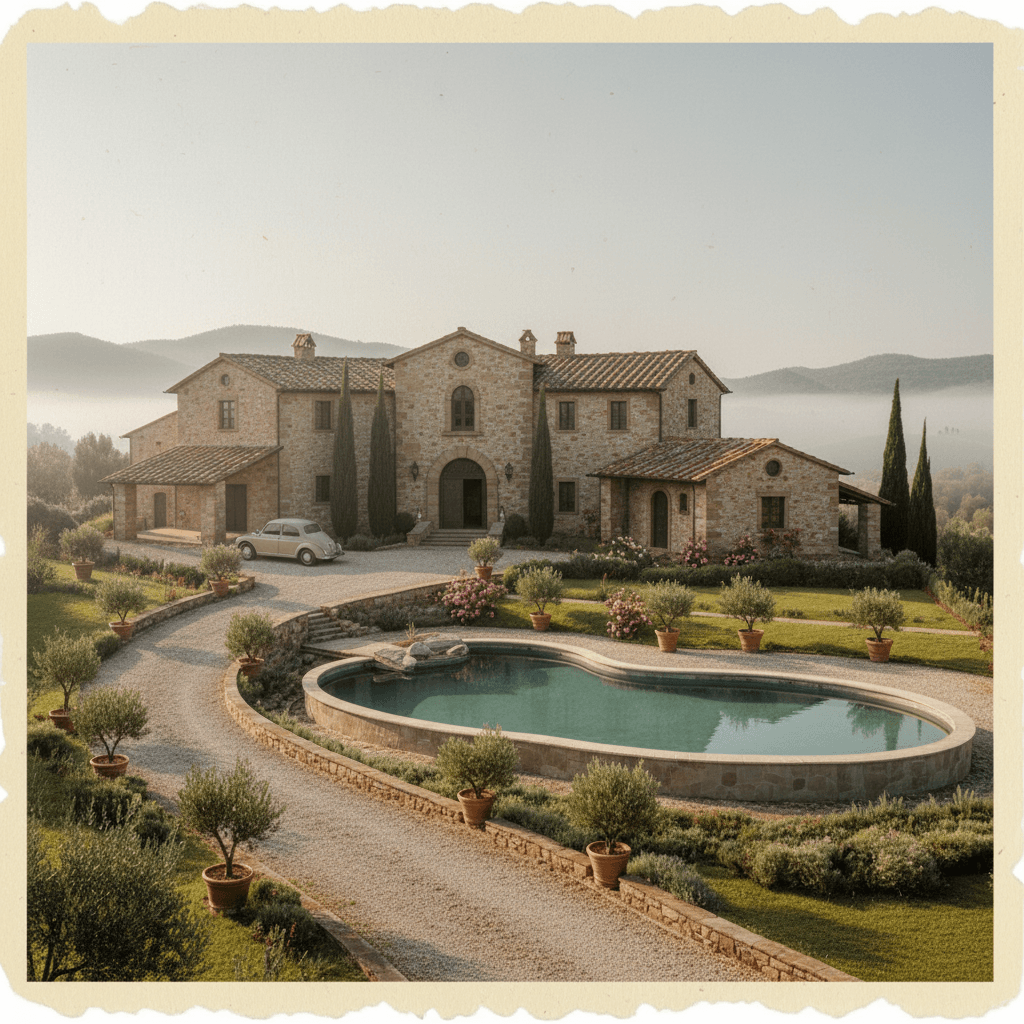
Gencraft can instantly convert sketch art into polished and highly detailed images in a flash. This enables users to see future iterations of their art in seconds, refine it with new concepts via text prompts, or explore different artistic styles, with the AI preserving all the original details from the sketch across all iterations.
Reference Image
Prompt
Output Image
Transform the sketch into a realistic style. The building and scene have rich details, natural lighting, and realistic, soft mist.
Instant AI Face Swap
Users can swap faces across different subject images with a single click on Gencraft, which means you can turn any individual into a famous artist, celebrity, game character, etc. The AI image generator also ensures that the face swap looks natural, creating a believable identity shift that would entertain online audiences.
AI Magic Editor
Gencraft's Magic Editor enables users to make instant adjustments to any image, such as adding, replacing, or removing elements via basic text prompts. You can also change a subject's appearance, adjust image color, restyle the image, and more, with no advanced editing skills required to produce a well-refined result.
Who Is PicLumen AI for?
Marketers and Sales Teams: Create engaging video advertisements, social media campaigns, product demos, training videos, and tailored client pitches.
Educators: Develop interactive student projects, lecture summaries, and instructional videos.
E-commerce Businesses: Generate product images and marketing materials.
Budget-Conscious Users: Use free credits and low-cost plans for creative work.
Pros & Cons of PicLumen AI
Pros
Cons
Supports many AI models in one platform.
Video tools seem weaker than specialized video platforms.
Commercial use is allowed with eligible plans.
Some models deliver less realistic results.
Blocks NSFW generation for safer use.
More customization requires more trial and error.
Feature Comparison: PicLumen vs Pollo AI vs Leonardo AI
I’ve been using Pollo AI mainly for short videos and quick image-to-video tests. The interface is straightforward and it works well even with simple prompts, which is a big plus compared to tools that need long, complicated instructions. The results can be really impressive, and it’s honestly been fun to experiment with. I’d love a bit more consistency on faces when there’s movement, but overall it’s been a solid experience for what I needed.
Awesome website. loads of options and a great way to learn how to work with 'AI' my reasoning for 5 stars is based upon price, versatility and ease of use. Also I would like to add, Pollo AI runs a lot of promos on different AI products as well. I rate their customer service at 5 stars, when I purchased my first subscription my computer crashed the following weekend and I lost all my data and info passwords you name it I lost it, contacted pollo by email they responded quickly and found my info/username and account, and I was able to restore my account.
I have been using Pollo AI for short videos. It is easy to use and works well with simple prompts. Other generators seem to need long drawn out complicated explanations to get even close to what I want.
i tried 220 online img to vid in 2 months, and this is the best online video.I will subscribe for a year; there are many reasons. But freedom is the most important.
Gencraft is an innovative AI image generator that can instantly help users create top-notch art across numerous styles using plain language prompts. Capable of catering to diverse projects, it can help create digital paintings, character art, custom illustrations, book covers, album art, etc.
Why create images with Gencraft?
Gencraft blends speed with creativity to provide rapid image testing and iteration, making it possible to turn even the vaguest idea or concept into an eye-catching composition. It also automatically enhances the visual appeal in every image render for truly polished results.
Does Gencraft support face swap?
Yes. Gencraft includes an instant face swap feature that lets users swap faces between images for portraits, character edits, and social visuals. Users should use it responsibly and respect image rights.
Who should use Gencraft?
Gencraft can accommodate any type of user, be it for personal or professional use cases. This includes hobbyists, graphic artists, game designers, comic illustrators, marketers, students, and anyone else who needs a surefire way to bring their creative ideas to life.
How do I edit any generated images on Gencraft?
One way is to refine your text prompt with new changes, then regenerate the image to see them take effect. If you need help, you can always use the prompt-enhancing option under the input box, which will automatically make modifications on your behalf that you can use.
Any tips for generating images on Gencraft?
If you're stuck and need inspiration, feel free to explore the creations made by other Gencraft users. You can remix their images to put your own creative spin on them or refine the prompts they used to craft your own unique masterpiece without having to start entirely from scratch.
Create with Pollo AI To Turn Imagination Into Polished Artwork









 Liz Cassidy


