Bing AI image creator brings prompt inspiration, preset styles, and creative discovery into a simple Microsoft creation flow. For more advanced image production, Pollo AI offers richer model access, editing tools, and 50+ stylized image generators. Try Pollo AI image generator for free now!
Text to Image
Image to Image
POLLO AI INFLUENCER
Create your own influencer. Then jump into any trend with Recast.
Kling 4.0
Up to 10 keyframes. Unlimited for 10 days with Ultra.
Pollo Recast
Recreate viral videos. Remix new versions.
Pollo Recast Challenge
One upload in. Your viral video out. Unlimited rewards await.
Pollo Agent x DeepSeek V4.1 FLASH
Faster completion at a much lower cost.
Pollo Agent x Gemini 4 Argon
Smarter reasoning. All through Pollo Agent.
WIN iPHONE DUO
Capture a city in one minute. Join the challenge now.
Pollo MCP
End-to-end content creation. Up to 4 Videos/ 20 Images for FREE.
Key Features
Prompt-Based Image Creation: Turn written ideas into AI images with optional prompt inspiration.
Image to Image Reference Creation: Upload an image to guide new visual results.
AI Photo Editing Tools: Remove backgrounds, retouch images, expand compositions, and improve visual clarity.
Ready-Made Photo Effect Templates: Create themed images for birthdays, celebrations, and greetings.
Creative Discovery Browsing: Browse example images for visual direction.
Prompt-Based Image Creation
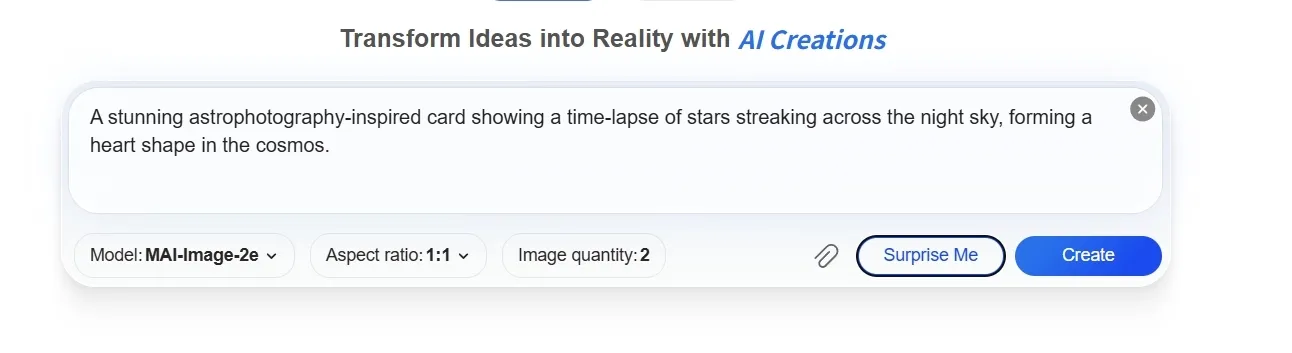
For users who do not have a finished visual concept, Bing offers a simple prompt box with an inspired prompt option.
This makes it useful for quick social images, blog visuals, presentation graphics, or early campaign concepts when a team only has a rough idea and needs a first visual direction fast.
Image to Image AI
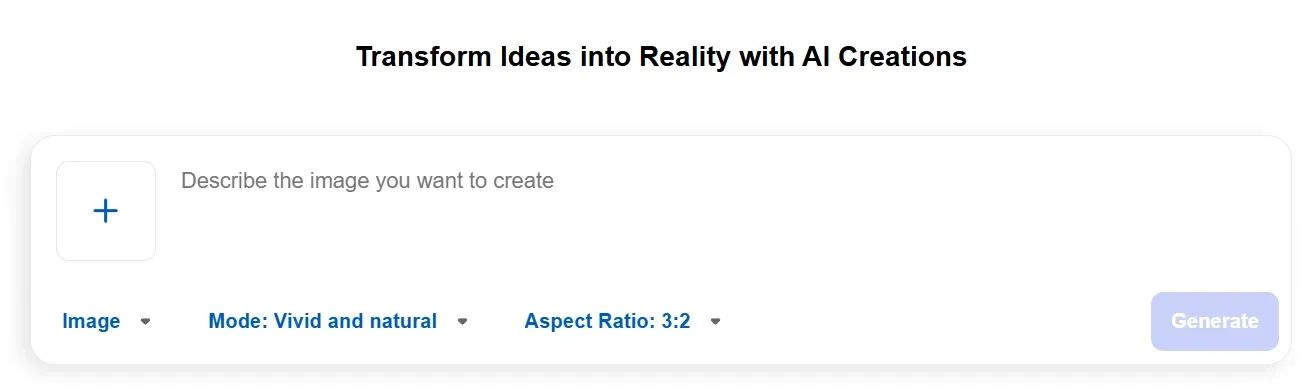
When a starting image already exists, Bing AI image generator supports image upload for reference-based creation.
This is practical for users who want to keep part of an existing visual idea while testing a new style, layout, scene, or creative direction, such as refreshing a draft product photo or reworking a concept image.
When a reference image matters, users usually need more than a loose variation. Pollo AI image to image lets users adjust output ratios, image quantity, and resolutions up to 4K while guiding changes through prompts.
With models such as Stable Diffusion, FLUX, and more, it gives users richer control over style, reuse, and campaign-ready visual variation.
Product Highlight Image Refinement
For sellers and small marketing teams, Bing includes a product highlight template that turns an ordinary image into a product-emphasis concept visual.
It can help reshape a plain product shot into a more presentable ecommerce-style visual, useful for product teasers, marketplace drafts, social posts, or early ad concept review.
AI Photo Editing Tools
Bing AI extends beyond image generation with focused photo editing tools for common cleanup and refinement tasks.
Users can remove backgrounds, retouch images, extend content beyond the original frame, or enhance image quality. These tools support profile photos, product visuals, social posts, and other assets that need quick adjustments without a full manual editing workflow.
Ready-Made Photo Effect Templates
For everyday visual needs, Bing AI includes photo effect templates such as birthday and congratulations styles.
These templates suit lightweight personal or business content, including greeting cards, event posts, customer messages, community updates, or simple seasonal graphics that do not require a full design workflow.
Creative Discovery Browsing
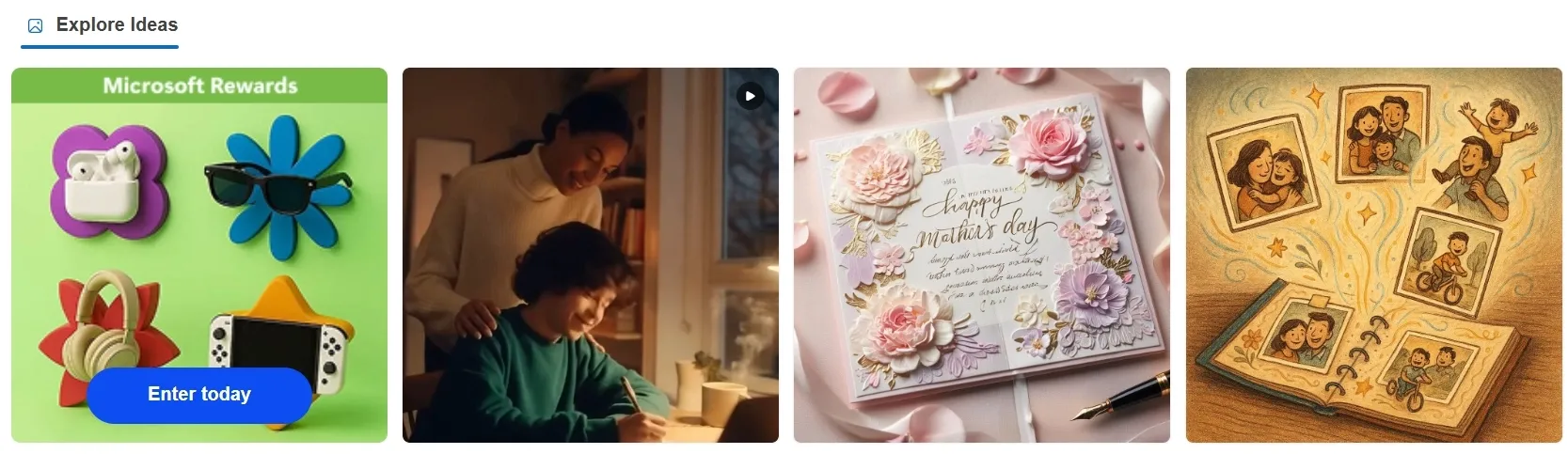
The discovery section in Bing AI works as a visual idea board, showing sample AI images and creative references.
This helps users who are not sure what to generate yet, especially when preparing social content, visual themes, prompt ideas, or quick references for a small team discussion.
Who Is Bing Best For
E-commerce Sellers
E-commerce sellers use Bing’s product highlight template to turn a plain product photo into a cleaner visual for marketplace listings, promo banners, or quick social selling posts.
Social Media Creators
Social media creators use prompt-based creation and preset styles to draft anime visuals, birthday posts, greeting images, or seasonal graphics without building each design from scratch.
Marketing Teams
Marketing teams use image to image uploads to test campaign directions from an existing reference image, such as turning a rough product concept into several ad-style visuals.
Teachers & Office Users
Teachers and office users use the discovery section and inspired prompts to create simple classroom visuals, presentation images, internal slides, or quick illustrations for documents.
Multiple image models including SDXL and premium models
Multiple leading image models such as GPT Image 2, Seedream, Flux, and Qwen Image
Image to image
Upload an image to enhance, remix, or reimagine it
Transform reference photos, sketches, or frames with adjustable input strength
Restyle or transform uploaded images using prompts and reference
AI photo editing
Background removal, image retouching, expansion, and enhancement
Object removal, face swapping, angle changes, lighting fixes, and 4K upscaling
Background removal, retouching, object removal, expansion, and enhancement plus an AI photo editor for batch editing
Visual consistency
GPT-4o supports more consistent characters and visual styling
Character tools help preserve the same face across different images and scenes
Maintains character details and art styles across conversational image refinements
Commerce image tools
No dedicated commerce image workflow
Limited support for product-focused image creation and editing
Dedicated commerce image tools such as product photo generator, product listing image set generator, and virtual try-on
Where Does Bing Shine
Pros
Simple creative entry: Bing makes AI image creation easy for beginners, with a clean prompt box, inspired prompt options, and preset styles.
Useful image reference support: Users can upload an image to guide new visuals, which helps with quick style tests, concept changes, or product image drafts.
Connected to Microsoft’s ecosystem: Bing fits naturally into Microsoft’s broader creative and productivity flow, making it convenient for everyday users.
Cons
Limited production depth: Bing is useful for fast image drafts, but it is not built as a full creative production workflow for marketers or teams.
Less control for advanced output: Users who need precise editing, consistent branding, or multi-step campaign assets may find the workflow too light.
Why Do So Many People Create Images With Bing
Bing sits in the mass-market tier of AI image creation: accessible, familiar, and closely tied to Microsoft’s wider ecosystem. Its strength is not deep creative control, but reach.
For users who want quick visuals without learning a specialist platform, Bing turns image generation into a simple everyday utility. That makes it a strong entry point for casual creators, office users, and early-stage visual exploration.
How Does Pollo AI Go Beyond Bing
Pollo AI is an ultimate creation suite for creators, marketers, and sellers, covering the workflow from an initial idea to a polished visual asset.
For users who value Bing’s quick image creation, Pollo AI expands what they can create through industry-leading models such as Nano Banana 2, delivering more consistent subjects, clearer text rendering, and detailed scenes for AI images like ads, designs, social posts, and campaign visuals.
Its AI photo editor also supports prompt-based editing, batch processing, background and object removal, image enhancement, expansion, and style changes, helping teams refine existing assets without rebuilding them from scratch.
For sellers and e-commerce teams, Pollo AI turns existing product photos into polished product images, complete listing sets, and display ads, helping brands launch campaigns faster and produce more sales-ready creatives without repeated photoshoots.
Why Does Pollo AI Pull Ahead
Step 1
Multi-Model Access
Use Seedream, Wan AI, and other leading image/video models inside one platform.
Step 2
50+ Stylized Image Generators
Create movie posters, pixel art, fantasy scenes, and more with purpose-built image generators.
I’ve been using Pollo AI mainly for short videos and quick image-to-video tests. The interface is straightforward and it works well even with simple prompts, which is a big plus compared to tools that need long, complicated instructions. The results can be really impressive, and it’s honestly been fun to experiment with. I’d love a bit more consistency on faces when there’s movement, but overall it’s been a solid experience for what I needed.
Awesome website. loads of options and a great way to learn how to work with 'AI' my reasoning for 5 stars is based upon price, versatility and ease of use. Also I would like to add, Pollo AI runs a lot of promos on different AI products as well. I rate their customer service at 5 stars, when I purchased my first subscription my computer crashed the following weekend and I lost all my data and info passwords you name it I lost it, contacted pollo by email they responded quickly and found my info/username and account, and I was able to restore my account.
I have been using Pollo AI for short videos. It is easy to use and works well with simple prompts. Other generators seem to need long drawn out complicated explanations to get even close to what I want.
i tried 220 online img to vid in 2 months, and this is the best online video.I will subscribe for a year; there are many reasons. But freedom is the most important.
Bing AI image generator is Microsoft’s browser-based image creation tool for turning prompts into visuals. Its main strengths are simple prompt entry, inspired prompt help, image upload, preset styles, multiple aspect ratios, and model choices such as GPT-4o, and DALL-E 3.
Is Bing AI image generator free?
Yes. Microsoft describes Bing Image Creator as free to use, though some faster or extra creative actions may connect with Microsoft Rewards points, especially around video or animation-related options.
Can I upload an image to the Bing AI image generator?
Yes. Bing’s creation page includes an upload option, so users can start from an existing image instead of writing only from scratch. This is useful for reference-based edits, style testing, or reshaping a rough product visual.
What image sizes does Bing support?
Bing supports several common ratios, including 1:1 square, 7:4 and 3:2 horizontal, plus 4:7 and 2:3 vertical. These options make it easier to create visuals for posts, thumbnails, banners, or mobile-first layouts.
Does Bing AI image generator add watermarks?
Yes. Microsoft says images created with Bing Image Creator include a watermark in the bottom-left corner. It also uses content credentials and provenance based on the C2PA standard to identify AI-generated images.
Is Bing enough for marketing content production?
Bing works well for fast ideas, simple visuals, and early creative drafts. For teams that need batch image editing and consistent campaign assets, Pollo AI is often the more practical next step because it brings image generation, editing, and marketing-focused asset creation into one workflow.








 Liz Cassidy


