YouCam combines photo enhancement, beauty editing, object removal, and hairstyle changes on a single platform. But Pollo AI goes further with advanced image models and broader creative generation tools. Try Pollo AI for free!
Text to Image
Image to Image
POLLO AI INFLUENCER
Create your own influencer. Then jump into any trend with Recast.
Kling 4.0
Up to 10 keyframes. Unlimited for 10 days with Ultra.
Pollo Recast
Recreate viral videos. Remix new versions.
Pollo Recast Challenge
One upload in. Your viral video out. Unlimited rewards await.
Pollo Agent x DeepSeek V4.1 FLASH
Faster completion at a much lower cost.
Pollo Agent x Gemini 4 Argon
Smarter reasoning. All through Pollo Agent.
WIN iPHONE DUO
Capture a city in one minute. Join the challenge now.
Pollo MCP
End-to-end content creation. Up to 4 Videos/ 20 Images for FREE.
Key Features of YouCam AI Image Editor
Beauty & Portrait Enhancement: Refine faces with AI hairstyles, makeup, and retouching.
Creative AI Edits: Transform photos with AI replacements, clothes, and background changes.
Photo-to-Content Generation: Turn a single photo into dynamic videos and engaging content for social media or ads.
Beauty & Portrait Enhancement
Create polished, camera-ready portraits for social media, profile photos, or personal branding, helping you present a more professional and confident image without needing advanced editing skills.
Input Image
Output Image
One-Click Photo Cleanup
Clean up distractions and improve image quality in seconds, making it easy to turn everyday photos into clear, high-quality visuals for sharing, UGC content, marketing, or product use across platforms.
Input Image
Output Image
Creative AI Edits
Explore different looks, outfits, and environments for social posts, product visuals, or campaign creatives without reshooting, helping you save production time while keeping your content fresh and visually consistent across platforms.
Input Image
Output Image1
Output Image2
Photo-to-Content Generation
Turn a single photo into engaging content for TikTok, Instagram, or ads, making it easier to produce more dynamic assets, capture attention, and increase reach without additional shooting or editing effort.
Input Image
Output Video
What Else Can YouCam Do?
Generate Professional AI Headshots
YouCam also offers dedicated headshot generation tools that transform casual photos into clean, studio-style portraits.
This makes it easy to create professional-looking images for resumes, LinkedIn, or business use, helping users save time and cost compared to traditional photoshoots.
Input Image
Output Image
Create Themed AI Avatars for Any Occasion
YouCam lets you generate stylized avatars in a wide range of visual styles and creative directions.
This makes it easy to express your identity in a more distinctive way and quickly produce eye-catching profile images that fit different platforms, contexts, or personal branding needs without any design skills.
Input Image
Output Image
Fast AI Face Swap
Swap faces in photos or videos in seconds, even with multiple people in one scene. Easily create fun edits, experiment with different identities or styles, and produce eye-catching visuals for social posts, entertainment, or creative projects—no editing experience required.
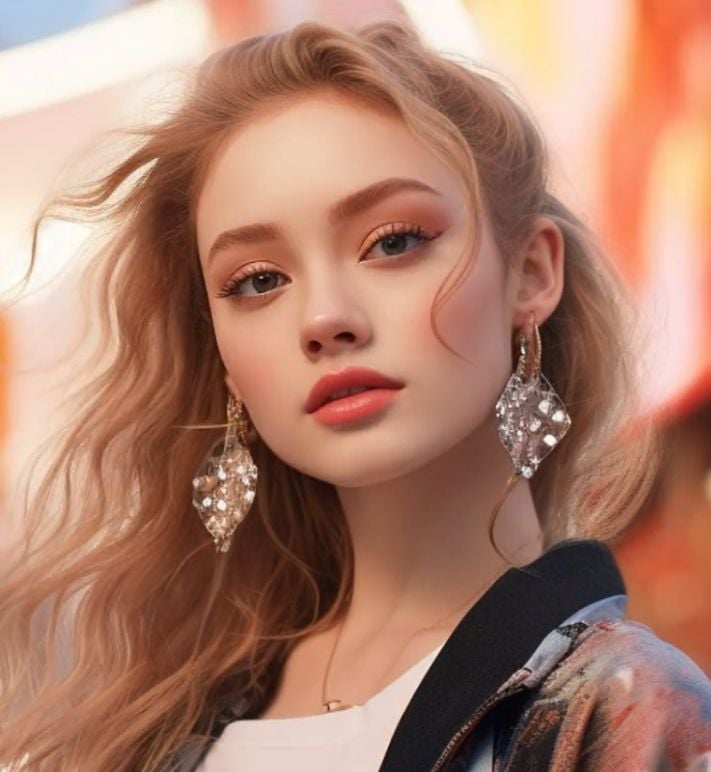
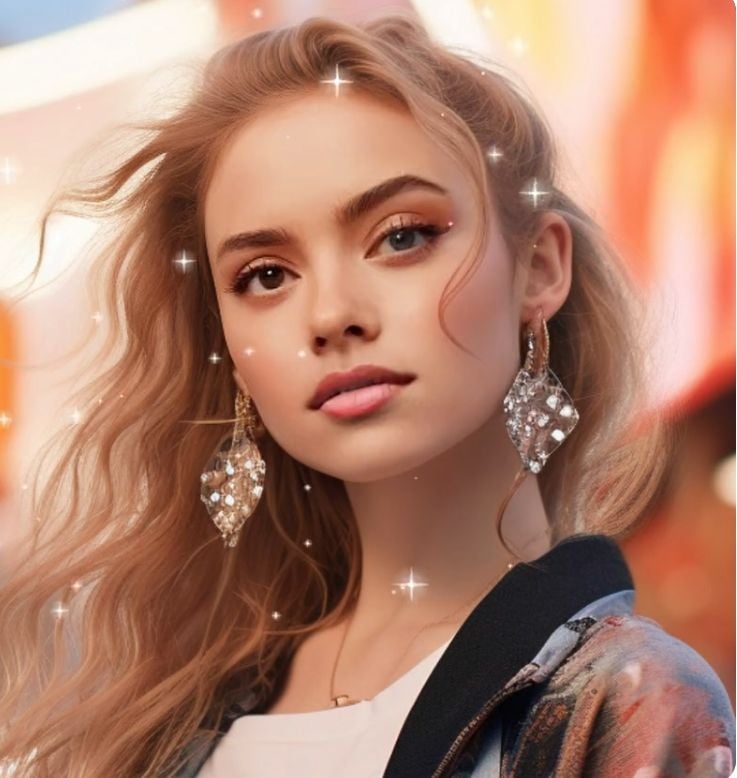
Input Image1
Input Image2
Output Image
Use Cases of YouCam in Real Life
Content Creators & Influencers: Create polished selfies, avatars, and eye-catching visuals for social media.
E-commerce & Fashion Brands: Enhance product images and enable virtual try-ons for better conversions.
Marketing & Social Media Teams: Produce clean, engaging visuals for campaigns, ads, and branded content.
Professionals & Job Seekers: Generate studio-style headshots for resumes, LinkedIn, and business profiles.
Casual Users & Lifestyle Creators: Edit photos, try new looks, and create fun visuals for everyday sharing.
Designers & Small Businesses: Quickly create and refine visuals for websites, promotions, and digital assets.
YouCam App
YouCam Perfect brings together a wide range of AI-powered photo editing and beauty tools into a single mobile app.
It focuses on making everyday photo editing fast, accessible, and visually polished for all types of users.
All-in-One Photo Editing: Edit photos with filters, collages, and AI adjustments in one place, making it easy to handle everyday editing without switching tools.
AI Enhancement & Repair: Improve clarity, lighting, and details to upgrade low-quality or blurry images into sharper, more usable visuals.
Object & Background Editing: Remove unwanted elements or change backgrounds quickly, helping you create cleaner and more professional-looking images.
Beauty & Body Editing Tools: Apply retouching, makeup effects, and body adjustments to create polished portraits for social and personal use.
Beyond Images: AI Video Enhancement
Enhance video clarity with AI-powered upscaling, sharpening, and detail restoration up to 4K quality.
Improve facial details, reduce blur, and upgrade overall video sharpness in one click, making your footage look cleaner, more professional, and ready for sharing or content use without complex editing.
YouCam online editor stands out as a user-friendly AI photo editor focused on beauty enhancement and quick visual edits, making it ideal for everyday content creation and polished portraits.
Compared to it, CapCut is more geared toward advanced video editing and content workflows, while Remini focuses specifically on high-quality photo enhancement, especially for restoring facial details.
Why You Should Choose Pollo AI
Step 1
Built-in Photo Editing Workflow
You can refine details in your photo without any advanced editing skills. Just with simple prompts, our AI photo editor can beautify your image automatically.
I’ve been using Pollo AI mainly for short videos and quick image-to-video tests. The interface is straightforward and it works well even with simple prompts, which is a big plus compared to tools that need long, complicated instructions. The results can be really impressive, and it’s honestly been fun to experiment with. I’d love a bit more consistency on faces when there’s movement, but overall it’s been a solid experience for what I needed.
Awesome website. loads of options and a great way to learn how to work with 'AI' my reasoning for 5 stars is based upon price, versatility and ease of use. Also I would like to add, Pollo AI runs a lot of promos on different AI products as well. I rate their customer service at 5 stars, when I purchased my first subscription my computer crashed the following weekend and I lost all my data and info passwords you name it I lost it, contacted pollo by email they responded quickly and found my info/username and account, and I was able to restore my account.
I have been using Pollo AI for short videos. It is easy to use and works well with simple prompts. Other generators seem to need long drawn out complicated explanations to get even close to what I want.
i tried 220 online img to vid in 2 months, and this is the best online video.I will subscribe for a year; there are many reasons. But freedom is the most important.
Discover Other Powerful AI Image Generators on Pollo AI
YouCam is an AI-powered photo editor designed for easy image enhancement, beauty editing, and creative transformations. It offers tools like face retouching, object removal, background editing, and AI avatars to help users quickly create polished, share-ready visuals.
What can I do with YouCam AI photo editor?
YouCam lets you enhance image quality, retouch portraits, remove unwanted objects, change backgrounds, and apply creative edits. It’s designed to help users quickly improve photos or create visually appealing content without complex editing.
Is YouCam online editor good for beginners?
Yes. YouCam is built with a simple, tap-based interface that makes it easy for beginners to edit photos. Most features work in one click, so you can achieve high-quality results without prior design or editing experience.
Do I need to download an app to use YouCam AI image editor?
Not necessarily. While YouCam is available as a mobile app, you can also access similar features through Pollo AI online without downloading anything, making it more flexible for quick edits.
Why choose Pollo AI over YouCam?
YouCam stands out for its ease of use and strong focus on beauty and portrait editing. But Pollo AI covers image generation and editing. It also offers image tools and specialized image apps to simplify your image generation workflow. So, you can make and then edit your image without switching platforms.




















 Liz Cassidy


