Lexica focuses on AI image search and generation, helping users explore visual ideas, prompts, and photorealistic results. For creators who want more than image discovery, Pollo AI offers stronger image creation and editing tools for polished, usable visuals. Try Pollo AI image generator for free now!
Text to Image
Image to Image
Pollo Recast
Recreate viral videos. Remix new versions.
Pollo Recast Challenge
One upload in. Your viral video out. Unlimited rewards await.
Pollo Agent x DeepSeek V4.1 FLASH
Faster completion at a much lower cost.
Pollo Agent x Gemini 4 Argon
Smarter reasoning. All through Pollo Agent.
WIN iPHONE DUO
Capture a city in one minute. Join the challenge now.
Pollo MCP
End-to-end content creation. Up to 4 Videos/ 20 Images for FREE.
Key Features
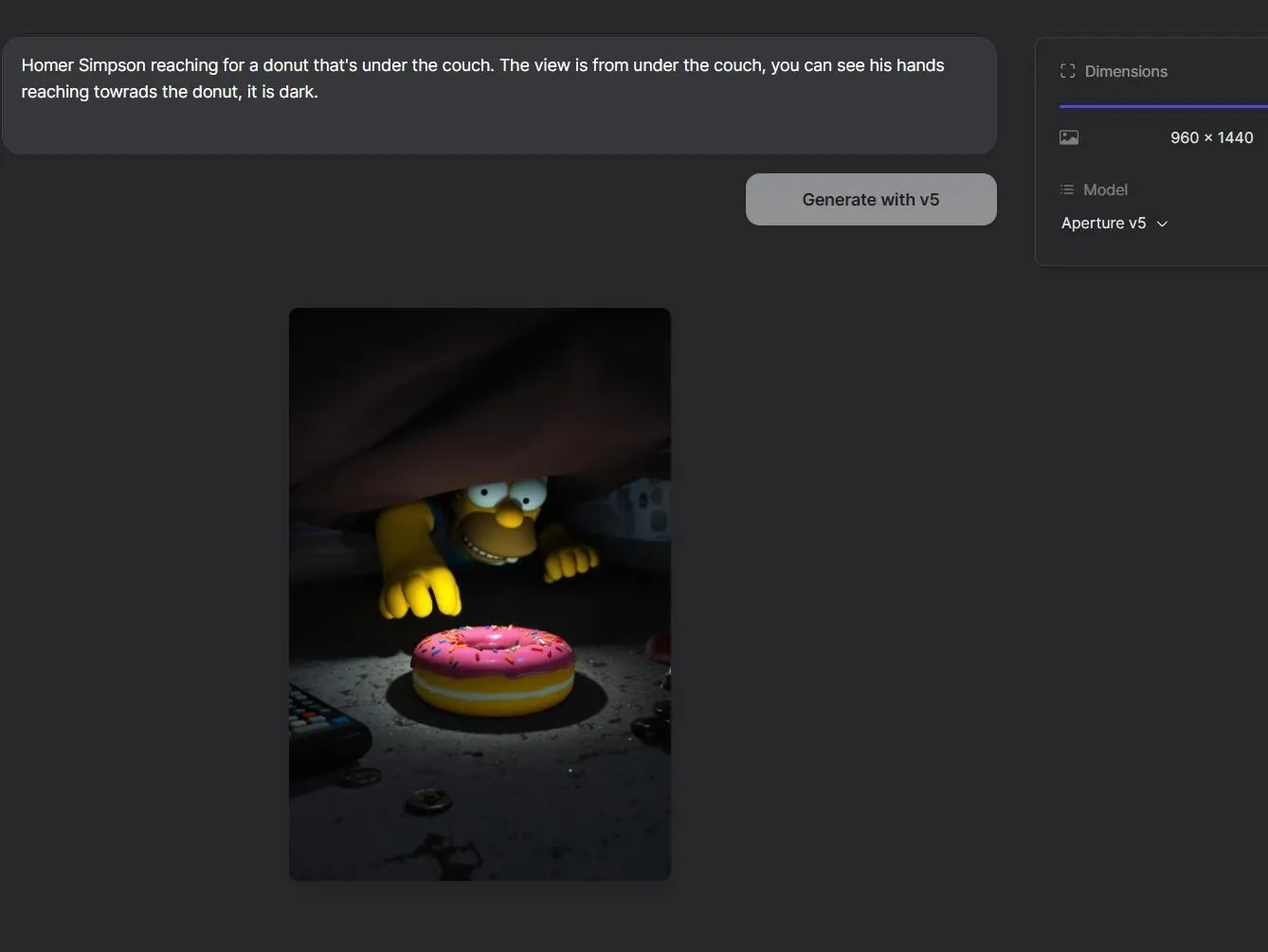
Text to Image Generation: Type a prompt, choose basic settings, and generate AI images from written ideas.
AI Image Discovery: Find a strong image, then explore more visuals with a similar style, subject, or creative direction.
Prompt-Based Image Remixing: Find an image you like the most, review its prompt and model settings, then adjust them to create your own version.
Flexible Ratio Selection: Choose from multiple aspect ratios to create images for different platforms and placements.
Text to Image Generation
Lexica’s image generation flow is built for speed. Users can generate four image variations, which makes it practical for quick creative testing rather than heavy production work.
A social media manager could test several visual directions for a product announcement. A blogger could create a header image from a short scene description. The value is simple: fewer steps between an idea and a usable static image.
Lexica is useful when you want to create images from text quickly, with prompt, model, ratio, and four variations in a simple flow.
Pollo AI is stronger when you already have a visual direction. You can upload an image on AI image to image page, add a prompt, choose leading models and 2,000+ LoRAs, then restyle, recolor, or create new variations for product scenes, profile visuals, or campaign assets.
AI Image Discovery
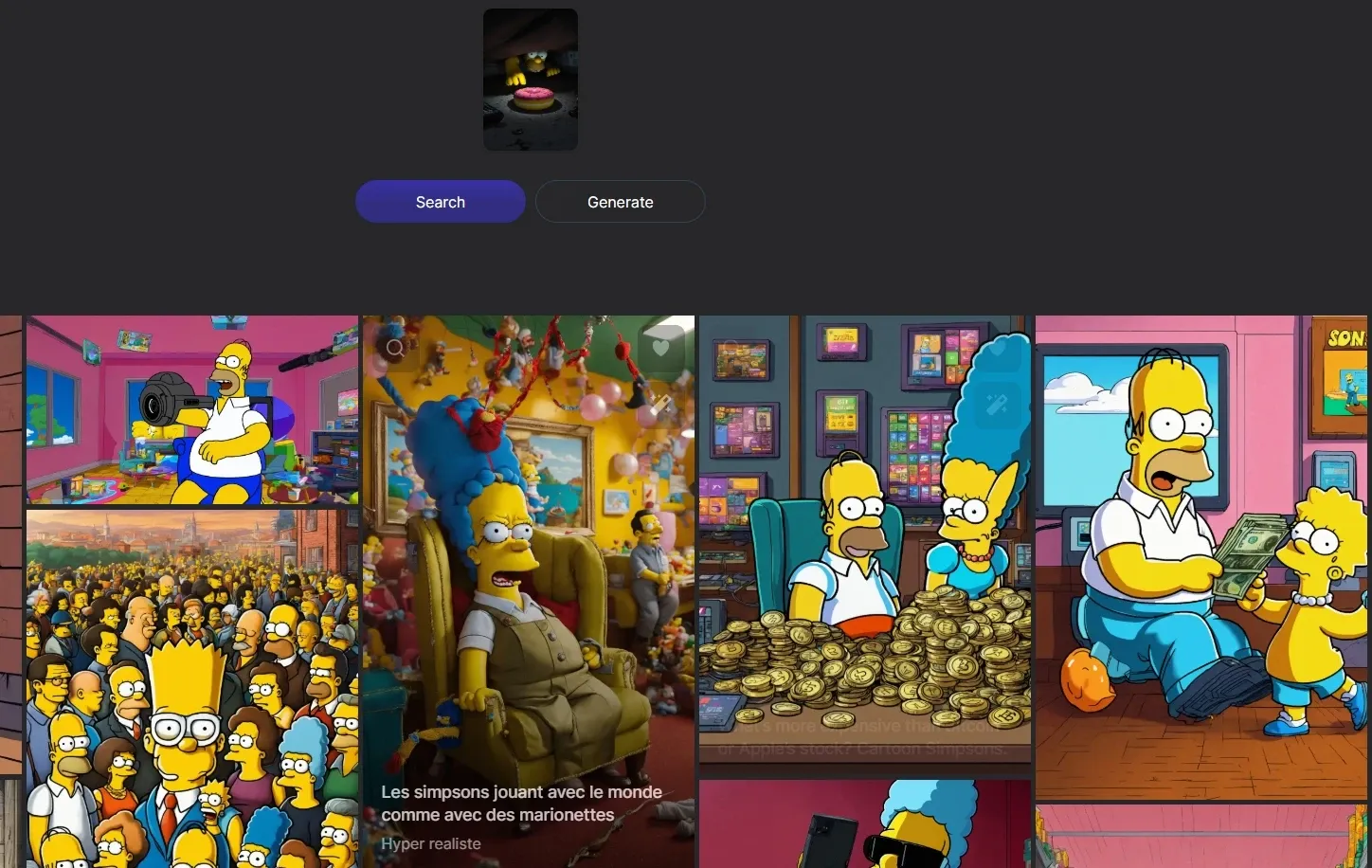
Lexica is especially useful for visual exploration. Users can search AI images, find one that matches their taste, and then use it as a starting point to discover more results with a related look and feel.
That makes it easier to move beyond one good image and explore a broader visual range, whether that means similar aesthetics, alternative compositions, or the same character idea rendered in different styles.
A character designer, for instance, could start with one anime portrait and quickly explore other versions of that character concept. A marketer could find one strong poster image and use it to uncover more campaign directions with a similar tone.
Prompt-Based Image Remixing
Lexica makes image discovery more actionable. After finding a visual style that fits your taste, users can study the full prompt behind the image and see the model used to create it.
From there, users can change the wording, adjust the creative direction, or switch settings to produce something more personal.
A brand designer could find a poster with the right mood, rewrite the prompt around a new product, and generate fresh campaign visuals without starting from a blank page.
Photorealistic Aperture Models
Lexica is positioned specifically around photorealistic image generation. The Aperture models give Lexica a clearer use case for users who want lifelike portraits, product-style images, or realistic campaign visuals instead of abstract AI art.
For example, an e-commerce seller could create a realistic lifestyle product concept before arranging an actual shoot. A creator could test portrait concepts for thumbnails, profile images, or visual ads.
Lexica’s Aperture models are useful for realistic portraits and product-style visuals, but the creative range stays narrower.
Instead of settling for one model’s look, creators can choose the best fit for product shots, campaign posters, social visuals, or polished commercial images.
Flexible Ratio Selection
Lexica supports practical ratio options, including square, portrait, vertical, and wide formats. This makes it easier to shape an image for the place it will actually be used, rather than cropping it afterward.
A creator can generate a 9:16 visual for Stories or TikTok covers, a 1:1 image for Instagram posts, or a 16:9 graphic for YouTube thumbnails and website banners. For teams producing content across several channels, this flexibility helps keep visual output faster and cleaner.
Who Uses Lexica Best?
Social Media Creators
Lexica can generate images in ratios such as 1:1, 4:5, 9:16, and 16:9, making it useful for feed posts, story covers, thumbnails, and phone-first visuals. A creator can test several poster or thumbnail concepts before choosing the one that fits the platform best.
Brand and Marketing Teams
Lexica supports product shots, posters, marketing graphics, and logo concepts, so it can help teams explore campaign directions before production begins. A marketer could search for a visual style, review the prompt behind it, then adapt that idea for a new product launch.
Character Designers and Illustrators
Lexica is useful for portraits, anime, character concepts, and style exploration. A character designer can start with one strong visual direction, study the prompt and model behind it, then create variations of the same character idea in different moods or aesthetics.
Bloggers and Website Editors
Lexica can create wallpapers, avatars, profile images, story covers, and wide-format graphics. A blog editor could generate a 16:9 header image for an article, while a startup team could create quick concept visuals for a landing page before hiring a designer.
Multiple top image&video models (GPT Image 2, Seedream, Seedance, Veo)
AI Image Editor
Basic Tools
Basic Tools
Prompt-based photo editing, background removal, and image refinement
Lexica is strongest when users need image search, prompt inspiration, and static visual creation. It offers a clean way to explore AI images, study styles, and generate visuals with flexible ratios.
NightCafe adds a stronger community layer and broader art-model play. But when the goal moves from images to complete content, Pollo AI has the edge with top image and video models, stronger video workflows, and Pollo Agent for publish-ready creation.
Do Users Like Lexica
User feedback on Lexica is mixed but useful. One longtime user says they have used Lexica Art for two years and created thousands of professional designs, praising its image quality.
Another reviewer calls it good for casual experimentation, but notes that it can struggle with specific requests, prompt understanding, and repetitive results.
Overall, Lexica seems strongest for visual play and inspiration, while more precise creative work may require extra testing.
Where Does Lexica Fit
Lexica sits in a clear corner of the AI image market: fast discovery, prompt learning, and static visual generation.
It is less of a full creative suite and more of a search-driven image tool for people who want to explore styles before committing to a direction. Its value comes from speed and reference.
Users can find strong visuals, inspect prompts, adjust ideas, and generate image variations without a complex workflow. That makes Lexica appealing for early-stage ideation, concept testing, and visual mood exploration.
But as creation moves toward video, campaign assets, avatars, or multi-format publishing, its role becomes narrower.
Need More Than Lexica? Try Pollo AI!
Unlike Lexica, which works best for image search and static visual exploration, Pollo AI is an all-in-one AI image and video creation platform built for creators, marketers, and brands.
Its first advantage is model choice: users can access leading image models such as FLUX and Nano Banana, then pick the right one for sharper product shots, polished posters, or stronger campaign visuals.
Pollo AI also offers a broader set of image tools for real production work. Users can edit, stylize, enhance images, remove objects, or refine visual assets without moving between separate platforms.
Pollo AI also offers 50+ AI image generators for more specific visual needs, from Disney posters to portraits and product-style visuals.
For marketers, this makes it easier to create polished campaign assets without relying on one generic image workflow.
Why Is Pollo AI Stronger Than Lexica
Step 1
Industry-Leading Image Models
Create sharper visuals with models like Nano Banana 2 and Seedream 5.0 Lite.
I’ve been using Pollo AI mainly for short videos and quick image-to-video tests. The interface is straightforward and it works well even with simple prompts, which is a big plus compared to tools that need long, complicated instructions. The results can be really impressive, and it’s honestly been fun to experiment with. I’d love a bit more consistency on faces when there’s movement, but overall it’s been a solid experience for what I needed.
Awesome website. loads of options and a great way to learn how to work with 'AI' my reasoning for 5 stars is based upon price, versatility and ease of use. Also I would like to add, Pollo AI runs a lot of promos on different AI products as well. I rate their customer service at 5 stars, when I purchased my first subscription my computer crashed the following weekend and I lost all my data and info passwords you name it I lost it, contacted pollo by email they responded quickly and found my info/username and account, and I was able to restore my account.
I have been using Pollo AI for short videos. It is easy to use and works well with simple prompts. Other generators seem to need long drawn out complicated explanations to get even close to what I want.
i tried 220 online img to vid in 2 months, and this is the best online video.I will subscribe for a year; there are many reasons. But freedom is the most important.
Lexica is an AI image generator and visual discovery tool. It helps users search AI-generated images, study prompts, explore styles, and create static visuals from text prompts. Its biggest strengths are image search, prompt inspiration, photorealistic Aperture models, four image variations, and flexible ratio options for different platforms.
What is Lexica best used for?
Lexica is best for static image ideas, prompt research, mood exploration, and quick creative testing. It works well for portraits, anime, product shots, posters, wallpapers, profile pictures, marketing graphics, character concepts, story covers, thumbnails, and social posts.
Does Lexica support different image ratios?
Yes. Lexica supports common ratios such as 1:1, 4:5, 3:4, 9:16, and 16:9. This helps users create images for feeds, stories, lock screens, thumbnails, banners, and other placements without relying only on cropping after generation.
What is Lexica Aperture?
Lexica Aperture is Lexica’s photorealistic image model. It is useful for generating realistic portraits, product-style concepts, lifestyle visuals, and polished static images when users want results that feel closer to photography than illustration.
Is Lexica good for video creation?
Not really. Lexica is mainly built around AI image search and static image generation. That is useful when you need visual ideas or still assets, but it is not designed for full video workflows. If the next step is turning images into UGC ads, product videos, avatar clips, or campaign-ready videos, Pollo AI is a more natural fit because it combines image generation, video creation, effects, workflow use cases, and Pollo Agent in one platform.
Create Polished Images with Pollo AI
Create sharper product photos, posters, ads, and brand visuals.









 Liz Cassidy


