



Animaker vs Vyond: Which AI Video Generator Is Better for You?
Not sure which AI animation video generator fits your workflow? This Animaker vs Vyond comparison covers video features, editing, output styles, and pricing to help you choose.
Animaker vs Vyond: TL;DR
Choose Animaker when you want affordable character animation, broad visual variety, and a free way to learn the workflow. Choose Vyond when your team needs consistent training or business videos, faster first drafts from documents, and stronger collaboration controls.
| Category | Animaker | Vyond |
| Best for | Creators, educators, freelancers, and small teams | L&D, HR, internal communications, and enterprise teams |
| Core workflow | Template-led animation with detailed character customization | AI-assisted business video creation with structured scene editing |
| Standout strength | Creative variety at a lower entry price | Consistent, scalable business communication |
| Main tradeoff | More assets and controls to organize manually | Higher pricing and a more controlled visual style |
| Starting paid price | $15/month, billed annually | $58/month, billed annually |
| Free access | Free plan with limits and watermarked exports | Free trial; no permanent free plan |
Create More Than Template-Based Videos
Turn ideas, scripts, images, and references into polished videos with flexible styles, scenes, voices, and creative workflows.
Create Videos for Free
What Is Animaker?
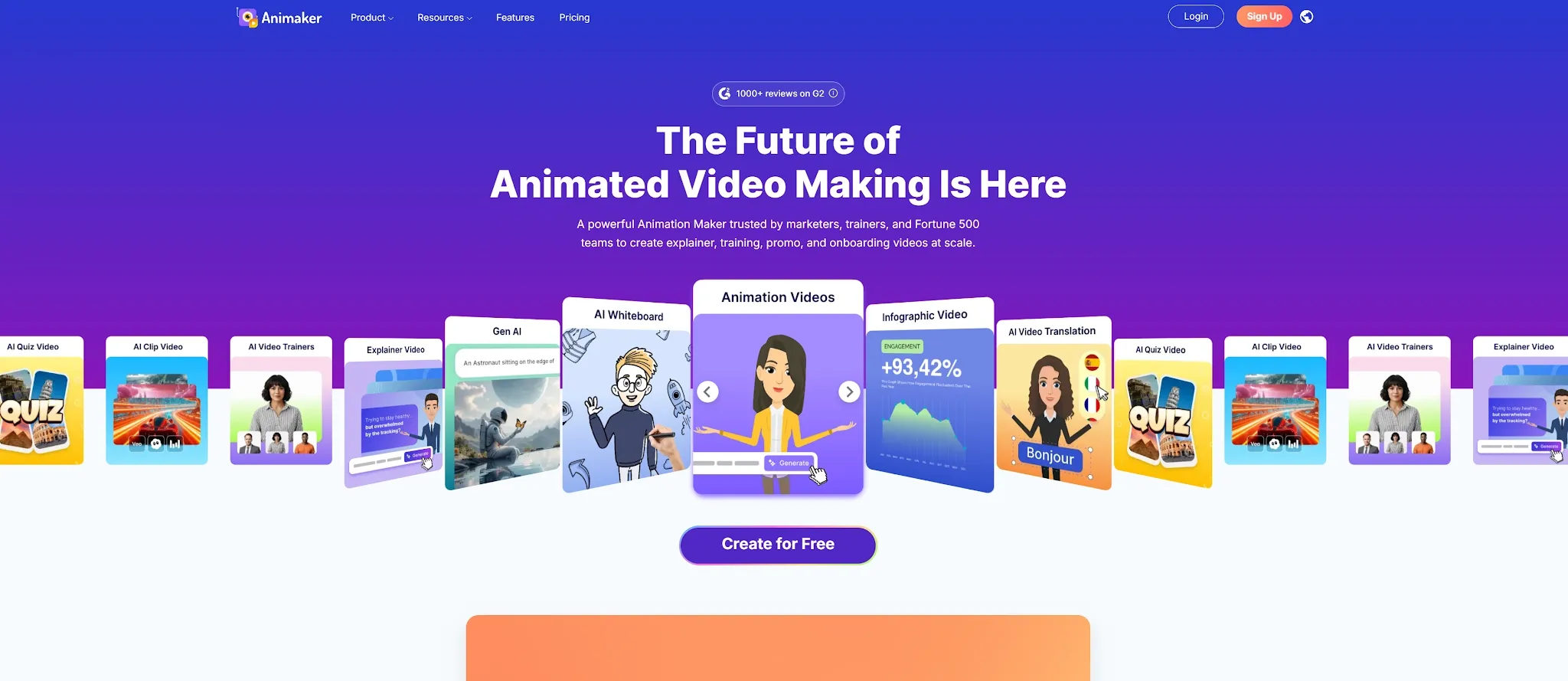
Animaker is a browser-based animation video maker for creators, educators, freelancers, and teams. It combines AI-assisted creation with templates, characters, props, stock media, and audio.
Animaker stands out for creative range. Users can build colorful explainers, whiteboard videos, infographic animations, presentations, training content, and social clips inside the same editor. Its character builder also offers detailed control over faces, clothing, accessories, and expressions.
Key capabilities of Animaker:
- Text-to-animation - Turn a prompt into an animated video draft with scenes and narration.
- Custom character builder - Create branded characters with detailed visual attributes.
- AI voice and subtitles - Generate narration, captions, and multilingual versions inside the workflow.
- Whiteboard and infographic video - Present lessons, processes, and data in structured visual formats.
- Templates and stock assets - Build scenes from a broad library instead of starting from a blank canvas.
Animaker's range can make layered projects feel busy. It works best when visual variety matters more than strict team governance. Read the full Animaker review or compare more Animaker alternatives.
What Is Vyond?
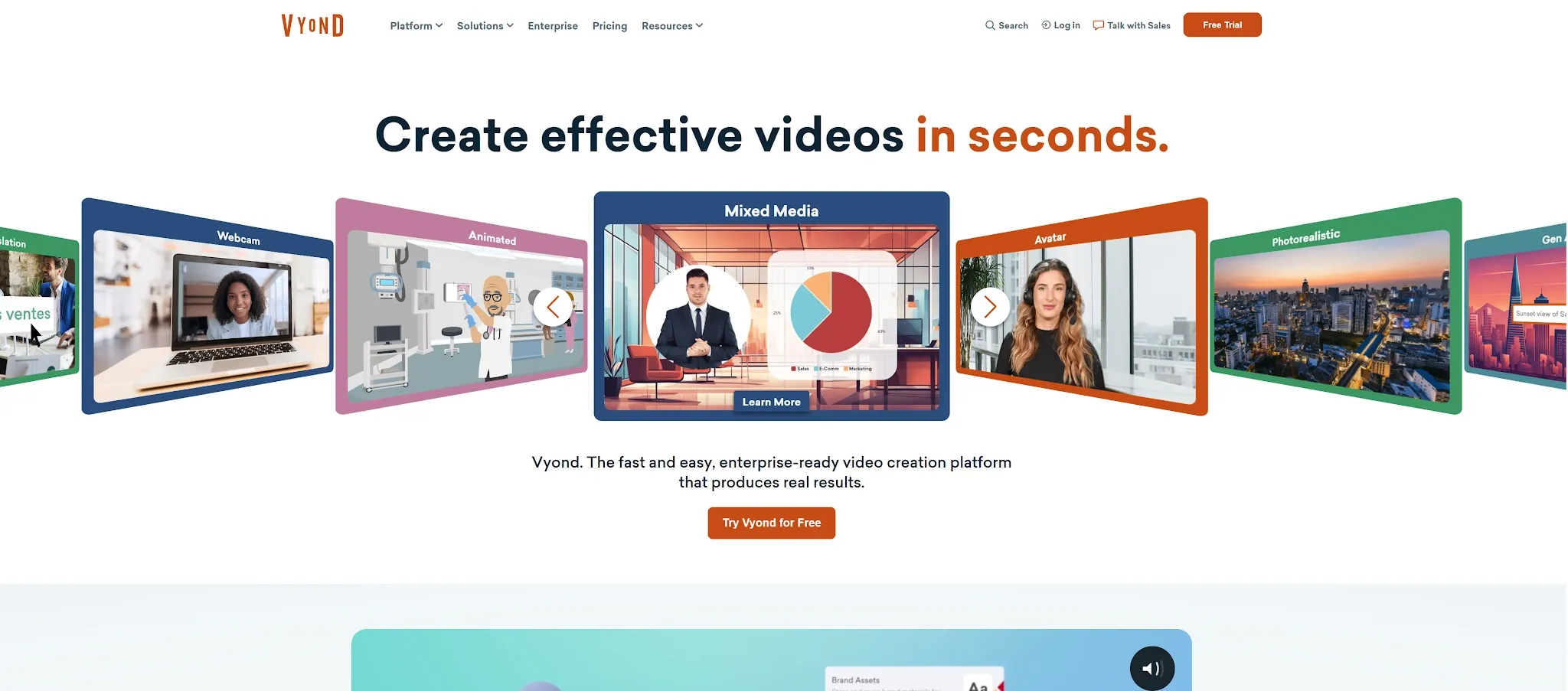
Vyond is an AI-assisted platform for training, onboarding, compliance, internal communication, and corporate storytelling. Vyond Go creates first drafts; Vyond Studio adds scene editing and brand controls.
Vyond's standout workflow begins with existing business material. Users can turn a prompt, script, document, PDF, presentation, or webpage into a structured video draft, then refine the script, characters, timing, narration, and visual style.
Key capabilities of Vyond:
- Prompt and document-to-video - Generate a first draft from text, files, presentations, or URLs.
- Business character animation - Build repeatable workplace scenarios with reusable characters and props.
- AI avatars and voices - Create presenter-led content with a large voice and avatar library.
- Video translation - Localize on-screen text, narration, and scripts for multilingual teams.
- Collaboration and brand controls - Organize shared assets, access, and visual standards across creators.
Vyond suits teams that value repeatable production and organizational control over experimentation. Its higher price buys a more predictable business workflow. See the full Vyond review for its strengths and limits.
Animaker vs Vyond: Feature-by-Feature Comparison
| Feature | Animaker | Vyond | Better choice |
| Product focus | DIY animation and visual content | Enterprise business video creation | Depends on use case |
| Character creation | Detailed customization and broad visual variety | Consistent business characters and reusable styles | Animaker for creative range |
| AI video workflow | Text-to-animation, AI assets, voice, subtitles, and translation | Prompt, URL, document, script, PDF, and presentation-to-video | Vyond for structured drafts |
| Output styles | 2D, whiteboard, infographic, presentation, and mixed media | Animated, whiteboard, business-friendly, avatar, and mixed media | Animaker for variety |
| Voice and localization | Large voice library and broad subtitle support | 650+ voices on Starter; translation into 95 languages on Professional | Vyond for team localization |
| Editing | Asset-rich timeline with detailed manual customization | Scene-based editor shaped around business storytelling | Tie |
| Team management | Live collaboration; advanced brand options on higher plans | Shared Spaces, brand management, access controls, and enterprise security | Vyond |
| Value | Lower entry price and a permanent free plan | Higher price supported by team and governance features | Animaker for individuals |
Match Every Video to Its Purpose
Explore cinematic, animated, avatar, product, and social video workflows in one creative platform.
Try Pollo AI for FreeAnimation Quality and Visual Style
Animaker's varied assets and detailed characters suit classroom videos, social content, explainers, and creator-led stories. Mixing different asset collections can make a video feel less cohesive.
Vyond produces a more controlled business look. Its curated scenes and reusable styles make training and internal communication video easier to standardize, although frequent use can make the output feel familiar or template-led.
Ease of Use and Editing Control
Animaker is approachable, but its asset-rich interface creates more decisions as projects grow. Users still need to arrange scenes, refine timing, and manage layers.
Vyond has a learning curve, yet its narrower purpose makes repeat production more predictable. Vyond Go accelerates the initial draft, while Vyond Studio provides the timeline control needed for revisions and stakeholder feedback.
AI Creation, Voice, and Localization
Both platforms use AI, but in different ways. Animaker adds AI tools to a broad DIY animation suite. Vyond uses AI to turn business source material into a structured video before handing the result to a conventional editor.
Animaker is attractive for creators who want variety in voice, captions, and visual formats. Vyond is stronger when a company needs repeatable multilingual communication across departments.
Which AI Video Maker Should You Choose?
| Choose Animaker if... | Choose Vyond if... |
| You are a solo creator, educator, or small business with a tighter budget. | You produce training, onboarding, compliance, or internal communication at scale. |
| You want deeper character customization and more visual styles. | You need repeatable brand consistency across several creators. |
| A free plan helps you learn before committing. | Document-to-video, translation, collaboration, and governance justify the premium. |
Animaker offers more creative value per dollar. Vyond offers more operational confidence for business teams. The right choice depends on whether the main bottleneck is budget and visual variety or repeatable production and control.
Animaker vs Vyond Pricing
The prices below reflect the official plan pages at the time of writing. Regional taxes, promotions, credits, download limits, and feature availability can change.
| Platform | Plan | Annual billing | Monthly billing | Important detail |
| Animaker | Free | $0 | $0 | Limited features and watermarked exports |
| Animaker | Basic | $15/month | Check current page | Lowest paid entry tier |
| Animaker | Starter | $25/month | $45/month | FHD output and 10 premium downloads per month |
| Animaker | Pro | $43/month | $79/month | 2K output, commercial rights, and 30 premium downloads per month |
| Vyond | Starter | $58/month ($699/year) | $99/month | 10,000 AI credits and up to 100 downloads per month |
| Vyond | Professional | $100/month ($1,199/year) | $199/month | Collaboration, 95-language translation, and 20,000 AI credits |
Why Pollo AI May Be the Better Alternative
Animaker and Vyond are useful for building animated scenes. Pollo AI is the better fit when the real goal is a finished video with less timeline work.
Create Animated Videos in Cartoon and Anime Styles
Pollo AI's Animation Generator turns scripts or ideas into cartoon and anime videos, including 3D cartoon and cinematic anime styles. It suits projects that need expressive characters and open-ended visual direction.
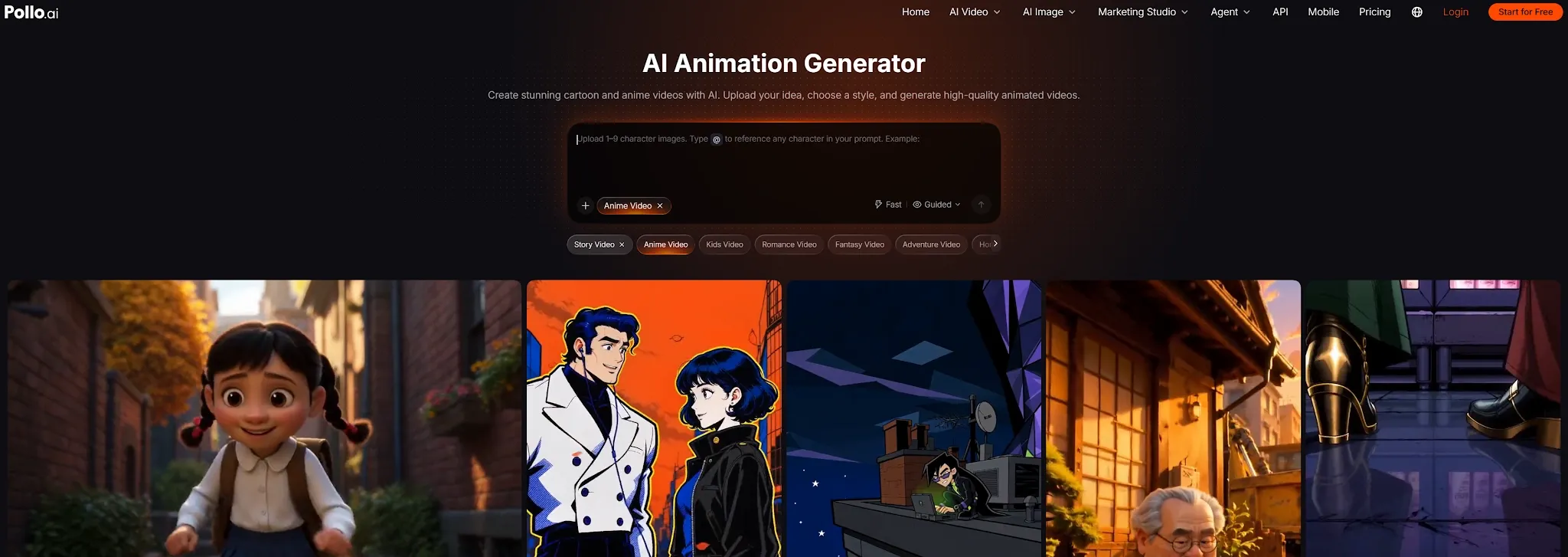
For longer stories, start with a script, character images, or references. reference to video helps guide consistency beyond a single clip.
Turn a Brief Into a Complete Video With Pollo Agent
Pollo Agent handles structure, pacing, visuals, and audio across a complete multi-scene video. Give it an idea, script, image, URL, or reference, and it produces a production-ready result with no editing required.
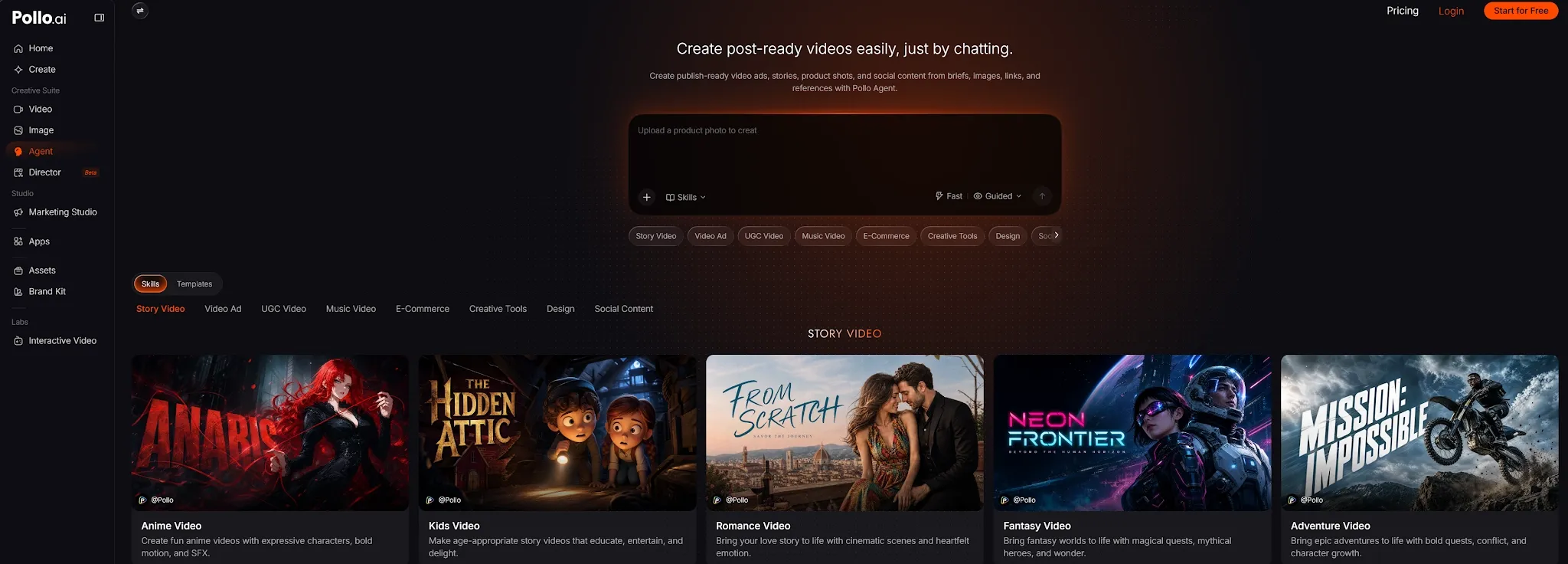
Creators can use purpose-built modes for story videos, explainer videos, music videos, news videos, and social formats without manually stitching isolated clips together.
Create Ready-to-Run Ads With Marketing Studio
Pollo AI is specifically built for marketers to create ready-to-use ads in as little as one minute. It turns a script, product URL, photo, or idea into a ready-to-use ad in as little as one minute. It can produce a UGC ad, product demo, or campaign variation without manual scene assembly.
Explore Top AI Models and Video Workflows in One Place
Pollo AI brings leading video models such as Seedance 2.5, MiniMax H3 Max, and Kling 3.0 into one creative suite. Users can move between text-to-video, image-to-video, avatars, AI sound effects, and scenario-based workflows without maintaining several separate tools.
Final Verdict
Choose Animaker if you want affordable, flexible character animation for explainers, lessons, and social content. Choose Vyond if your organization needs consistent training and business videos with stronger collaboration, localization, and governance.
Choose Pollo AI when you need complete video workflow without building every scene manually. The best tool is the one that removes the most expensive bottleneck from your workflow: animation cost, organizational control, or editing time.