



Powtoon Review: I Spent 7 Days Testing This AI Video Platform and Here's What I Found
Powtoon is worth trying if you need animated presentations, explainers, training videos, or branded business content. I liked it most when I had a clear message and needed to turn it into a visual story fast. But it still feels more template-led than AI-native when you need realistic generation, model choice, or fast campaign variation.
Powtoon Review: TL;DR
Powtoon is worth trying if you need an AI video platform for animated presentations, business explainers, training content, and branded communication. It works best when you want templates, drag-and-drop editing, and a guided creation process. But it feels less flexible for AI-native generation, realistic visuals, and fast campaign testing.
For broader AI video creation and publish-ready video, Pollo AI is the best Powtoon alternative to consider.
Review Criteria | Verdict |
|---|---|
| Business Presentations | Strong fit for animated decks, explainers, and internal content. |
| Templates | Useful for starting quickly without design experience. |
| AI Tools | Helpful for scripts, avatars, voiceovers, and translation support. |
| Brand Control | Good fit for teams that need consistent colors, fonts, and layouts. |
| Creative Flexibility | Strong for structured content, less open for AI-native generation. |
| Best Fit | Educators, trainers, HR teams, marketers, sales teams, and business communicators. |
What Is Powtoon?
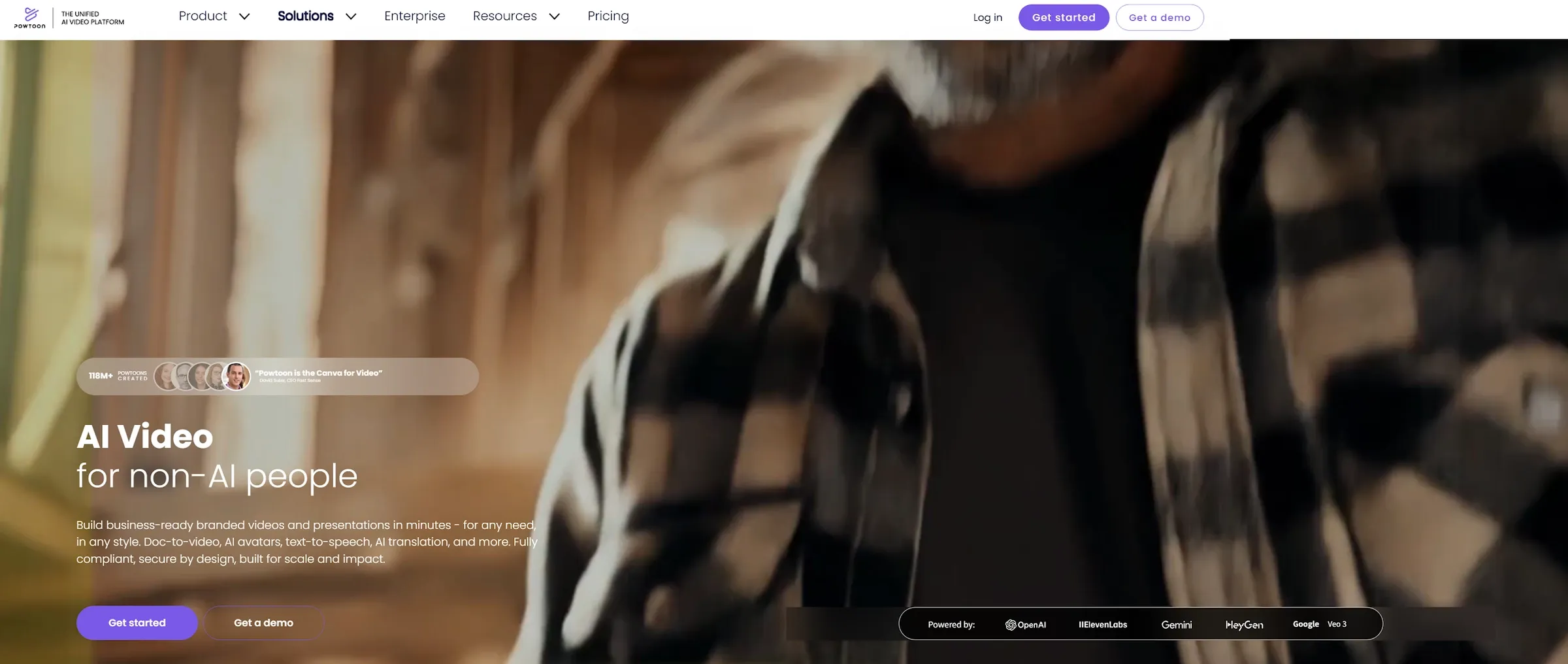
Powtoon is an online AI video platform built for people who want to create animated videos, presentations, and business content without advanced editing skills.
Instead of asking users to build every scene from scratch, Powtoon gives them templates, characters, stock assets, brand controls, and AI-assisted tools. You can use it for explainers, training materials, internal updates, sales videos, and social content.
That makes Powtoon different from a pure AI video generator. Powtoon is not only asking, "What should AI generate?" It is asking something closer to, "How can this business message become a clear visual presentation?"
In my testing, Powtoon felt stronger when the video needed structure. It worked well for explainers, learning content, and corporate communication. It felt less natural when I wanted cinematic AI generation or fast ad-style creative testing.
How I Tested Powtoon
I tested Powtoon around common business video needs: animated presentations, explainer videos, training content, branded communication, and AI-assisted video creation.
I paid attention to how quickly I could move from a message to a usable draft. I also looked at how much control the platform gave me over scenes, visuals, branding, and editing.
The key question was not whether Powtoon could make a video. It clearly can. The real question was whether it still feels flexible enough for modern content workflows, where teams may need videos, ads, product visuals, avatars, voiceovers, and social variants at the same time.
Key Features of Powtoon AI
Powtoon's best features are animated presentations, templates, built-in AI tools, and brand-focused customization.
1. Animated Presentations and Explainers
Powtoon is useful when you need to explain something visually. This includes business updates, training videos, educational lessons, product explainers, policy videos, and sales presentations. The platform makes static information easier to watch and easier to understand.
I found this most helpful when the message had a clear structure. A process, product feature, training topic, or business update worked better than a vague creative idea.
The limit is style. Powtoon has a recognizable presentation-first feel. That is useful for clarity, but it may not match brands that want cinematic, realistic, or more modern AI visuals. For simple explainers, Powtoon works well. For more flexible AI video creation, I would compare it with a broader AI video generator.
2. Templates and Drag-and-Drop Editing
Powtoon's templates are one of its biggest advantages. They help users avoid the hardest part of video creation: starting from nothing. You can choose a structure, change the text, adjust the visuals, and make the video fit your message.
The drag-and-drop editor also makes the platform easier for non-designers. You do not need a professional editing background to move elements, remove background, or build a simple story.
The weak point is sameness. Templates are fast, but they can also make videos feel familiar. If many users start from similar structures, the final output may need extra customization to stand out. The template workflow is best when speed and clarity matter more than a fully original visual style.
3. Built-In AI Tools
Powtoon's AI tools are helpful when you want support with scripts, avatars, voiceovers, translation, and video structure. This makes the platform more useful for teams that need to produce videos often. A script can become easier to shape. A voiceover can be added faster. An avatar can help deliver a message without filming a real person.
I found these tools most useful when they supported the existing workflow. They reduced production friction instead of replacing the full creative process.
The limitation is that Powtoon still feels like a template and editing platform with AI added on top. That may be enough for business communication. But users looking for more flexible AI generation may want more model choice and more direct prompt-based creation.
4. Branding and Business Communication
Powtoon is strong for teams that need consistent branded content. You can work with colors, fonts, logos, templates, and company-approved visuals. This matters for HR, sales, training, and internal communication teams that cannot publish off-brand materials.
I liked this because business content often fails not because the idea is weak, but because the final video feels inconsistent. Brand tools help reduce that problem.
The limit is creative speed. Brand control is useful, but it can also make the workflow feel more structured. If your team needs fast ad variations, creator-style clips, or social-first experiments, you may need a more flexible setup.
What Are Powtoon's Pros and Cons?
Powtoon is strong for business videos and visual communication, but it is not perfect.
Pros:
- Easy for non-designers to use
- Strong for animated presentations
- Useful for training and internal content
- Good brand customization tools
- Helpful AI tools for scripts and voiceovers
- Practical for business teams
Cons:
- Template-led videos can feel familiar
- Less ideal for cinematic AI video generation
- Advanced AI control can feel limited
- May need extra work to stand out visually
- Still depends on user planning and editing
- Less complete for full campaign production
Where Does Powtoon Fall Short?
Powtoon falls short when you need more flexible AI generation, more original visual direction, or a complete campaign workflow.
Template-Based Output Can Feel Familiar
Powtoon's templates are useful, but they can also make videos feel predictable.
This matters when the goal is a polished internal explainer. It matters even more when the video needs to stand out in a competitive feed. A template can help you start faster, but it does not guarantee a distinctive result. The final video still needs strong messaging, pacing, and visual customization.
For business communication, that may be enough. For brand campaigns, it may need more creative work.
AI Features Still Need Direction
Powtoon's AI tools can help with scripts, avatars, voiceovers, and translation, but they do not remove the need for creative thinking.
A script still needs a clear message. An avatar still needs a reason to be there. A translated video still needs tone review. A branded template still needs a strong visual hierarchy. So the learning curve is not technical editing only. It is knowing how to turn a message into a good video.
That is not a flaw. It is just the reality of business video creation.
It Is Not a Full AI-Native Creative Workflow
Powtoon is useful for business videos, presentations, and explainers. But it does not always feel like a full AI-native creative suite. If you need product videos, UGC ads, AI avatars, voiceovers, image generation, social variants, and multiple AI models, you may want a broader workflow.
That is where Pollo AI feels stronger. It covers more creative paths in one place.
Create Beyond Template-Led Videos
Generate ads, product clips, avatars, social videos, and campaign assets with a more flexible AI workflow.
Try Pollo AI for Free
Is Powtoon Right for You?
Powtoon is right for you if you need animated presentations, explainer videos, training materials, or branded business communication. It makes sense for educators, HR teams, sales teams, trainers, marketers, and companies that want a guided video creation workflow.
Skip it if you need cinematic AI video generation, heavy creative variation, product-led ad workflows, or more model flexibility.
The simple version is this: Powtoon is strong for business communication, but less complete for modern AI-native content production.
How Does Powtoon Perform Across Real Use Cases?
Powtoon performs best when the content is structured, visual, and business-focused.
Use Case | My Take |
|---|---|
| Animated Presentations | Strong fit for turning business ideas into visual stories. |
| Training Videos | Useful for lessons, internal modules, and employee communication. |
| Explainer Videos | Good fit when the message is clear and structured. |
| Marketing Videos | Useful for simple promos, but less flexible for ad testing. |
| Sales Content | Helpful for visual pitches and product overviews. |
| Viral Videos | Possible, but may need more customization to feel fresh. |
| Brand Communication | Strong fit when consistency matters more than visual experimentation. |
My Personal Take on Powtoon
I like Powtoon because it makes business video creation less intimidating. It gives non-designers a way to create explainers, training videos and presentation videos without starting from a blank screen.
That is still valuable. Many teams do not need cinematic video. They need clear communication, repeatable templates, and branded content that can be produced without a full creative team.
But I hit the limits when I looked at Powtoon as a modern AI video system. It is useful, but it can feel more structured than flexible.
My take is simple. Powtoon is a good platform for animated business videos. It is not the only tool I would use for fast AI generation, marketing campaigns, or multi-format creative production.
Why Is Pollo AI a Better Powtoon Alternative?
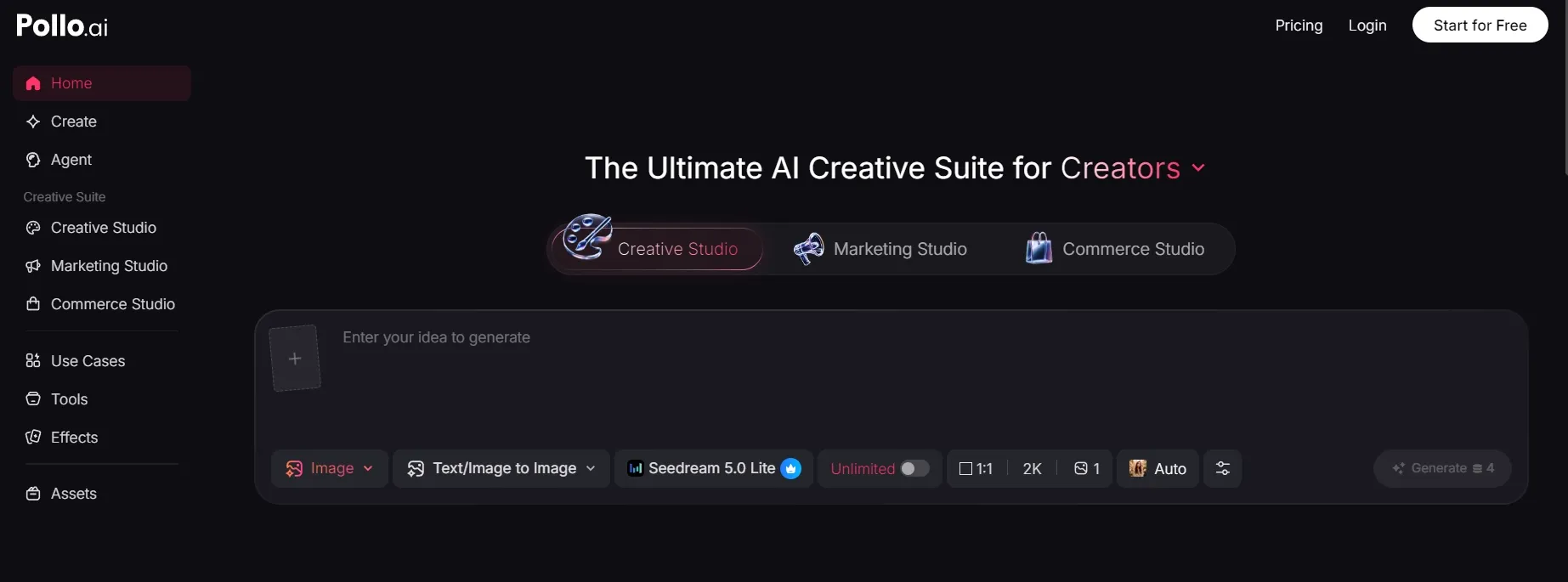
Pollo AI is a better Powtoon alternative if you want to move beyond template-led business videos and build a more flexible creative workflow.
Powtoon is useful for presentations, explainers, training content, and branded communication. But teams today often need more than one polished animated video. They may need ad variants, product clips, UGC-style videos, AI avatars, voiceovers, social content, and image assets.
A Broader AI Creative Workflow
That is where Pollo AI feels more practical. Pollo AI is the ultimate AI creative suite for marketers, creators, and sellers & brands. It brings video generation, image creation, avatars, audio, product visuals, and AI video editing tools into one place.
This matters because content rarely lives in one format. A marketing team may need a product video, a UGC ad, a short social clip, and supporting visuals. A creator may need video, audio, and images for the same idea.
Powtoon is good for structured business videos. Pollo AI is better when the creative workflow needs more range.
Studios Built Around Real Use Cases
Pollo AI is also organized by real content goals. Marketing Studio is for ads and campaign content. Commerce Studio is for product visuals and seller workflows. Creative Studio is for image, video, avatar, and audio creation. If you want to move from an idea, script, product link, or image into a more publish-ready video, Pollo Agent is the stronger fit.
This makes it easier to choose the right workflow. You are not only editing scenes. You are creating around a specific output, such as an ad, a product video, or a creator-style clip.
More Model Choice for Different Video Needs
Pollo AI also gives users access to many leading AI models, including Seedance 2.5 and Gemini Omni Flash.
That matters because one model rarely fits every video task. Some are better for realistic motion. Some are better for cinematic scenes. Others are better for fast image-to-video or social content.
So the difference is simple. Powtoon is good for animated business communication. Pollo AI is better when you need more model choice and a wider workflow for ads, product content, creator-style videos, and multi-format campaigns.
Final Verdict: Is Powtoon Worth It?
Powtoon is worth trying if you need animated presentations, explainers, training videos, or branded business communication. It is strongest when the message is structured and the user wants a guided creation process. For educators, HR teams, sales teams, and business communicators, it can be a practical tool.
But Powtoon is not perfect. Template-led output can feel familiar, AI features still need direction, and the platform may feel less flexible for modern creative production.
My verdict is simple. Use Powtoon for business presentations and animated explainers. Use Pollo AI when you need a broader creative suite for AI videos, ads, product content, avatars, audio, and campaign workflows.