



Akool Review: I Spent 14 Days Testing This AI Marketing Tool and Here’s the Result
Akool is worth trying if you want to create presenter-style videos, localized clips, face swap content, and personalized marketing assets without a full production setup.
I liked Akool most when I had a clear script or an existing video to adapt. It helped me test spokesperson clips, translated videos, and visual variants faster than a traditional workflow. But it is not perfect. The output still needs review when realism, brand tone, lip sync, or campaign consistency matters.
Akool Review: TL;DR
Akool is a useful AI marketing tool for teams that want avatars, translated videos, face swaps, and personalized visual content. Its strongest value is speed. It helps users create video assets without filming every version from scratch.
The catch is that Akool works best for focused tasks, not full campaign production. The results can be useful, but lip sync, facial realism, message tone, and brand details still need careful checking.
Review Criteria | Verdict |
|---|---|
| AI Avatars | Strong fit for explainers, product intros, and simple spokesperson videos. |
| Video Translation | Useful for localization, but tone and lip sync still need review. |
| Face Swap | Good for creative variants, but brand-safe use needs caution. |
| Ease of Use | Easier than traditional video production, but clear inputs matter. |
| Marketing Workflow | Helpful for single assets, less complete for full ad campaigns. |
| Best Fit | Marketers, creators, educators, agencies, and teams testing personalized video. |
What Is Akool?
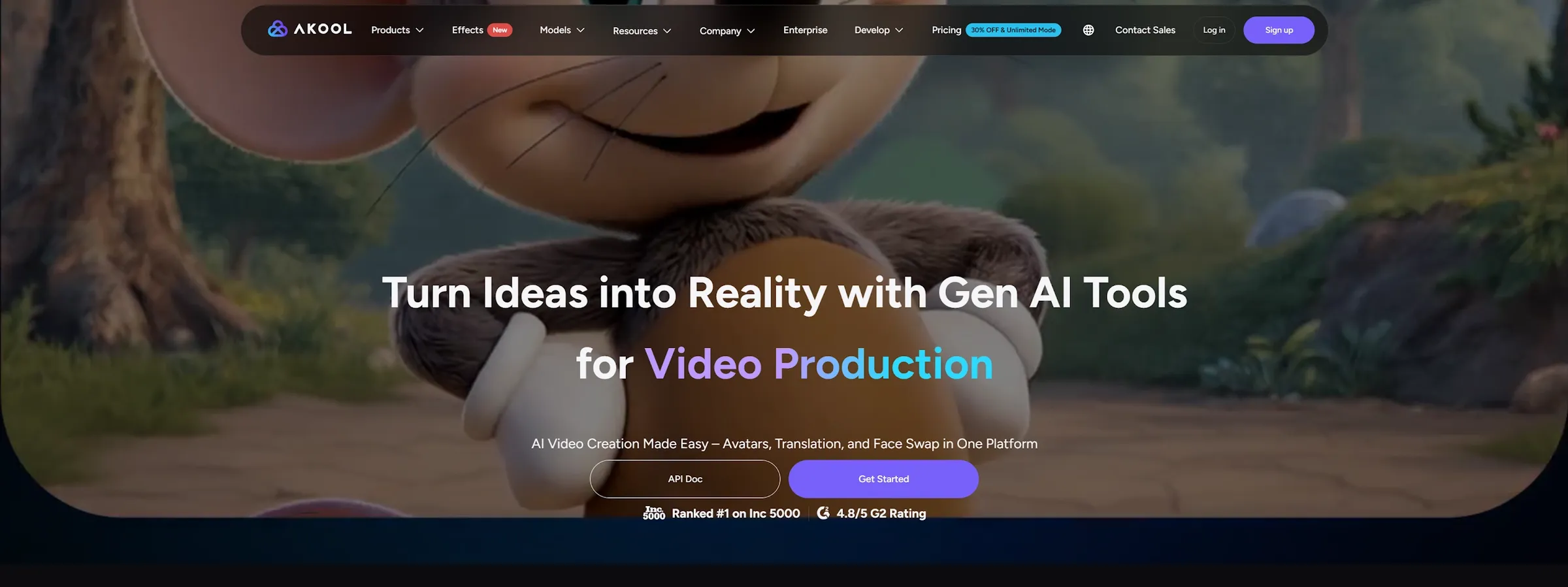
Akool is an AI marketing platform built for teams that want to create video content without relying on cameras, actors, or long editing timelines.
Instead of starting from a blank editing project, Akool gives you tools for common marketing tasks. You can create an avatar video, translate an existing clip, swap a face, or generate campaign-style visuals from a more direct workflow.
That makes it different from a basic AI video generator. Akool is not only asking, “What video do you want to make?” It is closer to asking, “How can this content become more personalized, localized, or easier to reuse?”
In my testing, Akool felt most useful when the goal was already clear. It worked better for a short presenter video, a localized message, or a creative variant than for open-ended campaign planning.
How I Tested Akool AI
I tested Akool across the types of tasks marketers are likely to care about: avatar videos, translated clips, face swaps, and short promotional content. I also looked at how easy it was to move from an idea to an output that could be reviewed by a team.
I did not judge it by demo value alone. I paid attention to the small details that affect real marketing work. Does the avatar feel natural enough? Does the translated message keep the right tone? Does the face swap hold up during movement? Can the result be used without heavy cleanup?
Those details matter because AI video tools often look impressive at first glance. The real test is whether the output can support a real brand message.
What Are Akool’s Best Features?
Akool’s best features are AI avatars, video translation, face swap, and personalized marketing video creation.
1. AI Avatars
Akool’s avatar feature is one of its most practical use cases. It helps you create presenter-style videos without booking a shoot, which is useful for product explainers, training clips, course intros, onboarding videos, and simple brand messages.
I found it worked best with short scripts and clear talking points. When the avatar had one job, such as explaining a feature or introducing a product, the result felt easier to use.
The limit is emotional depth. The videos can look polished, but the avatar may still feel slightly controlled in facial expression, pauses, and body movement. For simple messages, that is acceptable. For emotional storytelling or high-trust brand content, I would review the output more carefully.
2. Video Translation and Lip Sync
Akool’s video translation feature is useful when you need to adapt one video for different language audiences. This is especially helpful for training content, product explainers, course clips, founder messages, and global social posts.
The value is clear. You can reuse an existing video instead of filming a new version for every market. Lip sync also helps the translated clip feel more natural than a basic voiceover.
Still, this is not something I would publish without review. A translated video can sound fluent but miss the original tone. Lip sync can also become less convincing when the speaker moves too quickly or speaks with strong facial motion.
For creators who care mainly about mouth movement and voice alignment, a focused lip sync AI workflow may also be useful.
3. Face Swap
Akool’s face swap feature is useful for creative tests, personalized clips, and visual variants. It can help teams explore different campaign looks without filming every version from scratch.
The best results came from clean source videos. Clear lighting, front-facing subjects, and simple movement made the output more believable. When the head turned quickly or the lighting changed, the result needed more review.
This feature also needs responsible use. Face swap can be powerful, but it should never create confusion about who actually appeared in a video. For brand work, consent and context are not optional.
4. Personalized Marketing Videos
Akool is useful when the marketing message is specific. A sales team may want a short outreach clip. A creator may need a localized intro. A brand may want a presenter-style asset without setting up a studio.
This is where Akool feels more useful than a general video generator. It helps adapt a message for a person, audience, or market, rather than only creating a visually interesting clip.
The limitation is that it still produces assets, not a full campaign system. You still need the strategy, script, offer, creative angle, and review process. Akool can help you make a video faster, but it does not replace the thinking behind the campaign.
For more direct ad workflows, tools like UGC ads generator or an AI product video generator may fit better.
What Are Akool’s Pros and Cons?
Akool is strong when the task is clear, but it has limits when the work becomes more campaign-driven.
Pros:
- Good for avatar-based videos
- Useful for video localization
- Helpful for face swap experiments
- Strong for personalized video assets
- Easier than traditional production
- Useful for marketers and creators
Cons:
- Avatars can still feel slightly artificial
- Translated tone needs review
- Complex movement can reduce realism
- Not a full campaign production system
- Better inputs lead to better outputs
- Brand-sensitive content needs careful checking
Where Does Akool Fall Short?
Akool falls short when you need perfect realism, deep creative control, or a complete marketing workflow.
The Output Still Needs Review
Akool can create strong results, but the first version is not always final. This matters most for avatar videos, translated clips, and face swap content.
A mouth movement may feel slightly off. A voice may not carry the right emotion. A face swap may look good in one frame and weaker during motion. These details are easy to miss, but they affect trust. This is not a major problem for quick tests or internal drafts. But it matters for brand-facing content.
Input Quality Still Matters
Akool feels easier than traditional video production, but your input still affects the result. A clear script, a clean source video, good lighting, and simple movement all help the output look more believable.
If the input is messy, the result becomes harder to trust. A noisy video, poor lighting, or unclear face angle can make the final clip look less natural. So the learning curve is not only about using the tool. It is also about preparing the right source material.
It Is Not a Full Marketing Workflow
Akool is useful for individual video assets. But it does not feel like a full marketing production system.
A real campaign usually needs more than one avatar video or one translated clip. You may need UGC ads, product videos, multiple hooks, platform-specific formats, voiceovers, visuals, and performance-focused creative angles.
That is where Pollo AI feels stronger. It covers more parts of the marketing content workflow in one place.
Move Beyond Single Marketing Assets
Create ads, product videos, avatar clips, visuals, and campaign-ready content in one broader AI workflow.
Try Pollo AI for Free
Is Akool Right for You?
Akool is right for you if you need avatar videos, translated clips, face swap content, or personalized video assets for marketing and communication. It makes sense for marketers, creators, educators, agencies, and sales teams that want to produce video content without filming every version.
Skip it if you need full campaign planning, deep editing control, or an end-to-end creative production system. Akool is useful for AI video assets, but it is less complete as a full marketing workflow.
How Does Akool Perform Across Real Use Cases?
Akool performs best when the task is focused and video-led.
Use Case | My Take |
|---|---|
| Avatar Explainer Videos | Strong fit. Best for short scripts and clear messages. |
| Video Translation | Useful for localization, but tone and lip sync need checking. |
| Face Swap Videos | Good for creative tests, but complex motion needs review. |
| Personalized Outreach | Useful for sales and audience-specific messages. |
| Social Media Content | Good for quick variants and creator experiments. |
| Product Marketing | Helpful for simple promos, but not enough for full campaigns. |
| Training Video | Good fit when the script is clear and the format is simple. |
My Personal Take on Akool
I like Akool because it makes AI video production easier to test. You do not need a camera crew to create a presenter clip. You do not need to re-record every video for every language. You can also test different visual versions faster than a normal production workflow.
But I hit the limits when I looked at Akool as a full marketing system. It can help create useful assets, but it does not remove the need for creative strategy, campaign structure, and human review.
My take is simple. Akool is a good tool for avatar videos, translation, and personalized clips. It is less convincing as the only platform for serious campaign production.
Why Is Pollo AI a Better Akool Alternative?
Pollo AI is a better Akool alternative if you want to move beyond single AI video assets and build a more complete marketing workflow.
Pollo AI is the ultimate AI creative suite for marketers, creators, and sellers & brands. For marketers, its biggest advantage is that it brings video generation, ad creation, product visuals, avatars, audio, and editing tools into one place.
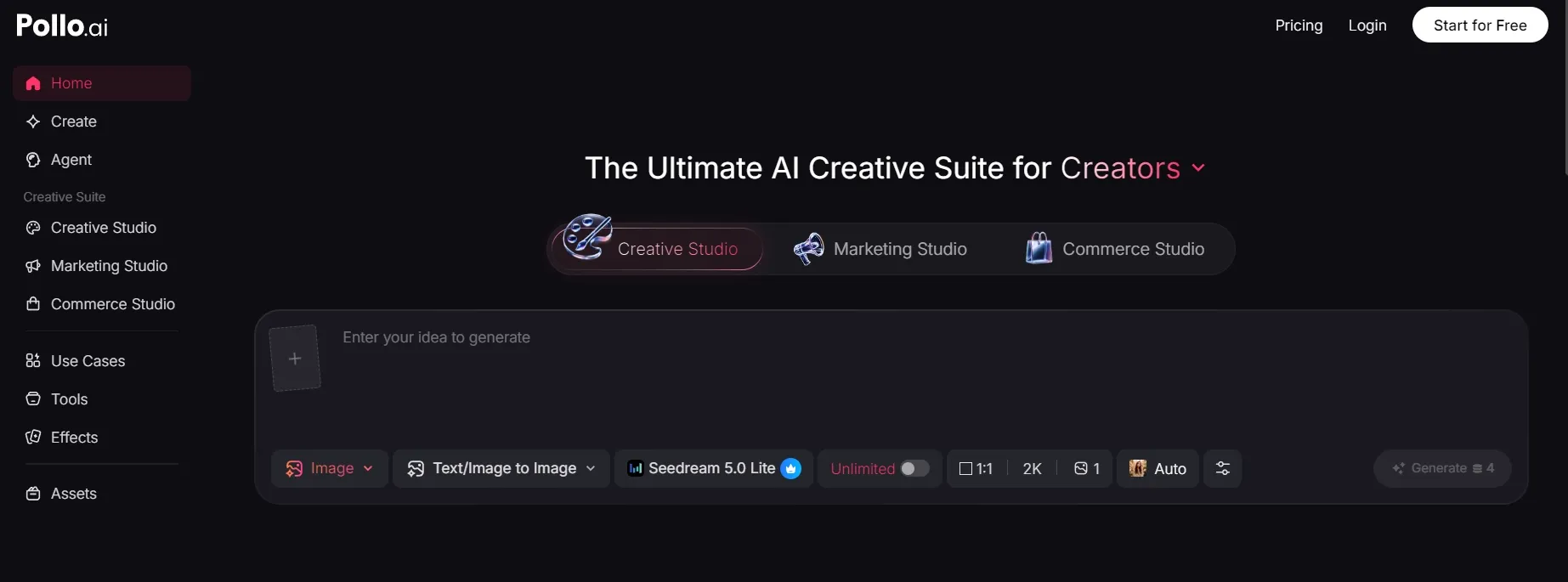
I also like that Pollo AI is organized around real marketing needs. Marketing Studio focuses on ad video and campaign content, while Commerce Studio supports product visuals and seller workflows. Creative Studio covers broader image, video, avatar, and audio creation.
Pollo AI also gives users access to many leading AI models in one platform, like Kling 3.0 and Seedance 2.0. That matters because one model rarely handles every marketing task well. Some are better for realistic people, while others are better for product motion, cinematic visuals, or fast social content.
So the difference is simple. Akool is good when you need a focused AI video asset. Pollo AI is better when you need a wider system for ads, product content, creator-style videos, and repeatable campaign production.
Final Verdict: Is Akool Worth It?
Akool is worth trying if you need AI avatars, video translation, face swaps, or personalized marketing videos. It is strongest when the task is clear and the input is clean. But Akool is not a full campaign production system. The output still needs review, and the best results depend on strong scripts, clean source videos, and clear creative direction.
My verdict is simple. Use Akool for focused AI video marketing assets. Use Pollo AI when you need a broader creative suite for ads, product videos, avatars, audio, visuals, and repeatable campaign workflows.