



insMind Review: I Tested insMind for 14 Days and Found Its Limits
I kept seeing insMind show up as a quick AI video tool for product clips, social posts, and simple visual ideas, so I wanted to see how far it could actually go beyond the first easy generation.
I spent 14 days reviewing its main video features from a creator and marketing workflow perspective. Here is what I found after using it for quick drafts, simple edits, and production-style video planning.
insMind Review: TL;DR
insMind works best when I need a short AI clip quickly. It helped me move from idea to visual draft without opening a traditional editor.
I would use it for social clips, image to video tests, simple product motion, and trend style effects. I would not rely on it as my main tool for structured ads, connected scenes, or polished campaign videos.
Dimension | My Take |
|---|---|
| Best for | Quick clips, simple effects, visual drafts |
| Not suitable for | Full campaigns, connected scenes, finished video workflows |
| Strongest feature | Beginner friendly AI video creation |
| Learning curve | Easy to start |
| My verdict | Useful for drafts, limited for production |
What Is insMind?
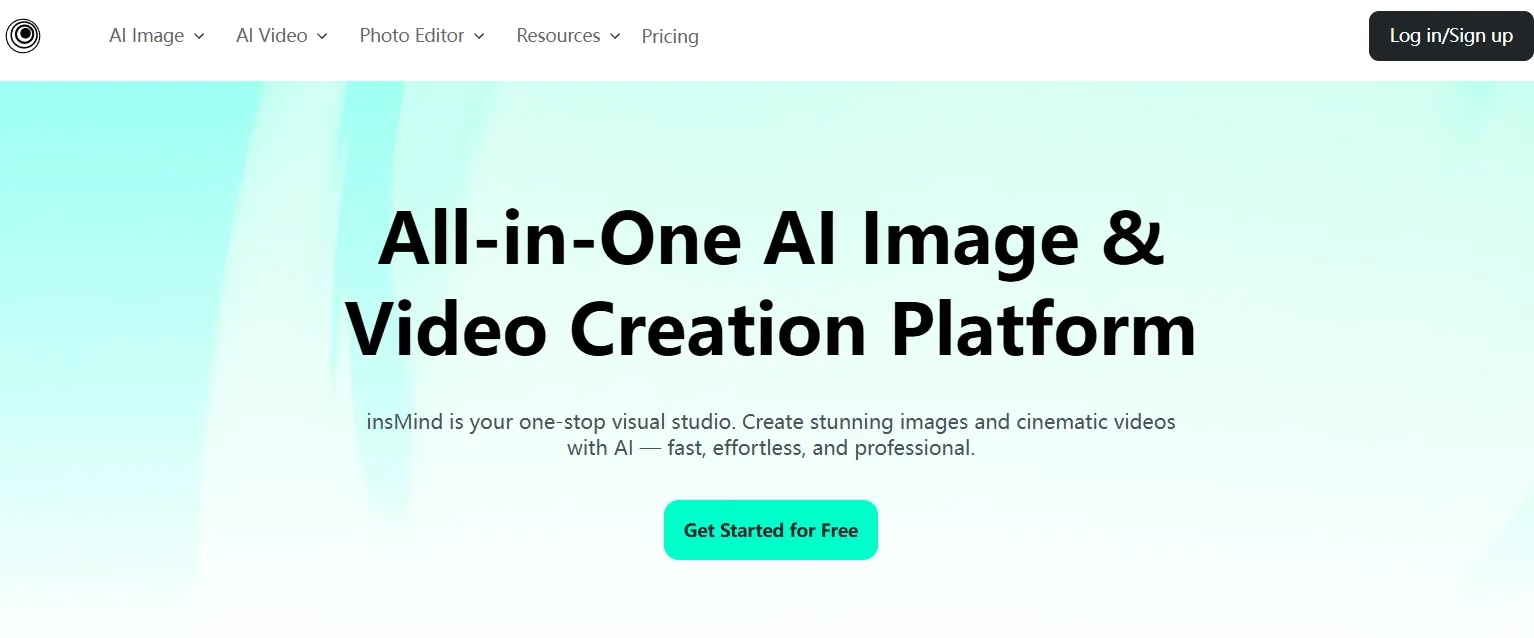
insMind is an AI video generator that brings together several video creation tools, including video effects, start and end frame control, image to video generation, and AI video editing.
Its video tools are designed for users who want to create short clips, social visuals, product style videos, and simple motion content without using traditional editing software. The platform focuses on a lightweight workflow where users can start from prompts, images, templates, or editing instructions.
What Other Users Say About insMind
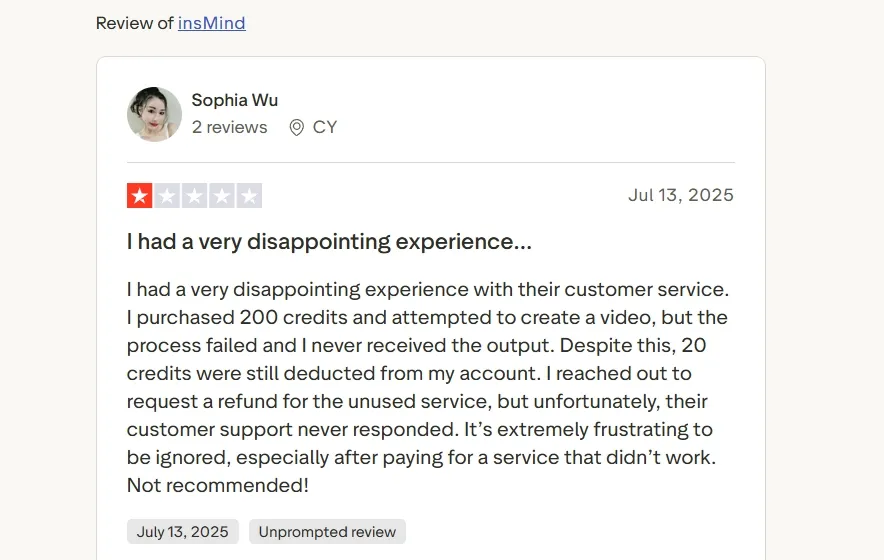
Before reviewing the features myself, I checked Trustpilot to see how other users described insMind. At the time I reviewed the page, insMind had a 2.6 TrustScore, with feedback split between positive comments on ease of use and complaints about credits, billing, failed processing, and support.
One positive reviewer described insMind’s video generation and editing workflow as “intuitive and easy to use.” That matches the part I found most useful: fast drafts, lightweight edits, and short video assets for social or product style content.
The negative reviews were more serious. Some users complained about failed video processing, deducted credits, subscription issues, and slow or missing support responses. I kept this in mind because reliability matters when an AI video tool is used for real creator or marketing work.
How I Reviewed insMind
I reviewed insMind from the perspective of a creator or marketer who wants to know whether it is useful beyond the first few clips.
- Speed from idea to usable short video
- AI video generation workflow, including prompt-based video creation
- Image to video workflow for product visuals, portraits, and existing assets
- Video effects and templates for social, trend, and casual creator content
- Start and end frame control plus AI video editing for refinement
- Overall consistency, control, publishing readiness, and production effort
Key Features I Reviewed
AI Video Generator
insMind’s AI video generator is the main tool I used for turning video ideas into short clips. In practice, it sits inside the larger generator workflow. The workflow felt approachable. I could enter an idea, choose basic settings, and generate a visual draft without much setup.
This worked well for early concept work. I found it useful for testing the direction of a short launch opener, a social promo, or a simple product video before building a fuller piece.
The limitation is that the generator still feels strongest at the single clip level. It helped me create a useful asset, but it did not give me the pacing, structure, or message flow I would expect from a finished video.
Image to Video
The image to video feature felt more grounded than starting from text alone. When I used an existing visual as the base, the clip had a clearer anchor and felt less random.
I found this useful for product photos, portraits, designed assets, and simple social visuals. I also found it especially practical for drafting a short photo to video ad from a static image or a light product motion test.
Video Effects and Templates
insMind’s effects and templates are built for speed. After testing them, I understood their main value: they help users make trend-style videos without planning every detail from scratch.
I would use this feature for quick creator posts, emotional effects, funny transformations, and casual social clips. It also works for light entertainment ideas, such as a short music video where energy matters more than precision.
Start and End Frame Generator
The start and end frame generator gives users more control over how a clip begins and finishes. I found this useful for transformation scenes, before and after visuals, product reveals, and transition-based ideas.
This feature fits clips where the movement from one state to another matters, especially when I wanted the visual transition to feel closer to a smooth story video than a random motion test.
AI Video Editor
insMind’s AI video editor lets users describe changes in plain language instead of editing with a traditional timeline. After testing it, I found it useful for quick style changes, background adjustments, subject edits, and simple cleanup.
It is a helpful feature when the clip is already close and only needs a lighter revision. For creator content, short ads, or simple AI UGC video drafts, this type of prompt-based editing can save time.
The limitation is precision. When a video needs careful brand control, repeated refinements, or exact scene level changes, prompt-based editing can feel less dependable than a deeper editing workflow.
Real Use Cases
Use Case | How insMind Fits |
|---|---|
| Fast social clips | I found insMind useful for short TikTok, Reels, and Shorts style visuals when speed matters more than deep control. |
| Product motion tests | It can turn static product visuals into short motion drafts for product video ads. |
| Trend effects | The effects library works well for funny videos or transformation-style social posts. |
| Story drafts | It can help test a mood, character moment, or scene idea before building a fuller AI story video. |
| Simple ad concepts | It is useful for roughing out visuals before turning a script into an ad. |
Pros and Cons
Pros:
- Easy to start, even without editing experience.
- Useful for quick AI video drafts and short social clips.
- Image to video works well when there is already a clear visual asset.
- Effects and templates help with fast trend style content.
- Prompt-based editing makes simple changes easier.
Cons:
- Output often feels more like a clip than a finished video.
- Prompt quality has a big impact on the result.
- The full campaign structure still needs outside planning.
- Brand consistency and connected scenes are harder to manage.
- It is less ideal for publish-ready business and marketing video workflows.
Where insMind Falls Short
The biggest limit I found is that insMind is stronger at creating clips than finishing videos. A short clip can be useful, but it is not the same as a complete video with a hook, pacing, captions, music, scene logic, and a clear publishing goal.
That matters most for ads, product promos, creator series, and repeatable brand content. In those cases, I do not just need another generated asset. I need a workflow that helps shape the final video.
This is where Pollo AI feels stronger. Pollo Agent, Pollo AI’s AI video agent, can turn an idea, URL, image, or asset into a ready to post video while handling structure, pacing, music, captions, and opening hooks with no editing required.
Full Content Creation Starts Here
Join marketers & sellers who use Pollo AI to generate marketing-ready video content.
Try Pollo Agent Free
insMind vs Pollo AI
Dimension | insMind | Pollo AI |
|---|---|---|
| Best fit | Quick clips and visual drafts | Complete AI video workflows |
| Workflow style | Clip first | Production and publishing focused |
| Workflow coverage | Simple prompts, effects, basic edits | Generation, editing, Pollo Agent, Marketing Studio, Commerce Studio, avatar workflows |
| Business use | Early promo ideas | UGC video ads, product videos, seasonal campaign videos, and other full content for marketers and creators |
| My take | Good starter tool | Better full workflow |
The Pollo AI Workflow I’d Choose After Testing insMind
Multi-Model Video Creation
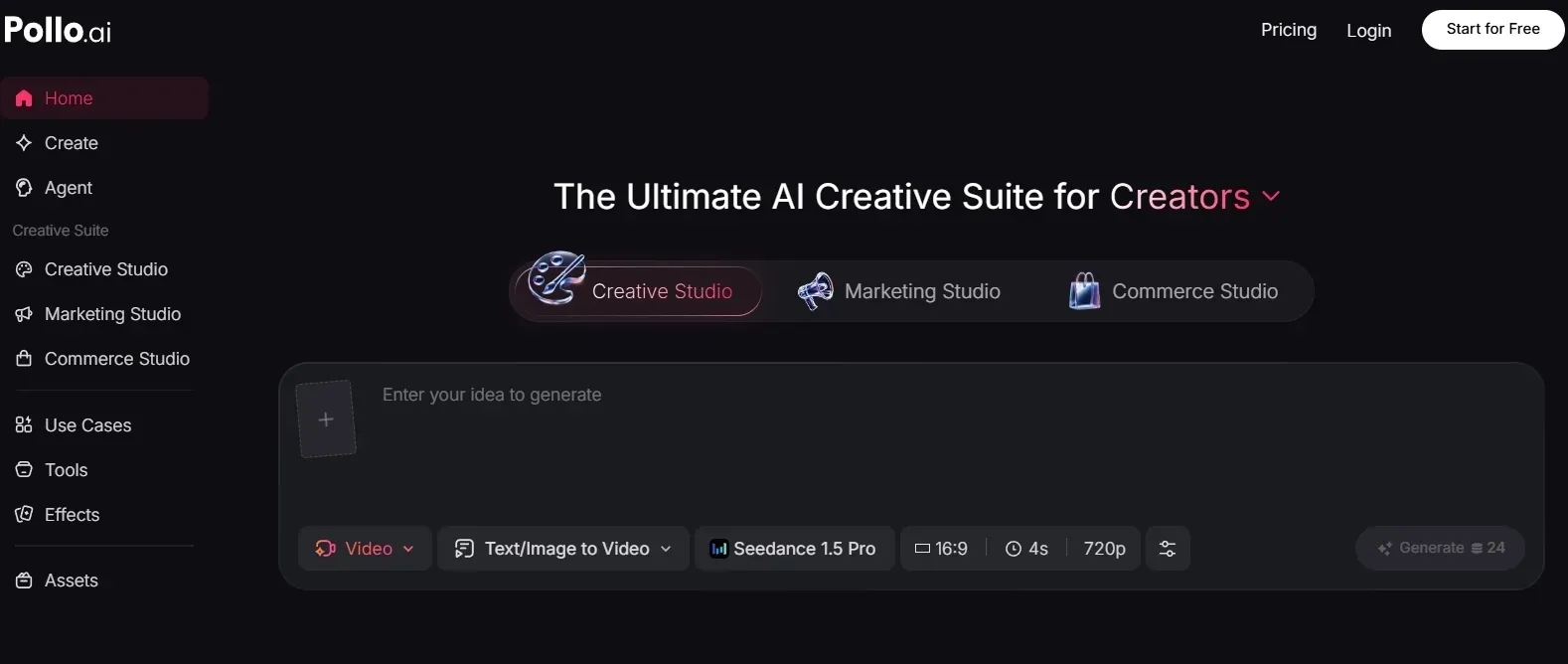
After testing insMind, I wanted more flexibility than a single-clip-based workflow. Pollo AI gives me access to multiple leading video models in its AI video generator, including Veo 3.1 and Kling 3.0, so I can choose a model based on the kind of video I want to create.
That matters because different video tasks need different strengths. For a cinematic teaser, I would prioritize visual realism and camera motion. For a fast creator clip or product promo, I may care more about speed, consistency, or practical output.
For me, this makes Pollo AI feel more useful for ongoing video work. I am not locked into one generation style or one model’s limits; I can choose the model and workflow that fit the task.
Video Editor and Refining Tools
Pollo AI’s AI video editor is the main editing workflow I would use when a generated video is close, but not quite finished.
Its core value lies in prompt-based editing: I can upload a clip, describe the change I want, and adjust the subject’s appearance, atmosphere, visual effects, backgrounds, or camera angles.
This feels stronger than insMind’s lighter editing workflow because Pollo AI is better suited for reshaping a video after generation, rather than only making quick surface-level changes. It gives me more room to redirect a clip when the first result is close, but still not aligned with the final creative goal.
Pollo AI also offers dedicated video editing tools for more specific cleanup tasks, such as video background removal and video enhancement. That distinction matters because I can use the AI video editor for broader prompt-based changes, then rely on dedicated tools for accurate cleanup before publishing.
Marketing Studio for Business Videos
For ads and business content, I would use Marketing Studio and Commerce Studio by Pollo AI. They are built for practical marketing and e-commerce outputs, not just interesting visual clips.
Commerce Studio adds a product video workflow for sellers who need sales-ready commercial visuals without arranging a shoot. I especially like that it supports product showcase videos, helping e-commerce teams turn product materials into more usable video content for ads, listings, and seasonal campaigns.
Marketing Studio is useful when I need to turn URLs, photos, or scripts into different types of video ads, including TVC ads and social platform ads for product launch campaigns. These are the workflows I need when the goal is not just to generate a nice-looking clip, but to quickly create content that can support a real marketing campaign.
This is where Pollo AI feels more production-oriented. It gives marketers and online sellers a clearer path from raw material to publish-ready video.
AI Avatar Video for Person-Led Content
Pollo AI feels stronger than insMind when I need a person-led video without filming. It can turn a single photo into an AI avatar video with natural lip sync, facial expressions, and hand gestures, so the final output feels closer to a real on-camera performance than a static face reading a script.
That matters for business content. Instead of only generating short visual clips, I can create product explainers, social ads, or product in-hand videos where an avatar presents the item naturally. This gives Pollo AI a clearer path for videos that need a speaker, not just motion.
I also like that it does not require pre-recorded footage or a long training setup. After testing insMind, this feels like a more practical workflow for marketers and creators who need repeatable presenter-style content without organizing a shoot every time.
My Personal Take
After testing insMind for 14 days, I see it as a fast, approachable tool for short clips, image to video drafts, and social effects. I would use it when speed matters more than a full production structure.
But I would not use it as my main video workflow. Once I need stronger pacing, connected scenes, brand consistency, editing depth, or publish-ready output, insMind starts to feel limited.
Pollo AI is stronger for that next stage because it covers more of the real video workflow: multi-model generation, AI video editing, Marketing & Commerce Studio, avatar video, and Pollo Agent for ready-to-post videos. insMind helps me start quickly, but Pollo AI gives me a clearer path to finish videos I can actually publish.
InsMind Review FAQs
What is insMind used for?
insMind is used for AI video generation, image to video, video effects, start and end frame transitions, and prompt-based video editing.
Is insMind good for AI videos?
Yes, insMind is useful for short AI videos, social clips, and quick visual drafts. I found it less ideal for full production workflows.
Is insMind free?
insMind offers free access options and trial-style usage. More credits, higher quality exports, watermark-free output, or heavier use may require a paid plan.
Is insMind good enough for marketing videos?
It can help with early marketing ideas, product motion tests, and social visuals. I would not rely on it alone for polished ads or repeatable brand campaigns because those usually need more structure, editing control, and publishing readiness.
Is insMind better for creators or businesses?
I think insMind fits creators better than businesses. Creators can use it for quick social clips and playful effects. Businesses can use it for early drafts, but serious marketing videos usually need a more complete workflow than insMind provides.