



The Ultimate Seedance 2.0 Prompt Guide
AI video generation has taken a massive leap forward, and Seedance 2.0 is one of the most exciting models leading the charge. But like any powerful creative tool, knowing how to use it makes all the difference between an average clip and a truly cinematic result.
In this guide, we break down everything you need to know about Seedance 2.0 and provide effective prompts with real examples from foundational best practices to advanced techniques that most creators have never tried.
Unleashing Your Vision with Seedance 2.0
Seedance 2.0, developed by ByteDance, represents a monumental leap forward in artificial intelligence-powered video generation.
Far beyond simple text-to-video tools, it is designed to be your ultimate creative partner, transforming abstract ideas into stunning, consistent, and cinematically rich visual narratives.
Whether you're a filmmaker, a marketer, a content creator, or simply an enthusiast eager to explore the cutting edge of AI, Seedance 2.0 empowers you to bring your wildest visions to life with unprecedented control and fidelity.
What makes it truly revolutionary is the ability to understand and synthesize a complex array of inputs—from descriptive text and static images to dynamic video clips and even audio tracks. Here is a snapshot of its core capabilities that set it apart:
- Multimodal Input: Simultaneously draw precise inspiration from text, images, video, and audio as creative anchors.
- Visual Continuity: Lock in character appearances, product details, and stylistic elements consistently across every frame.
- Sophisticated Creative Duplication: Intelligently replicate rhythm, transitions, and camera work from your reference videos.
- Video Expansion: Seamlessly extend footage both before and after a scene while maintaining full continuity.
Think of prompting as the language you use to communicate with this incredible tool. The better you speak its language, the more accurately it will translate your creative intent into breathtaking video.
The Foundation of Effective Prompts: Best Practices
By adhering to a few best practices, you can improve the quality, consistency, and fidelity of your generated videos.
Here are the foundational principles for writing effective Seedance 2.0 prompts:
- Be Specific and Descriptive: The more sensory details you provide, the better this tool can visualize your intent. Use adjectives, adverbs, and vivid imagery to paint a clear picture.
- Structure Your Prompt Logically: Organizing your prompt helps process information efficiently. A common and effective structure often follows this pattern:
| Category | Explanation | Example |
| Subject/Characters | Who or what is the main focus? | A young woman with fiery red hair, wearing a flowing blue dress... |
| Action/Movement | What are they doing? | ...running gracefully through a sun-drenched field... |
| Environment/Setting | Where is this happening? | ..with ancient oak trees in the background, a clear sky above. |
| Style/Mood/Atmosphere | What is the aesthetic or emotional tone? | dreamlike, ethereal, vibrant colors, cinematic lighting. |
| Camera/Composition | Specify shot type, angle, or movement. | medium shot, tracking shot, low angle, slow zoom out. |
- Utilize Keywords and Modifiers Strategically: Employ powerful keywords to define visual qualities, art styles, and cinematic techniques.
- Leverage Negative Prompts (What NOT to Include): Negative prompts help refine your output by excluding unwanted elements or styles.
- Reference Inputs for Multimodal Control: With multimodal referencing, don't hesitate to upload images, video clips, or even audio to guide your generation.
- Iterate and Refine: Your first attempt might not be perfect. Experiment with different wordings, add or remove details, adjust the order of elements, and test various keywords.
By mastering these fundamental best practices, you'll be well on your way to transforming abstract concepts into the stunning realities that Seedance 2.0 is capable of producing.
Crafting Your Prompts: Frameworks for Seedance 2.0
While the best practices lay the groundwork, using established frameworks provides a structured approach to consistently generate high-quality videos.
These frameworks help you organize your thoughts, ensure comprehensive detail, and guide this tool more effectively towards your desired output.
Text-to-Video Generation
Text-to-video is the most fundamental and accessible mode in Seedance 2.0. There are no visual anchors, no reference clips, just language and imagination. So the precision and structure of your prompts are critical.
| Prompt | Output Video |
| A lone astronaut in a worn white spacesuit, floating weightlessly and reaching out toward a glowing, swirling nebula of violet and gold, set against the vast, silent emptiness of deep space dotted with countless stars. Photorealistic, cinematic, ultra-detailed, 8K resolution. Slow push-in camera movement, wide-angle lens, dramatic low-angle framing. |
Key Tips for Text-to-Video:
- Lead with your subject. Place the most important element at the beginning of your prompt to anchor the AI's attention.
- Be explicit about motion. Videos require movement. Describe the type, speed, and direction of motion clearly (e.g. "slowly panning left", "rapidly spinning", and "gently swaying").
- Specify duration and pacing. If you have a sense of how long a shot should feel, describe its pacing (e.g. "a slow, meditative sequence" and "a fast-paced, high-energy montage").
- Define the lighting. Lighting is the soul of cinema. Specify the source, direction, and quality: "soft, diffused morning light", "harsh neon backlighting", or "flickering candlelight casting warm shadows".
- Don't neglect the atmosphere. Words like "tension-filled", "whimsical", "melancholic", and "euphoric" help Seedance 2.0 calibrate not just the visuals but the overall mood and tone of the output.
Image-to-Video Generation
After you provide a static photo, a piece of artwork, or a rendered concept, your prompt directs this tool on how to animate that image.
Unlike text-to-video generation, your words are no longer building a scene from nothing. Instead, they are choreographing an existing one.
This shift in role means your prompt should stop describing what exists and start directing what happens.
Thinking in Layers of Motion
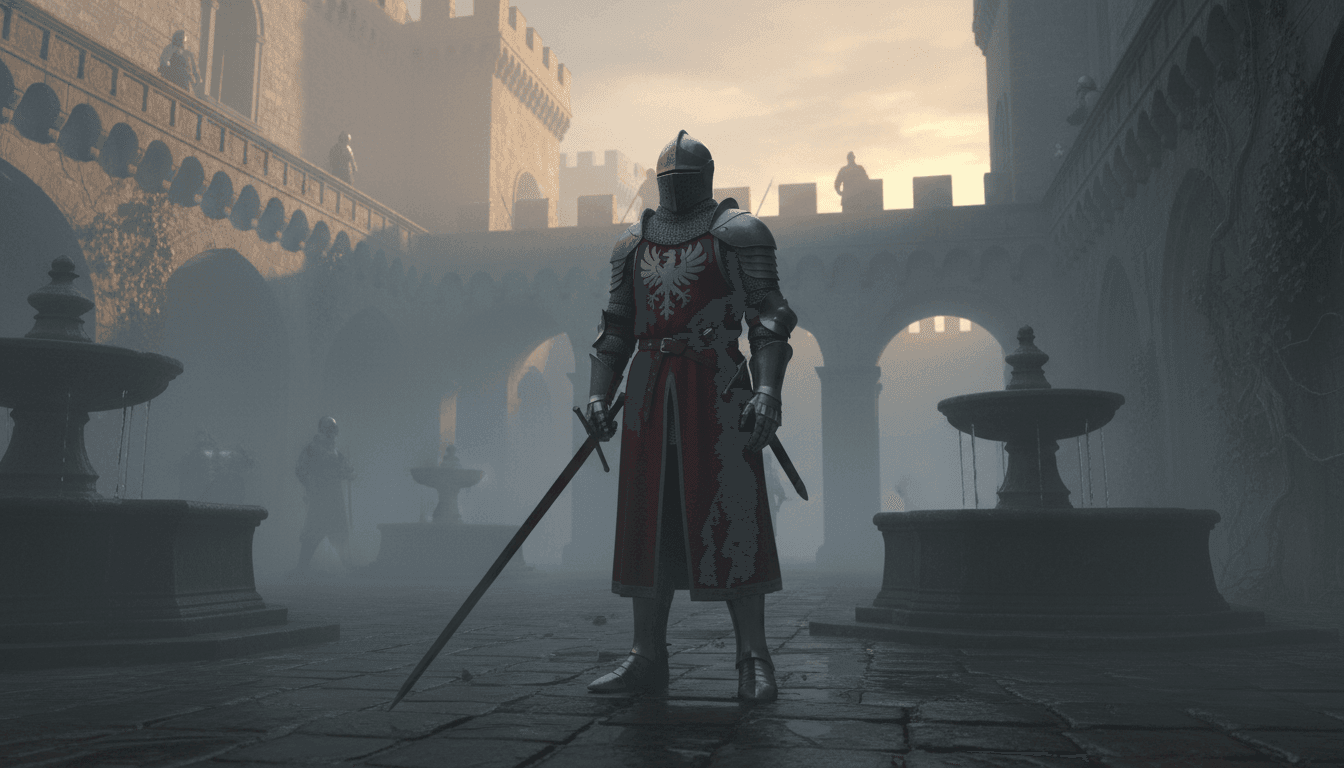
| Prompt: Animate with rolling morning mist drifting across the cobblestones in the foreground. The knight's cape billows gently in a slow wind, and his breath is faintly visible in the cold air. In the background, torch flames flicker on the stone walls, and crows circle lazily above the castle ramparts. Apply a slow, reverent camera push-in toward the knight. The mood is solemn and epic, with a cold blue-grey color grade and soft, diffused dawn lighting. | |
| Input Image | Output Video |
 |
|
An effective image-to-video prompt treats the scene as a living composition with multiple independent layers, each capable of its own motion.
A common mistake beginners make is focusing only on the main subject. But the richest, most cinematic animations emerge when everything in the frame has a sense of life.
Consider breaking the scene into three layers:
- Foreground: What is closest to the camera? (e.g. rustling leaves, a flickering candle flame, rippling water)
- Midground: The primary subject—what are they doing? (e.g. a woman slowly turning her head, a horse gently stamping its hoof)
- Background: What gives the world depth? (e.g. drifting clouds, distant flags waving, a crowd moving softly)
Directing Emotion Through Micro-Movements
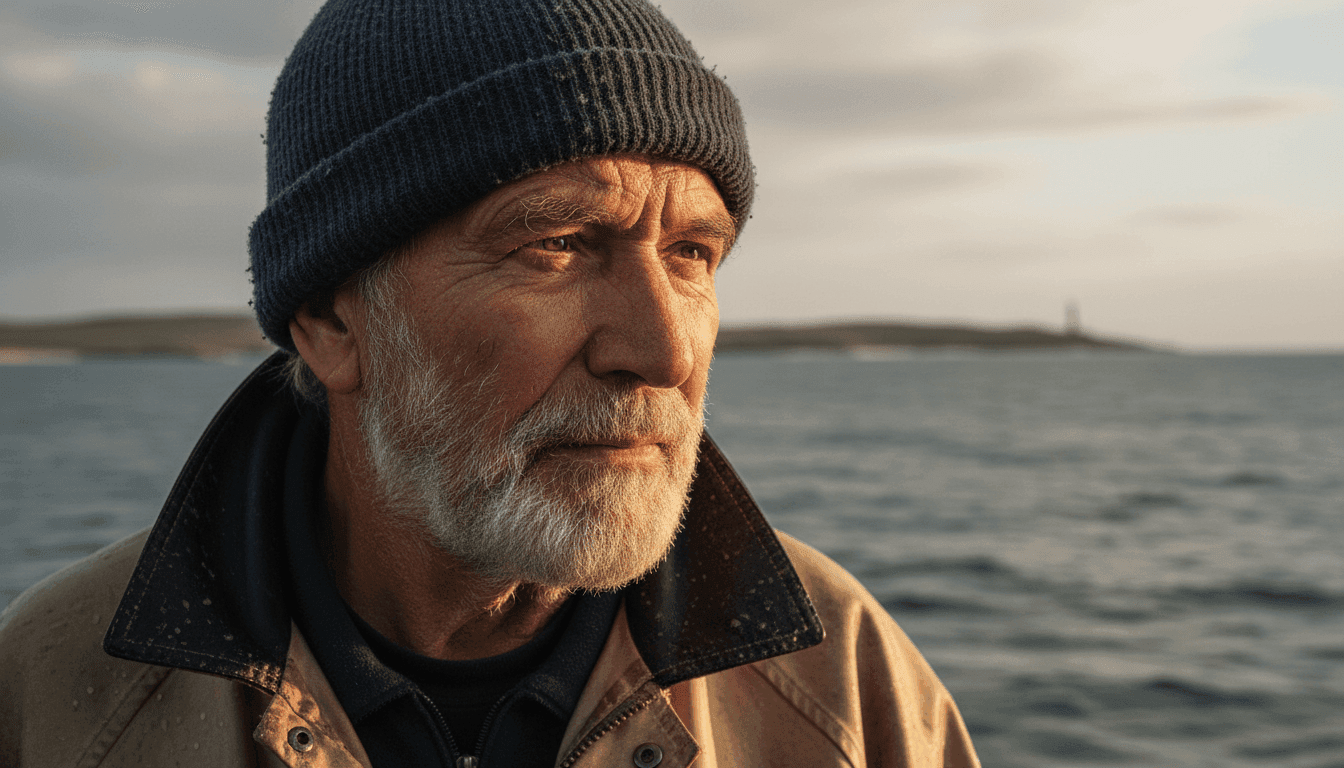
When a reference image contains a character or a face, one of the most impactful things you can do is direct micro-movements. You can present the subtle, almost imperceptible shifts in expression and body language.
These small details carry enormous emotional weight and make a still image feel genuinely alive.
| Prompt: Animate with a barely perceptible shift in the fisherman's gaze—his eyes slowly tracking something distant on the horizon. A faint squint tightens around his eyes. His jacket collar flutters softly. Waves reflect subtly in his eyes. The camera remains completely static, locked off. The atmosphere is deeply contemplative and nostalgic, desaturated with warm tones with soft coastal light. | |
| Input Image | Output Video |
 |
|
Working With Abstract and Artistic References
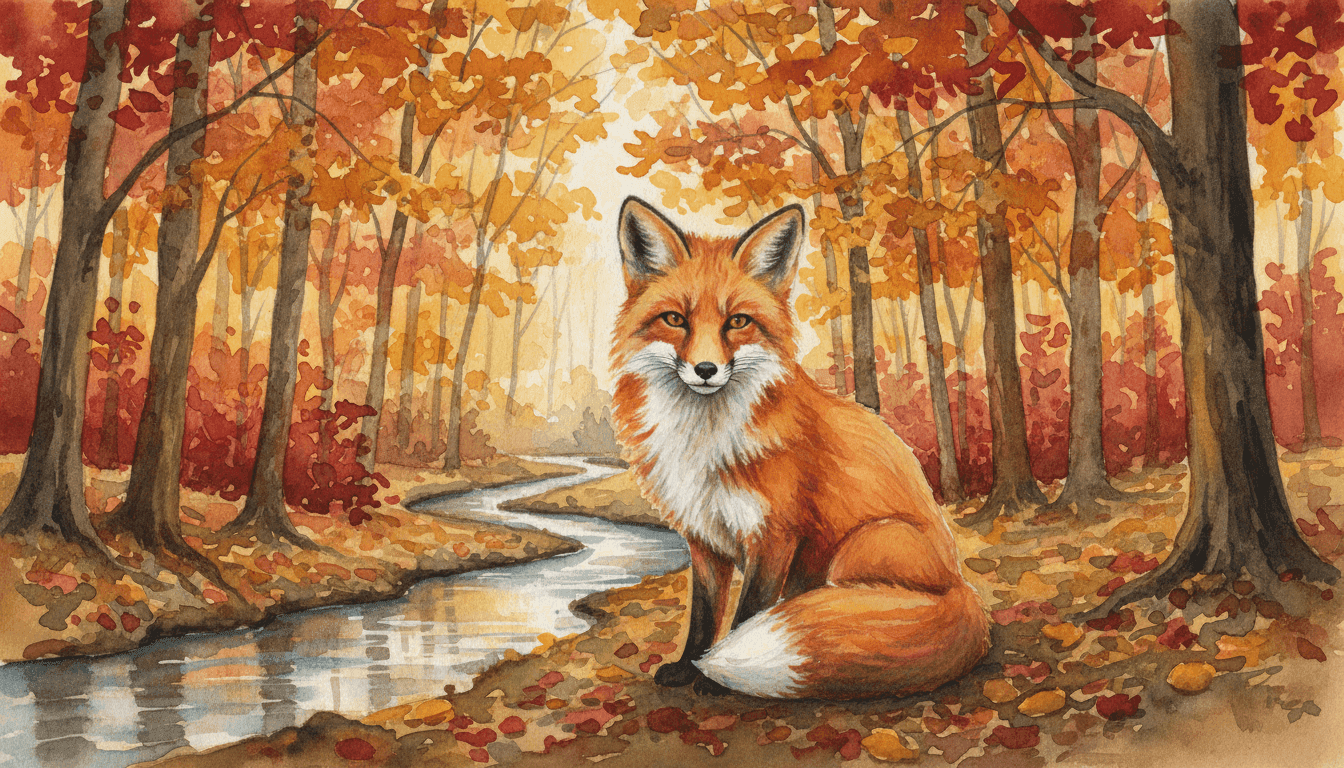
Image-to-video generation isn’t limited to photographs. It also works with paintings, illustrations, and concept art.
In those cases, your prompt should preserve the original medium’s aesthetic and avoid making the result look photorealistic or stylistically inconsistent.
| Prompt: Animate this scene while fully preserving the watercolor aesthetic—soft, bleeding edges, translucent color washes, and painterly textures throughout. The fox's tail sways gently. Autumn leaves drift downward in slow, spiraling paths. The animation should feel hand-crafted and delicate, never sharp or digital. A gentle, whimsical atmosphere with warm amber and russet tones. | |
| Input Image | Output Video |
 |
|
Quick Reference: Words That Work Well for Image-to-Video Generation
Rather than a rigid formula, here is a vocabulary bank of high-impact descriptors. Mix and match these to build fluid, expressive image-to-video prompts:
| Category | Keywords |
| Motion Quality | gently, barely perceptible, slowly drifting, rhythmically swaying, subtly rippling |
| Atmosphere | mist rolling in, particles of dust, heat haze, soft bokeh, volumetric light rays |
| Character Life | micro-expression shift, eyes slowly tracking, breath visible, hair softly lifted by wind |
| Camera | locked off, slow push-in, subtle drift, gentle handheld sway, rack focus |
| Style Preservation | maintain painterly texture, preserve film grain, honor the original color palette |
Video-to-Video Generation
If text-to-video generation is about creation and image-to-video is about animation, then video-to-video is about transformation. You are not building a scene; you are rebuilding one.
Your source clip provides the structural skeleton: the motion, the timing, the composition, and the rhythm. So, this mode demands a different kind of creative thinking.
Before writing a single word of your prompt, you need to answer two critical questions:
What must stay? and What must change?
Everything in your prompt should be organized around the answers to these two questions. Failing to draw this line clearly is the single most common reason video-to-video outputs feel inconsistent or unpredictable.
The "Preserve vs. Transform" Method
Structure your video-to-video prompts in two explicit blocks: preservation or transformation. This gives Seedance 2.0 an unambiguous instruction set and prevents the model from guessing at your intentions.
| Prompt: (Preserve)Retain all original movement, choreography, timing, and body posture of the dancer exactly as they appear in the source video. Maintain the original camera angle and framing throughout. (Transform)Re-stylize the entire visual environment as an ethereal, otherworldly forest glade. Replace the studio floor with a carpet of luminous, floating flower petals. Surround the dancer with slow-moving fireflies and drifting luminescent spores. The dancer's costume should transform into a flowing, translucent gown that trails light. Apply a dreamlike, fantasy aesthetic with soft teal and lavender tones, volumetric god rays filtering through ancient trees. Film grain texture, cinematic quality. | |
| Input | Output |
Style Transfer: Defining the New Aesthetic
If you want to change the style of the original video, your prompt should be granular about the target aesthetic, referencing visual touchstones, color science, texture, and era where relevant.
| Prompt: Preserve the subject's movement, pace, and the camera's tracking motion entirely. Transform the visual style into that of a classic 1940s film noir detective drama. Convert the modern park into rain-slicked cobblestone streets lined with glowing gas lamps. The subject's hoodie becomes a trench coat and fedora. Apply a high-contrast black-and-white color grade, deep shadow pools, foggy atmosphere, and a slight film flicker consistent with vintage 35mm footage. The overall tone is mysterious and brooding. | |
| Input | Output |
| Prompt: Preserve all dialogue timing, gestures, and the static camera position. Re-stylize the entire scene in the visual language of a Studio Ghibli animated feature—soft, hand-drawn cel animation aesthetic, warm and richly textured backgrounds, characters rendered with expressive Ghibli-style proportions. The café transforms into a charming, vintage European bakery with afternoon sunlight streaming through lace curtains. Palette is warm, creamy, and inviting. Gentle ambient sounds of clinking cups and soft piano music implied in the visual atmosphere. | |
| Input | Output |
Extending Narratives Beyond the Source Clip
You can use Seedance 2.0 to extend your video. Pick up precisely where the original footage ends and continue the story forward.
Your prompt must do two things simultaneously: honor the closing moment of the source clip and establish the logic and momentum of what comes next.
| Prompt: Continue seamlessly from the final frame. As she steps through the doorway, reveal a vast, breathtaking library of impossible scale — towering shelves stretching infinitely upward, filled with glowing manuscripts. Warm golden light bathes everything. Her expression shifts from curiosity to wonder. She takes a few slow, reverent steps forward, head tilting upward to take in the scale of the space. | |
| Input | Output |
Multimodal Blending Generation
Every other mode asks you to work within a single channel. But multimodal blending opens all the channels at once.
This freedom also brings complexity. Multiple inputs will inevitably pull in different moods, aesthetics, paces, and tones.
The core of multimodal prompting is managing coherence. Your prompt should act as a unifying creative vision that prevents your inputs from fighting each other.
Establishing a Creative Hierarchy
The first thing your multimodal prompt must do is establish a clear hierarchy of authority among your inputs.
Think of it like a film production: the script drives the story, the director of photography shapes the look, and the score sets the emotional pace. Each input plays a distinct role, and none should accidentally overwrite the other.
| Prompt: @image1 is the primary visual authority—the samurai's appearance, armor design, and color scheme must be preserved exactly throughout. @video1 serves exclusively as a movement and choreography reference—apply its sword-fighting timing and body mechanics to the samurai from @image1, but do not carry over any visual elements from @video1 itself. @audio1 sets the emotional and rhythmic pacing of the entire piece—let the rises and falls of the flute guide the camera's energy, slower and meditative during quiet passages, sharp and percussive cuts during the musical peaks. The setting is a moonlit bamboo forest, fog rolling across the ground. Oil painting texture preserved throughout. Deeply cinematic, 8K. | |
| Input | Output |
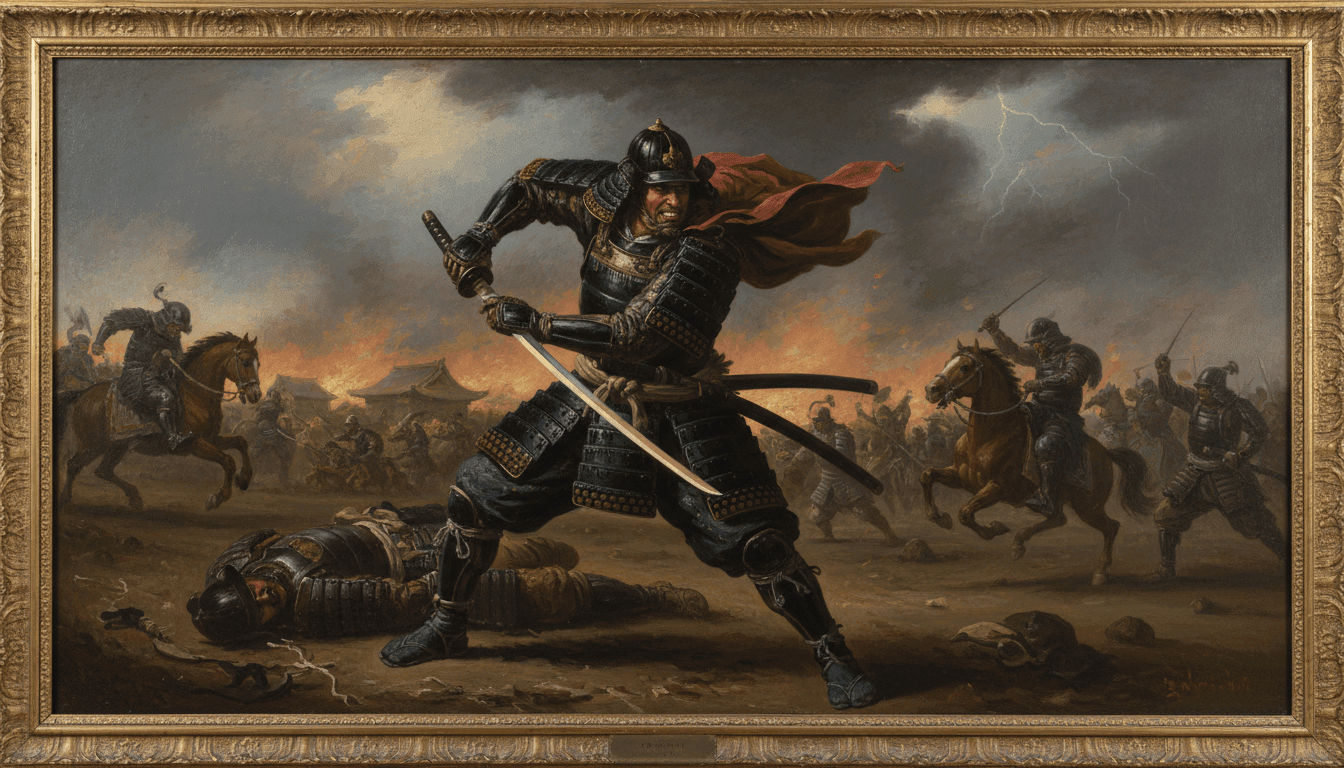 Image 1 Video 1 Audio 1 |
|
The "Fusion" Approach: When Inputs Share Equal Weight
If you want two or more inputs to genuinely merge into something entirely new, your prompt should explicitly describe the nature of the fusion rather than the dominance of any single source.
| Prompt: Fuse the visual identities of @image1 and @image2 equally into a single, cohesive world—a retro-futurist city that exists at the intersection of 1930s art deco grandeur and contemporary neon Tokyo nightlife. Neither should dominate; the architecture carries the geometric elegance of @image2 while glowing with the saturated neon palette and wet-reflective streets of @image1. Animate a slow, gliding aerial camera drift through this world, unhurried and contemplative. Let @audio1 dictate the pace entirely—every camera movement should feel as languid and swinging as the jazz rhythm. The atmosphere is nostalgic, mysterious, and quietly beautiful. |
|
| Input | Output |
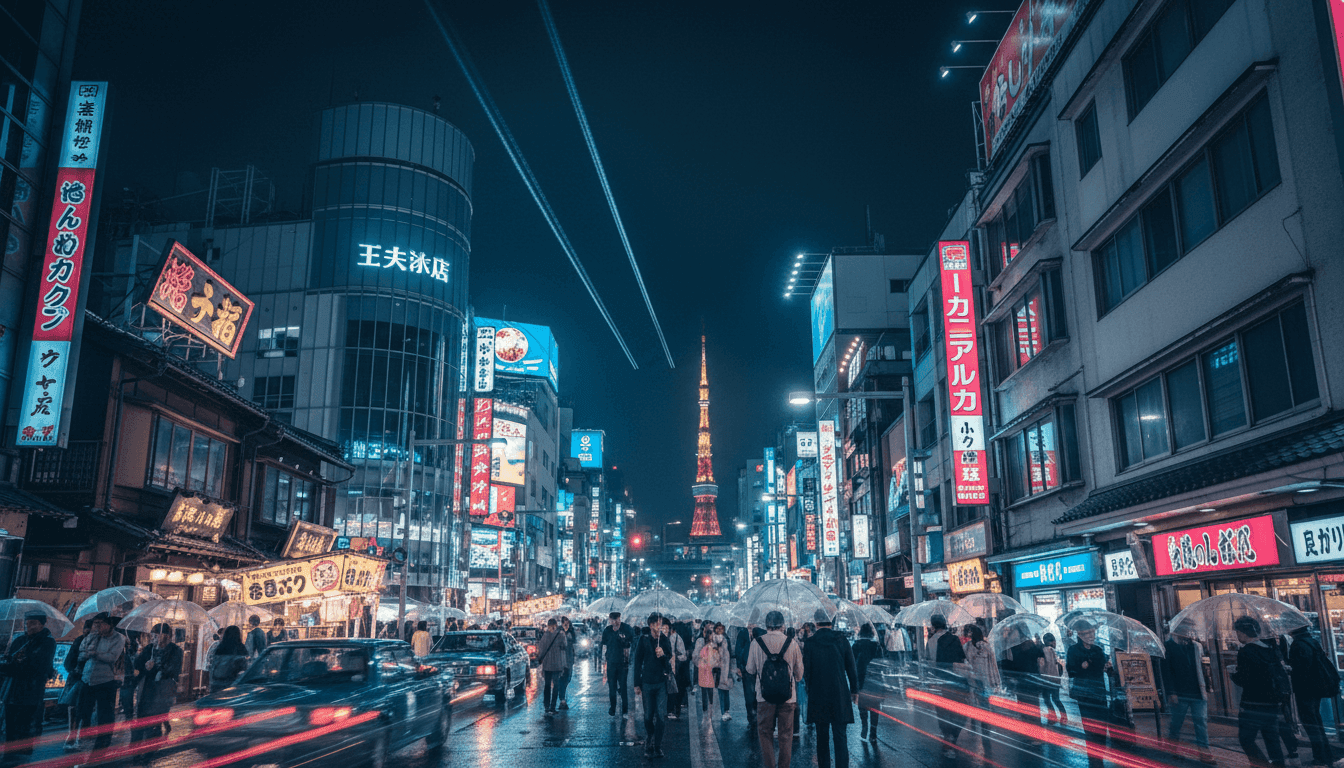 Image 1 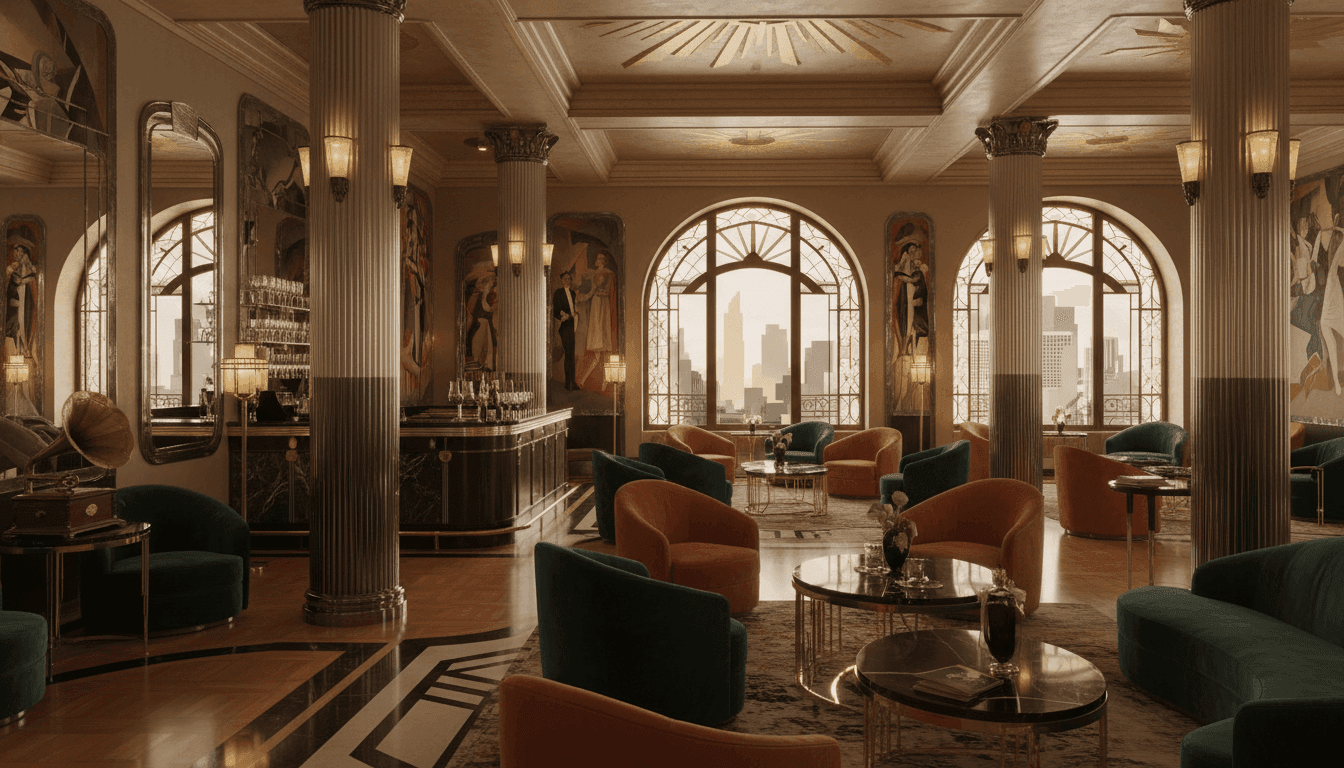 Image 2 Audio 1 |
|
Using Audio as the Primary Driver
Let the rhythm, mood, and emotional arc of a piece of music or sound design dictate the structure of the entire video from the ground up.
| Prompt: Let @audio1 be the architect of this entire video. Begin in near-silence: a static, locked-off shot of the lighthouse from @image1—still, barely animated, only the faintest movement of stormy clouds. As the orchestral score begins to swell, incrementally increase the intensity of the environment—waves grow larger, lightning begins to flash in the distance, the wind picks up, the lighthouse beam begins to rotate. By the time the score reaches its full crescendo, the scene should be a breathtaking storm in full fury—crashing waves, torrential rain, dramatic lightning strikes illuminating the cliff face, the lighthouse beam cutting through the chaos. The visuals and music must feel inseparable, as if one created the other. Cinematic, photorealistic, deeply dramatic. | |
| Input | Output |
|
Audio 1  Image 1 |
|
Quick Reference: Multimodal Blending Prompt Checklist
- Have I clearly labeled and referenced every input?
- Have I defined the specific role of each input (visual authority, movement reference, style guide, pacing driver)?
- Have I established a hierarchy, or explicitly described a fusion approach?
- Have I identified and resolved any potential conflicts between inputs?
- Have I defined a unifying aesthetic or overarching style that ties all inputs together?
- Have I described how the audio (if any) interacts with the visual pacing and editing?
Try Seedance 2.0 on Pollo AI!
Ready to put everything you've learned into practice? You can access Seedance 2.0 directly on Pollo AI.
It is a comprehensive creative hub that integrates top-tier AI video models like Seedance 2.0, Runway, Kling AI and many more. So you can explore and compare different models without switching between multiple platforms.
Pollo AI supports all major creation modes and gives you granular control over your output. From adjusting camera movements and aspect ratios to setting video length, every option is designed to help you produce exactly the video you have in mind.
Here's how to get started with Seedance 2.0 on Pollo AI:
Step 1: Head to video generator and select the ‘Seedance 2.0’ video model.
Step 2: Describe your video idea, and/or upload a reference to guide creation.
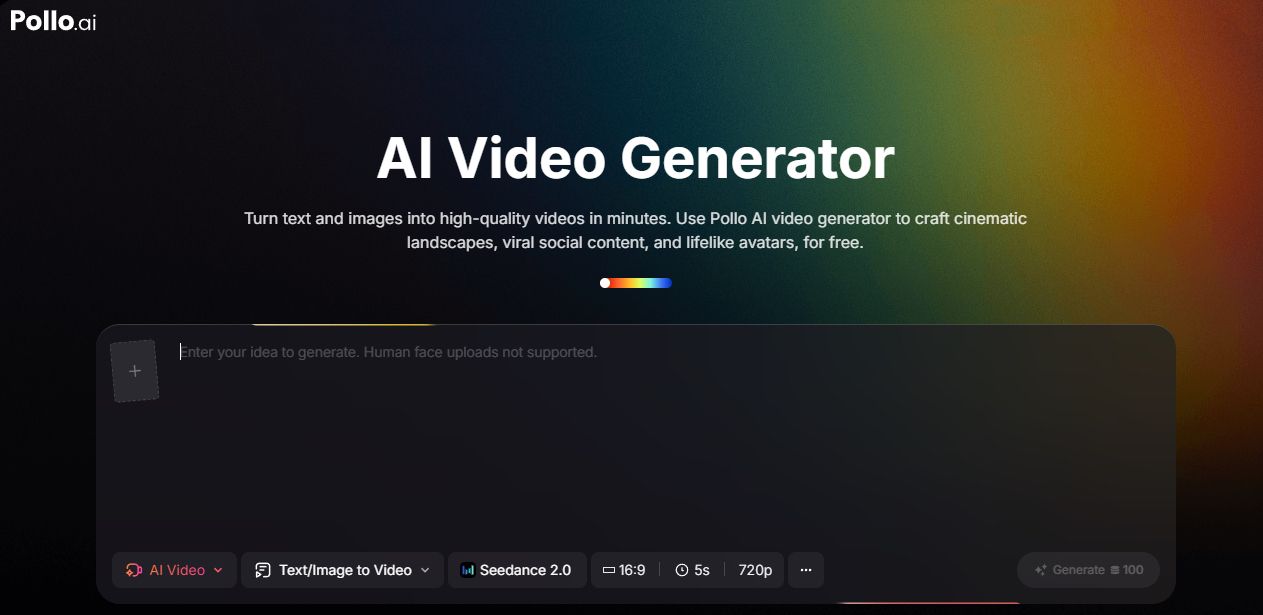
Step 3: Choose your video settings, click ‘Create’, and wait for processing.
To get started right away, check out our step-by-step guide on how to use Seedance 2.0 on Pollo AI and create your first AI video in minutes.
Conclusion
Seedance 2.0 is a director's toolkit. Every technique covered in this guide puts more creative control in your hands. The real power of this platform will reveal itself gradually as your prompts grow more deliberate.
Keep a personal log of what works, iterate on what doesn't, and your prompting instincts will sharpen rapidly. The gap between a good output and a great one is almost always found in the details.
Seedance 2.0 is already here. The only thing left is to start directing.