



How to Turn Cover Art into Stunning Music Videos with AI
Static album covers often feel limited on video-first platforms like YouTube, Instagram, and TikTok.
Since listeners are increasingly drawn to dynamic content, letting your official cover art "breathe" is one of the most effective ways to grab attention.
The cover art music video maker on Pollo AI allows you to take your existing artwork and your audio file to create a professional visualizer that feels both organic and cinematic.
This guide will teach you how to turn audio into stunning cover art music videos that build your brand and keep your listeners engaged from the first second.
What is the cover art music video tool?
Pollo AI cover art music video maker eliminates the need for manual image uploads or text-based prompt engineering.
Instead, the AI interprets the frequency, tempo, and emotional weight of your music to synthesize a high-fidelity cover art animation.
The result is a seamless, cinematic video asset that looks like it was professionally directed for your specific song.
How to create cover art music videos on Pollo AI?
Step 1: Provide Your Audio Source
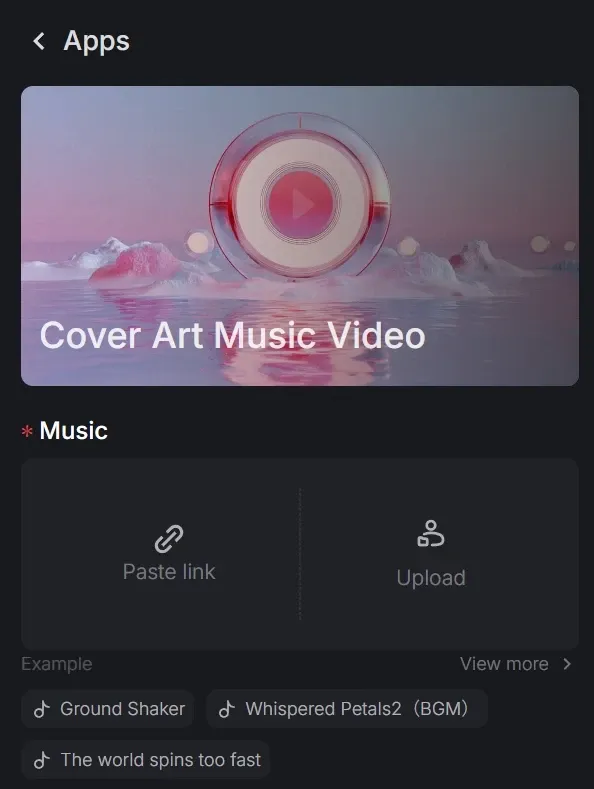
Navigate to the tool and provide your track. You can upload your raw audio file or paste a link to the song.
This allows the AI to analyze the track’s "vibe"—including the bass, rhythm, and tone—to decide what kind of artistic visuals it will generate.
Step 2: Pinpoint the Hook and Ratio
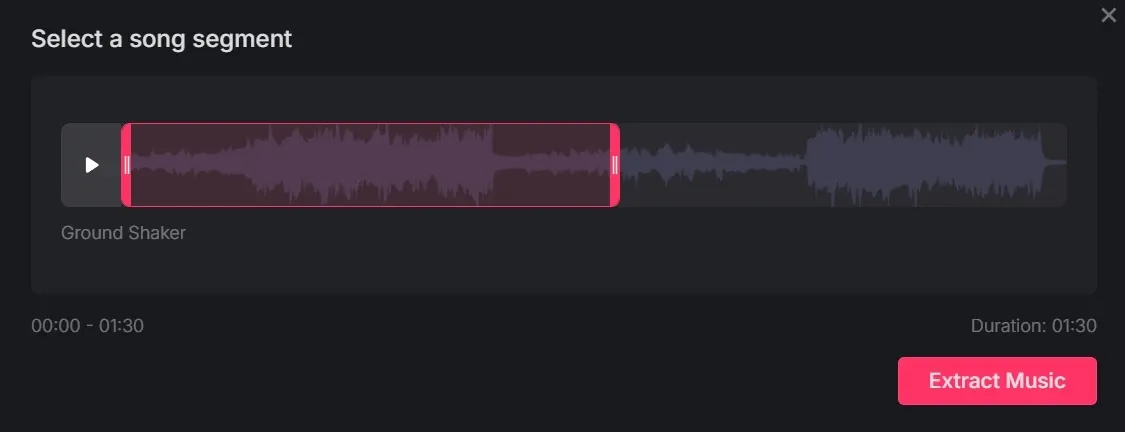
Identify the most "viral-ready" portion of your track to animate. Select a segment up to 1:30 in duration.
Then, choose the Aspect Ratio: 9:16 is the industry standard for Spotify Canvases and Reels, while 16:9 is ideal for widescreen YouTube visualizers.
Step 3: Secure and Create
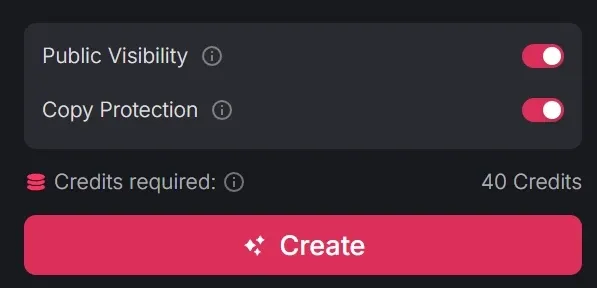
Adjust your privacy settings by toggling "public visibility" or enabling "copy protection" to keep your creative settings secure. When you're ready, click the pink 'Create' button. The AI will process your audio, delivering a professional-grade visualizer in seconds.
Key Features of Pollo AI Cover Art Visualizer
Our engine is fine-tuned to create high-impact artistic loops that feel organic to your sound:
- Zero-Input Aesthetic Generation: No text prompts or images are required. The AI creates the entire visual style based solely on your audio data.
- Loop-Ready Motion: Every video is designed to flow smoothly, making it perfect for repeating backgrounds on music streaming services or social media stories.
- Extended 90-Second Segments: We provide long-form visualization for up to 1 minute and 30 seconds, giving you plenty of high-quality footage for promotional use.
- Platform-Specific Formatting: Instantly switch between vertical and horizontal layouts to ensure your visual brand looks intentional on every platform.
Complete Your Visual Portfolio with More Pollo Apps
A single visualizer is just the start. Pollo AI offers a full suite of tools to help you dominate the digital music space:
- Deep Narrative Sequences: For tracks with a strong "vibe" or story, explore the narrative music video maker.
- Full Music Productions: Take your visuals to the professional limit with our AI music video generator.
- Vocal Content Creation: If you want to see a character performing your track, the singing video tool is your next stop.
Final Thought
The cover art music video maker is a good and fast way to turn audio into a professional visual brand. It maximizes the impact of your sound by giving your audience a high-fidelity visual reason to stop scrolling and start listening. If you're looking for more ways to visually express your music, visit Pollo AI today and start building your cinematic legacy.