



How to Create UGC Ads That Convert (Without Hiring Creators)
User-Generated Content (UGC) has become the gold standard for high-converting social media advertising. Consumers today crave authenticity over polished corporate commercials.
However, for many brands and entrepreneurs, the cost of hiring professional creators and managing shipping logistics can be prohibitive.
AI technology has solved this challenge by allowing businesses to generate relatable, human-centric UGC ads instantly.
By using digital avatars that look and speak like real customers, you can build trust and scale your advertising efforts without the traditional production overhead.
Features and Target Users
The AI UGC video ads generator on Pollo AI is a specialized tool designed to create human-centric ad content from simple product links or scripts.
By using high-fidelity digital avatars, it provides a realistic "talking head" experience that mimics real customer testimonials.
This tool is ideal for:
- E-commerce Brand Owners: Who need a high volume of ad creatives to test on social media without high talent fees.
- Affiliate Marketers: Looking to create review-style content for multiple products quickly and efficiently.
- Dropshippers: Who want to validate new products with professional-looking social proof before scaling.
- Social Media Managers: Aiming to maintain an authentic-feeling feed while keeping production costs low.
How to Create High-Converting UGC Ads on Pollo AI?
Step 1: Input Your Product Details
Start by visiting the AI UGC video ads generator.
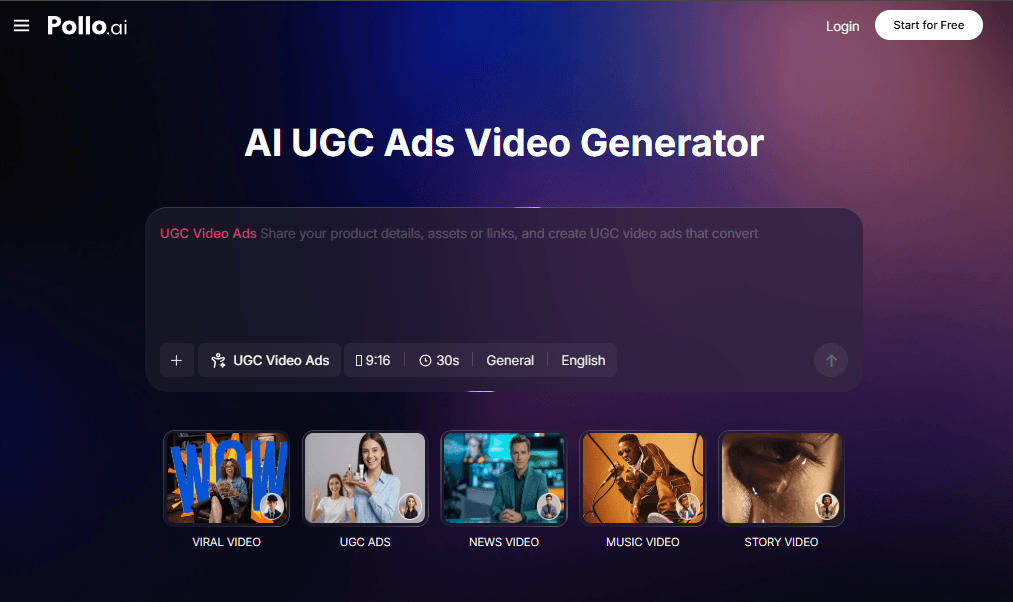
You can provide your content by pasting a product link from an e-commerce store, uploading keywords, or entering a script designed to highlight your product’s benefits.
Step 2: Set Parameters and Preferences
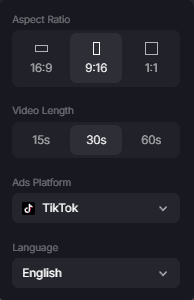
- Select the appropriate aspect ratio to ensure your content fits in the user's scroll.
- Set the video length to a maximum of 60 seconds.
- Choose the social media platform where you intend to share the ad, such as TikTok, Instagram, or Facebook.
- Select the language for your presenter to ensure the ad reaches your specific target demographic effectively.
Step 3: Check and Confirm the Details
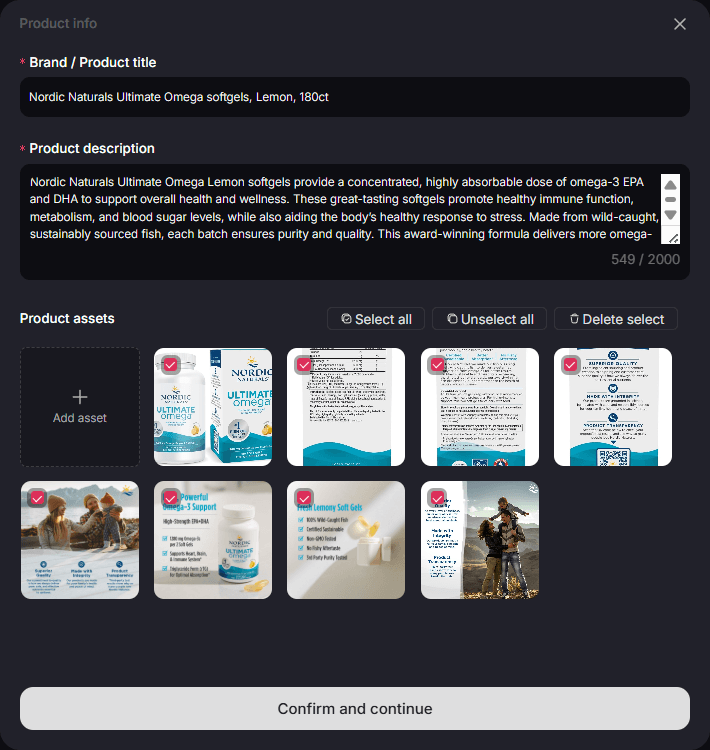
Review the information and pictures that the AI UGC ads creator provided. Then click confirm and continue.
Step 4: Generate and Deploy
Once the AI has rendered your high-quality UGC video, download the file and launch your ad campaign to start driving results.
Some popular uses of the AI UGC Video Ads Generator include:
- Product Unboxing Clips: Simulate the excitement of a customer receiving and opening your product for the first time.
- Testimonial Style Ads: Generate relatable "talking head" videos where creators share their positive experiences with your brand.
- Feature Demonstrations: Quickly highlight specific product benefits through a human presenter without needing to film a demo yourself.
- Affiliate Marketing Promos: Produce a high volume of review-style content for different products to maximize your commission potential.
Expanding Your Content Ecosystem with Pollo AI
Creating effective ads is only one part of a successful digital brand. Pollo AI provides a wide range of additional tools to help you dominate social media and keep your audience engaged.
For instance, you can use the AI Viral Video Generator to clone trending content formats, ensuring your brand stays relevant and highly shareable across all platforms.
If you want to build authority alongside your sales content, the AI News Video Generator allows you to report on industry trends in a professional TV-station format. This balance of relatable UGC and authoritative reporting is a powerful combination for growing a loyal following.
For those who want to explore creative storytelling, the AI Story Video Generator can turn your brand’s mission or origins into a cinematic visual narrative.
By leveraging the full suite of Pollo AI tools, you ensure that every aspect of your visual presence is professional, cohesive, and optimized for growth.