



How to Create Winning Video Ads from Product URLs
Tired of writing scripts, hiring crews, and planning product shoots? Totally understandable.
So, what if you could create video ads from product URLs? Instead of starting from scratch, Pollo AI can turn the elements from any product page into a winning video ad within minutes!
Want to streamline your ad campaigns? Then, read on for a step-by-step tutorial on how you can start turning any product listings into publish-ready video ads using AI today!
TL;DR
Pollo AI's URL to video ads tool is the best choice for brands, marketers, and sellers to create winning video ads from product URLs. Just paste your link, and describe the type of video ad you want in detail. Whether it's a product demo, testimonial, or showcase, it will analyze your prompt and listing to produce a production-ready video ad that converts audiences.
Common Video Ad Mistakes That Can Cost You Conversions
Creating a winning video ad is as much a creative endeavour as it is a formula. It’s not enough to create a visual marvel; you must also consider how the message is being delivered.
Otherwise, you could end up with a flop rather than a winner. With this in mind, here are some of the common mistakes you need to avoid when making a video ad:
- Weak Opening Hook: The first few seconds of your video ad determine its success, so don’t waste them on slow introductions or generic lines. Focus on being bold, relatable, or visually engaging right off the bat, enough so that you make audiences stop scrolling.
- Being Unclear with Value: Ultimately, when audiences watch a video ad, they want to know, " What’s in it for me? So, you need to make sure the narrative of your video ad makes your value proposition abundantly clear from the start.
- Lack of CTA: You will struggle to convert your audience without establishing a clear call to action throughout your video ad. People need to know what to do next, be it using a discount offer, making a purchase, signing up for a presale, etc.
- Not Sticking to One Message: Each video ad you create must focus on one core message. Don't make the mistake of trying to fit more than one value proposition in one video. If you do, you’ll just make it harder for audiences to decide and act.
From Product URLs to Video Ads with Pollo AI: Step-by-Step
Using Pollo AI to convert product URLs to video ads only takes a few minutes, so if you’re ready to automate your ad campaigns, follow the steps below:
Open the URL to Video Ads Page
Go to the Pollo AI URL to video ads page to paste your product page link. You can also upload any product images, a subject image of the avatar you want for the video ad, or pick an avatar from the asset library. In this case, we sought to create a beauty/skincare unboxing video ad.
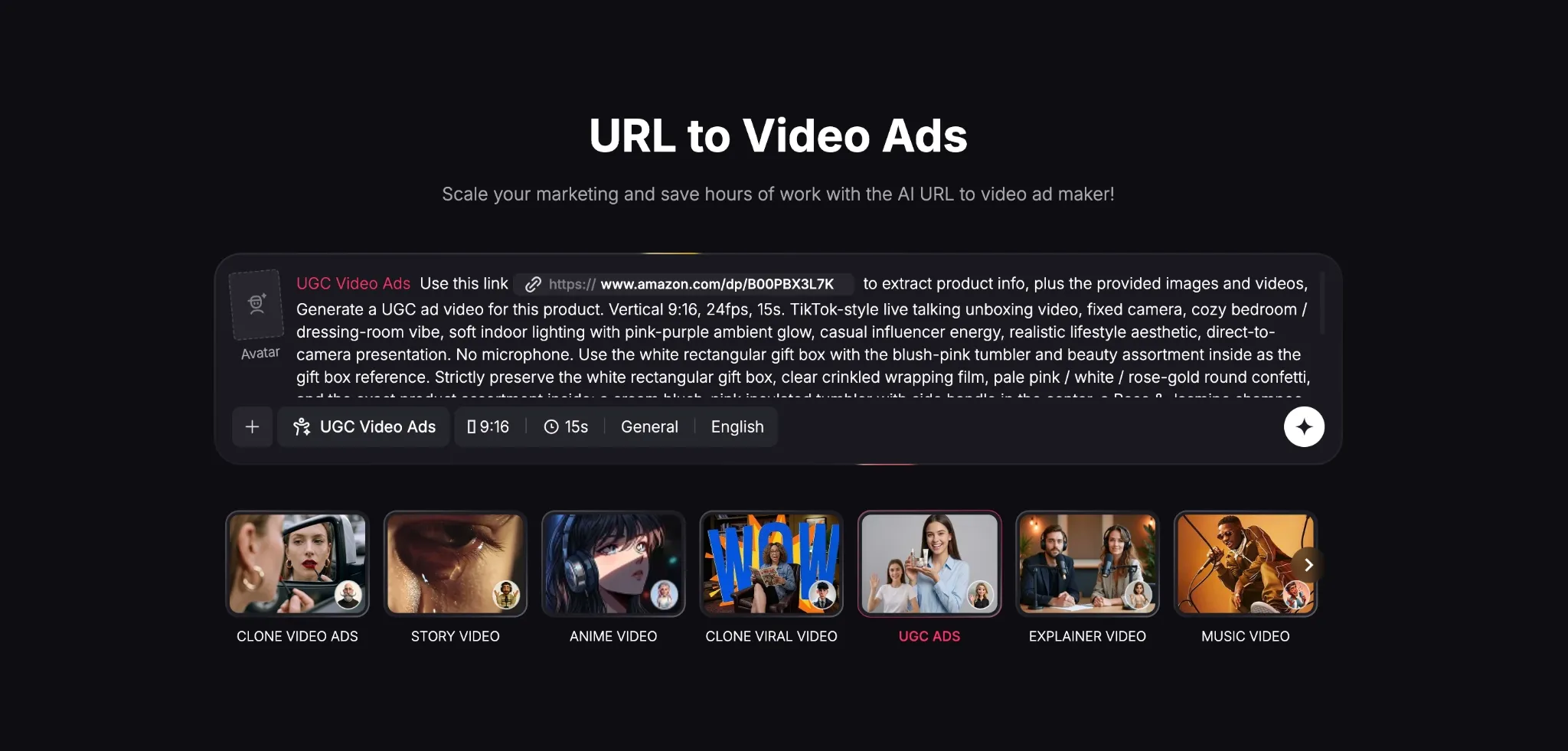
Input Your Descriptive Prompt
Next, you will need to provide a prompt that describes what you want to see in the video ad. Whether you want to create a showcase, demo, unboxing, etc, just specify the type of video ad, the narrative, visual style, etc. Try to be as descriptive as possible.
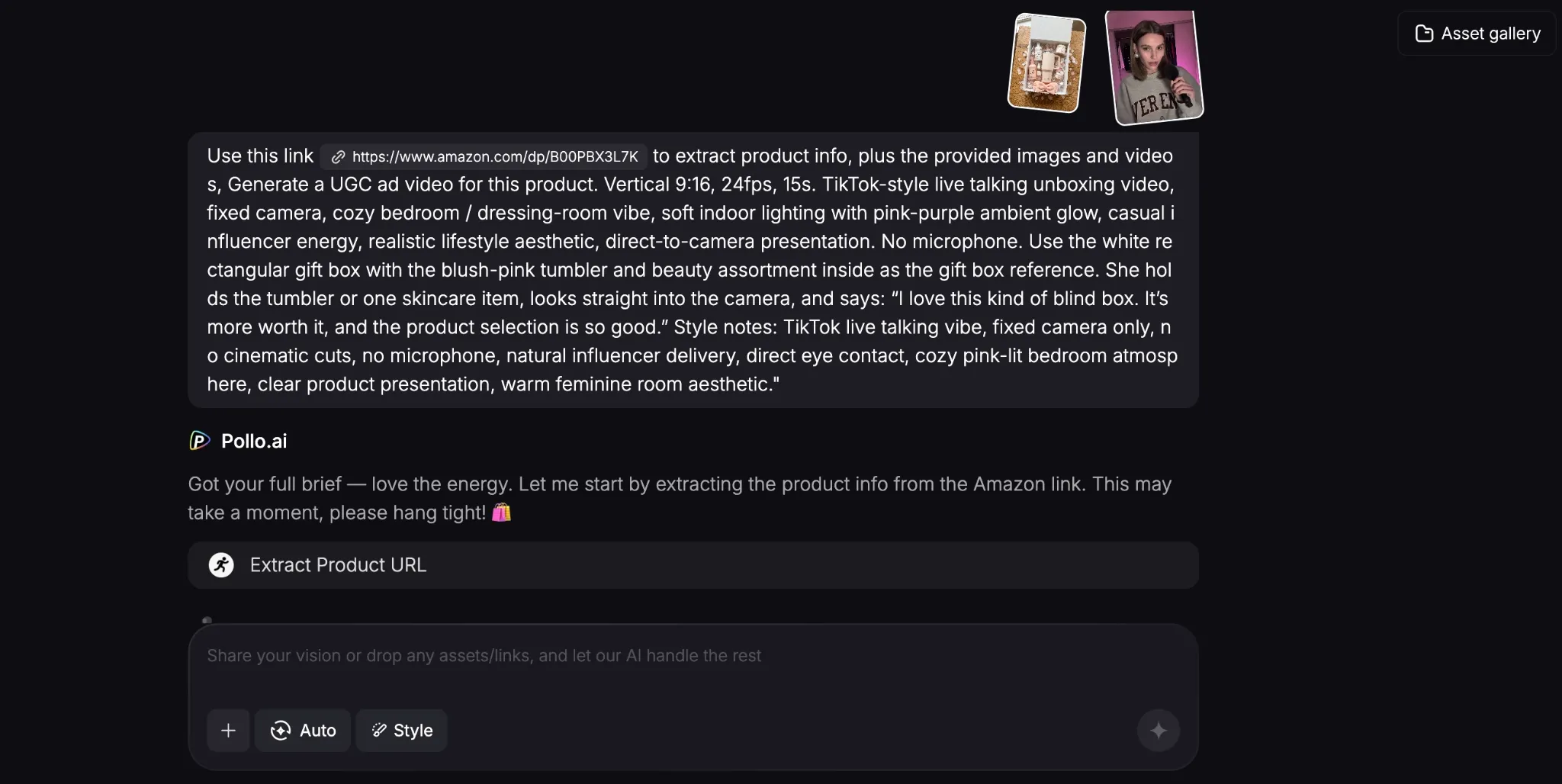
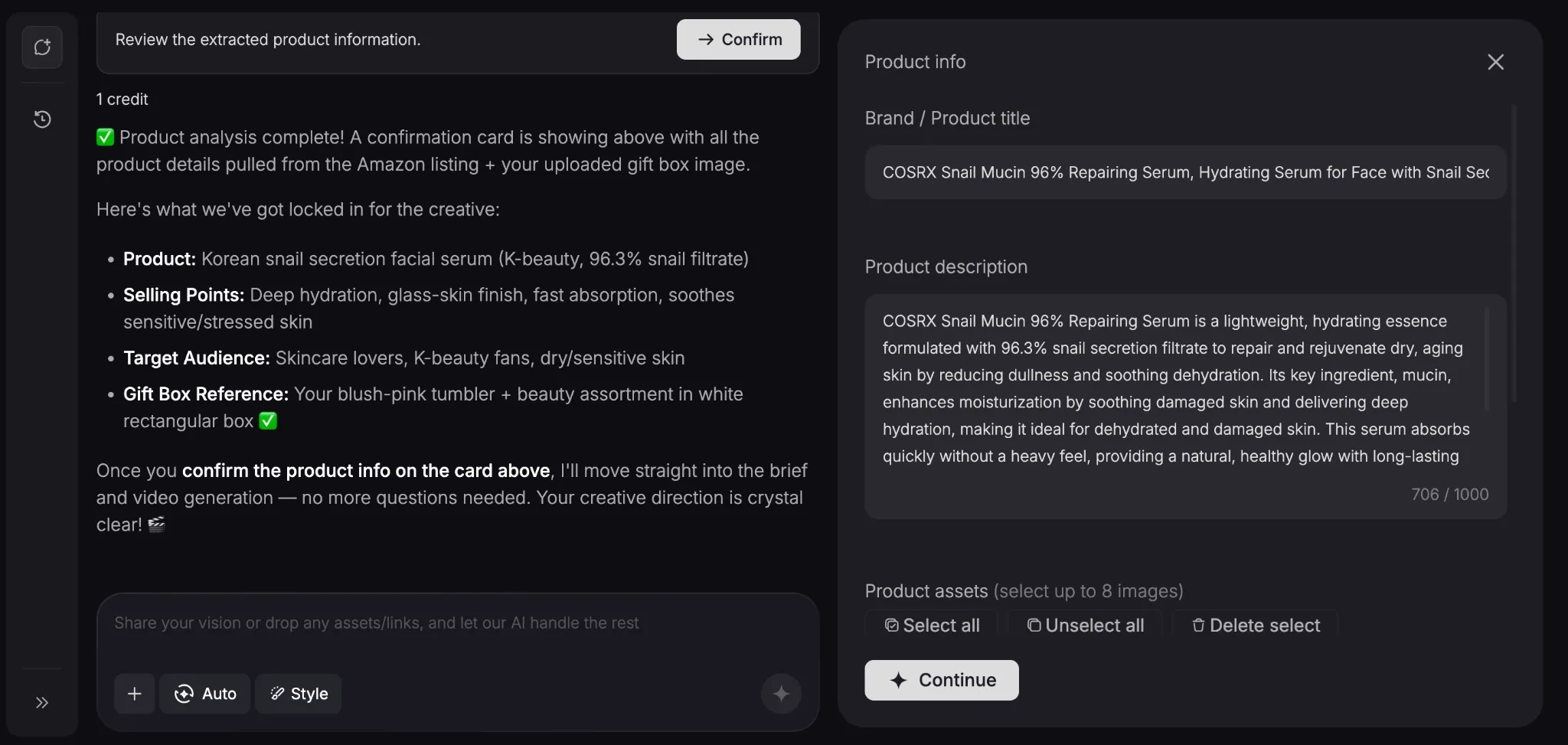
Verify the Product Information
Once you click ‘Create’, the AI agent will analyze your product link to extract all the relevant details about it. Since it’s a chat-based tool, you can continue to refine the video ad until you feel satisfied with the creative direction by adding more references, links, details, etc.
Download Your Product Video Ad
When ready, it will take a few minutes for Pollo AI to render your final video ad. In our test case, you can see how our generated video ad turned out below:
As you can see, the UGC-style video ad was rendered well, with a lifelike female avatar performance that looks and feels like a real, influencer-made video.
Even the voiceover is natural-sounding for a simple yet convincing promotional message that would work well across social platforms like TikTok Shop.
Use Cases for Product URLs to Video Ad Conversions
Using this product URL to video ad generator makes it easier to streamline your marketing and ad campaigns in more ways than one. So, let’s quickly break down some of those use cases:
- Rapid Creative Testing: Converting product URLs into video ads makes it easier to test multiple variations without investing significant time, money, or effort into production.
- Create Social Proof: Using product URLs to create TikTok videos, Reels, and more, be it unboxing, demos, etc, helps show your products in action, which boosts conversions.
- Enhance E-commerce Pages: URLs to video ads can bolster your product listings on Shopify, Wix, and other sites, building trust among visitors for more purchases.
- Native Video Ad Creation: Turn product listings into native-speaking video ads that appeal to local audiences globally, making it easier to expand into international markets.
- B2B/Saas Video Promotions: Convert digital product links into conceptual explainers, tutorials, and more, without needing to organize expensive shoots, actors, etc.
Explore Other Pollo AI Features for Video Creation
Aside from turning product URLs into video ads, Pollo AI is built to be the ultimate AI creative suite for marketers, creators, sellers, and brands. How?
For starters, you can get seamless access to industry-leading AI models like Sora 2, Veo 3.1, Kling, and GPT Image 2. But what makes it special is how it supports multiple workflows.
As a brand or marketer, you can use Pollo AI’s “Marketing Studio”, which makes it easy for you to create ready-to-use ads like product demos, launch videos, and more in minutes.
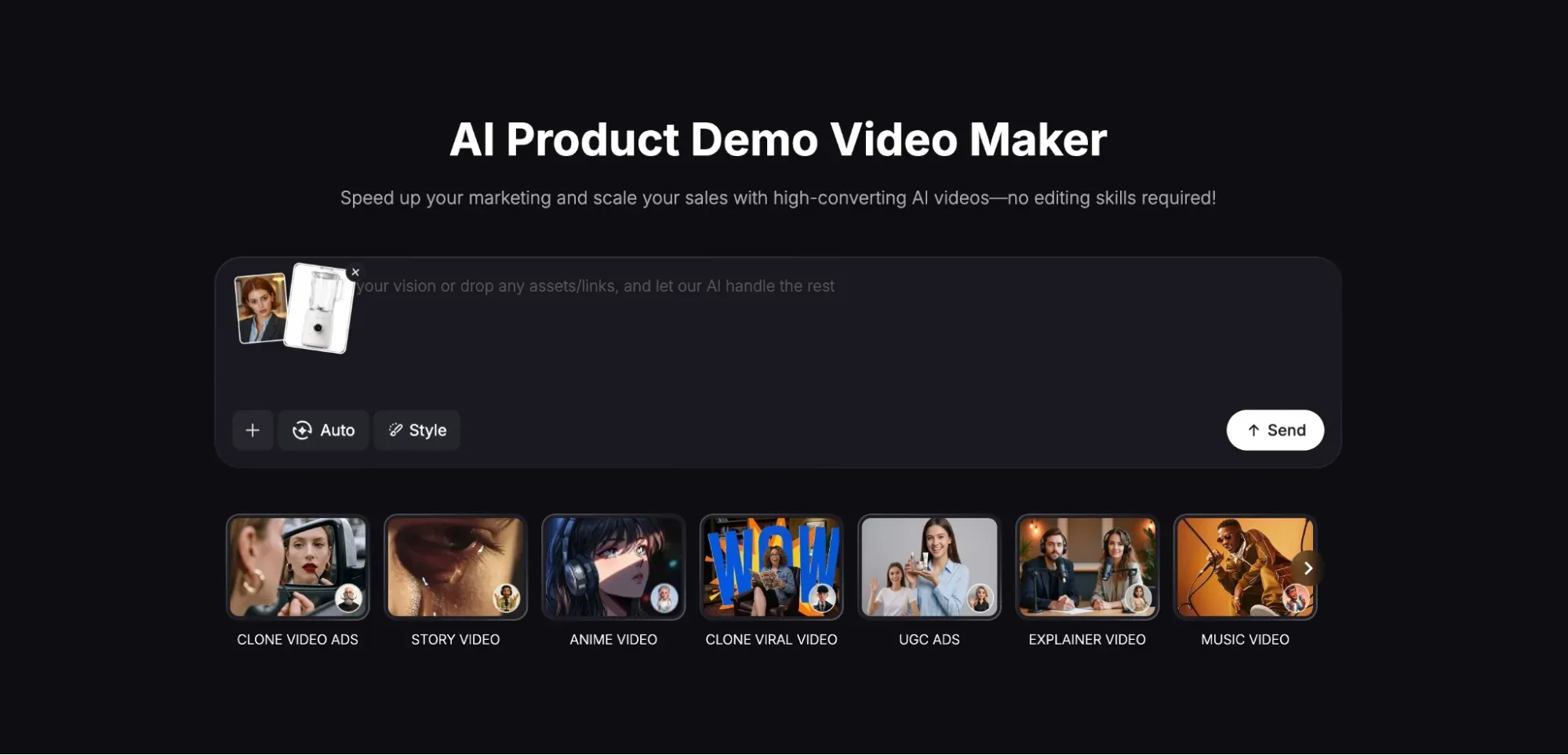
For e-commerce support, you can access “Commerce Studio” to produce studio-level content like commercial visuals, product showcases, and even virtual try-ons.
Besides that, there’s also “Creative Studio”, which is an all-in-one hub for creators to generate images, videos, avatars, and audio for unique use cases, be it animation, cinematics, etc.
Last but not least, there’s also Pollo Agent, an iterative, agent-driven tool that lets you generate publish-ready videos with zero manual editing needed.
Conclusion
Traditional video production can be slow, but with this URL to video ad tool, you can turn any product listing into a video ad, explore new variations, and launch campaigns in a few clicks. Head to Pollo AI and give it a spin today!