



How to Create a Professional TV News Video with AI
Establishing a digital news presence has become a highly effective strategy for building authority and attracting a massive following.
Today, AI technology allows creators to produce realistic news reports in minutes, maintaining a high-frequency posting schedule that is essential for viral growth.
By utilizing automated tools, you can transform simple scripts into polished videos that look like they were filmed in a professional newsroom.
This guide will show you how to leverage these advancements to scale your content and grow your followers fast.
What Does the AI News Video Generator Do?
The AI news video generator on Pollo AI is an all-in-one production suite that converts text into news-style video content.
It integrates realistic digital avatars and virtual studio environments, allowing anyone to act as a news producer without needing to be on camera.
Some popular uses of the AI news video generator include:
- Social Media News Channels: Build a dedicated following on TikTok or YouTube by providing daily news updates in a recognizable TV format.
- Affiliate & Product Reviews: Present product features and news in a professional reporting style to increase consumer trust.
- Educational Summaries: Turn complex articles or educational topics into easy-to-digest news clips for students or professional audiences.
- Breaking News Alerts: Stay ahead of the competition by generating and posting reports on trending topics the moment they break.
How to Create a Professional AI News Video on Pollo AI?
Step 1: Choose Your Input Method
Visit the AI news video generator and decide how you want to provide your content.
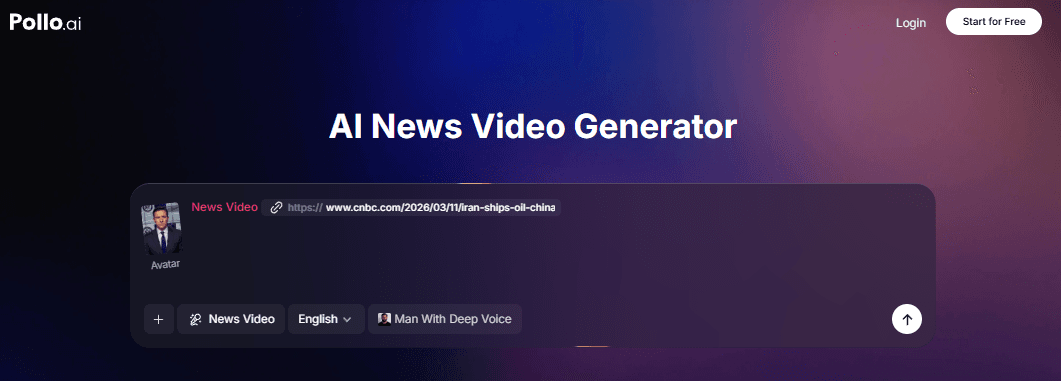
You can either paste a direct link to a news article for the AI to summarize, or enter your own keywords and full scripts into the editor.
Step 2: Select or Upload Your Avatar
Choose from a library of professional preset avatars that match your brand's personality.
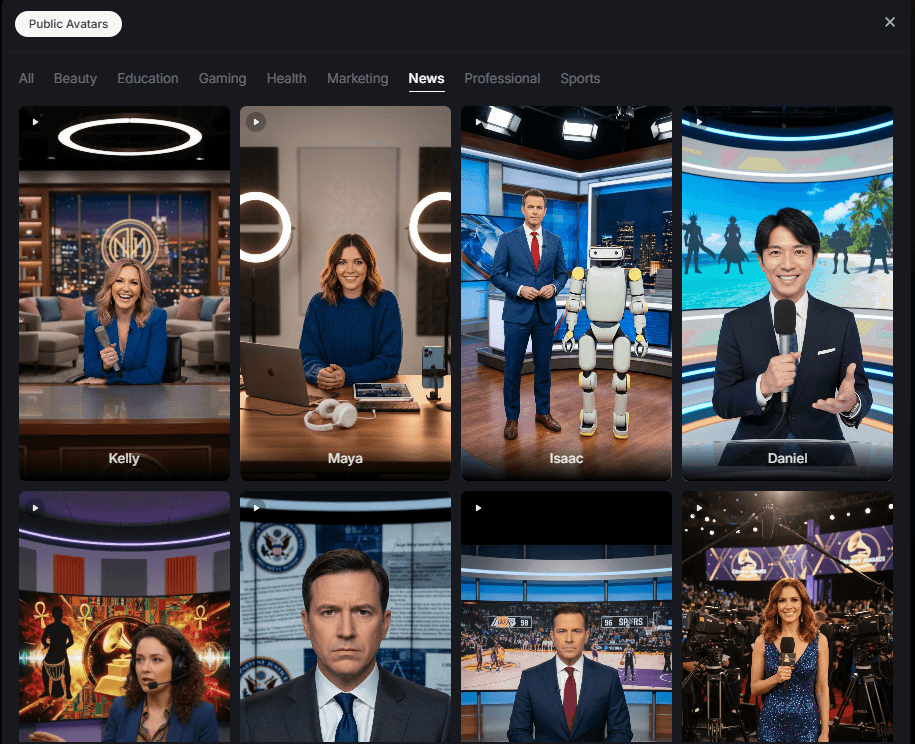
Alternatively, you can upload your own portrait image to create a custom digital news anchor that is unique to your channel.
Step 3: Customize Language and Voice
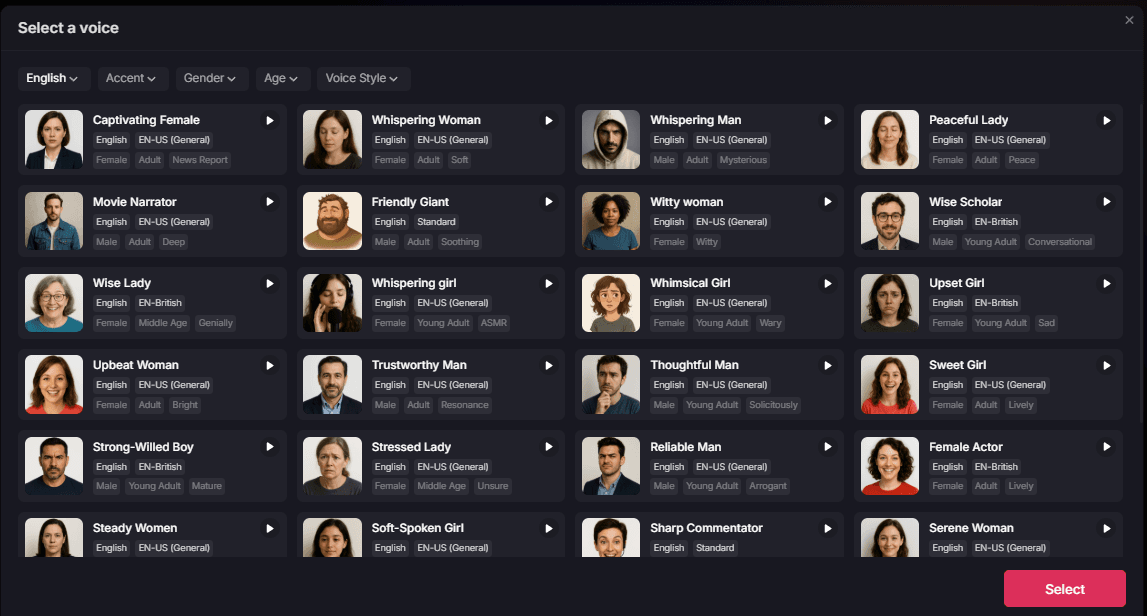
Select the language for your broadcast and pick a voice that fits the mood.
Step 4: Generate the Content
Click "Create." The AI will render the video, syncing the avatar's lip movements and expressions with your script.
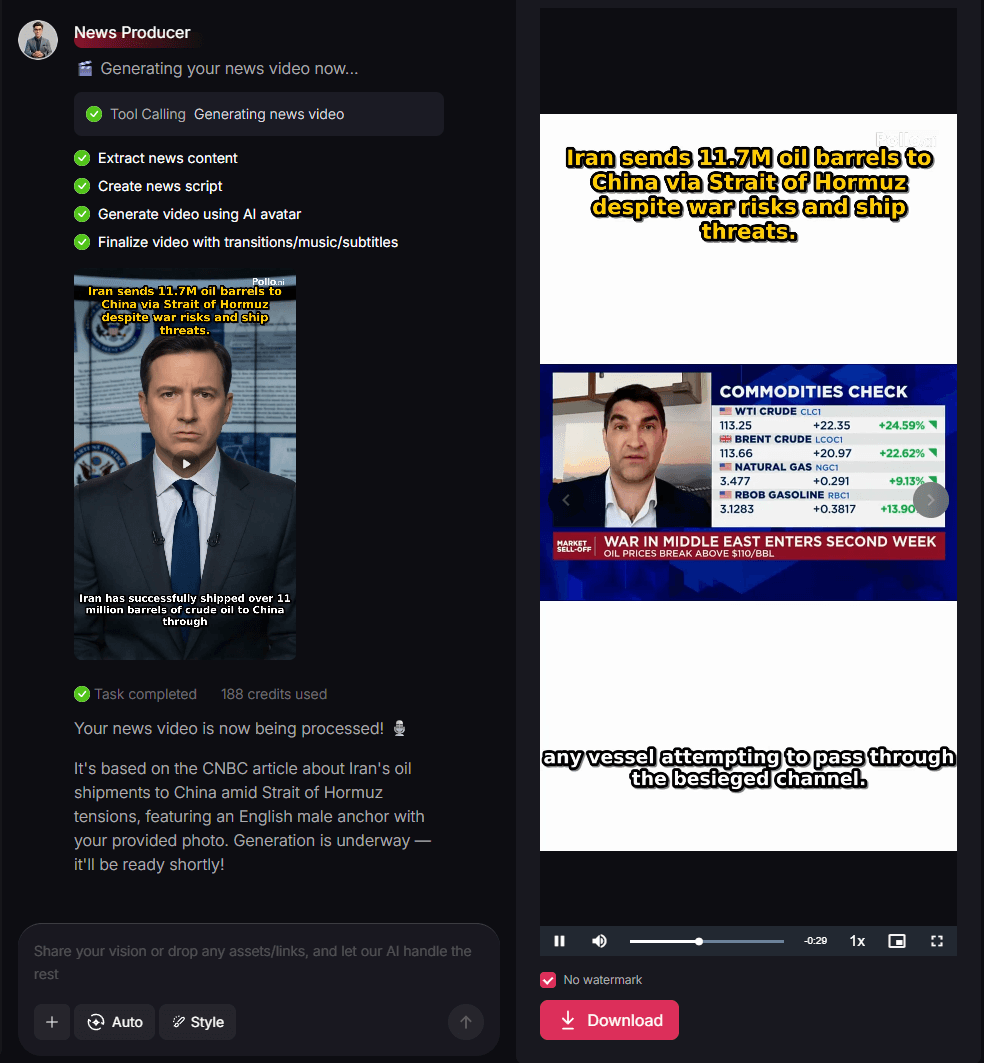
Download the final high-definition video to start growing your news brand.
Key Features of the AI News Video Generator
The AI news video generator of Pollo AI makes it easy to create authoritative news content from simple scripts or links. Here’s what makes it stand out:
Personal Portrait to Avatar
Beyond choosing from professional preset characters, you can upload your own image to create a custom digital anchor. This allows you to maintain a consistent, unique brand identity without needing a physical studio setup.
Precision Voice and Accent Control
Tailor your news broadcast with high-quality AI voices. You have full control over the language, gender, age, and accent, ensuring your content resonates perfectly with your target regional or global audience.
URL-to-Video Transformation
Save time by simply pasting a news link. The AI intelligently extracts the key information and structures it into a news report, eliminating the need to write every script from scratch.
Broadcast-Quality Virtual Sets
Place your digital presenters in high-end virtual newsrooms designed to mimic major global networks. These environments provide the professional aesthetic necessary to go viral and build credibility with your viewers.
Expand Your Content with the Pollo AI Toolbox
While the news generator is perfect for building authority, Pollo AI offers a full suite of creative apps to help your brand go viral.
For instance, you can use the AI viral video generator to clone trending formats, or the AI UGC video ads generator to create relatable marketing content.
If you want to tell more complex tales, the AI story video generator allows you to turn any narrative idea into a cinematic experience.
By using these tools in combination, you can maximize your reach and keep your audience engaged with diverse content.
Summing Up
By using the AI news video generator on Pollo AI, you can produce authoritative content that stands out in crowded social feeds. Start your journey as a digital news creator today and watch your follower count reach new heights.