



How to Fix Kling AI Network Error: Troubleshooting Solutions
Encountering a network error while using Kling AI can be frustrating, especially when you're in the middle of a critical task or project.
This article provides some effective solutions that you can try out when the network error happens. From checking your internet connection to restarting your device, we’ve got you covered with actionable advice to tackle this issue.
Solutions to Kling AI Network Error
So, if you have been experiencing Kling AI network error, there are some effective solutions:
Check Your Internet Connection
If using Wi-Fi, open a browser and visit a common site like Google. If it fails, move closer to your router or restart it by unplugging the power for 30 seconds. For mobile data, check if you’ve hit a data cap (via your carrier’s app) or toggle airplane mode on/off.
Reload the App/Page
Close and reopen Kling AI or your browser. On a phone, swipe up (iOS) or tap the square button (Android) to view open apps, then swipe Kling AI off the screen to force-close it. On a computer website, fully exit the browser by clicking the "X" (Windows) or red dot (Mac), then relaunching it.
Update Software
Outdated apps/browsers can cause network errors. Update Kling AI via your app store or browser via settings. This could avoid outdated software problems.
Use a VPN
If this issue persists, try a VPN. Install the VPN app, connect to a nearby server (e.g., “Tokyo” if you’re in Asia), then reload Kling AI. This bypasses regional outages or ISP blocks.
Restart Your Device
A full restart can fix temporary glitches. This clears cached errors and resets network adapters. Wait 1-2 minutes after rebooting before reopening Kling AI.
Try Kling AI on Pollo AI for a Stable Generation
Want to get rid of frequent network errors when trying to generate a video? You should consider Pollo AI. With a more powerful server and regular maintenance, you won’t encounter any network issues, thus ensuring a more stable video generation experience.
As an all-in-one video generator, Pollo AI integrates all of the Kling AI models, plus other top video models such as Runway, Hailuo, PixVerse, Vidu AI and much more. Find out more information about the different Kling AI models it supported here:
- Kling 1.0: This is the very first version. It’s perfect for creating basic videos. If you’re just starting, Kling 1.0 is a great place to begin.
- Kling 1.5: This version is a step up from 1.0. It provides higher resolution and comes with more advanced features for better results.
- Kling 1.6: The 1.6 model understands text prompts better and creates visuals with improved effects.
- Kling 2.0: This latest model features enhanced character motion dynamics, greater visual quality, with more efficient generation ability.
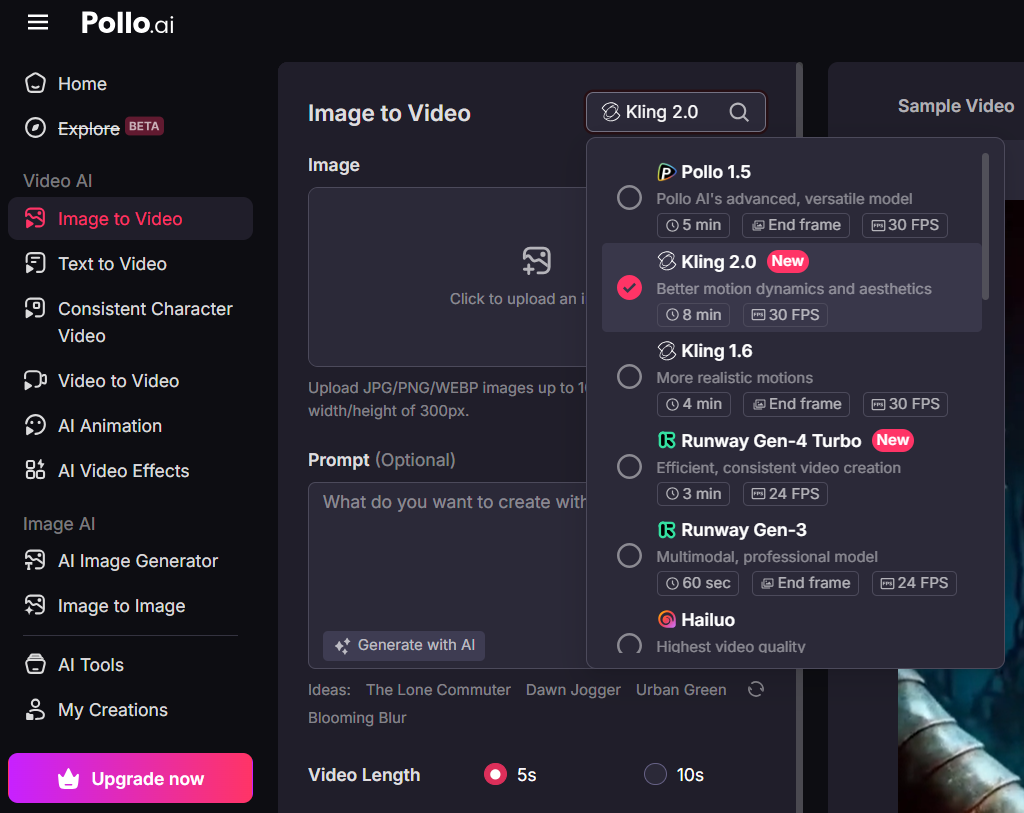
In a word, you can try out all of the different Kling AI models in Pollo AI with a more stable network connection and seamless creation experience.
Conclusion
If you are tired of network error when using Kling AI to generate videos, Pollo AI is a great option to consider.
So far, there are no network error problems from this platform and its server doesn't seem to get overwhelmed. If you are serious about improving the experience of your AI video generation, try Pollo AI now!