



Two Character Video Swap VIDEO Breakdown (Prompts Included)
Recreating this Two Character Video Swap video is straightforward with Pollo AI. Upload your main video and two character reference images, then use the prompt below to replace the original performers while preserving the original motion, timing, audio, and lip-sync.
Step 1
First, prepare two character reference images. If you need to generate a three-view turnaround, copy the image prompt below, then go to pollo.ai, select the GPT Image 2.5 model and generate your output.
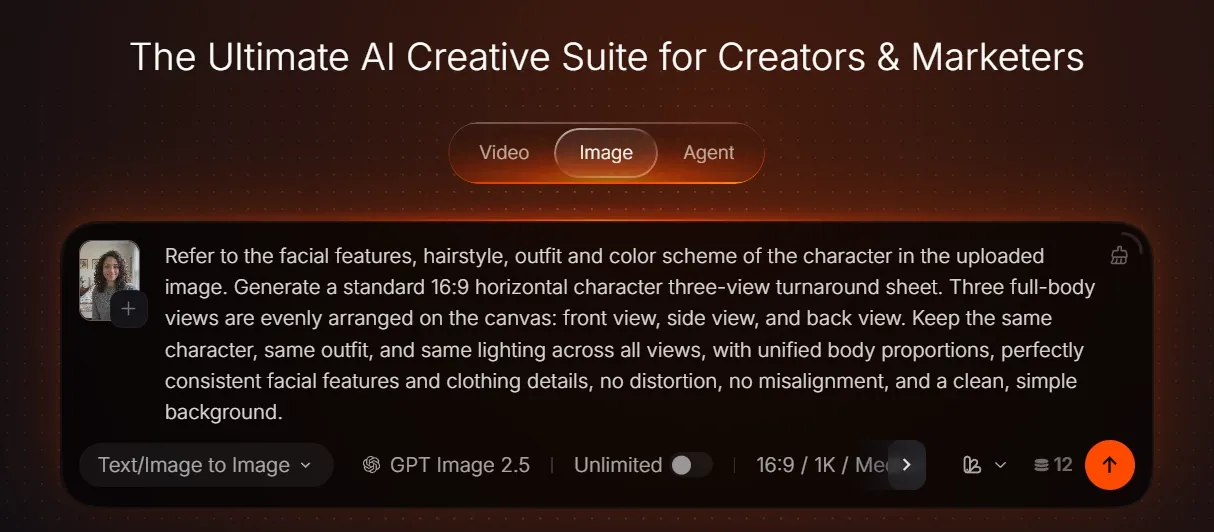
Image Prompt
Refer to the facial features, hairstyle, outfit and color scheme of the character in the uploaded image. Generate a standard 16:9 horizontal character three-view turnaround sheet. Three full-body views are evenly arranged on the canvas: front view, side view, and back view. Keep the same character, same outfit, and same lighting across all views, with unified body proportions, perfectly consistent facial features and clothing details, no distortion, no misalignment, and a clean, simple background.
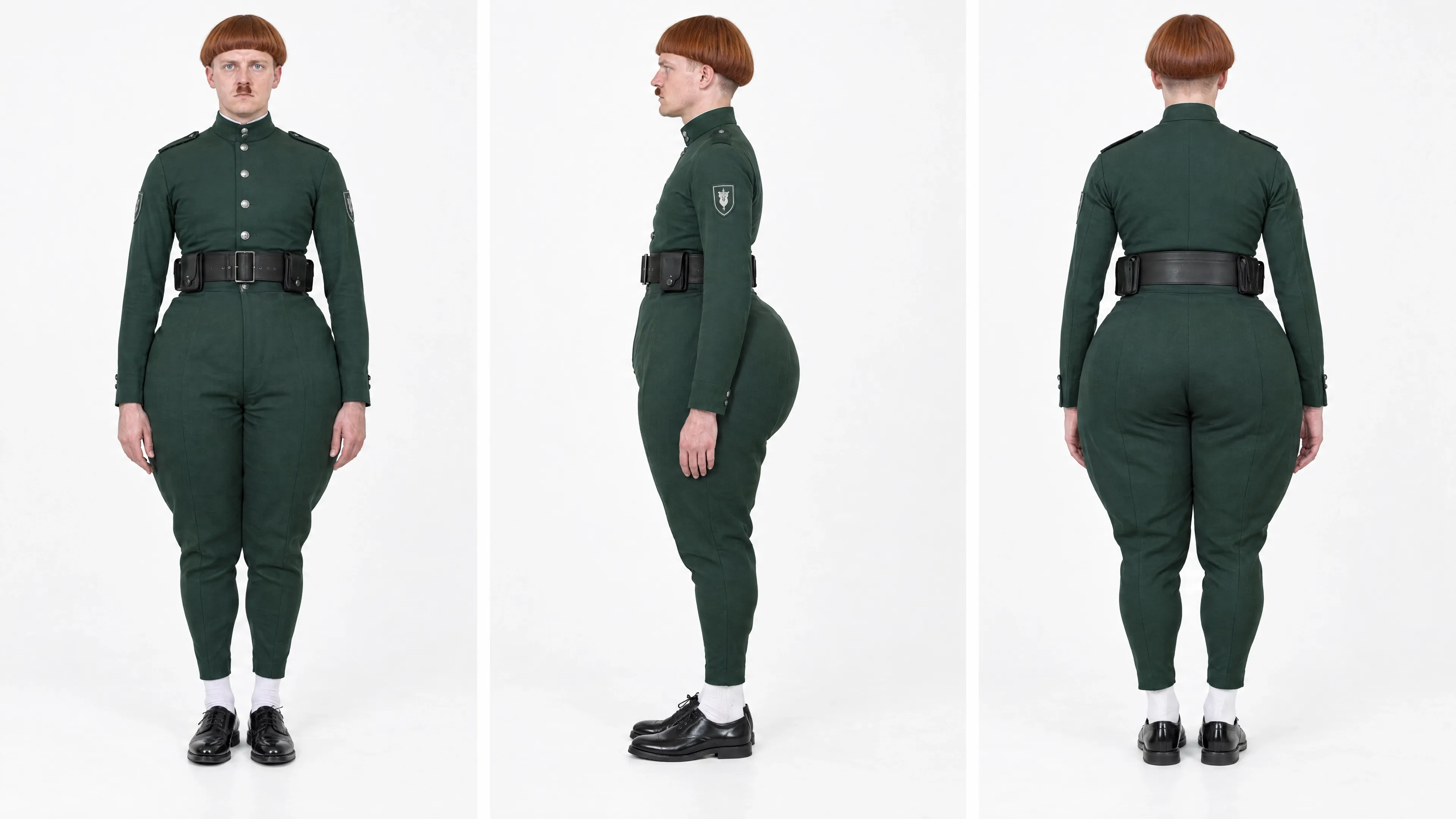
reference image①
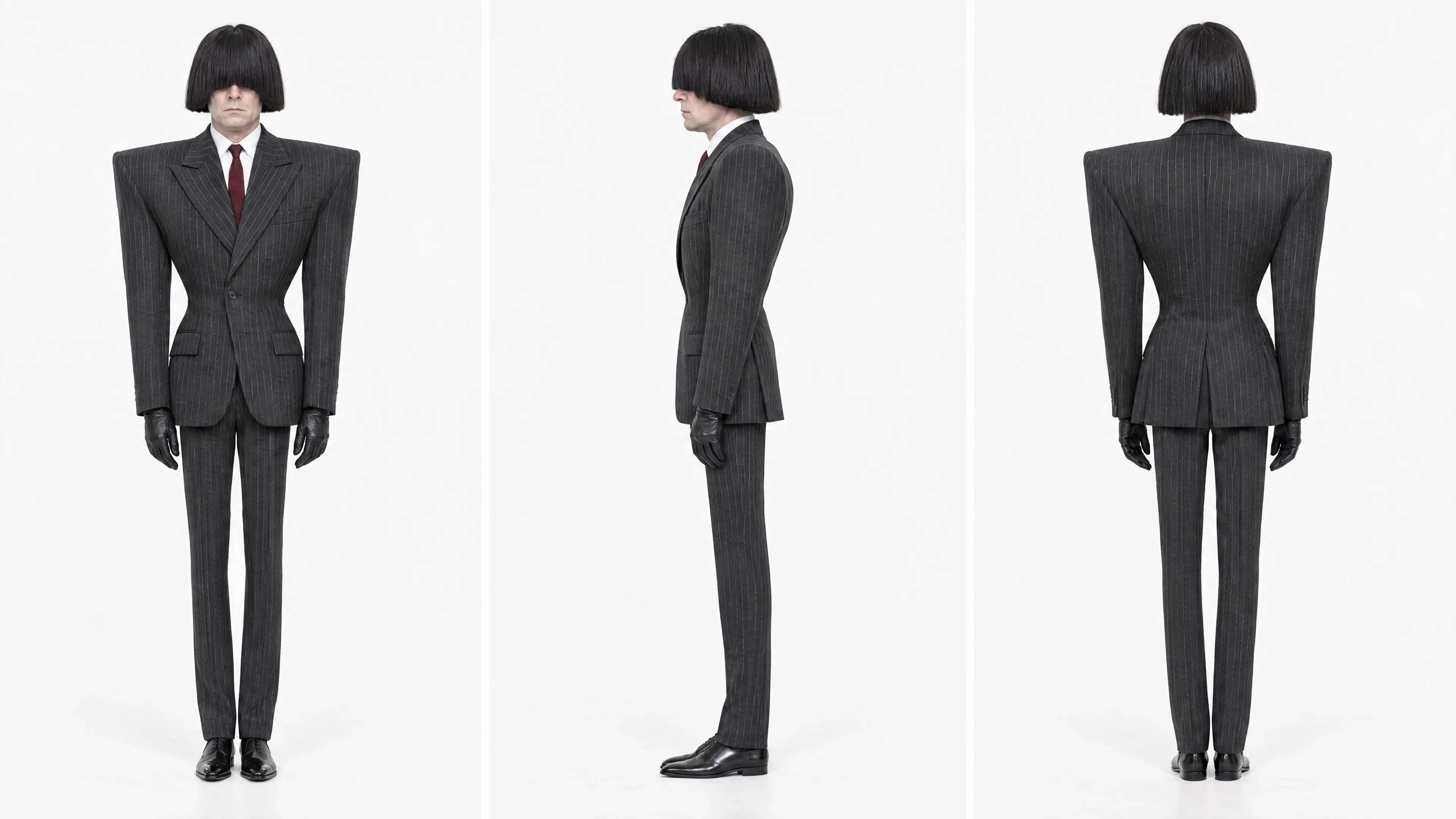
reference image②
Step 2
Once your image is ready, go to Video Generation. Upload your prepared image or pick assets from your Creations library. Select reference-to-video mode and paste your video prompt.
Note: Add @your-image for image reference and @your-video for video reference inside the prompt. Pick any of these models: Seedance 2.5, Seedance 2.0, MiniMax H3 or Wan 3.0. Click Generate after confirming all settings.
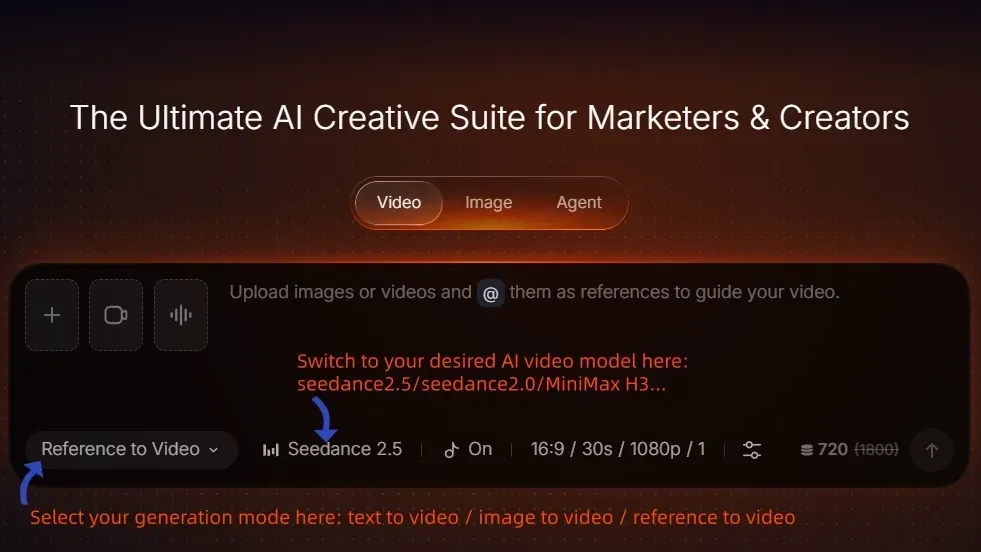
Note2:Generation requires a video as reference footage. You can either use a video from the Ins/Tikotk/Youtube or use this one as your reference
Video Prompt
[@Main Video] controls the entire video timeline, scene environment, props, original character positions, movement paths, action rhythm, camera movement, editing order, performance rhythm, lip-sync timing, and original audio track.
[@Character A Reference Image] only defines Character A’s identity and appearance: facial features, skin tone, hairstyle, hair color, eyes, body type, clothing, shoes, and visible accessories. Do not use the studio background, collage layout, dividing lines, static standing pose, fixed expression, or multi-view character sheet format from the reference image.
[@Character B Reference Image] only defines Character B’s identity and appearance: facial features, skin tone, hairstyle, hair color, eyes, body type, clothing, shoes, and visible accessories. Do not use the studio background, collage layout, dividing lines, static standing pose, fixed expression, or multi-view character sheet format from the reference image.
If a character reference image contains a facial close-up, front full-body view, back full-body view, or side view, all of them belong to the same character from different angles. Do not generate multiple copies. Do not generate a character sheet. Do not create split-screen, triptych, or collage-style layouts.
Character Mapping
Original Person 1 in [@Main Video] must be replaced only by the person defined in [@Character A Reference Image].
Original Person 2 in [@Main Video] must be replaced only by the person defined in [@Character B Reference Image].
This mapping must remain fixed from the beginning to the end. Regardless of distance changes, left-right position changes, single-character close-ups, turning around, looking back, mutual occlusion, entering the frame, or leaving the frame, the original character identity must be continuously tracked. Do not reassign characters based on current screen position, character size, or camera focus.
The faces, hairstyles, body types, clothing, glasses, accessories, and original appearance traits of the two original people in the main video must not appear in the final result.
Character A must not inherit any appearance, clothing, hairstyle, accessories, or facial features from Original Person 1.
Character B must not inherit any appearance, clothing, hairstyle, accessories, or facial features from Original Person 2.
Character A Appearance Lock
Character A must consistently keep [fill in Character A features: for example face, skin tone, hairstyle, body type, top, pants, shoes, accessories].
Character A’s face, hairstyle, body type, clothing, shoes, and accessories must remain continuous and stable throughout the entire video. No deformation, outfit changes, face changes, age changes, gender changes, or blending with Character B.
Character B Appearance Lock
Character B must consistently keep [fill in Character B features: for example face, skin tone, hairstyle, body type, glasses, top, pants, shoes, accessories].
Character B’s face, hairstyle, body type, clothing, shoes, and accessories must remain continuous and stable throughout the entire video. No deformation, outfit changes, face changes, age changes, gender changes, or blending with Character A.
If Character B has glasses, a hat, earrings, necklace, backpack, or any other key accessory, that accessory must remain stable throughout the entire video. It must not disappear, deform, float, or block facial expressions.
Action Inheritance
Character A must fully inherit all actions, poses, movement paths, body orientation, arm movements, leg movements, head turns, gaze direction, expression changes, mouth movements, breathing rhythm, and reaction timing from Original Person 1 in [@Main Video].
Character B must fully inherit all actions, poses, movement paths, body orientation, arm movements, leg movements, head turns, gaze direction, expression changes, mouth movements, breathing rhythm, and reaction timing from Original Person 2 in [@Main Video].
All actions must strictly follow the original order, start and end timing, speed, range of motion, inertia, pauses, and reaction delays from [@Main Video]. Do not add new actions. Do not redesign the performance. Do not change the front-back relationship, distance changes, or interaction rhythm between the characters.
When adapting actions, preserve the natural body proportions of Character A and Character B. Limbs, torso, clothing, and prop interactions must remain natural, with no intersections, broken body parts, extra hands, or extra feet.
Audio and Lip Sync
Fully preserve the original audio track from [@Main Video], including voices, music, ambience, prop sounds, speed-related sounds, and all other audio. Do not rewrite, replace, rearrange, or add dialogue, narration, subtitles, or background music.
When Original Person 1 in [@Main Video] speaks or shows mouth movement, only Character A must sync to that corresponding audio. Character A must match the original audio syllable by syllable, including voice start and end timing, syllable rhythm, lip opening and closing, lip shape changes, jaw movement, breathing, and mouth-closing timing.
When Original Person 2 in [@Main Video] speaks or shows mouth movement, only Character B must sync to that corresponding audio. Character B must match the original audio syllable by syllable, including voice start and end timing, syllable rhythm, lip opening and closing, lip shape changes, jaw movement, breathing, and mouth-closing timing.
Characters who are not speaking must keep the corresponding closed-mouth state, expression, and reaction from [@Main Video]. The two characters’ voice assignment, lip-sync responsibility, and action responsibility must never be swapped.
Consistency Rules
There must only be two core characters throughout the entire video: Character A and Character B.
Character A must always correspond to Original Person 1.
Character B must always correspond to Original Person 2.
Their identities, appearances, hairstyles, body types, clothing, shoes, accessories, movement slots, action responsibilities, prop ownership, voice ownership, and lip-sync responsibilities must not swap, merge, or drift.
If any reference conflict occurs:
Character A and Character B’s appearances, clothing, body types, hairstyles, and accessories must follow their respective character reference images.
The scene, props, actions, camera movement, editing, lip-sync timing, audio, and event order must follow [@Main Video].
Final Summary
Create a reference-to-video two-character swap that preserves the original main video’s motion, camera, editing, audio, and lip-sync timing while replacing each original performer with a fixed character reference.
Want to bring your Two Character Video Swap video to life in minutes? Upload your main video and character references, paste the prompt, and create your own consistent AI video swap with Pollo AI.