Alibaba's Wan 2.5 turns detailed briefs into precise, realistic images with stronger control over style, texture, and edits. Try Wan 2.5 on Pollo AI for free!
Text to Image
Image to Image
Pollo Recast
Recreate viral videos. Remix new versions.
Pollo Agent x Gemini 4 Argon
Smarter reasoning. All through Pollo Agent.
Pollo Recast Challenge
One upload in. Your viral video out. Unlimited rewards await.
WIN iPHONE DUO
Capture a city in one minute. Join the challenge now.
Pollo MCP
End-to-end content creation. Up to 4 Videos/ 20 Images for FREE.
Get Unlimited GPT Image 2.5
Faster. Sharper. Smarter. Go Unlimited with Ultra.
Unlock Unlimited MiniMax H3
Omni-Reference. Unlimited with Ultra.
Get Unlimited Wan 3.0
Native 30-second videos. Richer reference inputs.
Key Features of Wan 2.5
Accurate Prompt Following: Precisely reflects every visual instruction, from lighting and perspective to texture and style.
Photographic Realism: Delivers lifelike imagery with authentic lighting, space depth, and finely detailed textures.
Diverse Artistic Styles: Faithfully recreates varied art styles while maintaining brand tone and visual language.
Creative Text Generation: Perfectly designs complex typography, layouts, and poster compositions.
Consistent Elements: Transfers reference elements accurately for uniform designs and characters.
Precise Image Editing: Understands and executes style changes and controlled edits with high accuracy.
Spot-On Prompt Following
For AI image generation, Wan 2.5 shines at understanding and delivering exactly what you describe in your prompts. It handles everything from lighting and viewpoints to colors, styles, and textures without missing a beat—your words turn into visuals just as you imagined. This makes it great for creators who want reliable results without endless tweaks.
Prompt
Generated Image
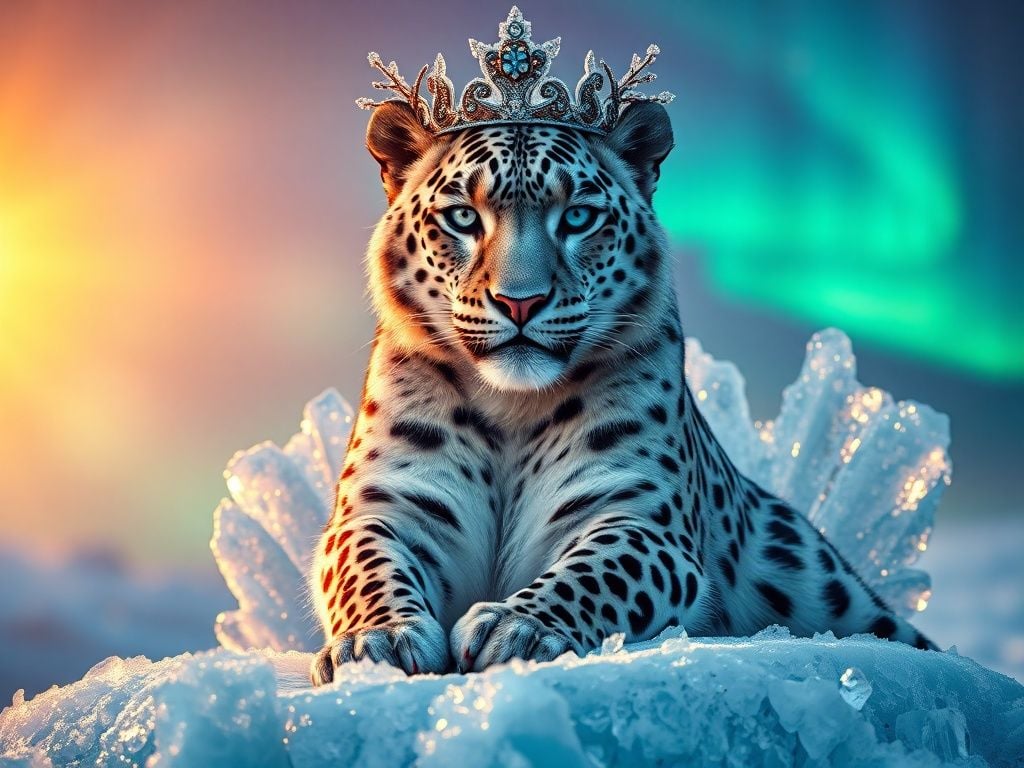
A majestic snow leopard sitting on a crystalline ice throne, precisely at golden hour with warm sunlight hitting from the left at 45-degree angle creating dramatic shadows, the leopard's piercing blue eyes looking directly at camera, wearing an ornate crown made of frozen branches and icicles, fur texture showing individual strands with frost tips, background featuring aurora borealis in emerald green and purple hues, foreground with scattered blue ice crystals reflecting the light, shot from slightly below eye level for a regal perspective, hyperrealistic style with fantasy elements, color palette strictly limited to blues, whites, purples and golden highlights, 16:9 aspect ratio composition
Lifelike Textures and Realism
Wan 2.5 AI image model creates images that look incredibly real, like professional photos, with fine details in textures, lighting, and spatial layers. Think smooth fabrics, glowing skin, or rugged landscapes—all captured with depth and authenticity. It's ideal for product visuals, character designs, or any project needing that polished, believable touch.
Prompt
Generated Image
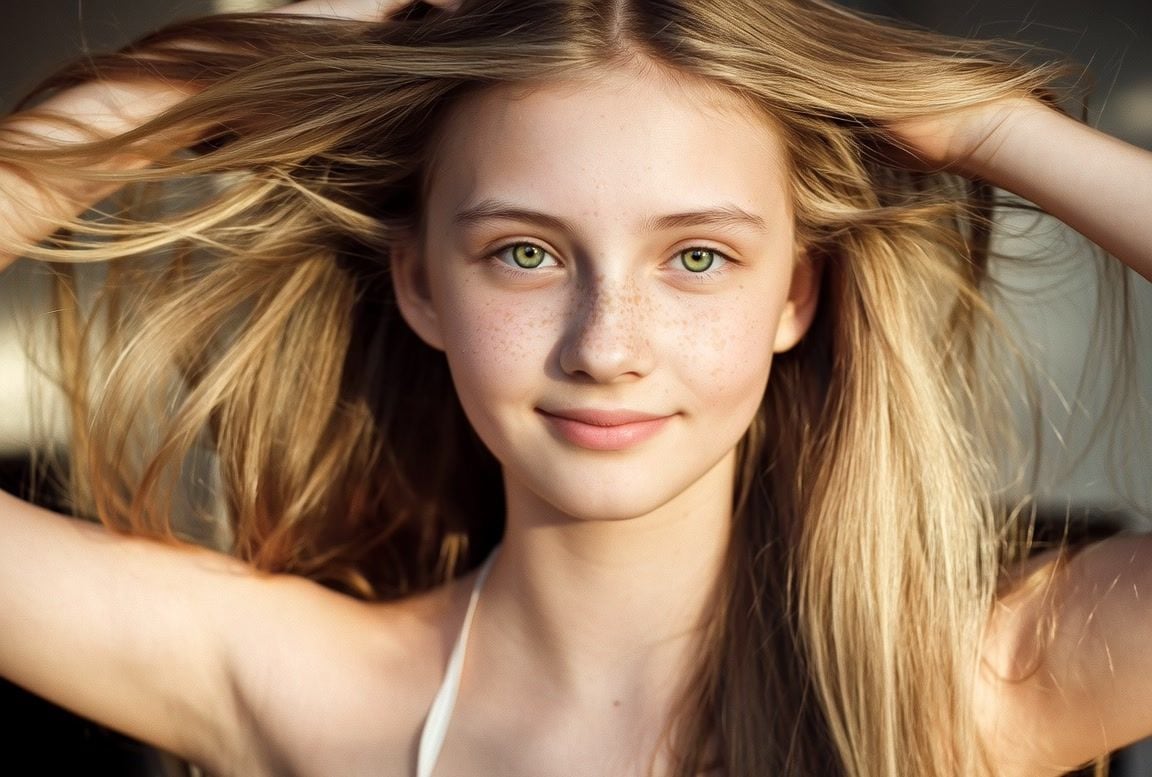
Picture view from belly to face. split open. A stunning close-up portrait of a beautiful teen girl with thick, luscious blonde hair. Her voluminous waves cascade down her shoulders, gleaming with golden highlights under soft, diffused lighting. Her flawless, radiant skin glows with a natural dewy finish, and her piercing blue or green eyes (choose one) captivate with depth and emotion. Delicate freckles dust her cheeks for a touch of charm, and her rosy lips part slightly in a gentle, alluring smile. The background is softly blurred, emphasizing her ethereal beauty. The style is ultra-realistic with a touch of cinematic elegance, evoking a high-fashion photoshoot or dreamy editorial vibe.
Endless Art Styles
Wan 2.5 AI image model brings a huge variety of artistic expressions to life, staying true to specific styles, brand vibes, or visual storytelling. Whether it's a vintage painting, sleek modern graphic, or custom aesthetic, it recreates them with stunning accuracy and flair, helping you match any creative vision perfectly.
Prompt
Generated Image
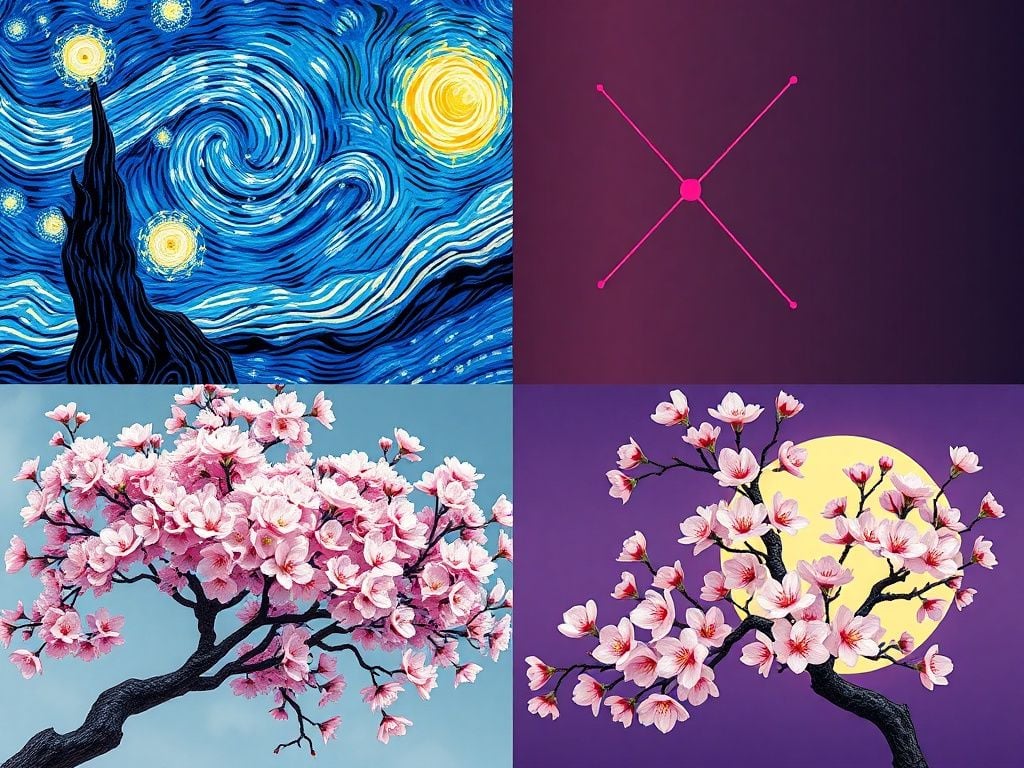
Split composition showing four distinct art styles in one image: top left quadrant painted in Van Gogh's swirling impressionist style with thick brushstrokes, top right in sleek minimalist geometric design with neon colors, bottom left in traditional Japanese ukiyo-e woodblock print style with bold outlines, bottom right in photorealistic 3D render style, all depicting the same beautiful flowering cherry tree, seamless blend between styles
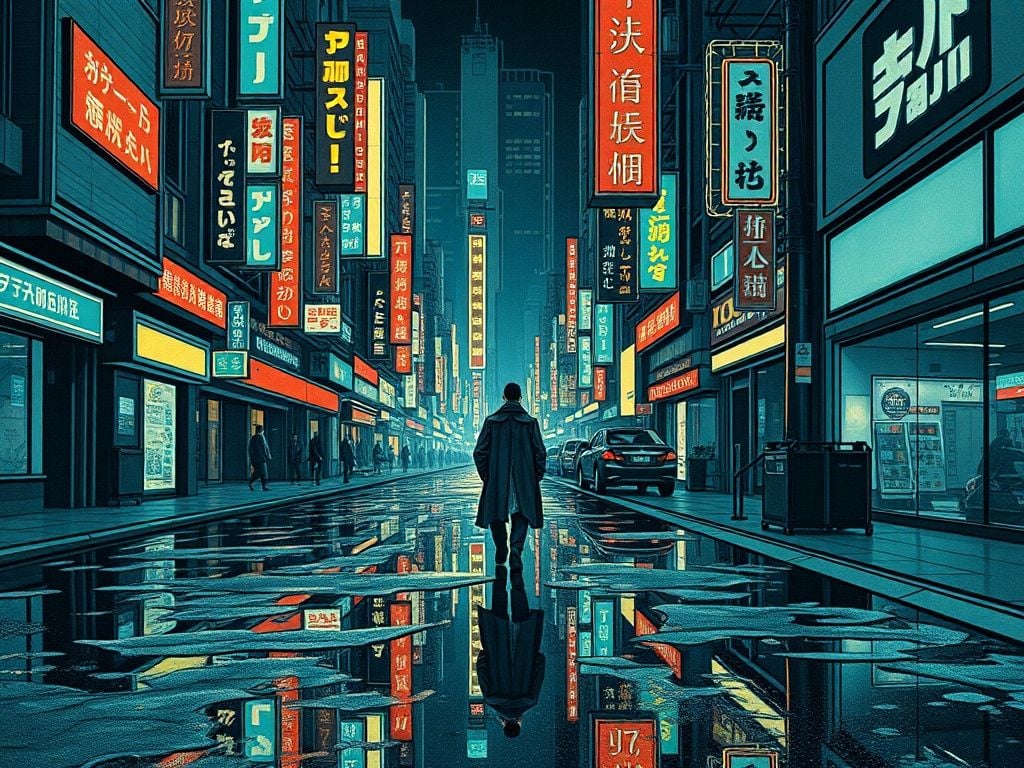
A bustling, futuristic cyberpunk city street with neon signs reflected in the puddles on the pavement. A lone figure in a trench coat walks towards the viewer. The entire scene is rendered in the style of a traditional Japanese Ukiyo-e woodblock print, with flat perspectives, bold outlines, and a muted color palette.
Smart Text Handling
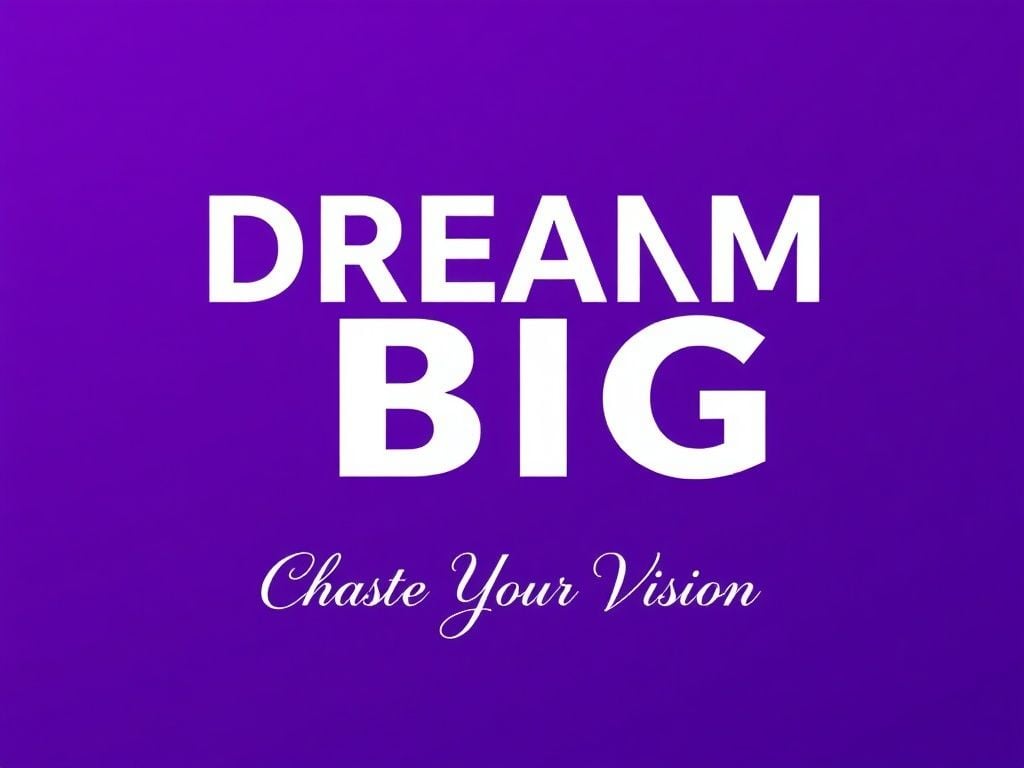
Generating text in images has never been easier—Wan 2.5 designs creative, precise lettering for tricky layouts, compositions, and even full artistic posters. It handles complex fonts, arrangements, and integrations seamlessly, saving time on graphics like ads, logos, or social media art.
Prompt
Generated Image
Modern minimalist poster design with bold typography, large text reading 'DREAM BIG' in clean sans-serif font perfectly integrated into geometric shapes, smaller subtitle text 'Chase Your Vision' in elegant script below, gradient background from deep purple to electric blue, creative letter spacing and arrangement, professional graphic design layout, text as the hero element, magazine advertisement quality
Consistent Element Matching
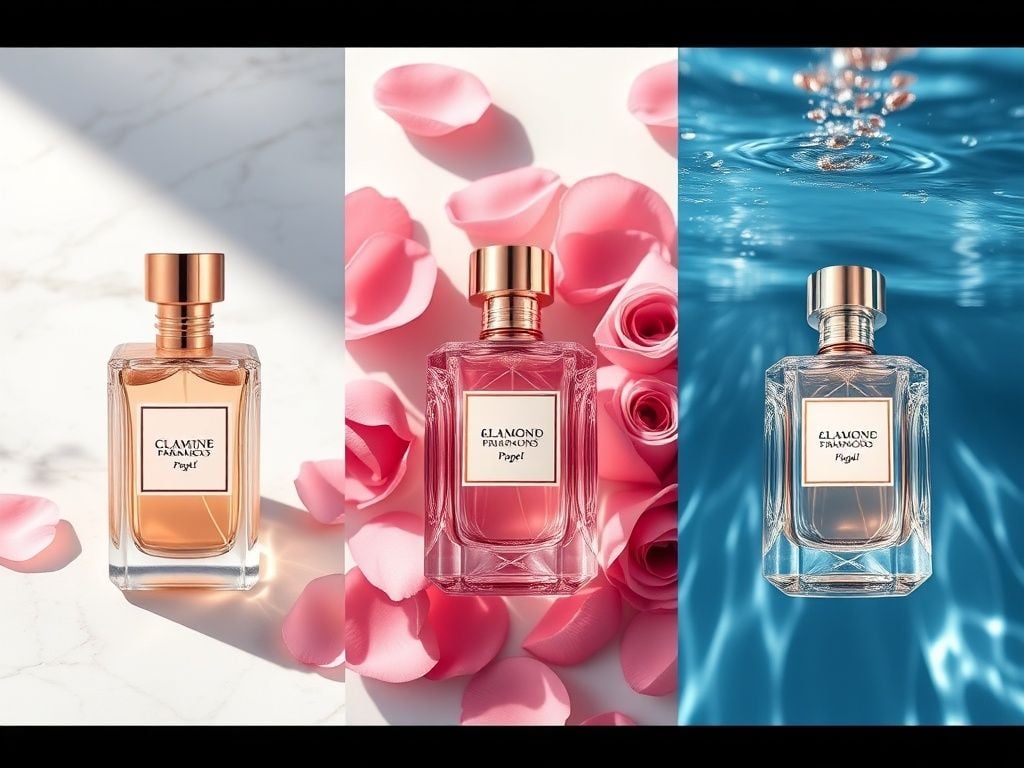
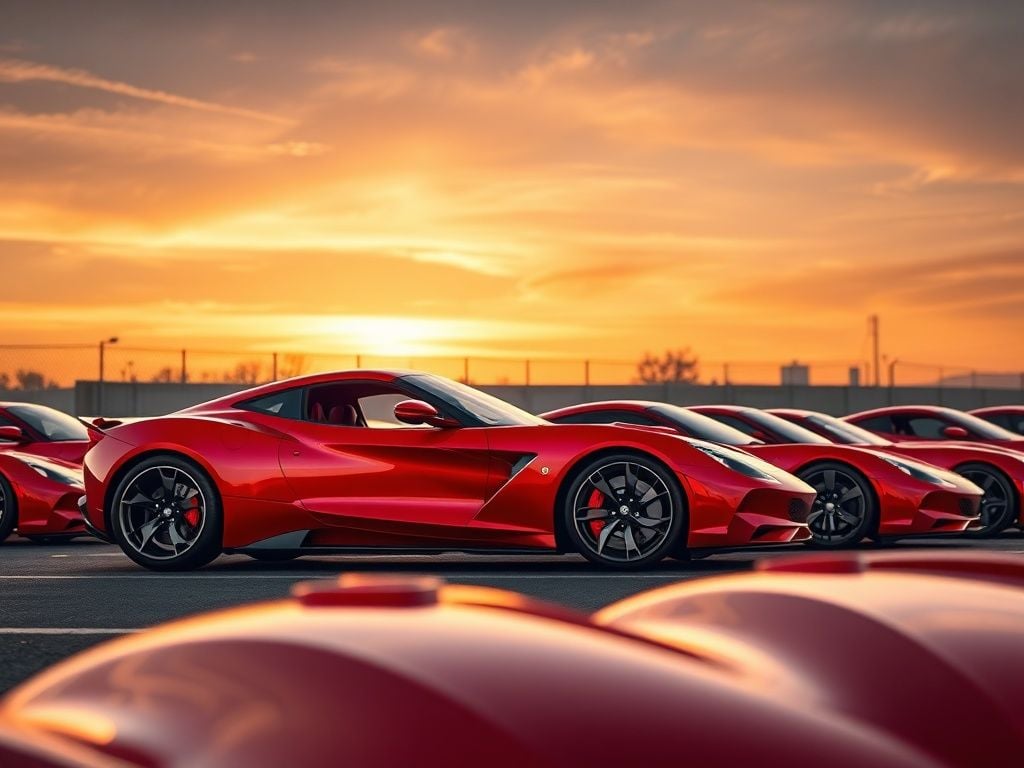
When you reference an image or element, Wan 2.5 transfers those key features—like shapes, colors, or patterns—into new creations with pinpoint accuracy. This keeps everything cohesive, making it perfect for building series of images or expanding on existing ideas without losing the original feel.
Prompt
Generated Image
Series of three product shots maintaining consistent brand elements: luxury perfume bottles with identical rose gold metallic finish and diamond-cut glass design, each in different environments - first on white marble with soft shadows, second surrounded by pink rose petals, third underwater with light refractions, consistent color palette and lighting style across all three, maintaining brand identity
A cohesive series starter: A single red sports car with glossy metallic paint, aerodynamic curves, and chrome accents under dramatic sunset lighting. Now, expand to a parking lot scene where multiple cars of the same model maintain the exact red color, shine, and lighting consistency, with subtle variations in angles for a collection vibe.
Precise & Easy Image Editing
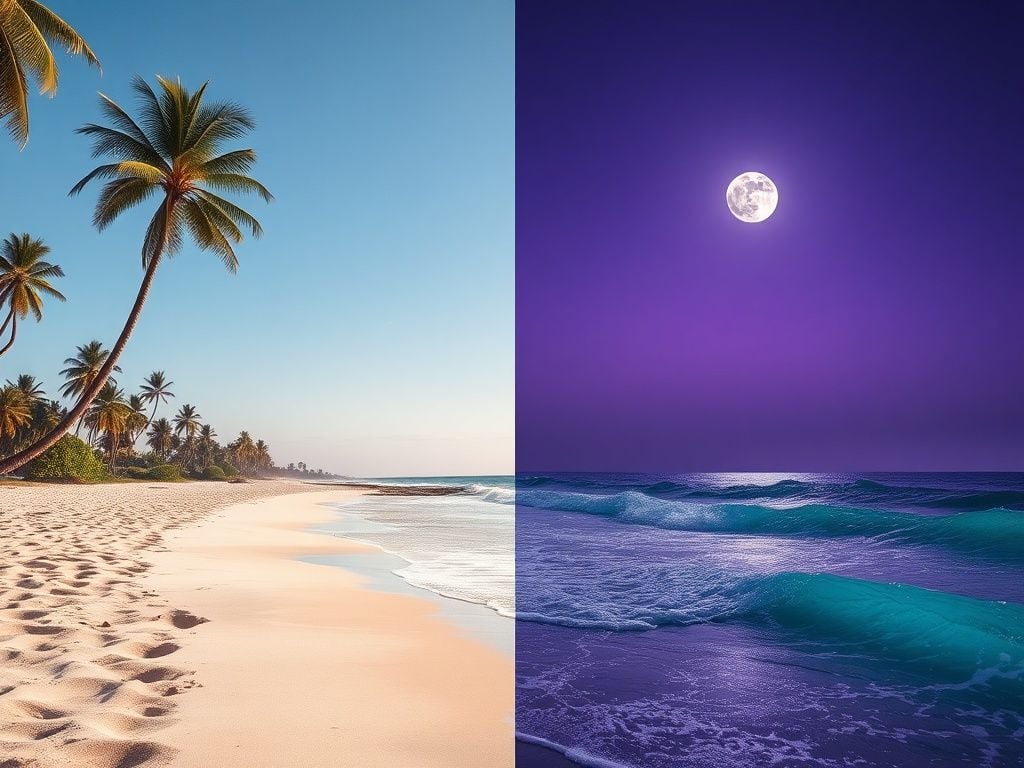
Wan 2.5 AI image model makes editing straightforward by following your instructions closely for style shifts, adjustments, or controlled changes. From tweaking moods to refining details, it supports a range of tasks with precision, giving you pro-level control without complicated tools.
Prompt
Generated Image
Original scene: A bright sunny beach with turquoise waves and palm trees. Edited version: Transform to a moody twilight beach with purple hues, gentle waves under moonlight, palm silhouettes, but keep the original sandy texture, wave shapes, and tree positions intact for seamless editing.
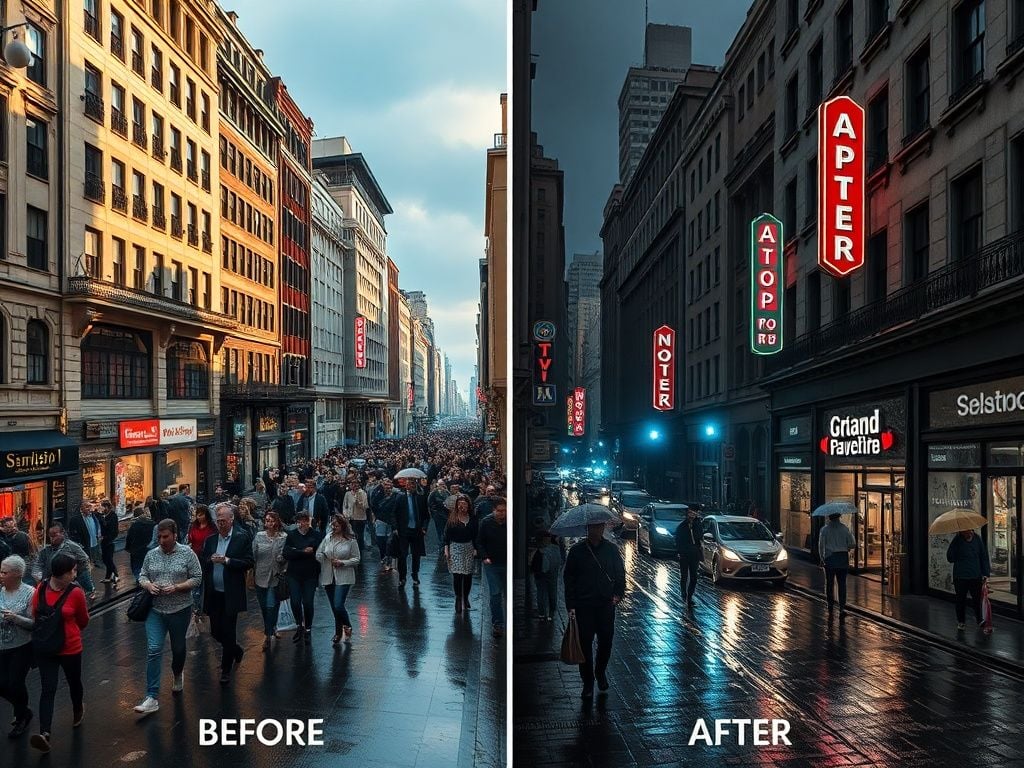
Before and after split image showing precise editing capabilities: left side shows daytime city street with warm sunlight and busy crowds, right side shows exact same street composition transformed to moody nighttime scene with neon signs glowing, rain-wet streets reflecting lights, fewer people with umbrellas, maintaining identical building architecture and perspective, demonstrating controlled style transformation
I’ve been using Pollo AI mainly for short videos and quick image-to-video tests. The interface is straightforward and it works well even with simple prompts, which is a big plus compared to tools that need long, complicated instructions. The results can be really impressive, and it’s honestly been fun to experiment with. I’d love a bit more consistency on faces when there’s movement, but overall it’s been a solid experience for what I needed.
Awesome website. loads of options and a great way to learn how to work with 'AI' my reasoning for 5 stars is based upon price, versatility and ease of use. Also I would like to add, Pollo AI runs a lot of promos on different AI products as well. I rate their customer service at 5 stars, when I purchased my first subscription my computer crashed the following weekend and I lost all my data and info passwords you name it I lost it, contacted pollo by email they responded quickly and found my info/username and account, and I was able to restore my account.
I have been using Pollo AI for short videos. It is easy to use and works well with simple prompts. Other generators seem to need long drawn out complicated explanations to get even close to what I want.
i tried 220 online img to vid in 2 months, and this is the best online video.I will subscribe for a year; there are many reasons. But freedom is the most important.
FAQs
What is the Wan 2.5 AI image model?
Wan 2.5 AI image model is a groundbreaking text-to-image and image-to-image AI model from Alibaba. It builds upon previous versions by introducing powerful new features like accurate in-image text generation, consistent element control, and advanced image editing, alongside significant improvements in photorealism and prompt adherence.
Wan 2.5 AI image model represents a major leap forward. While Wan 2.2 improved realism, Wan 2.5 introduces game-changing capabilities, including the ability to creatively and accurately generate text within images. It also allows you to maintain consistent characters across different generations and offers more powerful, instruction-based editing, making it a far more versatile and precise creative tool.
Can I use the Wan 2.5 AI image model for free?
Yes. You can explore the powerful features of Wan 2.5 at no cost through the Pollo AI free trial plan. This gives you direct access to its advanced image generation capabilities.
Any prompting tips for the best results on the Wan 2.5 AI image model?
Wan 2.5 features an exceptionally strong understanding of prompts. For best results, be specific with your descriptions. Don't hesitate to include details about lighting, camera angles, and artistic style. Crucially, you can now also include prompts for specific text, typography, and poster layouts, which the model will execute with high accuracy.
What types of images can I create with the Wan 2.5 AI image model?
Wan 2.5 is incredibly versatile. While it excels at photorealism, its standout feature is creative text generation, making it perfect for designing posters, advertisements, memes, and artistic graphics. It's also ideal for creating character concepts, product mockups, and any project that requires a blend of high-quality imagery and integrated, stylized text.
Can Wan 2.5 AI image model be used for image editing?
Definitely—it supports inpainting (editing parts of an image), style transfers, and generating variations from your initial output.
Does Wan 2.5 also include video generation capabilities?
Yes, alongside its powerful image tools, Alibaba has released a Wan 2.5 AI video model that brings the same high-quality realism and style control to short video clips. You can create dynamic scenes from text prompts on Pollo AI video generator—perfect for extending your images into motion without missing a beat in creativity.







 Liz Cassidy


