



Instantly Create Cinematic AI Zoom Out Videos
Upload a single photo, and watch as the camera smoothly pulls back, revealing intricate layers of the surrounding environment with stunning depth and cinematic rhythm. Our zoom out video effect transforms your image from a close-up to a wide-angle view, perfect for creative projects.
High-Quality AI Zoom Out Video Effect
Our AI crafts a seamless zoom-out video, unveiling detailed environments while preserving sharp visuals. With fluid zoom out transitions and cinematic depth, your final videos will mesmerize viewers, making every scene feel like a blockbuster moment.
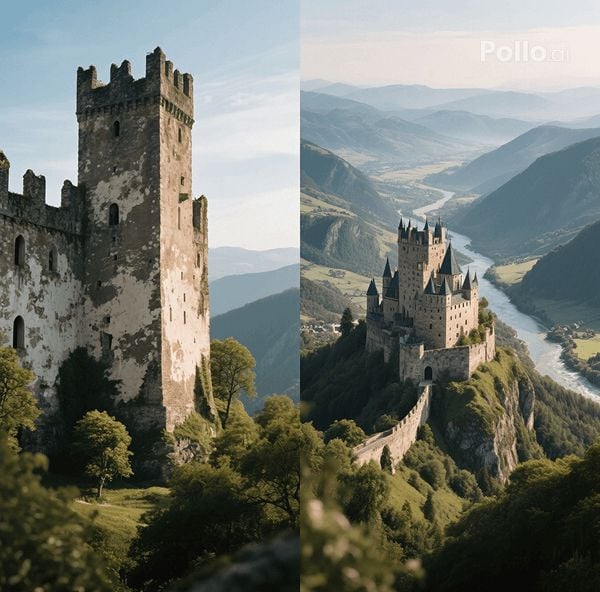
Two Types for Creative Flexibility
Choose your style! Create a zoom-out effect from a single uploaded image, letting our AI generate a dynamic, expansive reveal. Or, select the start-and-end-frame mode to define both the close-up and wide-angle views, giving you precise control over your cinematic masterpiece.
How to Use the AI Zoom Out Video Effect?
With only three steps, you can easily create videos from images with Pollo AI.
Step 1
Upload image and click Create to start generation.
Step 2
Wait for Pollo AI to create your AI zoom-out videos.
Step 3
Preview and then download the final video.
Discover Other Popular Video Effects
FAQs
What image formats can I upload for the AI zoom out video effect?
You can upload JPG or PNG images. Our AI seamlessly processes these image formats to create a smooth zoom-out AI video, revealing expansive scenes with cinematic flair.
Can I use your AI zoom out video effect at no cost?
Sure! You can use our AI zoom out video effect for free with our free user plan. However, for more video credits, please upgrade your subscription plan.
How long does it take to create an AI zoom out video?
Our AI transforms your image into a stunning zoom-out video in just seconds! Upload your original photo, and you will have a polished, share-ready zoom-out video clip almost instantly.
Can I use the start-and-end-frame mode with any image?
Yes! In our start-and-end-frame mode, upload two images to define the close-up and wide-angle views. Our AI crafts a fluid transition, perfect for customized storytelling.
