



Sizzling Don’t Cha Dance Vibe With Pollo AI
Pollo AI ignites your photo into a high-resolution video, with your subject owning the dancefloor to the trendy Don’t Cha track, delivering a trendy, heart-pounding dance challenge perfect for short-video platforms.
Slay with Don’t Cha Rhythm
Pollo AI’s Don’t Cha Effect powers your subject with electrifying dance moves synced to the iconic Don’t Cha beat, ensuring a bold, high-resolution performance that slays any social media stage.
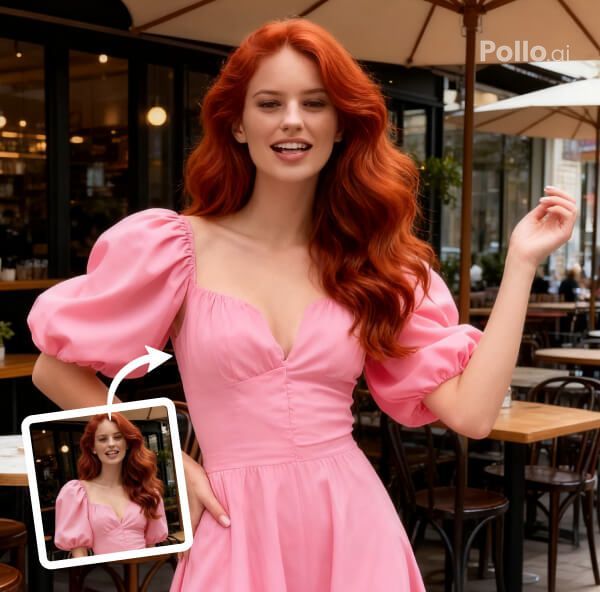
Flawless Video, Instant Social Hit
Pollo AI crafts a seamless, high-resolution video with Don’t Cha as the built-in soundtrack, perfectly timed to every beat. Upload a photo, click to generate, and get a sultry, ready-to-post dance clip—no editing needed, just pure social media fire.
How to Create Your Don’t Cha Dance Video with Pollo AI
With only three steps, you can easily create videos from images with Pollo AI.
Step 1
Submit a clear half-body or full-body photo.
Step 2
Let Pollo AI choreograph the Don’t Cha dance.
Step 3
Download or share your Don’t Cha Dance video.
Discover Other Popular Video Effects from Pollo AI
FAQs
What is Pollo AI’s Don’t Cha Effect?
Pollo AI’s Don’t Cha Effect transforms your photo into a high-resolution video of a spicy dance challenge set to Don’t Cha, perfect for dominating short-video platforms with sultry flair.
How does Pollo AI sync Don’t Cha perfectly?
Pollo AI’s advanced tech aligns every dance move to the Don’t Cha beat, creating a high-resolution video with flawless timing and natural flow for maximum viral impact.
Can I post Pollo AI’s Don’t Cha video directly?
Yes! Pollo AI’s Don’t Cha Effect delivers a ready-to-share, high-resolution video with built-in music, crafted for instant posting on social platforms without any editing.
Will my subject’s features shine in Pollo AI’s video?
Absolutely, Pollo AI’s Don’t Cha Effect preserves your subject’s facial and head details with stunning clarity, blending them into a fiery, high-resolution dance performance.
